⛷ A quiet, distraction-free writing app to help you write great sentences.
See the code
A native Mac app for local Markdown notes
English · 中文 · 繁體 · 日本語 · 한국어 · Deutsch · Français






Mac App Store (paid, automatic updates, includes the iPhone and iPad app):

Homebrew:
brew install --cask miaoyan
GitHub Releases: download the latest DMG from GitHub Releases (macOS 12.0+)
Homebrew and GitHub Releases install this open-source app, which now receives fixes only. The App Store edition is developed separately and is where new features land.
MiaoYan does not sign in to WebDAV or cloud-drive accounts and only reads and writes the Markdown folder you choose. After installing, create a MiaoYan folder in iCloud Drive, the local folder synced by the Nutstore desktop client, or any other location, then open Preferences (⌘,) and set it as the storage path. iCloud Drive, Nutstore, Dropbox, or another cloud-drive client handles cross-device sync.
# Install
curl -fsSL https://raw.githubusercontent.com/tw93/MiaoYan/main/scripts/install.sh | bash

# Usage
miao open <title|path>    # Open note or folder
miao new <title> [text]   # Create new note
miao search <query>       # Search notes in terminal
miao list [folder]        # List top-level folders, or markdown in folder
miao cat <title|path>     # Print note content
miao update               # Update CLI
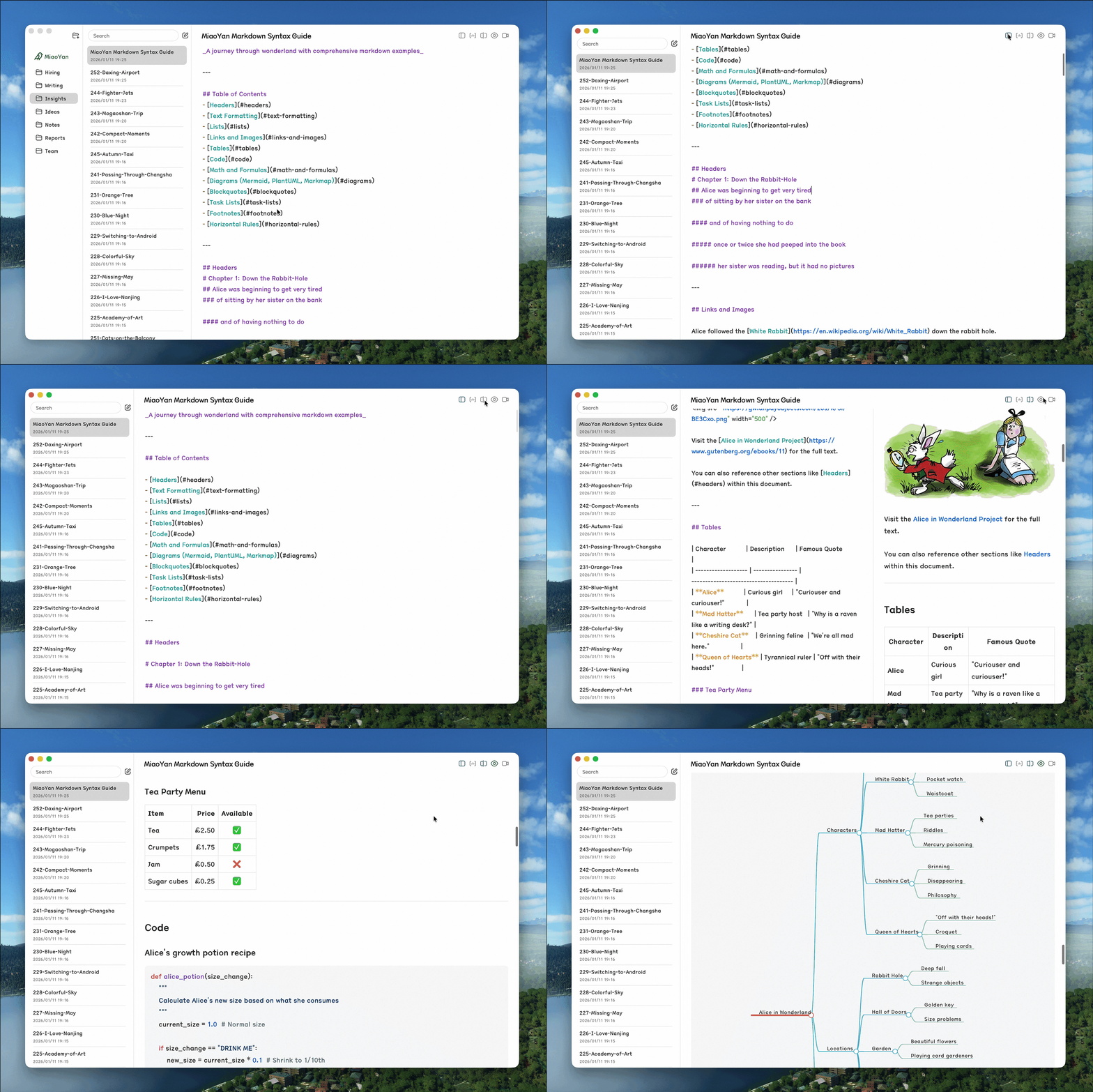
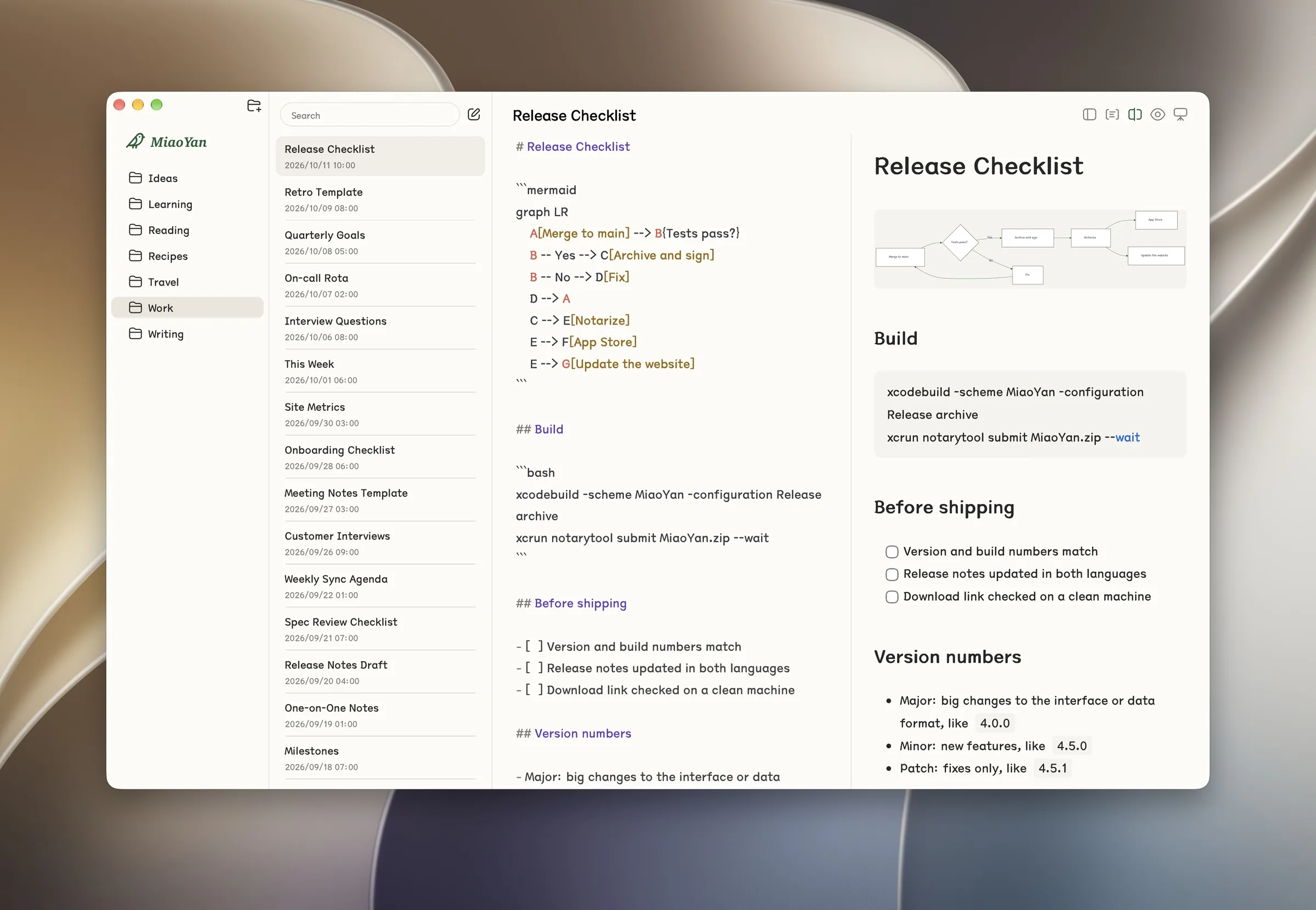
Edit and preview sit side by side. Press ⌘\ to toggle split mode, or open Preferences, go to General, and set Editor Mode to Split Mode. Why not WYSIWYG like Typora? Pure Markdown editing is the whole point. Native WYSIWYG in Swift is heavy and fragile; split mode keeps writing focused while giving you instant, synchronized visual feedback.
--- slide separatorsInstall the official skill with npx skills add tw93/MiaoYan/skills/miaoyan -g.

MIT License
(top 24 of 38)
9,435 followers · starred Aug 2022
1,019 followers · starred Feb 2026
3,047 followers · starred Apr 2026
141 followers · starred Jan 2026
⛷ A quiet, distraction-free writing app to help you write great sentences.
See the code
A native Mac app for local Markdown notes
English · 中文 · 繁體 · 日本語 · 한국어 · Deutsch · Français
Mac App Store (paid, automatic updates, includes the iPhone and iPad app):
Homebrew:
brew install --cask miaoyan
GitHub Releases: download the latest DMG from GitHub Releases (macOS 12.0+)
Homebrew and GitHub Releases install this open-source app, which now receives fixes only. The App Store edition is developed separately and is where new features land.
MiaoYan does not sign in to WebDAV or cloud-drive accounts and only reads and writes the Markdown folder you choose. After installing, create a MiaoYan folder in iCloud Drive, the local folder synced by the Nutstore desktop client, or any other location, then open Preferences (⌘,) and set it as the storage path. iCloud Drive, Nutstore, Dropbox, or another cloud-drive client handles cross-device sync.
# Install
curl -fsSL https://raw.githubusercontent.com/tw93/MiaoYan/main/scripts/install.sh | bash

# Usage
miao open <title|path>    # Open note or folder
miao new <title> [text]   # Create new note
miao search <query>       # Search notes in terminal
miao list [folder]        # List top-level folders, or markdown in folder
miao cat <title|path>     # Print note content
miao update               # Update CLI
Edit and preview sit side by side. Press ⌘\ to toggle split mode, or open Preferences, go to General, and set Editor Mode to Split Mode. Why not WYSIWYG like Typora? Pure Markdown editing is the whole point. Native WYSIWYG in Swift is heavy and fragile; split mode keeps writing focused while giving you instant, synchronized visual feedback.
--- slide separatorsInstall the official skill with npx skills add tw93/MiaoYan/skills/miaoyan -g.
MIT License
(top 24 of 38)
9,435 followers · starred Aug 2022
1,019 followers · starred Feb 2026
3,047 followers · starred Apr 2026
141 followers · starred Jan 2026