Markdown editor for Mac, iOS and iPadOS
See the code
A native markdown editor for Mac and iPhone.
Mac App Store · Direct Download · Website · @Shpigford
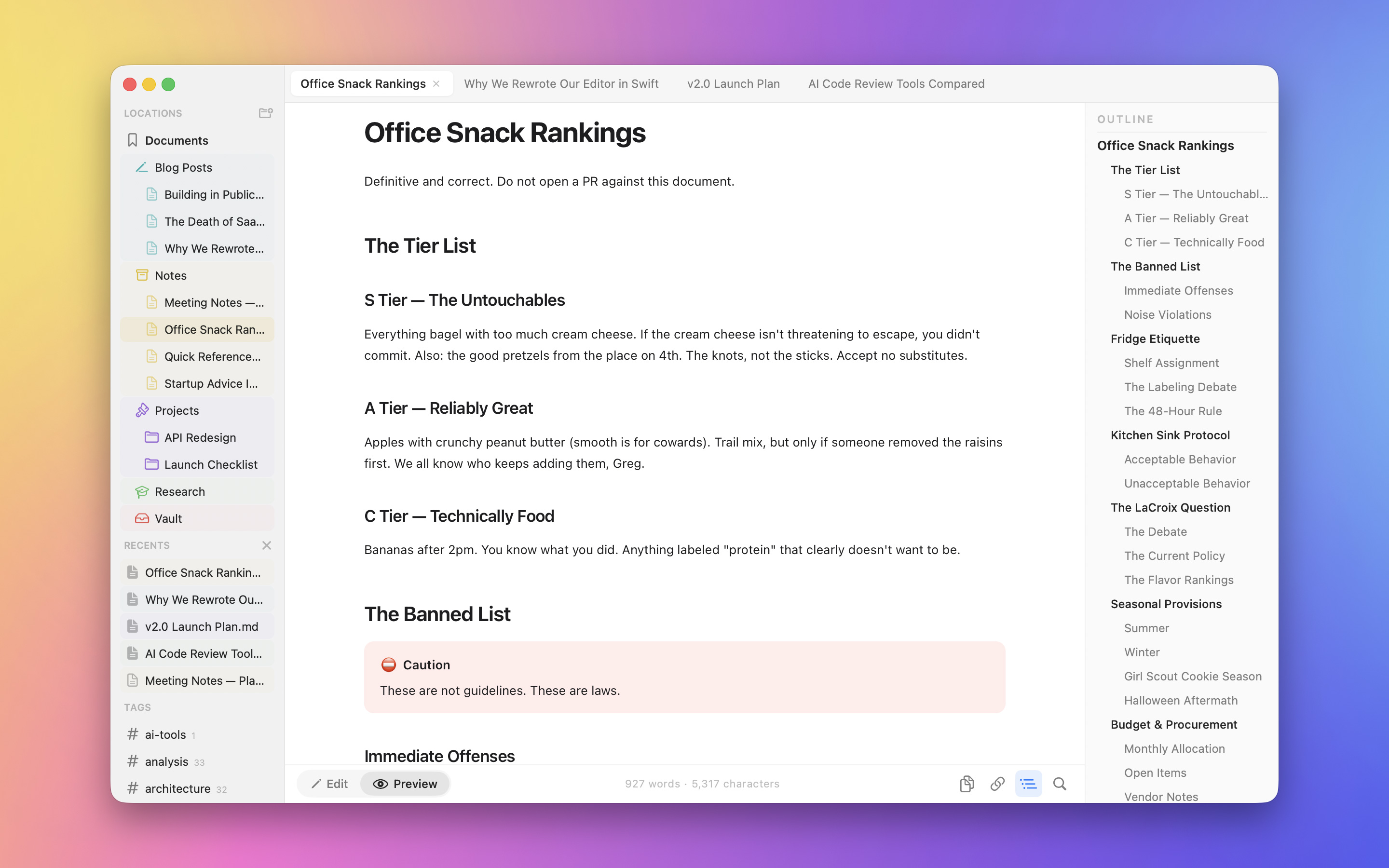
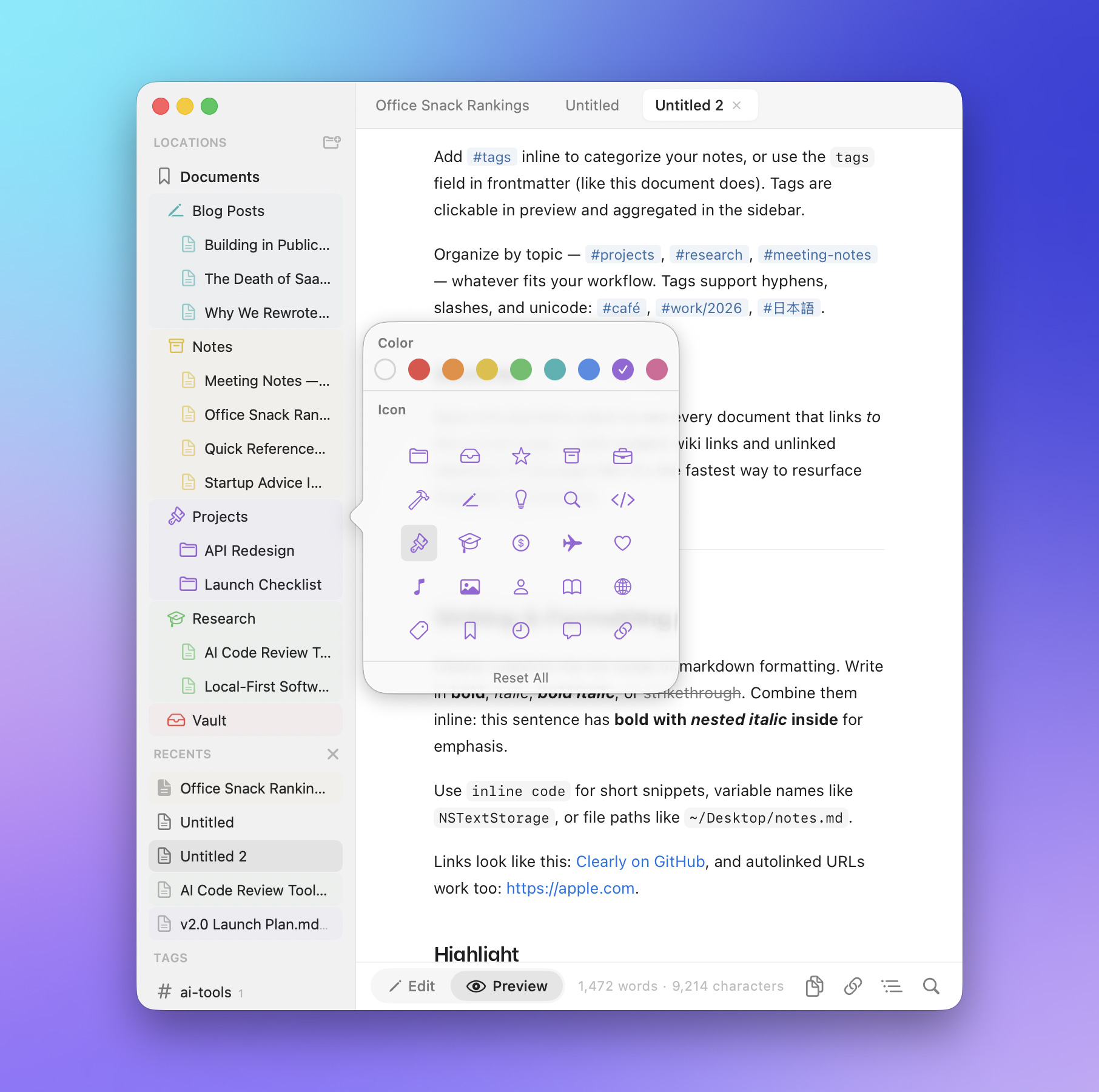
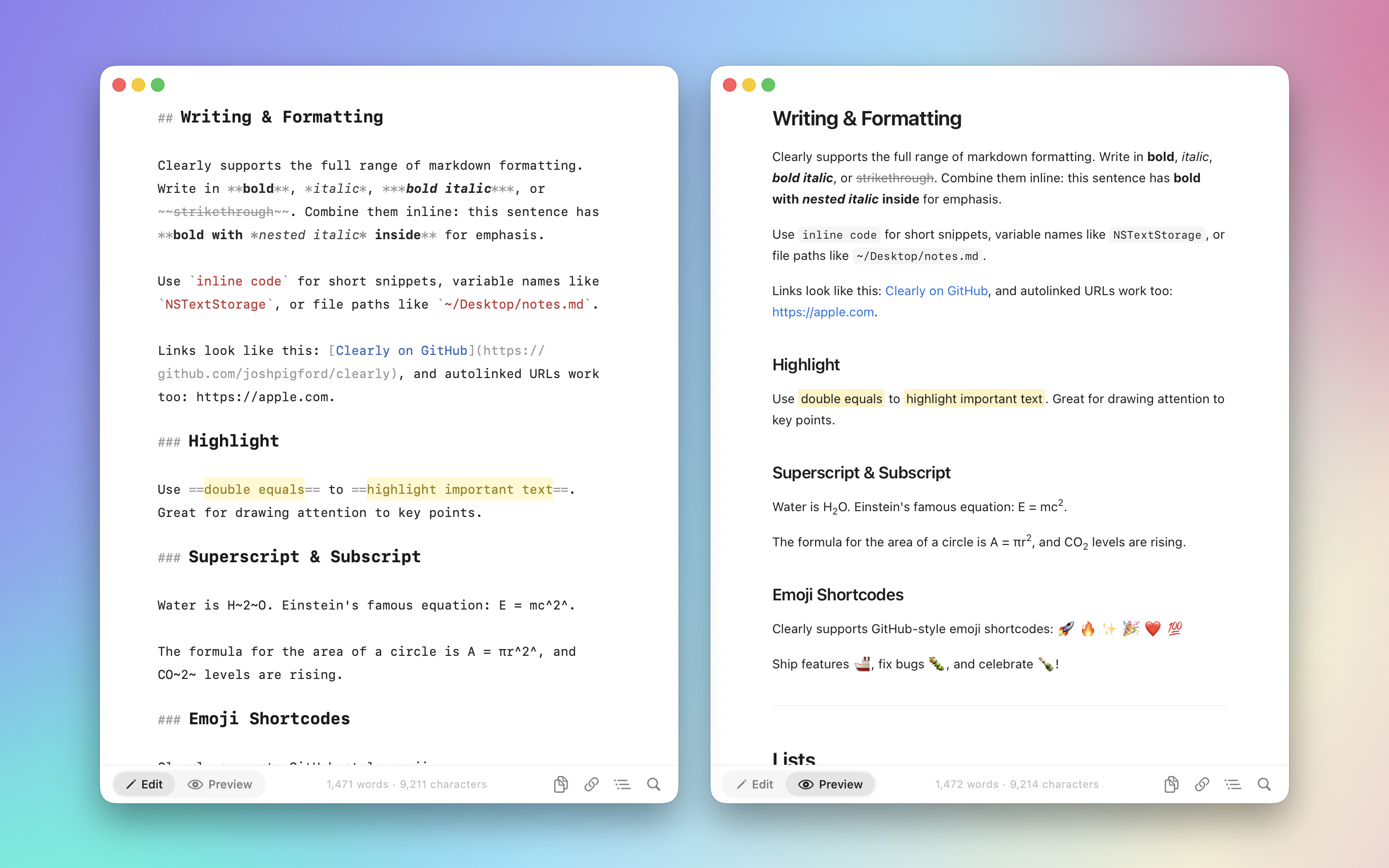
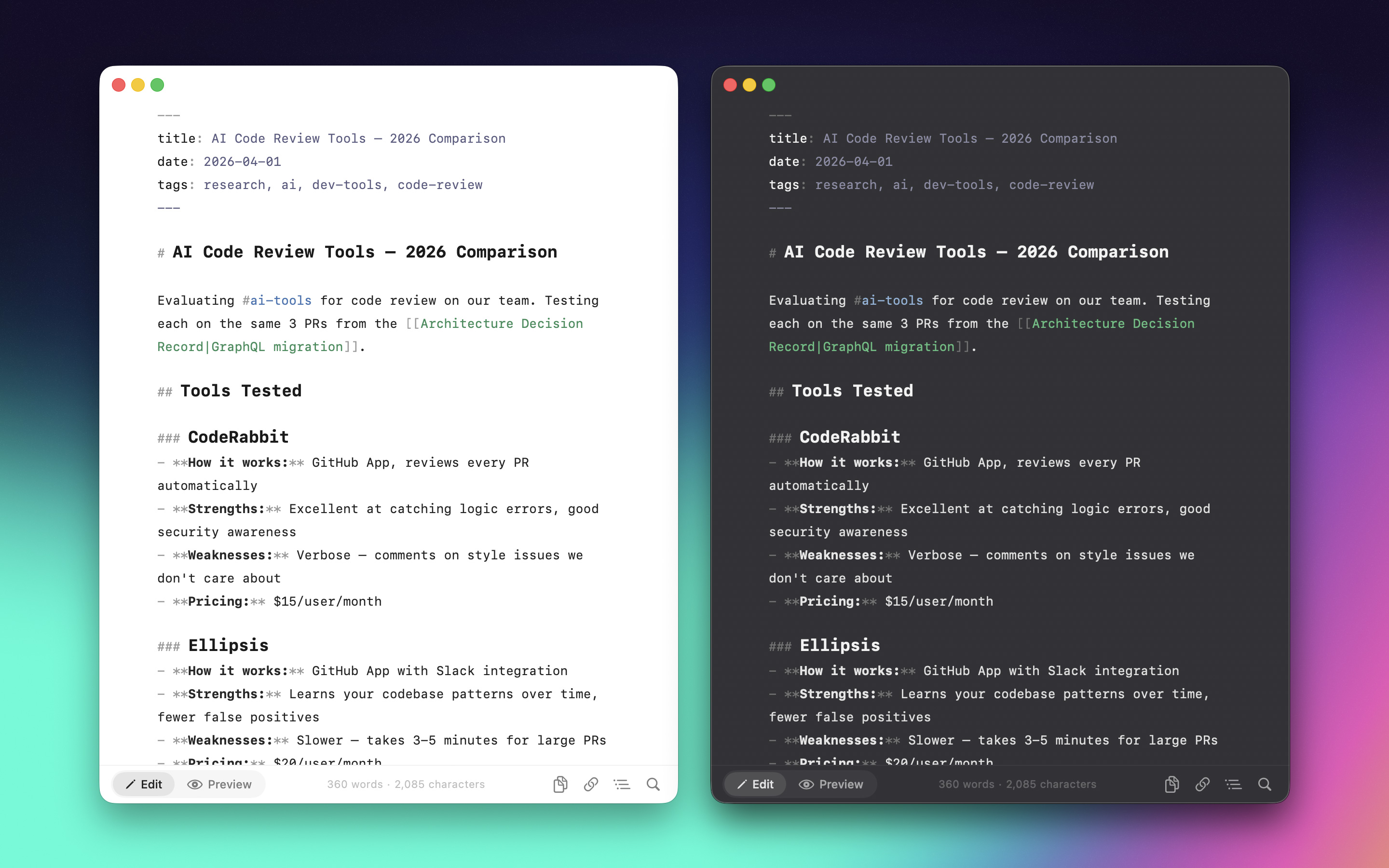
Open a .md file. Write with syntax highlighting. Toggle to preview. That's it. Native macOS and iOS, no Electron, no subscriptions, no telemetry.
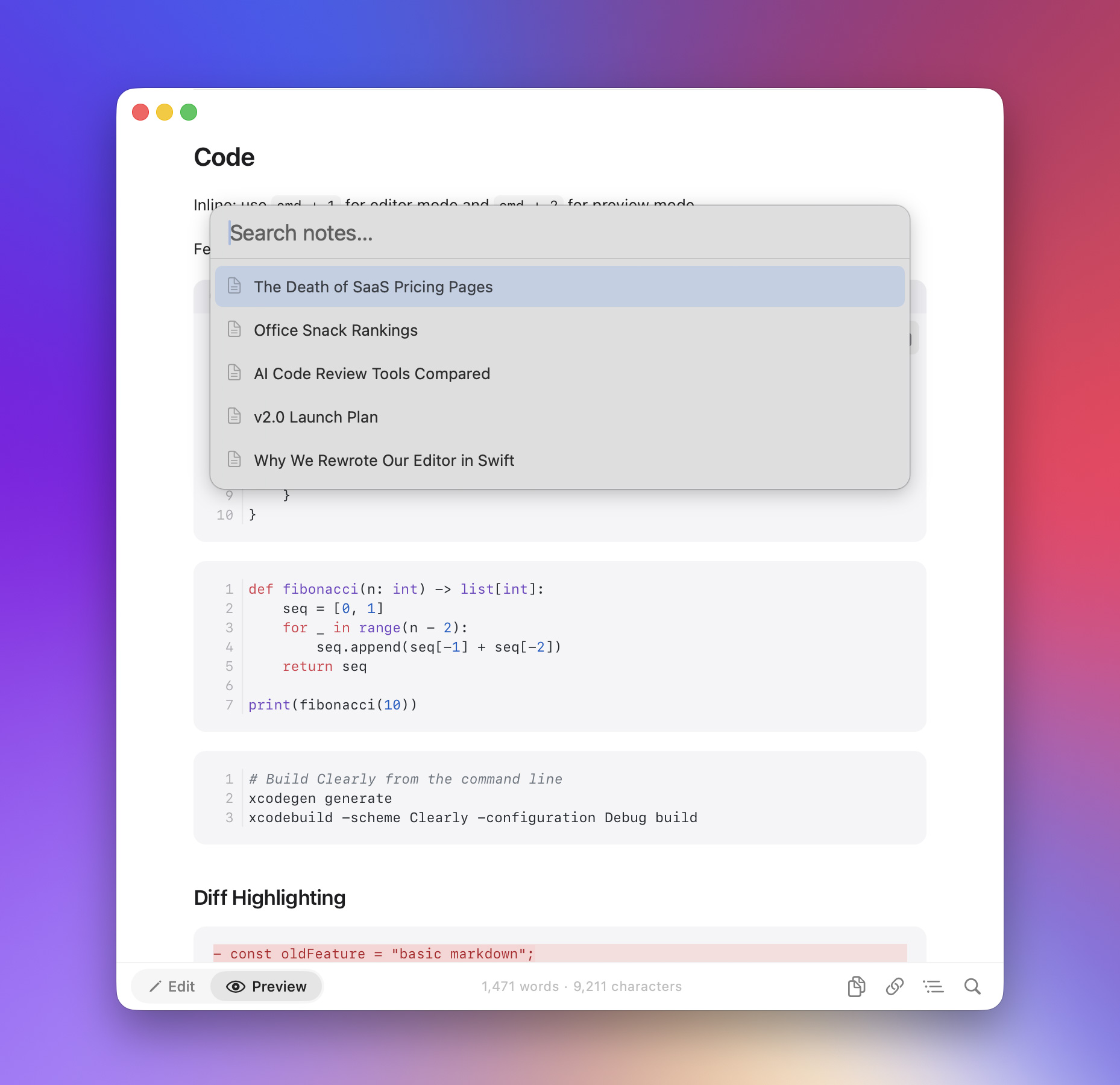
[TOC] generation.md files in Finder with Space.md from the Files app
xcode-select --install)brew install xcodegenDependencies (cmark-gfm, Sparkle, KeyboardShortcuts) are pulled automatically by Xcode via Swift Package Manager.
git clone https://github.com/Shpigford/clearly.git
cd clearly
brew install xcodegen    # skip if already installed
xcodegen generate        # generates Clearly.xcodeproj from project.yml
open Clearly.xcodeproj   # opens in Xcode
Then hit ⌘R to build and run.
The Xcode project is generated from
project.yml. If you changeproject.yml, re-runxcodegen generate. Don't edit the.xcodeprojdirectly.
xcodebuild -scheme Clearly -configuration Debug build
xcodebuild -scheme Clearly-iOS -destination 'generic/platform=iOS Simulator' build
Clearly/
├── ClearlyApp.swift                # @main — DocumentGroup + menu commands (⌘1/⌘2)
├── MarkdownDocument.swift          # FileDocument conformance for .md files (Mac + iOS)
├── ContentView.swift               # Per-document scene root (Mac)
├── EditorView.swift                # NSViewRepresentable wrapping NSTextView
├── ClearlyTextView.swift           # Subclassed NSTextView with formatting actions
├── PreviewView.swift               # NSViewRepresentable wrapping WKWebView
├── ScratchpadManager.swift         # Menu-bar floating scratchpad windows
├── SettingsView.swift              # General + About preferences
└── iOS/
    ├── ClearlyApp_iOS.swift        # @main — DocumentGroup, system Files browser
    ├── DocumentDetailBody.swift    # Per-document scene root (iOS)
    ├── EditorView_iOS.swift        # UIViewRepresentable wrapping UITextView
    ├── ClearlyUITextView.swift     # TextKit 1 UITextView subclass
    └── PreviewView_iOS.swift       # UIViewRepresentable wrapping WKWebView

ClearlyQuickLook/
├── PreviewProvider.swift           # QLPreviewProvider for Finder previews
└── Info.plist

Packages/ClearlyCore/               # Local SwiftPM package, platform-agnostic
└── Sources/ClearlyCore/
    ├── Rendering/                  # MarkdownRenderer, syntax highlighter, theme, mermaid/math/table support
    ├── State/                      # OpenDocument, OutlineState, FindState, JumpToLineState, StatusBarState
    ├── Editor/                     # ImagePasteService, ImageDownloader
    ├── Diagnostics/                # DiagnosticLog, BugReportURL
    ├── Stats/                      # MarkdownStats (word counts)
    └── Platform/                   # PlatformFont/Color/Image typealiases

Shared/Resources/                   # Bundled JS/CSS (KaTeX, Mermaid, Highlight.js), demo.md
website/                            # Static site deployed to clearly.md
scripts/                            # Release pipeline
project.yml                         # xcodegen config (source of truth)
SwiftUI + AppKit/UIKit, document-based on both platforms.
DocumentGroup with MarkdownDocument. AppKit NSTextView editor + WKWebView preview, both bridged via NSViewRepresentable. Includes a menu-bar MenuBarExtra for floating scratchpads.DocumentGroup. UIKit UITextView editor + WKWebView preview, bridged via UIViewRepresentable. The system Files browser is the entry point..md files with Space, sharing MarkdownRenderer from ClearlyCore.Wraps platform text views (NSTextView on Mac, UITextView on iOS) via NSViewRepresentable / UIViewRepresentable. This provides native undo/redo, the system find UI, and NSTextStorageDelegate-based syntax highlighting on every keystroke. iOS stays on TextKit 1 because TextKit 2 makes textStorage effectively dead.
PreviewView (Mac) and PreviewView_iOS both wrap WKWebView and render HTML via MarkdownRenderer (cmark-gfm). Post-processing pipeline: math → highlight marks → superscript/subscript → emoji → callouts → TOC → tables → code highlighting.
| Package | Purpose |
|---|---|
| cmark-gfm | GitHub Flavored Markdown → HTML |
| Sparkle | Auto-updates (direct distribution only) |
| KeyboardShortcuts | Global hotkey for the menu-bar scratchpad |
TextEditor for undo, find, and NSTextStorageDelegate syntax highlightingTheme.swift with NSColor(name:) for automatic light/darkMarkdownRenderer and PreviewCSS live in ClearlyCore and compile into Mac, iOS, and QuickLook#if canImport(Sparkle).inspector() — outline panel uses HStack due to fullscreen safe area bugsEdit Packages/ClearlyCore/Sources/ClearlyCore/Rendering/MarkdownSyntaxHighlighter.swift. Patterns are applied in order — code blocks first, then everything else.
Edit Packages/ClearlyCore/Sources/ClearlyCore/Rendering/PreviewCSS.swift. Used by both in-app preview and QuickLook. Keep in sync with Theme.swift colors. Base styles must come before @media (prefers-color-scheme: dark) overrides.
Follow the MathSupport/MermaidSupport pattern: create a *Support.swift enum in ClearlyCore/Rendering/ with a static method that returns a <script> block. Integrate into PreviewView.swift, PreviewView_iOS.swift, PreviewProvider.swift, and PDFExporter.swift.
swift test --package-path Packages/ClearlyCore
Runs the rendering, find/replace, outline, and stats unit suites (~76 tests). UI code in Clearly/, Clearly/iOS/, and ClearlyQuickLook/ is verified by running the app, not unit-tested.
FSL-1.1-MIT — see LICENSE. Code converts to MIT after two years.
1,184 followers · starred Apr 2026
486 followers · starred Apr 2026
166 followers · starred Apr 2026
740 followers · starred Apr 2026
Markdown editor for Mac, iOS and iPadOS
See the code
A native markdown editor for Mac and iPhone.
Mac App Store · Direct Download · Website · @Shpigford
Open a .md file. Write with syntax highlighting. Toggle to preview. That's it. Native macOS and iOS, no Electron, no subscriptions, no telemetry.
[TOC] generation.md files in Finder with Space.md from the Files app
xcode-select --install)brew install xcodegenDependencies (cmark-gfm, Sparkle, KeyboardShortcuts) are pulled automatically by Xcode via Swift Package Manager.
git clone https://github.com/Shpigford/clearly.git
cd clearly
brew install xcodegen    # skip if already installed
xcodegen generate        # generates Clearly.xcodeproj from project.yml
open Clearly.xcodeproj   # opens in Xcode
Then hit ⌘R to build and run.
The Xcode project is generated from
project.yml. If you changeproject.yml, re-runxcodegen generate. Don't edit the.xcodeprojdirectly.
xcodebuild -scheme Clearly -configuration Debug build
xcodebuild -scheme Clearly-iOS -destination 'generic/platform=iOS Simulator' build
Clearly/
├── ClearlyApp.swift                # @main — DocumentGroup + menu commands (⌘1/⌘2)
├── MarkdownDocument.swift          # FileDocument conformance for .md files (Mac + iOS)
├── ContentView.swift               # Per-document scene root (Mac)
├── EditorView.swift                # NSViewRepresentable wrapping NSTextView
├── ClearlyTextView.swift           # Subclassed NSTextView with formatting actions
├── PreviewView.swift               # NSViewRepresentable wrapping WKWebView
├── ScratchpadManager.swift         # Menu-bar floating scratchpad windows
├── SettingsView.swift              # General + About preferences
└── iOS/
    ├── ClearlyApp_iOS.swift        # @main — DocumentGroup, system Files browser
    ├── DocumentDetailBody.swift    # Per-document scene root (iOS)
    ├── EditorView_iOS.swift        # UIViewRepresentable wrapping UITextView
    ├── ClearlyUITextView.swift     # TextKit 1 UITextView subclass
    └── PreviewView_iOS.swift       # UIViewRepresentable wrapping WKWebView

ClearlyQuickLook/
├── PreviewProvider.swift           # QLPreviewProvider for Finder previews
└── Info.plist

Packages/ClearlyCore/               # Local SwiftPM package, platform-agnostic
└── Sources/ClearlyCore/
    ├── Rendering/                  # MarkdownRenderer, syntax highlighter, theme, mermaid/math/table support
    ├── State/                      # OpenDocument, OutlineState, FindState, JumpToLineState, StatusBarState
    ├── Editor/                     # ImagePasteService, ImageDownloader
    ├── Diagnostics/                # DiagnosticLog, BugReportURL
    ├── Stats/                      # MarkdownStats (word counts)
    └── Platform/                   # PlatformFont/Color/Image typealiases

Shared/Resources/                   # Bundled JS/CSS (KaTeX, Mermaid, Highlight.js), demo.md
website/                            # Static site deployed to clearly.md
scripts/                            # Release pipeline
project.yml                         # xcodegen config (source of truth)
SwiftUI + AppKit/UIKit, document-based on both platforms.
DocumentGroup with MarkdownDocument. AppKit NSTextView editor + WKWebView preview, both bridged via NSViewRepresentable. Includes a menu-bar MenuBarExtra for floating scratchpads.DocumentGroup. UIKit UITextView editor + WKWebView preview, bridged via UIViewRepresentable. The system Files browser is the entry point..md files with Space, sharing MarkdownRenderer from ClearlyCore.Wraps platform text views (NSTextView on Mac, UITextView on iOS) via NSViewRepresentable / UIViewRepresentable. This provides native undo/redo, the system find UI, and NSTextStorageDelegate-based syntax highlighting on every keystroke. iOS stays on TextKit 1 because TextKit 2 makes textStorage effectively dead.
PreviewView (Mac) and PreviewView_iOS both wrap WKWebView and render HTML via MarkdownRenderer (cmark-gfm). Post-processing pipeline: math → highlight marks → superscript/subscript → emoji → callouts → TOC → tables → code highlighting.
| Package | Purpose |
|---|---|
| cmark-gfm | GitHub Flavored Markdown → HTML |
| Sparkle | Auto-updates (direct distribution only) |
| KeyboardShortcuts | Global hotkey for the menu-bar scratchpad |
TextEditor for undo, find, and NSTextStorageDelegate syntax highlightingTheme.swift with NSColor(name:) for automatic light/darkMarkdownRenderer and PreviewCSS live in ClearlyCore and compile into Mac, iOS, and QuickLook#if canImport(Sparkle).inspector() — outline panel uses HStack due to fullscreen safe area bugsEdit Packages/ClearlyCore/Sources/ClearlyCore/Rendering/MarkdownSyntaxHighlighter.swift. Patterns are applied in order — code blocks first, then everything else.
Edit Packages/ClearlyCore/Sources/ClearlyCore/Rendering/PreviewCSS.swift. Used by both in-app preview and QuickLook. Keep in sync with Theme.swift colors. Base styles must come before @media (prefers-color-scheme: dark) overrides.
Follow the MathSupport/MermaidSupport pattern: create a *Support.swift enum in ClearlyCore/Rendering/ with a static method that returns a <script> block. Integrate into PreviewView.swift, PreviewView_iOS.swift, PreviewProvider.swift, and PDFExporter.swift.
swift test --package-path Packages/ClearlyCore
Runs the rendering, find/replace, outline, and stats unit suites (~76 tests). UI code in Clearly/, Clearly/iOS/, and ClearlyQuickLook/ is verified by running the app, not unit-tested.
FSL-1.1-MIT — see LICENSE. Code converts to MIT after two years.
1,184 followers · starred Apr 2026
486 followers · starred Apr 2026
166 followers · starred Apr 2026
740 followers · starred Apr 2026



