A minimalist, offline-first markdown note-taking app
TypeScript
1,595
101 commits
updated Jul 28, 2026
A minimalist, offline-first markdown note-taking app for macOS, Windows, and Linux.


.md files you own.md file via drag-and-drop or "Open With" without a notes folderCmd+Shift+M)$$...$$ math equations[[ to link between notes with autocomplete/ to quickly insert headings, lists, code blocks, diagrams, and moreCmd+Shift+Enter)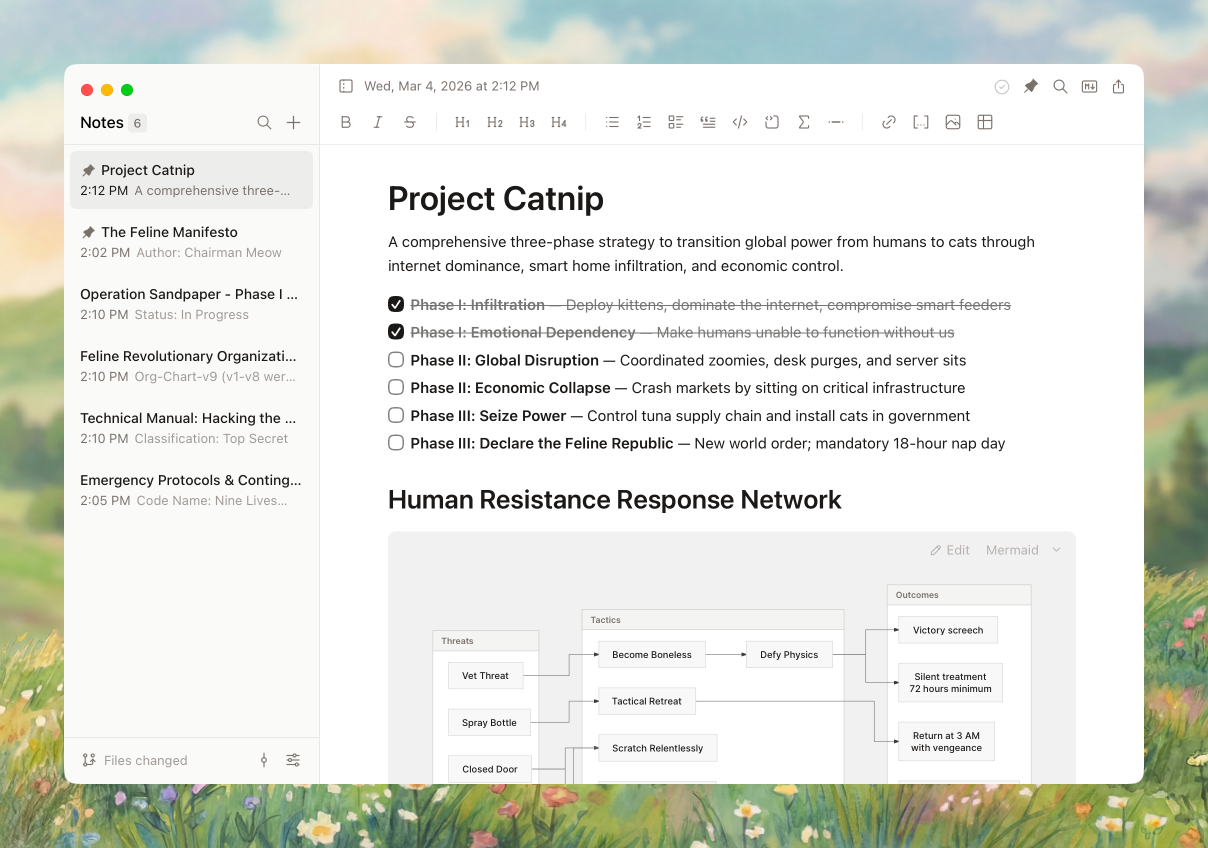
Homebrew (Recommended)
brew tap erictli/tap
brew install --cask erictli/tap/scratch
Manual Download
.dmg from ReleasesDownload the latest .exe installer from Releases and run it. WebView2 will be downloaded automatically if needed.
Download the latest .AppImage or .deb from Releases.
Prerequisites: Node.js 18+, Rust 1.70+
macOS: Xcode Command Line Tools · Windows: WebView2 Runtime (pre-installed on Windows 11)
git clone https://github.com/erictli/scratch.git
cd scratch
npm install
npm run tauri dev      # Development
npm run tauri build    # Production build
Scratch is designed to be usable without a mouse. Here are the essentials to get started:
| Shortcut | Action |
|---|---|
Cmd+N | New note |
Cmd+D | Duplicate note |
Delete | Delete note |
Cmd+Backspace | Delete note |
Cmd+P | Command palette |
Cmd+K | Add/edit link |
Cmd+F | Find in note |
Cmd+Shift+C | Copy & Export menu |
Cmd+Shift+M | Toggle Markdown source |
Cmd+Shift+Enter | Toggle Focus mode |
Cmd+Shift+F | Search notes |
Cmd+R | Reload current note |
Cmd+, | Open settings |
Cmd+\ | Toggle sidebar |
Cmd+B/I | Bold/Italic |
Cmd+=/-/0 | Zoom in/out/reset |
↑/↓ | Navigate notes |
Note: On Windows, use Ctrl instead of Cmd for all shortcuts.
Many more shortcuts and features are available in the app—explore via the command palette (Cmd+P / Ctrl+P) or view the full reference in Settings → Shortcuts.
Tauri · React · TipTap · Tailwind CSS · Tantivy
Scratch is mostly stable and intentionally minimal, so I'm no longer monitoring issues and PRs regularly. You're welcome to open them, but I can't guarantee I'll get to everything, and it may take a while when I do.
What makes Scratch special is its minimal feature set and focus on user experience. We're not trying to build Obsidian or Notion, so not every feature will be a fit. If you want to make major changes or take Scratch in a new direction, you should fork it – it's MIT licensed.
If you open a PR: keep it small and focused, and try to address any CodeRabbit comments. I generally won't go back and forth with review comments – if I merge, I'll make any additional changes directly.
MIT
1,019 followers · starred Feb 2026
469 followers · starred Apr 2026
425 followers · starred Feb 2026
617 followers · starred Jun 2026
A minimalist, offline-first markdown note-taking app
TypeScript
1,595
101 commits
updated Jul 28, 2026
A minimalist, offline-first markdown note-taking app for macOS, Windows, and Linux.
.md files you own.md file via drag-and-drop or "Open With" without a notes folderCmd+Shift+M)$$...$$ math equations[[ to link between notes with autocomplete/ to quickly insert headings, lists, code blocks, diagrams, and moreCmd+Shift+Enter)
Homebrew (Recommended)
brew tap erictli/tap
brew install --cask erictli/tap/scratch
Manual Download
.dmg from ReleasesDownload the latest .exe installer from Releases and run it. WebView2 will be downloaded automatically if needed.
Download the latest .AppImage or .deb from Releases.
Prerequisites: Node.js 18+, Rust 1.70+
macOS: Xcode Command Line Tools · Windows: WebView2 Runtime (pre-installed on Windows 11)
git clone https://github.com/erictli/scratch.git
cd scratch
npm install
npm run tauri dev      # Development
npm run tauri build    # Production build
Scratch is designed to be usable without a mouse. Here are the essentials to get started:
| Shortcut | Action |
|---|---|
Cmd+N | New note |
Cmd+D | Duplicate note |
Delete | Delete note |
Cmd+Backspace | Delete note |
Cmd+P | Command palette |
Cmd+K | Add/edit link |
Cmd+F | Find in note |
Cmd+Shift+C | Copy & Export menu |
Cmd+Shift+M | Toggle Markdown source |
Cmd+Shift+Enter | Toggle Focus mode |
Cmd+Shift+F | Search notes |
Cmd+R | Reload current note |
Cmd+, | Open settings |
Cmd+\ | Toggle sidebar |
Cmd+B/I | Bold/Italic |
Cmd+=/-/0 | Zoom in/out/reset |
↑/↓ | Navigate notes |
Note: On Windows, use Ctrl instead of Cmd for all shortcuts.
Many more shortcuts and features are available in the app—explore via the command palette (Cmd+P / Ctrl+P) or view the full reference in Settings → Shortcuts.
Tauri · React · TipTap · Tailwind CSS · Tantivy
Scratch is mostly stable and intentionally minimal, so I'm no longer monitoring issues and PRs regularly. You're welcome to open them, but I can't guarantee I'll get to everything, and it may take a while when I do.
What makes Scratch special is its minimal feature set and focus on user experience. We're not trying to build Obsidian or Notion, so not every feature will be a fit. If you want to make major changes or take Scratch in a new direction, you should fork it – it's MIT licensed.
If you open a PR: keep it small and focused, and try to address any CodeRabbit comments. I generally won't go back and forth with review comments – if I merge, I'll make any additional changes directly.
MIT
1,019 followers · starred Feb 2026
469 followers · starred Apr 2026
425 followers · starred Feb 2026
617 followers · starred Jun 2026