Ride GPX routes on an indoor trainer in a 3D world built from real terrain and OpenStreetMap. Rust + Tauri.
Rust
0
32 commits
updated Oct 18, 2026
The people's indoor ride: open source, built by riders, for riders. — velopopuli.com
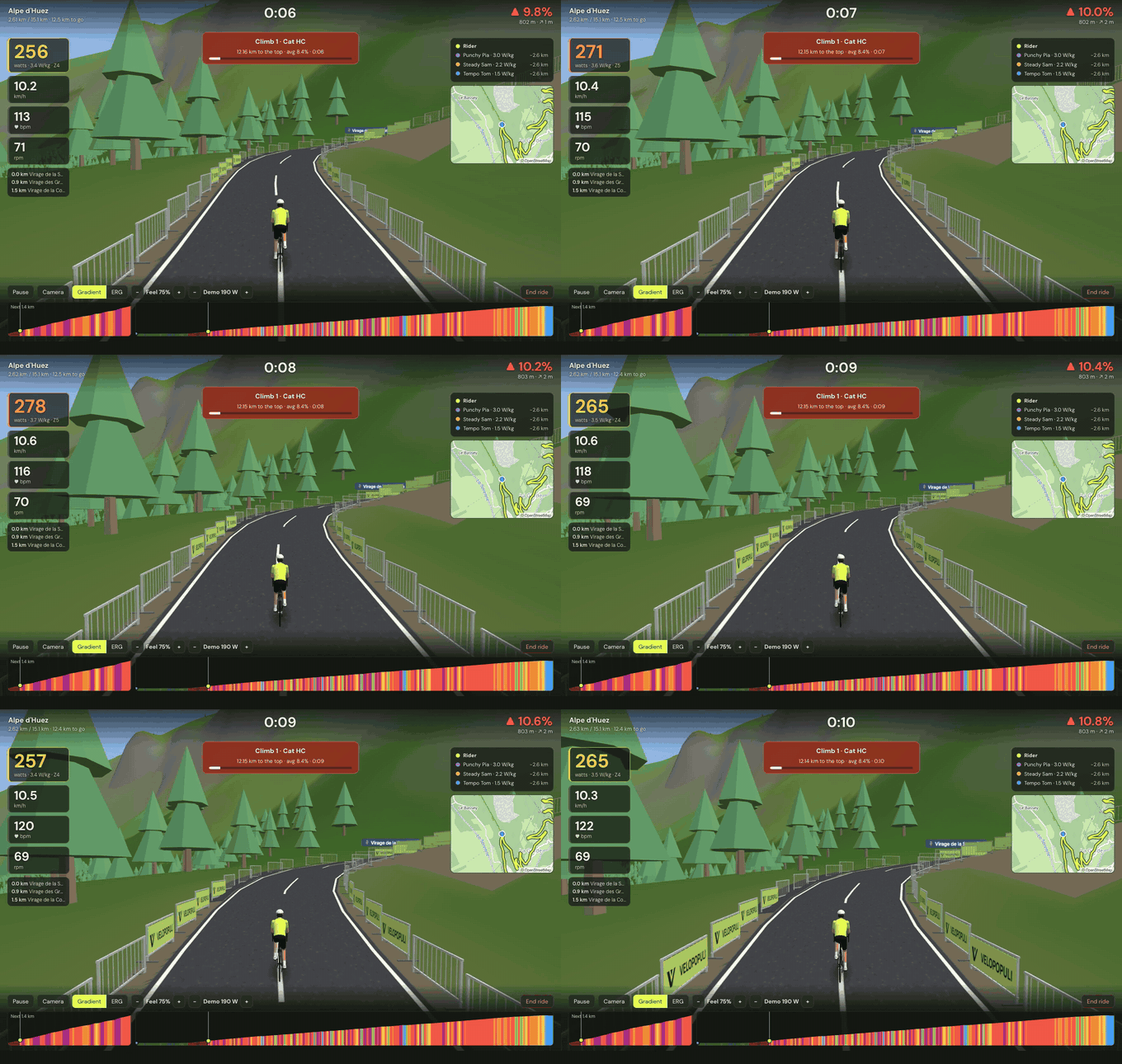
Ride any GPX route on your indoor trainer. VeloPopuli turns a route file into a 3D world, drives your smart trainer's resistance from the real gradient, and makes a game of it with ghosts, pace riders, timed climbs, XP and badges.
Open source (MIT) for Windows, macOS and Linux. Written in Rust, with a thin web layer for drawing. Not affiliated with icTrainer or any other commercial product.
surface, width, lanes, and the road class), or are guessed from the road class when those can't be fetched. Widths change gradually, and buildings, signs, other riders and the barriers all follow them. Ride the Arenberg trench on its setts and the Strade Bianche on white gravel..zwo, .erg or .mrc files, or use the built-in sessions (endurance, sweet spot, threshold, VO₂max, over-unders, sprints and an FTP ramp test). The trainer holds each target in ERG while the route scrolls by; adjust the intensity or skip a step mid-ride.crates/relay)..FIT file (GPS, power, heart rate, cadence, laps, normalised power) and can be uploaded to Strava as a Virtual Ride in one click or automatically.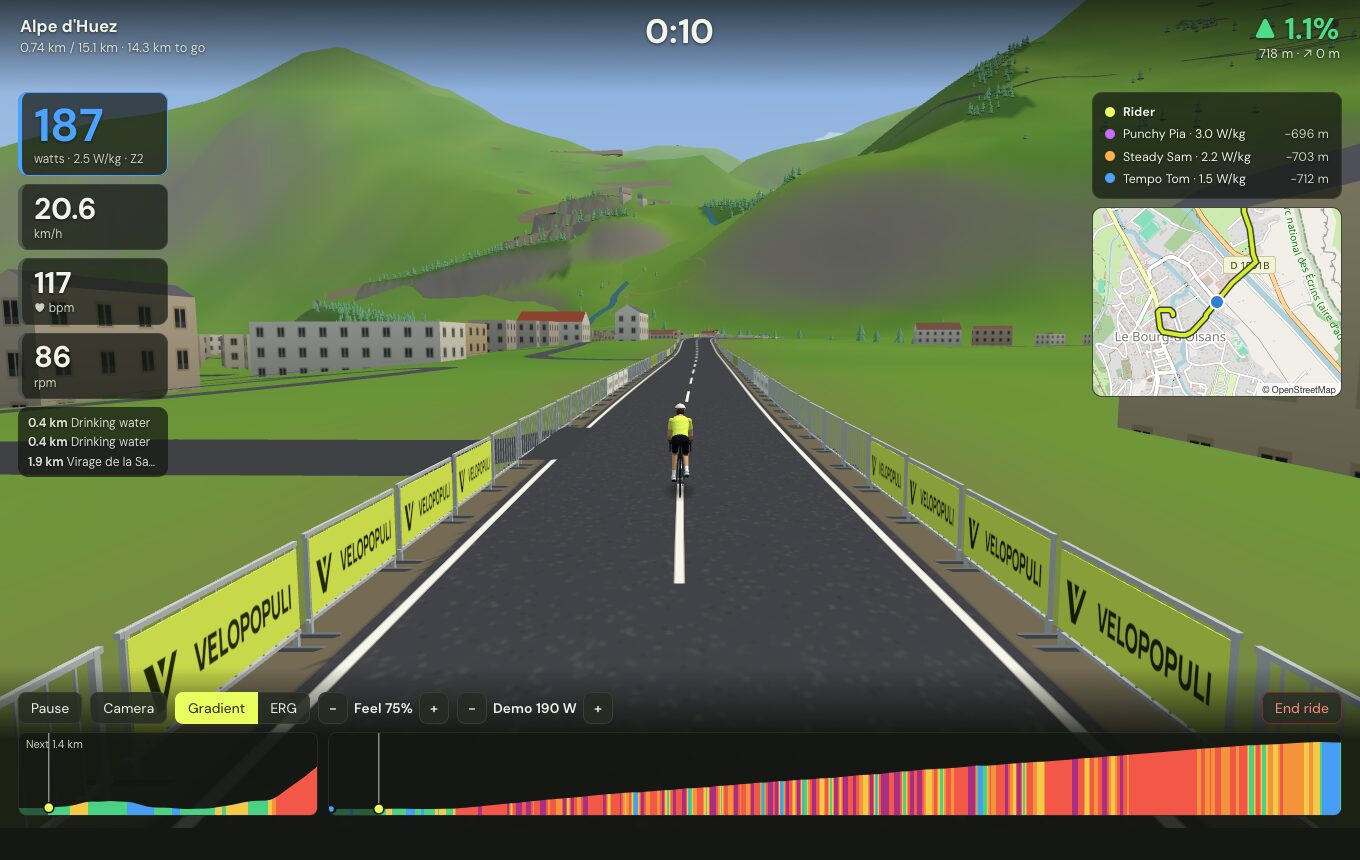 | 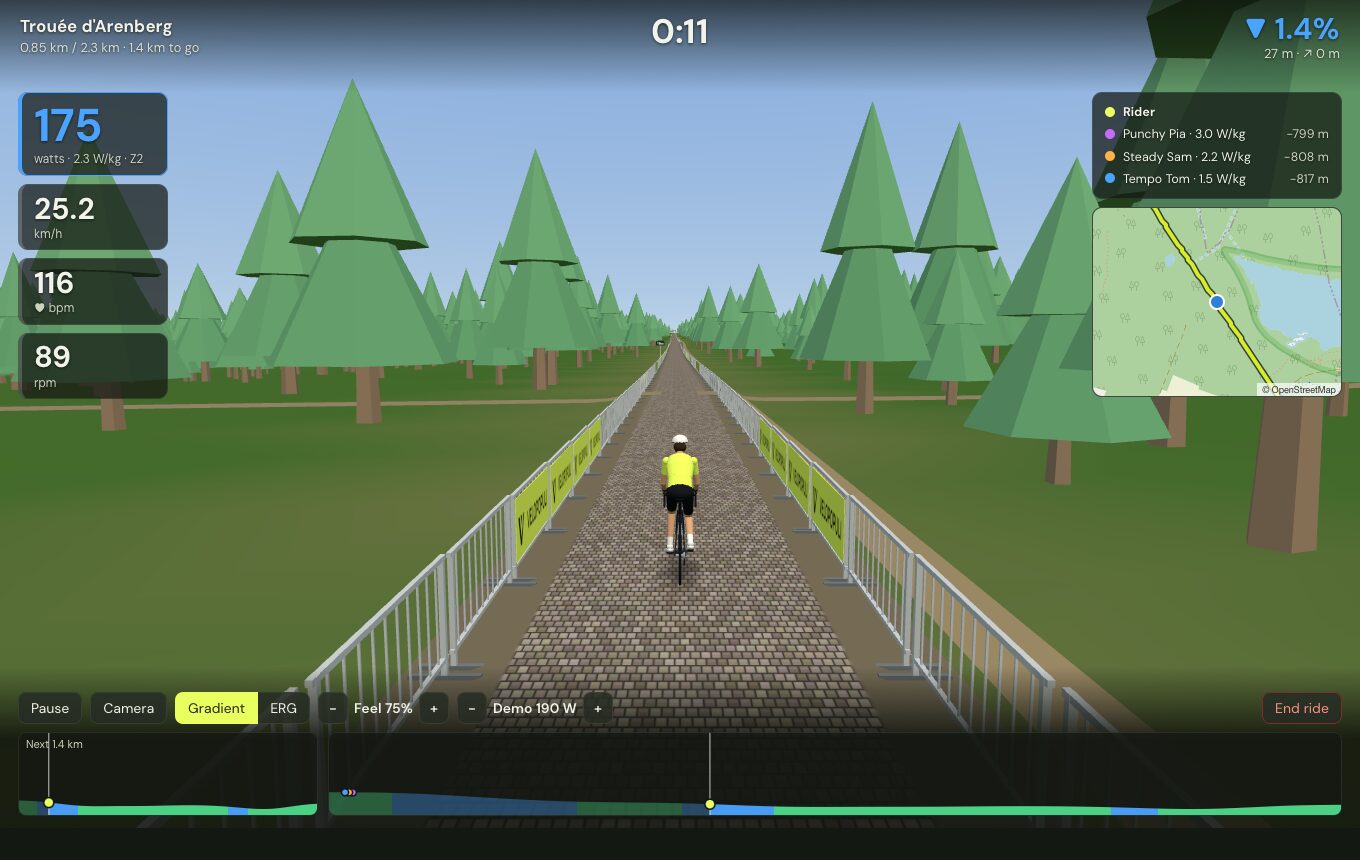 |
| A closed road through the real town — buildings, side roads and landmarks from OpenStreetMap | The real surface and width — the Arenberg trench on its setts, three metres wide |
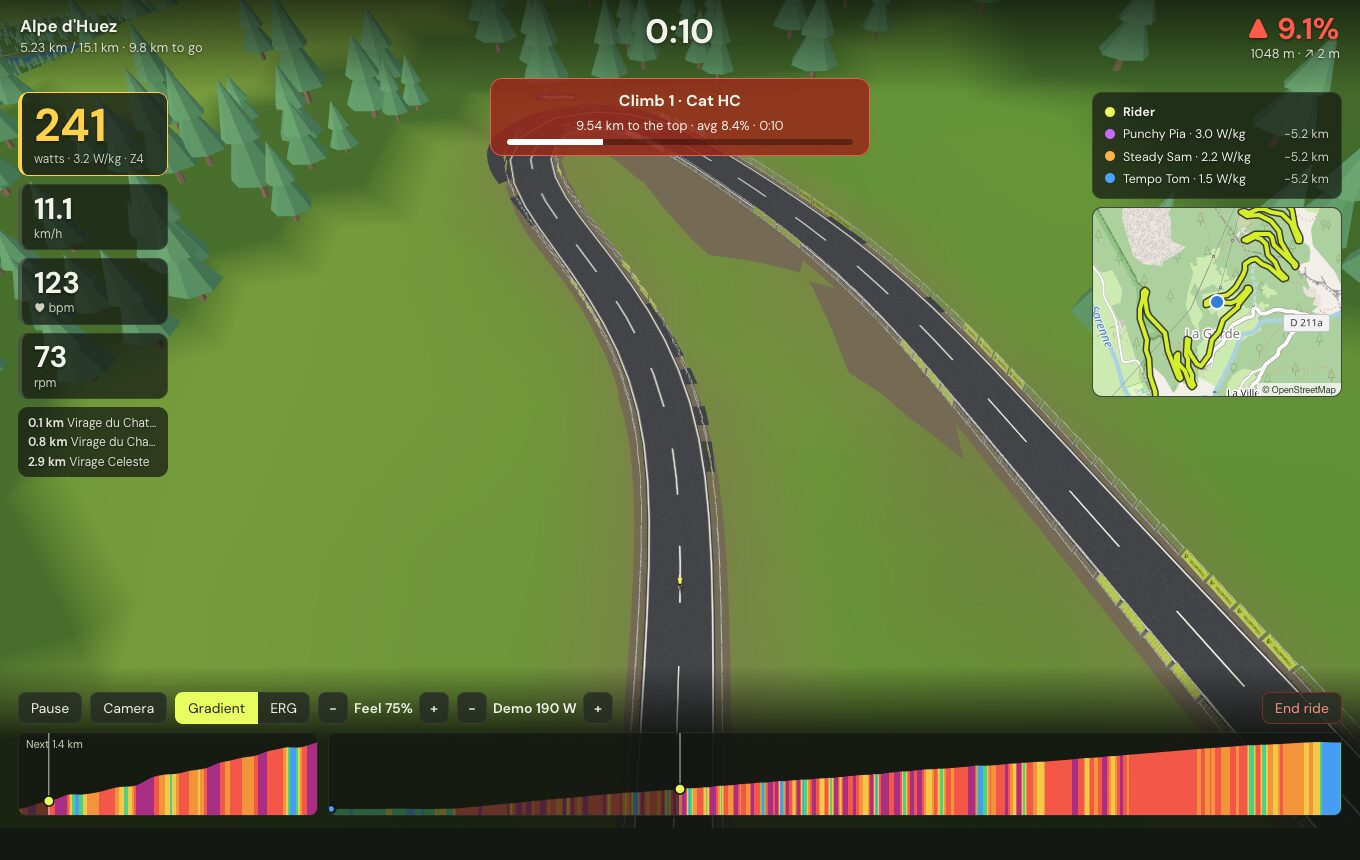 | 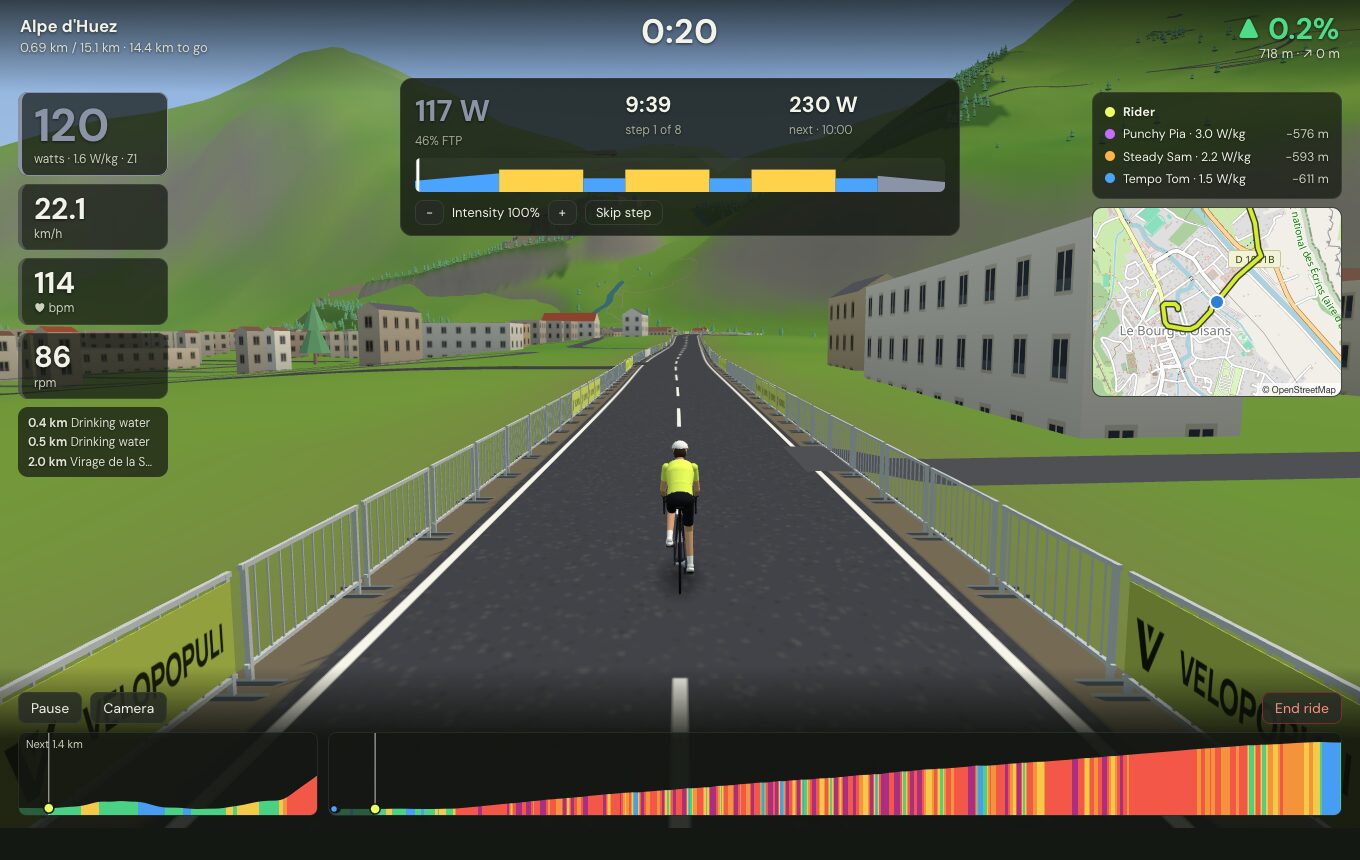 |
| Real terrain — the Alpe d'Huez switchbacks from the overhead camera | Structured workouts on any route, the trainer holding each target |
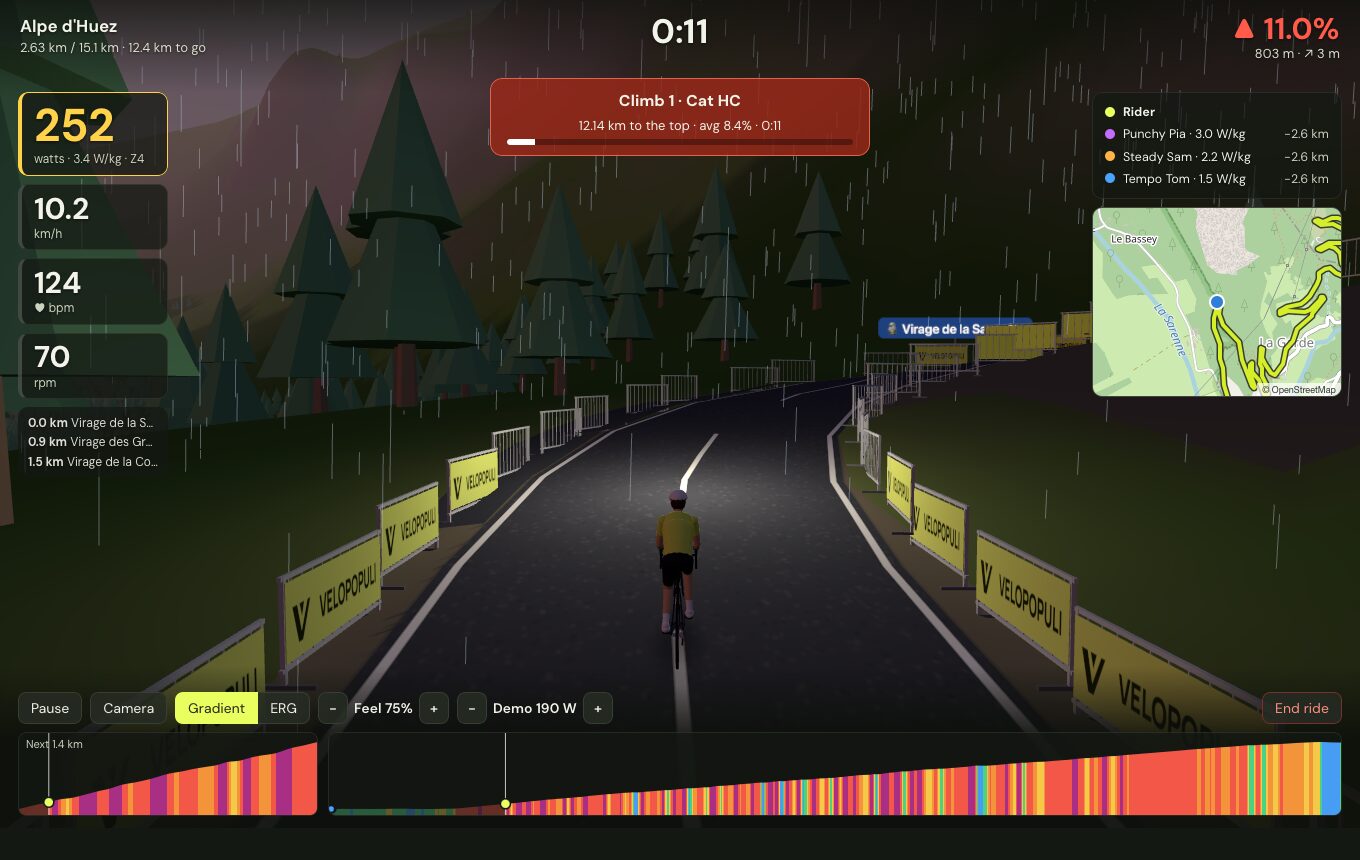 | 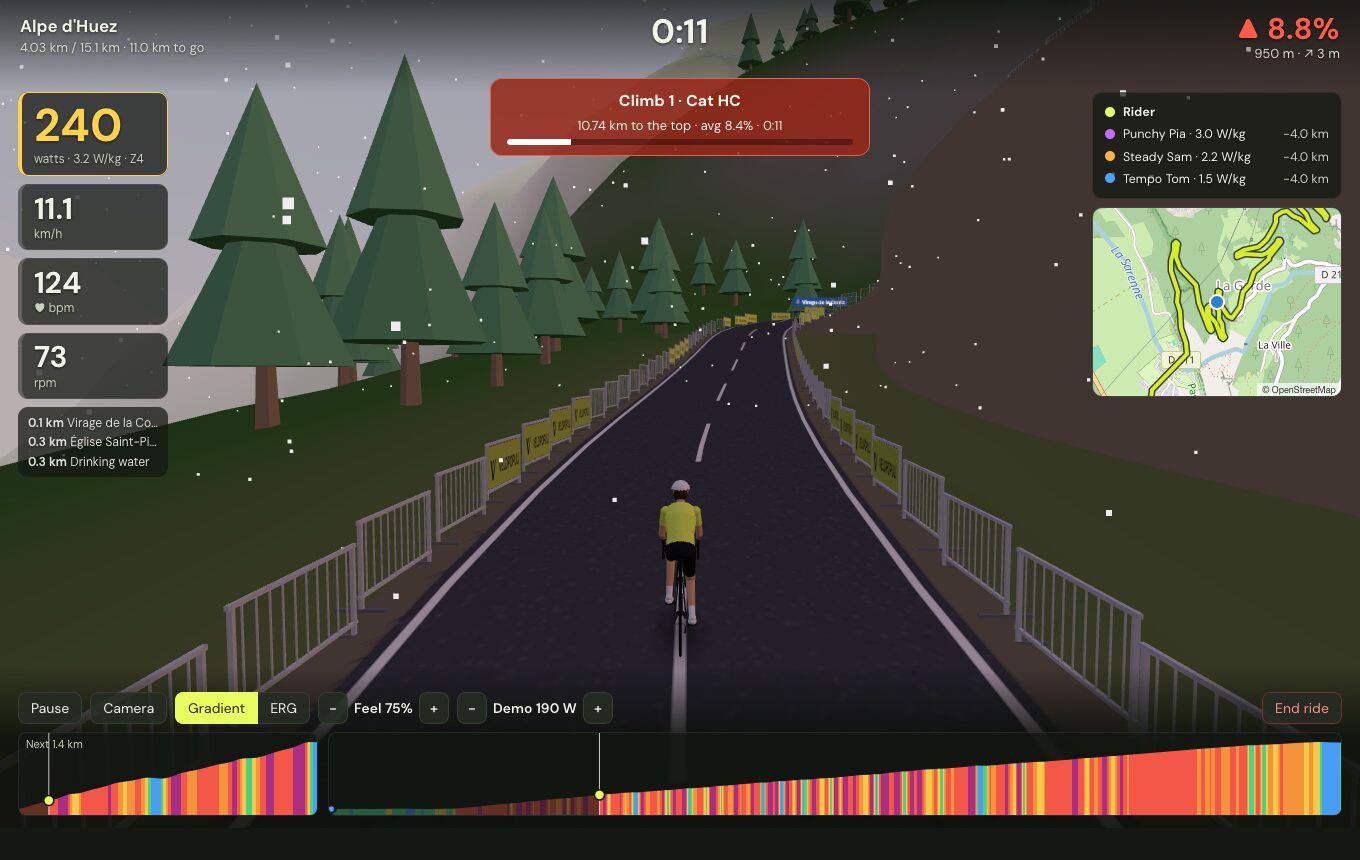 |
| Time of day and weather — dusk in the rain, with a lamp on the bike | …or dawn in the snow, or the live weather at the real place |
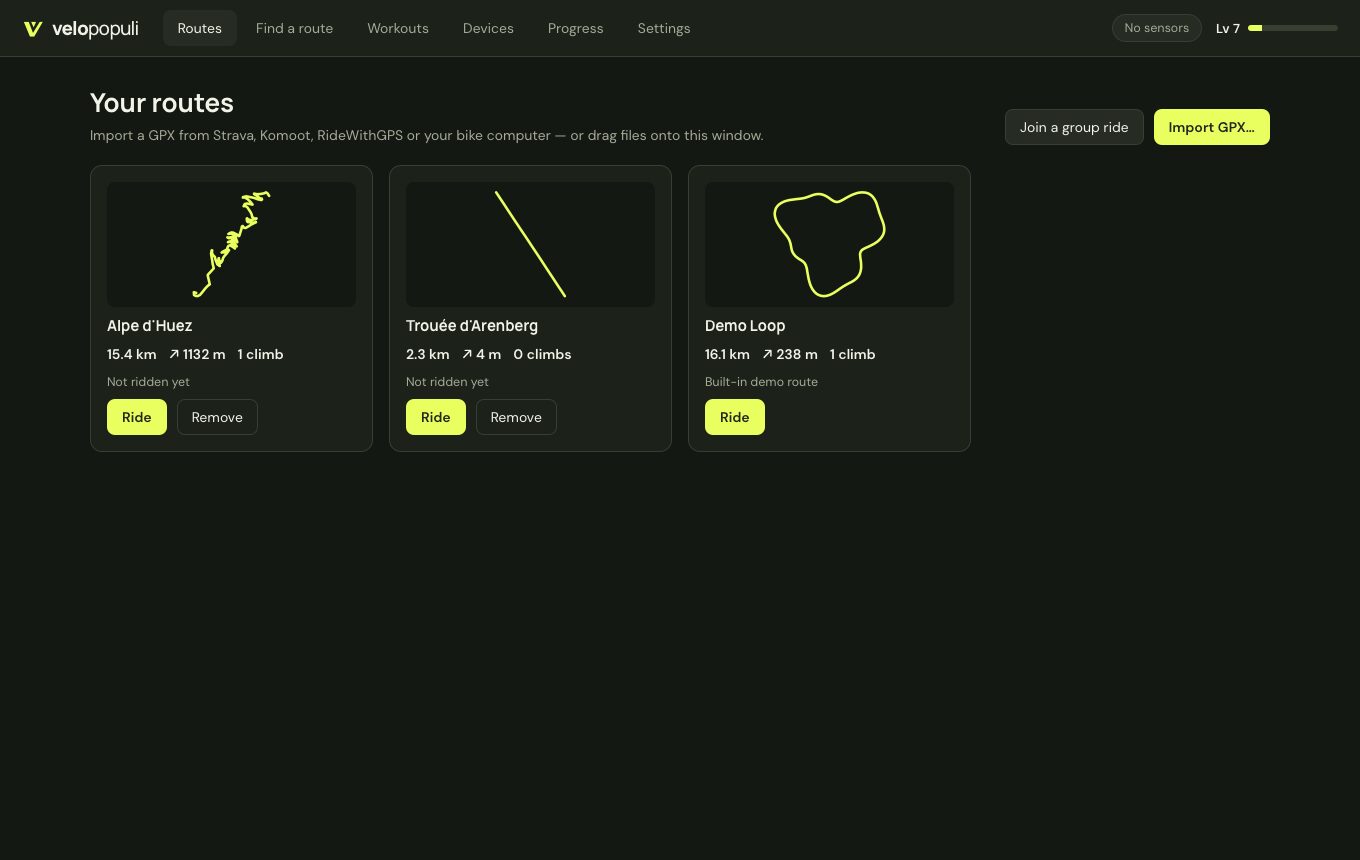 | 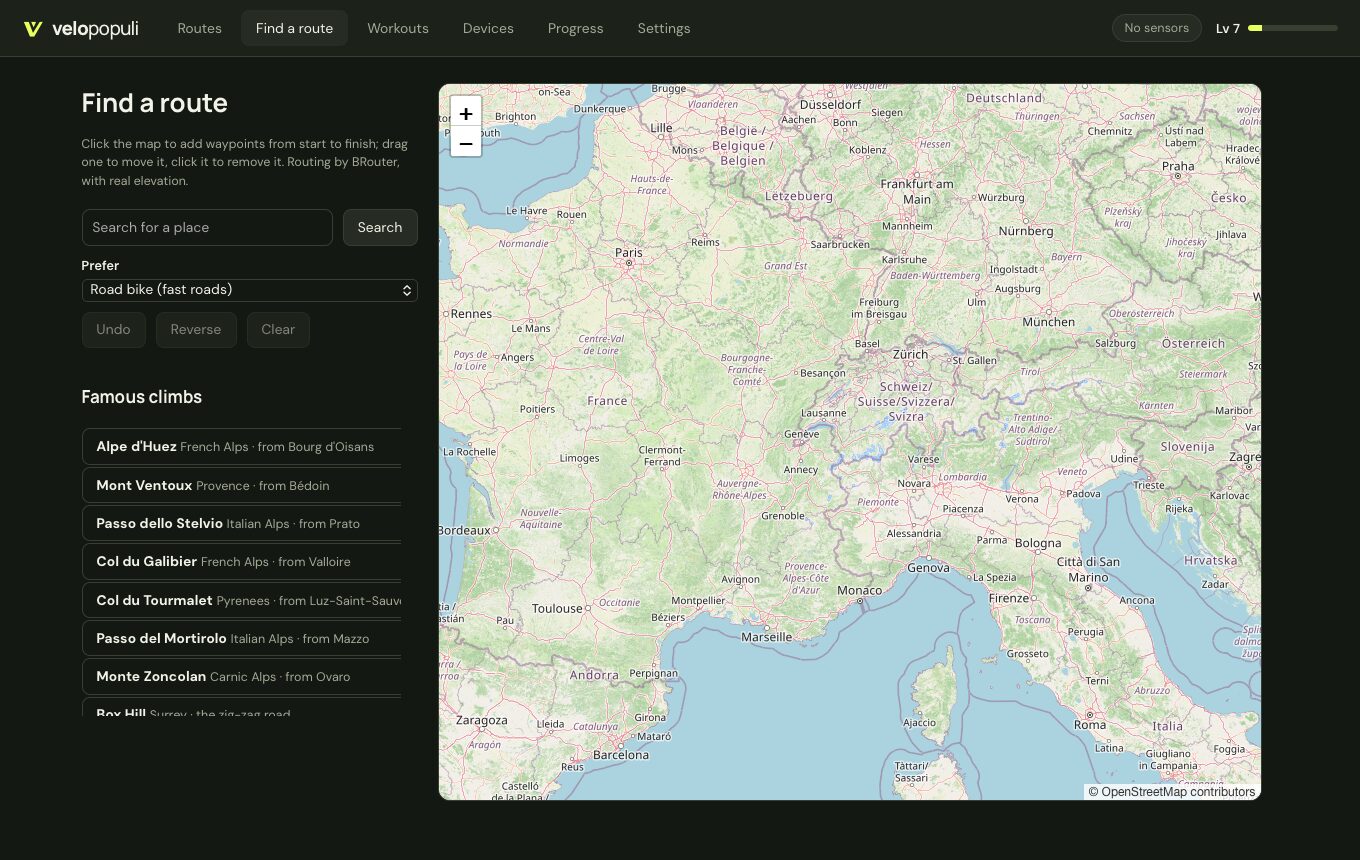 |
| Your routes — import GPX from anywhere | Find a route — plan one on the map or pick a famous climb |
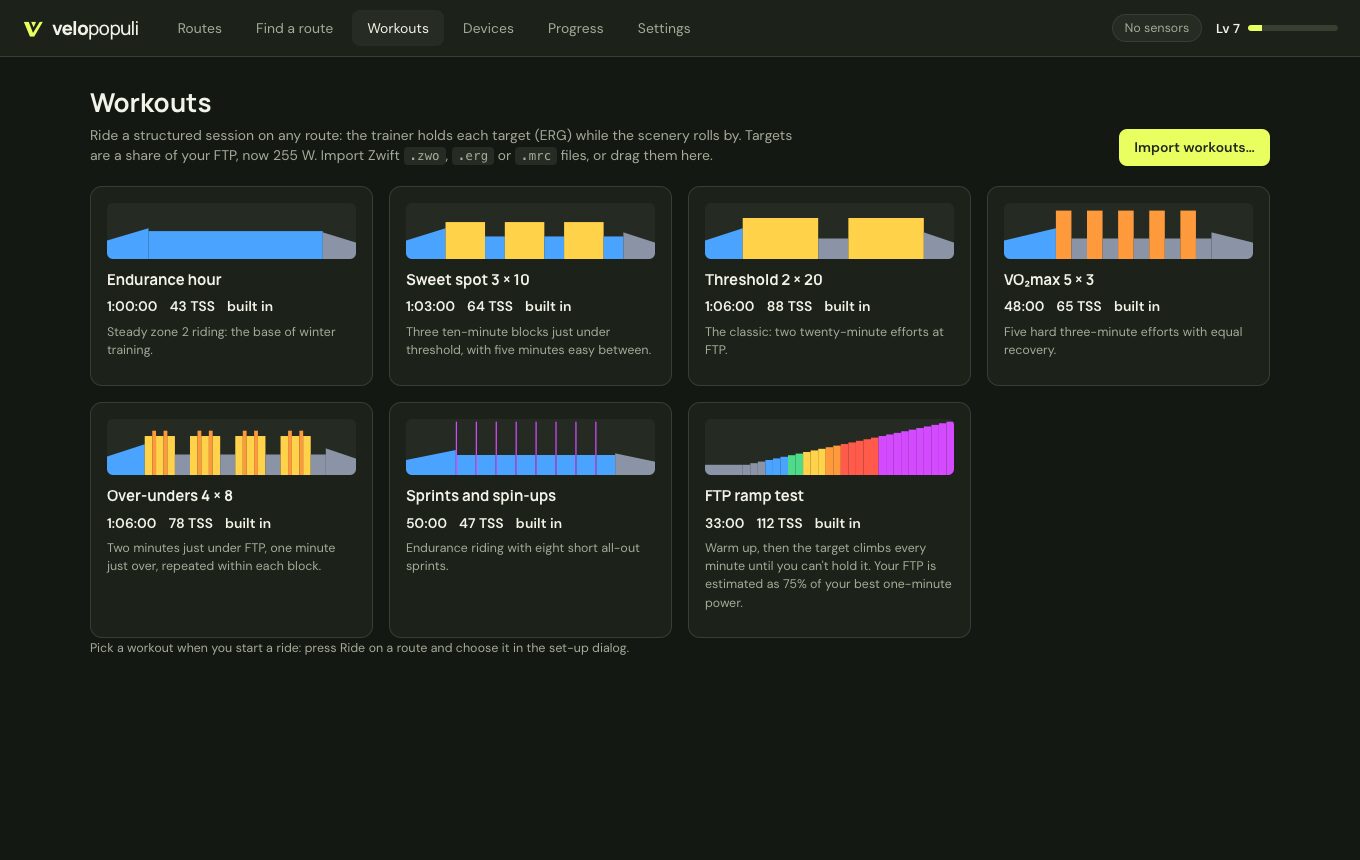 | 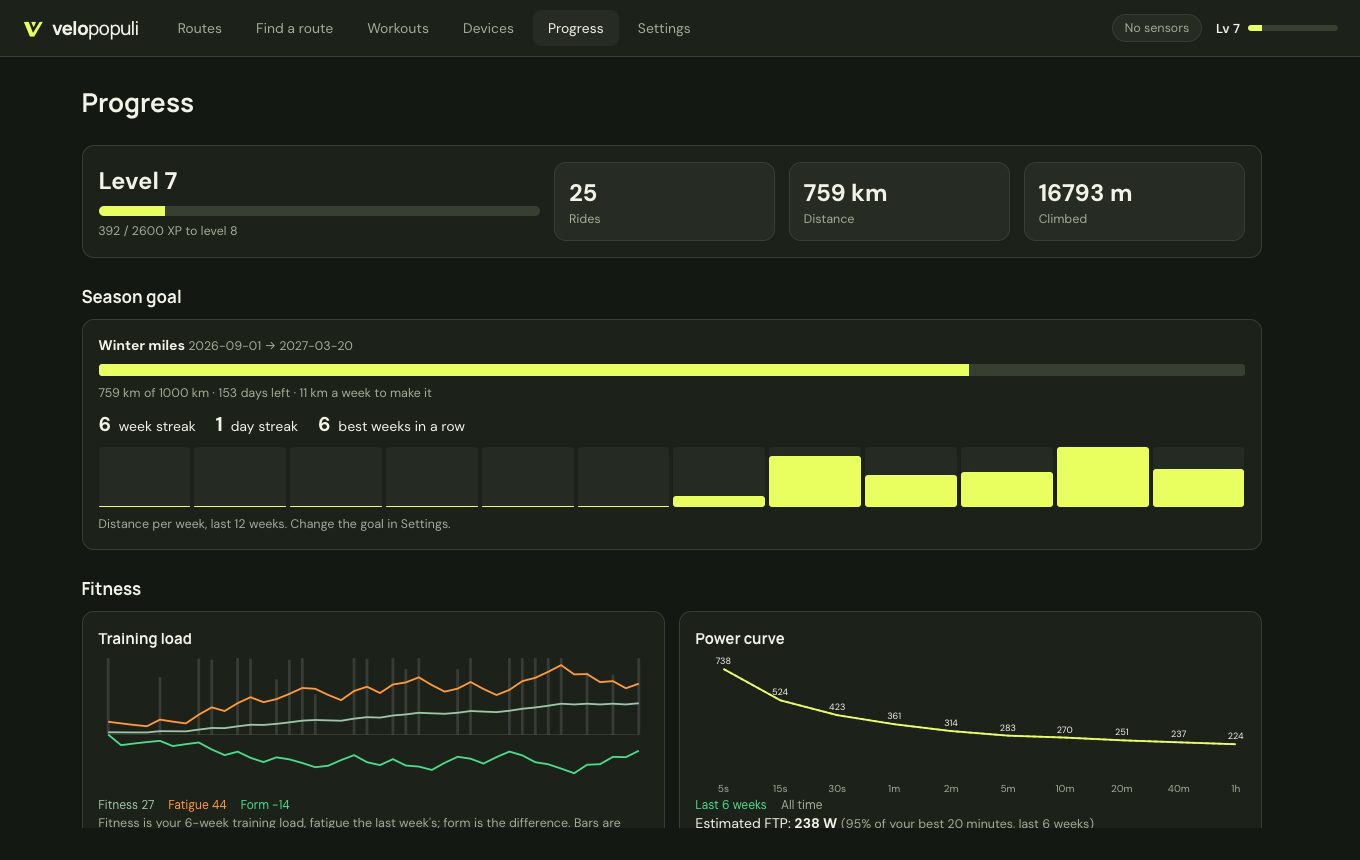 |
| Workouts — built-in sessions or your own .zwo/.erg/.mrc | Progress — season goal, streaks, training load and power curve (sample data shown) |
About two thirds of the code is Rust, and everything that computes or talks to hardware is in it:
crates/core/      Pure Rust library, no I/O — fully unit-tested
  gpx, physics    GPX → resampled route, smoothing, gradients, climb detection; speed-from-power model
  ride, gamify    The ride simulation and recorder; XP, levels, badges, streaks
  workout         Zwift .zwo and .erg/.mrc workouts; built-in sessions
  fitness         Power curve, FTP estimate, zones, training load
  segments        Strava segments and other rides matched onto the route; ghosts; photos
  fit             FIT activity encoder
  devices/        Bluetooth GATT and ANT+ protocol encode/decode; the sensor hub
  world/          Terrain: elevation tiles, height field, chunk / horizon / road meshes;
                  OpenStreetMap buildings (Overpass JSON and vector-tile decoding, extrusion);
                  scenery (forests, water, the surrounding roads, matching the route to mapped bridges and tunnels)
                  and structures (bridge decks and piers, tunnel bores and portals, overbridges)
src-tauri/        The app (Rust, Tauri 2)
  devices/        Bluetooth via the OS stack (btleplug); ANT+ USB stick via libusb; demo rider
  session         50 Hz simulation loop, trainer control, saving rides
  native/         The optional native renderer (wgpu → Metal) and its shaders
  group, smart    Group-ride client; fan and light control
  library, geo    Workouts, ghosts, segments, goal; place search and route planning
  terrain, mapdata, photos, strava, store, secrets
crates/relay/     The group-ride relay server (WebSocket, stateless)
web/              The window contents (TypeScript, React, three.js)
  world/          Uploads the meshes Rust produced to the GPU; camera; rider models
  ui/             Screens and the ride HUD
The web layer contains no ride logic: it receives state from Rust about 20 times a second, glides between updates, and draws. Terrain meshes are generated on Rust worker threads, so building landscape never stalls a frame. The window is the operating system's own webview (WebKit on macOS/Linux, WebView2 on Windows) rather than a bundled browser.
Measured on an Apple Silicon Mac, against the earlier Electron/TypeScript prototype of the same app:
| Electron prototype | Rust + system webview | |
|---|---|---|
| App bundle | 290 MB | 17 MB (11 MB before the native renderer was added) |
| Memory during a ride with real terrain | not measured | ~95 MB app + ~140 MB system webview processes |
Native renderer (experimental, macOS). Settings → Virtual world → Native renderer draws the 3D world straight on the GPU (Metal, through wgpu) in a view beneath the web page, which then only shows the HUD. It draws everything the built-in renderer does, with the same lighting, fog, time of day and weather, rain and snow (computed on the GPU, so they cost the CPU nothing) and the riders' road shadows. It holds 60 fps and pauses while the window is covered. In a debug build with the window in front, both renderers used about the same CPU while the native one drew about 1.6 times as many frames (it was not yet capped at 60). A like-for-like release-build comparison is still to be done. Windows and Linux need a different way to put the GPU view under the web page, so there it is not offered yet.
Be aware of what has and has not been proven:
| Area | Status |
|---|---|
| GPX parsing, route building, climb detection, physics, ride recording, gamification, terrain, building and scenery generation, workouts, fitness maths, segment and ghost matching, landmarks, photo selection | Unit-tested (cargo test, 62 core tests) |
| Group-ride relay | Tested in-process (cargo test -p velopopuli-relay) and with two app instances riding together through a local relay |
| Fan and lights | Requests checked against a pretend device for Home Assistant, Shelly and a webhook; not tried with real plugs |
| Route finder, famous climbs | All eight climbs planned through the live BRouter service and checked against their known length and height gain |
| Strava segments and ghosts from Strava | Matching is unit-tested; the Strava calls have not been made against the live API |
| Street-level photos | Selection unit-tested and a bad token is reported correctly; not tried with a real Mapillary token |
| Native renderer | Screenshots from the automated run match the built-in renderer (day, dusk with rain fog, high camera). The HUD on top of it was not checked in a screenshot of the real window |
| FIT export | Unit-tested by decoding the output with an independent FIT parser |
| Bluetooth and ANT+ protocol encoding/decoding (FTMS, Cycling Power, CSC, HR, ANT framing, ANT+ HR/power/speed/cadence/FE-C pages) | Unit-tested against hand-built packets |
| Full app: import → real-terrain download → ride → save FIT → personal best → summary | Verified by automated runs with the demo rider on macOS (Apple Silicon), in debug, dev-server and release builds |
| OpenStreetMap buildings | Verified against the live services on two Alpine routes and one across a city (about 5,900 buildings), through both data sources. Very long routes have not been tried. |
| The surrounding road network | Verified against the live map tiles on the same three routes, from screenshots of the automated run: city streets, footways and tram lines, village junctions, forest tracks, and a suburb full of roundabouts and divided roads. Frame rate with a whole city's streets in view has not been measured (about 1.3 million extra vertices in the centre of Grenoble). |
| Forests, water, bridges, tunnels, overpasses | Verified against the live map tiles on the same three routes: a valley town with a river, a reservoir road with a 1 km tunnel, and a city crossed by motorway and railway viaducts. Checked from screenshots of the automated run, not from a long ride. |
| Bluetooth and ANT+ with real hardware | Testing has begun. The first real trainer (a Tacx Vortex Smart over Bluetooth) connected but dropped out and showed no power; a diagnostics log and report were added to track it down. Expect to find bugs; please send a report (see Reporting problems) with your device model. |
| Strava connect and upload | Not yet tested against the live API (needs a personal API key). |
| Windows and Linux | Built (installers: .msi/.exe, .deb/.AppImage) by GitHub Actions on every push, which also runs the tests on Linux. Not yet run on either. |
Download VeloPopuli_<version>_universal.dmg from the latest release (or build it with npm run build:mac), open it and drag VeloPopuli into Applications. It runs on Apple Silicon and Intel Macs with macOS 10.15 or later.
The app isn't notarised by Apple (that needs a paid developer account), so the first time you open it macOS will refuse. Either:
xattr -dr com.apple.quarantine /Applications/VeloPopuli.app once in Terminal.On first connecting to a sensor macOS asks to let VeloPopuli use Bluetooth — allow it.
You need Rust (stable) and Node.js 20+.
sudo apt install libwebkit2gtk-4.1-dev build-essential libssl-dev libayatana-appindicator3-dev librsvg2-dev libdbus-1-dev libudev-dev pkg-confignpm install
npm run dev # run with hot reload
npm test # Rust unit tests
npm run build # optimised app + installer for this platform (target/release/bundle/)
npm run build:mac # macOS: one installer for Apple Silicon and Intel (target/universal-apple-darwin/release/bundle/dmg/)
Then: Routes → Import GPX…, Devices → connect your trainer, and press Ride. No hardware handy? Press Ride on the built-in Demo Loop and choose Use demo rider (↑/↓ change its effort).
Ride keys: Space pause · C camera (behind, high behind, alongside, overhead) · ↑/↓ ERG target, workout intensity or demo rider effort.
Group rides: run cargo run --release -p velopopuli-relay on a machine everyone can reach (port 47800), put its address (ws://host:47800) in Settings → Group rides, tick Ride with friends when starting, and give the room code to the others (Routes → Join a group ride).
To inspect a recorded ride: cargo run -p velopopuli-core --example fitinfo -- path/to/ride.fit.
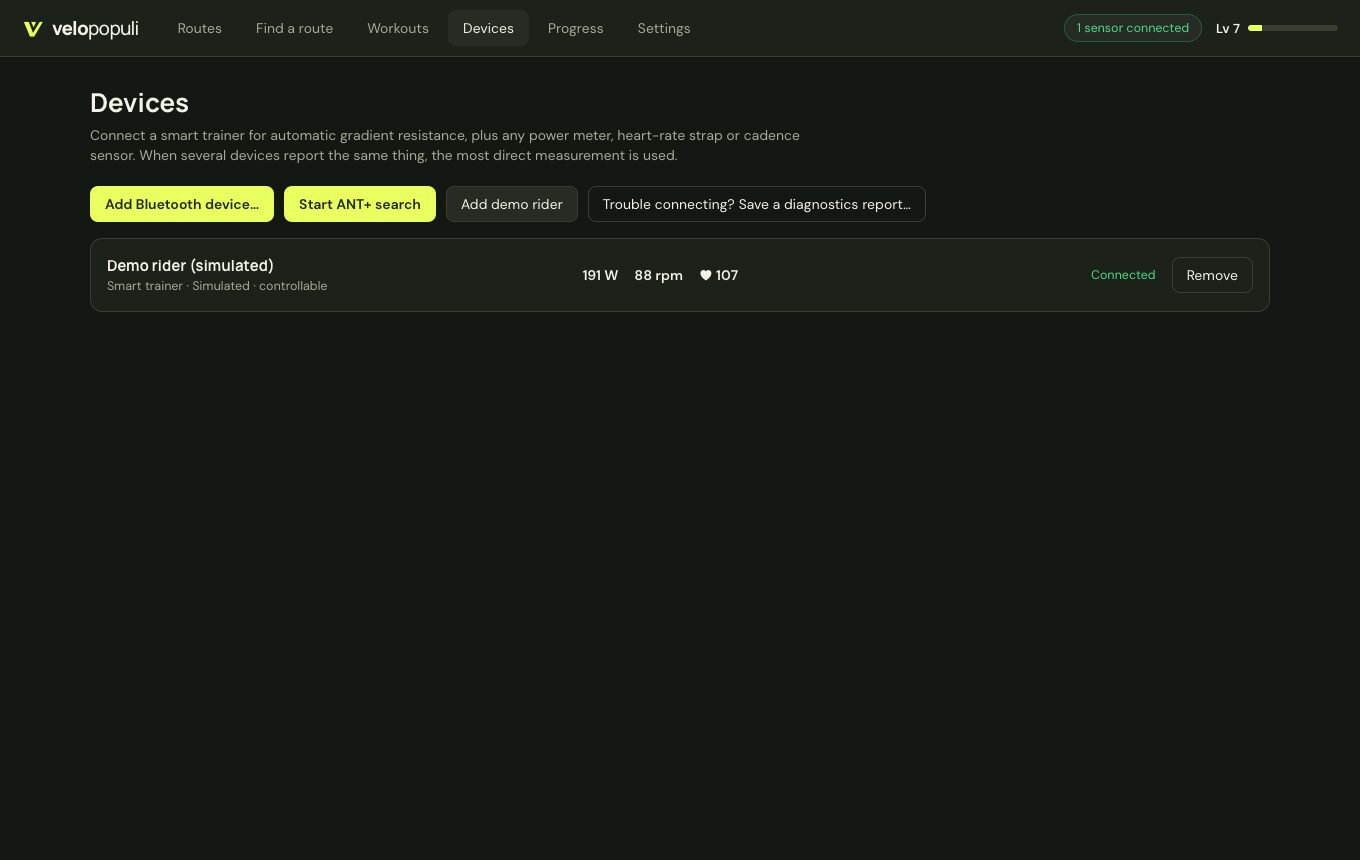
Devices → Add Bluetooth device… lists nearby trainers and sensors. Supported: FTMS smart trainers (Wahoo, Elite, Saris, Zwift, JetBlack and most others made since ~2018), Tacx trainers using FE-C over Bluetooth, Cycling Power meters, heart-rate monitors, and speed/cadence sensors.
Plug in an ANT+ USB stick (Garmin/Dynastream ANTUSB2 or ANTUSB-m) and press Devices → Start ANT+ search. VeloPopuli listens for one device of each kind — trainer (FE-C), power meter, heart rate, speed, cadence, speed+cadence — and adds each as it is heard.
The stick is driven directly through libusb, with no vendor SDK:
sudo cp resources/99-ant-usb.rules /etc/udev/rules.d/ && sudo udevadm control --reload, then replug. (The .deb package installs this rule for you.)Current limits: one ANT+ device per type (the first one heard), and no pairing to a specific device number yet.
Strava issues API keys per application, and a secret can't be shipped inside an open-source app, so each user creates a free personal key once:
localhost.Your browser opens for approval. The key and tokens are stored in the system keychain on macOS and Windows; on Linux they are kept in a file in the app's data folder readable only by your user. Rides upload as Virtual Rides with the route map.
P = (m·g·(sinθ + Crr·cosθ) + ½·ρ·CdA·v²)·v, with air density falling with altitude. Trainer difficulty changes only what the trainer feels like, never your virtual speed.Group rides already go through a small relay anyone can run (crates/relay; CI builds it for every platform). The stretch goal is to make running your own server for a club or group of friends a first-class option:
wss://) out of the boxSomething not working with your trainer or sensors? After the ride, press Report a problem… on the ride summary (or Devices → Trouble connecting?, or Settings → Diagnostics), say what happened, and save the report. It is one text file covering the last couple of days: every connection and drop-out, the raw data each sensor sent, what was sent to the trainer, and a ride line every second, with a summary at the top (drop-outs per device, longest silence, seconds pedalled with no power reading). It contains no account details, tokens or locations. Report on GitHub… saves the file, opens this project's new-issue page with the summary filled in and shows the file, so you just drag it onto the page and press Create. Mention your trainer model and how it was connected (Bluetooth or ANT+). Issues are public, so only send what you're happy to share.
The logs themselves live in the app's data folder under logs/ (Settings → Diagnostics → Open logs folder); the last 12 runs are kept.
Guides for riders and developers are in the wiki (also in docs/wiki/).
Want to help or take something on? Start with HANDOFF.md: where the project stands, how it's built and tested, how releases work, what's next and why things are the way they are.
web/src/fonts/).MIT — see LICENSE.
Ride GPX routes on an indoor trainer in a 3D world built from real terrain and OpenStreetMap. Rust + Tauri.
Rust
0
32 commits
updated Oct 18, 2026
The people's indoor ride: open source, built by riders, for riders. — velopopuli.com
Ride any GPX route on your indoor trainer. VeloPopuli turns a route file into a 3D world, drives your smart trainer's resistance from the real gradient, and makes a game of it with ghosts, pace riders, timed climbs, XP and badges.
Open source (MIT) for Windows, macOS and Linux. Written in Rust, with a thin web layer for drawing. Not affiliated with icTrainer or any other commercial product.
surface, width, lanes, and the road class), or are guessed from the road class when those can't be fetched. Widths change gradually, and buildings, signs, other riders and the barriers all follow them. Ride the Arenberg trench on its setts and the Strade Bianche on white gravel..zwo, .erg or .mrc files, or use the built-in sessions (endurance, sweet spot, threshold, VO₂max, over-unders, sprints and an FTP ramp test). The trainer holds each target in ERG while the route scrolls by; adjust the intensity or skip a step mid-ride.crates/relay)..FIT file (GPS, power, heart rate, cadence, laps, normalised power) and can be uploaded to Strava as a Virtual Ride in one click or automatically. | |
| A closed road through the real town — buildings, side roads and landmarks from OpenStreetMap | The real surface and width — the Arenberg trench on its setts, three metres wide |
| |
| Real terrain — the Alpe d'Huez switchbacks from the overhead camera | Structured workouts on any route, the trainer holding each target |
| |
| Time of day and weather — dusk in the rain, with a lamp on the bike | …or dawn in the snow, or the live weather at the real place |
| |
| Your routes — import GPX from anywhere | Find a route — plan one on the map or pick a famous climb |
| |
| Workouts — built-in sessions or your own .zwo/.erg/.mrc | Progress — season goal, streaks, training load and power curve (sample data shown) |
About two thirds of the code is Rust, and everything that computes or talks to hardware is in it:
crates/core/      Pure Rust library, no I/O — fully unit-tested
  gpx, physics    GPX → resampled route, smoothing, gradients, climb detection; speed-from-power model
  ride, gamify    The ride simulation and recorder; XP, levels, badges, streaks
  workout         Zwift .zwo and .erg/.mrc workouts; built-in sessions
  fitness         Power curve, FTP estimate, zones, training load
  segments        Strava segments and other rides matched onto the route; ghosts; photos
  fit             FIT activity encoder
  devices/        Bluetooth GATT and ANT+ protocol encode/decode; the sensor hub
  world/          Terrain: elevation tiles, height field, chunk / horizon / road meshes;
                  OpenStreetMap buildings (Overpass JSON and vector-tile decoding, extrusion);
                  scenery (forests, water, the surrounding roads, matching the route to mapped bridges and tunnels)
                  and structures (bridge decks and piers, tunnel bores and portals, overbridges)
src-tauri/        The app (Rust, Tauri 2)
  devices/        Bluetooth via the OS stack (btleplug); ANT+ USB stick via libusb; demo rider
  session         50 Hz simulation loop, trainer control, saving rides
  native/         The optional native renderer (wgpu → Metal) and its shaders
  group, smart    Group-ride client; fan and light control
  library, geo    Workouts, ghosts, segments, goal; place search and route planning
  terrain, mapdata, photos, strava, store, secrets
crates/relay/     The group-ride relay server (WebSocket, stateless)
web/              The window contents (TypeScript, React, three.js)
  world/          Uploads the meshes Rust produced to the GPU; camera; rider models
  ui/             Screens and the ride HUD
The web layer contains no ride logic: it receives state from Rust about 20 times a second, glides between updates, and draws. Terrain meshes are generated on Rust worker threads, so building landscape never stalls a frame. The window is the operating system's own webview (WebKit on macOS/Linux, WebView2 on Windows) rather than a bundled browser.
Measured on an Apple Silicon Mac, against the earlier Electron/TypeScript prototype of the same app:
| Electron prototype | Rust + system webview | |
|---|---|---|
| App bundle | 290 MB | 17 MB (11 MB before the native renderer was added) |
| Memory during a ride with real terrain | not measured | ~95 MB app + ~140 MB system webview processes |
Native renderer (experimental, macOS). Settings → Virtual world → Native renderer draws the 3D world straight on the GPU (Metal, through wgpu) in a view beneath the web page, which then only shows the HUD. It draws everything the built-in renderer does, with the same lighting, fog, time of day and weather, rain and snow (computed on the GPU, so they cost the CPU nothing) and the riders' road shadows. It holds 60 fps and pauses while the window is covered. In a debug build with the window in front, both renderers used about the same CPU while the native one drew about 1.6 times as many frames (it was not yet capped at 60). A like-for-like release-build comparison is still to be done. Windows and Linux need a different way to put the GPU view under the web page, so there it is not offered yet.
Be aware of what has and has not been proven:
| Area | Status |
|---|---|
| GPX parsing, route building, climb detection, physics, ride recording, gamification, terrain, building and scenery generation, workouts, fitness maths, segment and ghost matching, landmarks, photo selection | Unit-tested (cargo test, 62 core tests) |
| Group-ride relay | Tested in-process (cargo test -p velopopuli-relay) and with two app instances riding together through a local relay |
| Fan and lights | Requests checked against a pretend device for Home Assistant, Shelly and a webhook; not tried with real plugs |
| Route finder, famous climbs | All eight climbs planned through the live BRouter service and checked against their known length and height gain |
| Strava segments and ghosts from Strava | Matching is unit-tested; the Strava calls have not been made against the live API |
| Street-level photos | Selection unit-tested and a bad token is reported correctly; not tried with a real Mapillary token |
| Native renderer | Screenshots from the automated run match the built-in renderer (day, dusk with rain fog, high camera). The HUD on top of it was not checked in a screenshot of the real window |
| FIT export | Unit-tested by decoding the output with an independent FIT parser |
| Bluetooth and ANT+ protocol encoding/decoding (FTMS, Cycling Power, CSC, HR, ANT framing, ANT+ HR/power/speed/cadence/FE-C pages) | Unit-tested against hand-built packets |
| Full app: import → real-terrain download → ride → save FIT → personal best → summary | Verified by automated runs with the demo rider on macOS (Apple Silicon), in debug, dev-server and release builds |
| OpenStreetMap buildings | Verified against the live services on two Alpine routes and one across a city (about 5,900 buildings), through both data sources. Very long routes have not been tried. |
| The surrounding road network | Verified against the live map tiles on the same three routes, from screenshots of the automated run: city streets, footways and tram lines, village junctions, forest tracks, and a suburb full of roundabouts and divided roads. Frame rate with a whole city's streets in view has not been measured (about 1.3 million extra vertices in the centre of Grenoble). |
| Forests, water, bridges, tunnels, overpasses | Verified against the live map tiles on the same three routes: a valley town with a river, a reservoir road with a 1 km tunnel, and a city crossed by motorway and railway viaducts. Checked from screenshots of the automated run, not from a long ride. |
| Bluetooth and ANT+ with real hardware | Testing has begun. The first real trainer (a Tacx Vortex Smart over Bluetooth) connected but dropped out and showed no power; a diagnostics log and report were added to track it down. Expect to find bugs; please send a report (see Reporting problems) with your device model. |
| Strava connect and upload | Not yet tested against the live API (needs a personal API key). |
| Windows and Linux | Built (installers: .msi/.exe, .deb/.AppImage) by GitHub Actions on every push, which also runs the tests on Linux. Not yet run on either. |
Download VeloPopuli_<version>_universal.dmg from the latest release (or build it with npm run build:mac), open it and drag VeloPopuli into Applications. It runs on Apple Silicon and Intel Macs with macOS 10.15 or later.
The app isn't notarised by Apple (that needs a paid developer account), so the first time you open it macOS will refuse. Either:
xattr -dr com.apple.quarantine /Applications/VeloPopuli.app once in Terminal.On first connecting to a sensor macOS asks to let VeloPopuli use Bluetooth — allow it.
You need Rust (stable) and Node.js 20+.
sudo apt install libwebkit2gtk-4.1-dev build-essential libssl-dev libayatana-appindicator3-dev librsvg2-dev libdbus-1-dev libudev-dev pkg-confignpm install
npm run dev # run with hot reload
npm test # Rust unit tests
npm run build # optimised app + installer for this platform (target/release/bundle/)
npm run build:mac # macOS: one installer for Apple Silicon and Intel (target/universal-apple-darwin/release/bundle/dmg/)
Then: Routes → Import GPX…, Devices → connect your trainer, and press Ride. No hardware handy? Press Ride on the built-in Demo Loop and choose Use demo rider (↑/↓ change its effort).
Ride keys: Space pause · C camera (behind, high behind, alongside, overhead) · ↑/↓ ERG target, workout intensity or demo rider effort.
Group rides: run cargo run --release -p velopopuli-relay on a machine everyone can reach (port 47800), put its address (ws://host:47800) in Settings → Group rides, tick Ride with friends when starting, and give the room code to the others (Routes → Join a group ride).
To inspect a recorded ride: cargo run -p velopopuli-core --example fitinfo -- path/to/ride.fit.
Devices → Add Bluetooth device… lists nearby trainers and sensors. Supported: FTMS smart trainers (Wahoo, Elite, Saris, Zwift, JetBlack and most others made since ~2018), Tacx trainers using FE-C over Bluetooth, Cycling Power meters, heart-rate monitors, and speed/cadence sensors.
Plug in an ANT+ USB stick (Garmin/Dynastream ANTUSB2 or ANTUSB-m) and press Devices → Start ANT+ search. VeloPopuli listens for one device of each kind — trainer (FE-C), power meter, heart rate, speed, cadence, speed+cadence — and adds each as it is heard.
The stick is driven directly through libusb, with no vendor SDK:
sudo cp resources/99-ant-usb.rules /etc/udev/rules.d/ && sudo udevadm control --reload, then replug. (The .deb package installs this rule for you.)Current limits: one ANT+ device per type (the first one heard), and no pairing to a specific device number yet.
Strava issues API keys per application, and a secret can't be shipped inside an open-source app, so each user creates a free personal key once:
localhost.Your browser opens for approval. The key and tokens are stored in the system keychain on macOS and Windows; on Linux they are kept in a file in the app's data folder readable only by your user. Rides upload as Virtual Rides with the route map.
P = (m·g·(sinθ + Crr·cosθ) + ½·ρ·CdA·v²)·v, with air density falling with altitude. Trainer difficulty changes only what the trainer feels like, never your virtual speed.Group rides already go through a small relay anyone can run (crates/relay; CI builds it for every platform). The stretch goal is to make running your own server for a club or group of friends a first-class option:
wss://) out of the boxSomething not working with your trainer or sensors? After the ride, press Report a problem… on the ride summary (or Devices → Trouble connecting?, or Settings → Diagnostics), say what happened, and save the report. It is one text file covering the last couple of days: every connection and drop-out, the raw data each sensor sent, what was sent to the trainer, and a ride line every second, with a summary at the top (drop-outs per device, longest silence, seconds pedalled with no power reading). It contains no account details, tokens or locations. Report on GitHub… saves the file, opens this project's new-issue page with the summary filled in and shows the file, so you just drag it onto the page and press Create. Mention your trainer model and how it was connected (Bluetooth or ANT+). Issues are public, so only send what you're happy to share.
The logs themselves live in the app's data folder under logs/ (Settings → Diagnostics → Open logs folder); the last 12 runs are kept.
Guides for riders and developers are in the wiki (also in docs/wiki/).
Want to help or take something on? Start with HANDOFF.md: where the project stands, how it's built and tested, how releases work, what's next and why things are the way they are.
web/src/fonts/).MIT — see LICENSE.



