Plan a route for any sport on a map and export a GPX or FIT course for your watch, GPS, or bike computer.
See the code



Open the planner · How it works · Devices · Run it locally · Contribute
https://github.com/user-attachments/assets/add4d827-82a7-4a9a-973d-9ef6819503d2
Press play for the 24-second film. Turn the sound on.
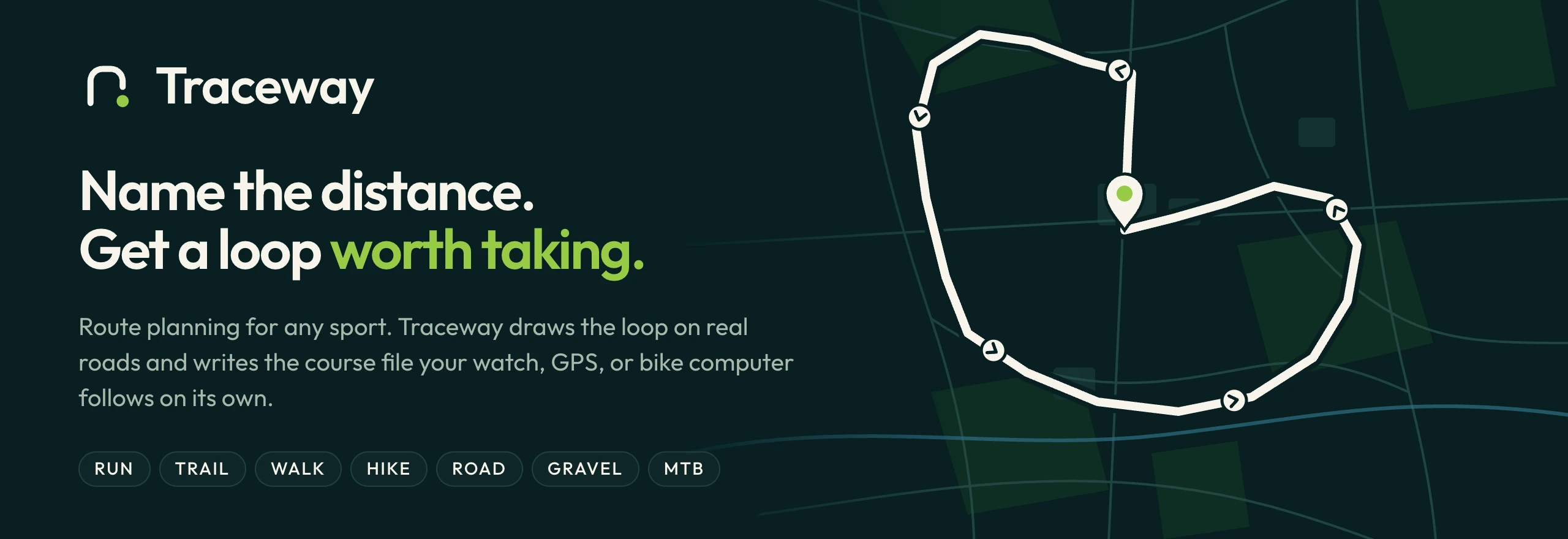
Traceway plans a loop for any sport and writes the course file your watch, GPS, or bike computer follows on its own. Drop a pin, name a distance, pick a sport. Traceway reads the roads and paths around the pin, draws the loops that come back without doubling over themselves, and keeps the best one. Then you take the file and leave the phone at home.
No feed, no followers, no leaderboard. Just the map and the route.
GenerateSet a start, a length, a sport, a surface, the hills, and how quiet the roads should be. Traceway draws three loops, scores them, and shows the one closest to your ask. Add a via to bend the loop through a place. |
BuildTap the map to draw your own route. Each tap snaps to the nearest real road or path, and the route closes back to the start. |
ExportDownload a FIT course for Garmin or a GPX file for anything else. Save a route to your profile, or share it with a signed link. |

Traceway reads the roads and paths within reach of the pin and asks the routing engine for the ways back. Every way back gets a score, and each sport scores the map its own way: road, run, and walk mark busy roads down hard, while gravel, mountain bike, and trail care more about surface and climb. The best three come out ahead, with arrows for the way you go. Add a via and the loop bends through it, closed, on roads, and never doubling back along the same stretch.
Foot and bike are equal in Traceway. Foot sports route the way a walker or runner moves, and bikes route by bike type: road, gravel, or mountain. The surface you pick, paved, mixed, or dirt, decides how much tarmac the loop takes.
The device already knows the map. Traceway gives it the course.
Garmin/NewFiles over USB.
The planner follows your appearance. GitHub shows the light or dark version to match yours.
| Part | Stack |
|---|---|
Planner, apps/app | Laravel 13, PHP 8.5, Inertia 3, React 19, TypeScript, Tailwind CSS 4, MapLibre GL |
Content site, apps/web | Astro |
Account mail, apps/mail | Maizzle 6, built to inlined HTML for Outlook and dark mode |
| Routing | Valhalla by default. GraphHopper and OSRM are drop-in drivers. |
| Map | OpenFreeMap tiles from OpenStreetMap data |
Route geometry always comes from the routing engine. Traceway scores and picks what the engine returns. It never invents a coordinate.
Quality gates run on every pull request: Pest, PHPStan at level max with strict rules, Rector, Pint, PHPArkitect, Biome, TypeScript, and the Blade formatter. main only takes a change once they pass.
Install Docker and DDEV, then from this directory:
ddev start
ddev describe
Open the URL ddev describe prints. On a free machine that is https://traceway.ddev.site.
/ is the Astro site in apps/web. It hot-reloads./login, /dashboard, and /settings are the Laravel planner in apps/app./_app/.The first start installs PHP and Node dependencies, migrates the database, and seeds the demo sports. That takes a few minutes.
Local demo riders, password password:
The login page has a button for each rider when APP_ENV=local.
Run these from the repo root. DDEV runs them in the PHP container.
ddev artisan migrate
ddev exec -d /var/www/html/apps/app composer ci:check
ddev exec -d /var/www/html/apps/app vendor/bin/pest --parallel --compact
ddev logs -s web
ddev logs shows the Astro server, the planner Vite server, the queue worker, and the scheduler.
The mail sources live in apps/mail. They are Maizzle 6 Vue templates: one layout in layouts/MainLayout.vue, the button and the fallback link in components/, and one file per message in emails/. The build inlines the styles so Outlook keeps them and writes the HTML Laravel sends to apps/app/resources/views/mail/compiled.
That folder is build output, so Git ignores it. ddev start builds it, CI restores or builds it before the tests, and the production image builds it on release. After you change a source, rebuild it:
ddev exec -d /var/www/html/apps/mail npm run build
Local mail goes to Mailpit. ddev mailpit opens it.
The planner uses the public Valhalla server by default. It is shared, so it is slow at busy times and can turn your machine away for an hour. To route locally instead, with Belgium as the default region:
ddev valhalla start
ddev valhalla planner local
ddev valhalla regions france lists other regions, and ddev valhalla use france builds one. docs/local-routing.md covers the memory, disk, and time each region needs.
Traceway is an MCP connector at /mcp. Sign in and open Settings → AI assistants for the address and the steps for each app. ddev start creates the Passport keys the sign-in needs.
Claude Code, Codex, Cursor, and VS Code run on your machine, so they reach the local address:
claude mcp add --transport http traceway https://traceway.ddev.site/mcp
Claude.ai and ChatGPT connect from their own servers, so they cannot reach traceway.ddev.site. Give the site a public address with ddev share first, and use that address in the app.
Add .ddev/config.local.yaml (this file stays on your machine):
router_http_port: "8080"
router_https_port: "8443"
Then ddev restart. The site URL includes the port. ddev start writes that URL into apps/app/.env as APP_URL.
The planner uses SQLite at apps/app/database/database.sqlite. Tests use an in-memory SQLite database.
Production uses SQLite too, in storage/database/traceway.sqlite. DDEV runs no database container.
Queue, cache, and sessions use the same database. Redis is not required.
Routing uses public Valhalla (VALHALLA_URL) unless you change ROUTER_DRIVER. GraphHopper is off until you ask for it:
ddev start --profiles=routing
Put the map files in persistent/graphhopper. The container is graphhopper on port 8989, which matches GRAPHHOPPER_URL in .env.example.
Bug reports, device reports, docs, design, and code are all welcome. Read CONTRIBUTING.md to get started, and the Code of Conduct before you post. For help, see SUPPORT.md. Report a security problem privately, as SECURITY.md describes.
Traceway is open source under the MIT License. You may use, copy, change, share, and sell it, for any purpose, as long as you keep the copyright and license notice.
The name Traceway and its logo are not covered by the license. A fork must use a different name.
Map data © OpenStreetMap contributors. Tiles by OpenFreeMap and OpenMapTiles. Maps drawn with MapLibre.
Plan a route for any sport on a map and export a GPX or FIT course for your watch, GPS, or bike computer.
See the code
Open the planner · How it works · Devices · Run it locally · Contribute
https://github.com/user-attachments/assets/add4d827-82a7-4a9a-973d-9ef6819503d2
Press play for the 24-second film. Turn the sound on.
Traceway plans a loop for any sport and writes the course file your watch, GPS, or bike computer follows on its own. Drop a pin, name a distance, pick a sport. Traceway reads the roads and paths around the pin, draws the loops that come back without doubling over themselves, and keeps the best one. Then you take the file and leave the phone at home.
No feed, no followers, no leaderboard. Just the map and the route.
GenerateSet a start, a length, a sport, a surface, the hills, and how quiet the roads should be. Traceway draws three loops, scores them, and shows the one closest to your ask. Add a via to bend the loop through a place. |
BuildTap the map to draw your own route. Each tap snaps to the nearest real road or path, and the route closes back to the start. |
ExportDownload a FIT course for Garmin or a GPX file for anything else. Save a route to your profile, or share it with a signed link. |
Traceway reads the roads and paths within reach of the pin and asks the routing engine for the ways back. Every way back gets a score, and each sport scores the map its own way: road, run, and walk mark busy roads down hard, while gravel, mountain bike, and trail care more about surface and climb. The best three come out ahead, with arrows for the way you go. Add a via and the loop bends through it, closed, on roads, and never doubling back along the same stretch.
Foot and bike are equal in Traceway. Foot sports route the way a walker or runner moves, and bikes route by bike type: road, gravel, or mountain. The surface you pick, paved, mixed, or dirt, decides how much tarmac the loop takes.
The device already knows the map. Traceway gives it the course.
Garmin/NewFiles over USB.
The planner follows your appearance. GitHub shows the light or dark version to match yours.
| Part | Stack |
|---|---|
Planner, apps/app | Laravel 13, PHP 8.5, Inertia 3, React 19, TypeScript, Tailwind CSS 4, MapLibre GL |
Content site, apps/web | Astro |
Account mail, apps/mail | Maizzle 6, built to inlined HTML for Outlook and dark mode |
| Routing | Valhalla by default. GraphHopper and OSRM are drop-in drivers. |
| Map | OpenFreeMap tiles from OpenStreetMap data |
Route geometry always comes from the routing engine. Traceway scores and picks what the engine returns. It never invents a coordinate.
Quality gates run on every pull request: Pest, PHPStan at level max with strict rules, Rector, Pint, PHPArkitect, Biome, TypeScript, and the Blade formatter. main only takes a change once they pass.
Install Docker and DDEV, then from this directory:
ddev start
ddev describe
Open the URL ddev describe prints. On a free machine that is https://traceway.ddev.site.
/ is the Astro site in apps/web. It hot-reloads./login, /dashboard, and /settings are the Laravel planner in apps/app./_app/.The first start installs PHP and Node dependencies, migrates the database, and seeds the demo sports. That takes a few minutes.
Local demo riders, password password:
The login page has a button for each rider when APP_ENV=local.
Run these from the repo root. DDEV runs them in the PHP container.
ddev artisan migrate
ddev exec -d /var/www/html/apps/app composer ci:check
ddev exec -d /var/www/html/apps/app vendor/bin/pest --parallel --compact
ddev logs -s web
ddev logs shows the Astro server, the planner Vite server, the queue worker, and the scheduler.
The mail sources live in apps/mail. They are Maizzle 6 Vue templates: one layout in layouts/MainLayout.vue, the button and the fallback link in components/, and one file per message in emails/. The build inlines the styles so Outlook keeps them and writes the HTML Laravel sends to apps/app/resources/views/mail/compiled.
That folder is build output, so Git ignores it. ddev start builds it, CI restores or builds it before the tests, and the production image builds it on release. After you change a source, rebuild it:
ddev exec -d /var/www/html/apps/mail npm run build
Local mail goes to Mailpit. ddev mailpit opens it.
The planner uses the public Valhalla server by default. It is shared, so it is slow at busy times and can turn your machine away for an hour. To route locally instead, with Belgium as the default region:
ddev valhalla start
ddev valhalla planner local
ddev valhalla regions france lists other regions, and ddev valhalla use france builds one. docs/local-routing.md covers the memory, disk, and time each region needs.
Traceway is an MCP connector at /mcp. Sign in and open Settings → AI assistants for the address and the steps for each app. ddev start creates the Passport keys the sign-in needs.
Claude Code, Codex, Cursor, and VS Code run on your machine, so they reach the local address:
claude mcp add --transport http traceway https://traceway.ddev.site/mcp
Claude.ai and ChatGPT connect from their own servers, so they cannot reach traceway.ddev.site. Give the site a public address with ddev share first, and use that address in the app.
Add .ddev/config.local.yaml (this file stays on your machine):
router_http_port: "8080"
router_https_port: "8443"
Then ddev restart. The site URL includes the port. ddev start writes that URL into apps/app/.env as APP_URL.
The planner uses SQLite at apps/app/database/database.sqlite. Tests use an in-memory SQLite database.
Production uses SQLite too, in storage/database/traceway.sqlite. DDEV runs no database container.
Queue, cache, and sessions use the same database. Redis is not required.
Routing uses public Valhalla (VALHALLA_URL) unless you change ROUTER_DRIVER. GraphHopper is off until you ask for it:
ddev start --profiles=routing
Put the map files in persistent/graphhopper. The container is graphhopper on port 8989, which matches GRAPHHOPPER_URL in .env.example.
Bug reports, device reports, docs, design, and code are all welcome. Read CONTRIBUTING.md to get started, and the Code of Conduct before you post. For help, see SUPPORT.md. Report a security problem privately, as SECURITY.md describes.
Traceway is open source under the MIT License. You may use, copy, change, share, and sell it, for any purpose, as long as you keep the copyright and license notice.
The name Traceway and its logo are not covered by the license. A fork must use a different name.
Map data © OpenStreetMap contributors. Tiles by OpenFreeMap and OpenMapTiles. Maps drawn with MapLibre.



