
See what people are saying
README
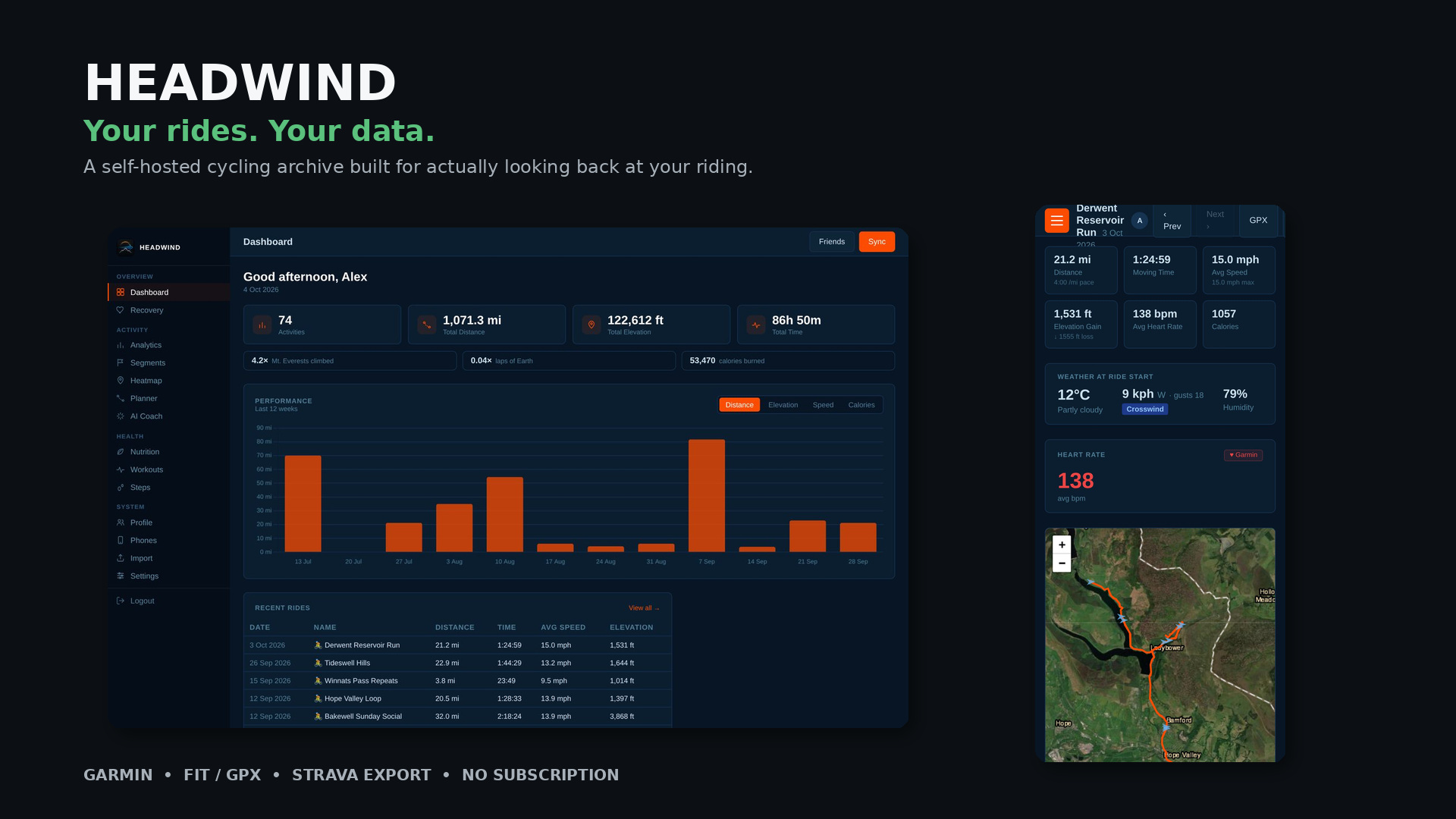
Headwind
Your rides. Your food. Your hardware. Your friends.
Self-hosted cycling analytics, nutrition and body tracking — no cloud, no subscription, no one else touching your data.




Contents
- What is Headwind?
- Beta status — read this first
- A quick tour
- Every page and feature
- Features
- Install — Docker · Raspberry Pi · Windows · From source
- First run: the setup wizard
- Configuration
- Integrations — Garmin · Home Assistant / MQTT · AI coaching · Friends · Notifications
- Nutrition in depth
- Putting it on the internet safely
- Backups, updates and your data
- Privacy and telemetry
- Security notes
- The Android app
- Troubleshooting
- How it works — stack, layout, data model
- Known limitations and roadmap
- Development
- Acknowledgements and licence
What is Headwind?
Headwind is a single self-hosted web app that brings together the things most riders spread across four or five services:
- Ride analytics — import from Garmin Connect, FIT/GPX files or a Strava export; see maps, streams, weather, wind, personal bests, segments and a GPS heatmap of everywhere you've ridden.
- Nutrition and body tracking — a fast food diary with barcode scanning, per-meal "recent foods", saved meals, hydration, weight trend and calorie goals that account for your riding.
- Coaching and automation — optional AI ride analysis with your own key (or local Ollama), Home Assistant sensors over MQTT, and push notifications.
- A social layer without a central server — link your instance to a friend's directly and share segment leaderboards.
It runs on a Raspberry Pi, a NAS, a spare PC or a VPS. Your data lives in one SQLite file you can copy, back up and inspect. It only talks to services you explicitly configure (plus a few public data APIs listed below).
Design principles
| Yours | One folder of data. Export any ride as GPX, back up everything as one zip, no lock-in. |
| Quiet | No account, no analytics, no ads. A single optional, anonymous install ping — fully disclosed, one-time, opt-out. |
| One person per instance | Your stats, your PRs, your coaching. To track someone else, they run their own Headwind and you link them as a friend. |
| Honest | It's a beta; this README lists what's rough. The AI coach is deliberately blunt rather than flattering. |
Beta status — read this first
Headwind 0.1.0-beta is the first public release. It is a real, working application used daily by its author, and it has been through a security and reliability review (restore safety, login hardening, injection fixes, Garmin sync reliability, resource limits). It is still a beta:
- Expect rough edges. Report them — open an issue.
- Shared admin login. There is one login for the whole instance. It is not a multi-user system. Don't give the login to people you don't trust with your data.
- Back up before you upgrade and before you import years of history.
- The Android companion app is a work in progress and not publicly released yet.
- The arm64 (Raspberry Pi) image and the Windows build are new and have had little real-world testing.
- Don't expose it to the internet without HTTPS — see Putting it on the internet safely.
A quick tour
All images: demo data — a fictional rider "Alex" riding real roads around Hathersage, Castleton, Edale and Bakewell.
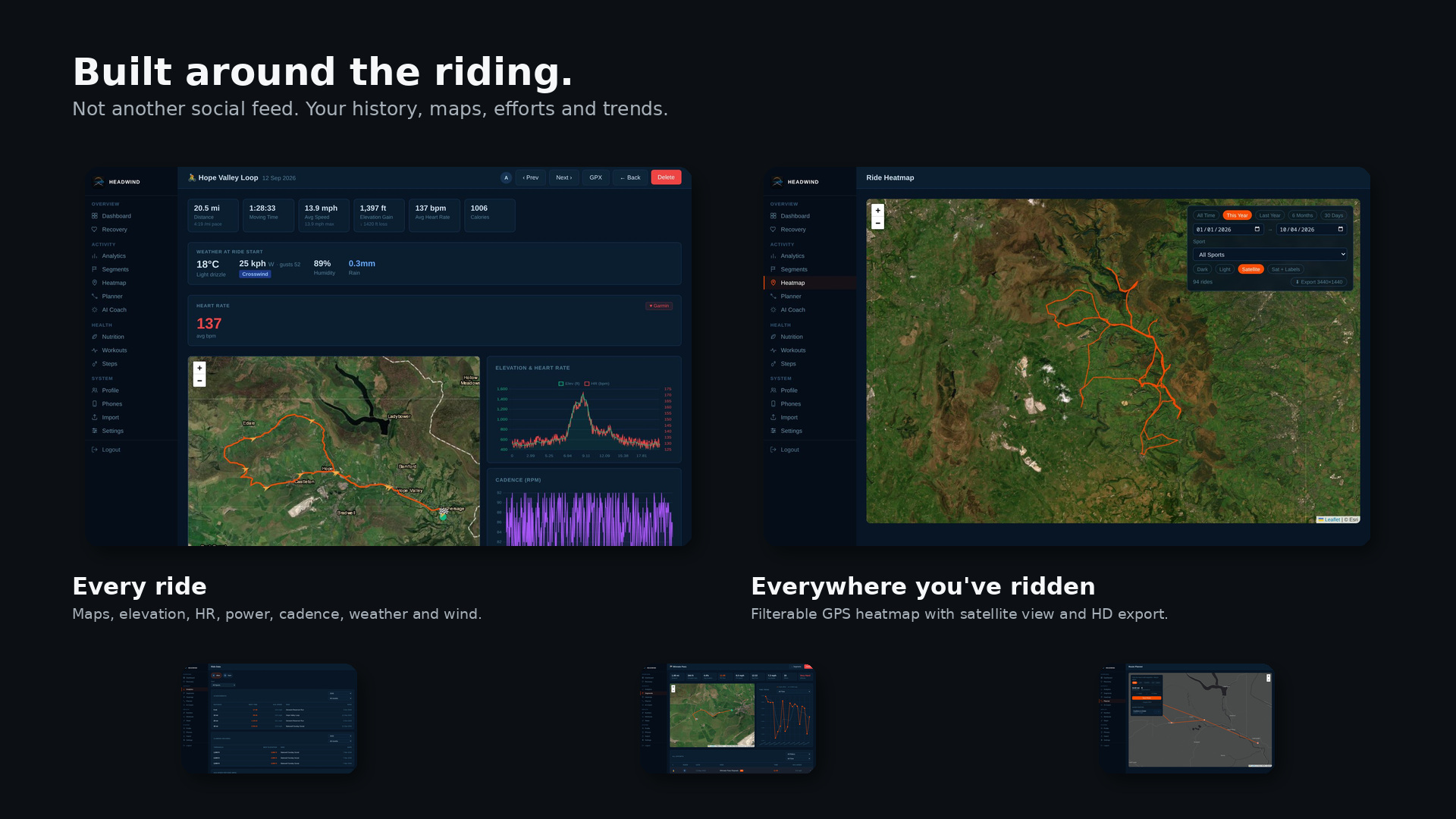
Dashboard
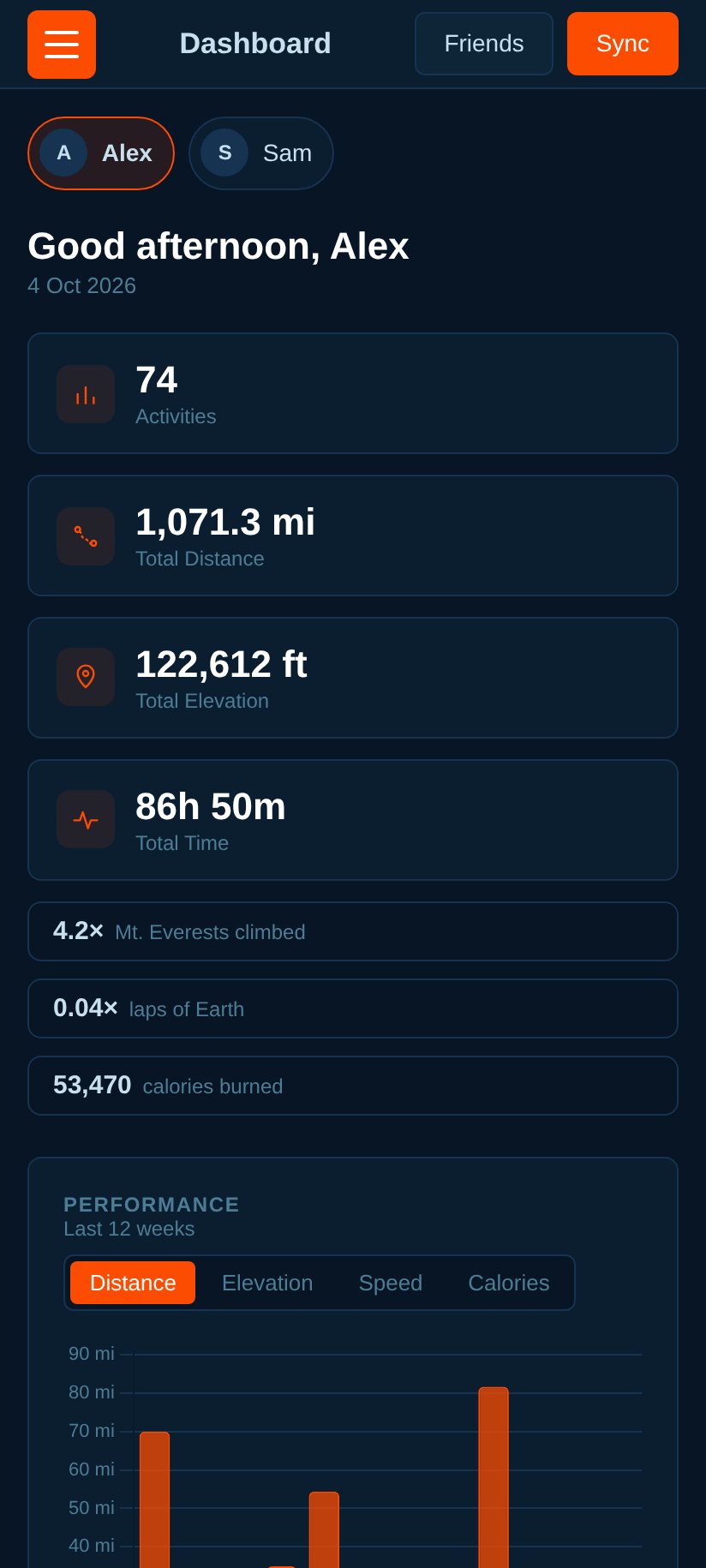
Lifetime totals, a 12-week performance chart you can flip between distance, elevation, speed and calories, and your recent rides.
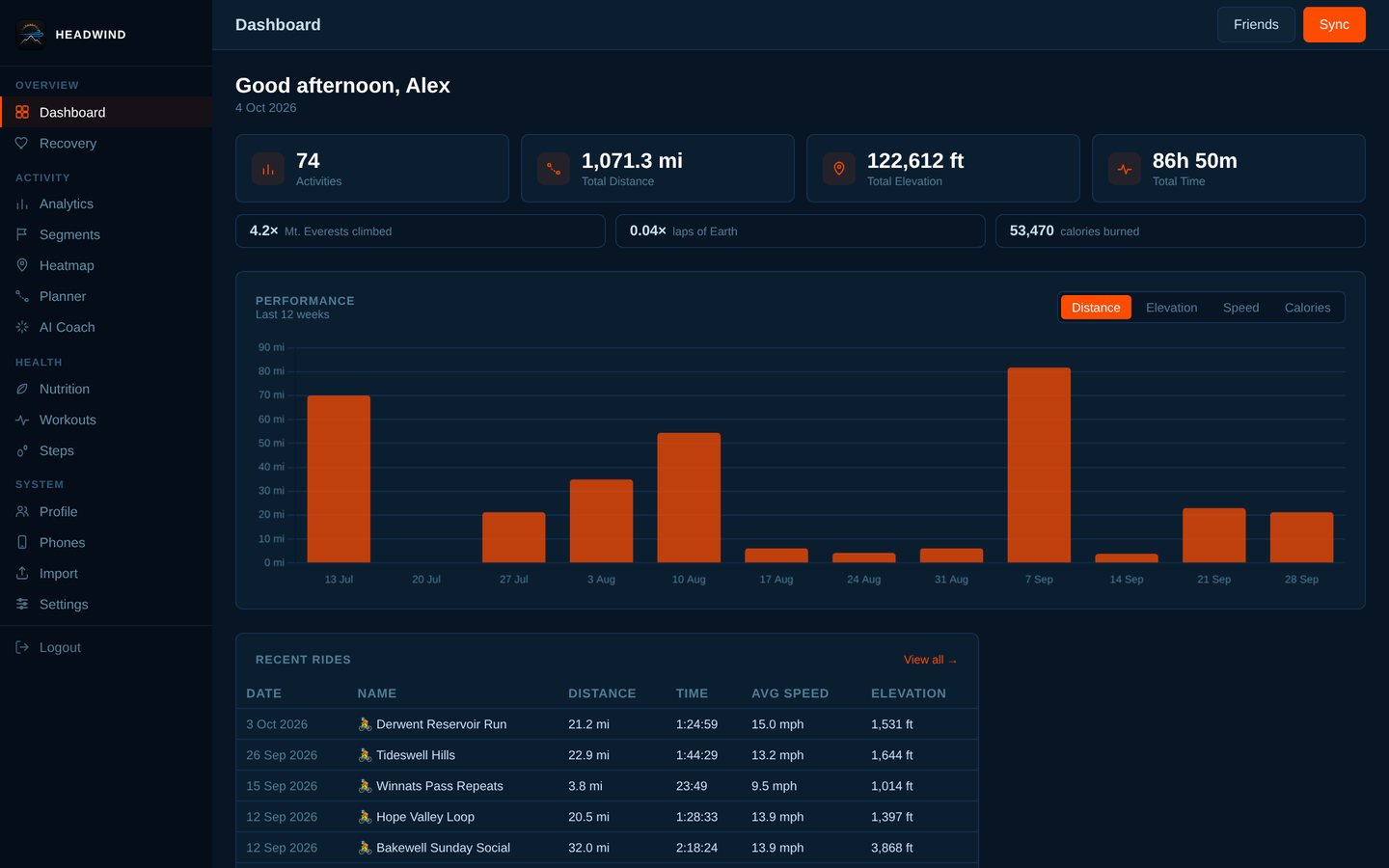
Ride detail
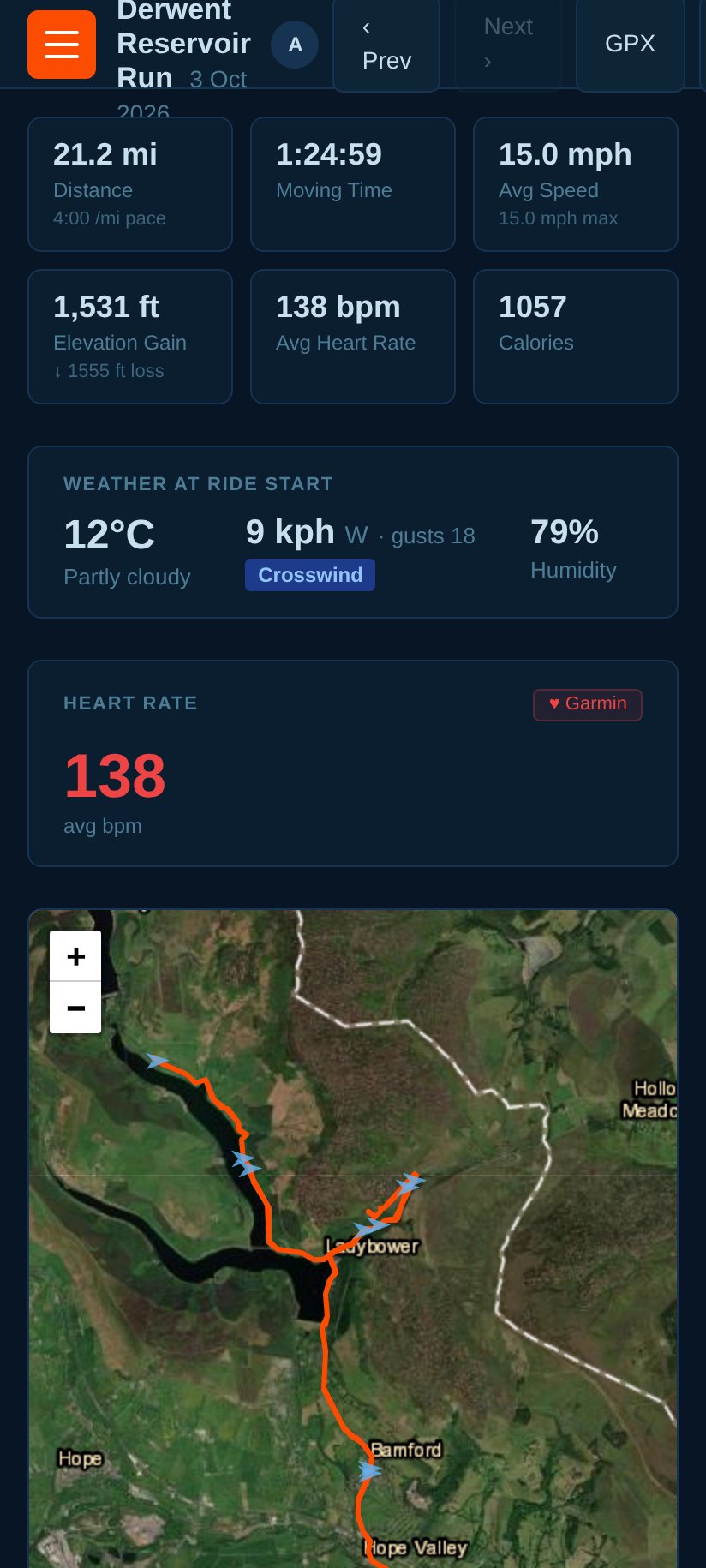
Satellite map, elevation + heart-rate and cadence charts, weather at the start (temperature, wind speed/direction and a headwind / tailwind / crosswind call computed from your route bearing), and effort comparison.
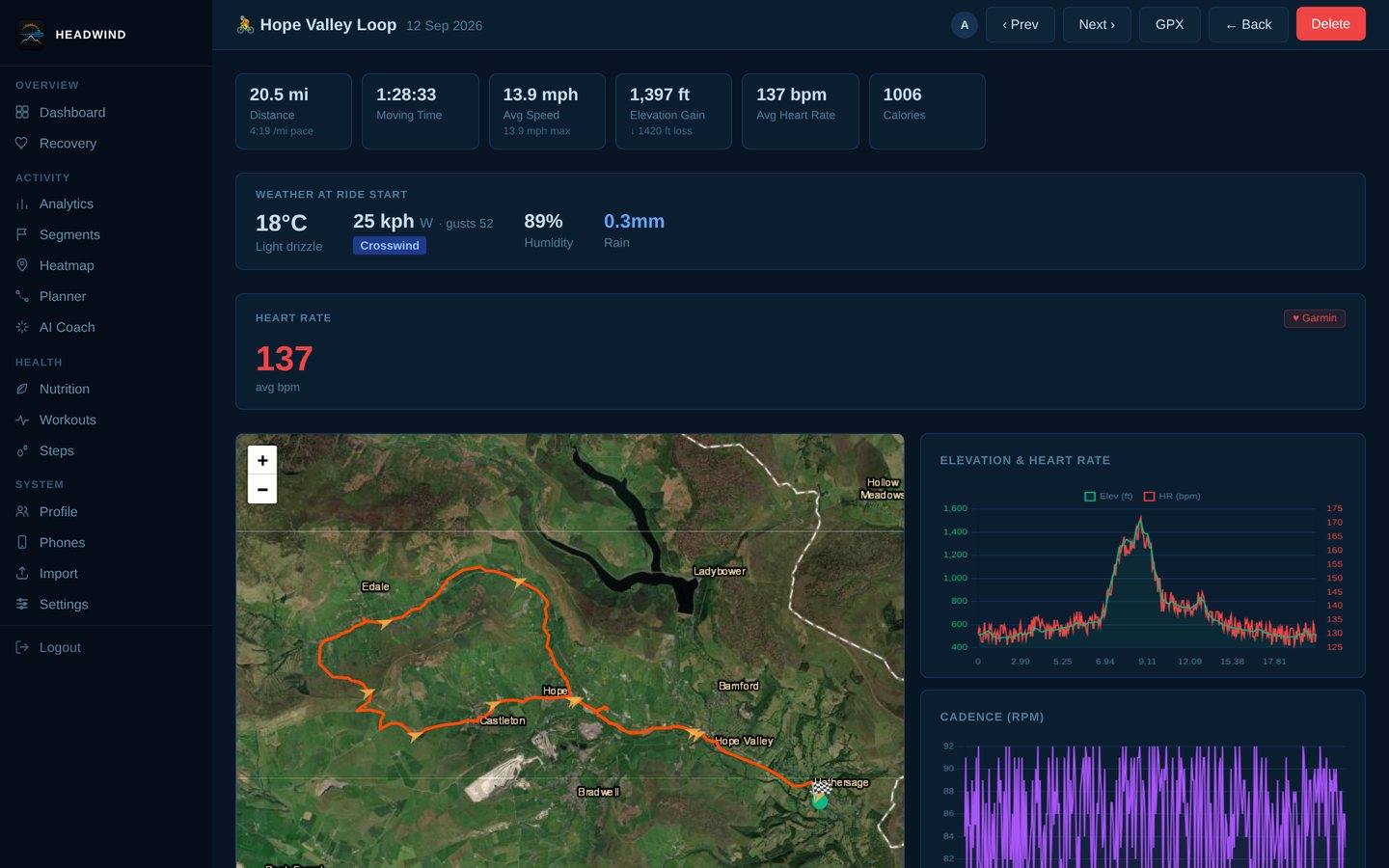
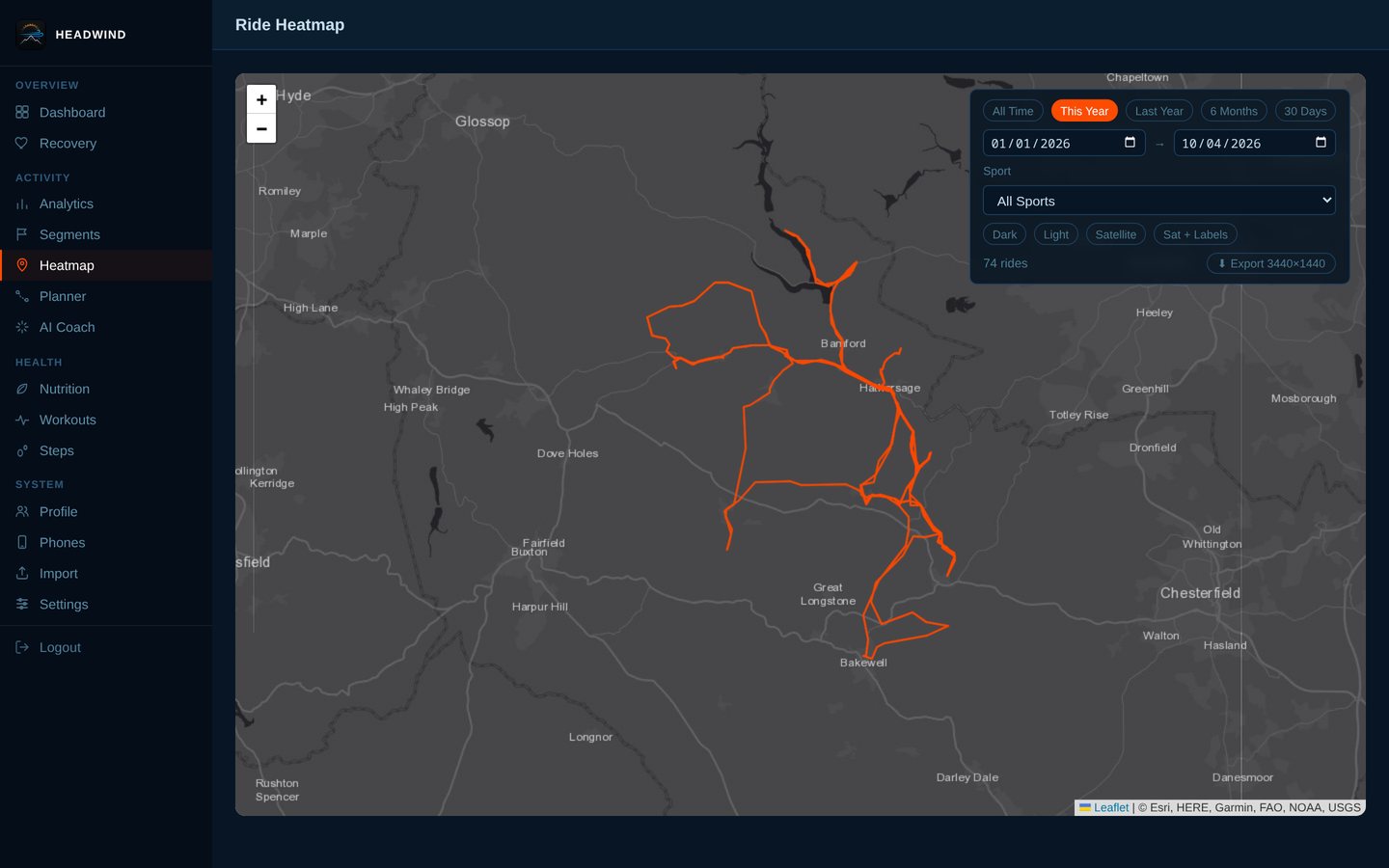
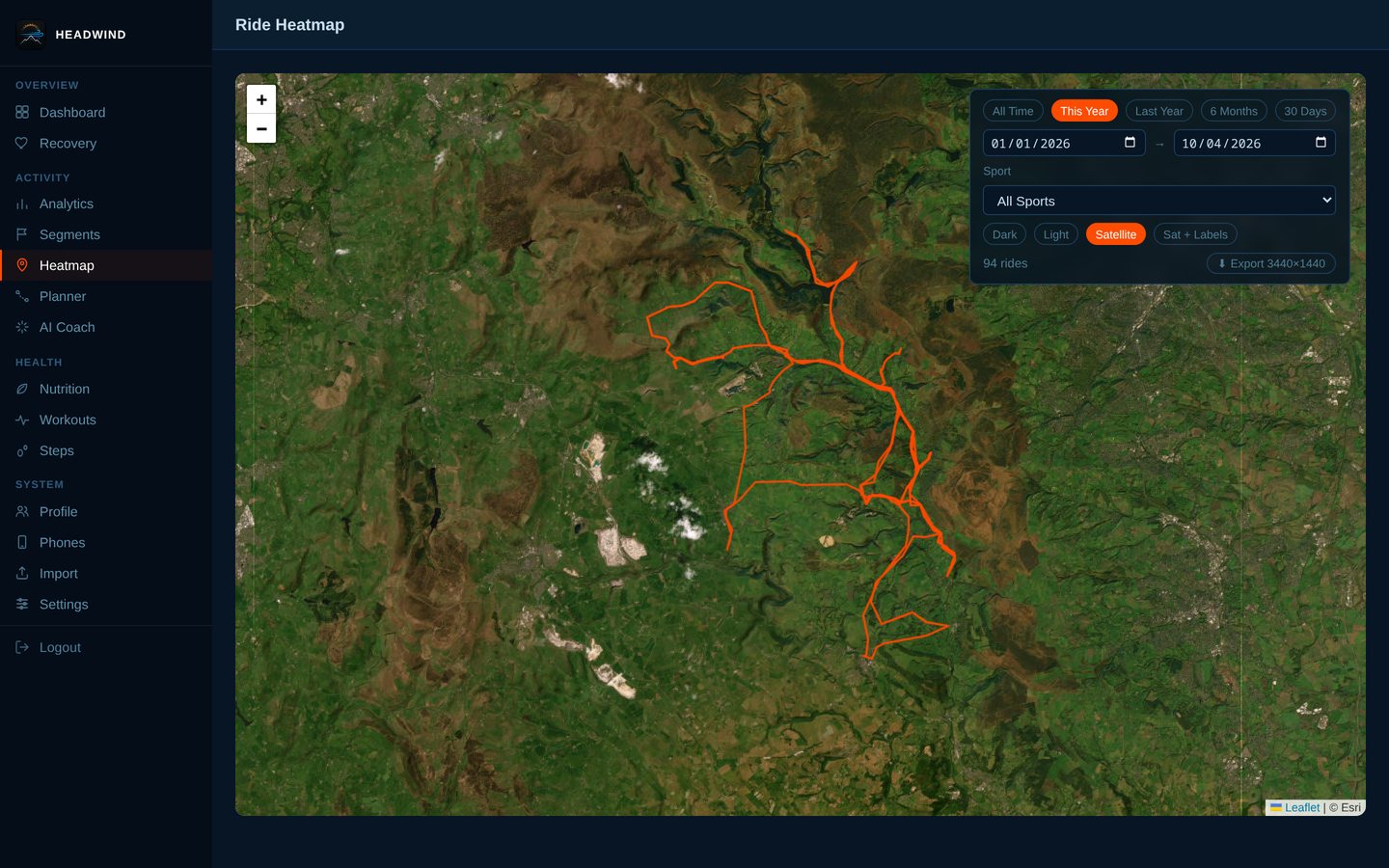
Heatmap
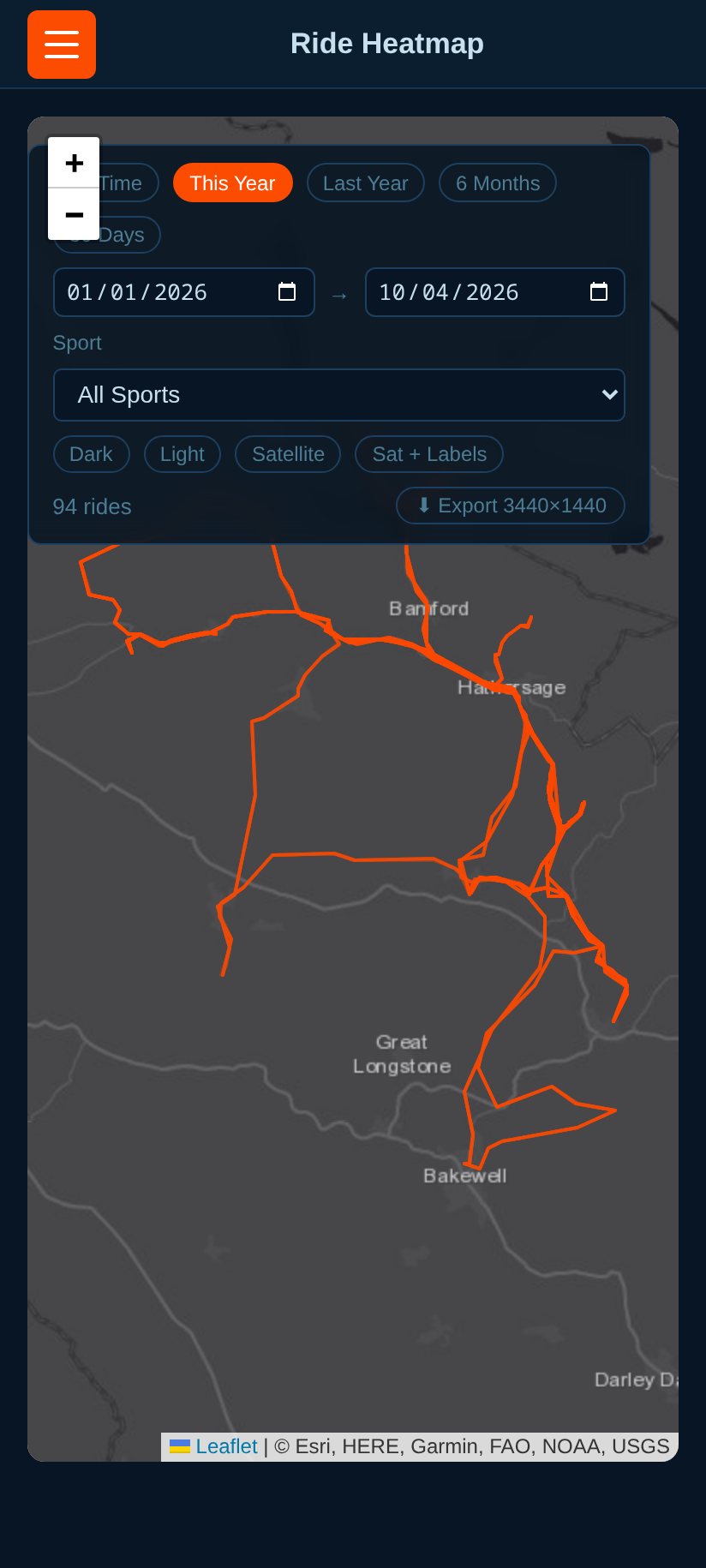
Everywhere you've ridden, filterable by date range and sport, with HD export (3440×1440).
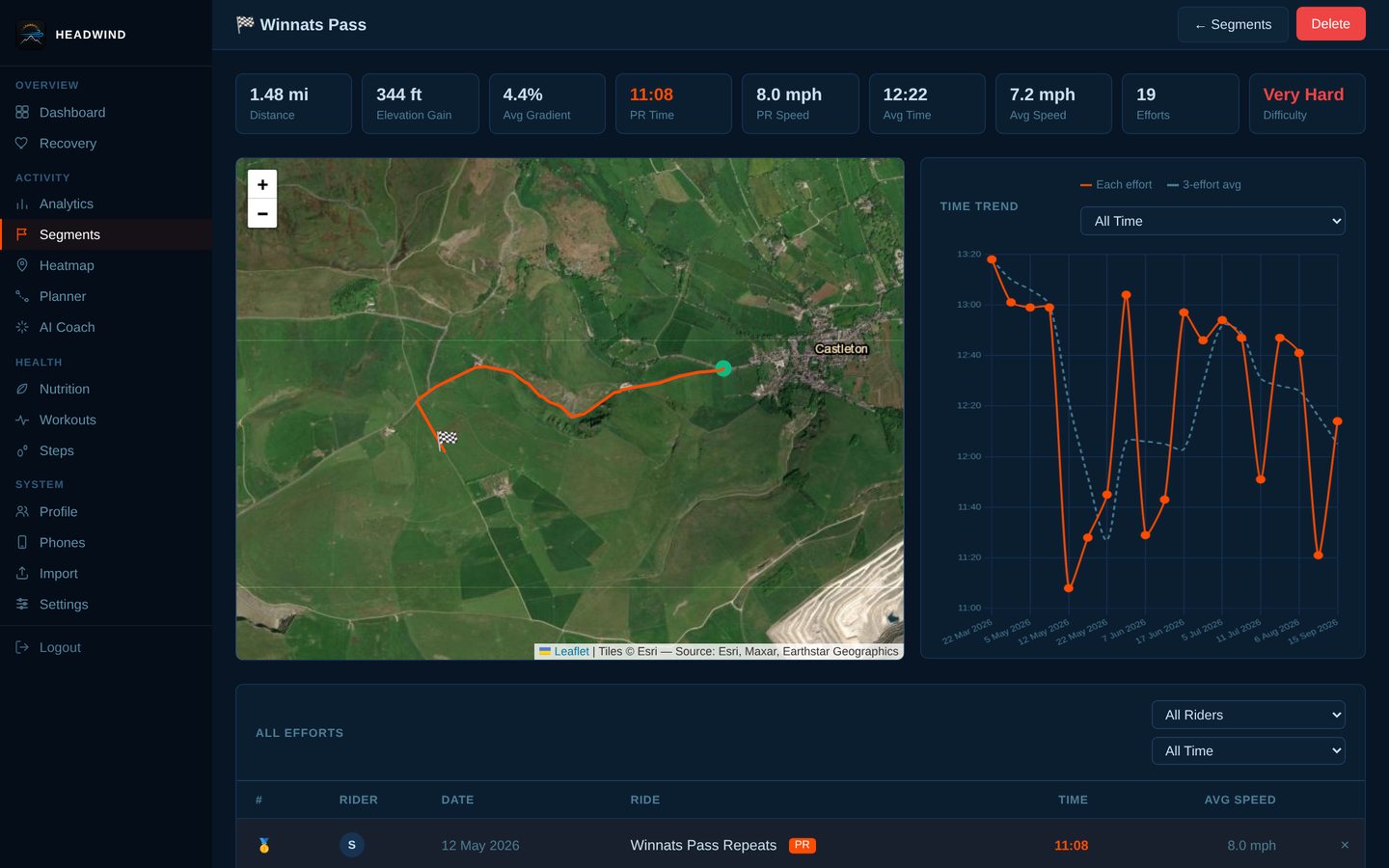
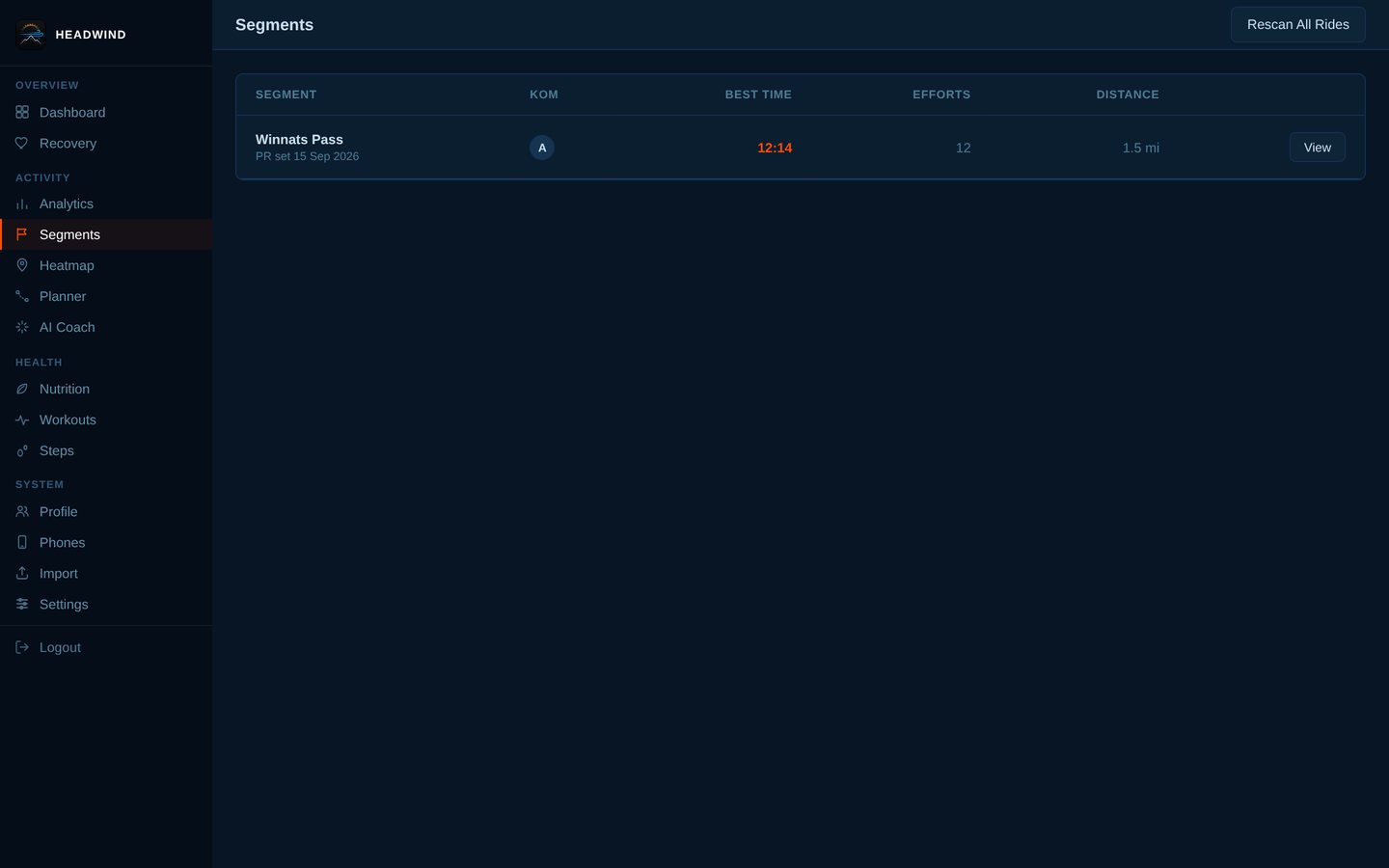
Segments and leaderboards
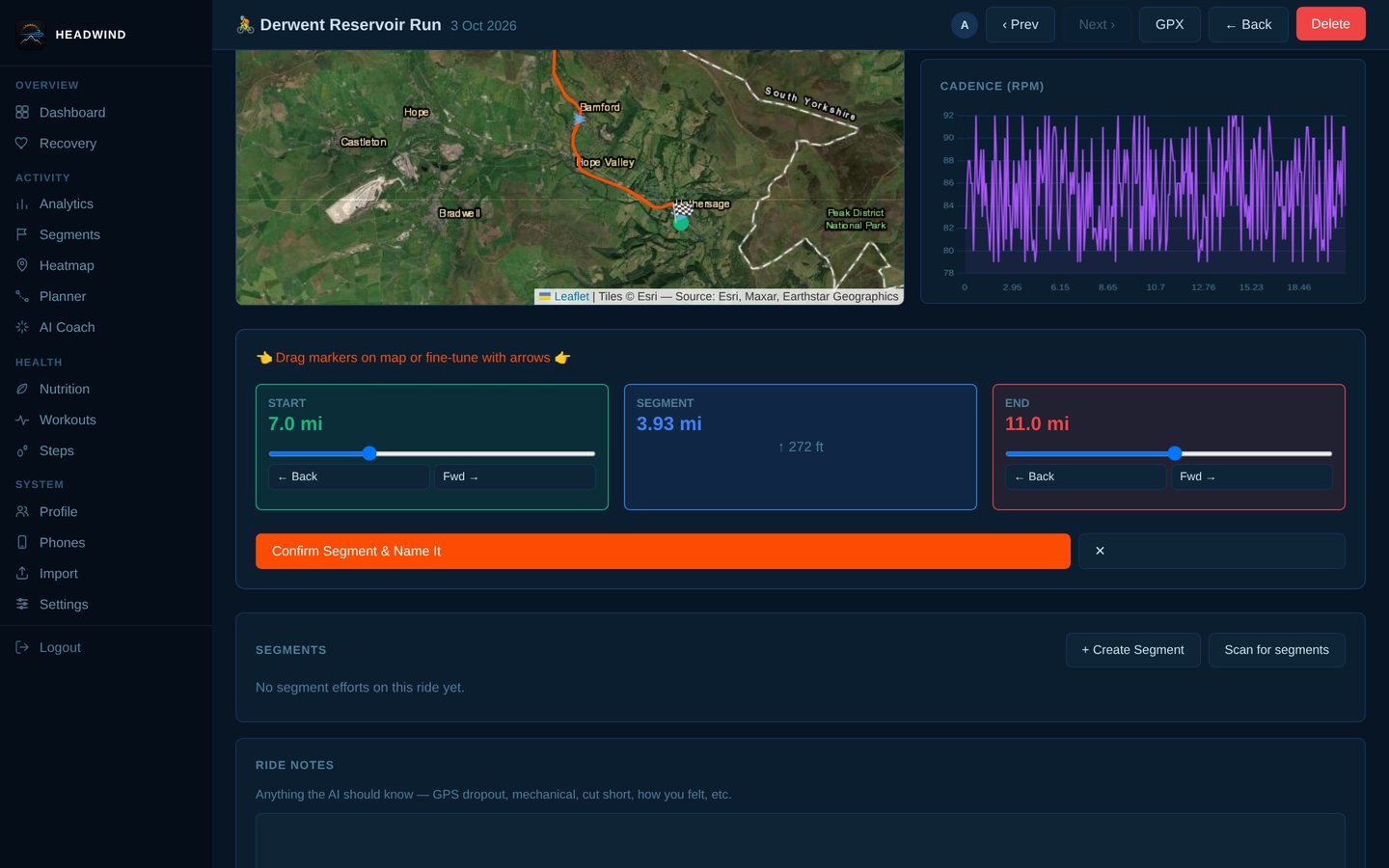
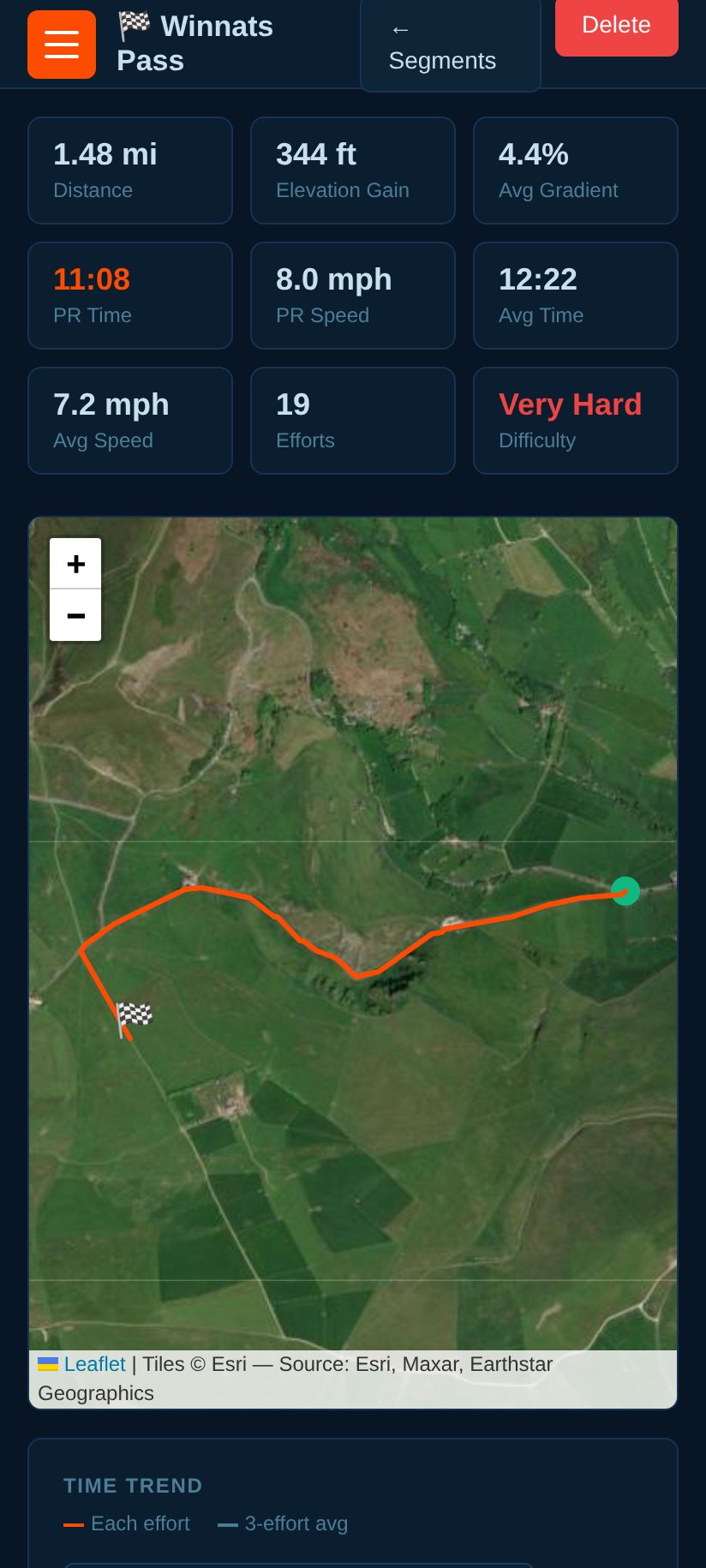
Draw a segment on any ride; Headwind scans your whole history, ranks every effort, charts your trend, rates the difficulty and tracks PRs. Linked friends' segments and efforts appear on the same leaderboard.
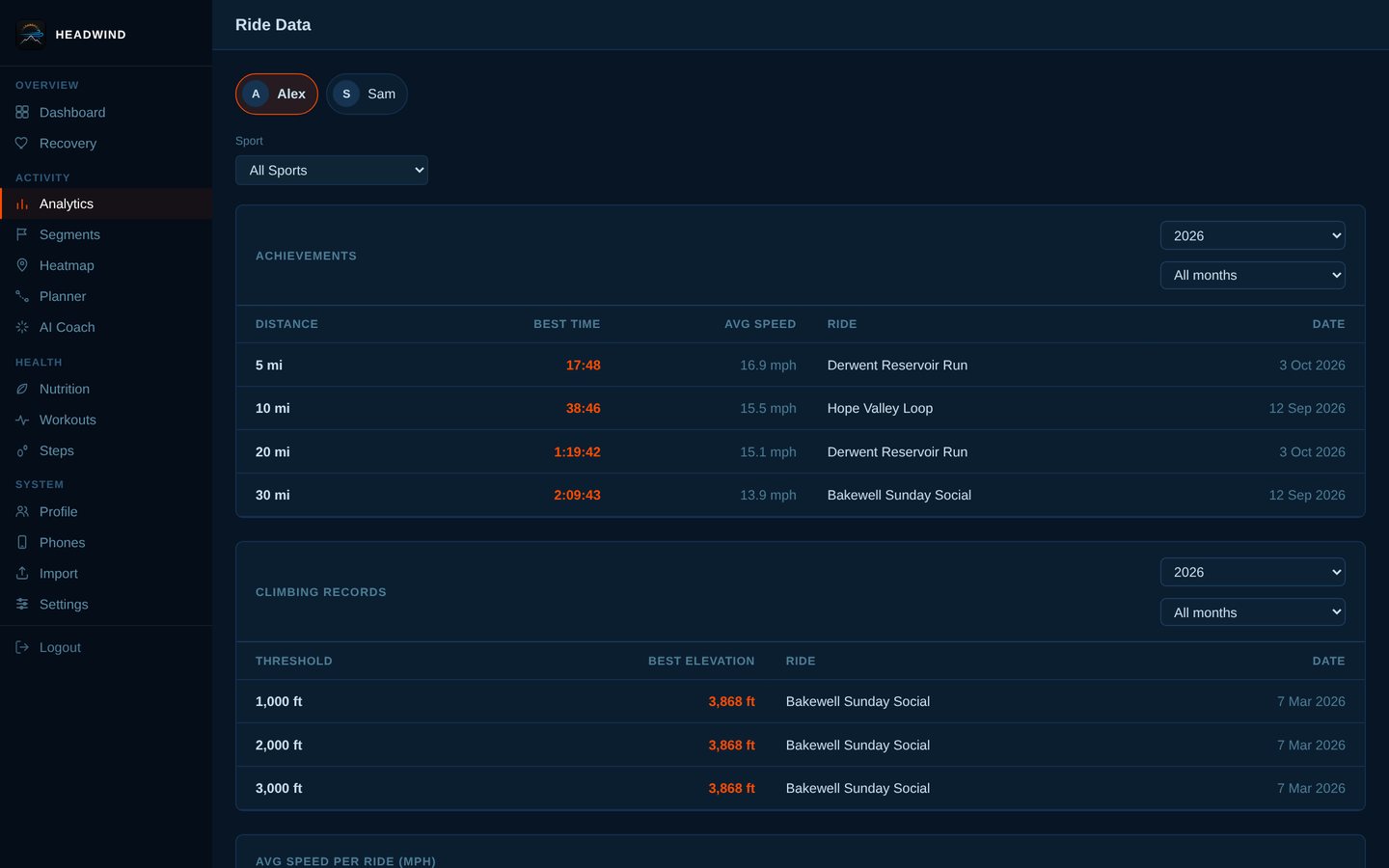
Analytics
Speed over time, monthly distance, year-on-year, ride-length distribution, day-of-week, weather scatter charts — all filterable by sport.
Nutrition
A diary built for speed: barcode scan, per-meal recent foods, saved meals, hydration, macro rings, and calorie goals that include what you burned riding.
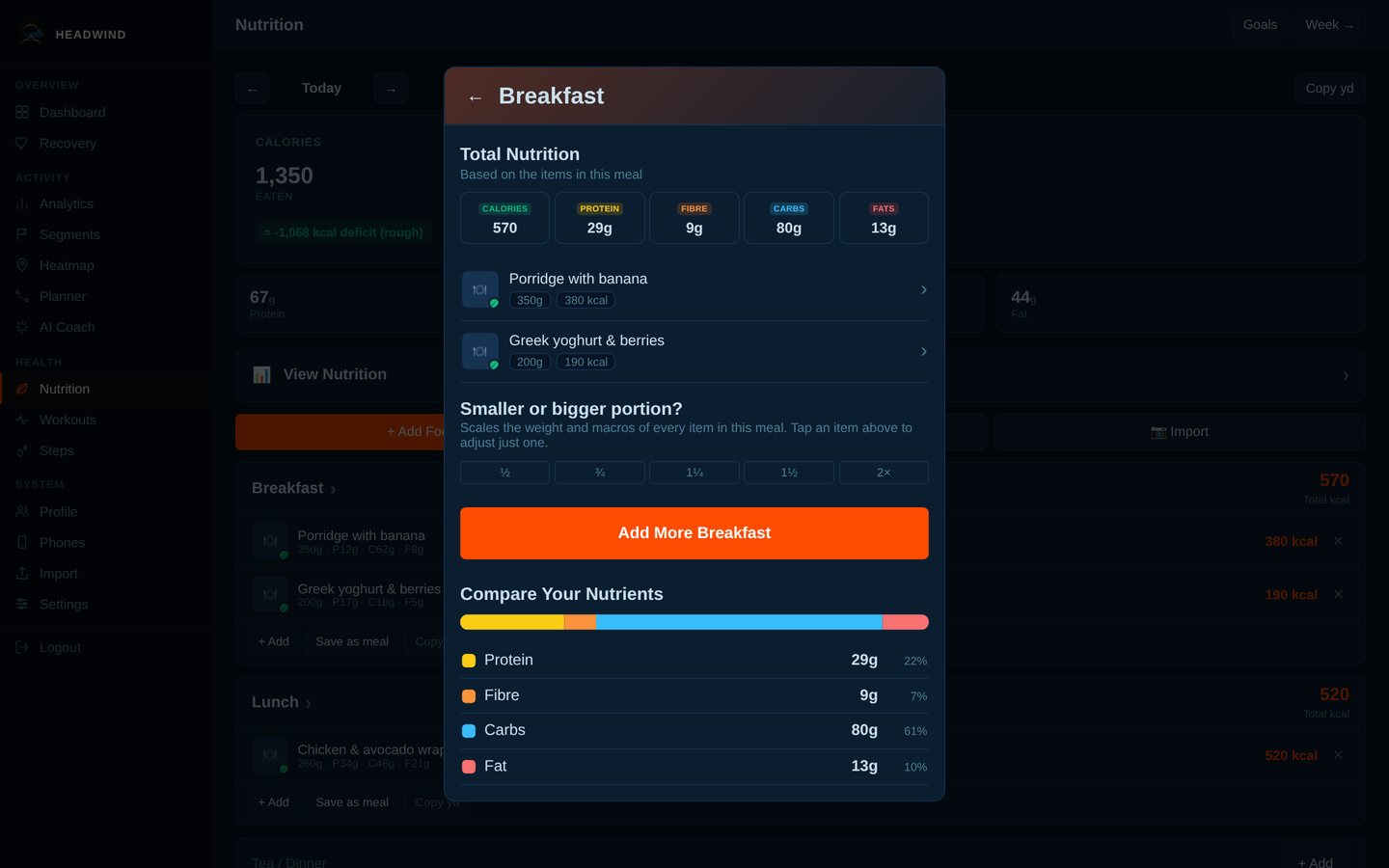
Smaller (or bigger) portions
Saved a meal but ate less? Scale the whole meal in one tap — weight and every macro together — or open any item and change its weight.
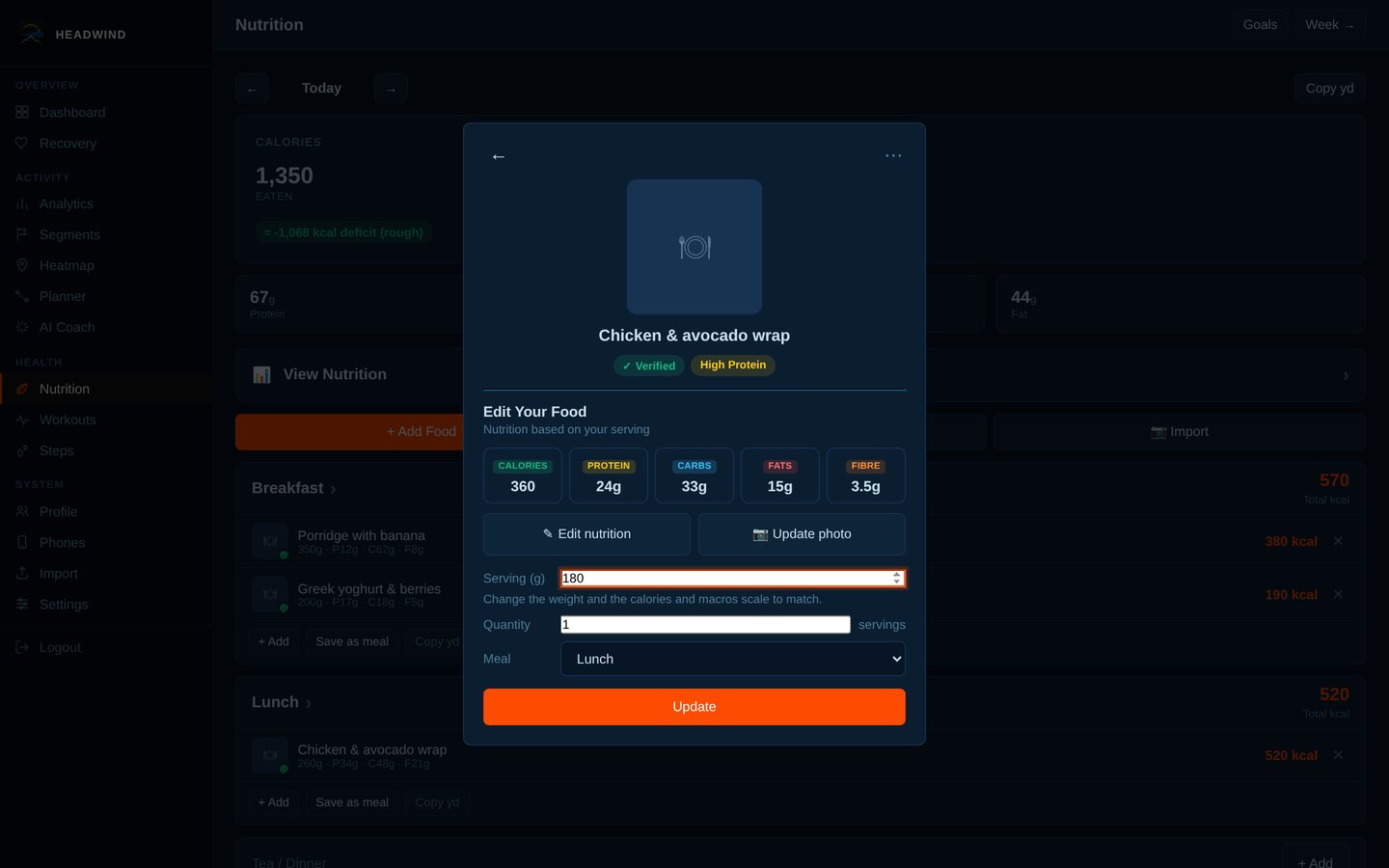
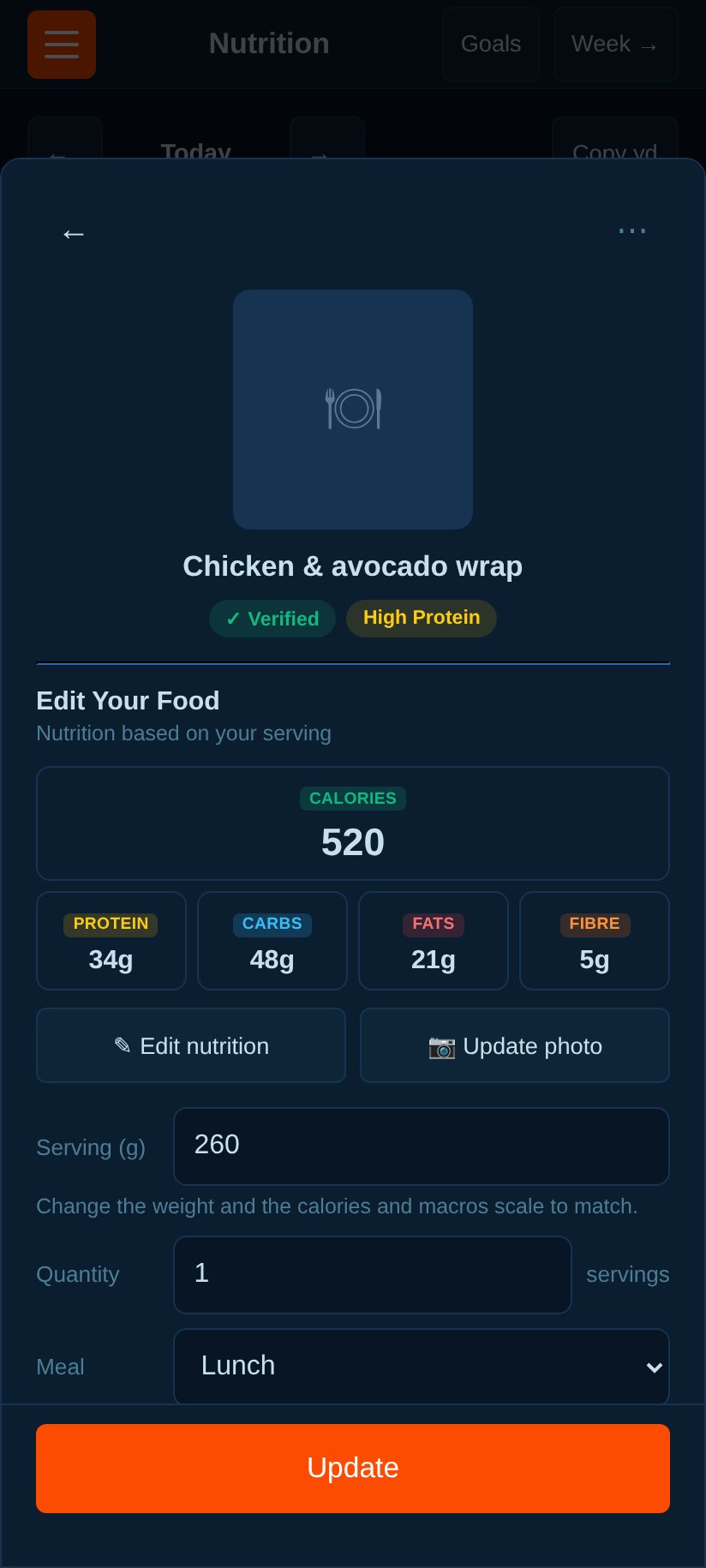
Change the weight, macros follow
Edit the weight of any logged item and calories, protein, carbs, fat and fibre scale in proportion. Entries with no recorded weight get a baseline from the first weight you type.
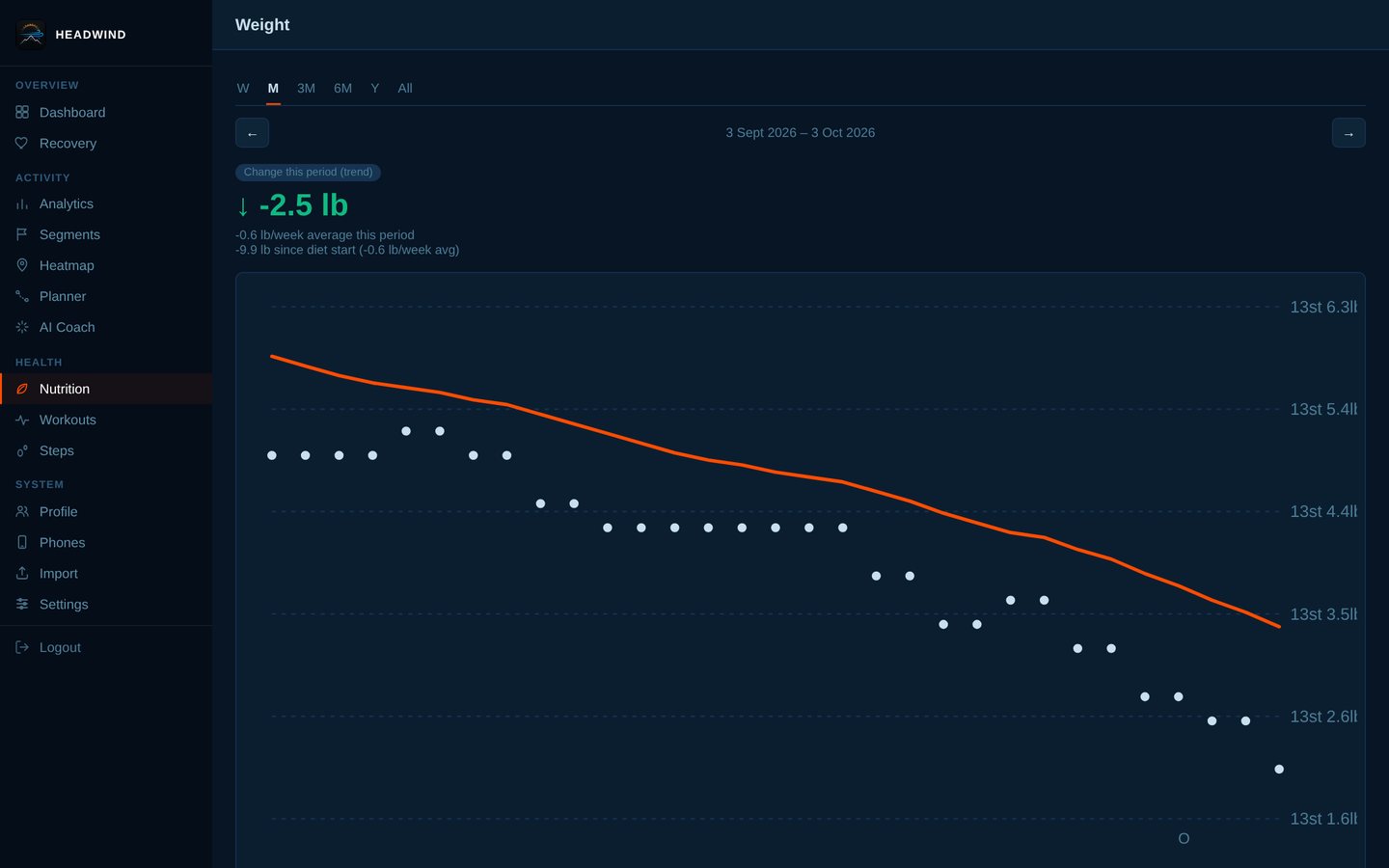
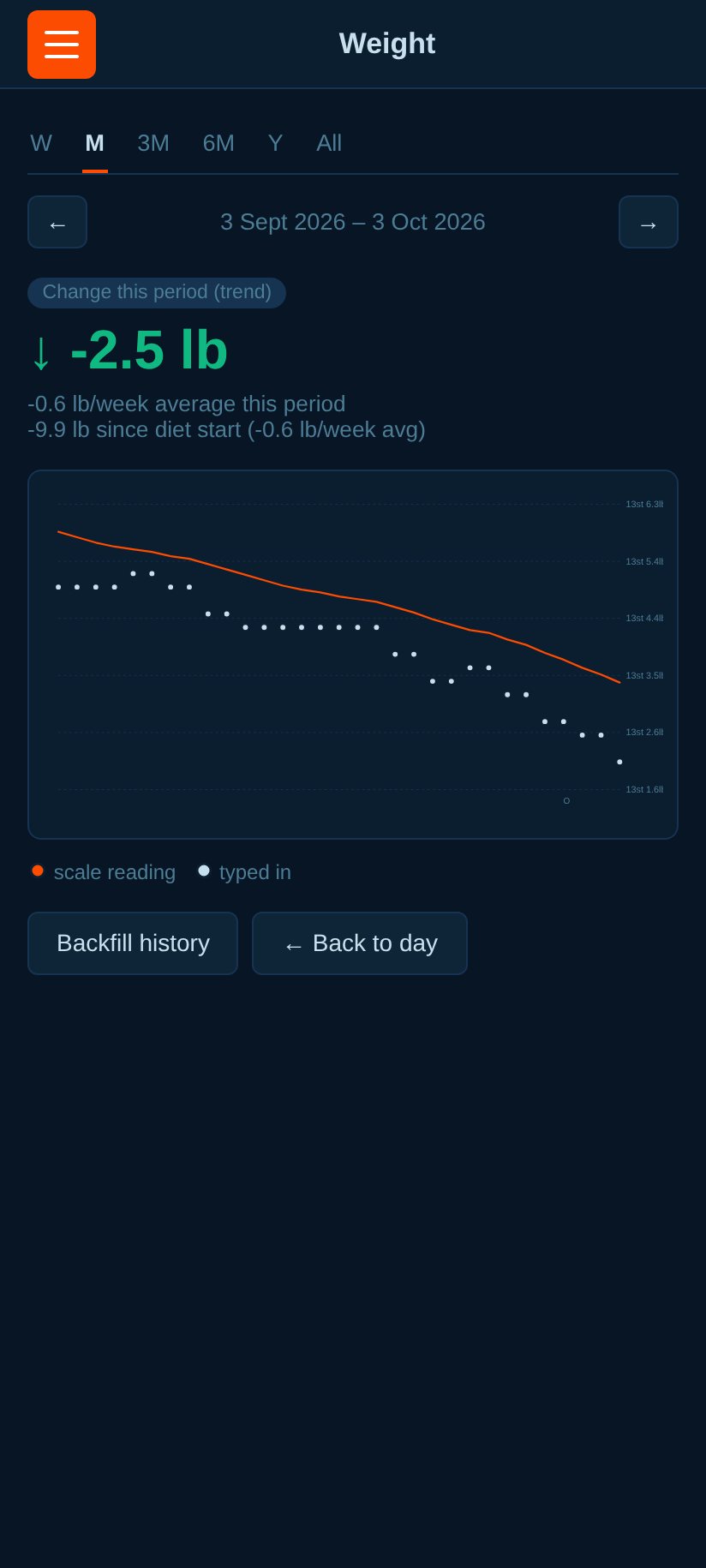
Weight trend
Daily weigh-ins with a smoothed trend line, rate of change, and progress against your goal.
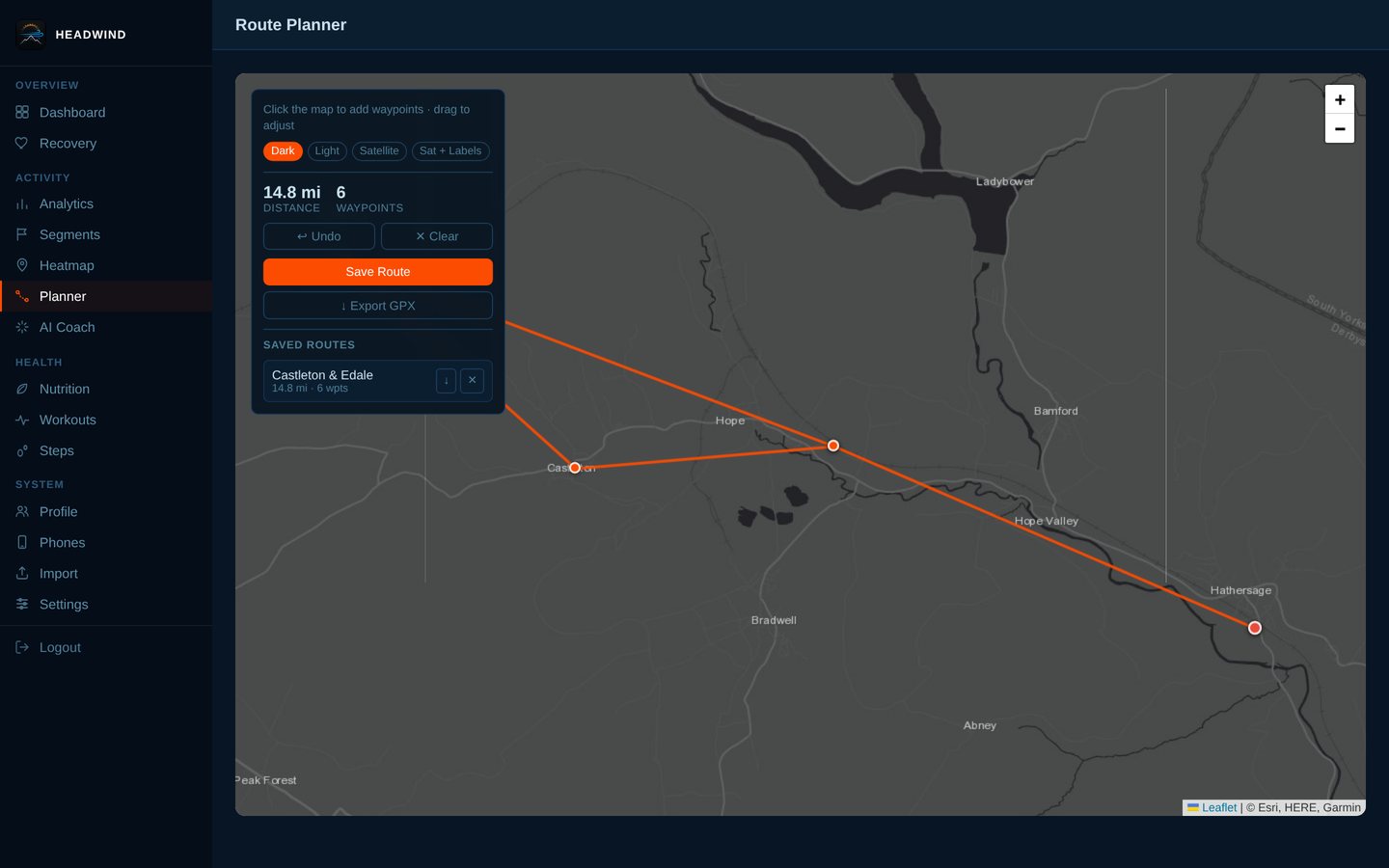
Route planner
Plan a route on the map, see distance and the elevation profile, and export it as GPX.
More: the segments list
Every page and feature
All 61 screens below use the same synthetic demo data (a fictional rider on real roads). Open a group to browse it.
Riding (13 screens)
Dashboard: lifetime totals, a 12-week performance chart (distance, elevation, speed, calories) and your recent rides.
Ride detail: satellite map, elevation and heart-rate charts, cadence, weather at the start and a headwind/tailwind/crosswind call.
A full ride page with the AI coach's analysis, segment efforts and ride notes.
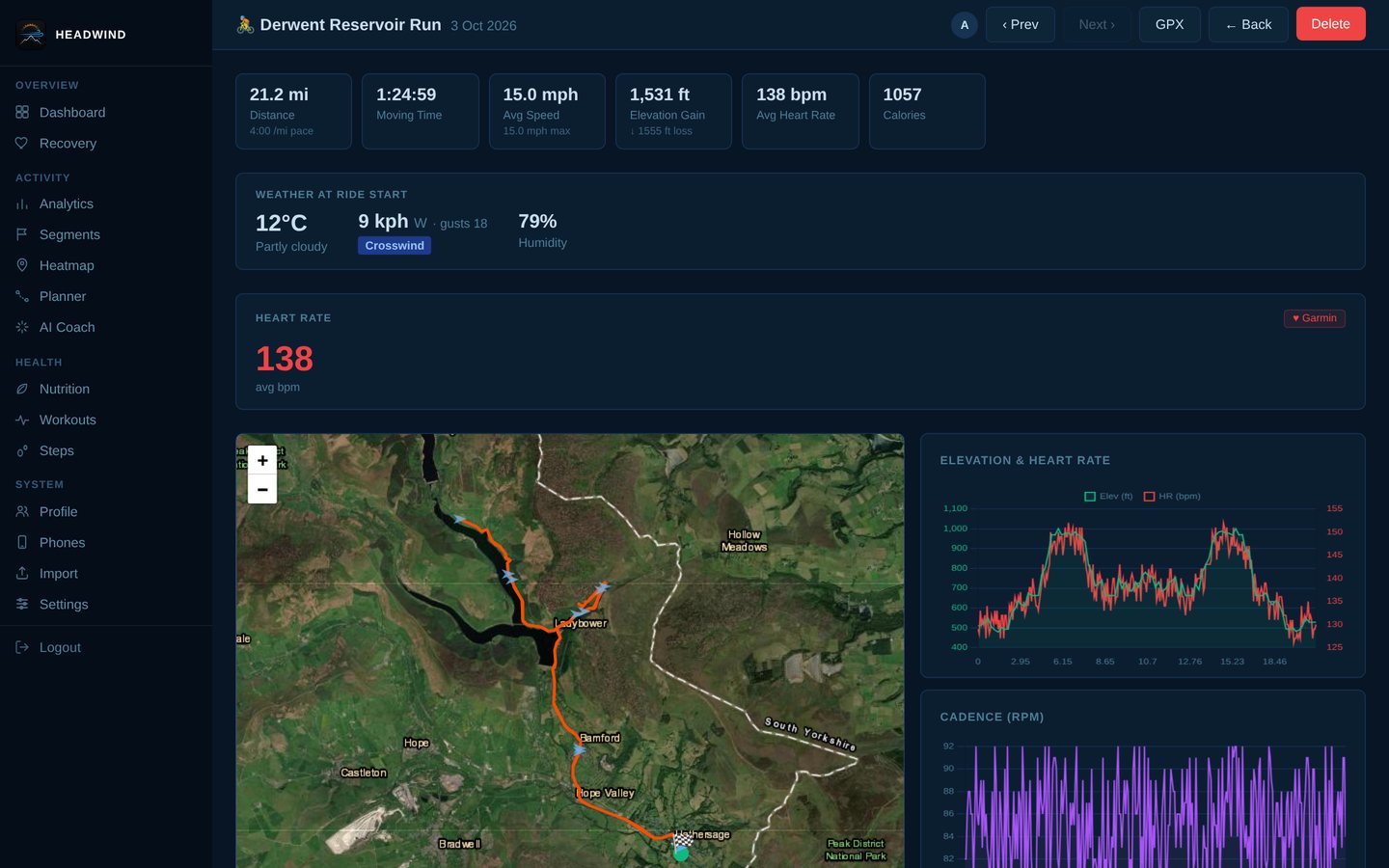
Creating a segment: slide the start and finish markers along the ride, then name it.
Segments list with efforts and difficulty.
Segment leaderboard: every effort ranked, your trend over time, and linked friends' efforts on the same board.
GPS heatmap of everywhere you've ridden, filterable by date range and sport.
The same heatmap on satellite imagery (also Dark, Light and Satellite + labels, with HD export).
Analytics: best efforts, climbing records, speed trend, monthly distance, distribution, weather scatters, and more.
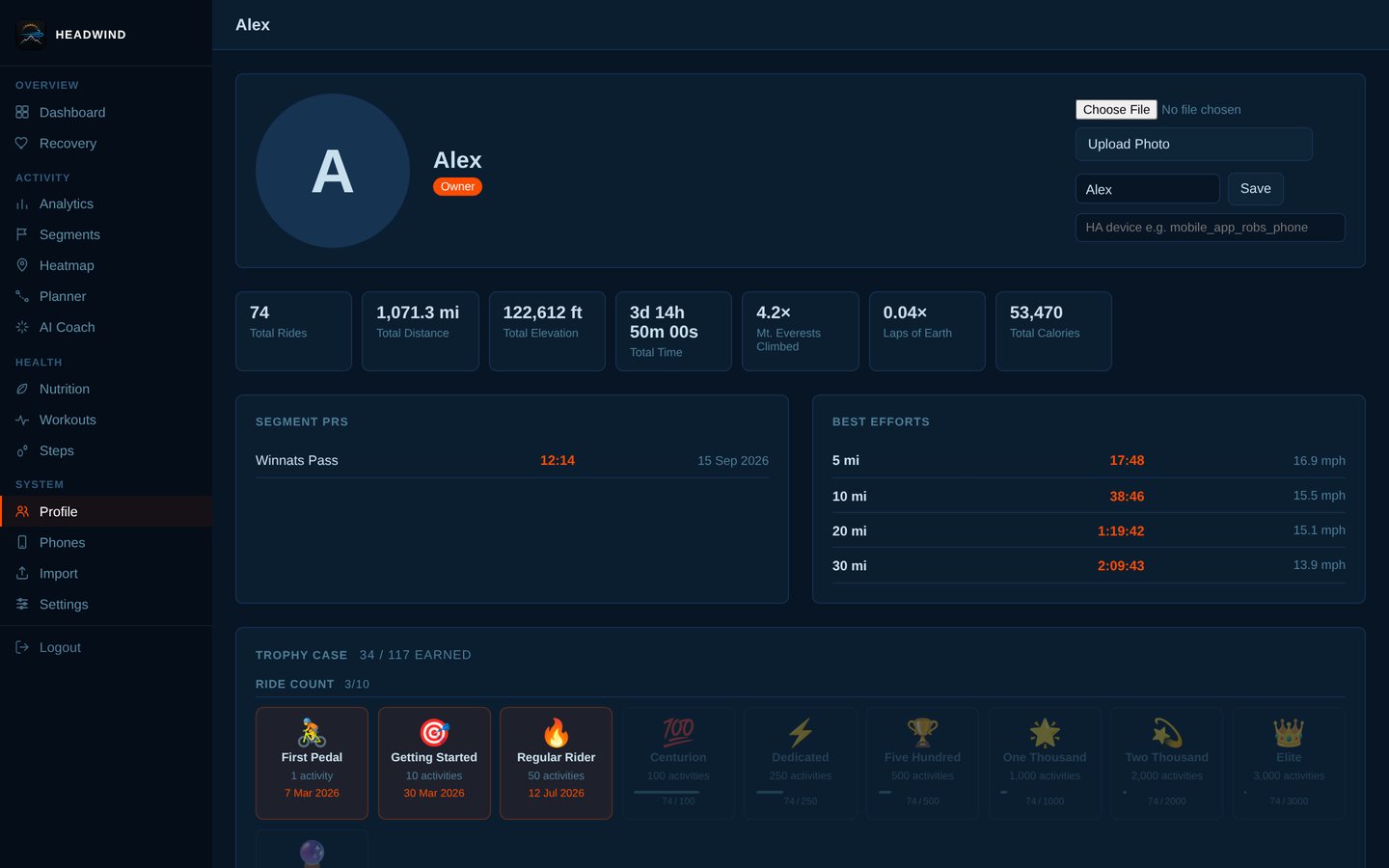
Profile and trophy case: lifetime stats, segment PRs, best efforts and badges.
Route planner with a saved route loaded: distance, waypoints and GPX export.
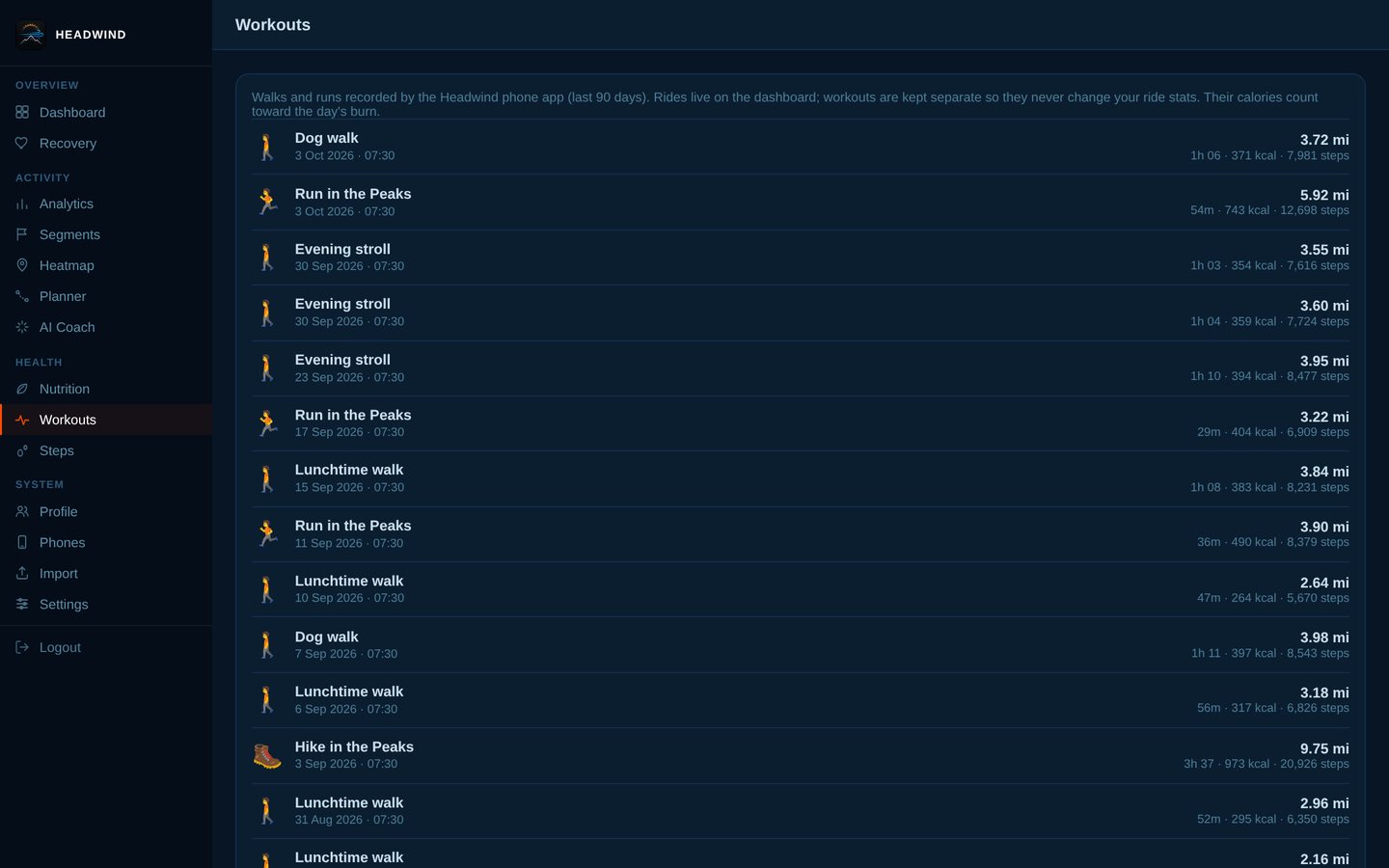
Walks, runs and hikes are kept separate from rides so they never change your ride stats.
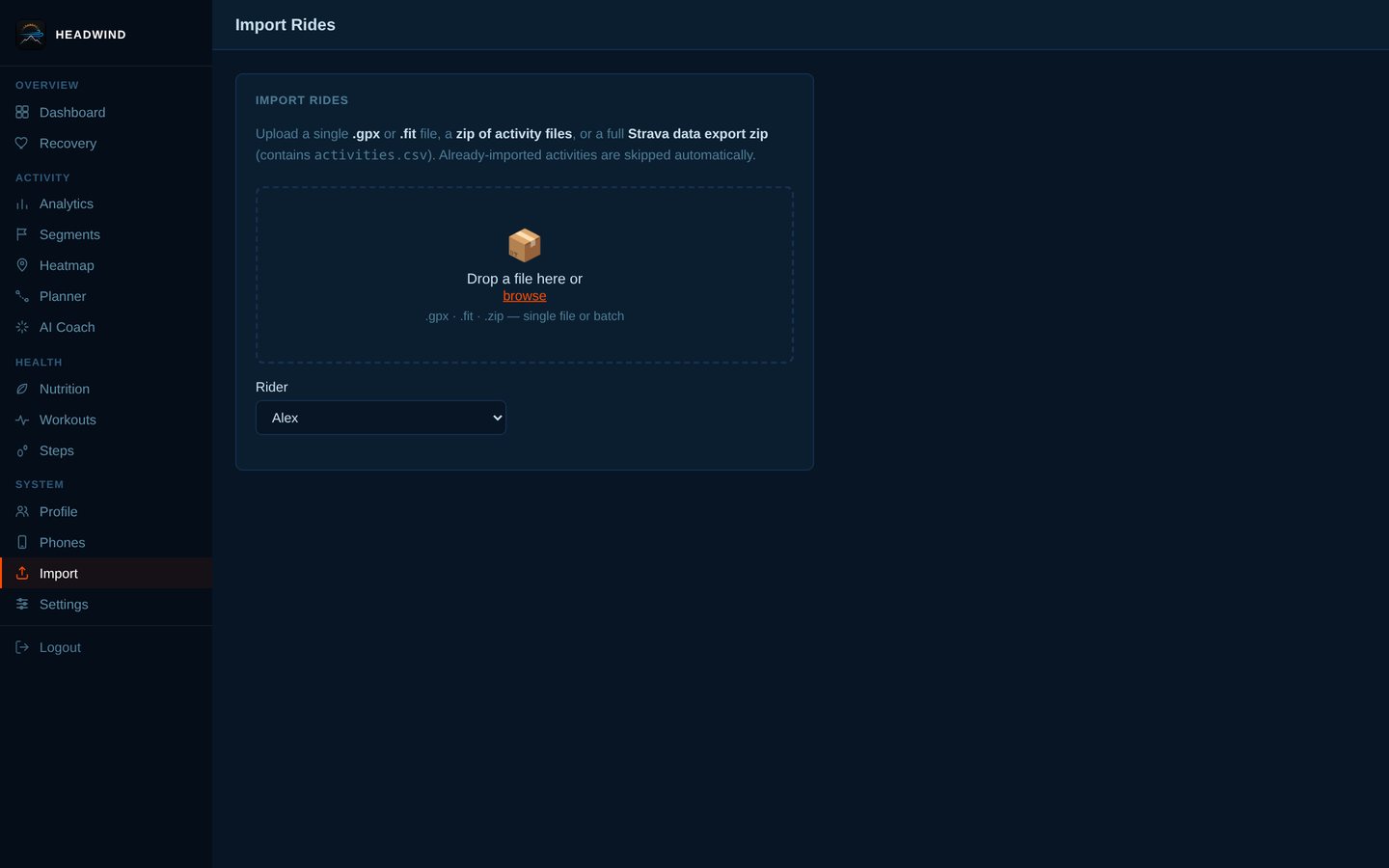
Import: drop in .fit / .gpx files or a full Strava export zip.
Health and recovery (4 screens)
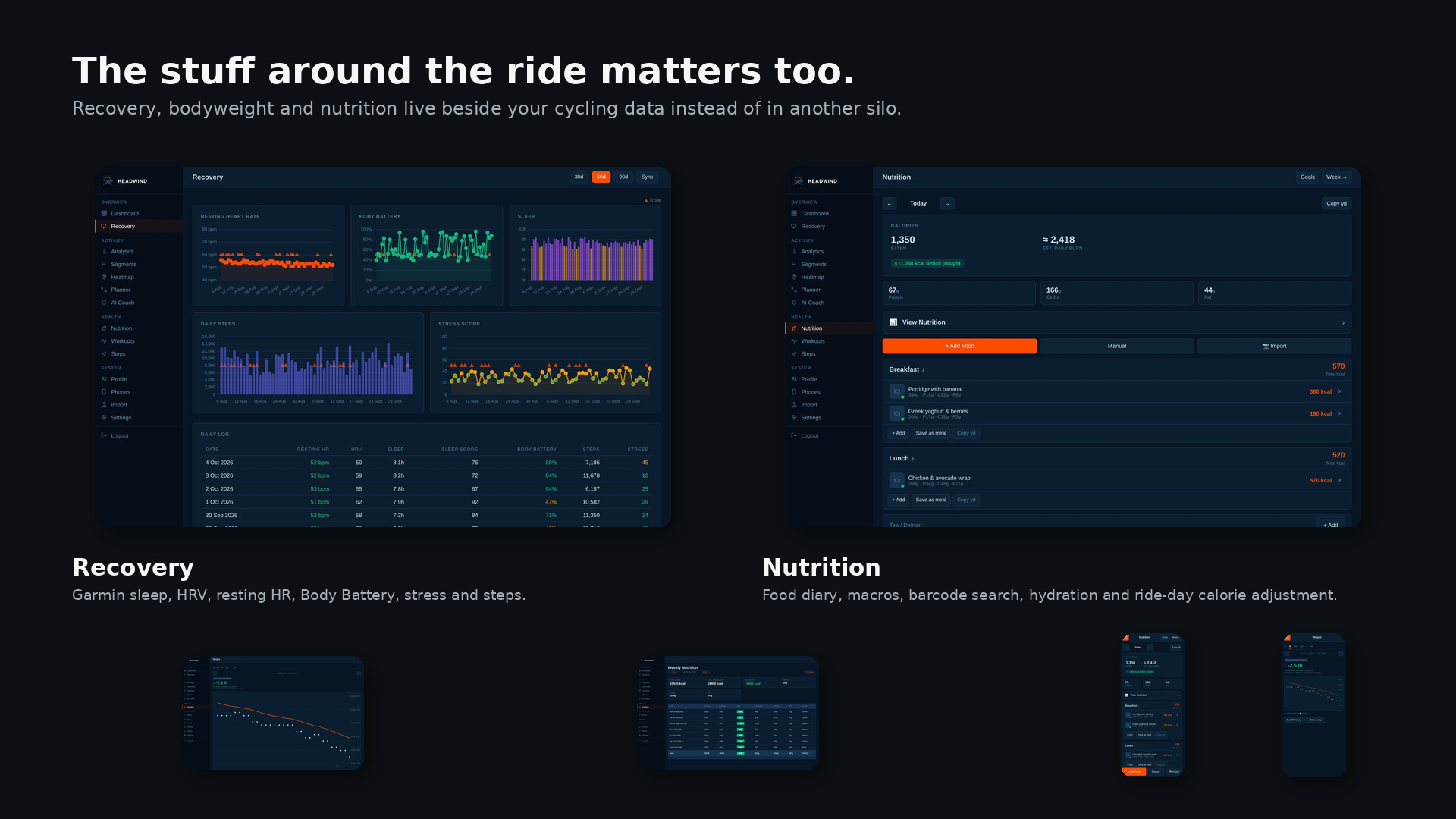
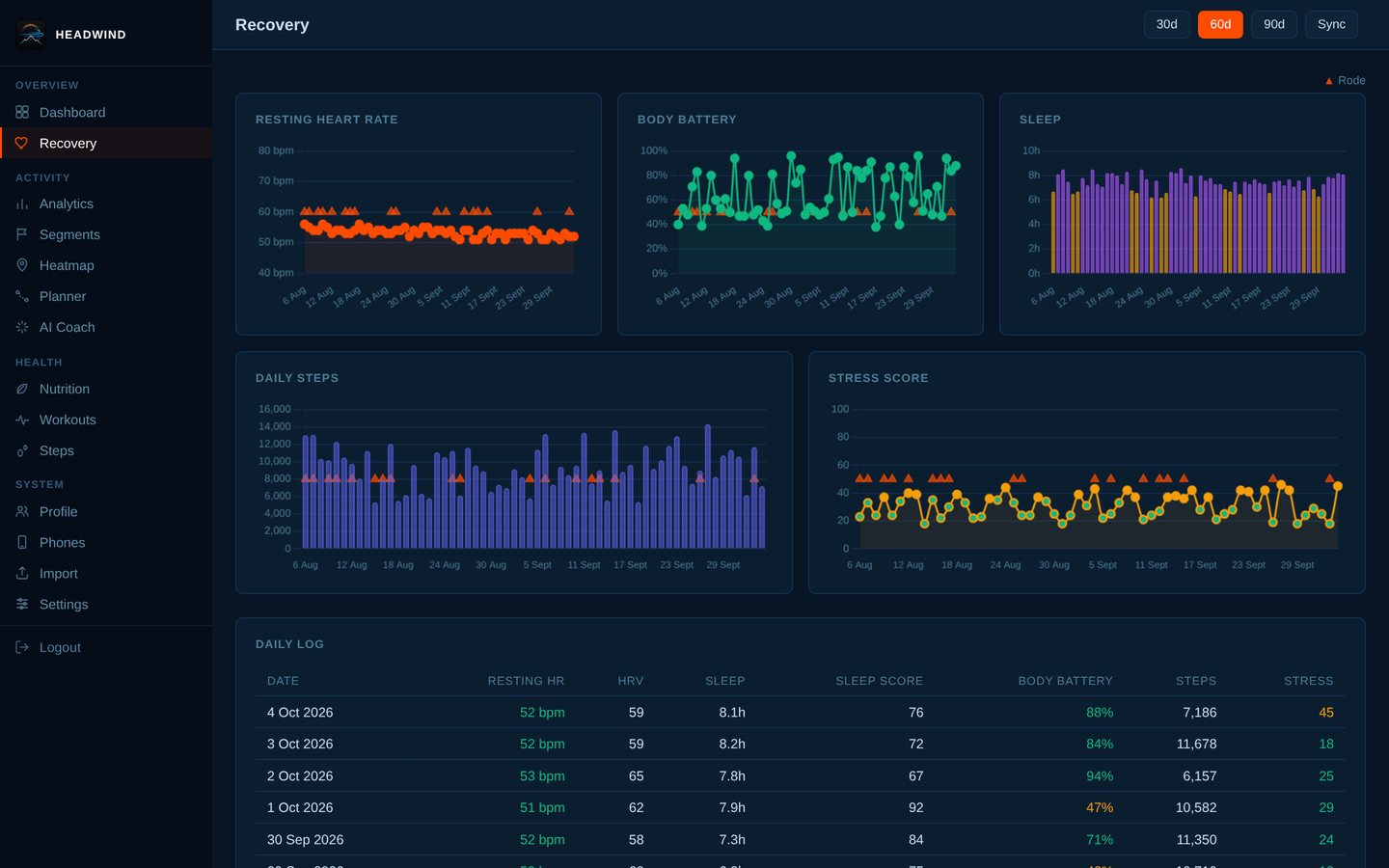
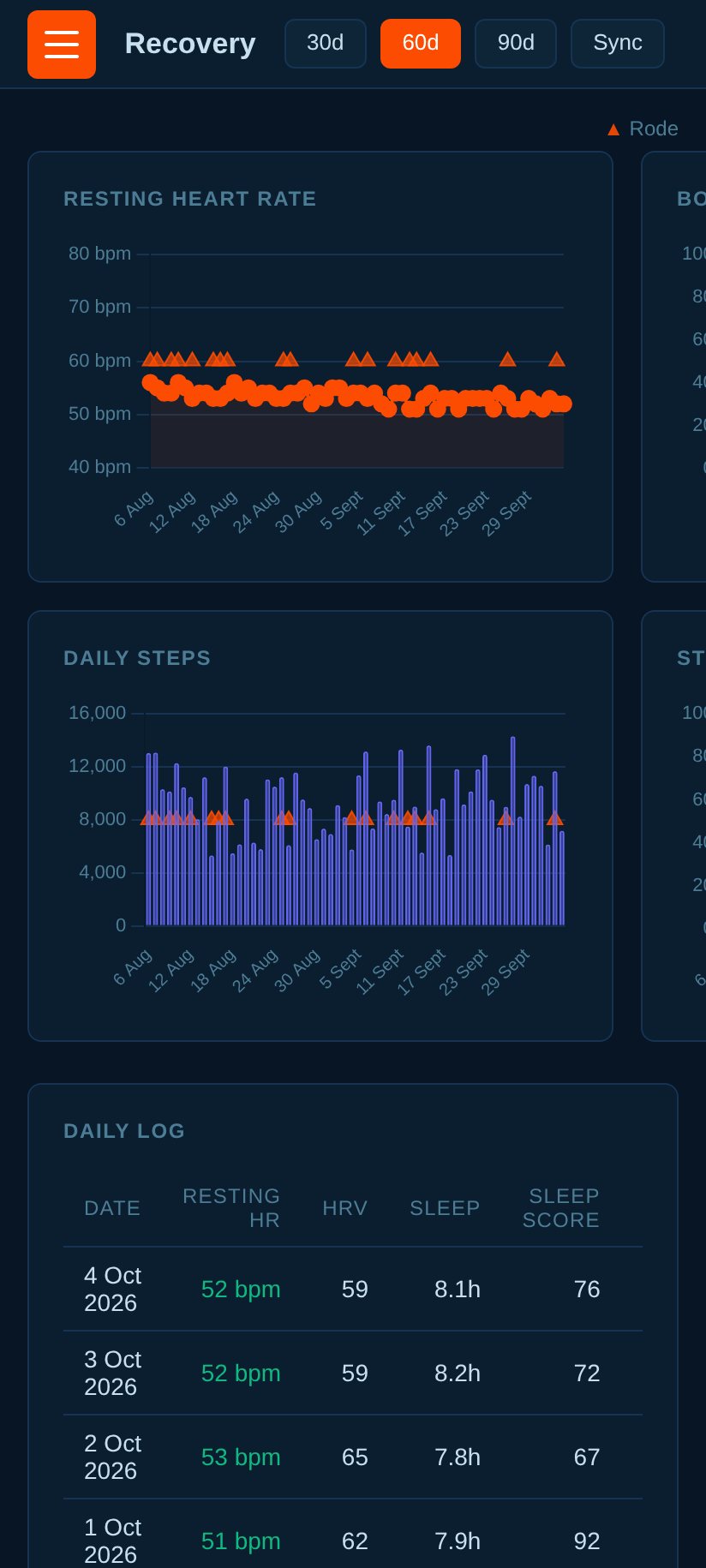
Recovery from Garmin: resting heart rate, body battery, sleep, steps and stress, with 30/60/90-day views.
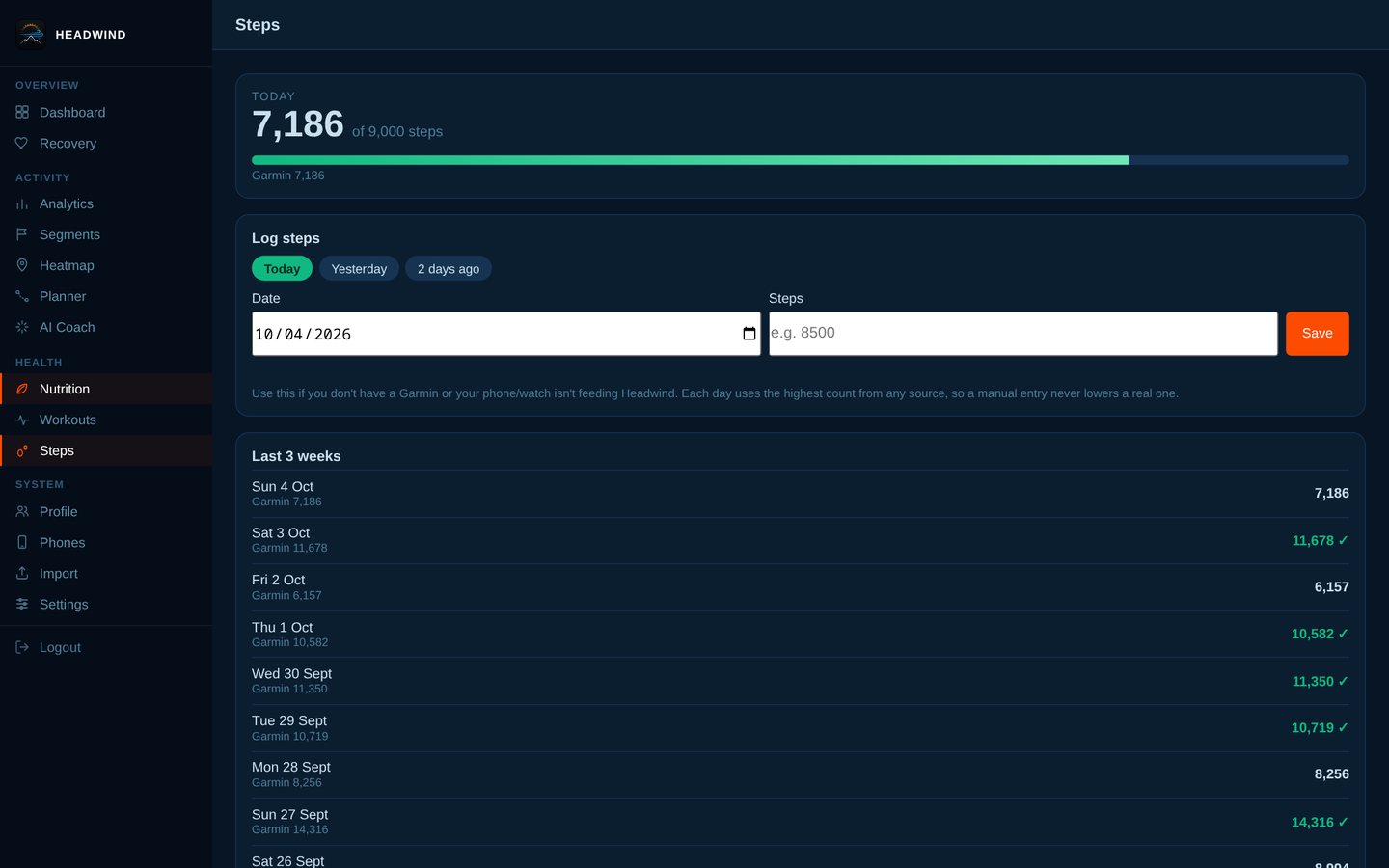
Steps with a daily goal; log a day by hand if you have no tracker.
Weight trend: daily weigh-ins, a smoothed line and your rate of change.
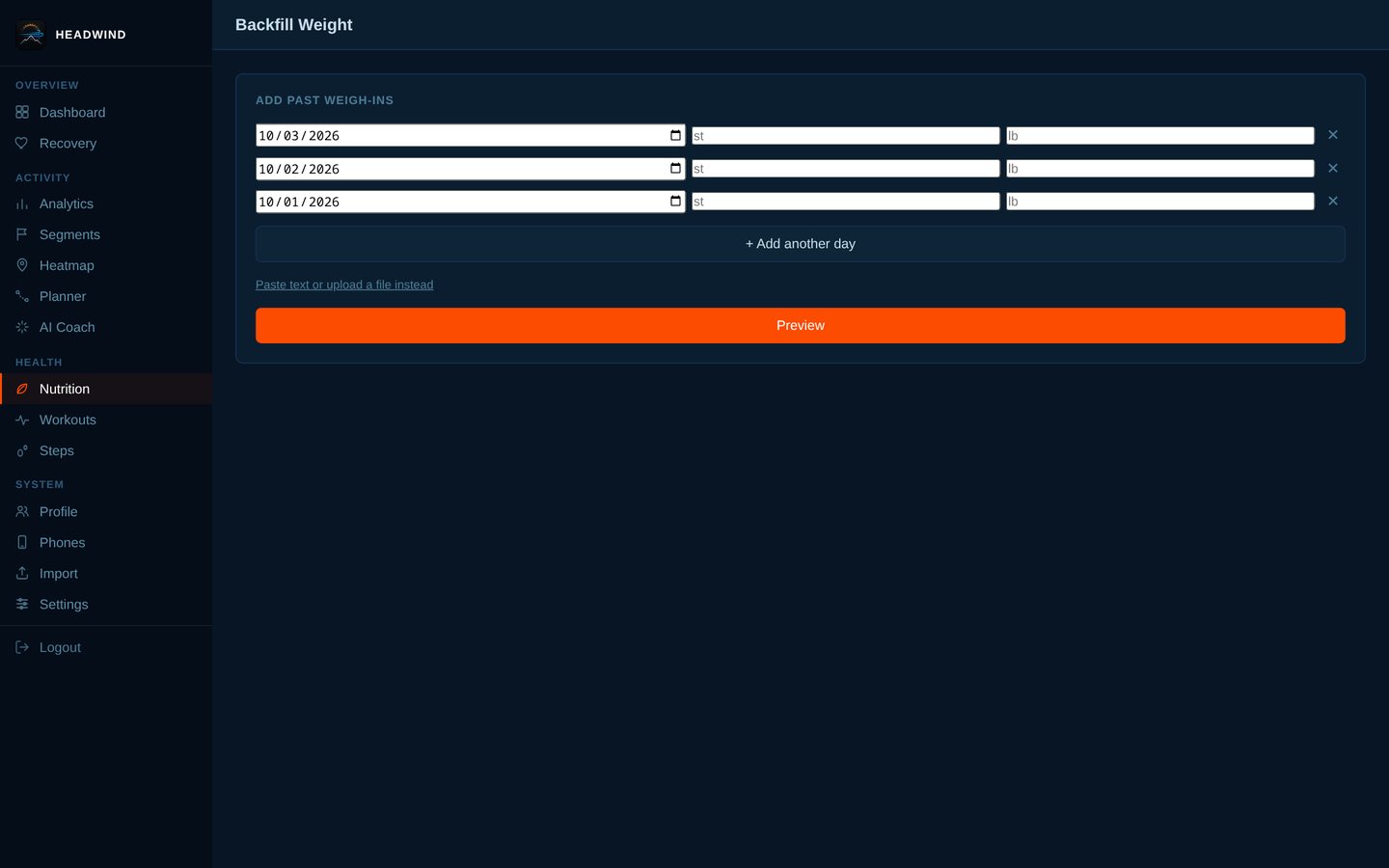
Backfill past weigh-ins in bulk.
Nutrition (19 screens)
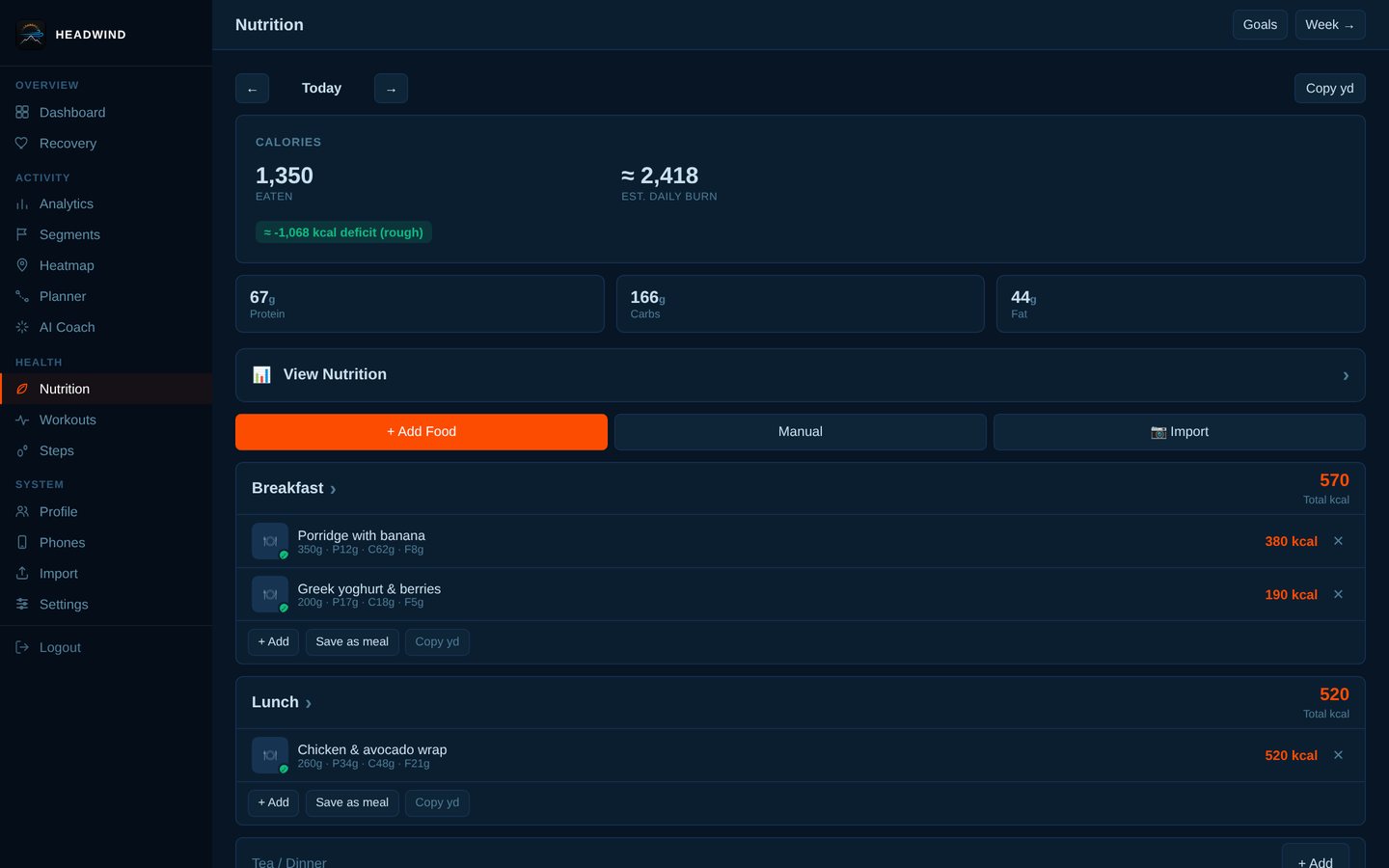
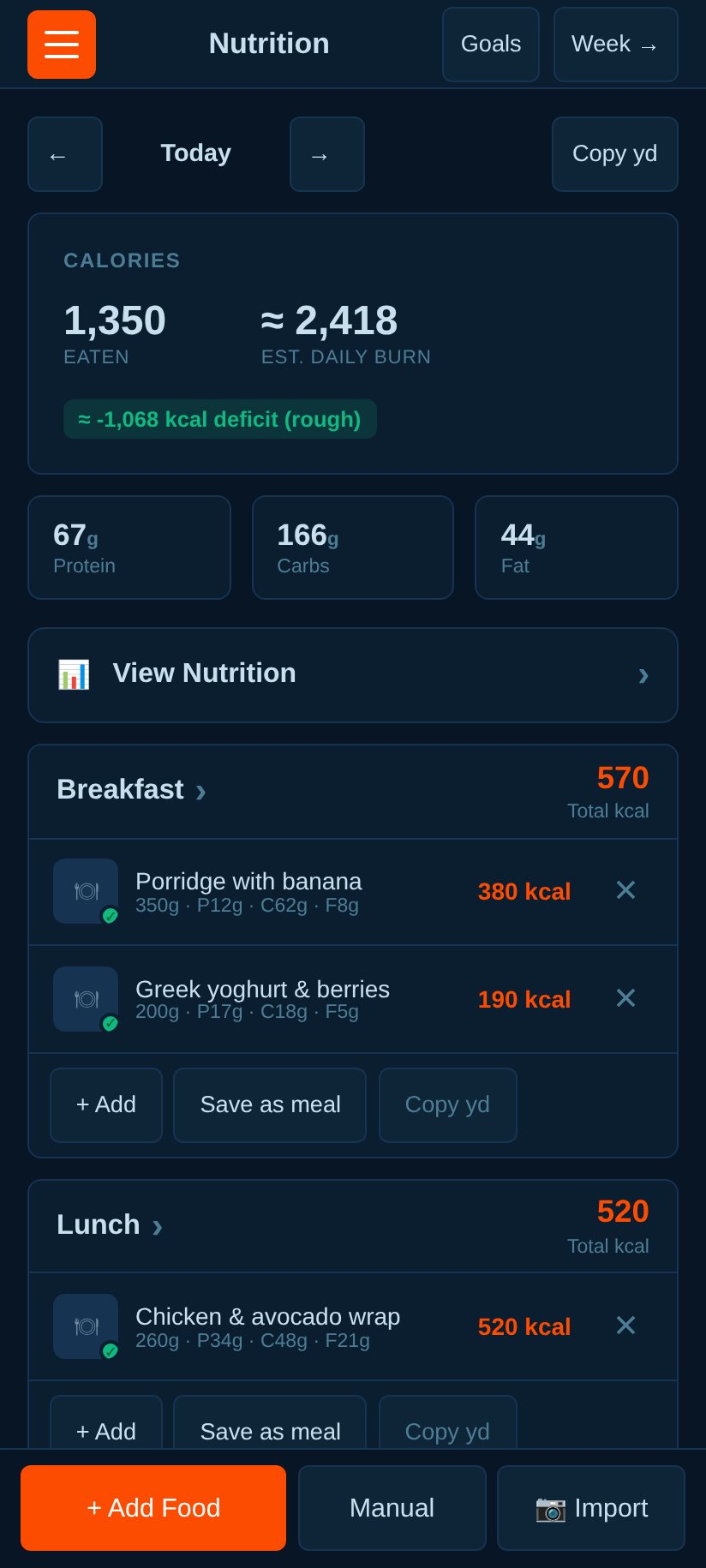
The diary: calories and macro rings, meals, hydration and your weight.
"View Nutrition": the day's totals against your goals, by meal, with a macro split.
<img src="docs/screenshots/nutrition-meal-sheet-day.jpg" alt=""View Nutrition": the day's totals against your goals, by meal, with a macro split." width="800">
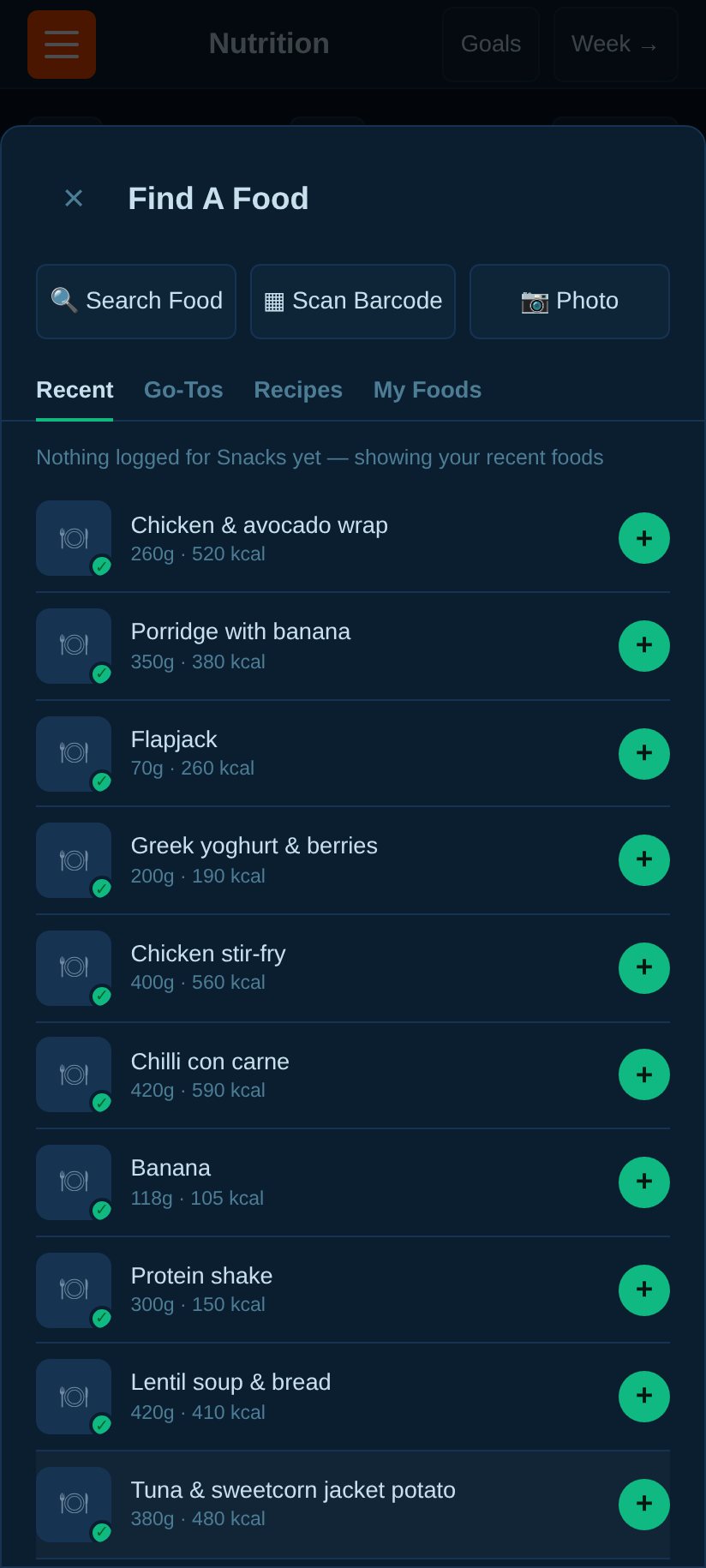
Add food: this meal's recent and most-logged foods first, one tap to log.
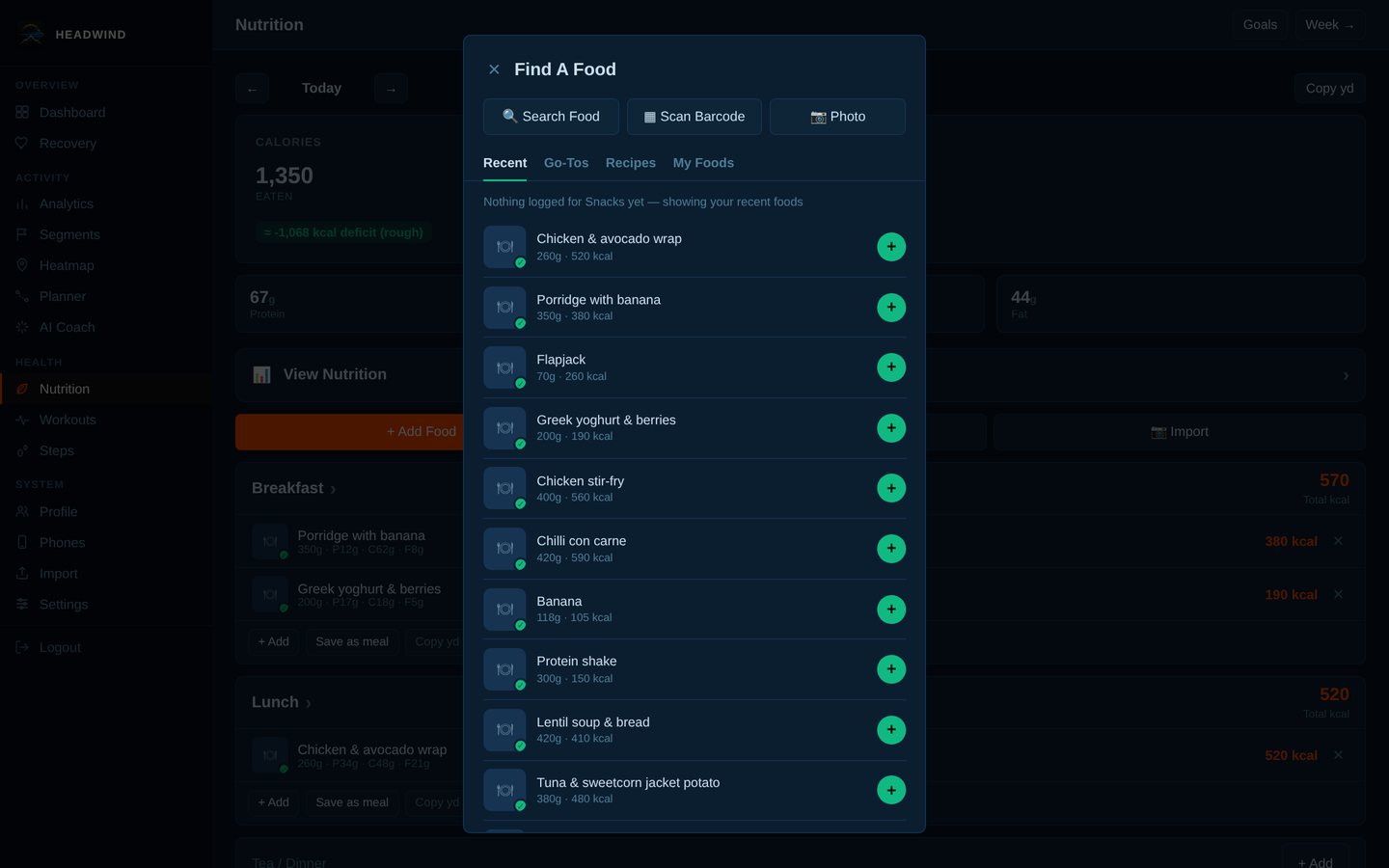
Search Open Food Facts by name (barcode scanning is next to it).
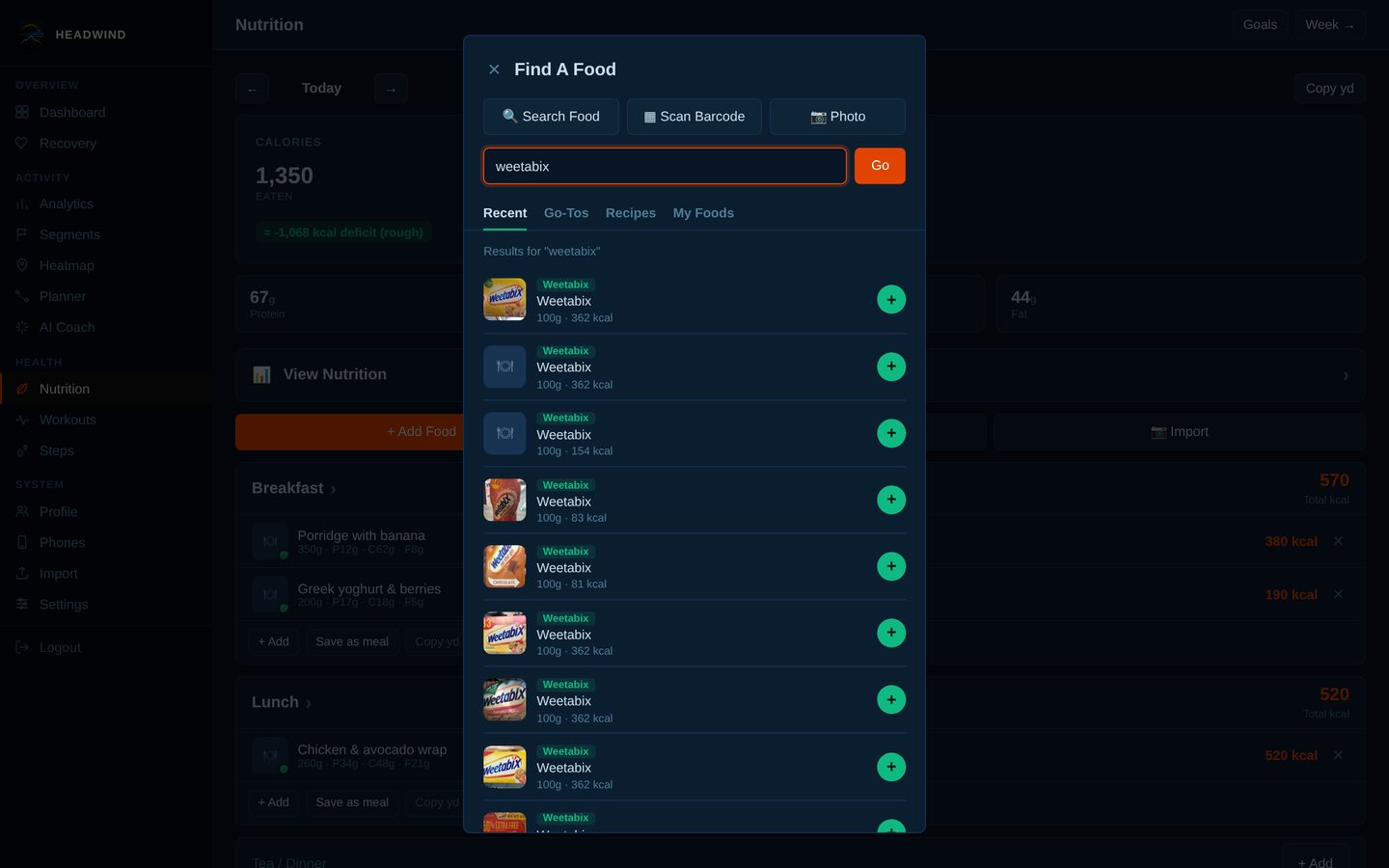
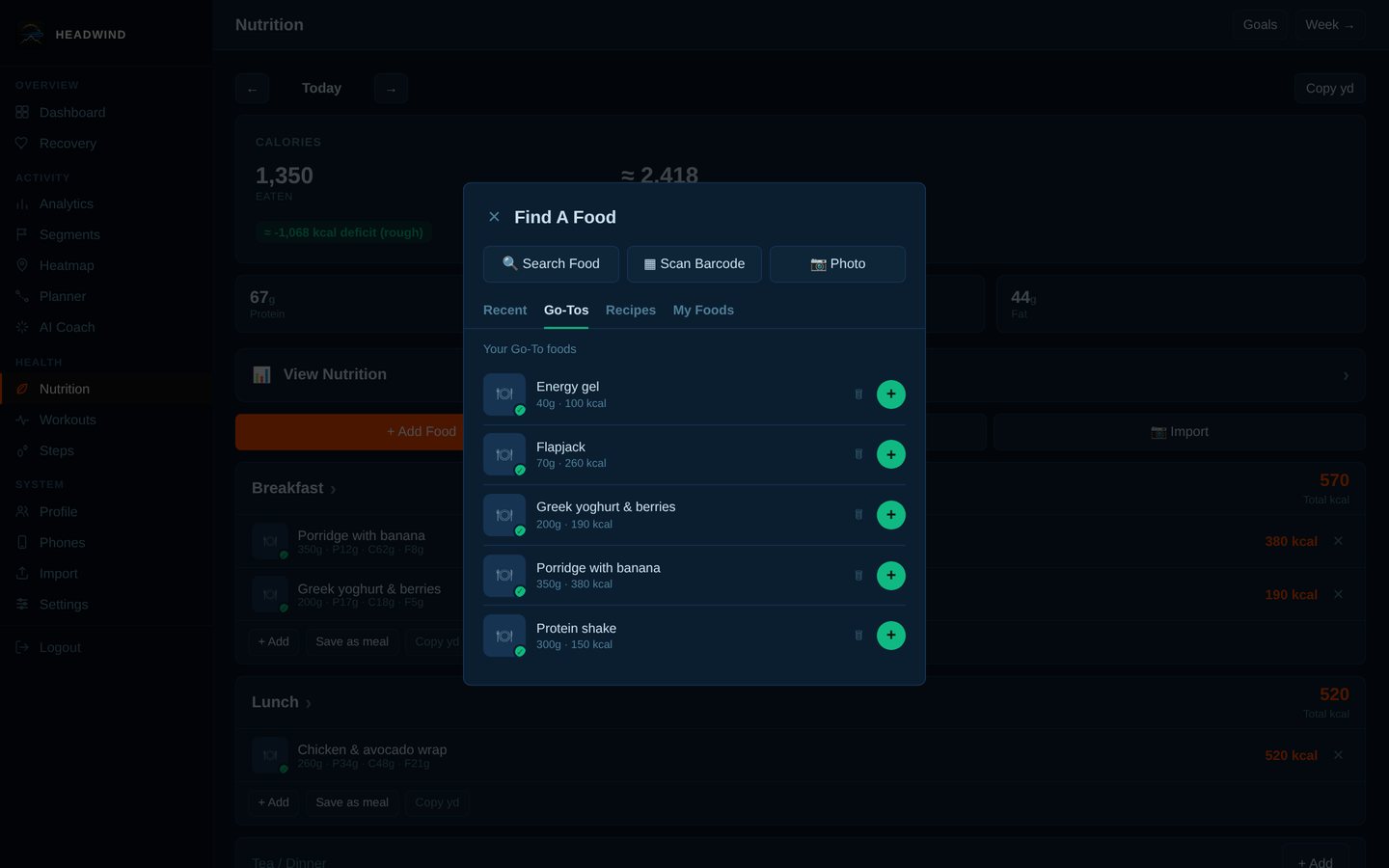
Go-Tos: your favourites.
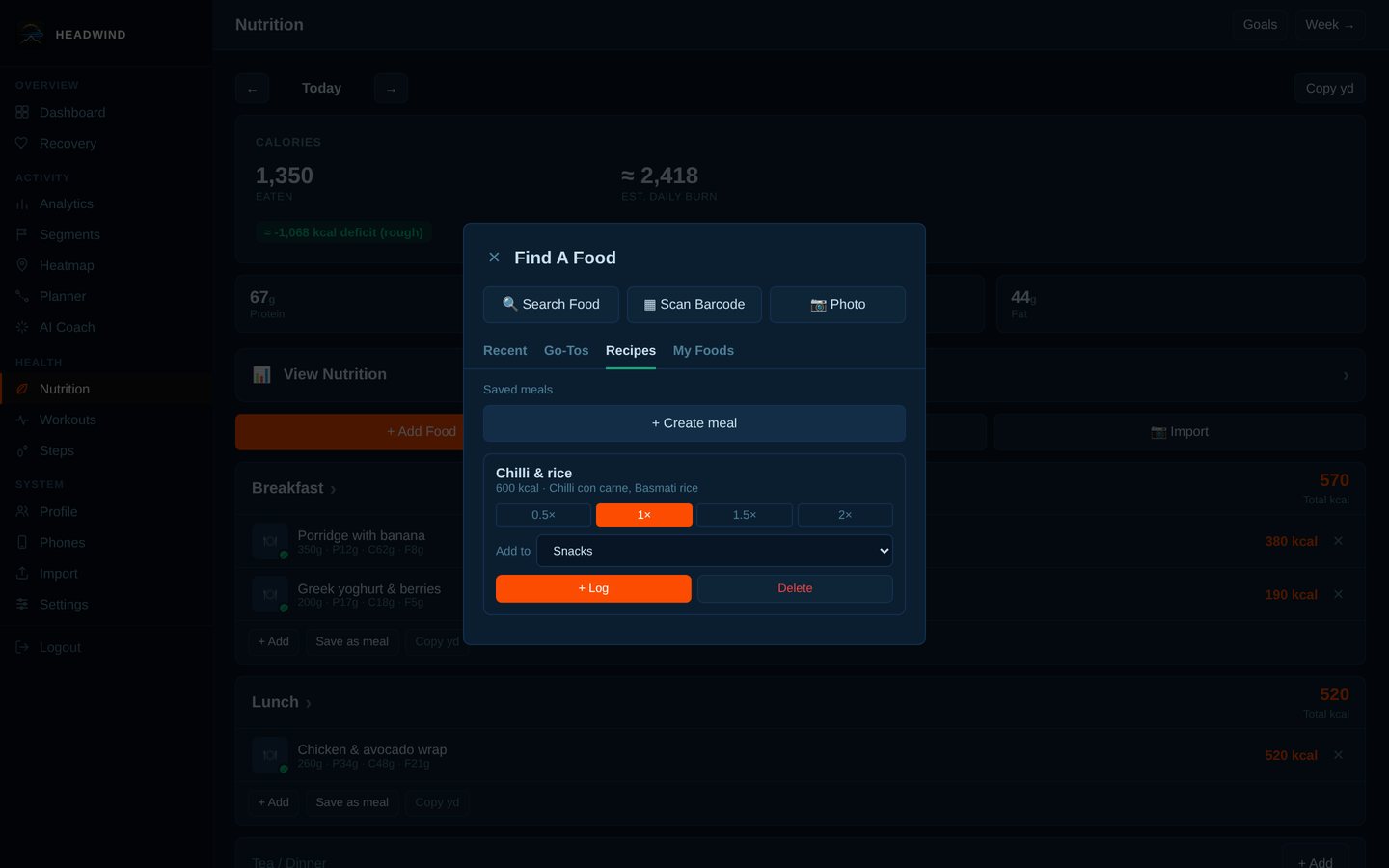
Recipes and saved meals, loggable at ½×, 1×, 1½× or 2×.
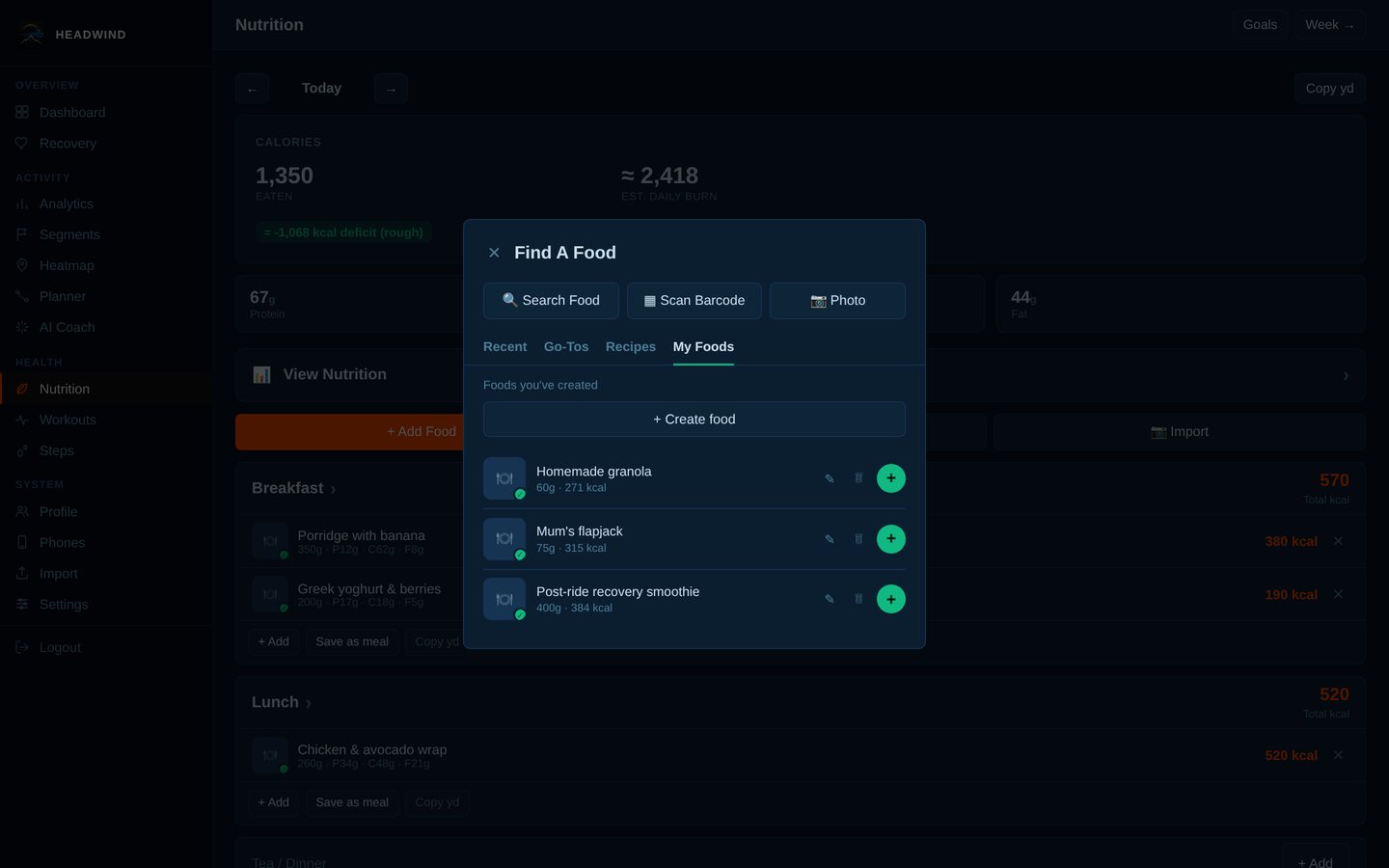
My Foods: your own foods, per 100 g.
Change a food's weight and the calories and macros follow.
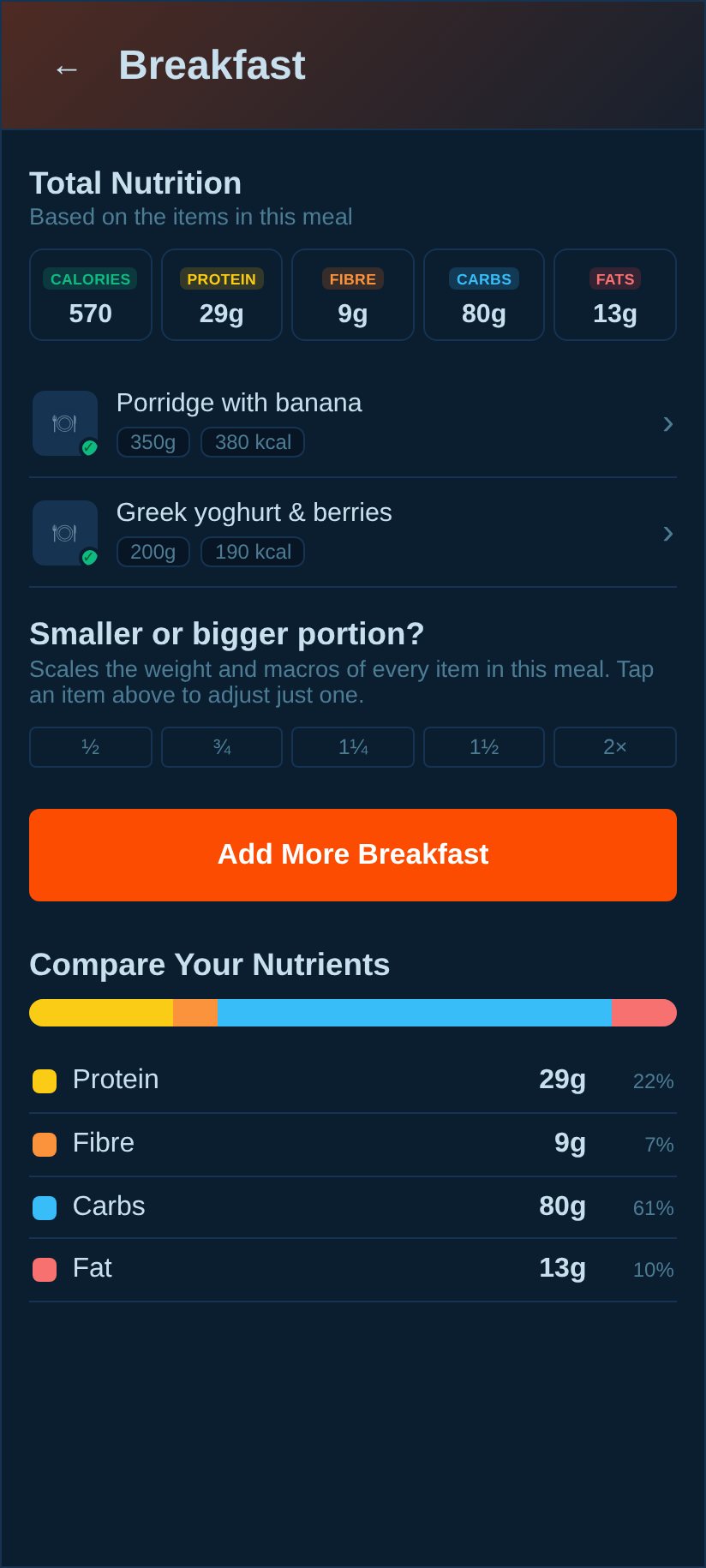
"Smaller or bigger portion?": scale every item in a meal at once.
<img src="docs/screenshots/nutrition-meal-portion.jpg" alt=""Smaller or bigger portion?": scale every item in a meal at once." width="800">
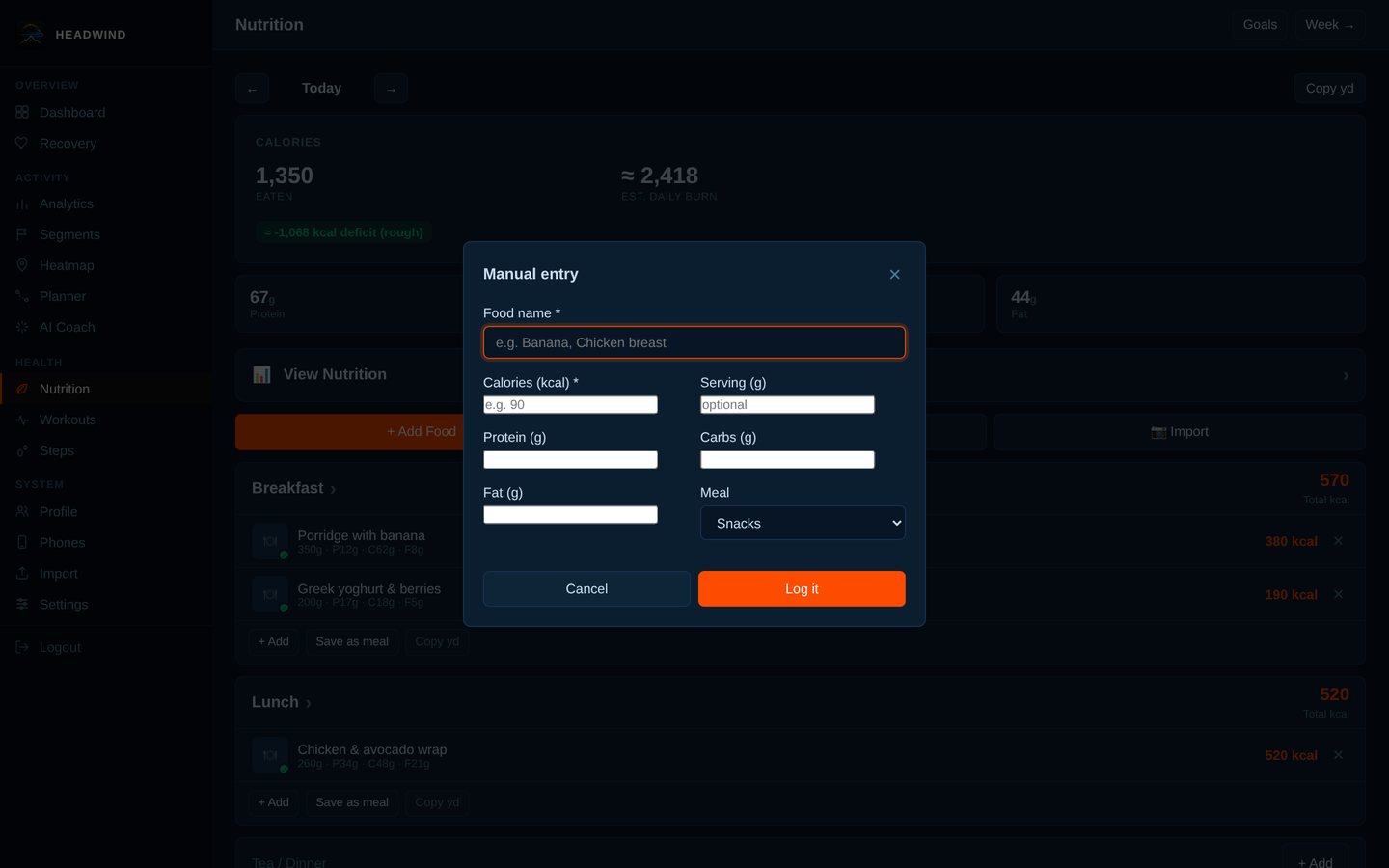
Manual entry for anything without a barcode.
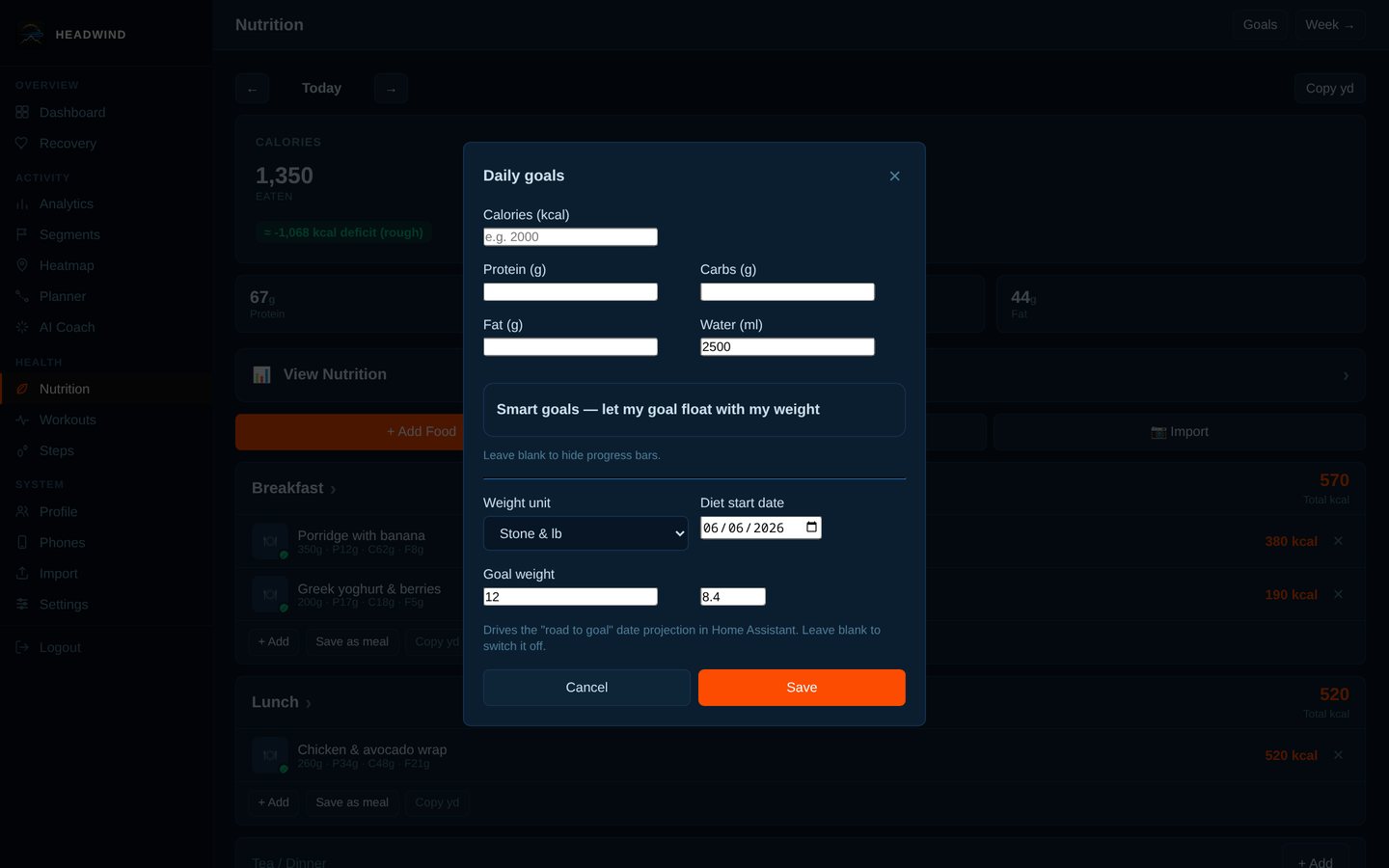
Daily goals, weight unit, diet start date and goal weight.
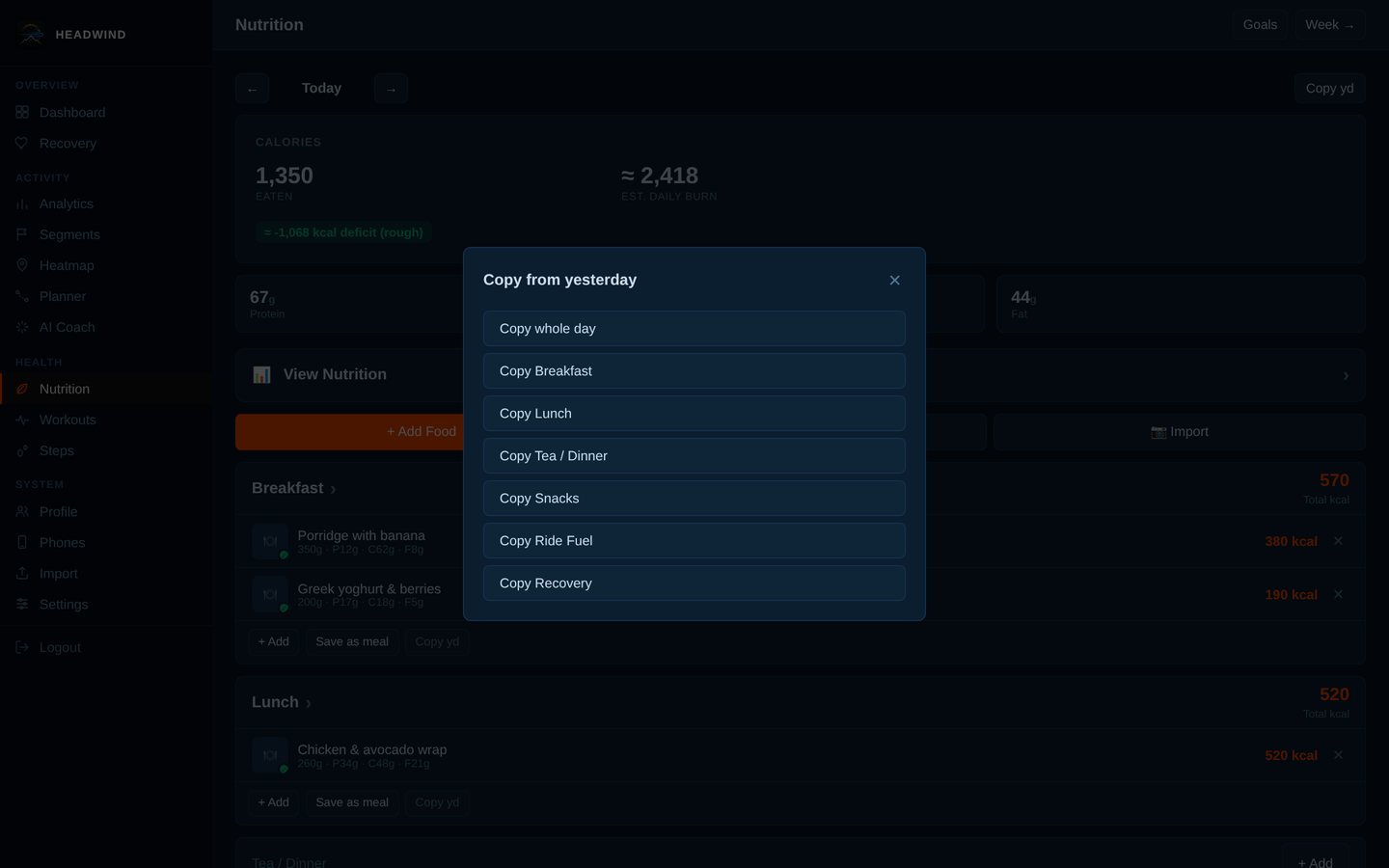
Copy yesterday: a whole day or just one meal.
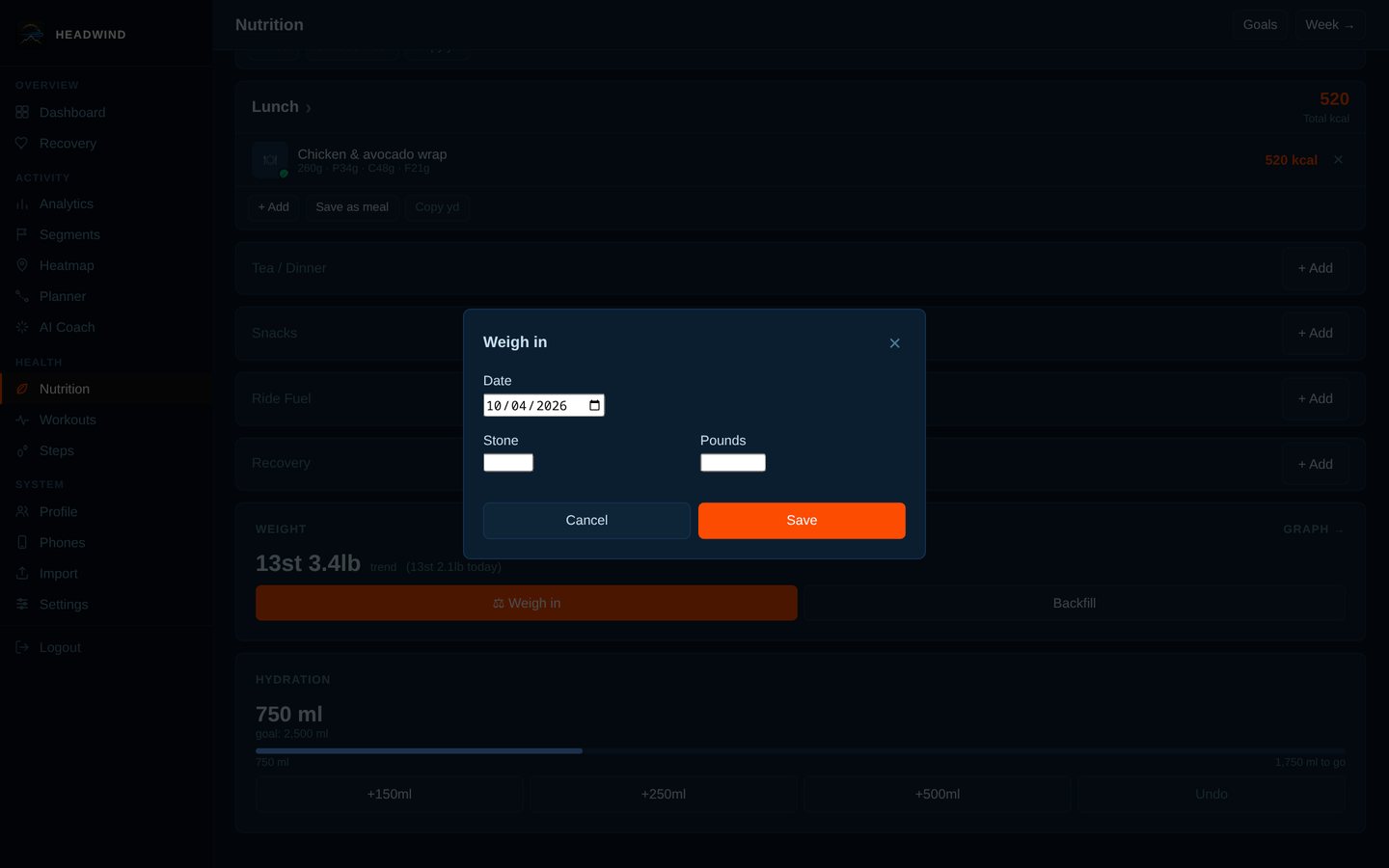
Weigh in.
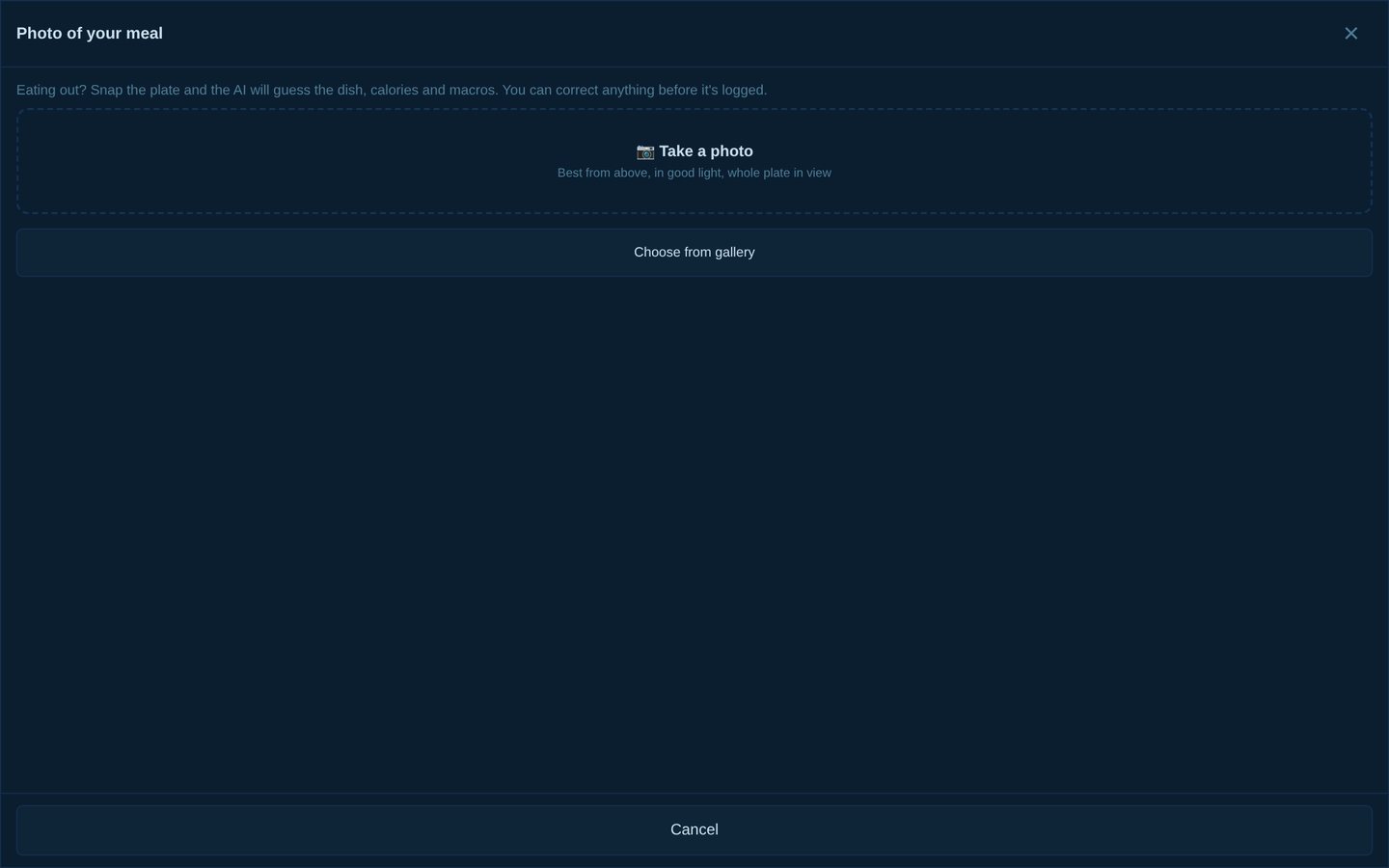
AI food-photo estimate (needs your own AI key).
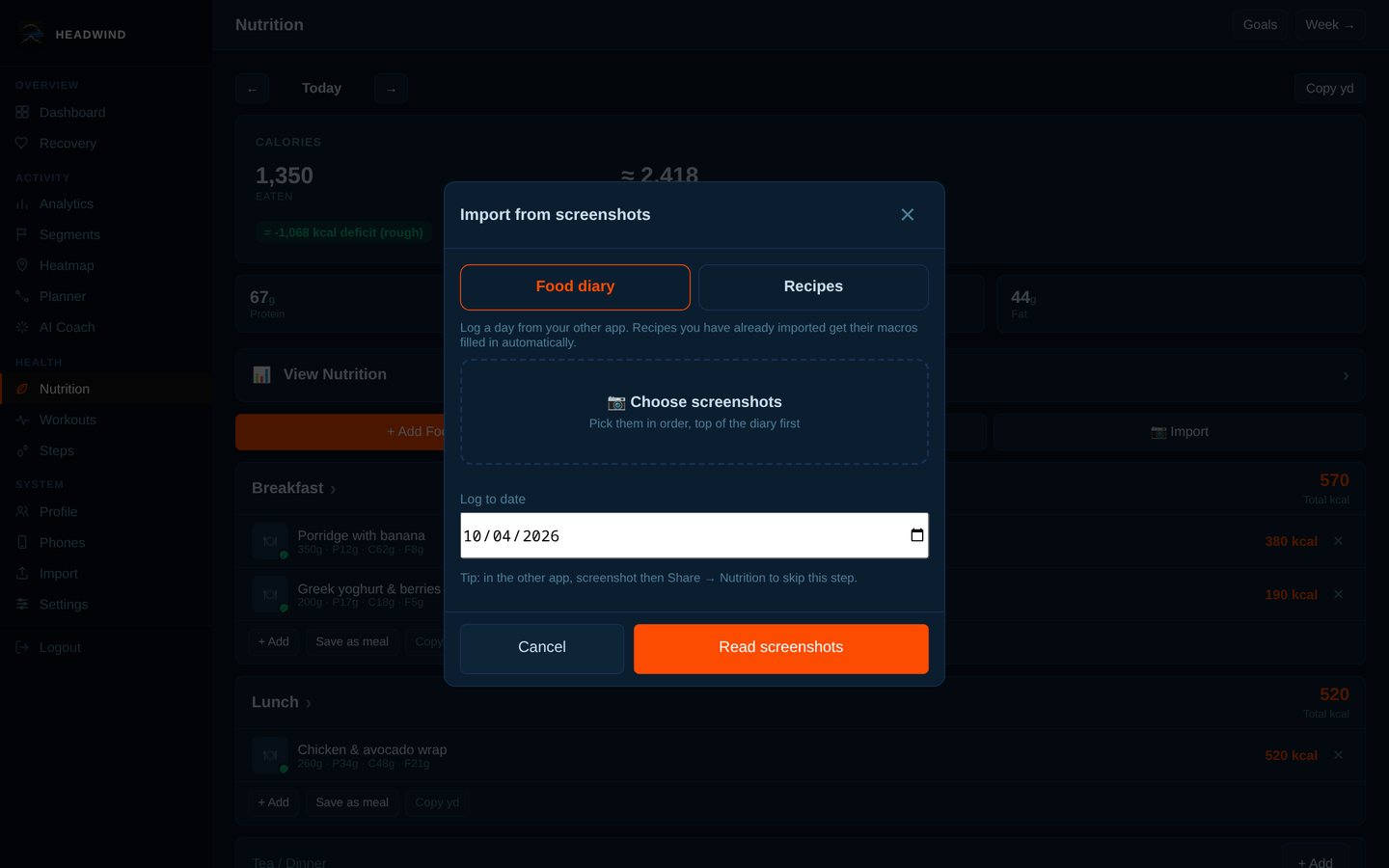
Import a food diary or recipe from screenshots of another app (needs your own AI key).
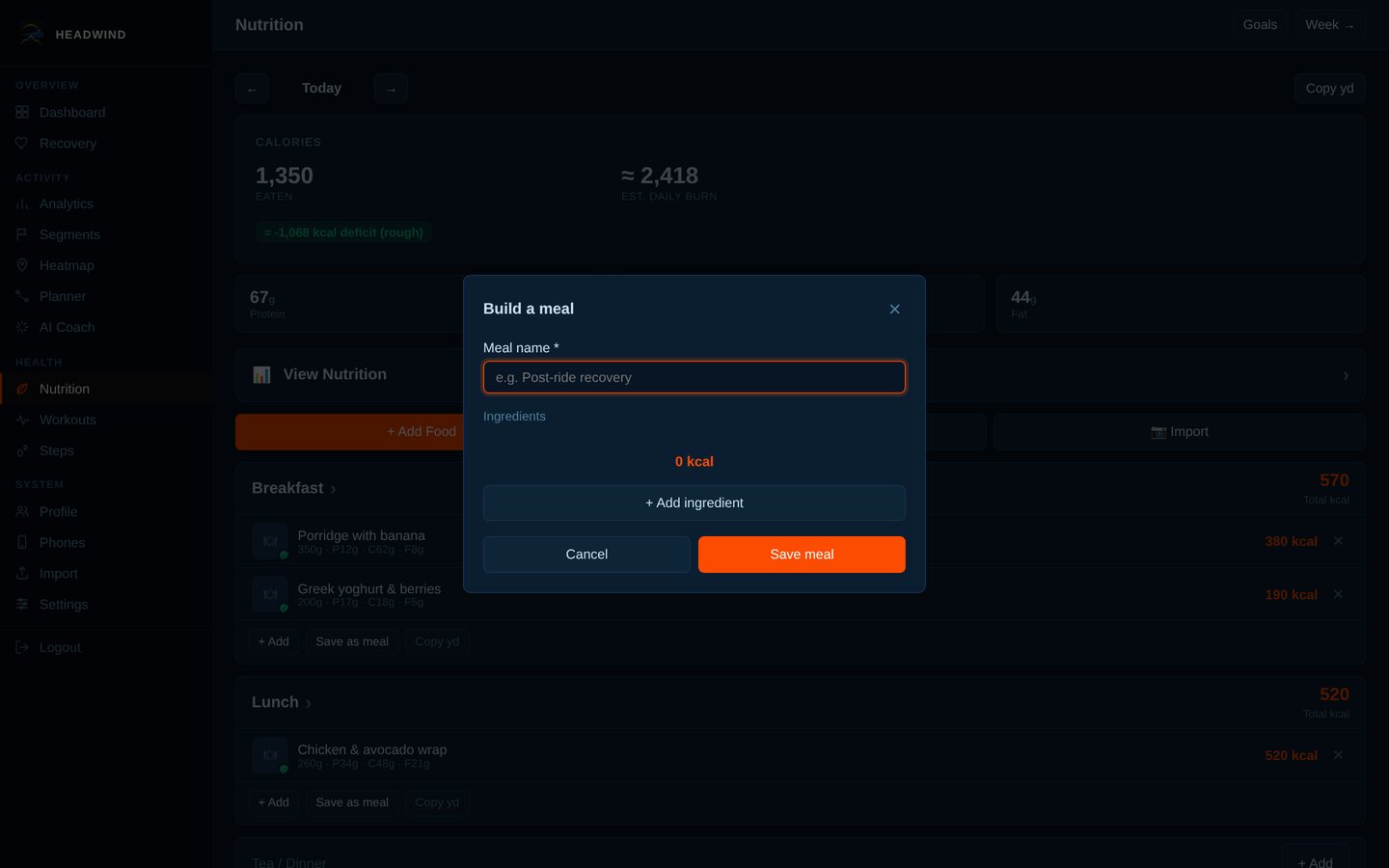
Build a meal or recipe from ingredients.
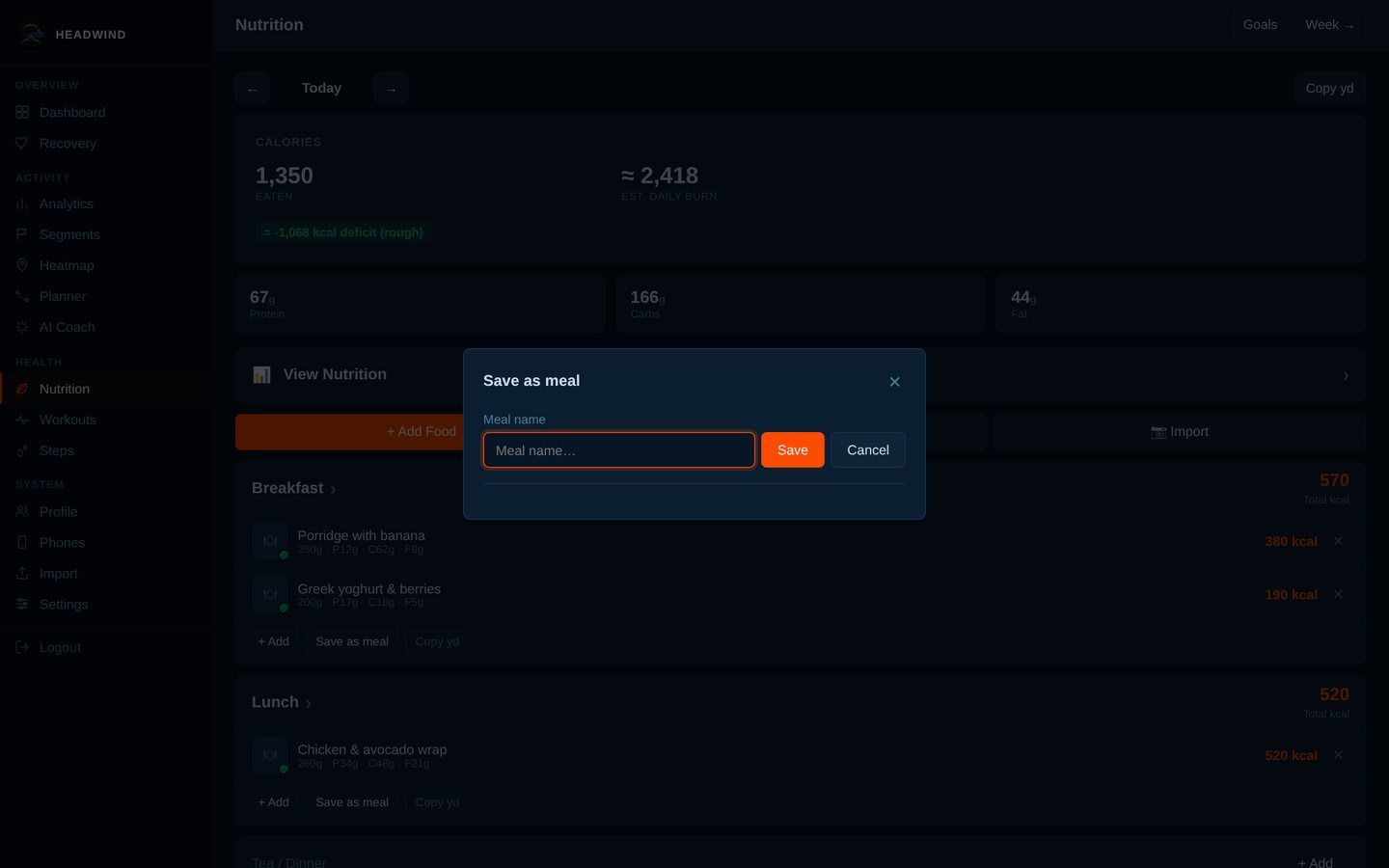
Save what you've logged as a reusable meal.
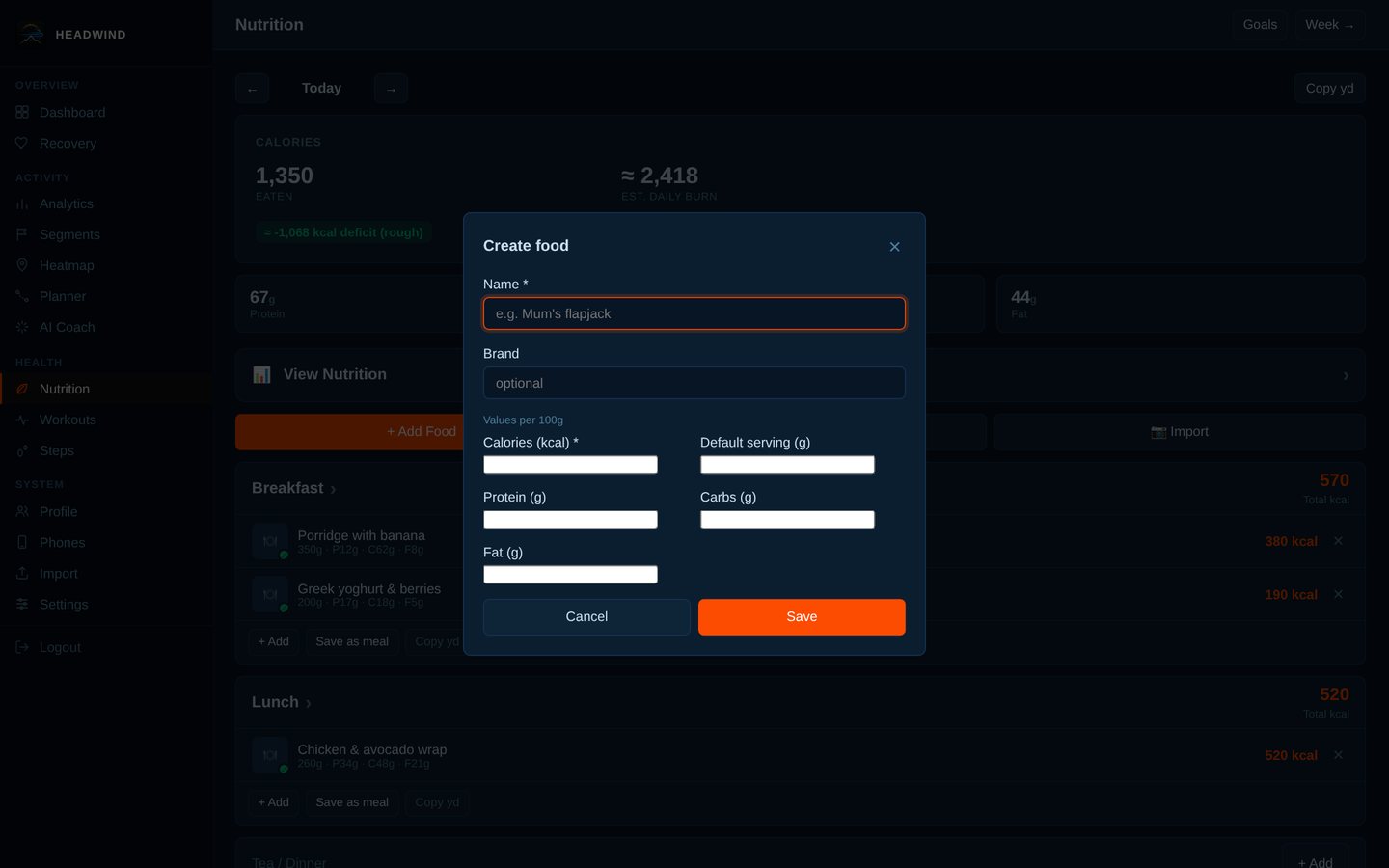
Create your own food.
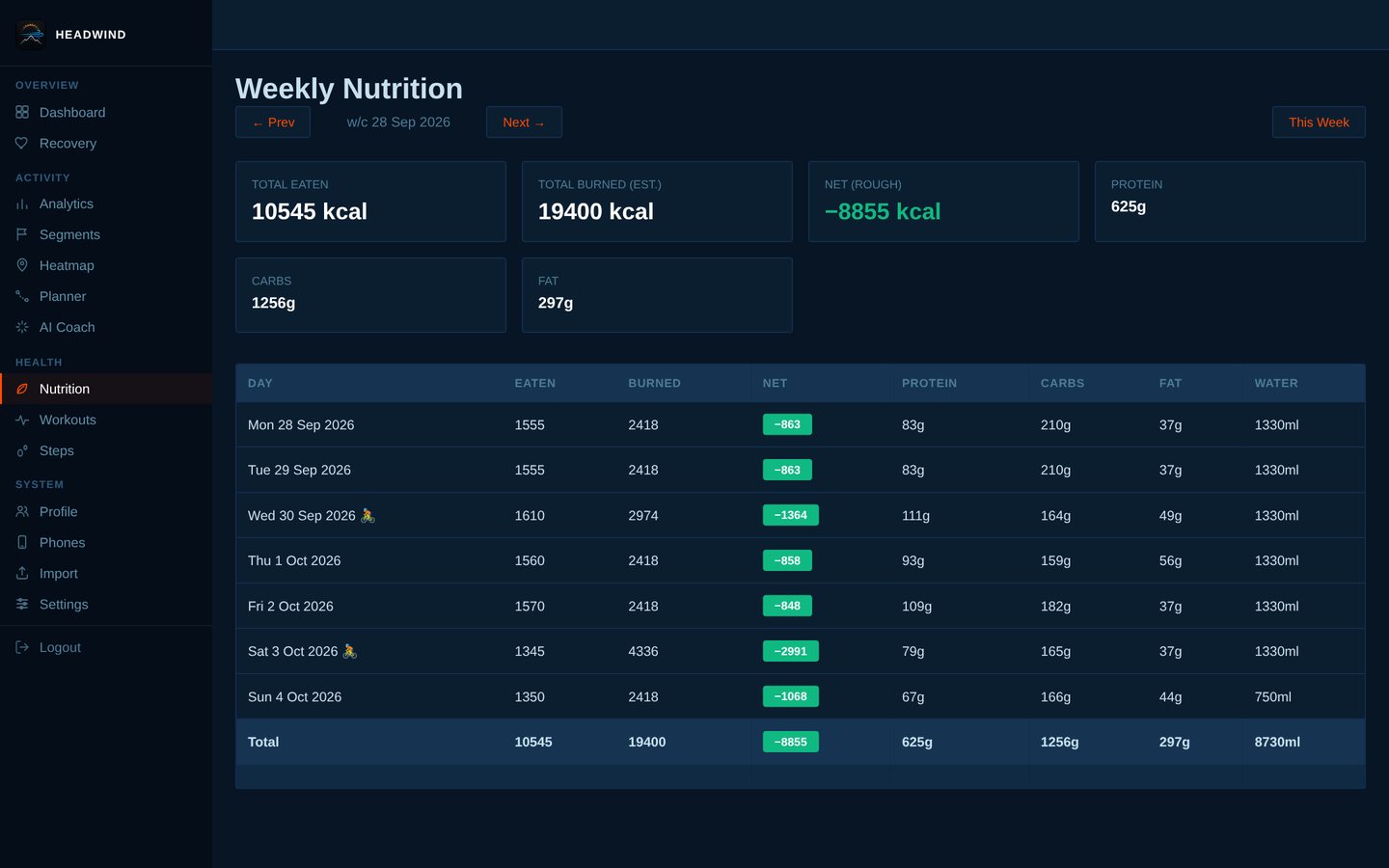
Weekly summary: eaten, burned, net and macros per day.
Social, coaching and settings (7 screens)
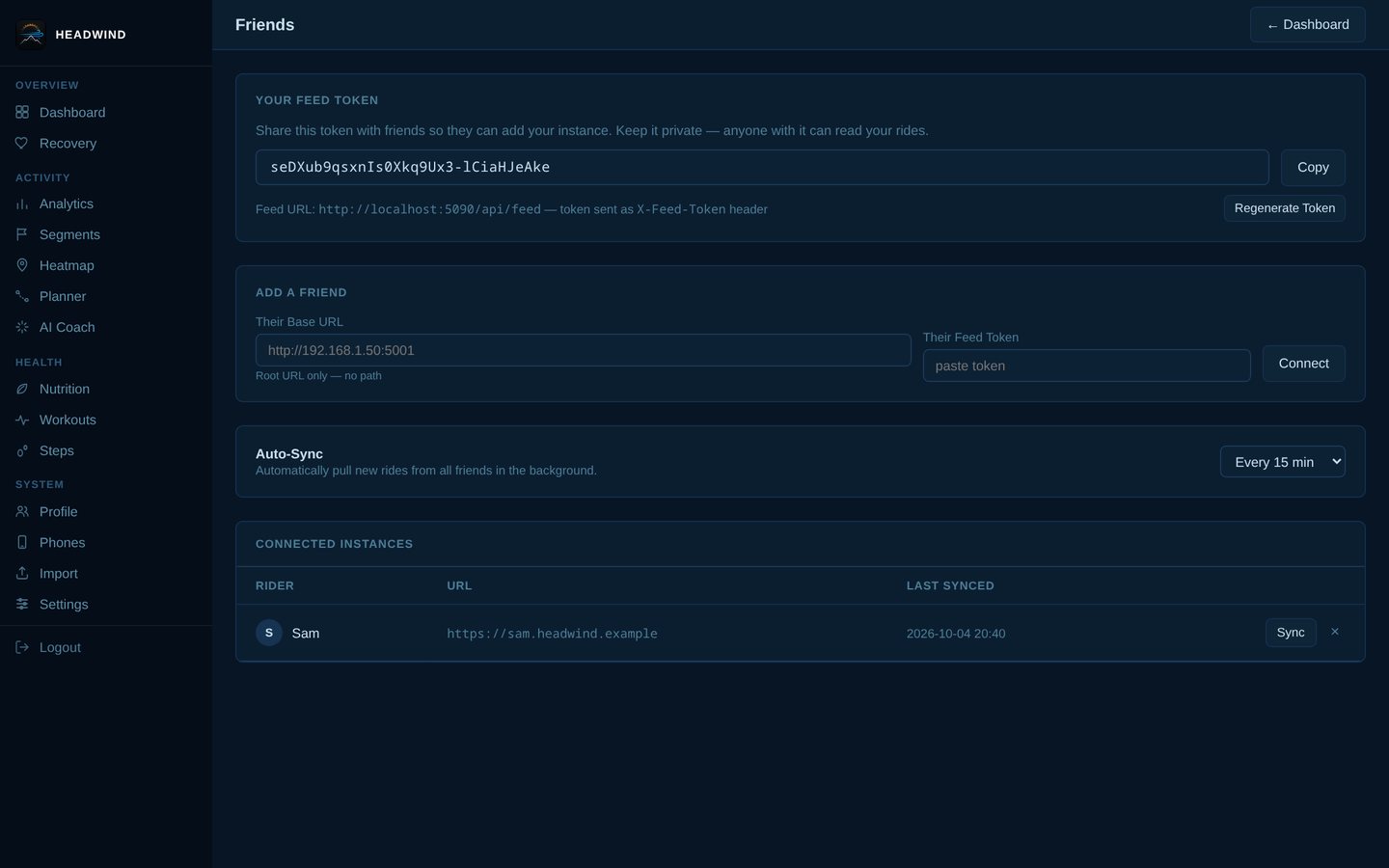
Friends: your feed token, add a friend by URL + token, and auto-sync.
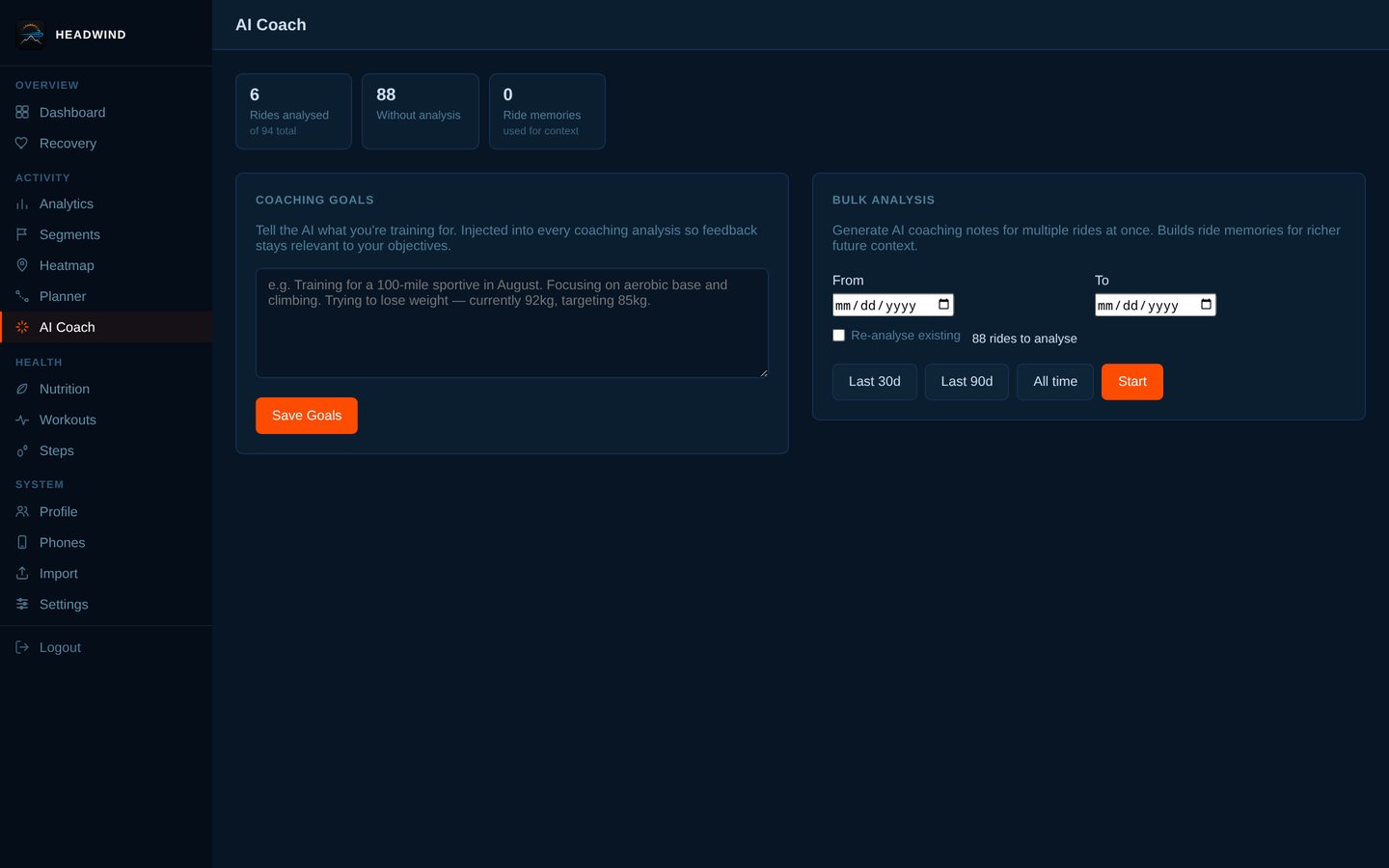
AI Coach: your coaching goals, and bulk analysis of rides by date range.
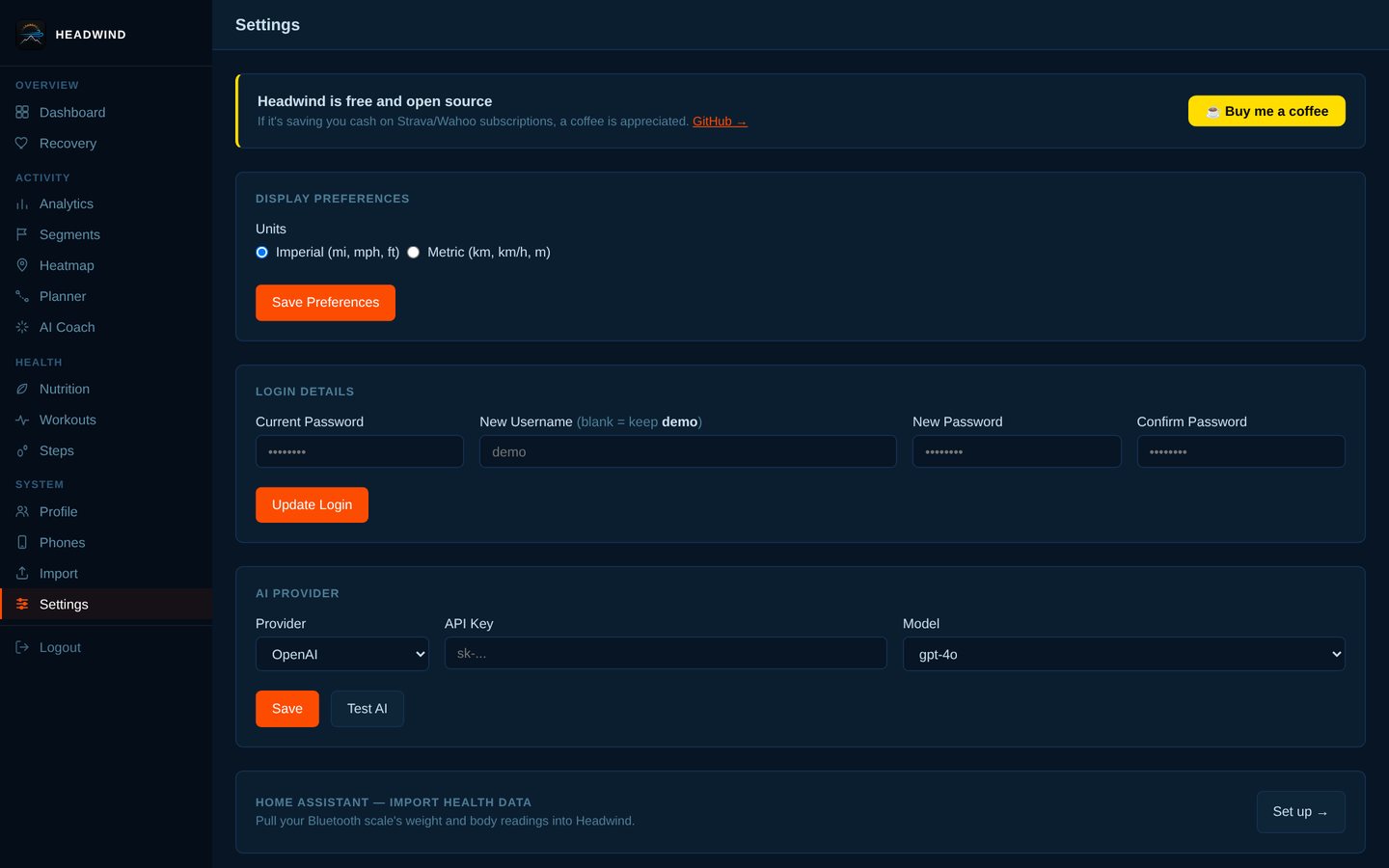
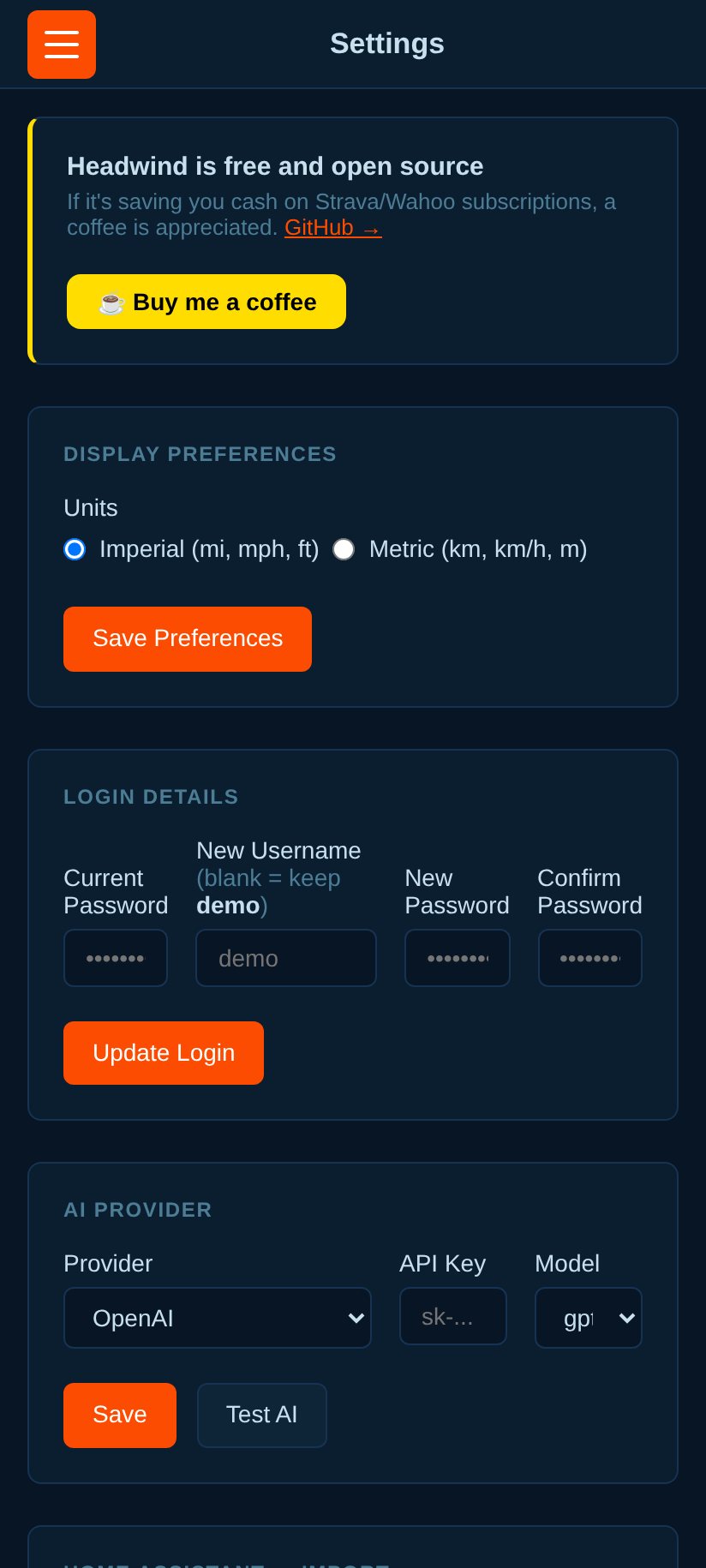
Settings: units, login details, AI provider, Garmin Connect, weather backfill, backup and restore.
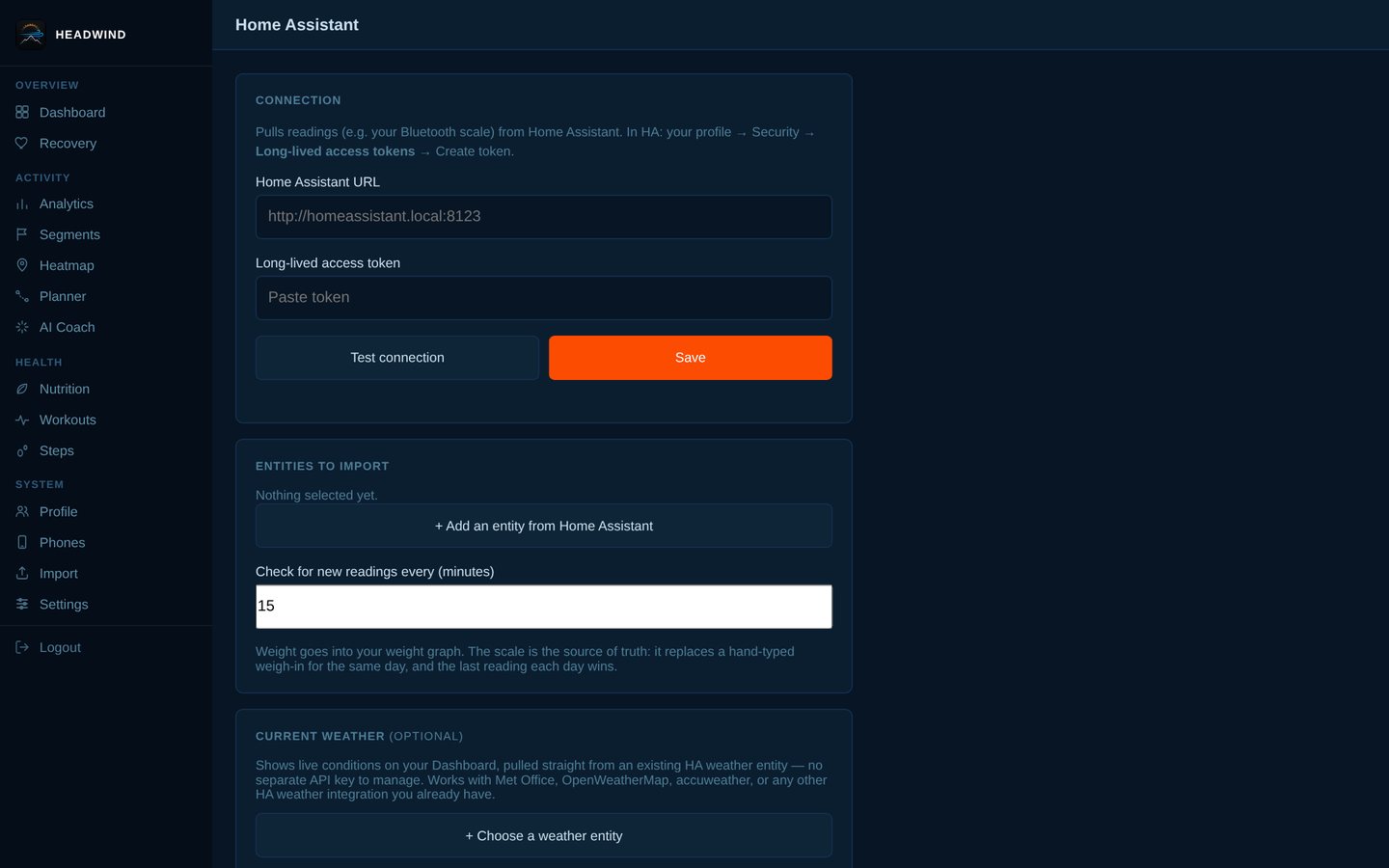
Home Assistant: connect with a long-lived token and import health readings.
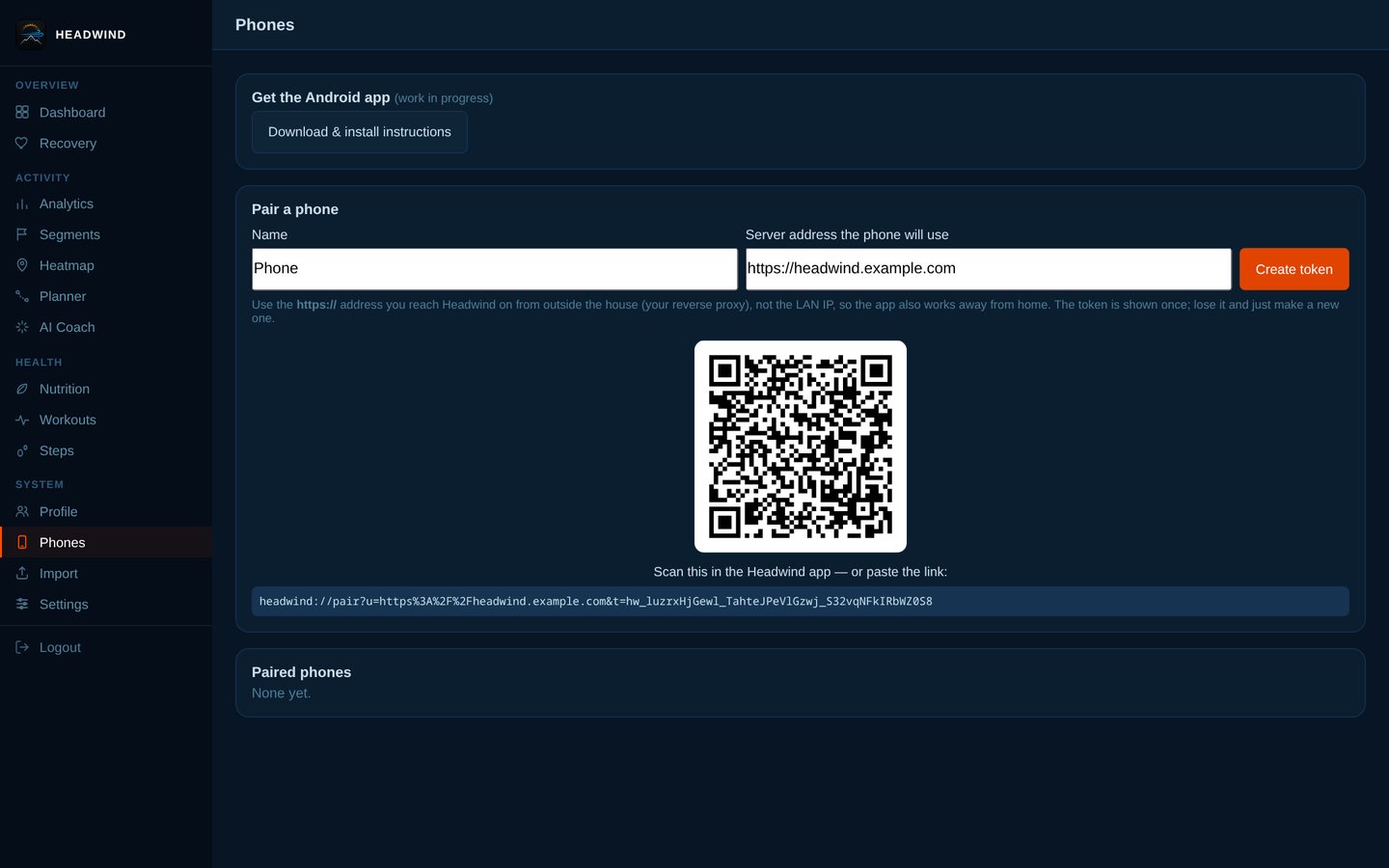
Pair a phone with a QR code and a per-device token (HTTPS required).
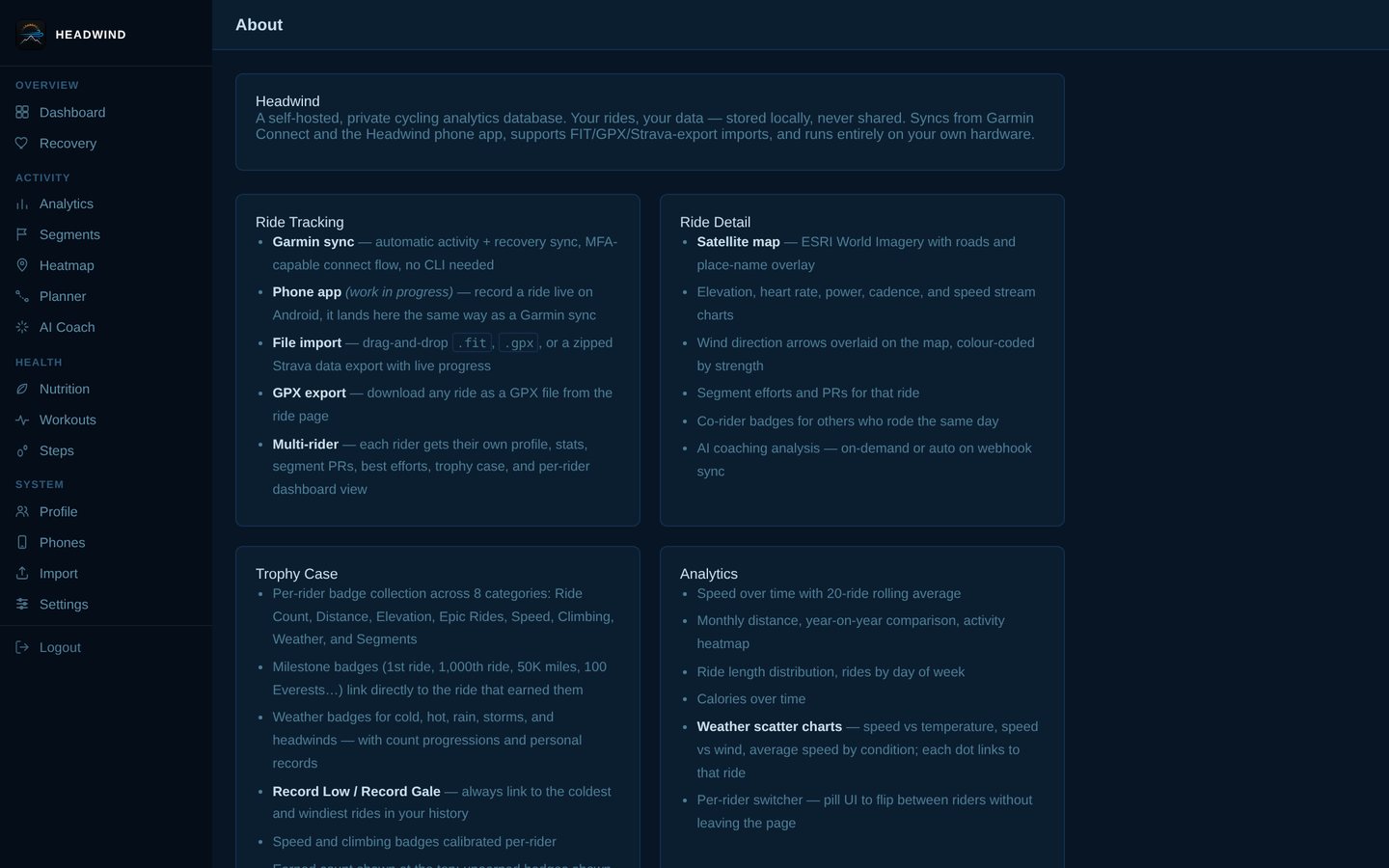
About: what's in the app.
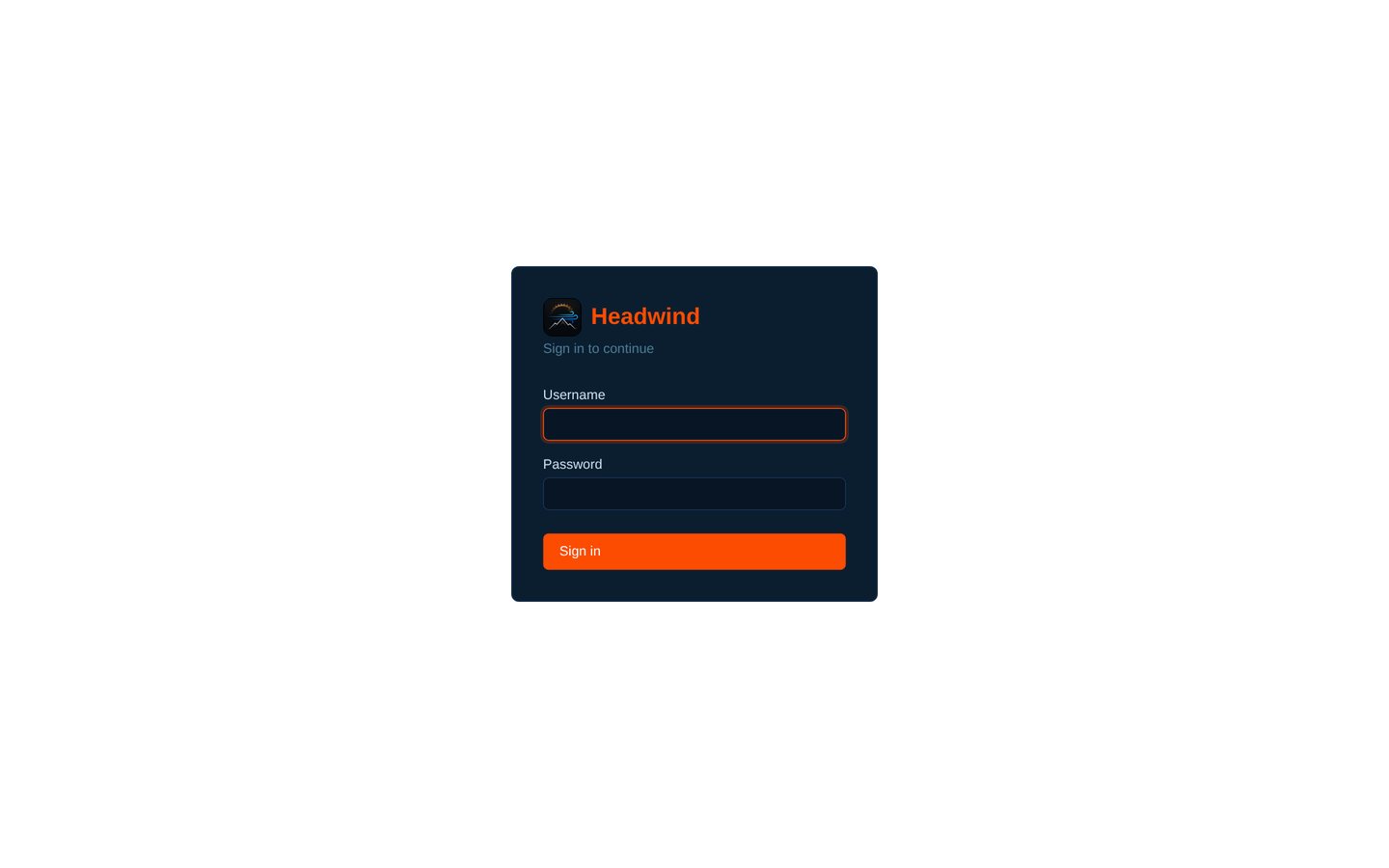
Sign in.
The setup wizard (7 screens)
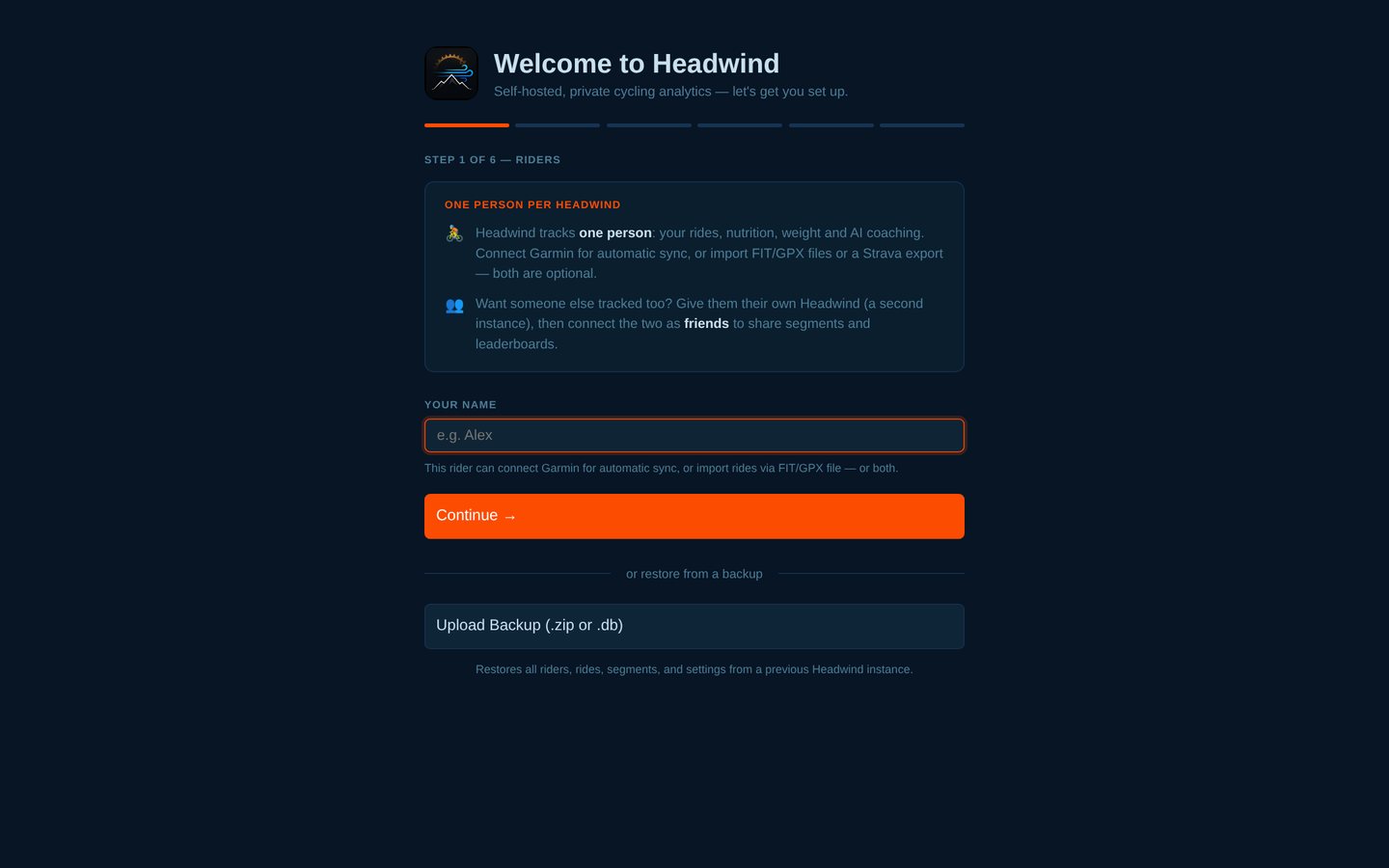
Step 1: your name (or restore from a backup).
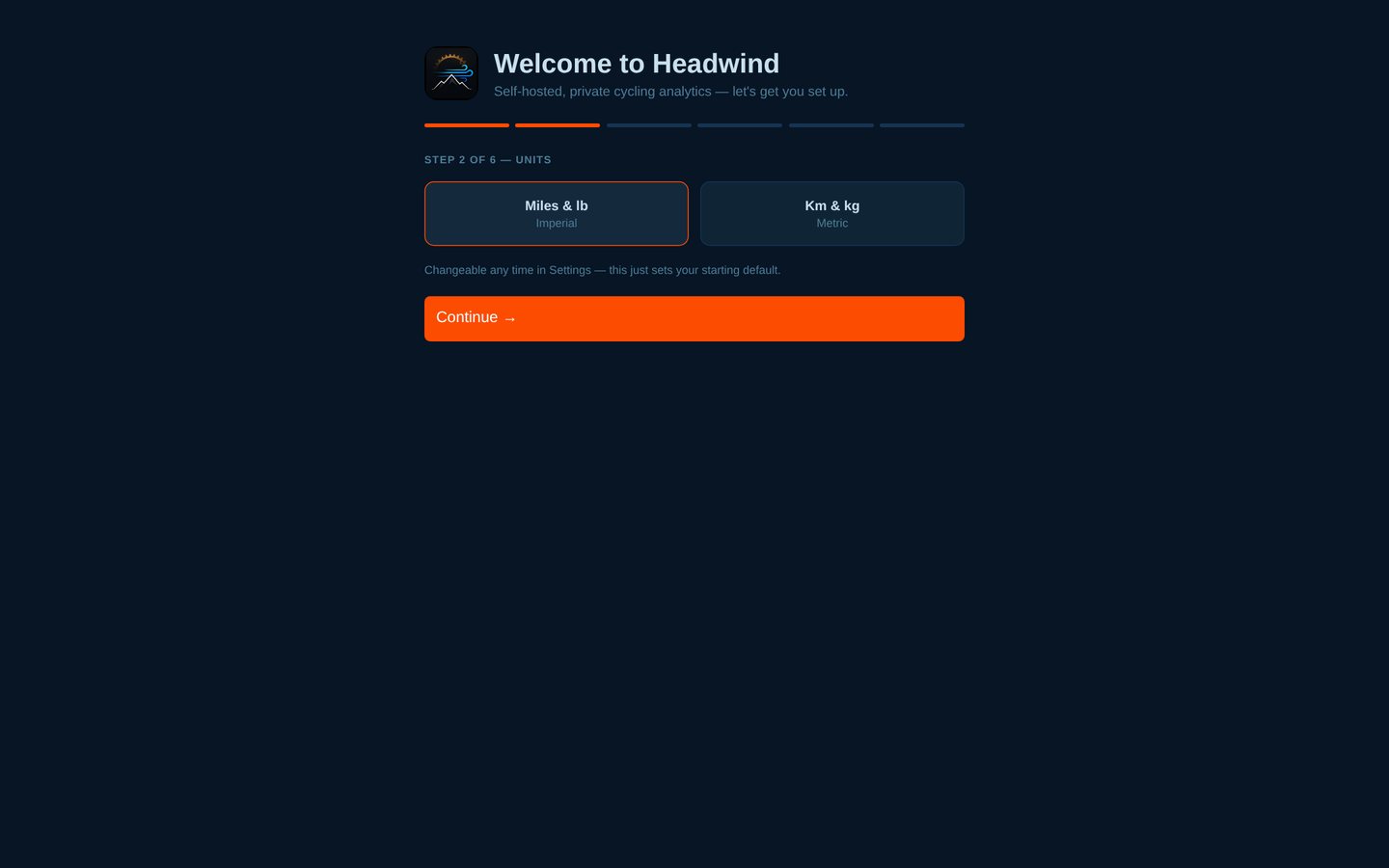
Step 2: units.
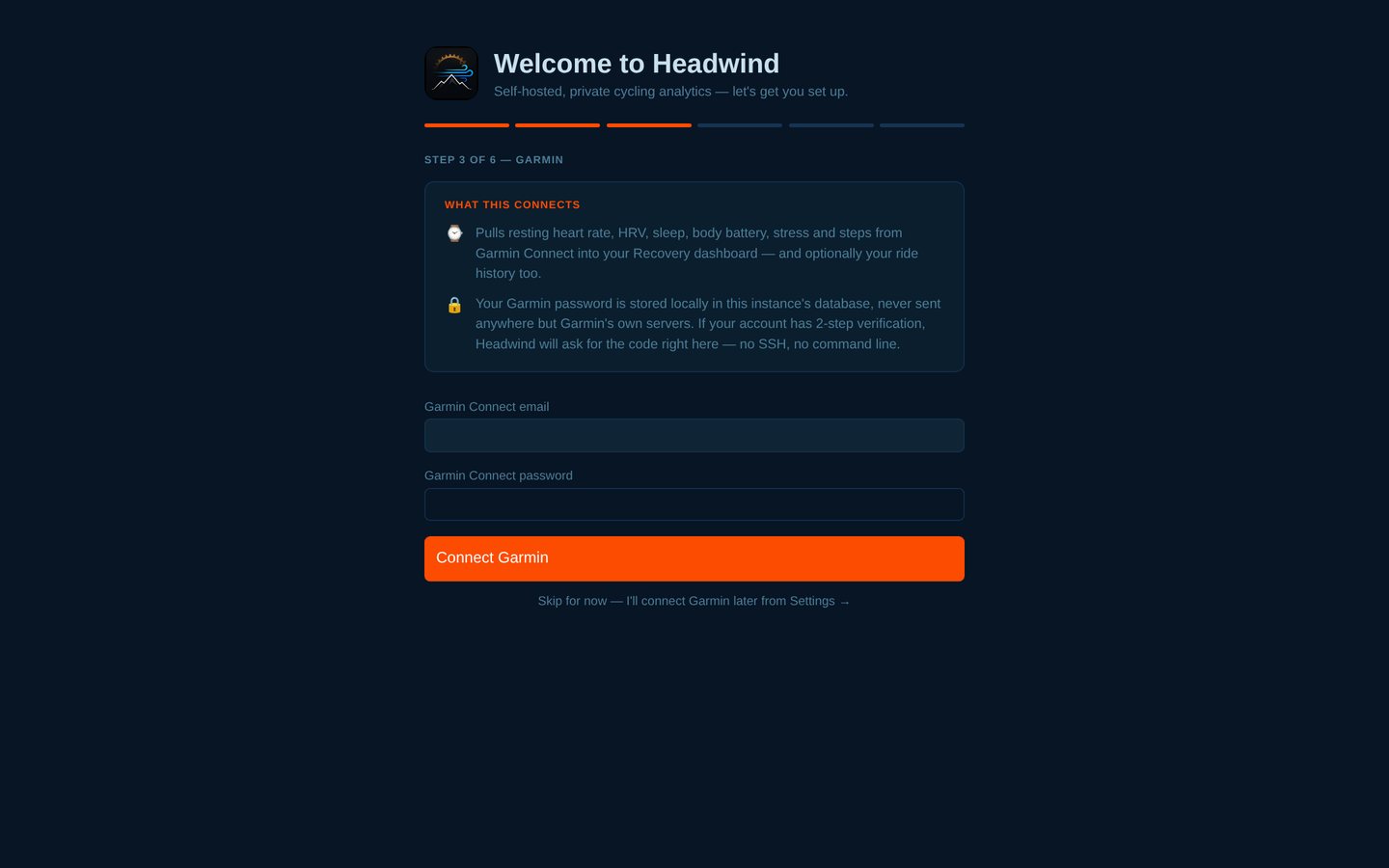
Step 3: Garmin Connect (optional, MFA-capable).
Step 4: Home Assistant (optional).
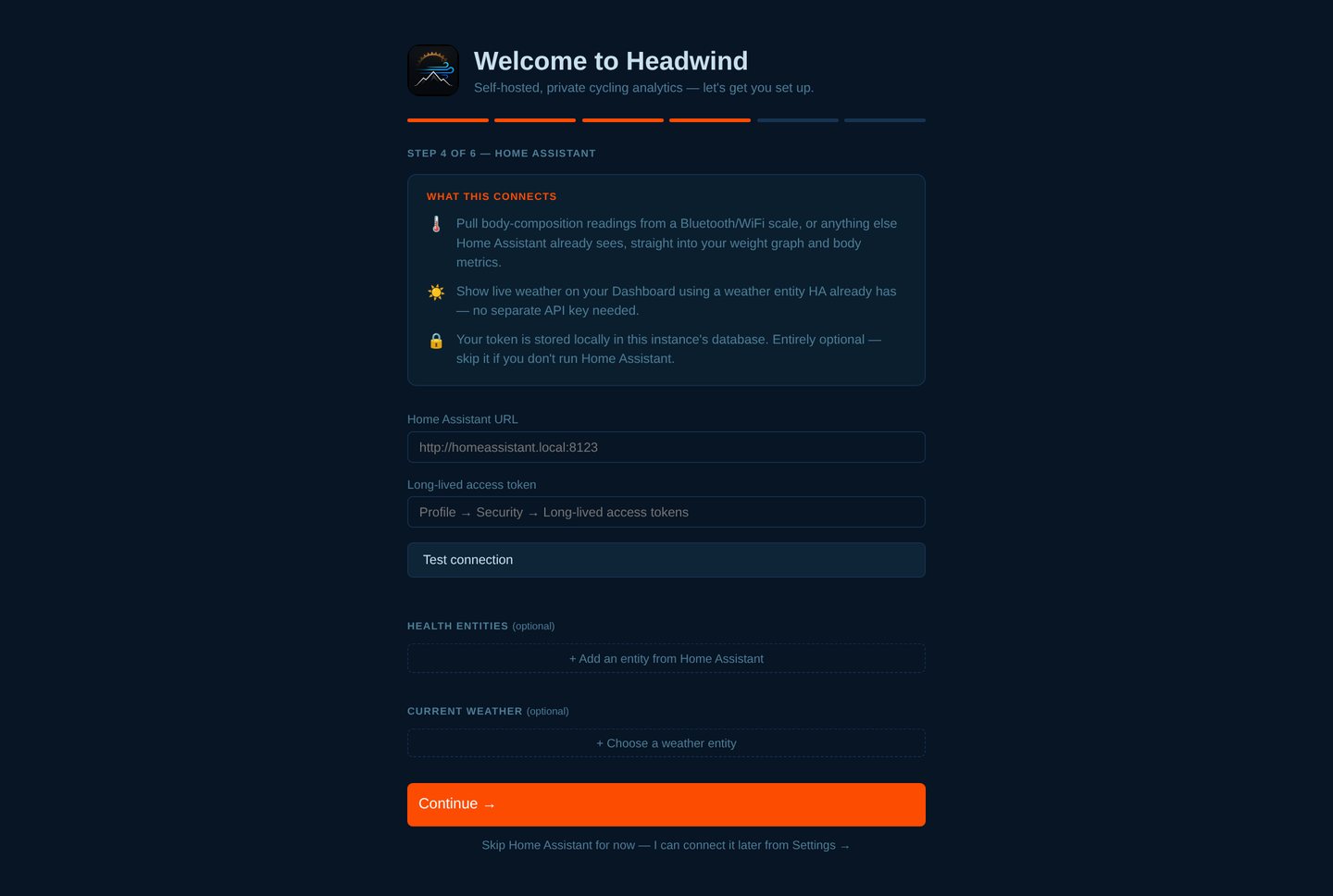
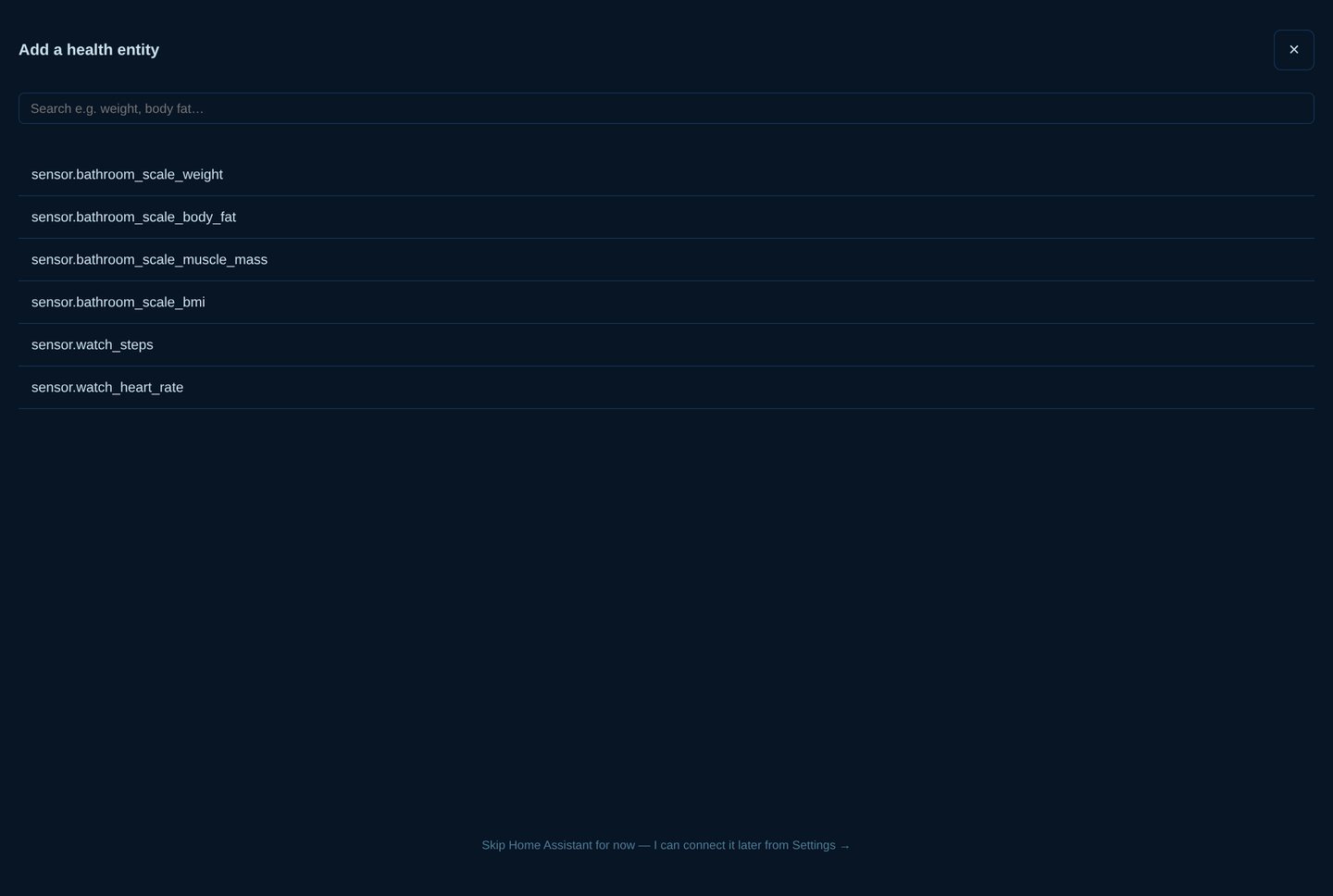
Choosing a health entity from Home Assistant.
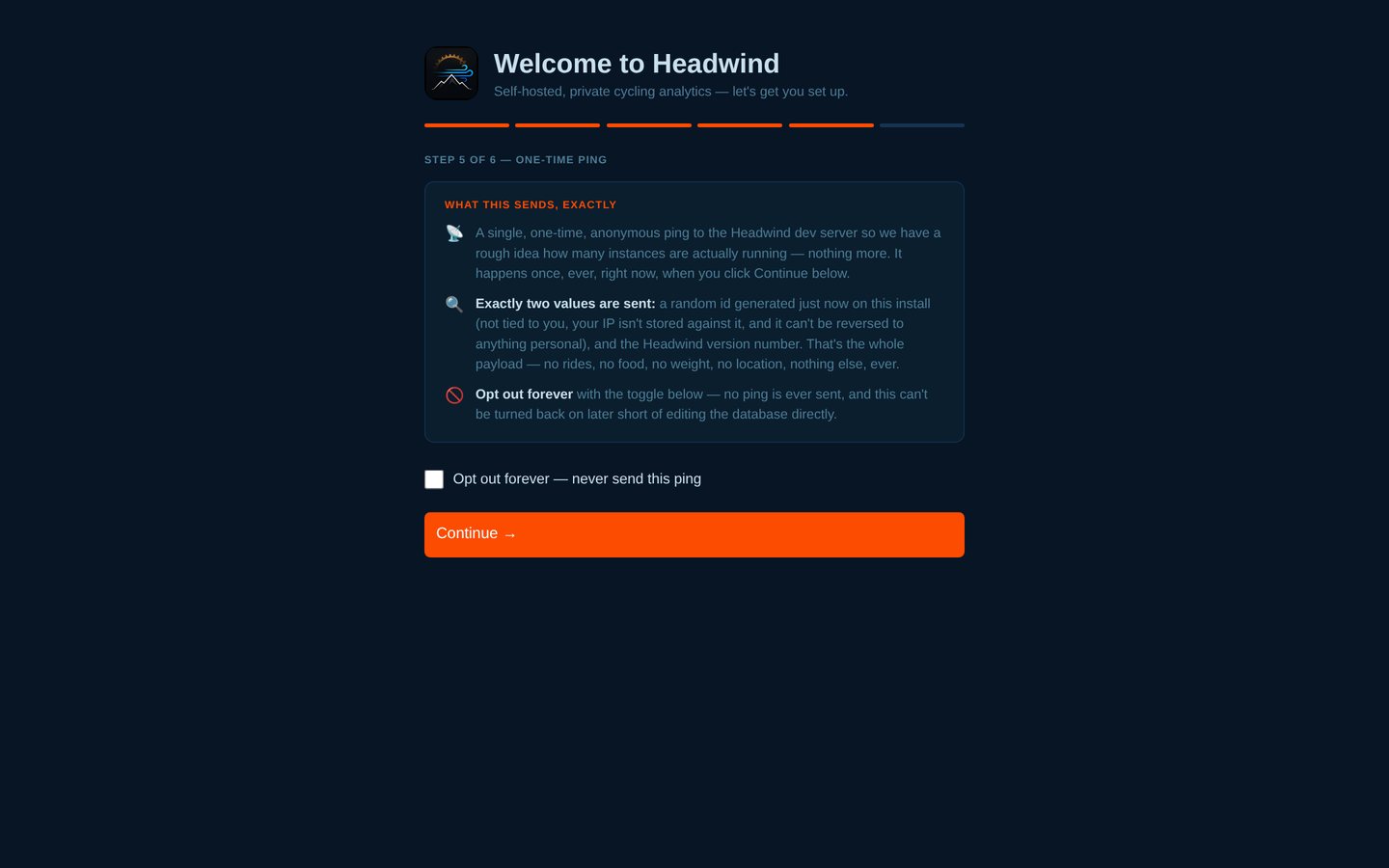
Step 5: the one-time anonymous install ping, with a permanent opt-out.
Step 6: done.
On your phone (the nutrition tracker installs as a PWA) (11 screens)
Features
Ride tracking and import
- Garmin Connect sync — activities and daily recovery data; MFA-capable connect flow in the browser (no command line); incremental sync that re-scans the last day so a second same-day ride is never missed and failed downloads are retried.
- File import —
.fit,.gpx(and gzipped variants), or a Strava data-export zip, with a live progress bar. Duplicate detection is time-aware. - GPX export of any ride.
- Phone recording — the Android app records rides and uploads them (work in progress; see The Android app).
- Upload endpoint —
POST /import/api/upload-ridewith anX-Upload-Tokenheader (setRIDE_UPLOAD_TOKEN) lets a script, a Pi attached to a bike computer, or an automation push GPX files in. - Walks, runs and hikes are supported as workouts alongside rides, with sensible calorie estimates.
Ride detail and analytics
- Satellite map, speed/elevation/heart-rate/power/cadence streams, wind overlay, co-rider badges.
- Weather at the start of every ride from Open-Meteo (free, no key), including a backfill for history.
- Analytics: speed trend with rolling average, monthly distance, year-on-year, distribution, day-of-week, weather scatters; metric/imperial; sport filter.
- Best efforts — fastest 5/10/20/30/50/100 miles per ride, with year/month filters.
- Trophy case — badges across eight categories (counts, distance, elevation, epic rides, speed, climbing, weather, segments) that link back to the ride that earned them.
- Recovery (Garmin) — resting HR, HRV, sleep score and body battery with 30/60/90-day charts.
Segments
- Define a segment by clicking start and end on a ride map; Headwind retroactively scans every ride.
- Per-effort history, PRs, trend chart, difficulty rating, rolling average.
- If a segment's stored route shape is missing, Headwind rebuilds it from the ride it was drawn on (or a matching effort) — and says "route shape unavailable" instead of drawing a misleading straight line.
- Segments are shared both ways with linked friends.
Nutrition and body
- Barcode scanner (phone camera) and text search, backed by Open Food Facts — no API key.
- Meals: Breakfast, Lunch, Dinner, Snacks, Ride fuel and Recovery.
- Recent foods per meal — pick Add on a meal and see what you most often (and most recently) log for that meal.
- Saved meals and recipes, Go-Tos (favourites), My Foods (your own foods, per-100 g).
- Edit any entry's weight and the macros rescale; scale a whole meal with one tap.
- Calorie and macro goals, with an estimated daily burn that includes your rides; weekly view; "copy yesterday".
- Hydration logging with a daily goal.
- Weight tracking with a smoothed (EMA) trend, goal weight and projected finish.
- Optional AI food-photo estimate and screenshot import (e.g. from another food app) with your own key.
- Installable as a PWA on iOS/Android.
Social (peer-to-peer)
- Add a friend's Headwind by URL + feed token; their rides, segments and shared foods sync directly into your database. No central server.
- Auto-sync every 15 minutes by default (off / 15 / 30 / 60 / 120).
- Works over LAN, VPN or the public internet (use HTTPS).
Automation and coaching
- AI coaching (optional): GPT models or a local Ollama model; the prompt includes ride stats, weather, similar past rides, segment comparisons and recovery. Ten personalities (including a refreshingly rude one) and your own coaching goals.
- Home Assistant / MQTT: ride, recovery, nutrition, hydration and weight sensors with auto-discovery; notifications; dashboards.
- Notifications — ride-synced alerts through Home Assistant's companion app (an ntfy hook exists in the code but has no settings screen yet).
Install
Docker (recommended)
You need Docker with the Compose plugin. No clone required:
mkdir headwind && cd headwind
curl -O https://raw.githubusercontent.com/lordmaa/headwind/main/docker-compose.yml
curl -O https://raw.githubusercontent.com/lordmaa/headwind/main/.env.example

docker compose up -d
Open http://localhost:5001. On the first start Headwind generates a random signing key and an admin password and prints it once in the logs:
docker logs headwind 2>&1 | grep -A3 "generated one"
Sign in with admin and that password, then change it under Settings. To choose your own credentials instead, copy .env.example to .env and set SECRET_KEY, APP_USERNAME and APP_PASSWORD before the first docker compose up.
Data lives in ./data (database, avatars, food photos, generated login) and ./garmin_tokens, next to your docker-compose.yml, so it survives restarts and upgrades.
Images are published for amd64 and arm64 on Docker Hub: lordmerchant99/headwind (tags: latest, 0.1.0-beta).
Raspberry Pi
The same Docker instructions work on a Raspberry Pi 4/5 (64-bit OS). The arm64 image is new — if something misbehaves, please report it. Tips:
- Keep
./dataon an SSD or good SD card; SQLite is happiest on reliable storage. - Expect the first Garmin history sync and weather backfill to take longer than on a PC.
- Running Watchtower will keep the image current automatically — convenient, but updates then happen without you watching.
Portainer
Deploy as a stack using the Compose file from this repo and set SECRET_KEY, APP_USERNAME and APP_PASSWORD under Environment variables.
Windows (experimental)
Download Headwind-windows-x64.zip from the Releases page, extract it somewhere writable (not Program Files), and run Headwind\Headwind.exe. It runs as a desktop app: a tray icon (bottom right, near the clock — you may need to click the ^ arrow) and Headwind opens in its own app-style window. A dialog shows your first sign-in.
Tray menu (right-click, or double-click to open): Open Headwind, Show sign-in details, Open data folder (%LOCALAPPDATA%\Headwind), Start with Windows, Quit Headwind. Closing the window does not stop it (it keeps syncing); use Quit.
- Your data survives updates — replace the extracted folder.
- It listens on this PC only by default. For a phone on your network set
HEADWIND_HOST=0.0.0.0before launching. - The build is unsigned: SmartScreen will say "unknown publisher" (More info → Run anyway) and some antivirus tools flag PyInstaller apps. If that worries you, use Docker or run from source.
- Build it yourself:
pip install -r requirements.txt waitress pyinstallerthenpython scripts\build_windows.py dist.
From source
git clone https://github.com/lordmaa/headwind.git
cd headwind
python3 -m venv .venv && . .venv/bin/activate
pip install -r requirements.txt
cp .env.example .env
python3 app.py          # http://localhost:5001
python3 app.py is for development: it listens on all interfaces. Set HEADWIND_DEBUG=1 for Flask's debugger only on a machine nobody else can reach. For anything long-lived use Docker (gunicorn) or put it behind a proper service manager.
To build the Docker image yourself:
docker compose -f docker-compose.dev.yml up --build
# multi-arch:
docker buildx build --platform linux/amd64,linux/arm64 -t yourname/headwind:dev --push .
First run: the setup wizard
A new install walks you through six short steps. Everything except step 1 is skippable and can be changed later in Settings.
- Your name — Headwind tracks one person. (Restoring from a backup is also offered here.)
- Units — imperial (mi, mph, ft, st/lb) or metric.
- Garmin Connect — optional. Enter your Garmin email and password; if Garmin asks for an MFA code you'll be prompted in the browser. Credentials are saved only after Garmin accepts them.
- Home Assistant — optional. Connect to HA with a long-lived token, map health entities and pick a weather entity.
- Telemetry — the exact text of the one-time anonymous ping is shown with a permanent opt-out.
- Done — you land on the dashboard.
No Garmin? Go to Import and drop in .fit / .gpx files or a Strava export zip.
Configuration
Environment variables
Set these in a .env file next to docker-compose.yml (Compose reads it automatically) or in your service environment.
| Variable | Default | What it does |
|---|---|---|
SECRET_KEY | generated | Session signing key. If blank or a known placeholder, a random one is generated and stored in the data folder. |
APP_USERNAME | admin | Login username. |
APP_PASSWORD | generated | Login password. If blank or a known placeholder, a random one is generated and printed once in the logs. A password changed in Settings persists across container recreation unless you later edit this value. |
APP_URL | http://localhost:5001 | The URL others (and your phone) reach this instance at — used in notification links and the phone pairing QR code. |
DATABASE_URL | /data/bike.db (Docker) | Path to the SQLite database. |
TELEMETRY | (unset) | Set to off to skip the telemetry question and never send the install ping. |
HEADWIND_MULTI_RIDER | (unset) | 1 enables the advanced multi-rider mode (several local riders on one instance). |
RIDE_UPLOAD_TOKEN | (unset) | Enables POST /import/api/upload-ride (authenticated by the X-Upload-Token header). Disabled when unset. |
SESSION_COOKIE_SECURE | false | Set to true when serving over HTTPS so the login cookie is never sent over plain HTTP. |
HEADWIND_MQTT_PREFIX / HEADWIND_MQTT_NAME | (defaults) | Give a second instance on the same MQTT broker its own entity prefix and device name so they don't collide. |
HEADWIND_MQTT_NUTRITION | 1 | 0 publishes only the ride sensors, not nutrition. |
HEADWIND_ENV | ./.env | Point an instance at a different env file (useful for running two instances from one code folder). |
PORT | 5001 | Port for python3 app.py. |
HEADWIND_DEBUG | (unset) | 1 turns on Flask's debug mode for python3 app.py (never on a reachable machine). |
Windows-build only: HEADWIND_HOST, HEADWIND_DATA, HEADWIND_NO_TRAY.
Settings inside the app
Garmin credentials, the MQTT broker, Home Assistant URL/token and mappings, AI provider/key/model, coaching personality and goals, display units, your login details and backups are all configured under Settings — not in .env. Calorie and macro goals live under Nutrition → Goals, and friend-sync is under Friends → Auto-Sync.
Data and volumes
| Path (in the container) | Contents |
|---|---|
/data/bike.db | The SQLite database (WAL mode) — rides, food, weight, settings, including credentials you enter in Settings. |
/data/avatars/ | Profile photos. |
/data/foodimg/ | Food photos fetched or uploaded. |
/data/.secret_key, /data/.admin_login | The generated session key and login (mode 600). |
/app/.garmin_tokens/ | Garmin login tokens (so MFA isn't needed every sync). |
Integrations
Garmin Connect
- Connect in the wizard or Settings → Garmin Connect. MFA is handled in the browser.
- Two things sync: activities (downloaded as FIT, deduplicated by Garmin activity id and start time) and daily health (resting HR, HRV, sleep, body battery, steps).
- The activity cursor re-scans the most recent day and never advances past a failed download, so rides aren't silently skipped.
- Switching to a different Garmin account clears the cached tokens of the old one.
Home Assistant / MQTT
- Enter your broker in Settings → Home Assistant — MQTT. Headwind publishes retained auto-discovery config, so sensors appear in Home Assistant without YAML.
- Sensors cover lifetime ride totals, last-ride details, recovery metrics, calories eaten / remaining, macros, hydration and weight. State is published on events plus a periodic heartbeat.
- One publisher per broker: two Headwinds on one broker must use different
HEADWIND_MQTT_PREFIXvalues, or they'll overwrite each other's sensors. - A separate connection (Settings → Home Assistant — import health data) lets Headwind read HA entities (e.g. weight from a smart scale, a weather entity) via a long-lived token.
- Example Home Assistant dashboard and automation builders live in
docs/ha.
AI coaching
- In Settings → AI Provider choose OpenAI (paste your key, pick a model) or a local Ollama (URL + model). Nothing is sent anywhere until you do.
- Pick a coaching personality and add your own goals; the model is also given recent history so it can say whether you're improving.
- Costs are whatever your provider charges; Headwind sends ride summaries, not raw GPS.
- The same key powers the optional food-photo estimate and screenshot import in the nutrition tracker.
Friends (peer-to-peer)
- On each instance open Friends and copy Your Feed Token.
- On your instance add a friend: enter their URL and Their Feed Token, then pick the rider to follow.
- Their rides and segments sync into your database; segments you both have appear on shared leaderboards.
Sync is pull-based, over HTTP(S). Peer URLs must be http:// or https://; redirects to a different host are refused so a peer can't bounce your token elsewhere. Use HTTPS over the internet.
Notifications
When a new ride syncs, Headwind can notify you through Home Assistant (companion-app notification with a link to the ride). There is also an ntfy hook in services/notify.py, but it has no field in the Settings screen yet — treat it as a developer feature for now.
Nutrition in depth
- Logging fast: Add on a meal shows that meal's recent and frequent foods first — one tap to re-log, or open one to change the weight. Barcode scan and search are right there too.
- Weights and portions: every entry stores a weight. Change it and the macros scale proportionally; entries with no recorded weight take the first weight you type as their baseline. On any meal, Smaller or bigger portion? (½, ¾, 1¼, 1½, 2×) scales everything in the meal.
- Saved meals / recipes: save what you've logged as a meal, or build a recipe from ingredients; log it later at any scale.
- Your own foods: override a wrong Open Food Facts entry per barcode (fix the macros once, keep the fix), or add custom foods.
- Goals: set a target (e.g. a weekly loss rate) and Headwind works out a daily calorie goal from your profile, steps and rides; it adjusts for ride days. An estimated daily burn is shown alongside what you've eaten.
- Weight: log by stone/lb or kg; a smoothed trend line separates real change from daily noise; backfill historic weights in bulk.
- Hydration with a daily goal and one-tap +150/+250/+500 ml.
- Sharing foods: foods you create can be shared with linked friends (only your own corrections and custom foods — never your diary).
Putting it on the internet safely
Headwind has a login, throttling and cross-site protections, but it is a single shared admin account guarding years of health and location data. If you expose it:
- Use HTTPS. Always. Put it behind a reverse proxy or tunnel — e.g. Caddy, nginx, Cloudflare Tunnel or Tailscale Serve.
- Set
SESSION_COOKIE_SECURE=trueonce you're on HTTPS. - Use a strong password (the generated one is fine) — never
admin/admin. - Prefer a VPN (Tailscale/WireGuard) over opening it to the world if you can.
- Remember the phone app only talks to HTTPS servers.
A minimal Caddyfile:
headwind.example.com {
    reverse_proxy localhost:5001
}
Behind a proxy Headwind trusts one X-Forwarded-* hop; make sure your proxy sets those headers and that port 5001 isn't directly reachable from outside.
Backups, updates and your data
- Backup: Settings → Backup & Restore → Download gives one zip: the database, rider avatars and food photos. It deliberately excludes the Garmin token files, your generated login/key files and
.env— but the database itself holds anything you configured in Settings (Garmin email/password, AI key, MQTT/HA credentials), so a backup is a secret. Store it accordingly. - Restore: Settings → Backup & Restore → Restore (or from the setup wizard on a fresh install). The uploaded database is checked for integrity, migrated and smoke-tested before anything live is touched; your current database is kept as
bike.db.pre-restore; the swap itself is atomic. A backup this version can't use is rejected with "Nothing was changed". - Updating (Docker):
docker compose pull && docker compose up -d. Migrations run automatically at start-up. Take a backup first on a beta. - Upgrading from an older compose file that used the placeholder
changemelogin: the placeholder is no longer accepted — a random login is generated; read it fromdocker logs. - Moving to a new host: copy
./dataand./garmin_tokens, or restore a backup and re-enter your Garmin login.
Privacy and telemetry
What leaves your machine — only to services you configure or the public APIs below:
| Service | What for | What's sent |
|---|---|---|
| Garmin Connect | Activity/health sync | Your login (to Garmin), requests for your own data |
| Open-Meteo | Weather, elevation | Ride start coordinates + time |
| Open Food Facts | Food search/barcodes | The barcode or search text |
| Esri / map tile hosts | Map tiles in your browser | Normal tile requests (your browser's IP) |
| CDNs (unpkg, jsDelivr) | Chart/map libraries in your browser | Normal asset requests |
| Your AI provider (if configured) | Coaching, photo estimates | Ride summaries / the image you submit |
| Your MQTT broker / Home Assistant (if configured) | Automation | Sensor values / notifications |
| Linked friends (if configured) | P2P sync | Rides and segments you've chosen to share |
Telemetry (the one exception). At the end of setup, Headwind can send one single, one-time, anonymous ping — a random install id and the version number, nothing else — so the author has a rough idea how many instances exist. No rides, food, weight, location or any personal data is ever sent. The collector does not store IP addresses. The wizard shows this text and a permanent opt-out; you can also set TELEMETRY=off in your .env to skip the question entirely. The code is services/telemetry.py — read it rather than take our word for it.
Security notes
Headwind 0.1.0-beta shipped after a dedicated review. In short:
- No default credentials — placeholder logins are rejected; a random key and password are generated per install.
- Login throttling (8 failures / 5 minutes), session revocation when the password changes, cross-site request blocking, open-redirect fix.
- Restore is hardened (no path-chosen uploads, archive allow-list and size limits, integrity check, atomic swap).
- Stored-content injection (ride/friend/segment names, friend-supplied route shapes) is escaped or validated; avatars that aren't decodable images are rejected.
- Resource limits on imports, archives and peer feeds; peer redirects restricted to the same host.
Known limits: one shared admin login; the password is stored in plaintext in your data folder / .env; in the advanced multi-rider mode phone devices aren't scoped per rider. See Known limitations. To report a vulnerability, please open a private security advisory on GitHub rather than a public issue.
The Android app
A native Kotlin/Jetpack Compose companion — nutrition logging with barcode scan, ride recording, widgets and Health Connect — exists but is a work in progress and not publicly released. It pairs with your server via a QR code (Phones page) and a per-device token, and requires HTTPS. Until it's released, everything works from the browser, and the nutrition tracker installs as a PWA.
Troubleshooting
| Problem | Try |
|---|---|
| Can't sign in / forgot the generated password | docker logs headwind 2>&1 | grep -A3 "generated one". The login is also stored in ./data/.admin_login. To set your own, put APP_PASSWORD in .env and recreate the container. |
| "Too many attempts" | The login locks for a few minutes after 8 failures. Wait, or restart the container. |
| Port 5001 is in use | Change the left side of ports in docker-compose.yml, e.g. "5002:5001". |
| Garmin asks for MFA every time | The garmin_tokens folder must be a persistent volume; check it's mounted and writable. |
| Garmin sync finds nothing | Make sure activity sync is enabled in Settings → Garmin and the account matches the one you connected. Failed rides are retried on the next sync. |
| Phone app can't pair | It needs an HTTPS address. Put Headwind behind a TLS proxy/tunnel and set APP_URL to that address. |
| Home Assistant sensors missing | Check the MQTT broker settings, that discovery is enabled in HA, and that no other Headwind uses the same HEADWIND_MQTT_PREFIX. |
| Map is blank | Your browser needs to reach the tile and CDN hosts listed under Privacy. |
| Windows SmartScreen warning | The build is unsigned. More info → Run anyway, or use Docker. |
| Restore says "not compatible" | The backup's database couldn't be migrated. Nothing was changed — your current data is intact. |
| Want to start over | Stop the container and move ./data aside (don't delete it until you're sure). |
How it works
Stack — Python 3.11 / Flask, SQLite (WAL), Jinja templates, vanilla JavaScript, Chart.js, Leaflet. One gunicorn worker with several threads (background jobs — Garmin sync, MQTT, friend sync — must not be duplicated), shipped as a multi-arch Docker image. Windows build: PyInstaller + waitress + pystray.
Layout
app.py              application factory, auth guard, background jobs
config.py           environment + settings loading
database.py         schema + forward-only migrations (never drops tables)
routes/             one blueprint per area (rides, segments, nutrition, friends, settings, setup, api_v1 …)
services/           Garmin, parsing, segments, best efforts, AI, MQTT, backup, credentials, limits …
templates/ static/  UI
scripts/            smoke tests, Windows build, helpers
tests/              unit tests
docs/               Home Assistant builders, screenshots, notes
Data model (SQLite) — Activity (rides, with GPS/HR/power streams), BestEffort, Segment + SegmentEffort, Workout, FoodLog, HydrationLog, WeightLog, SavedMeal(+Item), FoodFavourite, CustomFood/FoodOverride, Friend (+ imported riders/segments/shared foods), Settings, Rider. Schema changes are applied at start-up by migrate_db(); restoring an older backup migrates it first.
Known limitations and roadmap
Known limitations (0.1.0-beta)
- One shared admin login; the password is stored in plaintext in the data folder /
.env. - Phone-API tokens aren't scoped per rider (only matters in the advanced multi-rider mode).
- The arm64 image and Windows build are new and lightly tested; the Windows build is unsigned.
- Strava's live API is closed to new apps, so Strava is import-only (export zip).
- Some background jobs (large imports, bulk AI) run in-process and can be slow on small hardware.
- Dependencies aren't yet pinned to an exact lock file.
Roadmap (no promises)
- Public Android release; per-device scopes.
- Password hashing and optional multi-user.
- Signed Windows build and an installer.
- A proper job queue for imports and bulk AI.
- More analytics and a deeper recovery view.
Development
pip install -r requirements.txt
python3 -m pytest tests -q                    # unit tests

# End-to-end smoke tests — throwaway instance only (they write data):
d=$(mktemp -d); printf "DATABASE_URL=$d/t.db\nSECRET_KEY=x\nAPP_USERNAME=t\nAPP_PASSWORD=t\n" > $d/env
HEADWIND_ENV=$d/env PYTHONPATH=. python3 scripts/smoke_setup_wizard.py
Other smoke scripts: smoke_client_ops, smoke_api_v1, smoke_recipes_sync, smoke_ride_upload, smoke_single_rider.
- Schema changes go through
migrate_db()— add columns/tables, never drop/recreate. - Dates are UK format everywhere (
%-d %b %Y); the UI uses CSS custom properties (no hard-coded colours). - Contributions are welcome — open an issue first for anything big. Please include a test or a smoke check with behaviour changes.
Acknowledgements and licence
Headwind stands on a lot of generous open data and software: Open Food Facts, Open-Meteo, OpenStreetMap contributors, Esri imagery, Leaflet, Chart.js, Flask, garminconnect, fitparse, gpxpy, paho-mqtt and Home Assistant.
Released under the MIT licence. If Headwind is useful to you, a coffee is always appreciated.
Similar repos


Languages
Python
55.2%
HTML
43.1%
CSS
1.5%
See what people are saying
README
Headwind
Your rides. Your food. Your hardware. Your friends.
Self-hosted cycling analytics, nutrition and body tracking — no cloud, no subscription, no one else touching your data.
Contents
- What is Headwind?
- Beta status — read this first
- A quick tour
- Every page and feature
- Features
- Install — Docker · Raspberry Pi · Windows · From source
- First run: the setup wizard
- Configuration
- Integrations — Garmin · Home Assistant / MQTT · AI coaching · Friends · Notifications
- Nutrition in depth
- Putting it on the internet safely
- Backups, updates and your data
- Privacy and telemetry
- Security notes
- The Android app
- Troubleshooting
- How it works — stack, layout, data model
- Known limitations and roadmap
- Development
- Acknowledgements and licence
What is Headwind?
Headwind is a single self-hosted web app that brings together the things most riders spread across four or five services:
- Ride analytics — import from Garmin Connect, FIT/GPX files or a Strava export; see maps, streams, weather, wind, personal bests, segments and a GPS heatmap of everywhere you've ridden.
- Nutrition and body tracking — a fast food diary with barcode scanning, per-meal "recent foods", saved meals, hydration, weight trend and calorie goals that account for your riding.
- Coaching and automation — optional AI ride analysis with your own key (or local Ollama), Home Assistant sensors over MQTT, and push notifications.
- A social layer without a central server — link your instance to a friend's directly and share segment leaderboards.
It runs on a Raspberry Pi, a NAS, a spare PC or a VPS. Your data lives in one SQLite file you can copy, back up and inspect. It only talks to services you explicitly configure (plus a few public data APIs listed below).
Design principles
| Yours | One folder of data. Export any ride as GPX, back up everything as one zip, no lock-in. |
| Quiet | No account, no analytics, no ads. A single optional, anonymous install ping — fully disclosed, one-time, opt-out. |
| One person per instance | Your stats, your PRs, your coaching. To track someone else, they run their own Headwind and you link them as a friend. |
| Honest | It's a beta; this README lists what's rough. The AI coach is deliberately blunt rather than flattering. |
Beta status — read this first
Headwind 0.1.0-beta is the first public release. It is a real, working application used daily by its author, and it has been through a security and reliability review (restore safety, login hardening, injection fixes, Garmin sync reliability, resource limits). It is still a beta:
- Expect rough edges. Report them — open an issue.
- Shared admin login. There is one login for the whole instance. It is not a multi-user system. Don't give the login to people you don't trust with your data.
- Back up before you upgrade and before you import years of history.
- The Android companion app is a work in progress and not publicly released yet.
- The arm64 (Raspberry Pi) image and the Windows build are new and have had little real-world testing.
- Don't expose it to the internet without HTTPS — see Putting it on the internet safely.
A quick tour
All images: demo data — a fictional rider "Alex" riding real roads around Hathersage, Castleton, Edale and Bakewell.
Dashboard
Lifetime totals, a 12-week performance chart you can flip between distance, elevation, speed and calories, and your recent rides.
Ride detail
Satellite map, elevation + heart-rate and cadence charts, weather at the start (temperature, wind speed/direction and a headwind / tailwind / crosswind call computed from your route bearing), and effort comparison.
Heatmap
Everywhere you've ridden, filterable by date range and sport, with HD export (3440×1440).
Segments and leaderboards
Draw a segment on any ride; Headwind scans your whole history, ranks every effort, charts your trend, rates the difficulty and tracks PRs. Linked friends' segments and efforts appear on the same leaderboard.
Analytics
Speed over time, monthly distance, year-on-year, ride-length distribution, day-of-week, weather scatter charts — all filterable by sport.
Nutrition
A diary built for speed: barcode scan, per-meal recent foods, saved meals, hydration, macro rings, and calorie goals that include what you burned riding.
Smaller (or bigger) portions
Saved a meal but ate less? Scale the whole meal in one tap — weight and every macro together — or open any item and change its weight.
Change the weight, macros follow
Edit the weight of any logged item and calories, protein, carbs, fat and fibre scale in proportion. Entries with no recorded weight get a baseline from the first weight you type.
Weight trend
Daily weigh-ins with a smoothed trend line, rate of change, and progress against your goal.
Route planner
Plan a route on the map, see distance and the elevation profile, and export it as GPX.
More: the segments list
Every page and feature
All 61 screens below use the same synthetic demo data (a fictional rider on real roads). Open a group to browse it.
Riding (13 screens)
Dashboard: lifetime totals, a 12-week performance chart (distance, elevation, speed, calories) and your recent rides.
Ride detail: satellite map, elevation and heart-rate charts, cadence, weather at the start and a headwind/tailwind/crosswind call.
A full ride page with the AI coach's analysis, segment efforts and ride notes.
Creating a segment: slide the start and finish markers along the ride, then name it.
Segments list with efforts and difficulty.
Segment leaderboard: every effort ranked, your trend over time, and linked friends' efforts on the same board.
GPS heatmap of everywhere you've ridden, filterable by date range and sport.
The same heatmap on satellite imagery (also Dark, Light and Satellite + labels, with HD export).
Analytics: best efforts, climbing records, speed trend, monthly distance, distribution, weather scatters, and more.
Profile and trophy case: lifetime stats, segment PRs, best efforts and badges.
Route planner with a saved route loaded: distance, waypoints and GPX export.
Walks, runs and hikes are kept separate from rides so they never change your ride stats.
Import: drop in .fit / .gpx files or a full Strava export zip.
Health and recovery (4 screens)
Recovery from Garmin: resting heart rate, body battery, sleep, steps and stress, with 30/60/90-day views.
Steps with a daily goal; log a day by hand if you have no tracker.
Weight trend: daily weigh-ins, a smoothed line and your rate of change.
Backfill past weigh-ins in bulk.
Nutrition (19 screens)
The diary: calories and macro rings, meals, hydration and your weight.
"View Nutrition": the day's totals against your goals, by meal, with a macro split.
<img src="docs/screenshots/nutrition-meal-sheet-day.jpg" alt=""View Nutrition": the day's totals against your goals, by meal, with a macro split." width="800">
Add food: this meal's recent and most-logged foods first, one tap to log.
Search Open Food Facts by name (barcode scanning is next to it).
Go-Tos: your favourites.
Recipes and saved meals, loggable at ½×, 1×, 1½× or 2×.
My Foods: your own foods, per 100 g.
Change a food's weight and the calories and macros follow.
"Smaller or bigger portion?": scale every item in a meal at once.
<img src="docs/screenshots/nutrition-meal-portion.jpg" alt=""Smaller or bigger portion?": scale every item in a meal at once." width="800">
Manual entry for anything without a barcode.
Daily goals, weight unit, diet start date and goal weight.
Copy yesterday: a whole day or just one meal.
Weigh in.
AI food-photo estimate (needs your own AI key).
Import a food diary or recipe from screenshots of another app (needs your own AI key).
Build a meal or recipe from ingredients.
Save what you've logged as a reusable meal.
Create your own food.
Weekly summary: eaten, burned, net and macros per day.
Social, coaching and settings (7 screens)
Friends: your feed token, add a friend by URL + token, and auto-sync.
AI Coach: your coaching goals, and bulk analysis of rides by date range.
Settings: units, login details, AI provider, Garmin Connect, weather backfill, backup and restore.
Home Assistant: connect with a long-lived token and import health readings.
Pair a phone with a QR code and a per-device token (HTTPS required).
About: what's in the app.
Sign in.
The setup wizard (7 screens)
Step 1: your name (or restore from a backup).
Step 2: units.
Step 3: Garmin Connect (optional, MFA-capable).
Step 4: Home Assistant (optional).
Choosing a health entity from Home Assistant.
Step 5: the one-time anonymous install ping, with a permanent opt-out.
Step 6: done.
On your phone (the nutrition tracker installs as a PWA) (11 screens)
Features
Ride tracking and import
- Garmin Connect sync — activities and daily recovery data; MFA-capable connect flow in the browser (no command line); incremental sync that re-scans the last day so a second same-day ride is never missed and failed downloads are retried.
- File import —
.fit,.gpx(and gzipped variants), or a Strava data-export zip, with a live progress bar. Duplicate detection is time-aware. - GPX export of any ride.
- Phone recording — the Android app records rides and uploads them (work in progress; see The Android app).
- Upload endpoint —
POST /import/api/upload-ridewith anX-Upload-Tokenheader (setRIDE_UPLOAD_TOKEN) lets a script, a Pi attached to a bike computer, or an automation push GPX files in. - Walks, runs and hikes are supported as workouts alongside rides, with sensible calorie estimates.
Ride detail and analytics
- Satellite map, speed/elevation/heart-rate/power/cadence streams, wind overlay, co-rider badges.
- Weather at the start of every ride from Open-Meteo (free, no key), including a backfill for history.
- Analytics: speed trend with rolling average, monthly distance, year-on-year, distribution, day-of-week, weather scatters; metric/imperial; sport filter.
- Best efforts — fastest 5/10/20/30/50/100 miles per ride, with year/month filters.
- Trophy case — badges across eight categories (counts, distance, elevation, epic rides, speed, climbing, weather, segments) that link back to the ride that earned them.
- Recovery (Garmin) — resting HR, HRV, sleep score and body battery with 30/60/90-day charts.
Segments
- Define a segment by clicking start and end on a ride map; Headwind retroactively scans every ride.
- Per-effort history, PRs, trend chart, difficulty rating, rolling average.
- If a segment's stored route shape is missing, Headwind rebuilds it from the ride it was drawn on (or a matching effort) — and says "route shape unavailable" instead of drawing a misleading straight line.
- Segments are shared both ways with linked friends.
Nutrition and body
- Barcode scanner (phone camera) and text search, backed by Open Food Facts — no API key.
- Meals: Breakfast, Lunch, Dinner, Snacks, Ride fuel and Recovery.
- Recent foods per meal — pick Add on a meal and see what you most often (and most recently) log for that meal.
- Saved meals and recipes, Go-Tos (favourites), My Foods (your own foods, per-100 g).
- Edit any entry's weight and the macros rescale; scale a whole meal with one tap.
- Calorie and macro goals, with an estimated daily burn that includes your rides; weekly view; "copy yesterday".
- Hydration logging with a daily goal.
- Weight tracking with a smoothed (EMA) trend, goal weight and projected finish.
- Optional AI food-photo estimate and screenshot import (e.g. from another food app) with your own key.
- Installable as a PWA on iOS/Android.
Social (peer-to-peer)
- Add a friend's Headwind by URL + feed token; their rides, segments and shared foods sync directly into your database. No central server.
- Auto-sync every 15 minutes by default (off / 15 / 30 / 60 / 120).
- Works over LAN, VPN or the public internet (use HTTPS).
Automation and coaching
- AI coaching (optional): GPT models or a local Ollama model; the prompt includes ride stats, weather, similar past rides, segment comparisons and recovery. Ten personalities (including a refreshingly rude one) and your own coaching goals.
- Home Assistant / MQTT: ride, recovery, nutrition, hydration and weight sensors with auto-discovery; notifications; dashboards.
- Notifications — ride-synced alerts through Home Assistant's companion app (an ntfy hook exists in the code but has no settings screen yet).
Install
Docker (recommended)
You need Docker with the Compose plugin. No clone required:
mkdir headwind && cd headwind
curl -O https://raw.githubusercontent.com/lordmaa/headwind/main/docker-compose.yml
curl -O https://raw.githubusercontent.com/lordmaa/headwind/main/.env.example

docker compose up -d
Open http://localhost:5001. On the first start Headwind generates a random signing key and an admin password and prints it once in the logs:
docker logs headwind 2>&1 | grep -A3 "generated one"
Sign in with admin and that password, then change it under Settings. To choose your own credentials instead, copy .env.example to .env and set SECRET_KEY, APP_USERNAME and APP_PASSWORD before the first docker compose up.
Data lives in ./data (database, avatars, food photos, generated login) and ./garmin_tokens, next to your docker-compose.yml, so it survives restarts and upgrades.
Images are published for amd64 and arm64 on Docker Hub: lordmerchant99/headwind (tags: latest, 0.1.0-beta).
Raspberry Pi
The same Docker instructions work on a Raspberry Pi 4/5 (64-bit OS). The arm64 image is new — if something misbehaves, please report it. Tips:
- Keep
./dataon an SSD or good SD card; SQLite is happiest on reliable storage. - Expect the first Garmin history sync and weather backfill to take longer than on a PC.
- Running Watchtower will keep the image current automatically — convenient, but updates then happen without you watching.
Portainer
Deploy as a stack using the Compose file from this repo and set SECRET_KEY, APP_USERNAME and APP_PASSWORD under Environment variables.
Windows (experimental)
Download Headwind-windows-x64.zip from the Releases page, extract it somewhere writable (not Program Files), and run Headwind\Headwind.exe. It runs as a desktop app: a tray icon (bottom right, near the clock — you may need to click the ^ arrow) and Headwind opens in its own app-style window. A dialog shows your first sign-in.
Tray menu (right-click, or double-click to open): Open Headwind, Show sign-in details, Open data folder (%LOCALAPPDATA%\Headwind), Start with Windows, Quit Headwind. Closing the window does not stop it (it keeps syncing); use Quit.
- Your data survives updates — replace the extracted folder.
- It listens on this PC only by default. For a phone on your network set
HEADWIND_HOST=0.0.0.0before launching. - The build is unsigned: SmartScreen will say "unknown publisher" (More info → Run anyway) and some antivirus tools flag PyInstaller apps. If that worries you, use Docker or run from source.
- Build it yourself:
pip install -r requirements.txt waitress pyinstallerthenpython scripts\build_windows.py dist.
From source
git clone https://github.com/lordmaa/headwind.git
cd headwind
python3 -m venv .venv && . .venv/bin/activate
pip install -r requirements.txt
cp .env.example .env
python3 app.py          # http://localhost:5001
python3 app.py is for development: it listens on all interfaces. Set HEADWIND_DEBUG=1 for Flask's debugger only on a machine nobody else can reach. For anything long-lived use Docker (gunicorn) or put it behind a proper service manager.
To build the Docker image yourself:
docker compose -f docker-compose.dev.yml up --build
# multi-arch:
docker buildx build --platform linux/amd64,linux/arm64 -t yourname/headwind:dev --push .
First run: the setup wizard
A new install walks you through six short steps. Everything except step 1 is skippable and can be changed later in Settings.
- Your name — Headwind tracks one person. (Restoring from a backup is also offered here.)
- Units — imperial (mi, mph, ft, st/lb) or metric.
- Garmin Connect — optional. Enter your Garmin email and password; if Garmin asks for an MFA code you'll be prompted in the browser. Credentials are saved only after Garmin accepts them.
- Home Assistant — optional. Connect to HA with a long-lived token, map health entities and pick a weather entity.
- Telemetry — the exact text of the one-time anonymous ping is shown with a permanent opt-out.
- Done — you land on the dashboard.
No Garmin? Go to Import and drop in .fit / .gpx files or a Strava export zip.
Configuration
Environment variables
Set these in a .env file next to docker-compose.yml (Compose reads it automatically) or in your service environment.
| Variable | Default | What it does |
|---|---|---|
SECRET_KEY | generated | Session signing key. If blank or a known placeholder, a random one is generated and stored in the data folder. |
APP_USERNAME | admin | Login username. |
APP_PASSWORD | generated | Login password. If blank or a known placeholder, a random one is generated and printed once in the logs. A password changed in Settings persists across container recreation unless you later edit this value. |
APP_URL | http://localhost:5001 | The URL others (and your phone) reach this instance at — used in notification links and the phone pairing QR code. |
DATABASE_URL | /data/bike.db (Docker) | Path to the SQLite database. |
TELEMETRY | (unset) | Set to off to skip the telemetry question and never send the install ping. |
HEADWIND_MULTI_RIDER | (unset) | 1 enables the advanced multi-rider mode (several local riders on one instance). |
RIDE_UPLOAD_TOKEN | (unset) | Enables POST /import/api/upload-ride (authenticated by the X-Upload-Token header). Disabled when unset. |
SESSION_COOKIE_SECURE | false | Set to true when serving over HTTPS so the login cookie is never sent over plain HTTP. |
HEADWIND_MQTT_PREFIX / HEADWIND_MQTT_NAME | (defaults) | Give a second instance on the same MQTT broker its own entity prefix and device name so they don't collide. |
HEADWIND_MQTT_NUTRITION | 1 | 0 publishes only the ride sensors, not nutrition. |
HEADWIND_ENV | ./.env | Point an instance at a different env file (useful for running two instances from one code folder). |
PORT | 5001 | Port for python3 app.py. |
HEADWIND_DEBUG | (unset) | 1 turns on Flask's debug mode for python3 app.py (never on a reachable machine). |
Windows-build only: HEADWIND_HOST, HEADWIND_DATA, HEADWIND_NO_TRAY.
Settings inside the app
Garmin credentials, the MQTT broker, Home Assistant URL/token and mappings, AI provider/key/model, coaching personality and goals, display units, your login details and backups are all configured under Settings — not in .env. Calorie and macro goals live under Nutrition → Goals, and friend-sync is under Friends → Auto-Sync.
Data and volumes
| Path (in the container) | Contents |
|---|---|
/data/bike.db | The SQLite database (WAL mode) — rides, food, weight, settings, including credentials you enter in Settings. |
/data/avatars/ | Profile photos. |
/data/foodimg/ | Food photos fetched or uploaded. |
/data/.secret_key, /data/.admin_login | The generated session key and login (mode 600). |
/app/.garmin_tokens/ | Garmin login tokens (so MFA isn't needed every sync). |
Integrations
Garmin Connect
- Connect in the wizard or Settings → Garmin Connect. MFA is handled in the browser.
- Two things sync: activities (downloaded as FIT, deduplicated by Garmin activity id and start time) and daily health (resting HR, HRV, sleep, body battery, steps).
- The activity cursor re-scans the most recent day and never advances past a failed download, so rides aren't silently skipped.
- Switching to a different Garmin account clears the cached tokens of the old one.
Home Assistant / MQTT
- Enter your broker in Settings → Home Assistant — MQTT. Headwind publishes retained auto-discovery config, so sensors appear in Home Assistant without YAML.
- Sensors cover lifetime ride totals, last-ride details, recovery metrics, calories eaten / remaining, macros, hydration and weight. State is published on events plus a periodic heartbeat.
- One publisher per broker: two Headwinds on one broker must use different
HEADWIND_MQTT_PREFIXvalues, or they'll overwrite each other's sensors. - A separate connection (Settings → Home Assistant — import health data) lets Headwind read HA entities (e.g. weight from a smart scale, a weather entity) via a long-lived token.
- Example Home Assistant dashboard and automation builders live in
docs/ha.
AI coaching
- In Settings → AI Provider choose OpenAI (paste your key, pick a model) or a local Ollama (URL + model). Nothing is sent anywhere until you do.
- Pick a coaching personality and add your own goals; the model is also given recent history so it can say whether you're improving.
- Costs are whatever your provider charges; Headwind sends ride summaries, not raw GPS.
- The same key powers the optional food-photo estimate and screenshot import in the nutrition tracker.
Friends (peer-to-peer)
- On each instance open Friends and copy Your Feed Token.
- On your instance add a friend: enter their URL and Their Feed Token, then pick the rider to follow.
- Their rides and segments sync into your database; segments you both have appear on shared leaderboards.
Sync is pull-based, over HTTP(S). Peer URLs must be http:// or https://; redirects to a different host are refused so a peer can't bounce your token elsewhere. Use HTTPS over the internet.
Notifications
When a new ride syncs, Headwind can notify you through Home Assistant (companion-app notification with a link to the ride). There is also an ntfy hook in services/notify.py, but it has no field in the Settings screen yet — treat it as a developer feature for now.
Nutrition in depth
- Logging fast: Add on a meal shows that meal's recent and frequent foods first — one tap to re-log, or open one to change the weight. Barcode scan and search are right there too.
- Weights and portions: every entry stores a weight. Change it and the macros scale proportionally; entries with no recorded weight take the first weight you type as their baseline. On any meal, Smaller or bigger portion? (½, ¾, 1¼, 1½, 2×) scales everything in the meal.
- Saved meals / recipes: save what you've logged as a meal, or build a recipe from ingredients; log it later at any scale.
- Your own foods: override a wrong Open Food Facts entry per barcode (fix the macros once, keep the fix), or add custom foods.
- Goals: set a target (e.g. a weekly loss rate) and Headwind works out a daily calorie goal from your profile, steps and rides; it adjusts for ride days. An estimated daily burn is shown alongside what you've eaten.
- Weight: log by stone/lb or kg; a smoothed trend line separates real change from daily noise; backfill historic weights in bulk.
- Hydration with a daily goal and one-tap +150/+250/+500 ml.
- Sharing foods: foods you create can be shared with linked friends (only your own corrections and custom foods — never your diary).
Putting it on the internet safely
Headwind has a login, throttling and cross-site protections, but it is a single shared admin account guarding years of health and location data. If you expose it:
- Use HTTPS. Always. Put it behind a reverse proxy or tunnel — e.g. Caddy, nginx, Cloudflare Tunnel or Tailscale Serve.
- Set
SESSION_COOKIE_SECURE=trueonce you're on HTTPS. - Use a strong password (the generated one is fine) — never
admin/admin. - Prefer a VPN (Tailscale/WireGuard) over opening it to the world if you can.
- Remember the phone app only talks to HTTPS servers.
A minimal Caddyfile:
headwind.example.com {
    reverse_proxy localhost:5001
}
Behind a proxy Headwind trusts one X-Forwarded-* hop; make sure your proxy sets those headers and that port 5001 isn't directly reachable from outside.
Backups, updates and your data
- Backup: Settings → Backup & Restore → Download gives one zip: the database, rider avatars and food photos. It deliberately excludes the Garmin token files, your generated login/key files and
.env— but the database itself holds anything you configured in Settings (Garmin email/password, AI key, MQTT/HA credentials), so a backup is a secret. Store it accordingly. - Restore: Settings → Backup & Restore → Restore (or from the setup wizard on a fresh install). The uploaded database is checked for integrity, migrated and smoke-tested before anything live is touched; your current database is kept as
bike.db.pre-restore; the swap itself is atomic. A backup this version can't use is rejected with "Nothing was changed". - Updating (Docker):
docker compose pull && docker compose up -d. Migrations run automatically at start-up. Take a backup first on a beta. - Upgrading from an older compose file that used the placeholder
changemelogin: the placeholder is no longer accepted — a random login is generated; read it fromdocker logs. - Moving to a new host: copy
./dataand./garmin_tokens, or restore a backup and re-enter your Garmin login.
Privacy and telemetry
What leaves your machine — only to services you configure or the public APIs below:
| Service | What for | What's sent |
|---|---|---|
| Garmin Connect | Activity/health sync | Your login (to Garmin), requests for your own data |
| Open-Meteo | Weather, elevation | Ride start coordinates + time |
| Open Food Facts | Food search/barcodes | The barcode or search text |
| Esri / map tile hosts | Map tiles in your browser | Normal tile requests (your browser's IP) |
| CDNs (unpkg, jsDelivr) | Chart/map libraries in your browser | Normal asset requests |
| Your AI provider (if configured) | Coaching, photo estimates | Ride summaries / the image you submit |
| Your MQTT broker / Home Assistant (if configured) | Automation | Sensor values / notifications |
| Linked friends (if configured) | P2P sync | Rides and segments you've chosen to share |
Telemetry (the one exception). At the end of setup, Headwind can send one single, one-time, anonymous ping — a random install id and the version number, nothing else — so the author has a rough idea how many instances exist. No rides, food, weight, location or any personal data is ever sent. The collector does not store IP addresses. The wizard shows this text and a permanent opt-out; you can also set TELEMETRY=off in your .env to skip the question entirely. The code is services/telemetry.py — read it rather than take our word for it.
Security notes
Headwind 0.1.0-beta shipped after a dedicated review. In short:
- No default credentials — placeholder logins are rejected; a random key and password are generated per install.
- Login throttling (8 failures / 5 minutes), session revocation when the password changes, cross-site request blocking, open-redirect fix.
- Restore is hardened (no path-chosen uploads, archive allow-list and size limits, integrity check, atomic swap).
- Stored-content injection (ride/friend/segment names, friend-supplied route shapes) is escaped or validated; avatars that aren't decodable images are rejected.
- Resource limits on imports, archives and peer feeds; peer redirects restricted to the same host.
Known limits: one shared admin login; the password is stored in plaintext in your data folder / .env; in the advanced multi-rider mode phone devices aren't scoped per rider. See Known limitations. To report a vulnerability, please open a private security advisory on GitHub rather than a public issue.
The Android app
A native Kotlin/Jetpack Compose companion — nutrition logging with barcode scan, ride recording, widgets and Health Connect — exists but is a work in progress and not publicly released. It pairs with your server via a QR code (Phones page) and a per-device token, and requires HTTPS. Until it's released, everything works from the browser, and the nutrition tracker installs as a PWA.
Troubleshooting
| Problem | Try |
|---|---|
| Can't sign in / forgot the generated password | docker logs headwind 2>&1 | grep -A3 "generated one". The login is also stored in ./data/.admin_login. To set your own, put APP_PASSWORD in .env and recreate the container. |
| "Too many attempts" | The login locks for a few minutes after 8 failures. Wait, or restart the container. |
| Port 5001 is in use | Change the left side of ports in docker-compose.yml, e.g. "5002:5001". |
| Garmin asks for MFA every time | The garmin_tokens folder must be a persistent volume; check it's mounted and writable. |
| Garmin sync finds nothing | Make sure activity sync is enabled in Settings → Garmin and the account matches the one you connected. Failed rides are retried on the next sync. |
| Phone app can't pair | It needs an HTTPS address. Put Headwind behind a TLS proxy/tunnel and set APP_URL to that address. |
| Home Assistant sensors missing | Check the MQTT broker settings, that discovery is enabled in HA, and that no other Headwind uses the same HEADWIND_MQTT_PREFIX. |
| Map is blank | Your browser needs to reach the tile and CDN hosts listed under Privacy. |
| Windows SmartScreen warning | The build is unsigned. More info → Run anyway, or use Docker. |
| Restore says "not compatible" | The backup's database couldn't be migrated. Nothing was changed — your current data is intact. |
| Want to start over | Stop the container and move ./data aside (don't delete it until you're sure). |
How it works
Stack — Python 3.11 / Flask, SQLite (WAL), Jinja templates, vanilla JavaScript, Chart.js, Leaflet. One gunicorn worker with several threads (background jobs — Garmin sync, MQTT, friend sync — must not be duplicated), shipped as a multi-arch Docker image. Windows build: PyInstaller + waitress + pystray.
Layout
app.py              application factory, auth guard, background jobs
config.py           environment + settings loading
database.py         schema + forward-only migrations (never drops tables)
routes/             one blueprint per area (rides, segments, nutrition, friends, settings, setup, api_v1 …)
services/           Garmin, parsing, segments, best efforts, AI, MQTT, backup, credentials, limits …
templates/ static/  UI
scripts/            smoke tests, Windows build, helpers
tests/              unit tests
docs/               Home Assistant builders, screenshots, notes
Data model (SQLite) — Activity (rides, with GPS/HR/power streams), BestEffort, Segment + SegmentEffort, Workout, FoodLog, HydrationLog, WeightLog, SavedMeal(+Item), FoodFavourite, CustomFood/FoodOverride, Friend (+ imported riders/segments/shared foods), Settings, Rider. Schema changes are applied at start-up by migrate_db(); restoring an older backup migrates it first.
Known limitations and roadmap
Known limitations (0.1.0-beta)
- One shared admin login; the password is stored in plaintext in the data folder /
.env. - Phone-API tokens aren't scoped per rider (only matters in the advanced multi-rider mode).
- The arm64 image and Windows build are new and lightly tested; the Windows build is unsigned.
- Strava's live API is closed to new apps, so Strava is import-only (export zip).
- Some background jobs (large imports, bulk AI) run in-process and can be slow on small hardware.
- Dependencies aren't yet pinned to an exact lock file.
Roadmap (no promises)
- Public Android release; per-device scopes.
- Password hashing and optional multi-user.
- Signed Windows build and an installer.
- A proper job queue for imports and bulk AI.
- More analytics and a deeper recovery view.
Development
pip install -r requirements.txt
python3 -m pytest tests -q                    # unit tests

# End-to-end smoke tests — throwaway instance only (they write data):
d=$(mktemp -d); printf "DATABASE_URL=$d/t.db\nSECRET_KEY=x\nAPP_USERNAME=t\nAPP_PASSWORD=t\n" > $d/env
HEADWIND_ENV=$d/env PYTHONPATH=. python3 scripts/smoke_setup_wizard.py
Other smoke scripts: smoke_client_ops, smoke_api_v1, smoke_recipes_sync, smoke_ride_upload, smoke_single_rider.
- Schema changes go through
migrate_db()— add columns/tables, never drop/recreate. - Dates are UK format everywhere (
%-d %b %Y); the UI uses CSS custom properties (no hard-coded colours). - Contributions are welcome — open an issue first for anything big. Please include a test or a smoke check with behaviour changes.
Acknowledgements and licence
Headwind stands on a lot of generous open data and software: Open Food Facts, Open-Meteo, OpenStreetMap contributors, Esri imagery, Leaflet, Chart.js, Flask, garminconnect, fitparse, gpxpy, paho-mqtt and Home Assistant.
Released under the MIT licence. If Headwind is useful to you, a coffee is always appreciated.
Similar repos
Languages
Python
55.2%
HTML
43.1%
CSS
1.5%