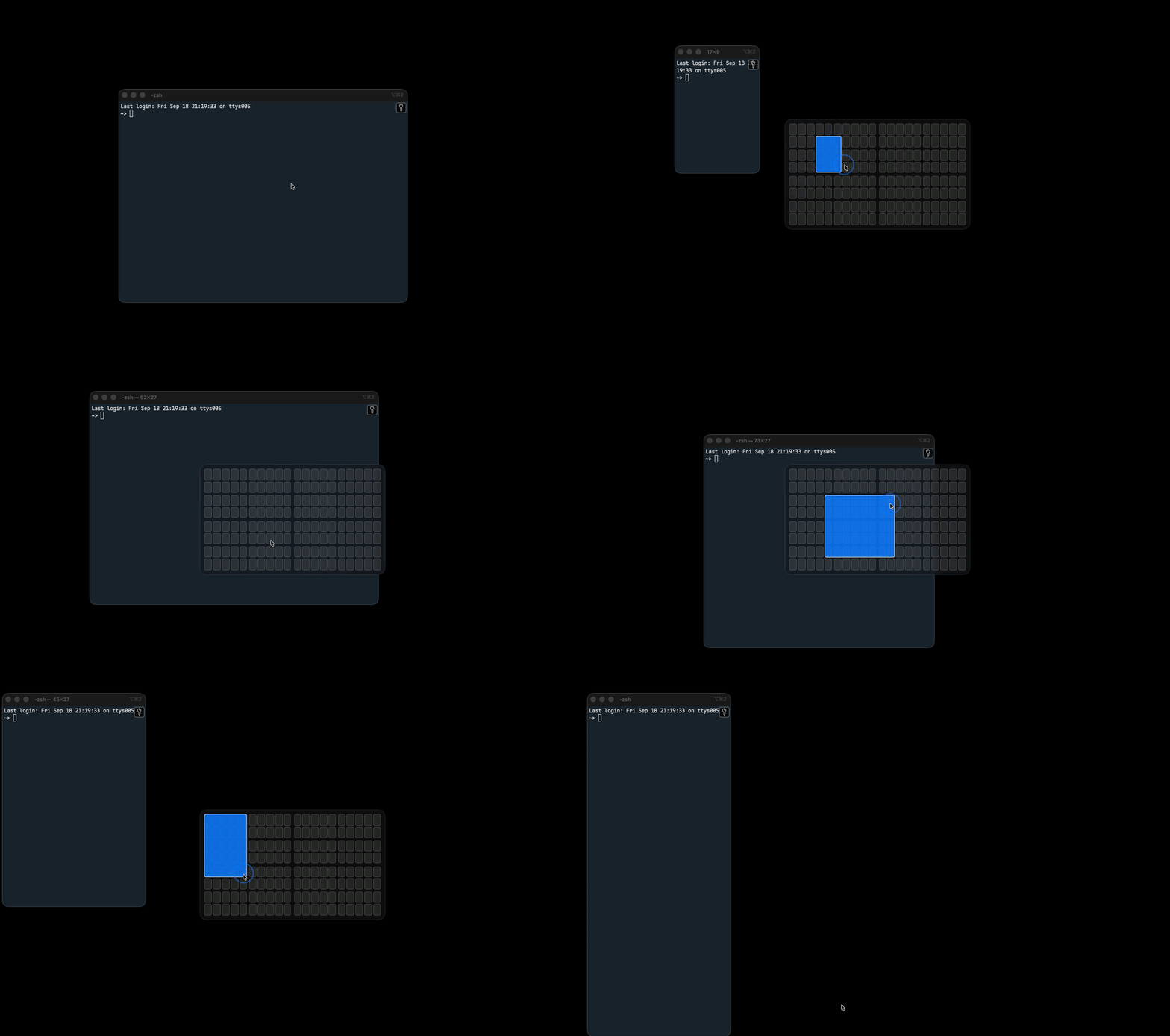
An open source alternative to Divvy for macOS. Press a shortcut, a grid appears, drag across the cells you want, and the window snaps there. Save a region as a preset and it becomes a one-keystroke snap.
swiftc compiles the files directly.With Homebrew:
brew install --cask konieczkow/tap/gridsnap
Or download GridSnap-x.y.z.zip from the latest release, unzip it and drag GridSnap to Applications.
On first launch GridSnap asks for Accessibility, which it needs to move other apps' windows. Turn it on under System Settings › Privacy & Security › Accessibility (the menu bar icon has a Grant Accessibility… item that opens that pane). GridSnap picks the grant up on its own, no relaunch needed.
Or build it yourself:
git clone https://github.com/konieczkow/gridsnap.git
cd gridsnap
./build.sh install
open /Applications/GridSnap.app
| Action | How |
|---|---|
| Show the grid | ⌃⌥D (change it in Settings) |
| Snap | Click or drag cells, release |
| Cancel | Esc, or drag outside the panel and release |
| Dismiss | Click anywhere outside the grid |
| Save a preset | Hold Shift when releasing, or use + in Settings |
| Apply a preset | Its shortcut, or the Presets menu |
| Undo last snap | ⌃⌥Z by default, press again to redo |
The grid appears on the display under the cursor and the window snaps to that display, so moving the mouse to another monitor before pressing the shortcut moves the window there. Presets snap to the display the window is already on.
Wider gutters in the grid mark halves, thirds and quarters.
Settings (menu bar icon › Settings…) holds both shortcuts, columns and rows, the gap in points between snapped windows, the target rule, and the presets table. Names and shortcuts are editable in place; − removes the selected preset.
./build.sh            # builds build/GridSnap.app
./build.sh install    # also copies it to /Applications
Resources/icon.png is the icon source; regenerate AppIcon.icns from it with iconutil if you change it.
Files in Sources/: main.swift startup, AX.swift window plumbing, Grid.swift overlay, Presets.swift, Hotkeys.swift, ShortcutButton.swift recorder, SettingsWindow.swift, Menu.swift, Defaults.swift stored settings.
macOS ties the Accessibility grant to the app's code signature. The default ad-hoc signature changes with every build, so you'd re-grant permission after each rebuild. To avoid that, create a self-signed certificate once (Keychain Access › Certificate Assistant › Create a Certificate, type "Code Signing", name it GridSnap Dev) and the build script picks it up. Any other identity works via CODESIGN_IDENTITY="name" ./build.sh.
MIT, see LICENSE.
20 followers · starred Oct 2026
An open source alternative to Divvy for macOS. Press a shortcut, a grid appears, drag across the cells you want, and the window snaps there. Save a region as a preset and it becomes a one-keystroke snap.
swiftc compiles the files directly.With Homebrew:
brew install --cask konieczkow/tap/gridsnap
Or download GridSnap-x.y.z.zip from the latest release, unzip it and drag GridSnap to Applications.
On first launch GridSnap asks for Accessibility, which it needs to move other apps' windows. Turn it on under System Settings › Privacy & Security › Accessibility (the menu bar icon has a Grant Accessibility… item that opens that pane). GridSnap picks the grant up on its own, no relaunch needed.
Or build it yourself:
git clone https://github.com/konieczkow/gridsnap.git
cd gridsnap
./build.sh install
open /Applications/GridSnap.app
| Action | How |
|---|---|
| Show the grid | ⌃⌥D (change it in Settings) |
| Snap | Click or drag cells, release |
| Cancel | Esc, or drag outside the panel and release |
| Dismiss | Click anywhere outside the grid |
| Save a preset | Hold Shift when releasing, or use + in Settings |
| Apply a preset | Its shortcut, or the Presets menu |
| Undo last snap | ⌃⌥Z by default, press again to redo |
The grid appears on the display under the cursor and the window snaps to that display, so moving the mouse to another monitor before pressing the shortcut moves the window there. Presets snap to the display the window is already on.
Wider gutters in the grid mark halves, thirds and quarters.
Settings (menu bar icon › Settings…) holds both shortcuts, columns and rows, the gap in points between snapped windows, the target rule, and the presets table. Names and shortcuts are editable in place; − removes the selected preset.
./build.sh            # builds build/GridSnap.app
./build.sh install    # also copies it to /Applications
Resources/icon.png is the icon source; regenerate AppIcon.icns from it with iconutil if you change it.
Files in Sources/: main.swift startup, AX.swift window plumbing, Grid.swift overlay, Presets.swift, Hotkeys.swift, ShortcutButton.swift recorder, SettingsWindow.swift, Menu.swift, Defaults.swift stored settings.
macOS ties the Accessibility grant to the app's code signature. The default ad-hoc signature changes with every build, so you'd re-grant permission after each rebuild. To avoid that, create a self-signed certificate once (Keychain Access › Certificate Assistant › Create a Certificate, type "Code Signing", name it GridSnap Dev) and the build script picks it up. Any other identity works via CODESIGN_IDENTITY="name" ./build.sh.
MIT, see LICENSE.
20 followers · starred Oct 2026



