A tiny pixel Claude mascot that lives on your Windows taskbar and shows your Claude plan usage. Unofficial fan project.
Python
9
37 commits
updated Oct 16, 2026





A tiny pixel Claude that lives on your Windows taskbar and keeps an eye on your Claude plan for you.
The bubble over its head shows how much of your 5-hour and weekly limits you've used (these cover claude.ai, the desktop app and Claude Code together). Hover over it for the details. While Claude Code is working, it puts on a wizard hat and acts out what Claude is doing.
If the pet makes you smile, a ⭐ on GitHub helps other people find it.
Start pet.bat.That's it: no terminal and no extra installs. The full steps are below if you need them.
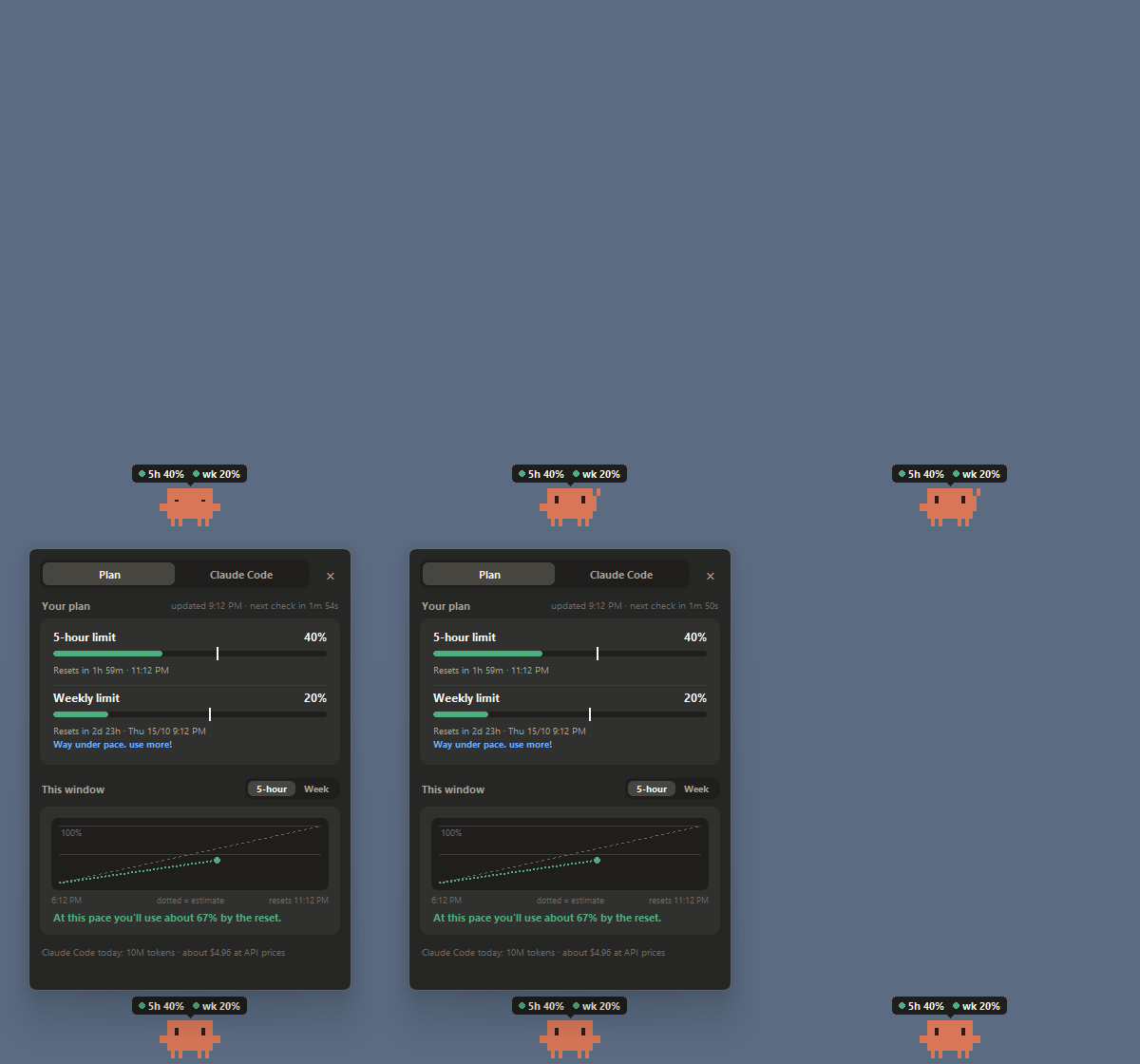
Your usage at a glance. The bubble rings yellow, then red, as you near a limit, and it warns you early if your pace would run out before the reset. Hover over the mascot for reset times, a chart of the current window and a forecast. A tray icon by the clock shows the same numbers.
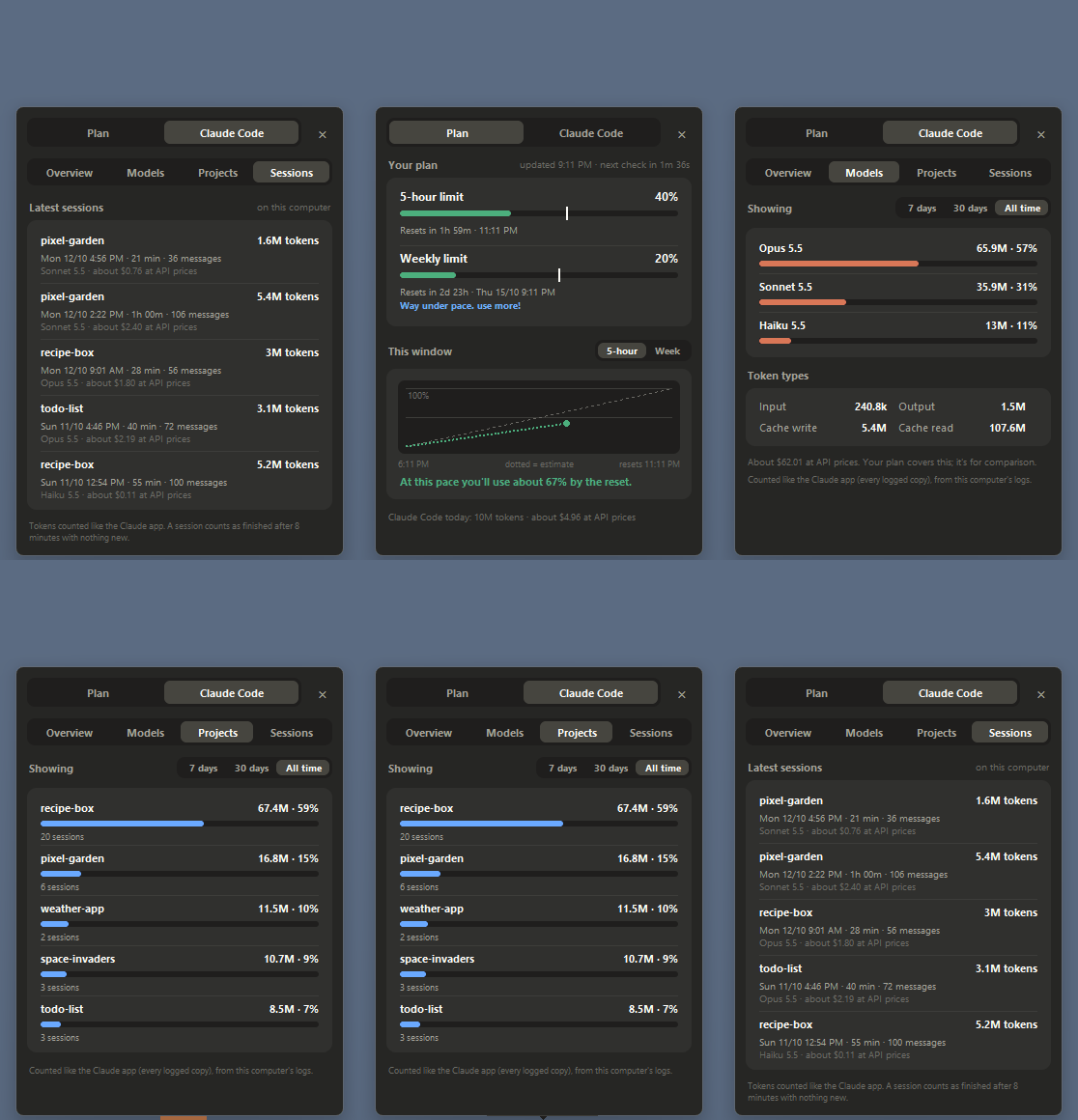
Claude Code stats. A Claude Code tab with token counts, models, projects, an activity grid, and a recap of each session when it finishes. All of it is read from Claude Code's logs on your own computer.
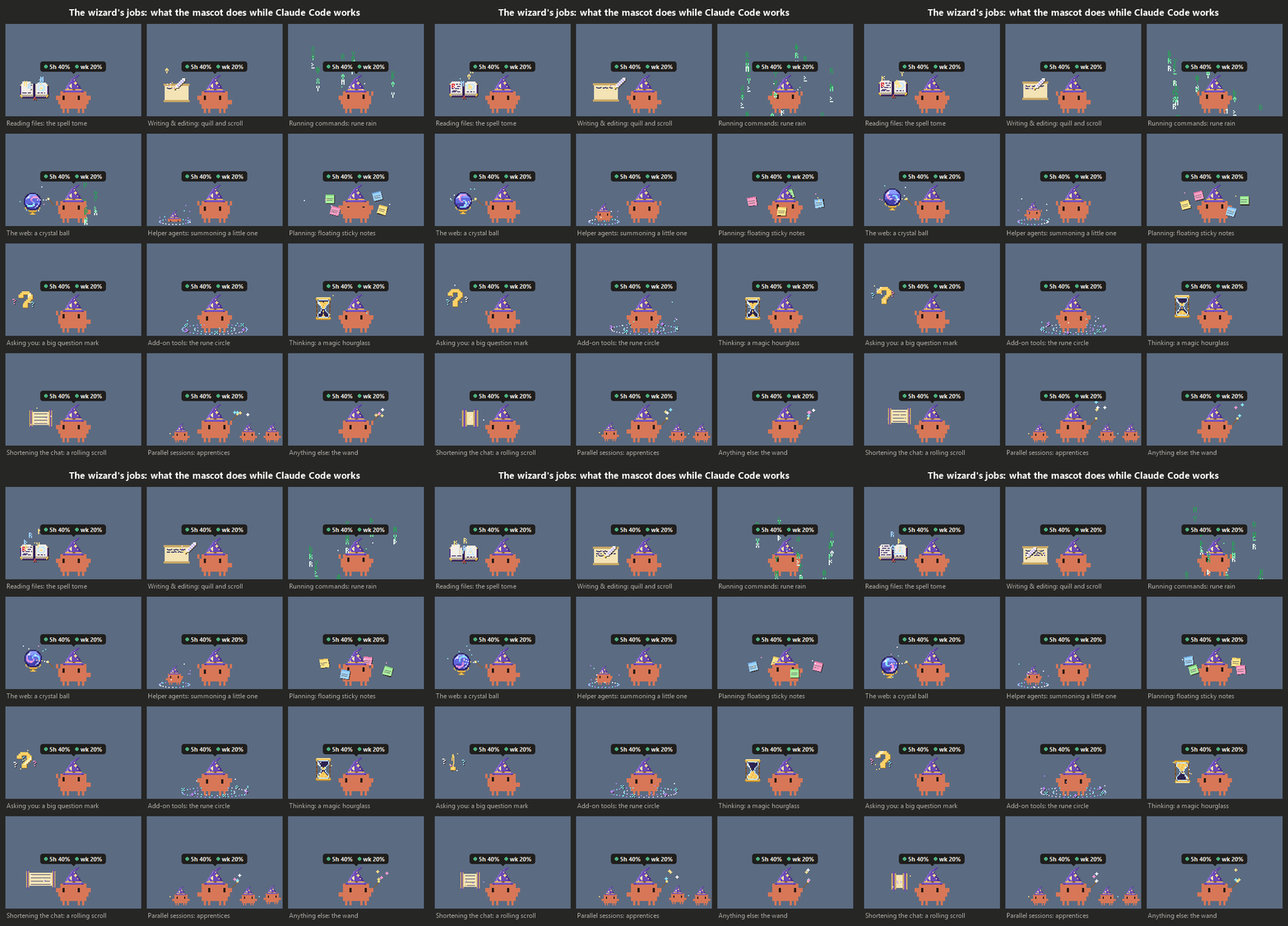
Wizard mode. While Claude Code works, the mascot casts a spell to match the tool it's using. It gets little apprentices when several sessions run at once.
A pet with a personality. It walks the taskbar, hops between monitors and onto your windows, naps when you're away, and gets bored when you ignore it. Then it finds something to do.
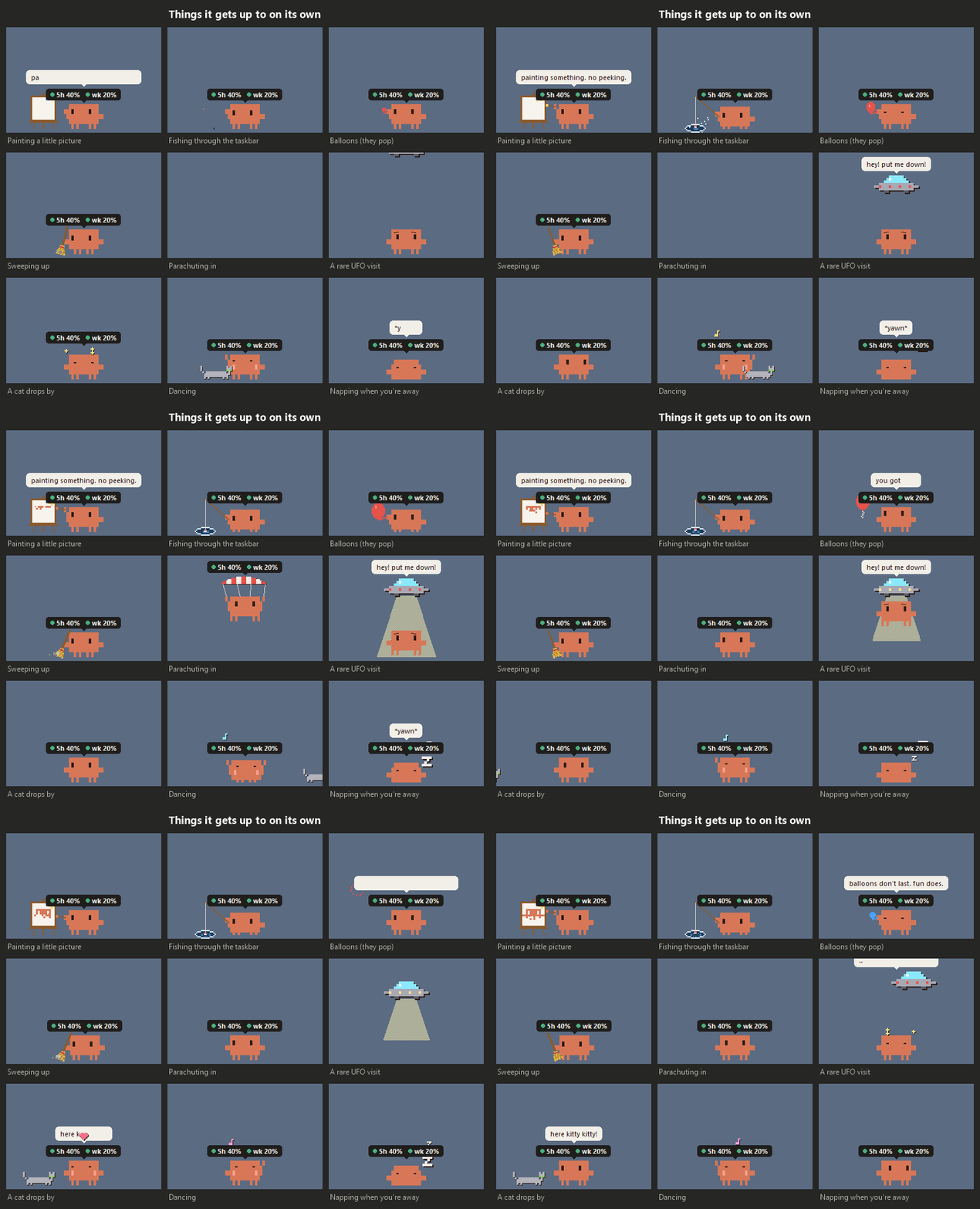
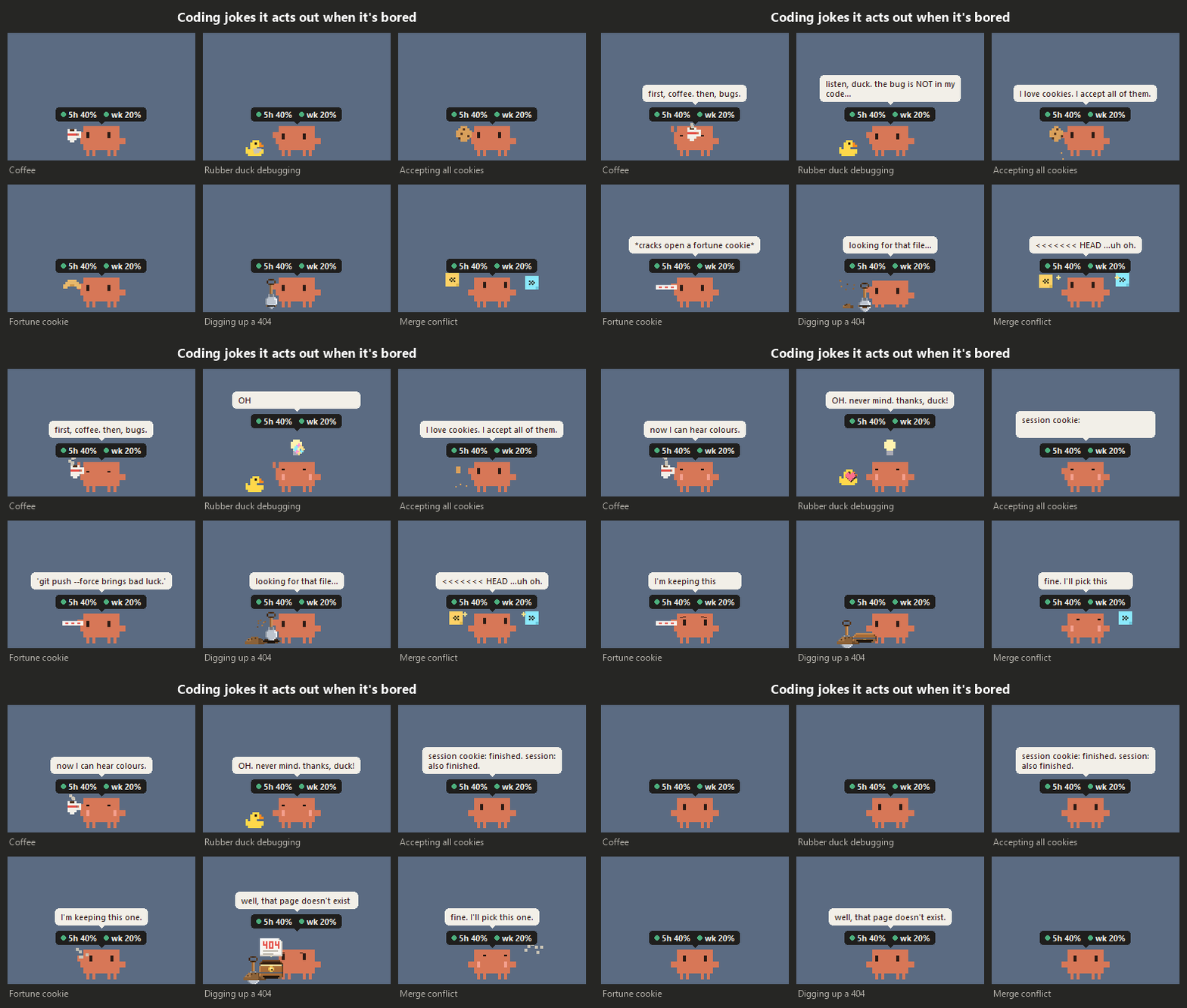
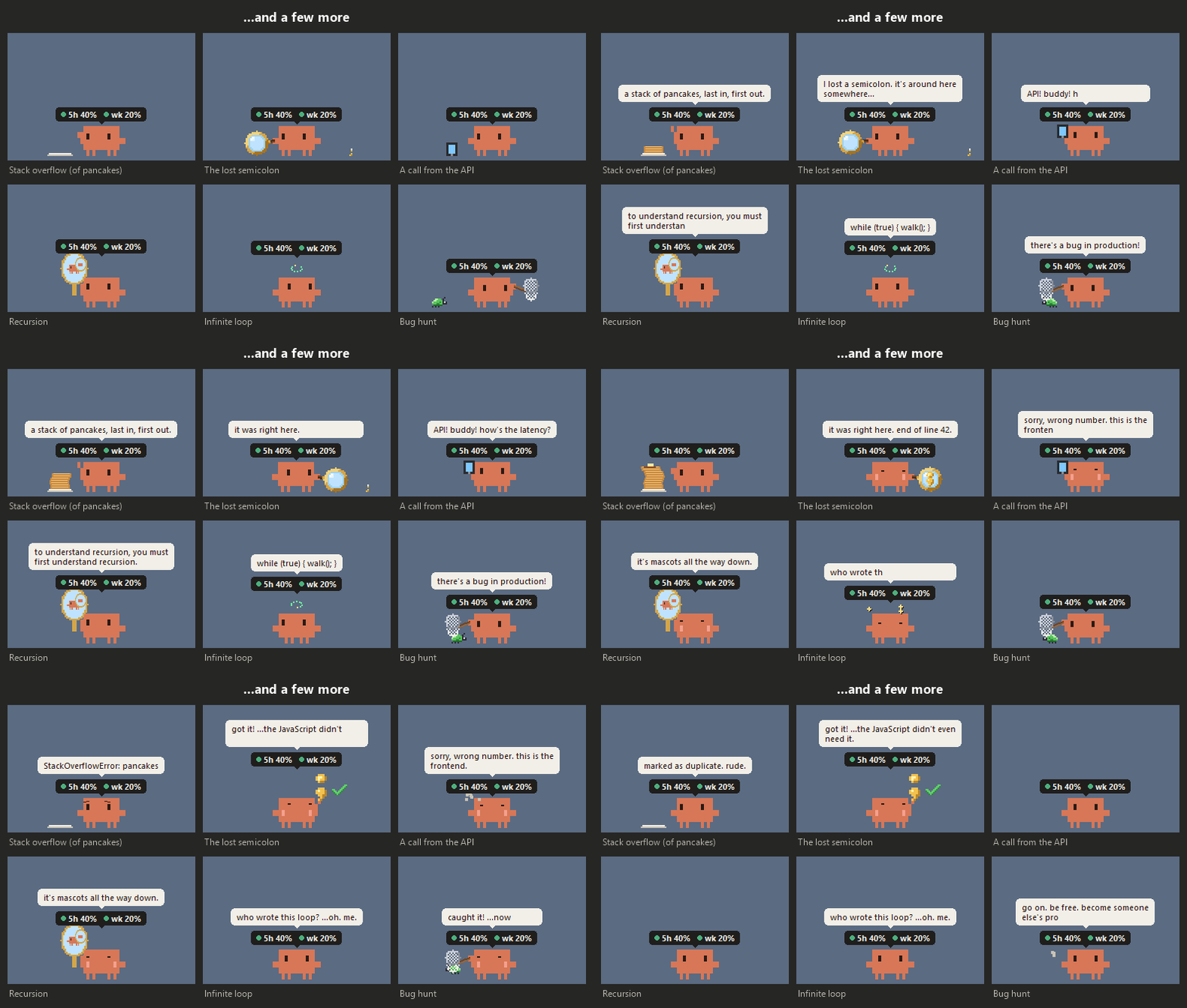
Play with it. Click it to poke it. Drag it around (it dangles from where you grab it), or throw it: it screams, bounces, and opens a parachute on long falls. Right-click it for a game of fetch, an hour of quiet, settings and more. Click the tray icon, or press Ctrl + Alt + H, and it comes running to your mouse.
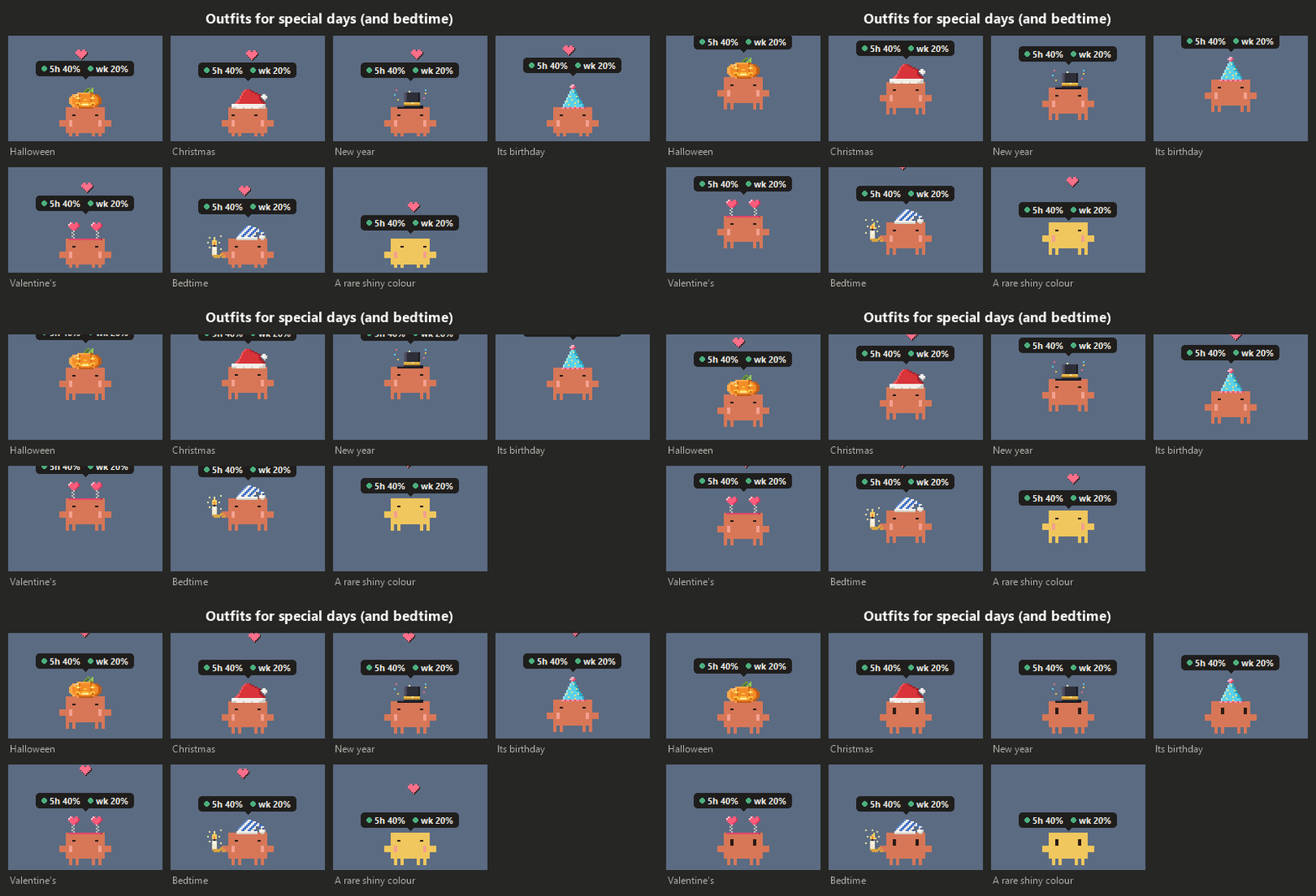
Dressed for the day. It wears outfits on special days and pajamas at bedtime, and once in a while it wakes up a rare colour.
Yours to tune. Everything can be switched off, from sounds and chatter to all animations. The settings window explains every option.
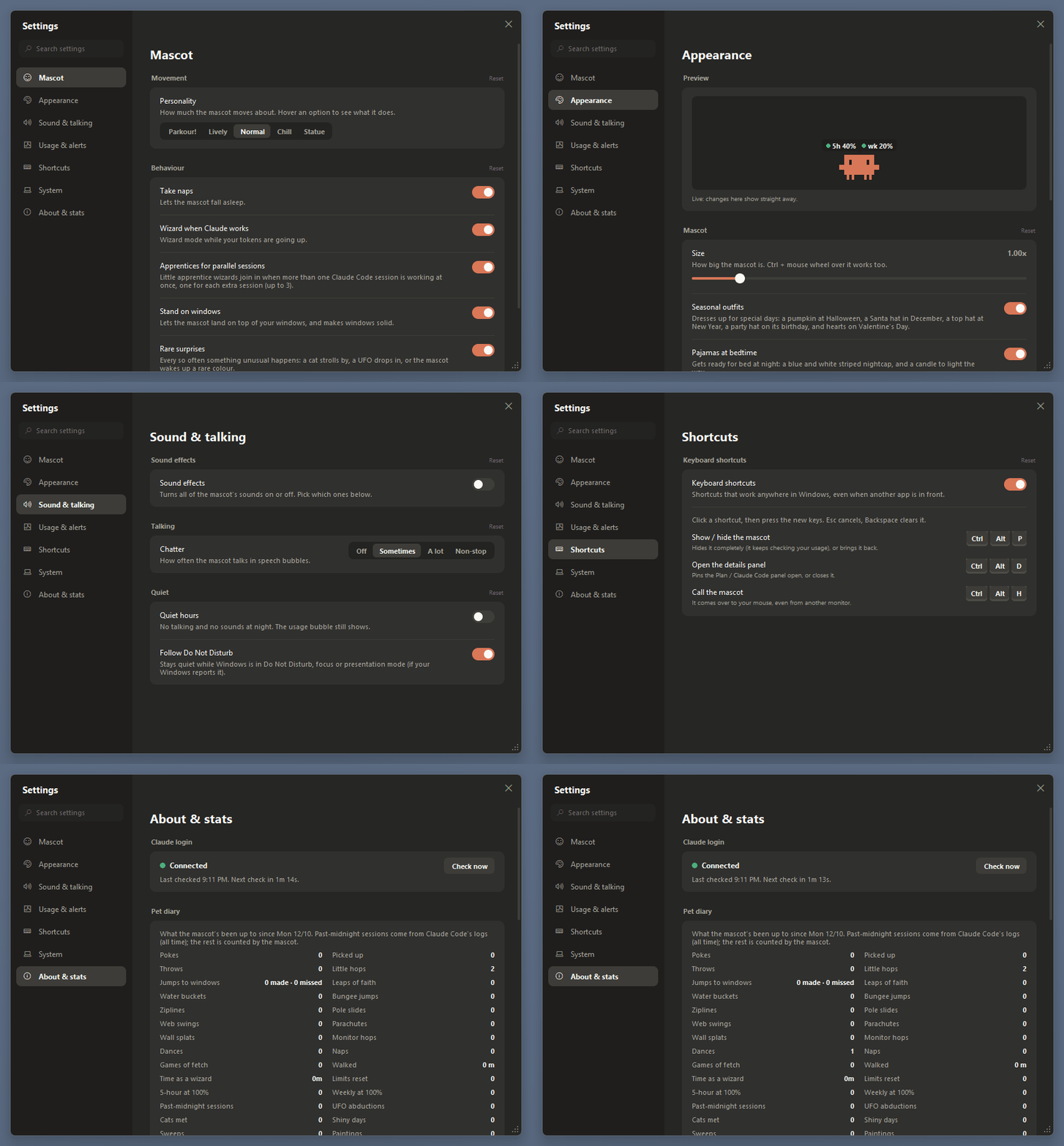
Also: optional sound effects and desktop notifications, quiet hours (it follows Windows' Do Not Disturb), hiding during full-screen apps, and keyboard shortcuts (Ctrl + Alt + P hides or shows it, Ctrl + Alt + D pins the details panel; you can change them).
pip install: it only uses Python's standard library.No terminal needed.
Program Files, because the pet saves its settings in its own data folder and can't write there.Start pet.bat. The mascot appears on your taskbar.
To stop it, right-click the mascot and choose Quit. To update it, download the newest release and unzip it over the old folder; your settings in data are kept.
If you use a terminal, py claude_pet.py runs it with a console window that shows errors as they happen.
data/pet_errors.log in the pet's folder says what went wrong.Still stuck? Open an issue.
~/.claude/.credentials.json on your computer. It sends it only to https://api.anthropic.com, to ask for your usage numbers. It never prints, logs or saves it anywhere else.~/.claude/projects) for the stats, but only numbers, times, model names and project folder names. It never reads what you or Claude wrote. Nothing from the logs leaves your computer.data folder. Its error log replaces your user folder with ~, so it's safe to paste into a bug report.See SECURITY.md for how to report a security problem privately.
/api/oauth/usage), so this could stop working at any time without notice.Bug reports and ideas are very welcome: please open an issue. This project doesn't take code changes from outside, but you're free to fork it under the licence. See CONTRIBUTING.md.
How everything works, in detail, is in docs/PROJECT_NOTES.md, and what changed in each version is in docs/CHANGELOG.md.
The code is under the MIT licence. That covers this project's code only: the Claude name and the Claude Code mascot design belong to Anthropic.
If the pet makes you smile, a ⭐ on GitHub helps other people find it.
A tiny pixel Claude mascot that lives on your Windows taskbar and shows your Claude plan usage. Unofficial fan project.
Python
9
37 commits
updated Oct 16, 2026
A tiny pixel Claude that lives on your Windows taskbar and keeps an eye on your Claude plan for you.
The bubble over its head shows how much of your 5-hour and weekly limits you've used (these cover claude.ai, the desktop app and Claude Code together). Hover over it for the details. While Claude Code is working, it puts on a wizard hat and acts out what Claude is doing.
If the pet makes you smile, a ⭐ on GitHub helps other people find it.
Start pet.bat.That's it: no terminal and no extra installs. The full steps are below if you need them.
Your usage at a glance. The bubble rings yellow, then red, as you near a limit, and it warns you early if your pace would run out before the reset. Hover over the mascot for reset times, a chart of the current window and a forecast. A tray icon by the clock shows the same numbers.
Claude Code stats. A Claude Code tab with token counts, models, projects, an activity grid, and a recap of each session when it finishes. All of it is read from Claude Code's logs on your own computer.
Wizard mode. While Claude Code works, the mascot casts a spell to match the tool it's using. It gets little apprentices when several sessions run at once.
A pet with a personality. It walks the taskbar, hops between monitors and onto your windows, naps when you're away, and gets bored when you ignore it. Then it finds something to do.
Play with it. Click it to poke it. Drag it around (it dangles from where you grab it), or throw it: it screams, bounces, and opens a parachute on long falls. Right-click it for a game of fetch, an hour of quiet, settings and more. Click the tray icon, or press Ctrl + Alt + H, and it comes running to your mouse.
Dressed for the day. It wears outfits on special days and pajamas at bedtime, and once in a while it wakes up a rare colour.
Yours to tune. Everything can be switched off, from sounds and chatter to all animations. The settings window explains every option.
Also: optional sound effects and desktop notifications, quiet hours (it follows Windows' Do Not Disturb), hiding during full-screen apps, and keyboard shortcuts (Ctrl + Alt + P hides or shows it, Ctrl + Alt + D pins the details panel; you can change them).
pip install: it only uses Python's standard library.No terminal needed.
Program Files, because the pet saves its settings in its own data folder and can't write there.Start pet.bat. The mascot appears on your taskbar.
To stop it, right-click the mascot and choose Quit. To update it, download the newest release and unzip it over the old folder; your settings in data are kept.
If you use a terminal, py claude_pet.py runs it with a console window that shows errors as they happen.
data/pet_errors.log in the pet's folder says what went wrong.Still stuck? Open an issue.
~/.claude/.credentials.json on your computer. It sends it only to https://api.anthropic.com, to ask for your usage numbers. It never prints, logs or saves it anywhere else.~/.claude/projects) for the stats, but only numbers, times, model names and project folder names. It never reads what you or Claude wrote. Nothing from the logs leaves your computer.data folder. Its error log replaces your user folder with ~, so it's safe to paste into a bug report.See SECURITY.md for how to report a security problem privately.
/api/oauth/usage), so this could stop working at any time without notice.Bug reports and ideas are very welcome: please open an issue. This project doesn't take code changes from outside, but you're free to fork it under the licence. See CONTRIBUTING.md.
How everything works, in detail, is in docs/PROJECT_NOTES.md, and what changed in each version is in docs/CHANGELOG.md.
The code is under the MIT licence. That covers this project's code only: the Claude name and the Claude Code mascot design belong to Anthropic.
If the pet makes you smile, a ⭐ on GitHub helps other people find it.



