Free, open-source Claude Code and Codex usage tracker for Windows, macOS and Linux. Your limits, always in view. Reads local usage logs, never your login.
C#
7
3 commits
updated Oct 16, 2026

Your Claude Code and Codex limits, always in view on Windows. 100% free and open source.




Download for Windows · All downloads
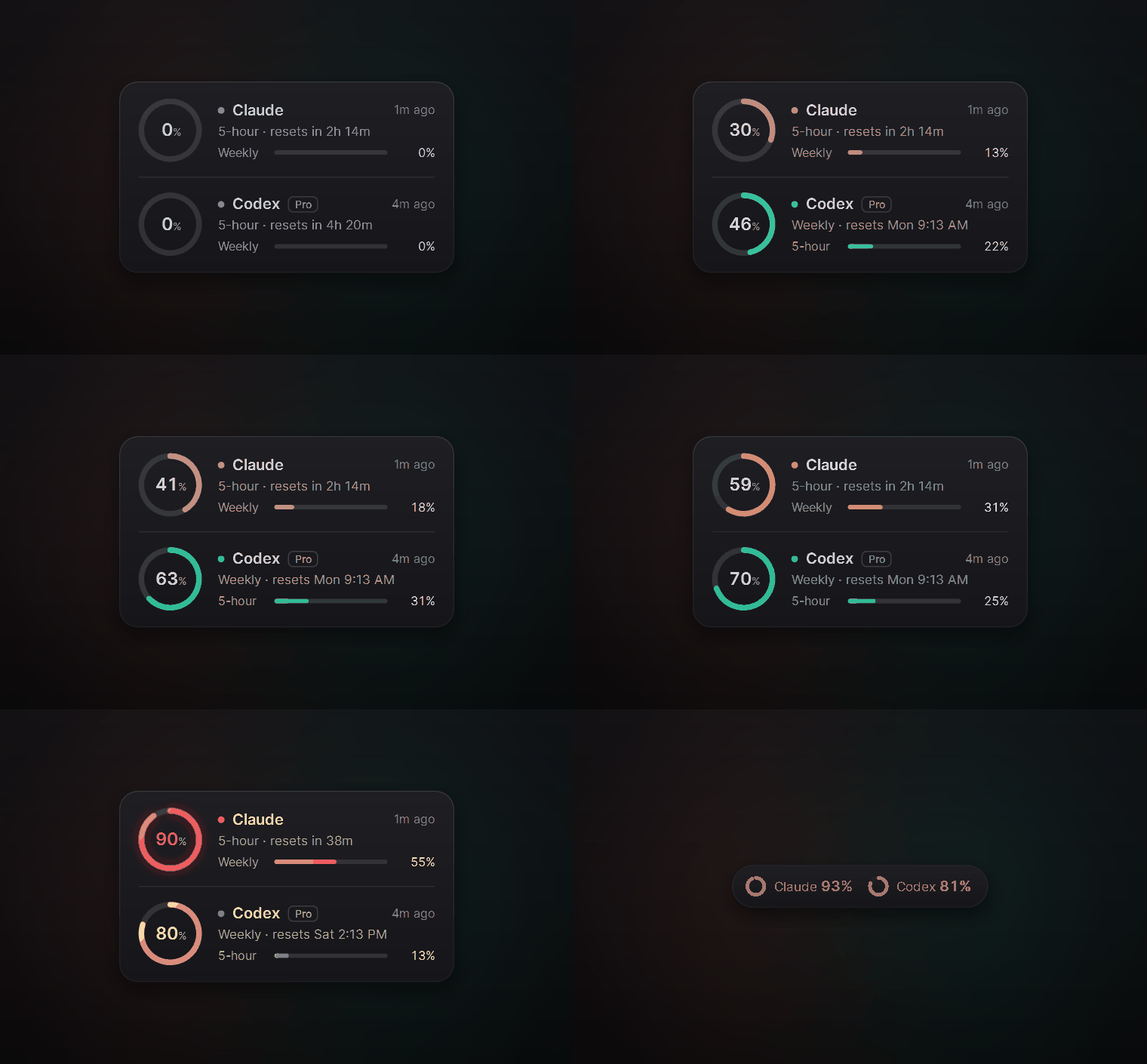
Ringside is a small always-on-top meter for Windows. It shows how much of your Claude and Codex usage limits you have used and when each one resets, so a limit never catches you in the middle of a task.
It never reads your login. Many usage meters read the token Claude Code or Codex keeps on disk and call the provider's servers with it. Ringside only reads the usage numbers your apps already save on your PC, and it never sends your usage anywhere.
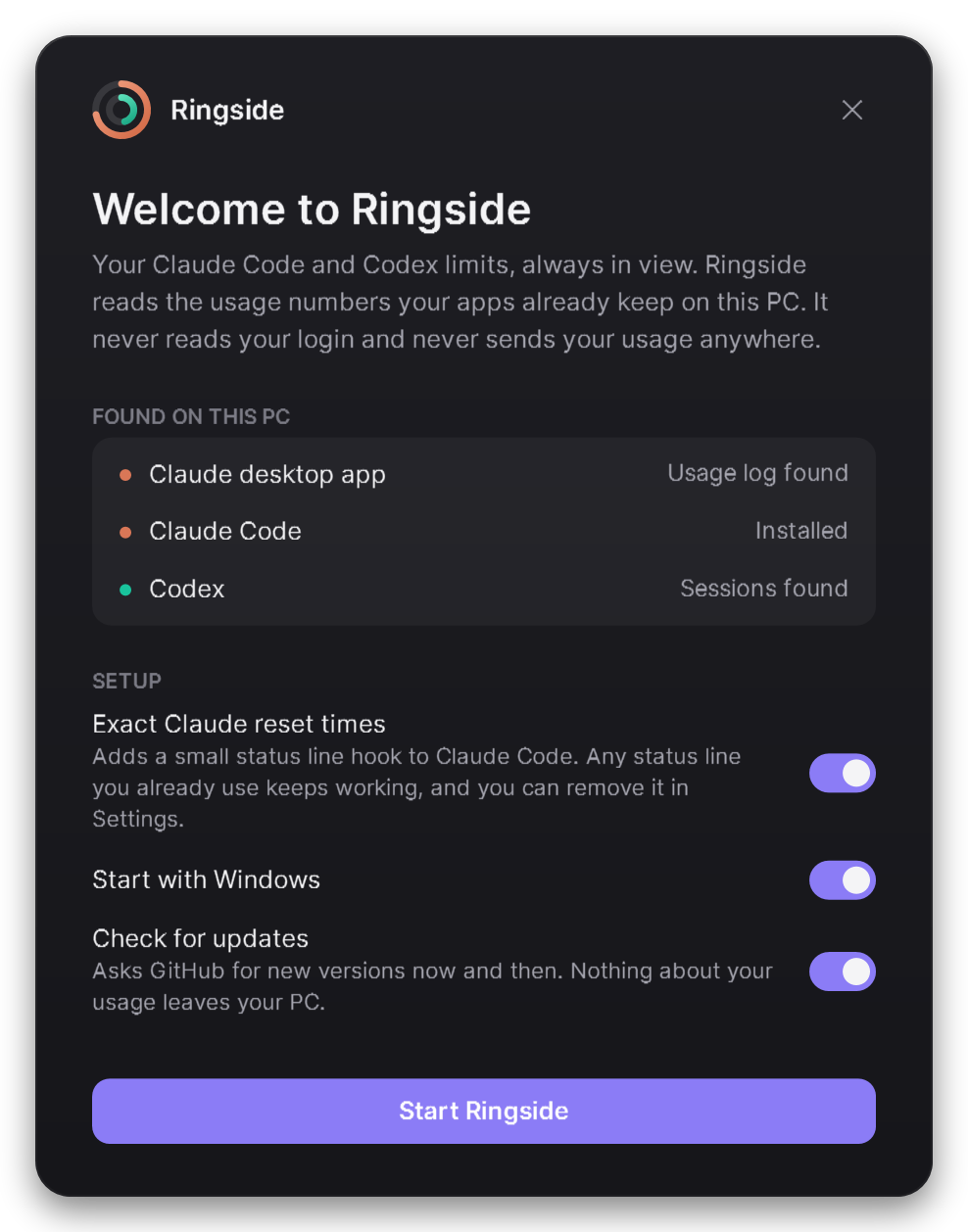
Windows may say "Windows protected your PC" because the installer is new and not code-signed yet. Choose More info, then Run anyway. Every download's SHA-256 checksum is listed in SHA256SUMS.txt on the release page.
Prefer no installer? Download Ringside-win-Portable.zip from the release page, unzip it anywhere and run Ringside.exe.
Works on Windows 10 and 11, 64-bit. Nothing else to install.
| Limit | Where the number comes from | How fresh |
|---|---|---|
| Claude 5-hour and weekly | The Claude desktop app's own usage log | Every 15 minutes while the app is open |
| Claude exact reset times | Claude Code's status line (optional, see below) | After every Claude Code reply |
| Codex 5-hour and weekly, plan and credits | Codex's local session logs | After every Codex reply |
Each ring shows the limit closest to running out. It turns amber at 75% and red at 90%. Hover a ring to see every limit, when it resets and where the number came from.
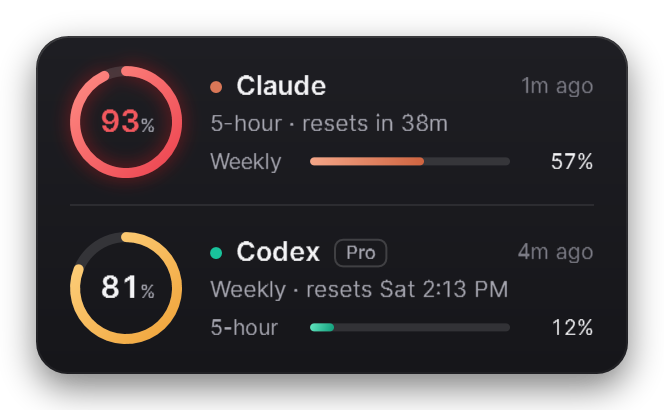
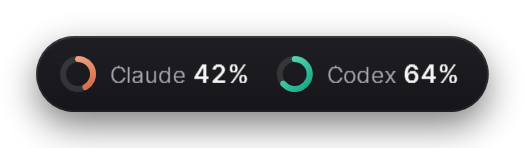
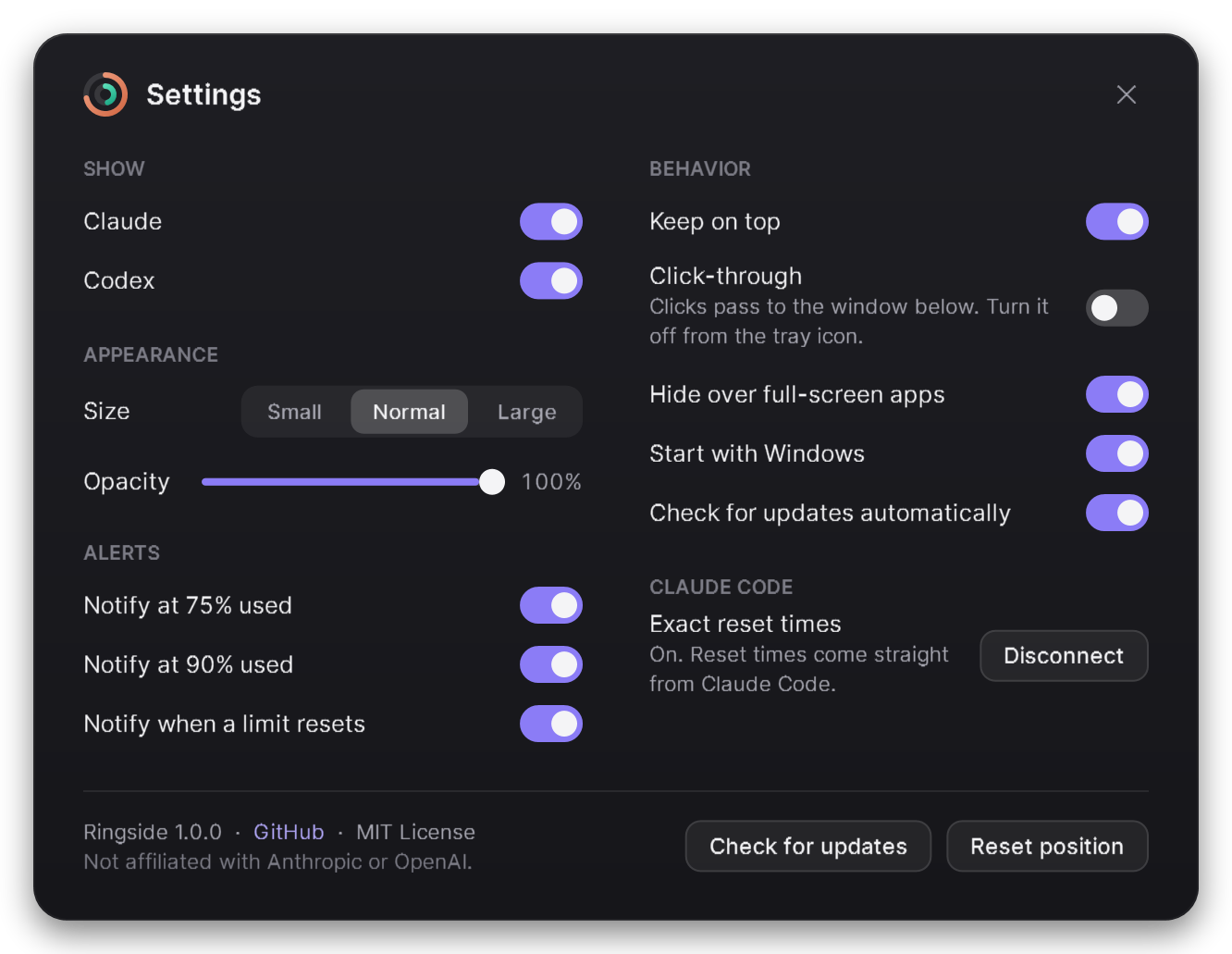
Show or hide either meter, change the size and opacity, get a notification at 75% or 90% and when a limit resets, keep it on top, make it click-through, start it with Windows and check for updates.
The Claude desktop app records how much of your 5-hour limit you have used, but not when it resets, so Ringside estimates the reset from its samples. If you use Claude Code in a terminal, Ringside can get the exact time and your weekly limit instead.
Claude Code hands its status line command your current limits after each reply. With this option on, Ringside points that command at ringside-statusline.exe, a small program that saves the limits for Ringside and then prints your status line as before.
5h 26% · resets 2h 29m | 7d 12%Open Settings, then Apps, find Ringside and choose Uninstall. That removes the startup entry and restores your Claude Code status line. To also remove your settings, delete %APPDATA%\Ringside.
Does it work without the Claude desktop app? Yes, if you connect Claude Code. Without either, the Claude meter waits for data.
Why does the Claude ring say "as of 3:12 PM"? The Claude app only writes its usage log while it is open. When the newest reading is more than 35 minutes old, the ring dims and shows when it was taken.
Does it count API usage? No. It shows plan limits (such as Pro, Max and Team), which is what the 5-hour and weekly windows are.
Mac or Linux? Not yet. On a Mac, CodexBar does this job well.
You need the .NET 8 SDK. The status line bridge is compiled to native code, which also needs Visual Studio's Desktop development with C++ workload.
git clone https://github.com/KNIGHT-AI-AV/ringside
cd ringside
./build.ps1                       # test and build
./build.ps1 -Version 1.0.0 -Pack  # also build the installer into artifacts/releases (needs: dotnet tool install -g vpk)
Ringside is WPF on .NET 8. Velopack builds the installer and handles updates.
If Ringside saves you from hitting a limit in the middle of a task, a star on GitHub helps other people find it.
MIT. Ringside is an independent project and is not affiliated with Anthropic or OpenAI. Claude and Codex are trademarks of their owners.
Free, open-source Claude Code and Codex usage tracker for Windows, macOS and Linux. Your limits, always in view. Reads local usage logs, never your login.
C#
7
3 commits
updated Oct 16, 2026
Your Claude Code and Codex limits, always in view on Windows. 100% free and open source.
Download for Windows · All downloads
Ringside is a small always-on-top meter for Windows. It shows how much of your Claude and Codex usage limits you have used and when each one resets, so a limit never catches you in the middle of a task.
It never reads your login. Many usage meters read the token Claude Code or Codex keeps on disk and call the provider's servers with it. Ringside only reads the usage numbers your apps already save on your PC, and it never sends your usage anywhere.
Windows may say "Windows protected your PC" because the installer is new and not code-signed yet. Choose More info, then Run anyway. Every download's SHA-256 checksum is listed in SHA256SUMS.txt on the release page.
Prefer no installer? Download Ringside-win-Portable.zip from the release page, unzip it anywhere and run Ringside.exe.
Works on Windows 10 and 11, 64-bit. Nothing else to install.
| Limit | Where the number comes from | How fresh |
|---|---|---|
| Claude 5-hour and weekly | The Claude desktop app's own usage log | Every 15 minutes while the app is open |
| Claude exact reset times | Claude Code's status line (optional, see below) | After every Claude Code reply |
| Codex 5-hour and weekly, plan and credits | Codex's local session logs | After every Codex reply |
Each ring shows the limit closest to running out. It turns amber at 75% and red at 90%. Hover a ring to see every limit, when it resets and where the number came from.
Show or hide either meter, change the size and opacity, get a notification at 75% or 90% and when a limit resets, keep it on top, make it click-through, start it with Windows and check for updates.
The Claude desktop app records how much of your 5-hour limit you have used, but not when it resets, so Ringside estimates the reset from its samples. If you use Claude Code in a terminal, Ringside can get the exact time and your weekly limit instead.
Claude Code hands its status line command your current limits after each reply. With this option on, Ringside points that command at ringside-statusline.exe, a small program that saves the limits for Ringside and then prints your status line as before.
5h 26% · resets 2h 29m | 7d 12%Open Settings, then Apps, find Ringside and choose Uninstall. That removes the startup entry and restores your Claude Code status line. To also remove your settings, delete %APPDATA%\Ringside.
Does it work without the Claude desktop app? Yes, if you connect Claude Code. Without either, the Claude meter waits for data.
Why does the Claude ring say "as of 3:12 PM"? The Claude app only writes its usage log while it is open. When the newest reading is more than 35 minutes old, the ring dims and shows when it was taken.
Does it count API usage? No. It shows plan limits (such as Pro, Max and Team), which is what the 5-hour and weekly windows are.
Mac or Linux? Not yet. On a Mac, CodexBar does this job well.
You need the .NET 8 SDK. The status line bridge is compiled to native code, which also needs Visual Studio's Desktop development with C++ workload.
git clone https://github.com/KNIGHT-AI-AV/ringside
cd ringside
./build.ps1                       # test and build
./build.ps1 -Version 1.0.0 -Pack  # also build the installer into artifacts/releases (needs: dotnet tool install -g vpk)
Ringside is WPF on .NET 8. Velopack builds the installer and handles updates.
If Ringside saves you from hitting a limit in the middle of a task, a star on GitHub helps other people find it.
MIT. Ringside is an independent project and is not affiliated with Anthropic or OpenAI. Claude and Codex are trademarks of their owners.



