A dev environment for AI agents.
See the codeA dev environment for AI agents. Run Claude, Codex, Cursor, OpenCode, Pi, Command Code, Grok, Kimi Code, and Antigravity in parallel - each in its own git worktree - on your laptop or your own server.
Tauri v2 · React 19 · Rust · TypeScript · Tailwind CSS v4 · shadcn/ui v4 · Zustand v5 · TanStack Query · Pierre Diffs · xterm.js
Jean is an opinionated AI agent workspace. It has strong opinions about how AI-assisted development should work: every task gets its own git worktree, agents run in parallel, and git work, reviews, terminals, and GitHub, Linear, and Sentry integrations live in one cohesive workflow.
Run it as a native desktop app, as a headless jean-server on Linux, or both: the desktop app shows local and remote projects together in one sidebar, grouped by server.
No vendor lock-in. Jean uses your own CLI installations and subscriptions, and everything runs on machines you control.
For more information, take a look at jean.build.
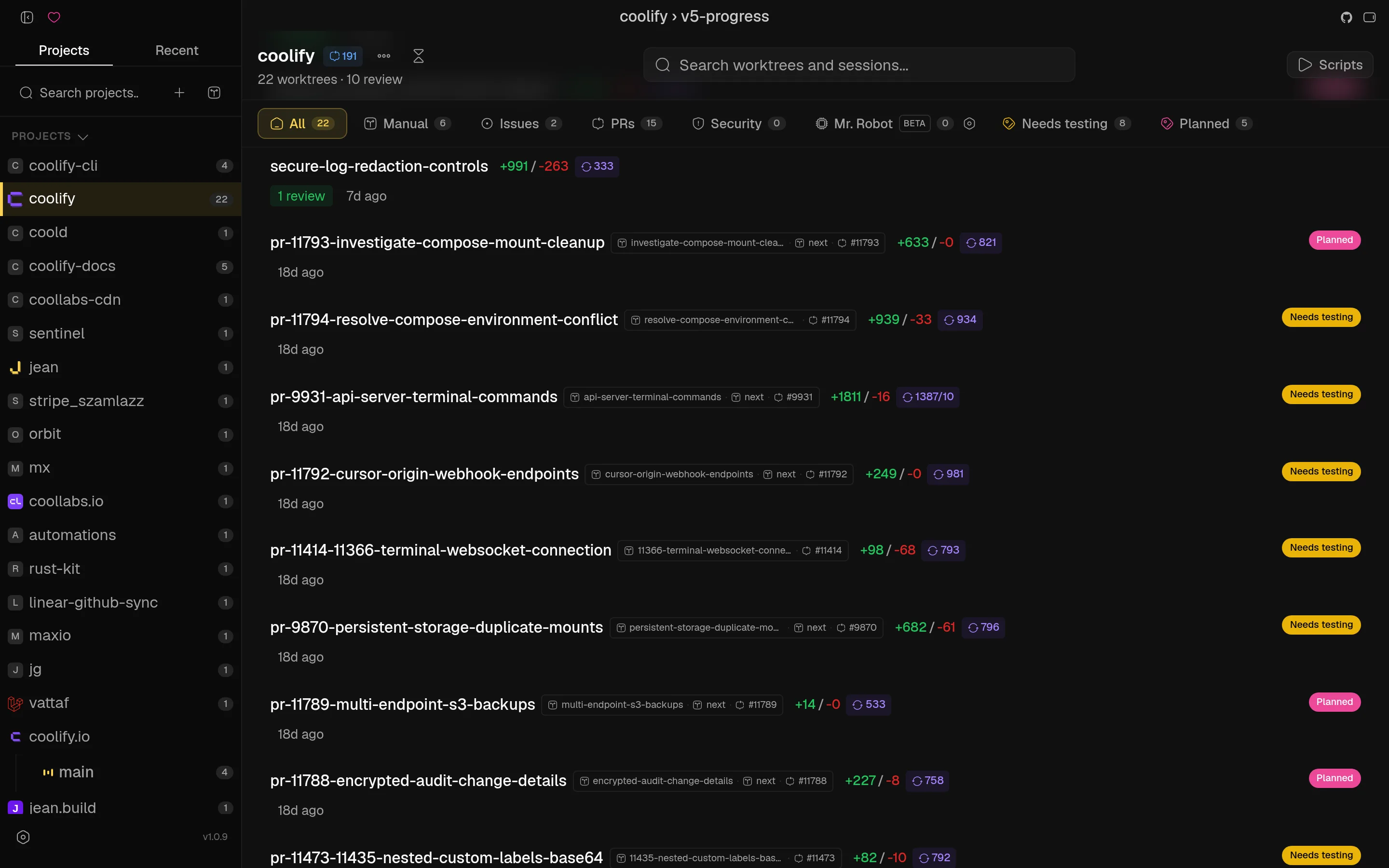
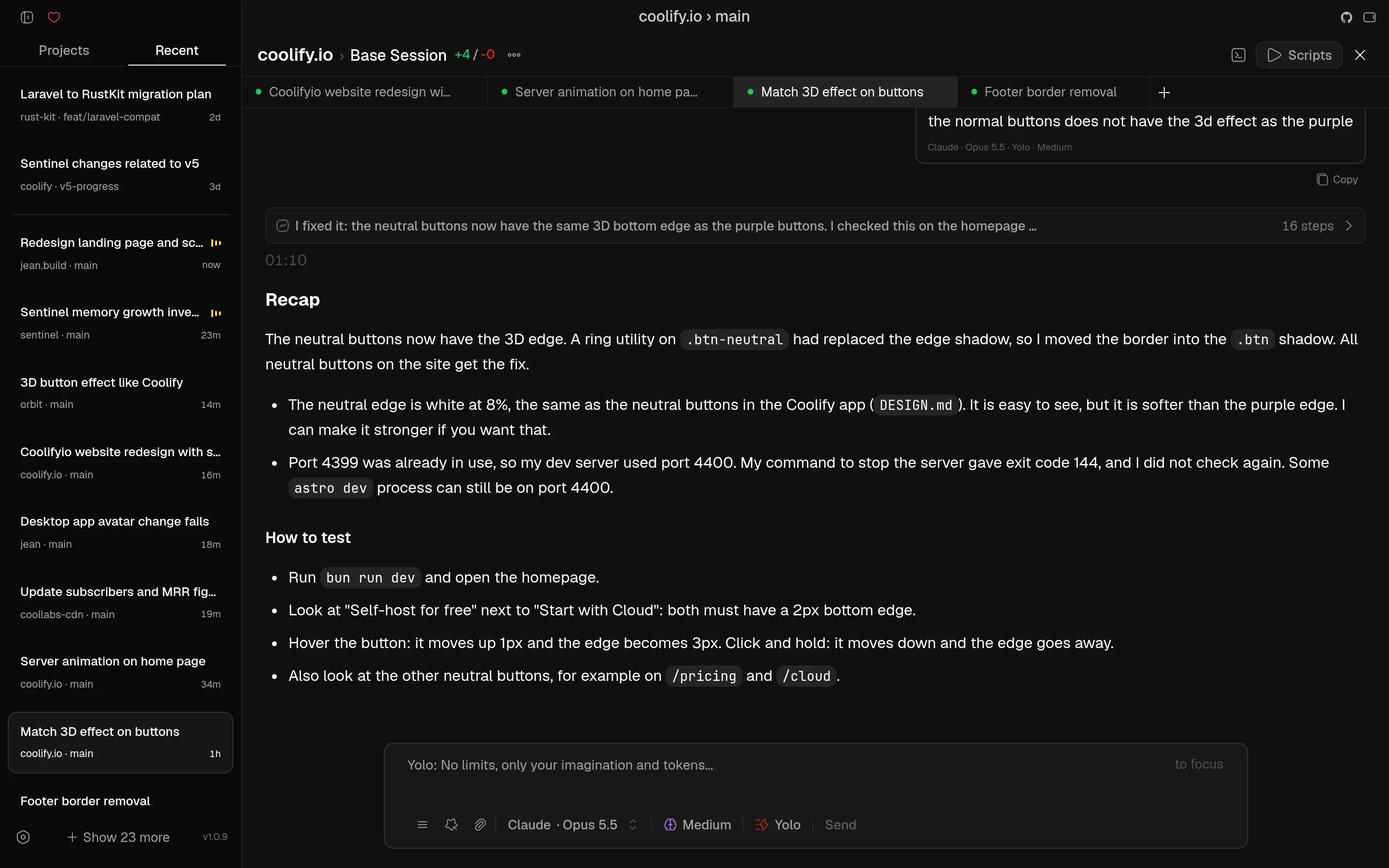 Recent sessions & parallel agents | 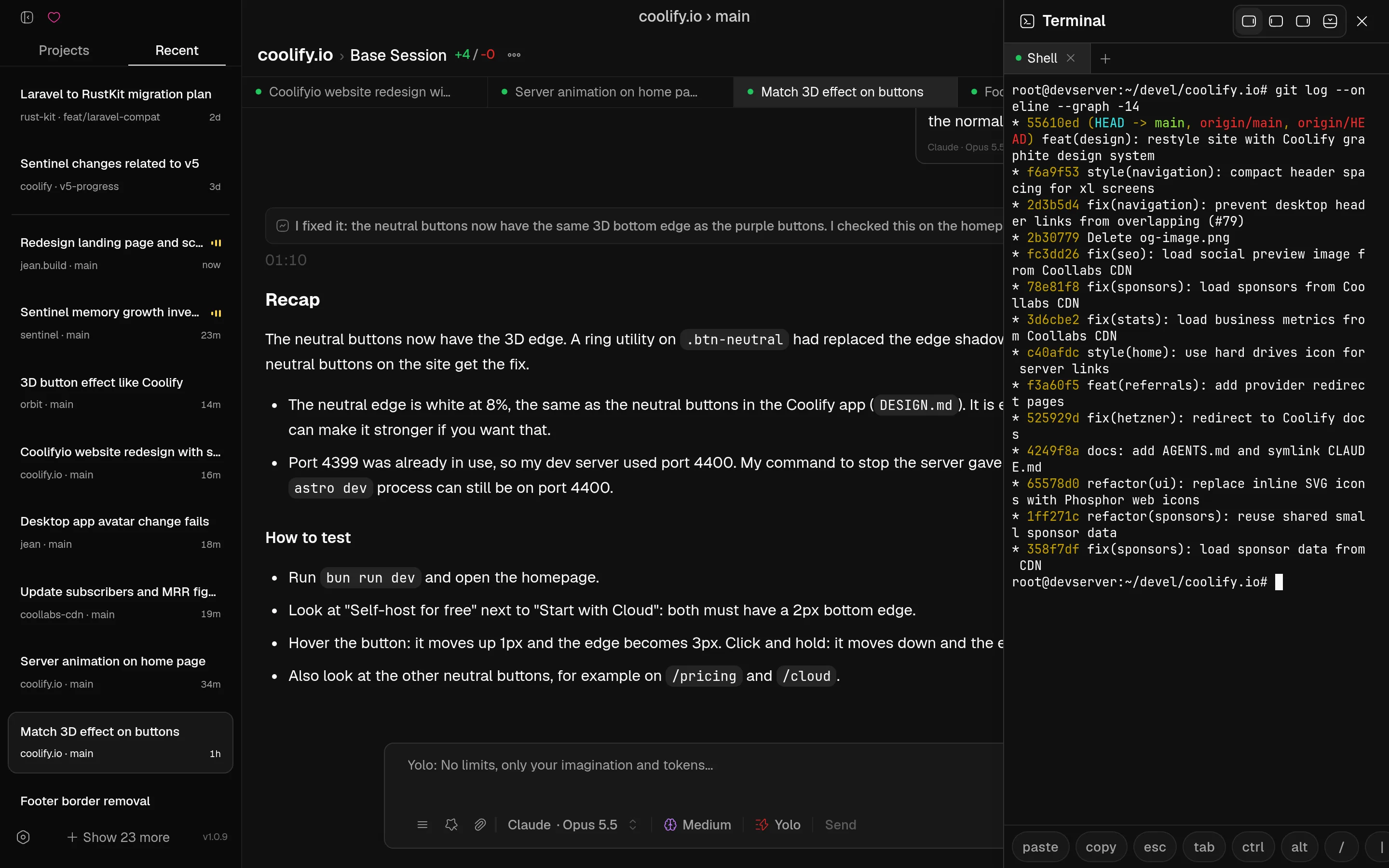 Built-in terminal |
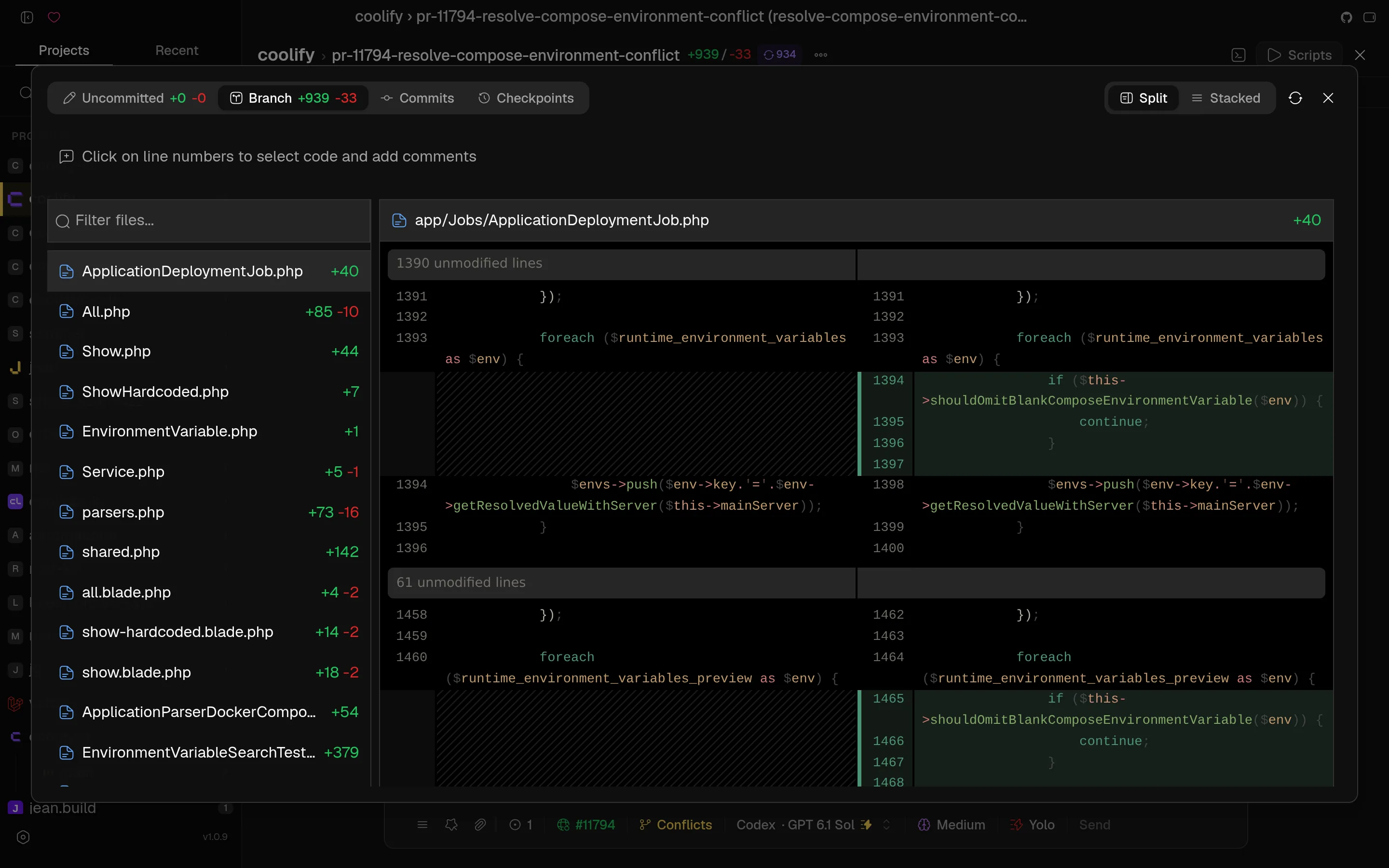 Diff review with line comments | 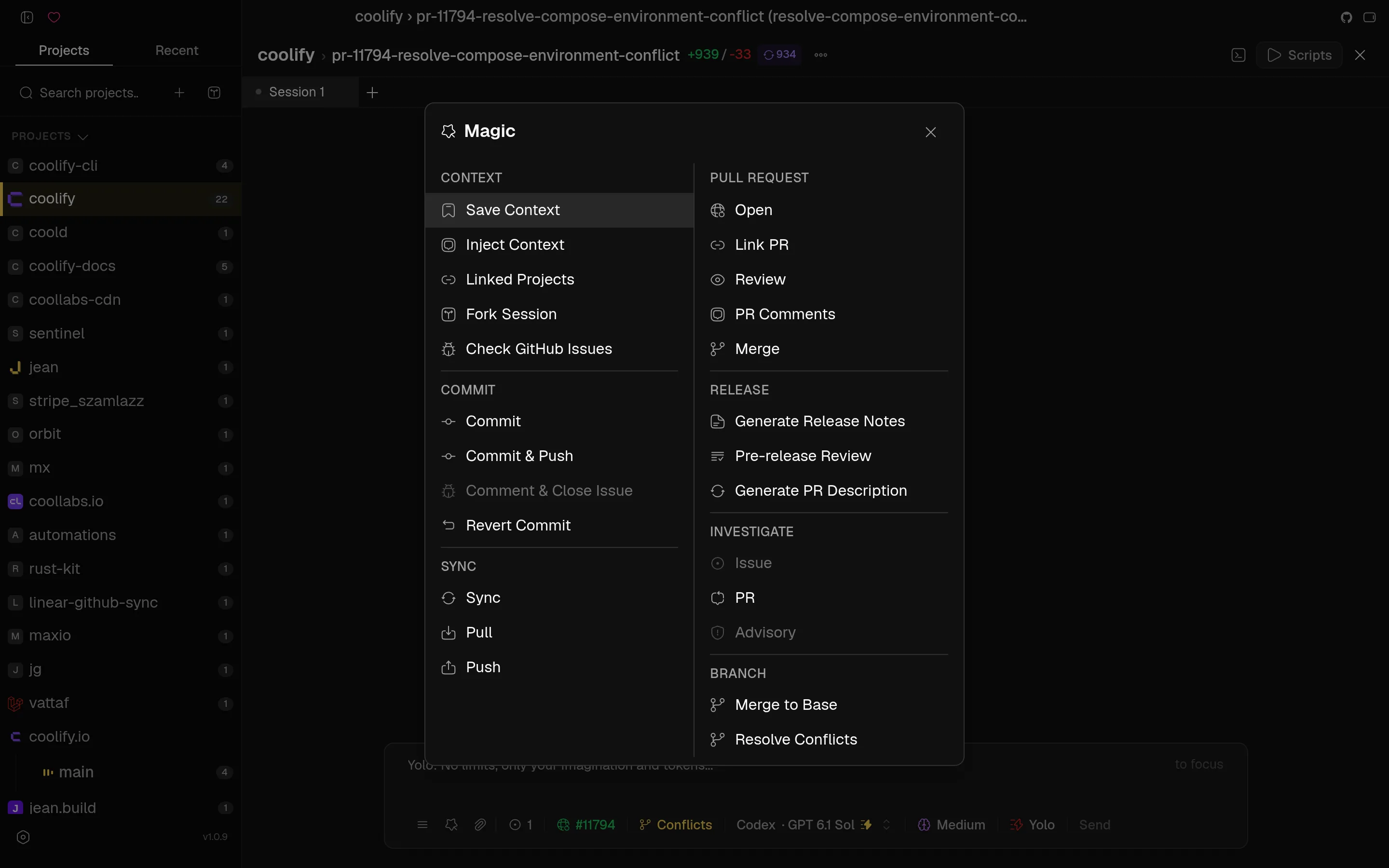 Magic commands |
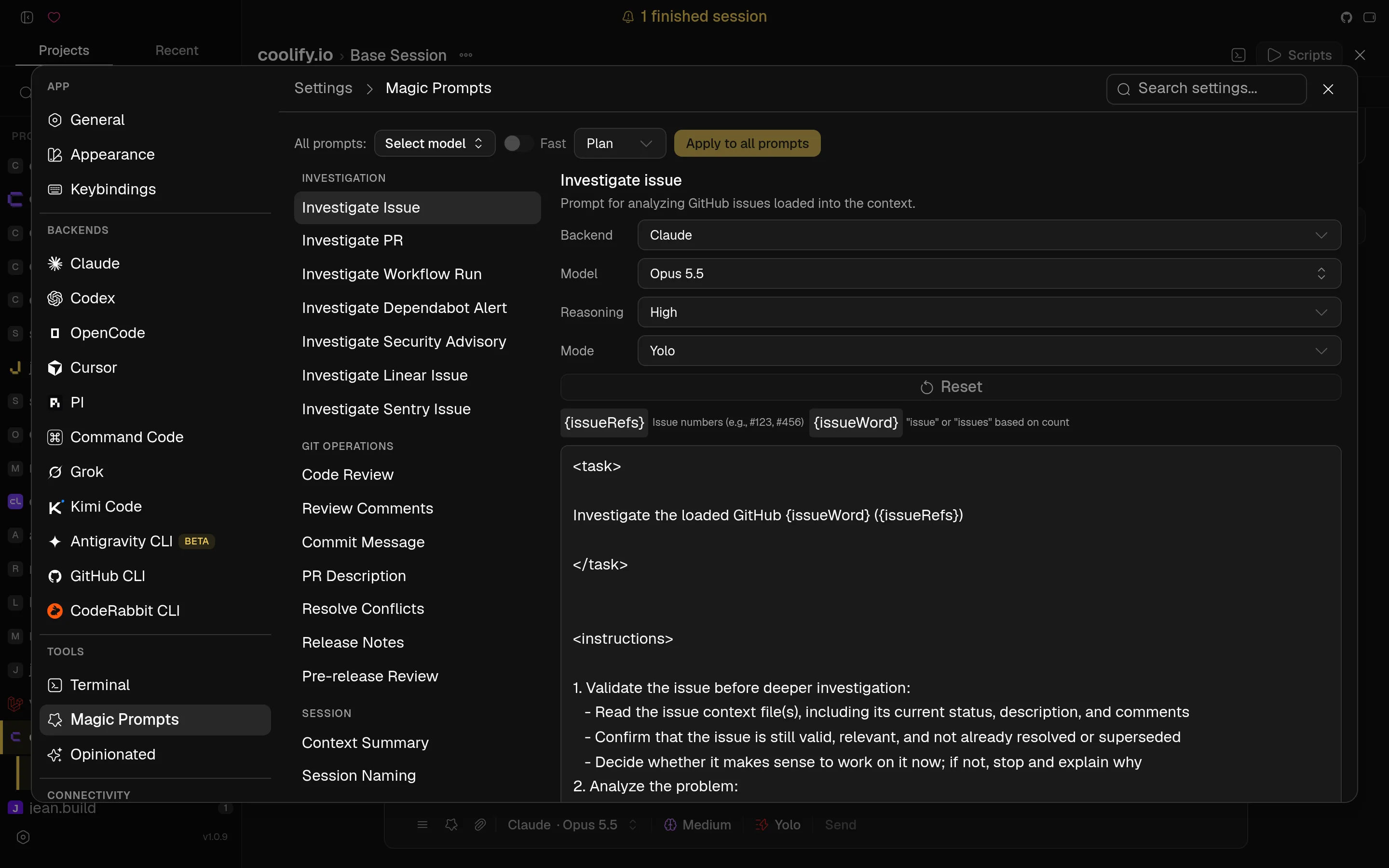 Magic prompts | 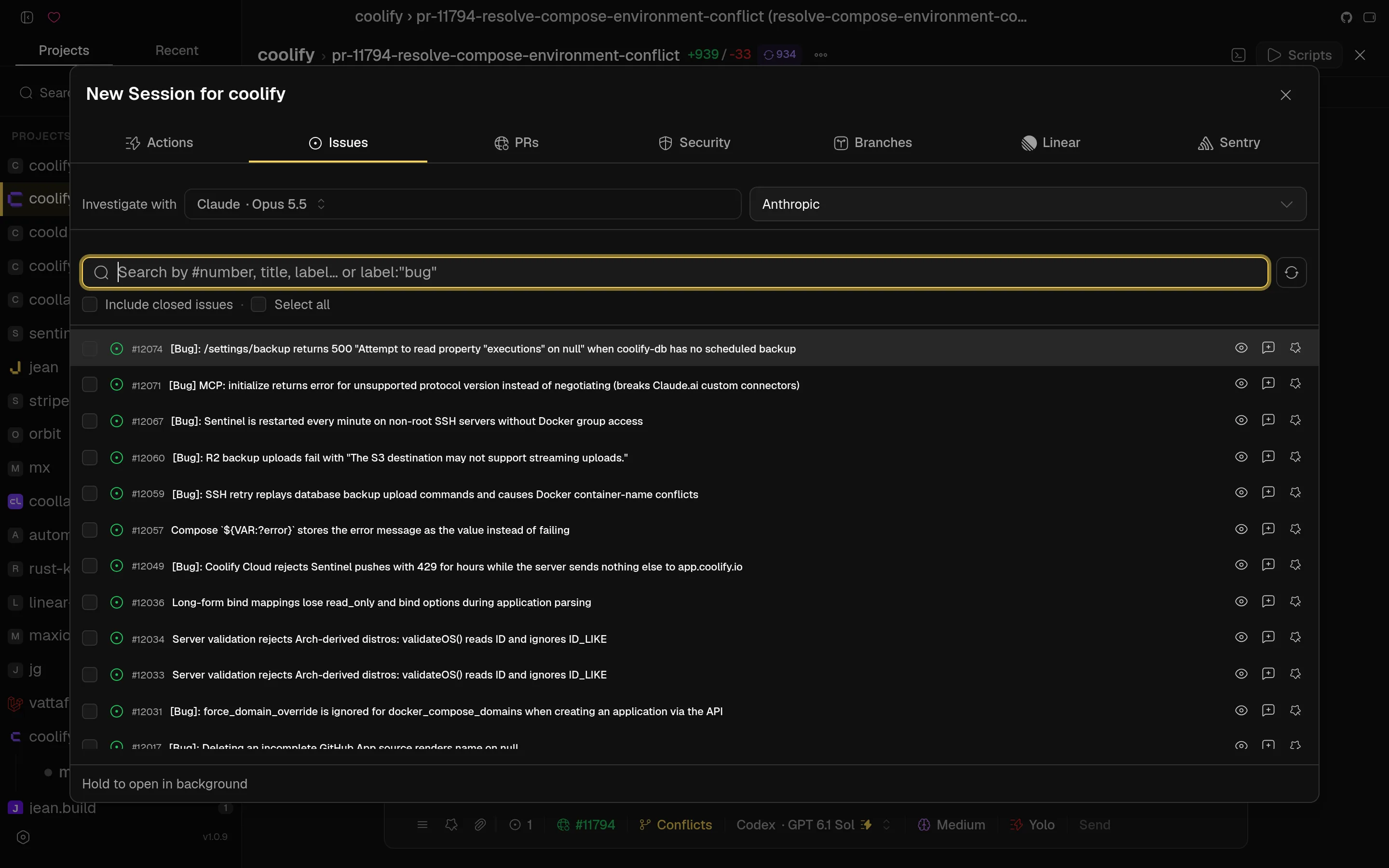 Start from an issue, PR, Linear or Sentry |
/goal tracking, session recap/digest, saved contexts with AI summarization, archiving with retention settings, recovery, auto-naming, canvas viewsCmd/Ctrl+Shift+B), usage and token trackingjean-server instances to the desktop app (or install one over SSH); their projects appear next to your local ones and every action runs on the server that owns the projectDownload the latest version from the GitHub Releases page or visit jean.build.
brew tap coollabsio/jean
brew install --cask jean
Prerequisites:
kernel32.lib and other system libraries required by Rust)See CONTRIBUTING.md for full development setup and guidelines.
Every Jean instance can run Web Access: an embedded HTTP + WebSocket server that serves the same UI in a browser. That applies to both:
| Mode | How you get Web Access |
|---|---|
| Native desktop (macOS / Windows / Linux) | Settings → Web Access - enable the HTTP server, set port/bind address, copy the token URL |
Headless server (jean-server) | Always on - the process is the Web Access endpoint |
Use it to open Jean from another machine on your LAN, a phone/tablet browser, or a remote host. Token authentication is on by default; keep it enabled for any non-localhost bind.
Web Access binds a normal TCP port (default 3456). For access beyond the local machine, prefer a private mesh VPN rather than exposing the port to the public internet:
jean-server --host 127.0.0.1 plus tailscale serve --bg 3456 so the
browser gets real HTTPS (clipboard and other secure-context APIs work).
Binding the Tailscale IP directly (--host tailscale) is HTTP-only and
browsers will treat it as an insecure origin.127.0.0.1Keep token auth enabled, use a long random token
(openssl rand -base64 32), and avoid binding 0.0.0.0 on untrusted networks
unless you also terminate TLS and restrict who can reach the port.
127.0.0.1 for local only, LAN IP,
0.0.0.0, or your Tailscale IP)?token=...) in a browser, or share it with
devices that can reach that hostThe desktop app can work with any number of Jean servers at the same time:
jean-server on that machine for you, orThere is no switching: sessions, terminals, file previews, and git actions run on the server that owns the project. Uncheck Include in combined dashboard to hide a server without removing it.
jean-server)Run Jean as a standalone Linux server with browser Web Access - no desktop window, GTK, or WebView required. Linux amd64 and arm64 only (glibc + OpenSSL 3; Ubuntu 22.04+ / Debian 12+ recommended).
Interactive install (prompts for bind interface + port when a TTY is available):
curl -fsSL https://raw.githubusercontent.com/coollabsio/jean/main/scripts/install-jean-server.sh | sudo bash
Non-interactive (defaults to 127.0.0.1:3456, or pass --host / --port):
curl -fsSL https://raw.githubusercontent.com/coollabsio/jean/main/scripts/install-jean-server.sh | sudo bash -s -- -y
Or from a clone:
sudo ./scripts/install-jean-server.sh --host 127.0.0.1 --port 3456 -y
The installer downloads the latest release, installs the binary, writes an env
file (host/port/token), and registers a systemd service. Re-run to upgrade;
existing tokens are preserved unless you pass --token.
Common options:
# Public bind with an explicit token
sudo ./scripts/install-jean-server.sh \
  --host 0.0.0.0 \
  --port 3456 \
  --token "$(openssl rand -base64 32)" \
  -y

# Tailscale-only bind (auto-detect Tailscale IPv4) - recommended for remote use
sudo ./scripts/install-jean-server.sh --host tailscale -y

# Current user only (user systemd unit)
./scripts/install-jean-server.sh --user-install --host 127.0.0.1 -y
jean-server --host 127.0.0.1 --port 3456
# or with an explicit token:
jean-server --host 127.0.0.1 --port 3456 --token "$JEAN_TOKEN"
--host accepts localhost, presets (tailscale, lan, 0.0.0.0, …), or
any IP/hostname to bind only that interface. Docker images are also published
as ghcr.io/coollabsio/jean-server.
See docs/headless-server.md for systemd details, reverse proxies, updates, and security notes.
See CONTRIBUTING.md for development setup and guidelines.
| Andras Bacsai |
|---|
 |
   |
Learn more about our approach: Philosophy
(top 24 of 35)
2,091 followers · starred Aug 2026
321 followers · starred Jan 2026
514 followers · starred Jan 2026
186 followers · starred Feb 2026
A dev environment for AI agents.
See the codeA dev environment for AI agents. Run Claude, Codex, Cursor, OpenCode, Pi, Command Code, Grok, Kimi Code, and Antigravity in parallel - each in its own git worktree - on your laptop or your own server.
Tauri v2 · React 19 · Rust · TypeScript · Tailwind CSS v4 · shadcn/ui v4 · Zustand v5 · TanStack Query · Pierre Diffs · xterm.js
Jean is an opinionated AI agent workspace. It has strong opinions about how AI-assisted development should work: every task gets its own git worktree, agents run in parallel, and git work, reviews, terminals, and GitHub, Linear, and Sentry integrations live in one cohesive workflow.
Run it as a native desktop app, as a headless jean-server on Linux, or both: the desktop app shows local and remote projects together in one sidebar, grouped by server.
No vendor lock-in. Jean uses your own CLI installations and subscriptions, and everything runs on machines you control.
For more information, take a look at jean.build.
Recent sessions & parallel agents | Built-in terminal |
Diff review with line comments | Magic commands |
Magic prompts | Start from an issue, PR, Linear or Sentry |
/goal tracking, session recap/digest, saved contexts with AI summarization, archiving with retention settings, recovery, auto-naming, canvas viewsCmd/Ctrl+Shift+B), usage and token trackingjean-server instances to the desktop app (or install one over SSH); their projects appear next to your local ones and every action runs on the server that owns the projectDownload the latest version from the GitHub Releases page or visit jean.build.
brew tap coollabsio/jean
brew install --cask jean
Prerequisites:
kernel32.lib and other system libraries required by Rust)See CONTRIBUTING.md for full development setup and guidelines.
Every Jean instance can run Web Access: an embedded HTTP + WebSocket server that serves the same UI in a browser. That applies to both:
| Mode | How you get Web Access |
|---|---|
| Native desktop (macOS / Windows / Linux) | Settings → Web Access - enable the HTTP server, set port/bind address, copy the token URL |
Headless server (jean-server) | Always on - the process is the Web Access endpoint |
Use it to open Jean from another machine on your LAN, a phone/tablet browser, or a remote host. Token authentication is on by default; keep it enabled for any non-localhost bind.
Web Access binds a normal TCP port (default 3456). For access beyond the local machine, prefer a private mesh VPN rather than exposing the port to the public internet:
jean-server --host 127.0.0.1 plus tailscale serve --bg 3456 so the
browser gets real HTTPS (clipboard and other secure-context APIs work).
Binding the Tailscale IP directly (--host tailscale) is HTTP-only and
browsers will treat it as an insecure origin.127.0.0.1Keep token auth enabled, use a long random token
(openssl rand -base64 32), and avoid binding 0.0.0.0 on untrusted networks
unless you also terminate TLS and restrict who can reach the port.
127.0.0.1 for local only, LAN IP,
0.0.0.0, or your Tailscale IP)?token=...) in a browser, or share it with
devices that can reach that hostThe desktop app can work with any number of Jean servers at the same time:
jean-server on that machine for you, orThere is no switching: sessions, terminals, file previews, and git actions run on the server that owns the project. Uncheck Include in combined dashboard to hide a server without removing it.
jean-server)Run Jean as a standalone Linux server with browser Web Access - no desktop window, GTK, or WebView required. Linux amd64 and arm64 only (glibc + OpenSSL 3; Ubuntu 22.04+ / Debian 12+ recommended).
Interactive install (prompts for bind interface + port when a TTY is available):
curl -fsSL https://raw.githubusercontent.com/coollabsio/jean/main/scripts/install-jean-server.sh | sudo bash
Non-interactive (defaults to 127.0.0.1:3456, or pass --host / --port):
curl -fsSL https://raw.githubusercontent.com/coollabsio/jean/main/scripts/install-jean-server.sh | sudo bash -s -- -y
Or from a clone:
sudo ./scripts/install-jean-server.sh --host 127.0.0.1 --port 3456 -y
The installer downloads the latest release, installs the binary, writes an env
file (host/port/token), and registers a systemd service. Re-run to upgrade;
existing tokens are preserved unless you pass --token.
Common options:
# Public bind with an explicit token
sudo ./scripts/install-jean-server.sh \
  --host 0.0.0.0 \
  --port 3456 \
  --token "$(openssl rand -base64 32)" \
  -y

# Tailscale-only bind (auto-detect Tailscale IPv4) - recommended for remote use
sudo ./scripts/install-jean-server.sh --host tailscale -y

# Current user only (user systemd unit)
./scripts/install-jean-server.sh --user-install --host 127.0.0.1 -y
jean-server --host 127.0.0.1 --port 3456
# or with an explicit token:
jean-server --host 127.0.0.1 --port 3456 --token "$JEAN_TOKEN"
--host accepts localhost, presets (tailscale, lan, 0.0.0.0, …), or
any IP/hostname to bind only that interface. Docker images are also published
as ghcr.io/coollabsio/jean-server.
See docs/headless-server.md for systemd details, reverse proxies, updates, and security notes.
See CONTRIBUTING.md for development setup and guidelines.
| Andras Bacsai |
|---|
|
| |
Learn more about our approach: Philosophy
(top 24 of 35)
2,091 followers · starred Aug 2026
321 followers · starred Jan 2026
514 followers · starred Jan 2026
186 followers · starred Feb 2026



