
High-performance local developer workspace — editor, terminals, AI chat, git diff, notes, prompt queue. Rust BE + SolidJS FE. Cross-platform.
See the codeSee what people are saying
README
AgentGrove


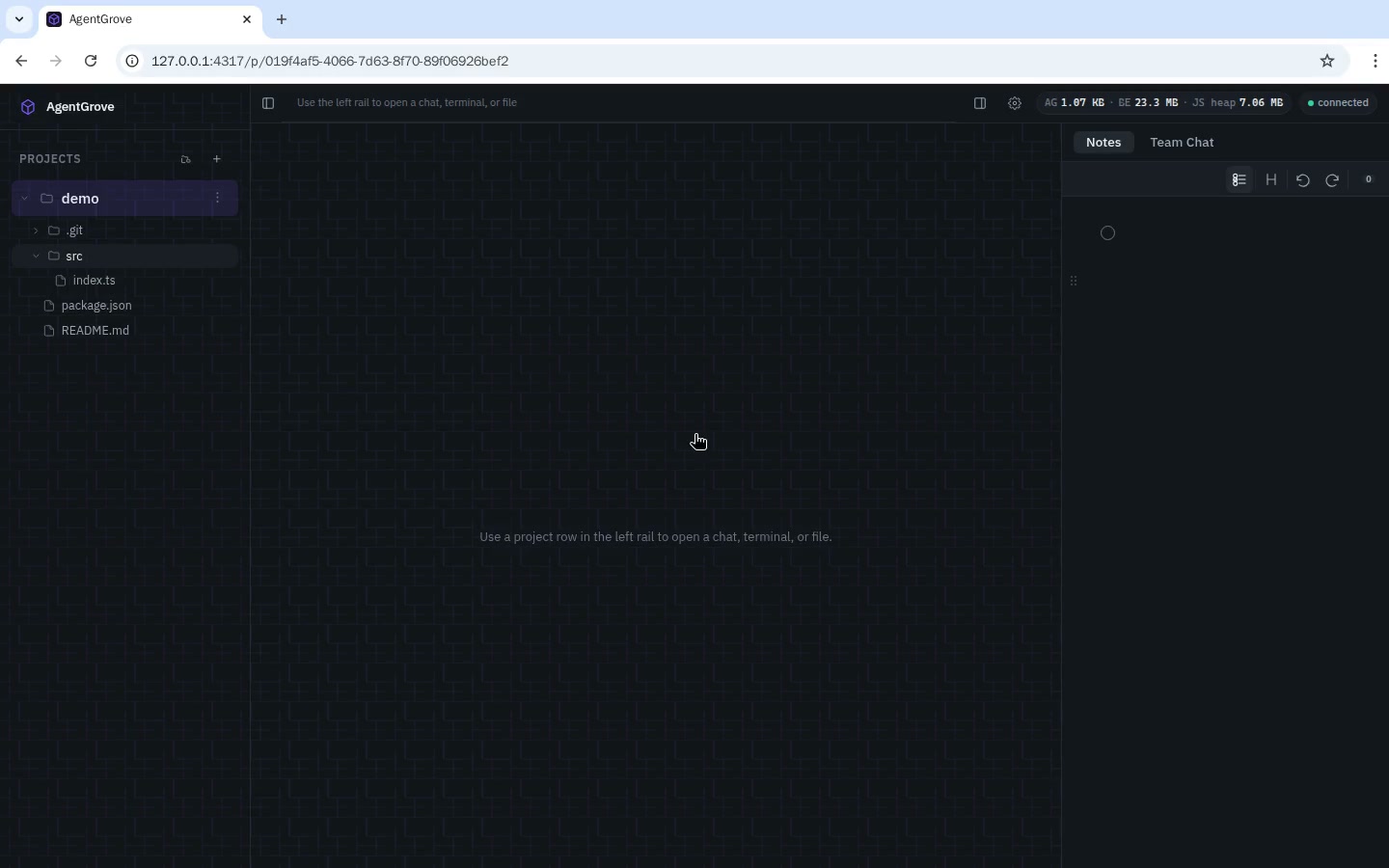
AgentGrove is a local developer workspace that keeps your projects, git worktrees, terminal, database, notes, team chat, and AI agents in one window — plus a light mobile view on the same URL for when you're away from your desk. The backend is Rust; the UI is SolidJS. It runs on Linux, macOS, and Windows.
Demo
A short screen recording of the main flows. Click the thumbnail to watch:
Quick Start
# Install prerequisites (macOS with Homebrew)
brew install node pnpm just
# Rust toolchain — project pins 1.95 via rust-toolchain.toml
curl --proto '=https' --tlsv1.2 -sSf https://sh.rustup.rs | sh

# Clone and run
git clone https://github.com/arnabk/agentgrove.git
cd agentgrove
just dev    # starts BE (hot reload) + FE (HMR) on http://localhost:5173
On Linux, install the same packages with your distro's package manager (e.g. apt install nodejs pnpm or pacman -S node pnpm just). Windows users can use winget install Rustlang.Rustup OpenJS.NodeJS pnpm.just or the rustup and pnpm installers.
Keep it running (auto-start on login)
just dev runs in the foreground and stops when you close the terminal or
reboot. To have AgentGrove start automatically on login and restart itself
if it ever crashes, install it as a native OS service (no Docker — it keeps
full access to git, the filesystem, terminals, and your agent CLIs):
just service-install     # macOS launchd · Linux systemd --user · Windows Task Scheduler
just service-uninstall   # stop + remove (your data in ./.data is untouched)
The app then serves on http://localhost:4317 (backend + frontend on one
port) and comes back on its own after a reboot. For a plain foreground run
without hot reload, use just console (or just start). See
Troubleshooting if the page ever looks blank or empty.
Features
What you can do with it today.
Project Management
- Folder-based projects — add any folder; the name is derived from the path
- UI folder picker — browse the filesystem inside the app instead of using the OS dialog; create a new folder inline while picking
- Multiple projects open — several projects at once, each with its own expand/collapse state
- Per-project settings — pre-worktree scripts inherited by every new worktree
- Project-scoped state — each project/worktree keeps its own tabs, editor state, and chat history
Git & Worktrees
- Worktree management — create, rename, and delete worktrees from the left rail; a newly created worktree is auto-selected as the active scope
- Remote-only worktrees — gated on projects with a git remote; pre-fetches latest first
- Pull latest from remote — fast-forward the main repo's current branch (
git pull --ff-only) from the project menu; never a surprise merge commit - Change branch — switch the main repo to another branch (or create one off HEAD) from the project menu
- Merge latest from base — from a worktree's menu, fetch and merge
origin/<base_ref>(the branch it was created from) into its branch; conflicts abort cleanly and are surfaced, never left half-merged - Collision-free celestial names — worktrees get star/planet/galaxy names so you don't drown in branch names; the new-worktree dialog pre-fills a unique name (focused + selected) and never reuses an existing branch, even as branch data loads
- Pre/post scripts — run setup commands (e.g.
pnpm install) with live console output - Worktree history — soft-deleted worktrees can be searched and restored, with chat recovery
- Branch switching — switch branches from the UI with a branch picker
- Branch rename — rename a worktree's git branch without leaving the app
- Remote drift badges — ahead/behind/diverged counts on each worktree row; click behind to sync
- PR/MR badges — see open PR/MR status, checks, review decision, and merge when ready
- PR Center — per-project overlay listing open PRs/MRs, searchable by title/branch/author/number, with color-coded age, review, and check status; rows open on GitHub/GitLab; close PRs/MRs directly from the list with a confirmation prompt
- Branch Center — per-project overlay listing local branches, searchable by branch/commit subject/upstream, showing current branch, upstream tracking, and age; delete branches directly from the list (with confirmation, current branch protected)
- Ticket integration — per-project ticket view showing GitHub Issues and GitLab Issues (auto-detected from the git remote); search, copy link/ID, open in browser, and "Work on this" creates a worktree from the ticket, assigns it, and moves it to In Progress
- ClickUp panel — a dedicated left-rail tab (alongside Projects / Database) showing all your ClickUp tasks globally; search, status/priority/label chips, lazy-loaded rows (20 at a time, infinite scroll), and "Work on this" opens a modal project picker to create a worktree in any repo; connect via API key in Settings → Integrations
- ClickUp filters — scope the panel by list, assignee, and status from Settings → Integrations → Filters using modern multi-select dropdowns; multi-value matching (a task in several lists or with several assignees still matches), the full task feed is paginated (not just the first 100), and lists/members/statuses/tasks are TTL-cached to stay under ClickUp's rate limit
- Worktree status badges —
creatingandpre_scriptstates are visible inline; a worktree whose pre-script fails is removed automatically (git worktree + branch + record) so no invalid worktrees linger - Galaxy Map — a zoomable map of every worktree you've visited, kept across removals; repeat visits to the same body show a ×N count, and the name pool spans 260+ real stars, planets, and galaxies so names rarely repeat
- VSCode-style git diff — staged/unstaged groups with an inline CodeMirror merge view; theme-aware red/green change highlights, gutter ticks, intra-line token marks, and accent-tinted collapsed-lines pills
- Diff toggles — soft-wrap and collapse-unchanged-lines, remembered per user
- Per-file discard — restore tracked files or delete untracked ones, with confirmation
- Reviewed markers — mark changed files as reviewed; progress clears automatically on new edits
- GitLab MR parity — review/check status badges and the Merge button work for GitLab MRs (via
glab mr view), not just GitHub
Editor
- CodeMirror 6 — syntax highlighting for JS/TS, JSON, Markdown, Rust, and more
- Autosave — debounced 600ms + blur + file-switch + Cmd/Ctrl+S; no save button
- Code folding — fold/unfold with gutter markers and keyboard shortcuts
- File size guard — very large files are blocked to prevent crashes
Terminal
- WebSocket terminal — bidirectional WS for instant output and keystrokes
- Multiple terminals — as many terminal tabs as you want per project/worktree
- Correct cwd — terminals open in the right project or worktree directory
- Close confirmation — closing a terminal tab asks before killing the shell
- Auto-close on exit — Ctrl+D /
exitcloses the tab within ~200ms - Session persistence — sessions survive page refresh (PTY stays alive on the backend)
- Bounded scrollback — 2000-line ring buffer keeps the footprint stable
- Resize sync — xterm dimensions sync to the backend PTY on window resize
AI Chat
- Multi-provider — Claude, opencode, Kimi, and Codex (OpenAI
codex exec) via CLI subprocess passthrough (user-authenticated) - Live model discovery — models fetched live from providers with cache + manual refresh
- Per-chat settings — model, effort (thinking level), and slash commands configurable per chat
- Default provider/model — choose the agent and model that new chats start with
- Streaming responses — real-time token streaming over WebSocket with coalescing
- Rich-text composer — Tiptap input with markdown autoformat (lists, headings, bold, code blocks)
- Image and file paste — paste screenshots or drag/drop files; paths are appended to the prompt and previews render correctly under cross-origin isolation (CORP header on upload previews)
- Voice dictation (STT) — a mic icon in the composer transcribes speech to text using the browser's built-in Web Speech API (no server round-trip, no keys); shown only where the browser supports it
- Long message truncation — long user messages and huge assistant replies collapse with show more/less
- Markdown rendering — assistant output via
marked+DOMPurify; syntax-highlighted code - Thinking blocks — extended-thinking events rendered as collapsible disclosures
- Tool activity rail — every tool call + result the CLI emits (including opencode's
tool_useevents and stream errors) is streamed to the chat as icon + name + command preview rows - Live working indicator — elapsed timer and a note when a model has no live token stream; only the actively-running prompt shows "working" so earlier messages don't get stuck
- Chat forking — fork a conversation from any point to explore a different direction
- Message retry — re-trigger the latest user message or regenerate the last assistant turn
- Prompt revert — ask AI to undo the file changes a specific prompt produced
- Delete from point — truncate the conversation from any prompt onward
/compact— summarize the conversation and start a fresh provider session in place; works across all CLI providers (Claude, opencode, Kimi, Codex)- Session resume + recovery — Claude
--resume, opencode--session+--dir, Kimi--session, Codexexec resume; stale opencode sessions auto-recover and retry with recent context; the UI shows "Retrying with fresh context…" during auto-recovery instead of going silent - Slash commands —
/menu with provider commands + user-defined prompt templates - PR detection — auto-detects GitHub PR URLs in agent output; shows a PR badge
- Auto-approve tools —
--dangerously-skip-permissionswith per-chat override - Stop button — cancel in-flight agent turns; kills the CLI subprocess cleanly
- Background finish toast — a toast appears when a chat you're not watching completes; "Go to chat" jumps to that chat's own project/worktree scope (not just the current one)
- Inline tab rename — double-click any tab to edit its label
- Export chat — download a full chat transcript as Markdown from the tab hover menu
- Busy indicator — pulsing dot on chat tabs and worktree rows while the agent is working
Prompt Queue
- Per-chat queue — messages sent while AI is busy auto-enqueue
- Auto-send / manual mode — per-chat toggle; auto dispatches the next queued message the instant a turn ends (sequential, not parallel), or hold until you click "Send next"
- Send out of order — "Send now" on any queued item dispatches it immediately, not just the head
- Drag to reorder — drag queue items to change send order
- Inline editing — double-click queue items to edit text; attachments preserved
- Inline dock — queue lives at the bottom of the chat timeline, above the composer
Database
- Left-rail Database view — connections + tables tree next to Projects (activity-bar style)
- Connection manager — saved Postgres connections with inline Test button
- First-run seed — a local connection is created from the server default and auto-connected
- Tables browser — filterable list; paginated data grid (50/page) with column filters
- SQL editor — CodeMirror 6 with SQL highlighting and schema autocomplete; Ctrl/Cmd+Enter runs
- Safe dynamic results — SELECTs wrapped server-side so any row shape renders; DML reports affected rows
Notes / Scratchpad
- Workspace-global scratchpad — one rich-text note shared across all projects
- Tiptap-based — headings, bullets, ordered lists, task lists, bold, italic, code, quotes, links
- Drag-to-reorder — grab handle in the left gutter to move blocks
- Collapsible headings — fold sections; good for grouping todos
- Done-task toggle — show/hide completed todos with live task counts
- Autosave — debounced with blur/visibility flush; never overwrites non-empty with empty
- Cross-instance sync — edits propagate to other tabs/windows via WebSocket
Team Chat
- Real-time communication — chat with other developers on the same dev instance
- WebSocket delivery — instant message broadcast via existing
/wschannels - Unread badges — cross-browser unread indicators
- Persistent history — saved to the local SQLite database
- Per-person identity — posts as your signed-in email when auth is enabled, falling back to the server's OS user when it isn't (so several devices don't all appear as the same name)
Mobile
Open the same URL on a phone and you get a shell built for it — no horizontal scrolling, no desktop chrome. Chosen by viewport, so there's nothing to install and no second address to remember.
- Viewport-selected —
matchMediapicks the shell; override with?ui=mobile,?ui=desktop, or?ui=auto, and there's a "Use the desktop version" link in Settings - Lightweight — the shell is ~44 KB gzipped of JS; the desktop shell and its CodeMirror / xterm dependencies never download, and Tiptap arrives only when you open a conversation
- Hamburger navigation — projects and worktrees in a slide-over drawer; worktrees are create / rename / delete
- Bottom tabs — Chats · Team · Notes · Settings
- Full AI chat — a chat list, then the conversation: streaming replies, thinking traces and the tool-activity rail (collapsed by default), attachments, voice dictation, and the same Tiptap composer the desktop uses
- All of Settings — the same six tabs, rendered full-screen rather than in a dialog
- Live with the desktop — the same
/ws?topic=syncchannel, so a chat you start at your desk shows up on the phone without a refresh, and deep links open the same scope on either - Works with or without auth — both shells sit inside the same login gate
- Desktop-only by design — editor, terminal, diff, database, ClickUp, prompt queue, galaxy map and the command palette. See ADR-0009
Reusable Prompt Templates
- Settings → Prompts — CRUD for named prompt templates
- Default seeds — ships with templates (Create PR, Code review, Explain, Write tests, Refactor, Debug, Commit message, Summarize, Merge from remote)
- Quick picker — sparkle icon in chat input for instant insertion
File Search (Cmd+P)
- Fuzzy file finder —
nucleo-matcherpowered; sub-10ms search across 100k files - Gitignore-aware — uses the
ignorecrate's parallel walker (same as ripgrep) - Live index — per-project file index with manual refresh
- Empty-query browse — opens the first 50 indexed files before you type
- Delete files and folders from the tree — right-click (or the hover ⋮ menu) any file or folder in the left-nav explorer to delete it, with a confirm prompt; folder deletes are recursive and gated behind an explicit confirmation
- Create new folder — the Add-project folder picker lets you create a new folder inline while browsing
Settings & Themes
- Tabbed — Appearance, Prompts, Providers, Agents, Integrations, Backups; a dialog on desktop, full-screen on a phone, one implementation
- Built-in themes — Dark, Light, Solarized, Tokyo Night, plus a Material Dark design system
- Custom themes — create and persist personal color themes, applied live across the app
- Fonts & size — 10+ Google Font presets for UI/mono; global 12–28px size control
- Provider management — CLI detection status; HTTP providers have config forms
- Auto-approve toggle — global default with per-chat override
- Database backups — list snapshots, restore with confirmation, auto-snapshot before migrations
Memory & Performance
- Memory indicator — top-right pill showing app-attributable, BE (Rust RSS), and JS+DOM breakdown
- Popover breakdown — click the pill for the per-category numbers
- Client memory-growth monitor — samples heap/heap-limit/DOM/WS/listeners/whole-tab bytes + per-subsystem breakdown every 15s, correlates with backend RSS + child process RSS, and appends a compact JSON trend to
<state_dir>/logs/mem.log(size-rotated) for after-the-fact leak debugging; warns on sustained climb - Bounded retention — windowed chat store (600 prompts / 400 events per prompt) + virtualized timeline with a live indicator proving only visible rows are mounted (e.g. "8 / 50 rows rendered"); long messages truncate with a gradient fade instead of nested scroll bars
- Delta terminal streaming — WS output instead of HTTP poll loops
- Instant chat switch — switching chats paints from a per-chat view cache (no blank flash); the WS reconnect and queue poll are debounced so rapid switching doesn't storm
Cross-Instance Sync
- WebSocket broadcast — project/worktree/chat/notes mutations propagate to all clients
- Echo suppression — self-echo guard prevents reload loops on your own edits
- Layout persistence — per-scope UI state persisted to the backend via the layout API
- Route error toast — red banner when the URL points to a deleted project or worktree
Data Safety
- SQLite persistence — chats, prompts, events, queue, and layout survive backend restarts
- Auto-snapshots — DB snapshotted before every migration; rotated to the last 10
- Forward-only migrations — pre-commit hook + CI guard prevent editing applied migrations
- Restore CLI —
just restore-db <name>to recover from any snapshot - Encrypted secrets — provider API keys encrypted at rest with XChaCha20-Poly1305
Authentication (optional)
- Off by default — no login; the server trusts whoever reaches the loopback socket (unchanged behavior)
- Google sign-in — set
AGENTGROVE_GOOGLE_CLIENT_ID+_SECRETto require login; server-side OAuth (secret never touches the browser) - Access control — restrict by domain (
AGENTGROVE_AUTH_ALLOWED_DOMAINS) and/or exact email (AGENTGROVE_AUTH_ALLOWED_EMAILS) - Stateless sessions — the session cookie is an AEAD-sealed blob signed with the machine-bound keyring; no session table
- Remote access via tunnel — the dev server proxies
/api+/wsto the backend, so one tunnel to:5173serves the whole app from a single origin; its file route is locked down so it can't leak the state dir (guide) - See
docs/SECURITY.mdfor setup + the Google Cloud Console redirect URI
Developer Experience
- Release notifications — in-app toast when a new GitHub release is available
- Hot reload —
just devruns BE (cargo-watch) + FE (Vite HMR) together - Cross-platform — Linux/macOS/Windows;
.sh+.ps1script pairs;PathBufonly - Draggable panels — left rail, right sidebar, and queue dock all resizable
- Left-rail collapse — hide the rail into an icon-only mini bar
- Open in OS file manager — reveal any project/worktree folder in Finder/Explorer/Files
- Custom dialogs — themed
confirm/alertreplace native dialogs - URL routing — scope/pane/chat/file encoded in the URL; refresh restores deep state
- Layered frontend —
core/ui/features/shells, with the boundaries enforced by eslint rather than convention, so the desktop and mobile shells can be worked on in parallel (layout)
Quality & Open Source
- MIT licensed with a contributing guide, Code of Conduct, and security policy
- Tested — BE endpoint e2e tests + FE Playwright specs across two projects (Desktop Chrome and a Pixel 7 for the mobile shell); route inventory enforced in CI
- 3 green CI badges — CI, Release, Nightly; cross-platform nightly matrix
- Auto-release — every merge to main bumps the version and builds 4-platform binaries + a GitHub Release
- ADRs — architecture decision records documenting key choices
Troubleshooting
-
Blank page or empty app (no projects) after a reboot. The dev server isn't running, so the frontend has no backend to talk to — your data is safe, the backend is just down. Start it with
just dev(or install the service, see Keep it running). Verify the backend withcurl -s http://localhost:4317/health→{"status":"ok",...}. -
"I lost all my data!" after restarting the backend by hand. You almost certainly didn't. The backend defaults
AGENTGROVE_PORTto a random port when the variable is unset, so launching./target/debug/agentgrovedirectly makes the frontend unable to reach it and the app looks empty. Your database is untouched at./.data/agentgrove.sqlite(with timestamped copies under./.data/backups/). Always start viajust dev/just start/just console/ the service, which setAGENTGROVE_PORT=4317. -
Backend won't build:
feature 'edition2024' is required … Cargo 1.83. A system/Homebrewcargois shadowing rustup's on yourPATH. This project pins Rust 1.95 viarust-toolchain.toml; put rustup first:export PATH="$HOME/.cargo/bin:$PATH". Thejustrun scripts already do this for you. -
Service installed but the app never comes up (macOS, repo on an external drive). launchd can't open a job's log files on a non-boot volume and fails with
EX_CONFIG(78). The installer already routes the supervisor log to~/Library/Logs/agentgrove.service.*.logto avoid this; if you hand-rolled a plist, do the same. App logs remain in.data/logs/. -
Missing source:
could not find Cargo.toml/crates/agentgrove-*. Your checkout is a partial sparse checkout. Restore the full tree withgit sparse-checkout disable— it does not touch./.dataornode_modules.
Documentation
All detailed docs live under docs/:
- Architecture
- Frontend layering + mobile shell
- Contributing
- Local dev guide
- Agent providers
- Chat & queue routing
- Data safety & restore
- Memory debugging (
mem.log) - Comparison with other tools
- ADRs
License
Similar repos


Languages
TypeScript
50.7%
Rust
43.4%
Shell
2.3%
CSS
2.0%
High-performance local developer workspace — editor, terminals, AI chat, git diff, notes, prompt queue. Rust BE + SolidJS FE. Cross-platform.
See the codeSee what people are saying
README
AgentGrove
AgentGrove is a local developer workspace that keeps your projects, git worktrees, terminal, database, notes, team chat, and AI agents in one window — plus a light mobile view on the same URL for when you're away from your desk. The backend is Rust; the UI is SolidJS. It runs on Linux, macOS, and Windows.
Demo
A short screen recording of the main flows. Click the thumbnail to watch:
Quick Start
# Install prerequisites (macOS with Homebrew)
brew install node pnpm just
# Rust toolchain — project pins 1.95 via rust-toolchain.toml
curl --proto '=https' --tlsv1.2 -sSf https://sh.rustup.rs | sh

# Clone and run
git clone https://github.com/arnabk/agentgrove.git
cd agentgrove
just dev    # starts BE (hot reload) + FE (HMR) on http://localhost:5173
On Linux, install the same packages with your distro's package manager (e.g. apt install nodejs pnpm or pacman -S node pnpm just). Windows users can use winget install Rustlang.Rustup OpenJS.NodeJS pnpm.just or the rustup and pnpm installers.
Keep it running (auto-start on login)
just dev runs in the foreground and stops when you close the terminal or
reboot. To have AgentGrove start automatically on login and restart itself
if it ever crashes, install it as a native OS service (no Docker — it keeps
full access to git, the filesystem, terminals, and your agent CLIs):
just service-install     # macOS launchd · Linux systemd --user · Windows Task Scheduler
just service-uninstall   # stop + remove (your data in ./.data is untouched)
The app then serves on http://localhost:4317 (backend + frontend on one
port) and comes back on its own after a reboot. For a plain foreground run
without hot reload, use just console (or just start). See
Troubleshooting if the page ever looks blank or empty.
Features
What you can do with it today.
Project Management
- Folder-based projects — add any folder; the name is derived from the path
- UI folder picker — browse the filesystem inside the app instead of using the OS dialog; create a new folder inline while picking
- Multiple projects open — several projects at once, each with its own expand/collapse state
- Per-project settings — pre-worktree scripts inherited by every new worktree
- Project-scoped state — each project/worktree keeps its own tabs, editor state, and chat history
Git & Worktrees
- Worktree management — create, rename, and delete worktrees from the left rail; a newly created worktree is auto-selected as the active scope
- Remote-only worktrees — gated on projects with a git remote; pre-fetches latest first
- Pull latest from remote — fast-forward the main repo's current branch (
git pull --ff-only) from the project menu; never a surprise merge commit - Change branch — switch the main repo to another branch (or create one off HEAD) from the project menu
- Merge latest from base — from a worktree's menu, fetch and merge
origin/<base_ref>(the branch it was created from) into its branch; conflicts abort cleanly and are surfaced, never left half-merged - Collision-free celestial names — worktrees get star/planet/galaxy names so you don't drown in branch names; the new-worktree dialog pre-fills a unique name (focused + selected) and never reuses an existing branch, even as branch data loads
- Pre/post scripts — run setup commands (e.g.
pnpm install) with live console output - Worktree history — soft-deleted worktrees can be searched and restored, with chat recovery
- Branch switching — switch branches from the UI with a branch picker
- Branch rename — rename a worktree's git branch without leaving the app
- Remote drift badges — ahead/behind/diverged counts on each worktree row; click behind to sync
- PR/MR badges — see open PR/MR status, checks, review decision, and merge when ready
- PR Center — per-project overlay listing open PRs/MRs, searchable by title/branch/author/number, with color-coded age, review, and check status; rows open on GitHub/GitLab; close PRs/MRs directly from the list with a confirmation prompt
- Branch Center — per-project overlay listing local branches, searchable by branch/commit subject/upstream, showing current branch, upstream tracking, and age; delete branches directly from the list (with confirmation, current branch protected)
- Ticket integration — per-project ticket view showing GitHub Issues and GitLab Issues (auto-detected from the git remote); search, copy link/ID, open in browser, and "Work on this" creates a worktree from the ticket, assigns it, and moves it to In Progress
- ClickUp panel — a dedicated left-rail tab (alongside Projects / Database) showing all your ClickUp tasks globally; search, status/priority/label chips, lazy-loaded rows (20 at a time, infinite scroll), and "Work on this" opens a modal project picker to create a worktree in any repo; connect via API key in Settings → Integrations
- ClickUp filters — scope the panel by list, assignee, and status from Settings → Integrations → Filters using modern multi-select dropdowns; multi-value matching (a task in several lists or with several assignees still matches), the full task feed is paginated (not just the first 100), and lists/members/statuses/tasks are TTL-cached to stay under ClickUp's rate limit
- Worktree status badges —
creatingandpre_scriptstates are visible inline; a worktree whose pre-script fails is removed automatically (git worktree + branch + record) so no invalid worktrees linger - Galaxy Map — a zoomable map of every worktree you've visited, kept across removals; repeat visits to the same body show a ×N count, and the name pool spans 260+ real stars, planets, and galaxies so names rarely repeat
- VSCode-style git diff — staged/unstaged groups with an inline CodeMirror merge view; theme-aware red/green change highlights, gutter ticks, intra-line token marks, and accent-tinted collapsed-lines pills
- Diff toggles — soft-wrap and collapse-unchanged-lines, remembered per user
- Per-file discard — restore tracked files or delete untracked ones, with confirmation
- Reviewed markers — mark changed files as reviewed; progress clears automatically on new edits
- GitLab MR parity — review/check status badges and the Merge button work for GitLab MRs (via
glab mr view), not just GitHub
Editor
- CodeMirror 6 — syntax highlighting for JS/TS, JSON, Markdown, Rust, and more
- Autosave — debounced 600ms + blur + file-switch + Cmd/Ctrl+S; no save button
- Code folding — fold/unfold with gutter markers and keyboard shortcuts
- File size guard — very large files are blocked to prevent crashes
Terminal
- WebSocket terminal — bidirectional WS for instant output and keystrokes
- Multiple terminals — as many terminal tabs as you want per project/worktree
- Correct cwd — terminals open in the right project or worktree directory
- Close confirmation — closing a terminal tab asks before killing the shell
- Auto-close on exit — Ctrl+D /
exitcloses the tab within ~200ms - Session persistence — sessions survive page refresh (PTY stays alive on the backend)
- Bounded scrollback — 2000-line ring buffer keeps the footprint stable
- Resize sync — xterm dimensions sync to the backend PTY on window resize
AI Chat
- Multi-provider — Claude, opencode, Kimi, and Codex (OpenAI
codex exec) via CLI subprocess passthrough (user-authenticated) - Live model discovery — models fetched live from providers with cache + manual refresh
- Per-chat settings — model, effort (thinking level), and slash commands configurable per chat
- Default provider/model — choose the agent and model that new chats start with
- Streaming responses — real-time token streaming over WebSocket with coalescing
- Rich-text composer — Tiptap input with markdown autoformat (lists, headings, bold, code blocks)
- Image and file paste — paste screenshots or drag/drop files; paths are appended to the prompt and previews render correctly under cross-origin isolation (CORP header on upload previews)
- Voice dictation (STT) — a mic icon in the composer transcribes speech to text using the browser's built-in Web Speech API (no server round-trip, no keys); shown only where the browser supports it
- Long message truncation — long user messages and huge assistant replies collapse with show more/less
- Markdown rendering — assistant output via
marked+DOMPurify; syntax-highlighted code - Thinking blocks — extended-thinking events rendered as collapsible disclosures
- Tool activity rail — every tool call + result the CLI emits (including opencode's
tool_useevents and stream errors) is streamed to the chat as icon + name + command preview rows - Live working indicator — elapsed timer and a note when a model has no live token stream; only the actively-running prompt shows "working" so earlier messages don't get stuck
- Chat forking — fork a conversation from any point to explore a different direction
- Message retry — re-trigger the latest user message or regenerate the last assistant turn
- Prompt revert — ask AI to undo the file changes a specific prompt produced
- Delete from point — truncate the conversation from any prompt onward
/compact— summarize the conversation and start a fresh provider session in place; works across all CLI providers (Claude, opencode, Kimi, Codex)- Session resume + recovery — Claude
--resume, opencode--session+--dir, Kimi--session, Codexexec resume; stale opencode sessions auto-recover and retry with recent context; the UI shows "Retrying with fresh context…" during auto-recovery instead of going silent - Slash commands —
/menu with provider commands + user-defined prompt templates - PR detection — auto-detects GitHub PR URLs in agent output; shows a PR badge
- Auto-approve tools —
--dangerously-skip-permissionswith per-chat override - Stop button — cancel in-flight agent turns; kills the CLI subprocess cleanly
- Background finish toast — a toast appears when a chat you're not watching completes; "Go to chat" jumps to that chat's own project/worktree scope (not just the current one)
- Inline tab rename — double-click any tab to edit its label
- Export chat — download a full chat transcript as Markdown from the tab hover menu
- Busy indicator — pulsing dot on chat tabs and worktree rows while the agent is working
Prompt Queue
- Per-chat queue — messages sent while AI is busy auto-enqueue
- Auto-send / manual mode — per-chat toggle; auto dispatches the next queued message the instant a turn ends (sequential, not parallel), or hold until you click "Send next"
- Send out of order — "Send now" on any queued item dispatches it immediately, not just the head
- Drag to reorder — drag queue items to change send order
- Inline editing — double-click queue items to edit text; attachments preserved
- Inline dock — queue lives at the bottom of the chat timeline, above the composer
Database
- Left-rail Database view — connections + tables tree next to Projects (activity-bar style)
- Connection manager — saved Postgres connections with inline Test button
- First-run seed — a local connection is created from the server default and auto-connected
- Tables browser — filterable list; paginated data grid (50/page) with column filters
- SQL editor — CodeMirror 6 with SQL highlighting and schema autocomplete; Ctrl/Cmd+Enter runs
- Safe dynamic results — SELECTs wrapped server-side so any row shape renders; DML reports affected rows
Notes / Scratchpad
- Workspace-global scratchpad — one rich-text note shared across all projects
- Tiptap-based — headings, bullets, ordered lists, task lists, bold, italic, code, quotes, links
- Drag-to-reorder — grab handle in the left gutter to move blocks
- Collapsible headings — fold sections; good for grouping todos
- Done-task toggle — show/hide completed todos with live task counts
- Autosave — debounced with blur/visibility flush; never overwrites non-empty with empty
- Cross-instance sync — edits propagate to other tabs/windows via WebSocket
Team Chat
- Real-time communication — chat with other developers on the same dev instance
- WebSocket delivery — instant message broadcast via existing
/wschannels - Unread badges — cross-browser unread indicators
- Persistent history — saved to the local SQLite database
- Per-person identity — posts as your signed-in email when auth is enabled, falling back to the server's OS user when it isn't (so several devices don't all appear as the same name)
Mobile
Open the same URL on a phone and you get a shell built for it — no horizontal scrolling, no desktop chrome. Chosen by viewport, so there's nothing to install and no second address to remember.
- Viewport-selected —
matchMediapicks the shell; override with?ui=mobile,?ui=desktop, or?ui=auto, and there's a "Use the desktop version" link in Settings - Lightweight — the shell is ~44 KB gzipped of JS; the desktop shell and its CodeMirror / xterm dependencies never download, and Tiptap arrives only when you open a conversation
- Hamburger navigation — projects and worktrees in a slide-over drawer; worktrees are create / rename / delete
- Bottom tabs — Chats · Team · Notes · Settings
- Full AI chat — a chat list, then the conversation: streaming replies, thinking traces and the tool-activity rail (collapsed by default), attachments, voice dictation, and the same Tiptap composer the desktop uses
- All of Settings — the same six tabs, rendered full-screen rather than in a dialog
- Live with the desktop — the same
/ws?topic=syncchannel, so a chat you start at your desk shows up on the phone without a refresh, and deep links open the same scope on either - Works with or without auth — both shells sit inside the same login gate
- Desktop-only by design — editor, terminal, diff, database, ClickUp, prompt queue, galaxy map and the command palette. See ADR-0009
Reusable Prompt Templates
- Settings → Prompts — CRUD for named prompt templates
- Default seeds — ships with templates (Create PR, Code review, Explain, Write tests, Refactor, Debug, Commit message, Summarize, Merge from remote)
- Quick picker — sparkle icon in chat input for instant insertion
File Search (Cmd+P)
- Fuzzy file finder —
nucleo-matcherpowered; sub-10ms search across 100k files - Gitignore-aware — uses the
ignorecrate's parallel walker (same as ripgrep) - Live index — per-project file index with manual refresh
- Empty-query browse — opens the first 50 indexed files before you type
- Delete files and folders from the tree — right-click (or the hover ⋮ menu) any file or folder in the left-nav explorer to delete it, with a confirm prompt; folder deletes are recursive and gated behind an explicit confirmation
- Create new folder — the Add-project folder picker lets you create a new folder inline while browsing
Settings & Themes
- Tabbed — Appearance, Prompts, Providers, Agents, Integrations, Backups; a dialog on desktop, full-screen on a phone, one implementation
- Built-in themes — Dark, Light, Solarized, Tokyo Night, plus a Material Dark design system
- Custom themes — create and persist personal color themes, applied live across the app
- Fonts & size — 10+ Google Font presets for UI/mono; global 12–28px size control
- Provider management — CLI detection status; HTTP providers have config forms
- Auto-approve toggle — global default with per-chat override
- Database backups — list snapshots, restore with confirmation, auto-snapshot before migrations
Memory & Performance
- Memory indicator — top-right pill showing app-attributable, BE (Rust RSS), and JS+DOM breakdown
- Popover breakdown — click the pill for the per-category numbers
- Client memory-growth monitor — samples heap/heap-limit/DOM/WS/listeners/whole-tab bytes + per-subsystem breakdown every 15s, correlates with backend RSS + child process RSS, and appends a compact JSON trend to
<state_dir>/logs/mem.log(size-rotated) for after-the-fact leak debugging; warns on sustained climb - Bounded retention — windowed chat store (600 prompts / 400 events per prompt) + virtualized timeline with a live indicator proving only visible rows are mounted (e.g. "8 / 50 rows rendered"); long messages truncate with a gradient fade instead of nested scroll bars
- Delta terminal streaming — WS output instead of HTTP poll loops
- Instant chat switch — switching chats paints from a per-chat view cache (no blank flash); the WS reconnect and queue poll are debounced so rapid switching doesn't storm
Cross-Instance Sync
- WebSocket broadcast — project/worktree/chat/notes mutations propagate to all clients
- Echo suppression — self-echo guard prevents reload loops on your own edits
- Layout persistence — per-scope UI state persisted to the backend via the layout API
- Route error toast — red banner when the URL points to a deleted project or worktree
Data Safety
- SQLite persistence — chats, prompts, events, queue, and layout survive backend restarts
- Auto-snapshots — DB snapshotted before every migration; rotated to the last 10
- Forward-only migrations — pre-commit hook + CI guard prevent editing applied migrations
- Restore CLI —
just restore-db <name>to recover from any snapshot - Encrypted secrets — provider API keys encrypted at rest with XChaCha20-Poly1305
Authentication (optional)
- Off by default — no login; the server trusts whoever reaches the loopback socket (unchanged behavior)
- Google sign-in — set
AGENTGROVE_GOOGLE_CLIENT_ID+_SECRETto require login; server-side OAuth (secret never touches the browser) - Access control — restrict by domain (
AGENTGROVE_AUTH_ALLOWED_DOMAINS) and/or exact email (AGENTGROVE_AUTH_ALLOWED_EMAILS) - Stateless sessions — the session cookie is an AEAD-sealed blob signed with the machine-bound keyring; no session table
- Remote access via tunnel — the dev server proxies
/api+/wsto the backend, so one tunnel to:5173serves the whole app from a single origin; its file route is locked down so it can't leak the state dir (guide) - See
docs/SECURITY.mdfor setup + the Google Cloud Console redirect URI
Developer Experience
- Release notifications — in-app toast when a new GitHub release is available
- Hot reload —
just devruns BE (cargo-watch) + FE (Vite HMR) together - Cross-platform — Linux/macOS/Windows;
.sh+.ps1script pairs;PathBufonly - Draggable panels — left rail, right sidebar, and queue dock all resizable
- Left-rail collapse — hide the rail into an icon-only mini bar
- Open in OS file manager — reveal any project/worktree folder in Finder/Explorer/Files
- Custom dialogs — themed
confirm/alertreplace native dialogs - URL routing — scope/pane/chat/file encoded in the URL; refresh restores deep state
- Layered frontend —
core/ui/features/shells, with the boundaries enforced by eslint rather than convention, so the desktop and mobile shells can be worked on in parallel (layout)
Quality & Open Source
- MIT licensed with a contributing guide, Code of Conduct, and security policy
- Tested — BE endpoint e2e tests + FE Playwright specs across two projects (Desktop Chrome and a Pixel 7 for the mobile shell); route inventory enforced in CI
- 3 green CI badges — CI, Release, Nightly; cross-platform nightly matrix
- Auto-release — every merge to main bumps the version and builds 4-platform binaries + a GitHub Release
- ADRs — architecture decision records documenting key choices
Troubleshooting
-
Blank page or empty app (no projects) after a reboot. The dev server isn't running, so the frontend has no backend to talk to — your data is safe, the backend is just down. Start it with
just dev(or install the service, see Keep it running). Verify the backend withcurl -s http://localhost:4317/health→{"status":"ok",...}. -
"I lost all my data!" after restarting the backend by hand. You almost certainly didn't. The backend defaults
AGENTGROVE_PORTto a random port when the variable is unset, so launching./target/debug/agentgrovedirectly makes the frontend unable to reach it and the app looks empty. Your database is untouched at./.data/agentgrove.sqlite(with timestamped copies under./.data/backups/). Always start viajust dev/just start/just console/ the service, which setAGENTGROVE_PORT=4317. -
Backend won't build:
feature 'edition2024' is required … Cargo 1.83. A system/Homebrewcargois shadowing rustup's on yourPATH. This project pins Rust 1.95 viarust-toolchain.toml; put rustup first:export PATH="$HOME/.cargo/bin:$PATH". Thejustrun scripts already do this for you. -
Service installed but the app never comes up (macOS, repo on an external drive). launchd can't open a job's log files on a non-boot volume and fails with
EX_CONFIG(78). The installer already routes the supervisor log to~/Library/Logs/agentgrove.service.*.logto avoid this; if you hand-rolled a plist, do the same. App logs remain in.data/logs/. -
Missing source:
could not find Cargo.toml/crates/agentgrove-*. Your checkout is a partial sparse checkout. Restore the full tree withgit sparse-checkout disable— it does not touch./.dataornode_modules.
Documentation
All detailed docs live under docs/:
- Architecture
- Frontend layering + mobile shell
- Contributing
- Local dev guide
- Agent providers
- Chat & queue routing
- Data safety & restore
- Memory debugging (
mem.log) - Comparison with other tools
- ADRs
License
Similar repos
Languages
TypeScript
50.7%
Rust
43.4%
Shell
2.3%
CSS
2.0%