Custom UIButton effect inspired by Google Material Design
Swift
1,398
46 commits
updated Apr 3, 2019
iOS Custom UIButton effect inspired by Google Material Design written in Swift
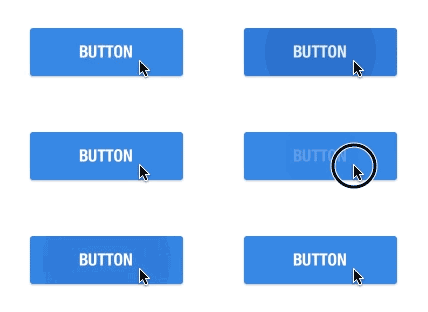
Set the UIButton class in Nib to ZFRippleButton or create it programmatically.
rippleOverBounds indicate that ripple should draw outsise the bounds or not
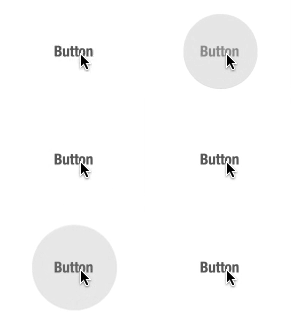
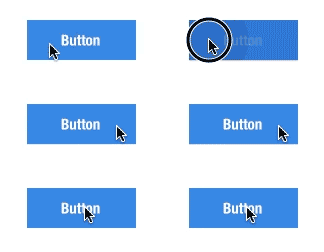
trackTouchLocation indicate that ripple should show from the touch location or not
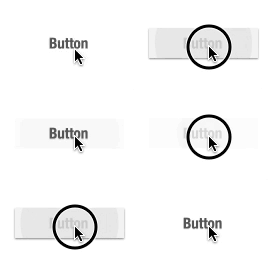
shadowRippleEnable indicate that it will show additional shadow when you click or not
touchUpAnimationTime is time interval of touch up animation
and you can set the color of ripple using rippleColor and rippleBackgroundColor
Amornchai Kanokpullwad, [email protected]
ZFRippleButton is available under the MIT license. See the LICENSE file for more info.
2,004 followers · starred Sep 2014
718 followers · starred Jul 2014
139 followers · starred Apr 2017
810 followers · starred Jul 2014
Custom UIButton effect inspired by Google Material Design
Swift
1,398
46 commits
updated Apr 3, 2019
iOS Custom UIButton effect inspired by Google Material Design written in Swift
Set the UIButton class in Nib to ZFRippleButton or create it programmatically.
rippleOverBounds indicate that ripple should draw outsise the bounds or not
trackTouchLocation indicate that ripple should show from the touch location or not
shadowRippleEnable indicate that it will show additional shadow when you click or not
touchUpAnimationTime is time interval of touch up animation
and you can set the color of ripple using rippleColor and rippleBackgroundColor
Amornchai Kanokpullwad, [email protected]
ZFRippleButton is available under the MIT license. See the LICENSE file for more info.
2,004 followers · starred Sep 2014
718 followers · starred Jul 2014
139 followers · starred Apr 2017
810 followers · starred Jul 2014