
Your CLI Agents, All in One Place.
Claude Code, Codex CLI, Gemini CLI — manage them all from a single macOS desktop app.



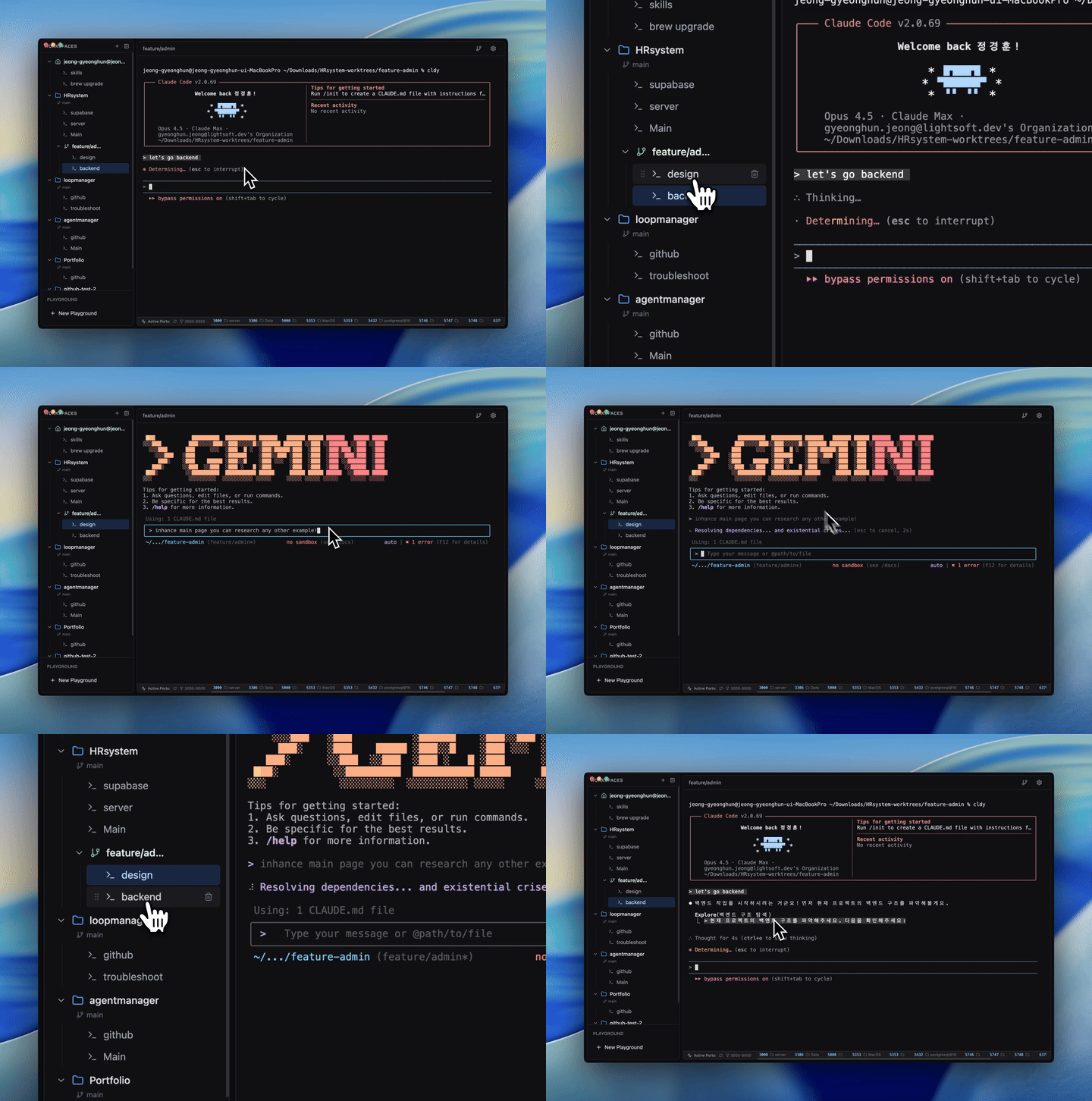
Stop switching between terminals and losing context.
As AI-powered development grows, developers are juggling Claude Code, Codex CLI, Gemini CLI — and dozens of project contexts at once. CLI Manager keeps everything organized so you can focus on building.
| Without CLI Manager | With CLI Manager | |
|---|---|---|
| Context switching | Re-open terminals, lose history | Instant tab switch, full state preserved |
| Agent management | Separate windows per tool | All agents in one sidebar |
| Project organization | Scattered folders | Workspaces with named sessions |
| Git branching | Manual worktree setup | One-click worktree workspace |
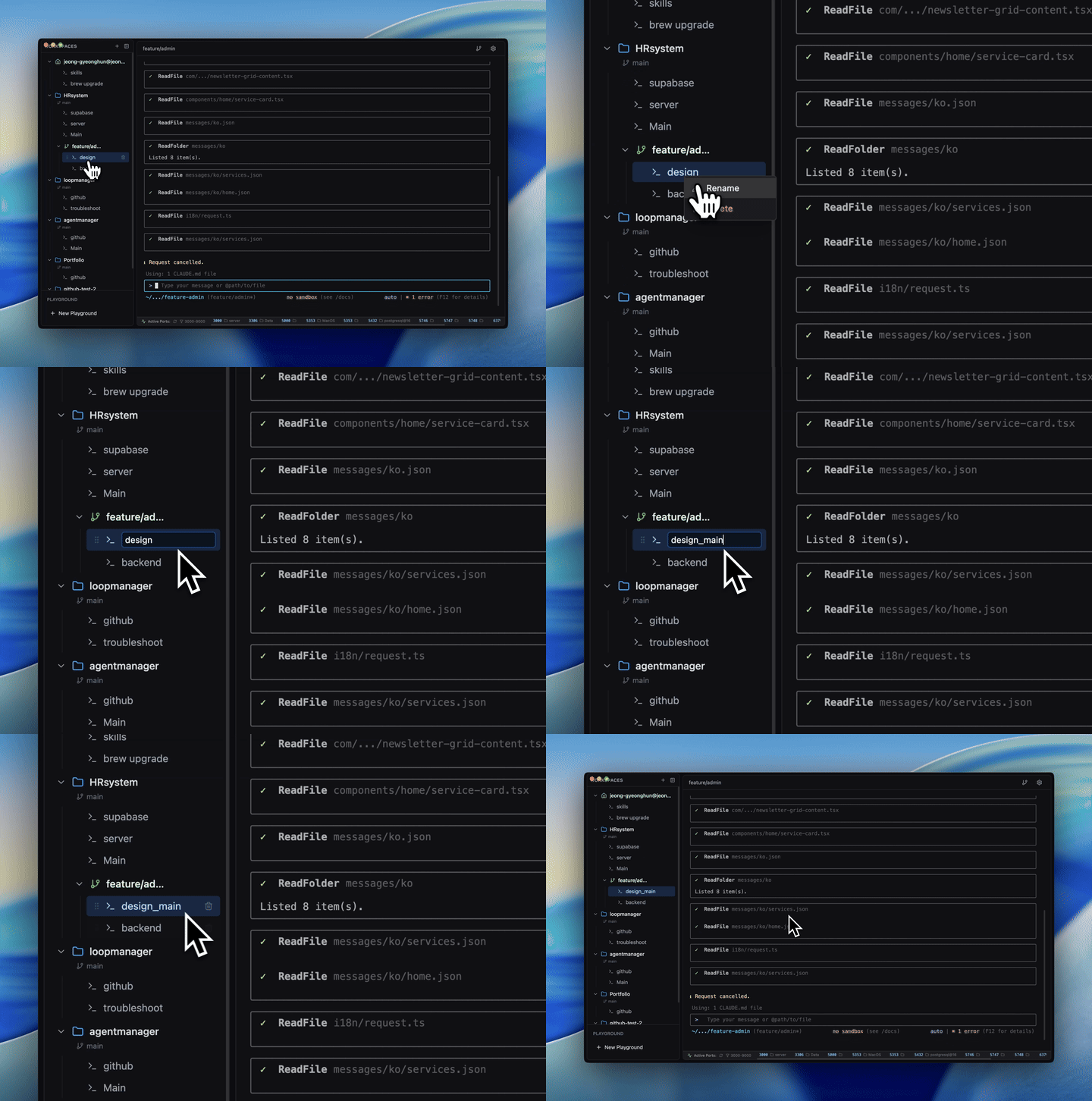
display: none), never destroyed on tab switchlsof pollingManage Claude Code, Codex CLI, and Gemini CLI from a single sidebar. Assign custom names and roles — "Frontend Dev", "Backend API", "Design Review" — so multi-agent workflows stay intuitive.
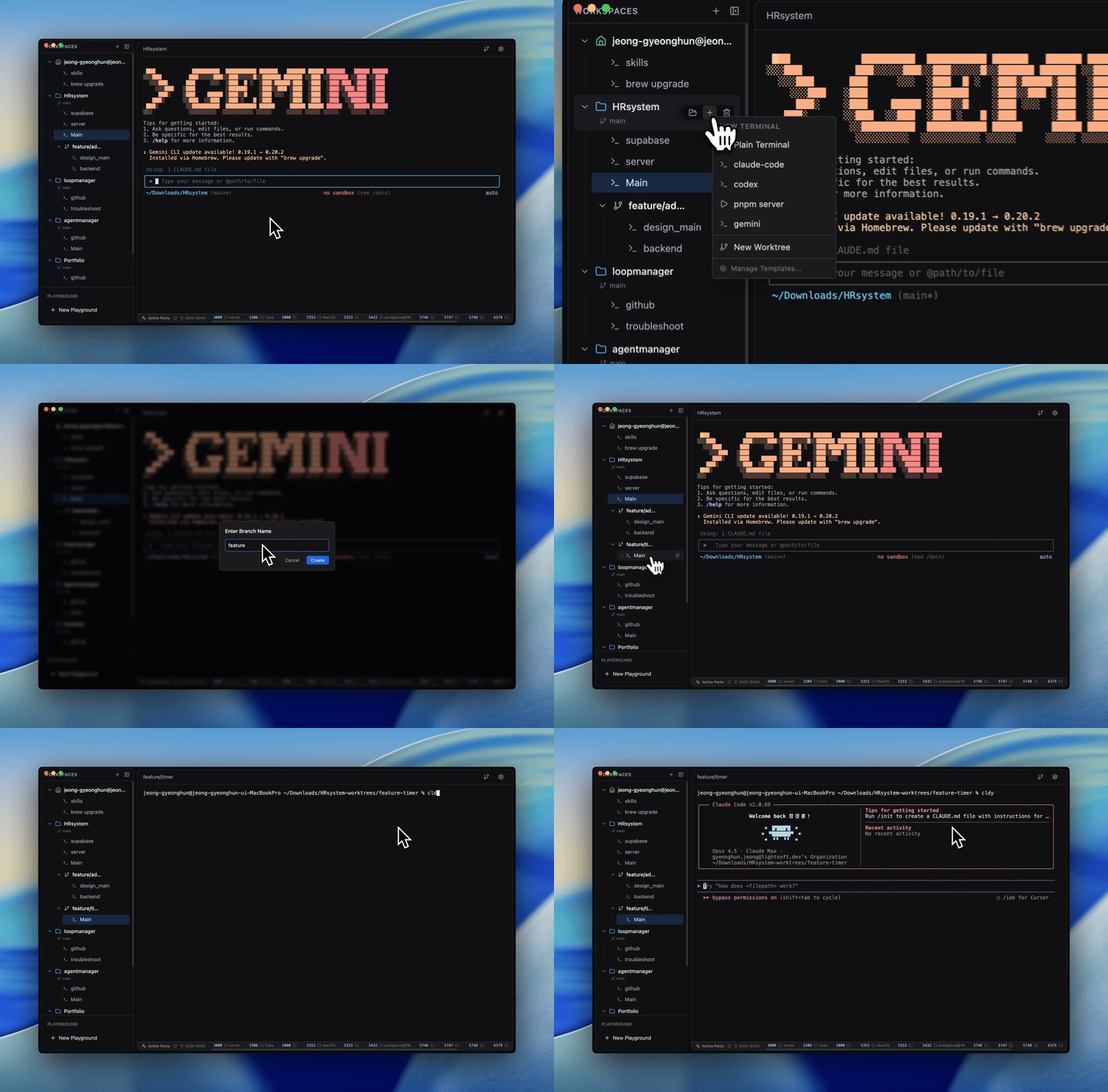
Create Git worktrees directly from the UI. Each worktree becomes its own workspace with independent terminal sessions, branch tracking, and GitHub actions — no manual setup required.
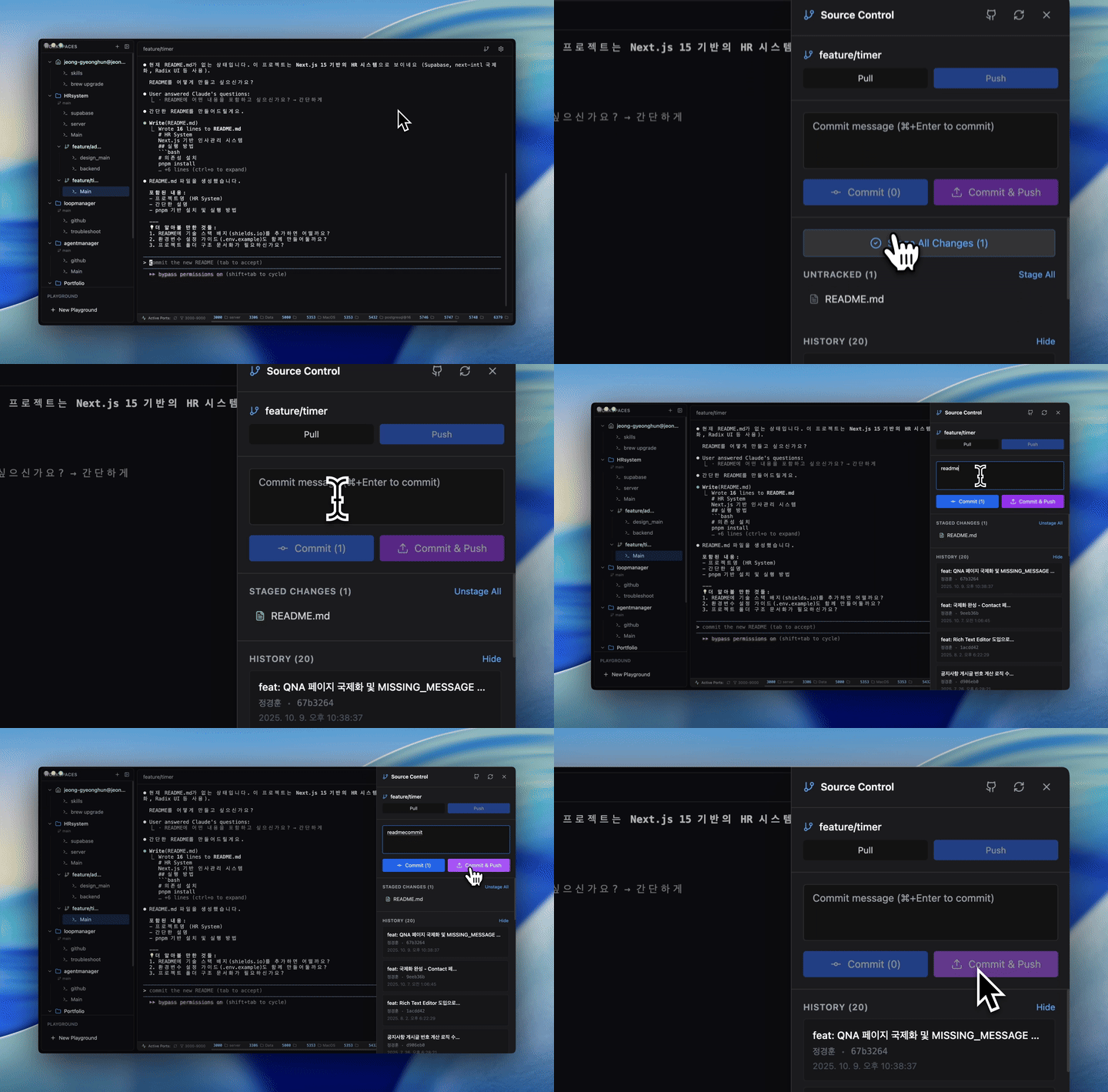
Push branches, create pull requests, and check GitHub Actions workflow status — all from within the app using your existing gh CLI authentication.
Automatically detects running local development servers. See which ports are active across all your projects at a glance, with filtering and one-click kill.
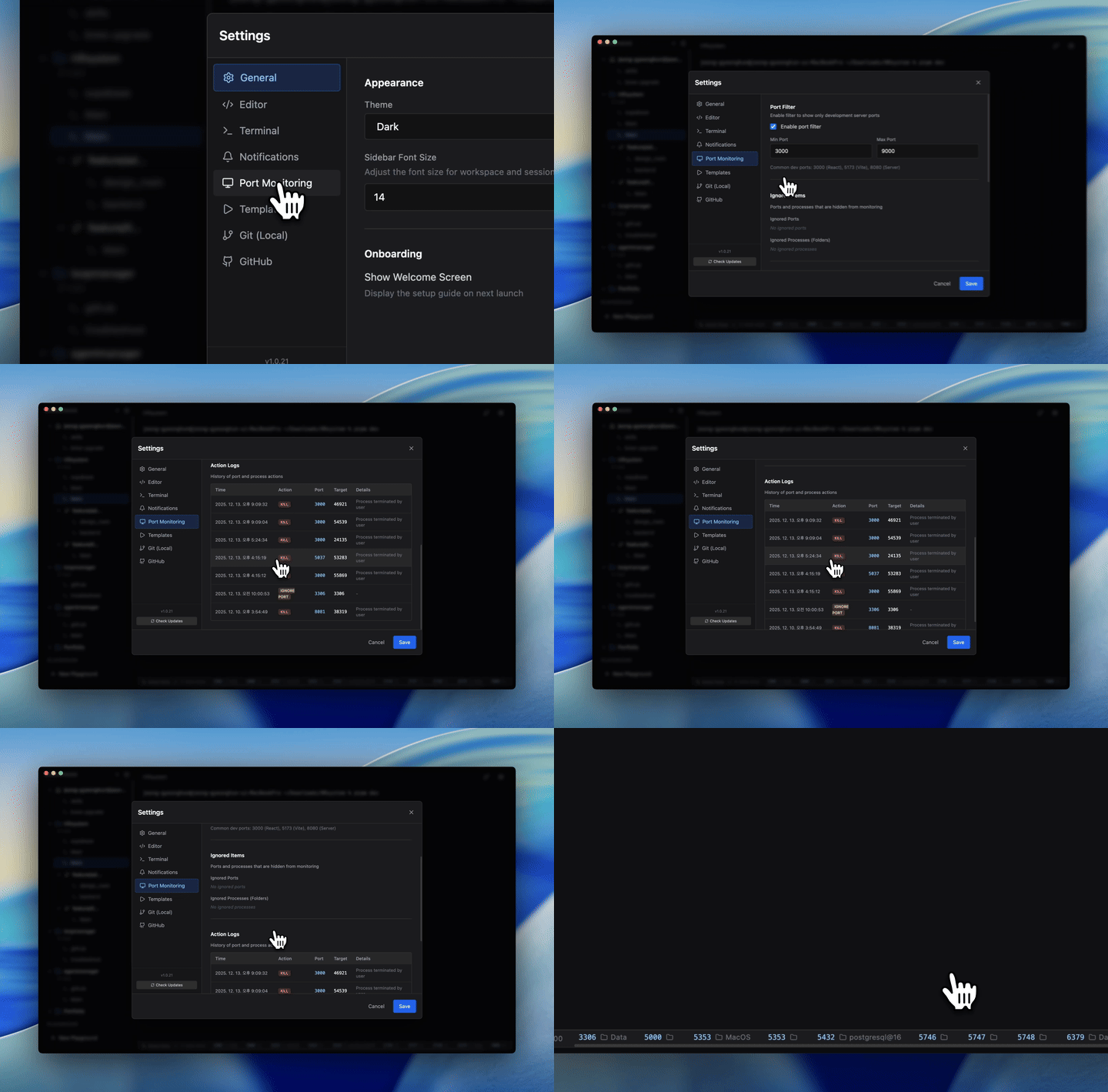
Save your most-used command sequences as named templates — with icons and descriptions. Launch complex multi-step setups with a single click.
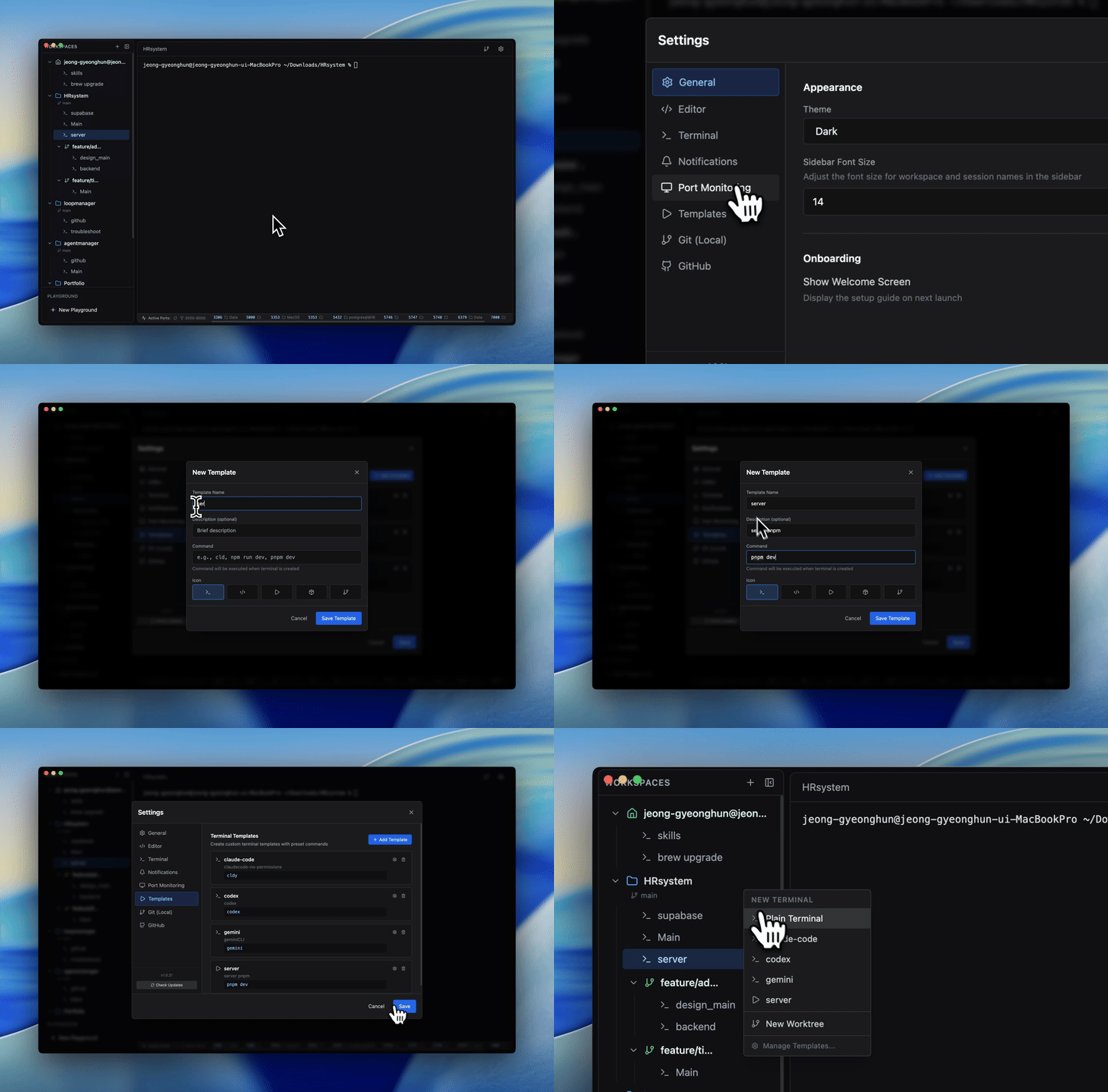
Spin up a temporary workspace in your Downloads folder with one click. Experiment freely without touching your real projects.
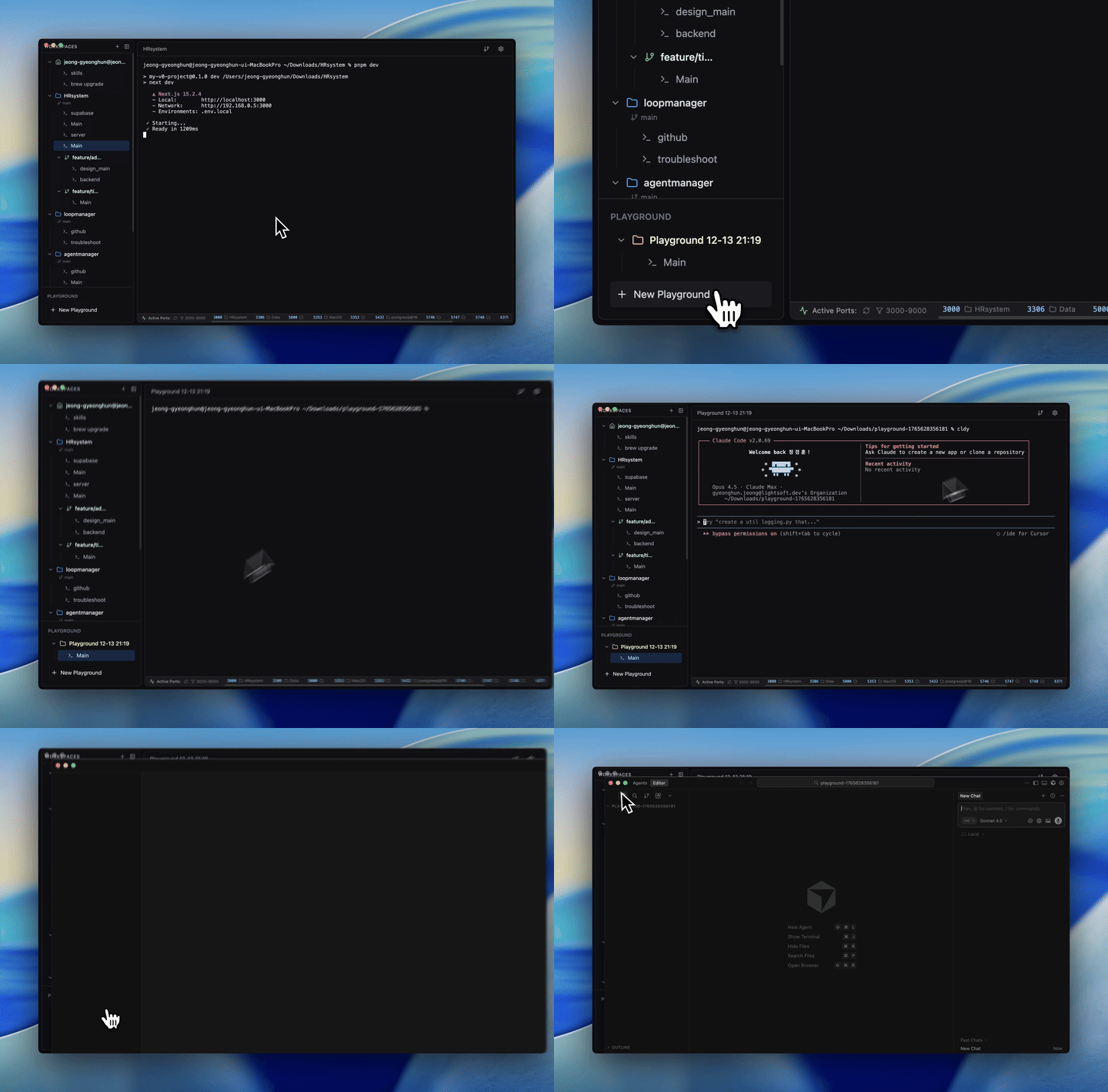
Every terminal session remains alive while you navigate. Switch between a dozen sessions without losing a single line of output.
Each terminal session has its own notepad. Jot down context, commands, or notes — they auto-save and persist with the session.
View and interact with two terminals side by side. Ideal for running a dev server while watching logs.
Every action is bindable. Open the keyboard shortcut editor and make CLI Manager fit your workflow.
Get the latest version from GitHub Releases and pick the file for your Mac:
| Platform | File |
|---|---|
| macOS Apple Silicon (arm64) | cli-manager-<version>-arm64.dmg |
| macOS Intel (x64) | cli-manager-<version>-x64.dmg |
The app checks for updates on its own after that.
git clone https://github.com/woorichicken/CLI_manager.git
cd CLI_manager
pnpm install
pnpm dev
pnpm build        # Build for current platform
pnpm build:mac    # Build signed macOS DMG
pnpm typecheck
src/
  main/         # Electron main process — IPC, terminal, port monitoring
  preload/      # Context bridge (main ↔ renderer)
  renderer/     # React frontend
    components/ # UI components (Sidebar, TerminalView, GitPanel, …)
    hooks/      # Custom React hooks
    utils/      # Utilities (terminalResizeManager, …)
  shared/       # Shared TypeScript types
Contributions are welcome! See CONTRIBUTING.md for guidelines.
MIT — see LICENSE for details.
Your CLI Agents, All in One Place.
Claude Code, Codex CLI, Gemini CLI — manage them all from a single macOS desktop app.
Stop switching between terminals and losing context.
As AI-powered development grows, developers are juggling Claude Code, Codex CLI, Gemini CLI — and dozens of project contexts at once. CLI Manager keeps everything organized so you can focus on building.
| Without CLI Manager | With CLI Manager | |
|---|---|---|
| Context switching | Re-open terminals, lose history | Instant tab switch, full state preserved |
| Agent management | Separate windows per tool | All agents in one sidebar |
| Project organization | Scattered folders | Workspaces with named sessions |
| Git branching | Manual worktree setup | One-click worktree workspace |
display: none), never destroyed on tab switchlsof pollingManage Claude Code, Codex CLI, and Gemini CLI from a single sidebar. Assign custom names and roles — "Frontend Dev", "Backend API", "Design Review" — so multi-agent workflows stay intuitive.
Create Git worktrees directly from the UI. Each worktree becomes its own workspace with independent terminal sessions, branch tracking, and GitHub actions — no manual setup required.
Push branches, create pull requests, and check GitHub Actions workflow status — all from within the app using your existing gh CLI authentication.
Automatically detects running local development servers. See which ports are active across all your projects at a glance, with filtering and one-click kill.
Save your most-used command sequences as named templates — with icons and descriptions. Launch complex multi-step setups with a single click.
Spin up a temporary workspace in your Downloads folder with one click. Experiment freely without touching your real projects.
Every terminal session remains alive while you navigate. Switch between a dozen sessions without losing a single line of output.
Each terminal session has its own notepad. Jot down context, commands, or notes — they auto-save and persist with the session.
View and interact with two terminals side by side. Ideal for running a dev server while watching logs.
Every action is bindable. Open the keyboard shortcut editor and make CLI Manager fit your workflow.
Get the latest version from GitHub Releases and pick the file for your Mac:
| Platform | File |
|---|---|
| macOS Apple Silicon (arm64) | cli-manager-<version>-arm64.dmg |
| macOS Intel (x64) | cli-manager-<version>-x64.dmg |
The app checks for updates on its own after that.
git clone https://github.com/woorichicken/CLI_manager.git
cd CLI_manager
pnpm install
pnpm dev
pnpm build        # Build for current platform
pnpm build:mac    # Build signed macOS DMG
pnpm typecheck
src/
  main/         # Electron main process — IPC, terminal, port monitoring
  preload/      # Context bridge (main ↔ renderer)
  renderer/     # React frontend
    components/ # UI components (Sidebar, TerminalView, GitPanel, …)
    hooks/      # Custom React hooks
    utils/      # Utilities (terminalResizeManager, …)
  shared/       # Shared TypeScript types
Contributions are welcome! See CONTRIBUTING.md for guidelines.
MIT — see LICENSE for details.





