
The calm, terminal-first workspace for Claude Code — run claude, with files, Git, diffs & MCP on demand, and munu, a notch mascot that watches Claude for you. Local-only, no telemetry.
See the codeSee what people are saying
README
English | 简体中文
Run Claude Code, then go do something else.
A terminal-first workspace for Claude Code — keep your real claude session, with checkpoints, live agents, diffs, Git, files, MCP & usage one keypress away.
And munu, a face in your notch — or pinned anywhere on screen — tells you the moment Claude needs you, even in a fullscreen app on another desktop.
macOS, Windows and Linux. Free, open source (MIT), no account, no telemetry.
Download · Website · Report a bug


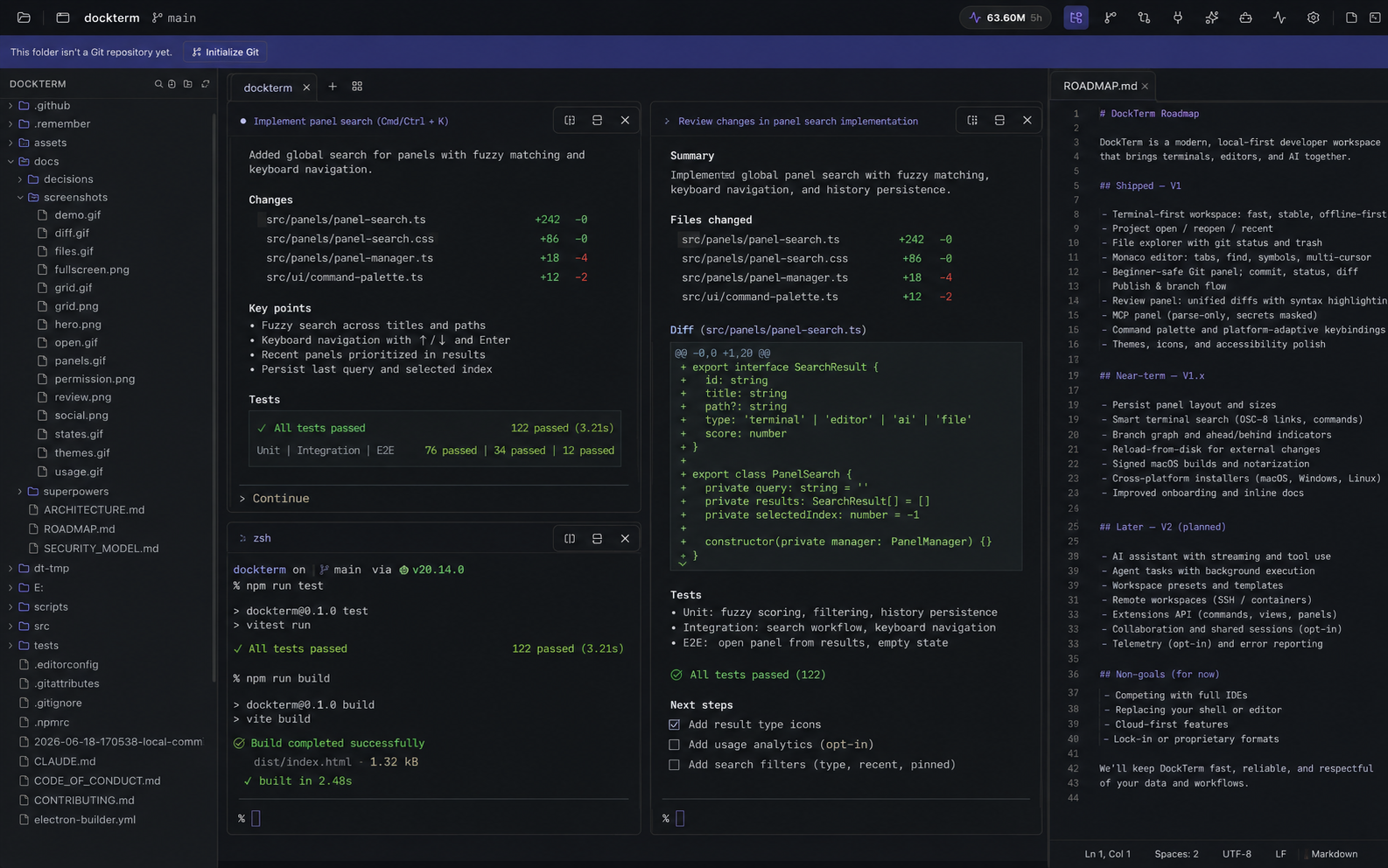
One calm window — your real claude sessions front and center, with files, diffs, Git, MCP and usage on demand. A project per pane.
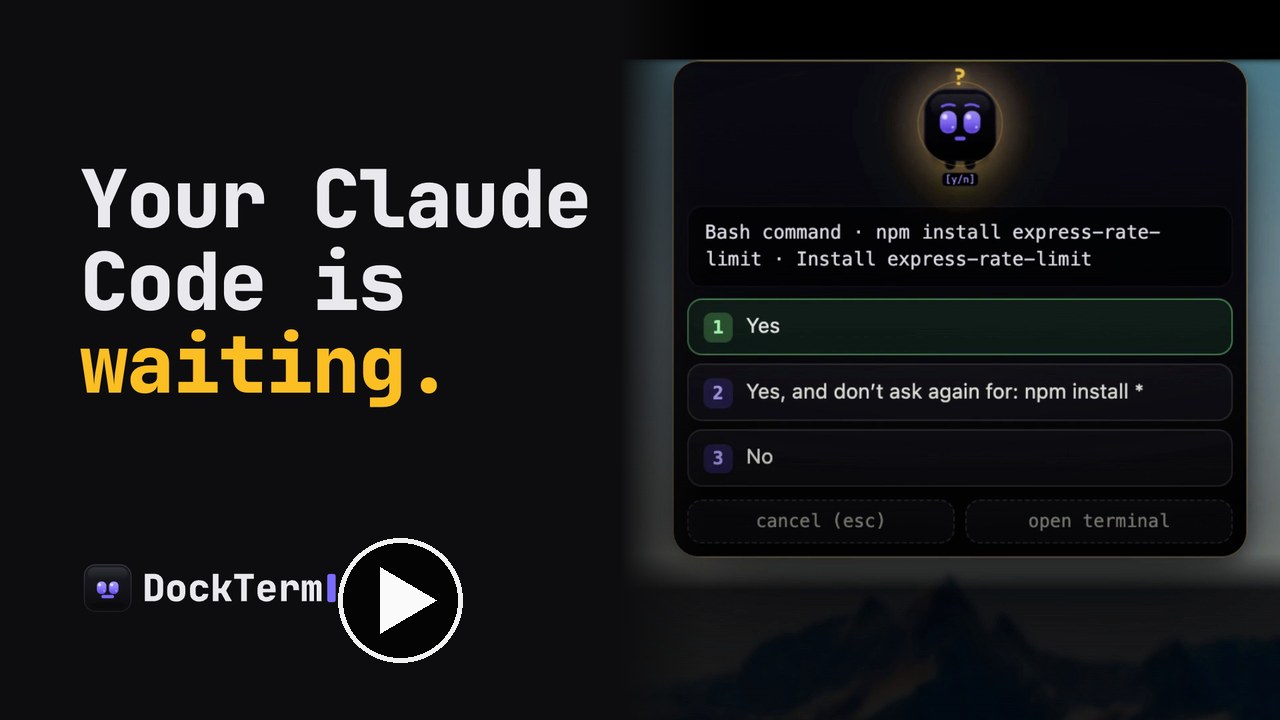
▶ Watch the 54-second tour (sound on)
- 🔔 munu — a notch mascot (or pin it anywhere) that reads Claude's state and surfaces permission prompts, even over a fullscreen app on another desktop. Pick your face: munu, nvurd, guru, or adanana.
- 🧭 Checkpoints for your Claude chat — see the prompts in the current session, jump back to them, and hand off restores to Claude's own
/rewind. - 🛰️ Live agent activity — when Claude spawns subagents, DockTerm shows the count, what they are doing, elapsed time, and finished results.
- ✂️ Send selection to Claude — select terminal text and send it into Claude as a referenced snippet, without building a separate chat UI.
- 📊 Usage at a glance — how much of your 5-hour and weekly limits is left, and exactly when they reset — live, in a panel and a top-bar pill.
- 🔍 Diff review + safe Git — see exactly what changed, then stage and commit, without leaving the terminal.
- 🗂️ Files, editor, MCP, skills & agents — they appear when you ask and vanish when you don't. Multi-select files, send paths to Claude, or drag real files into other apps.
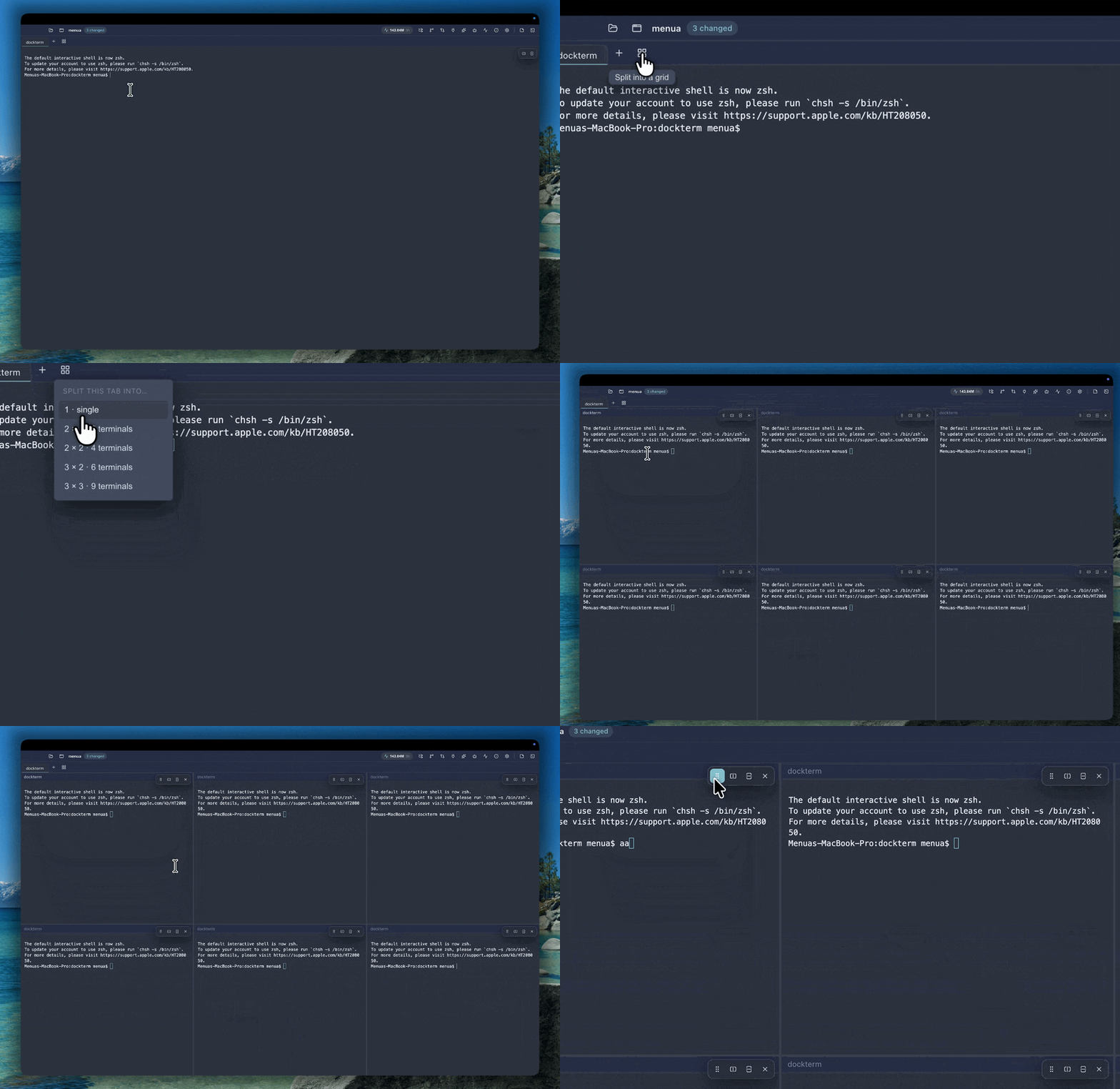
- 🪟 A project per pane — a grid where each pane is a different repo; the side panels follow whichever you focus. Drag panes to reorder.
- 🔒 Local-only — no accounts, no telemetry; it never calls an AI of its own.
Running Claude Code means living next to a terminal — alt-tabbing to read a diff, to commit, to check whether it's stuck on a [y/n]. DockTerm keeps that terminal central and brings the rest to you, so you can let Claude work and actually step away. Claude Code does the work; DockTerm is the calm window around it.
It keeps your real claude — it doesn't replace it. Unlike Claude Code GUIs that swap your terminal for a custom chat UI (Claudia/Opcode), DockTerm wraps your actual session and builds views around it. Nothing to relearn, and it stays compatible as Claude Code evolves.
How it compares
| Raw terminal | Full IDE | Claude GUIs | DockTerm | |
|---|---|---|---|---|
Keeps your real claude session | ✅ | ✅ | ❌ replaces it | ✅ |
| Highlighted diff review of Claude's changes | ❌ | ✅ | ~ | ✅ |
Stage & commit without raw git | ❌ | ~ | ~ | ✅ |
| Tells you when Claude needs you (even fullscreen) | ❌ | ❌ | ❌ | ✅ munu |
| Shows Claude subagents while they run | ❌ | ❌ | ~ | ✅ |
| Checkpoints for the current Claude session | ❌ | ❌ | ~ | ✅ |
| Send selected terminal text back to Claude | manual | manual | ~ | ✅ |
| Usage limits & reset times at a glance | ❌ | ❌ | ❌ | ✅ |
| Stays out of the way | ✅ | ❌ heavy | ~ | ✅ |
| No telemetry, local-only | ~ | ❌ | ~ | ✅ |
A terminal alone can't show a highlighted diff of what Claude changed, or let you commit safely, or tell you Claude is waiting while you're in another window. Opening a full IDE to review three lines breaks the flow. DockTerm sits in between.
munu
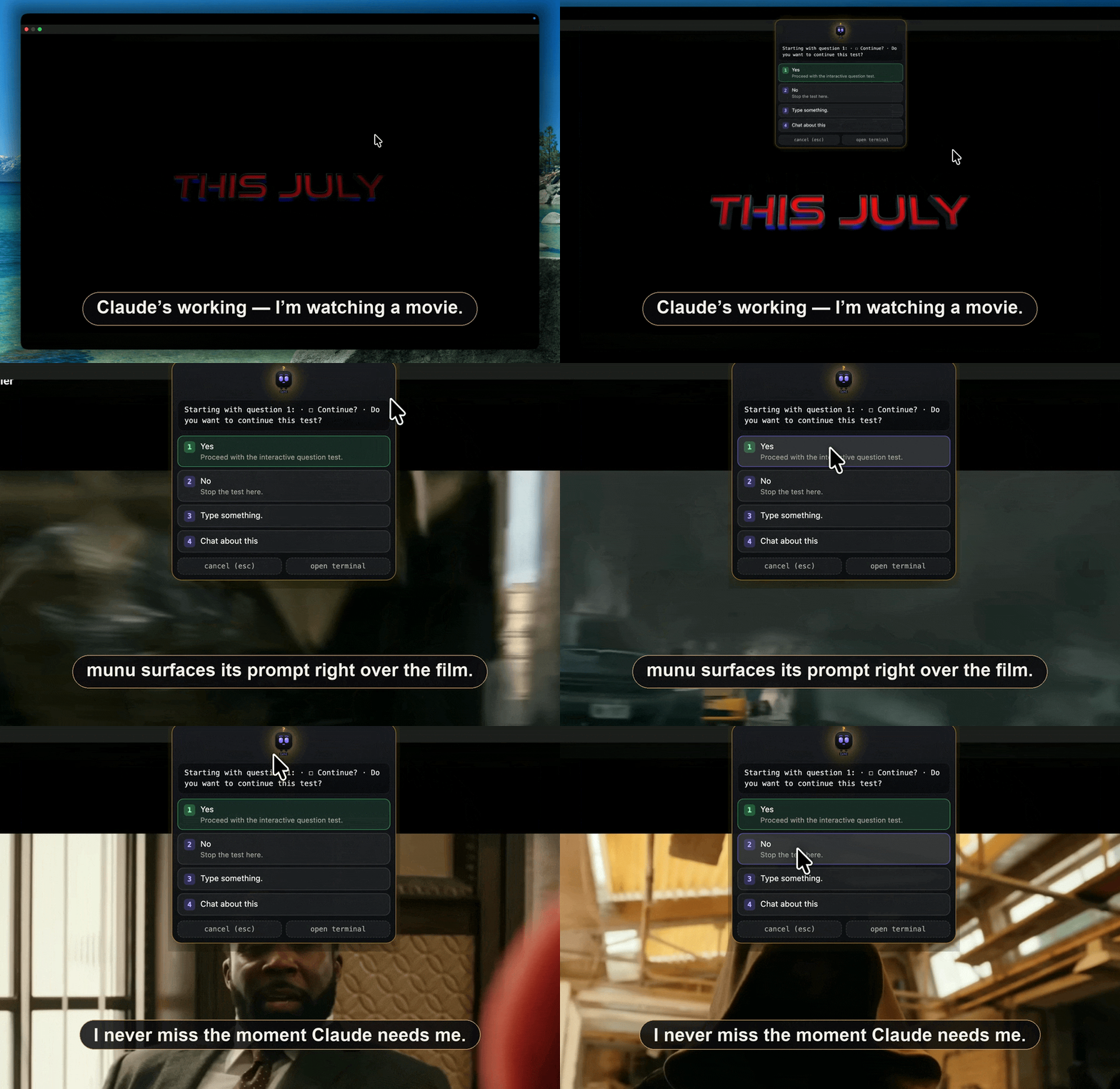
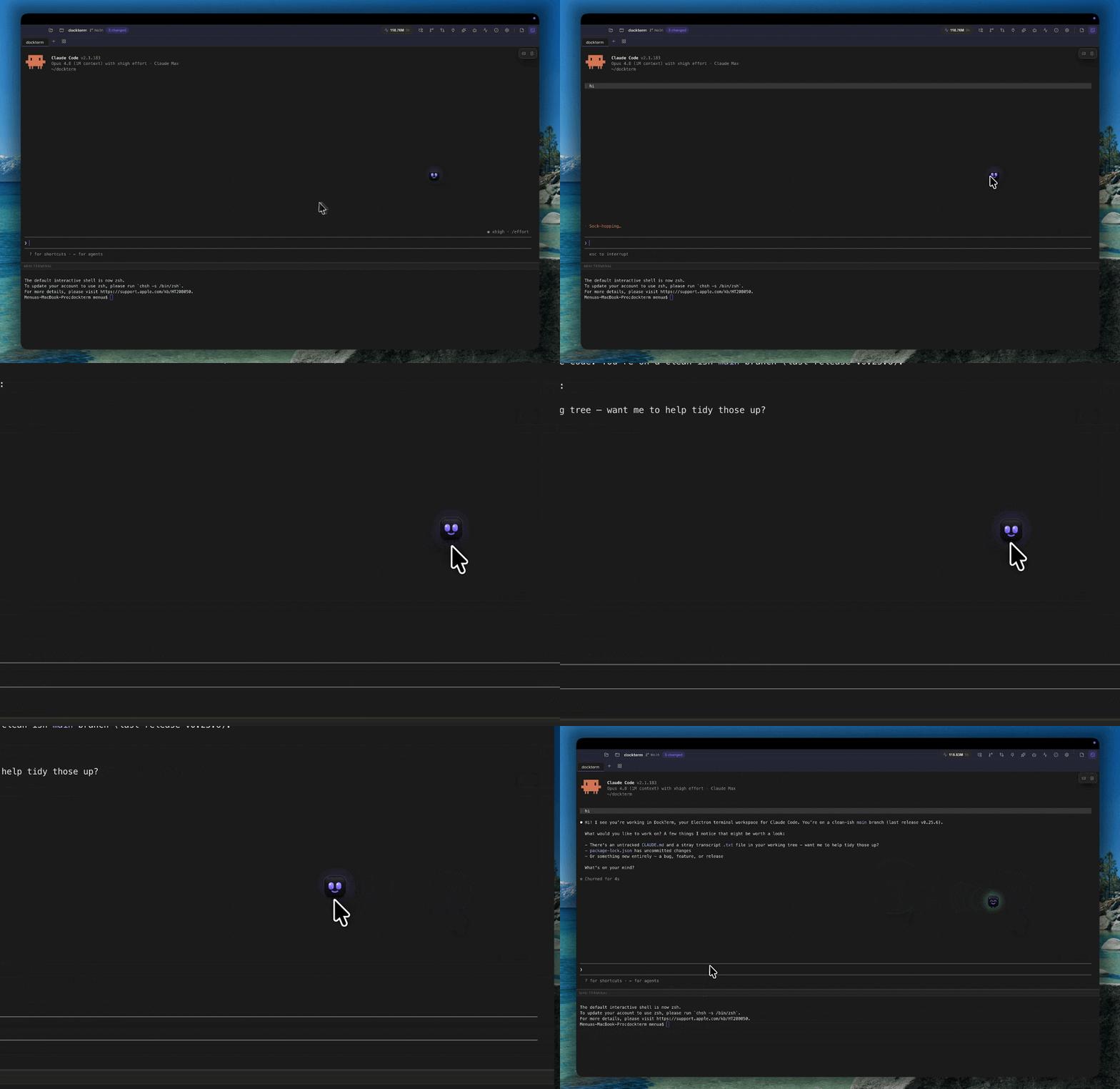
DockTerm reads Claude's state from the terminal output and shows it as munu, a small face near your menu bar — in the notch, on a MacBook. At a glance you can tell whether Claude is working, finished, or waiting for a [y/n], even when DockTerm is behind another window. When Claude pauses to ask permission, munu surfaces the prompt so you can answer with one click — including multi-choice and free-text answers — and never lose your flow. It infers everything from the terminal; it never auto-answers and never calls an API.
Go watch something fullscreen — munu floats over it (even on another desktop/Space) and brings Claude's prompt to you, so you never miss it.
By default munu tucks into the notch, slides out on hover, and peeks for a few seconds when Claude's state changes. Prefer it always in view? Pin it and drag it anywhere on screen — it stays put and visible wherever you put it. On Windows and Linux it's a small auto-hiding (or pinned) pill at the top of the screen.
Choose your companion
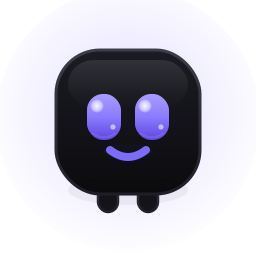 | 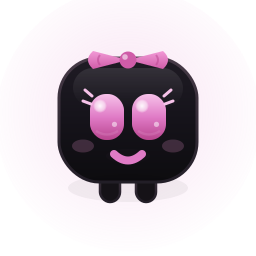 |  | 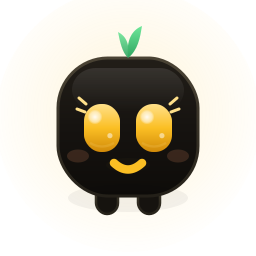 |
| munu | nvurd | guru | adanana |
…in every state
| 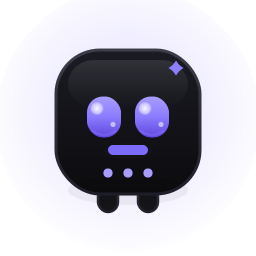 | 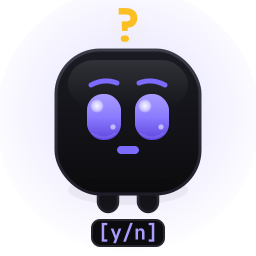 |  | 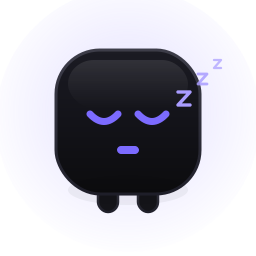 |
| resting | working | needs you | done | no project |
What you get
- Real terminal — xterm.js on a native PTY (your real shell). Tabs, splits, grids, true-color, unicode, search, and native, instant scrolling. Drag a pane to reorder the grid.
- Chat mode: press
⌘R/Ctrl Shift Ron any pane to read Claude's session as a clean conversation, with a working timer, permission prompts as buttons, and a composer for attachments, smart paste,/and@menus, history and drafts. Hold the mic to talk through Claude's own voice mode. The real terminal keeps running underneath; press the shortcut again to go back. - Reading comfort: a docked or floating Reading view of the current conversation, a warm low-glare Reading theme, line height, letter spacing and padding controls with one-tap presets, and Zen mode (
⌘./Ctrl Shift .) that dims the panes you're not using. - Claude workflow helpers — one-click
claude/claude --resume, a checkpoint rail for the current conversation, and a Send to Claude selection toolbar for turning terminal text into a referenced prompt snippet. - Live agent activity — a top-bar count pill, Activity panel, and munu swarm show Claude Code subagents as they start, run, and finish, grouped by project and read from local transcripts.
- Terminal memory after quit — DockTerm restores each terminal's visible scrollback after a full app quit, so updating the app does not leave you staring at a blank shell. Use
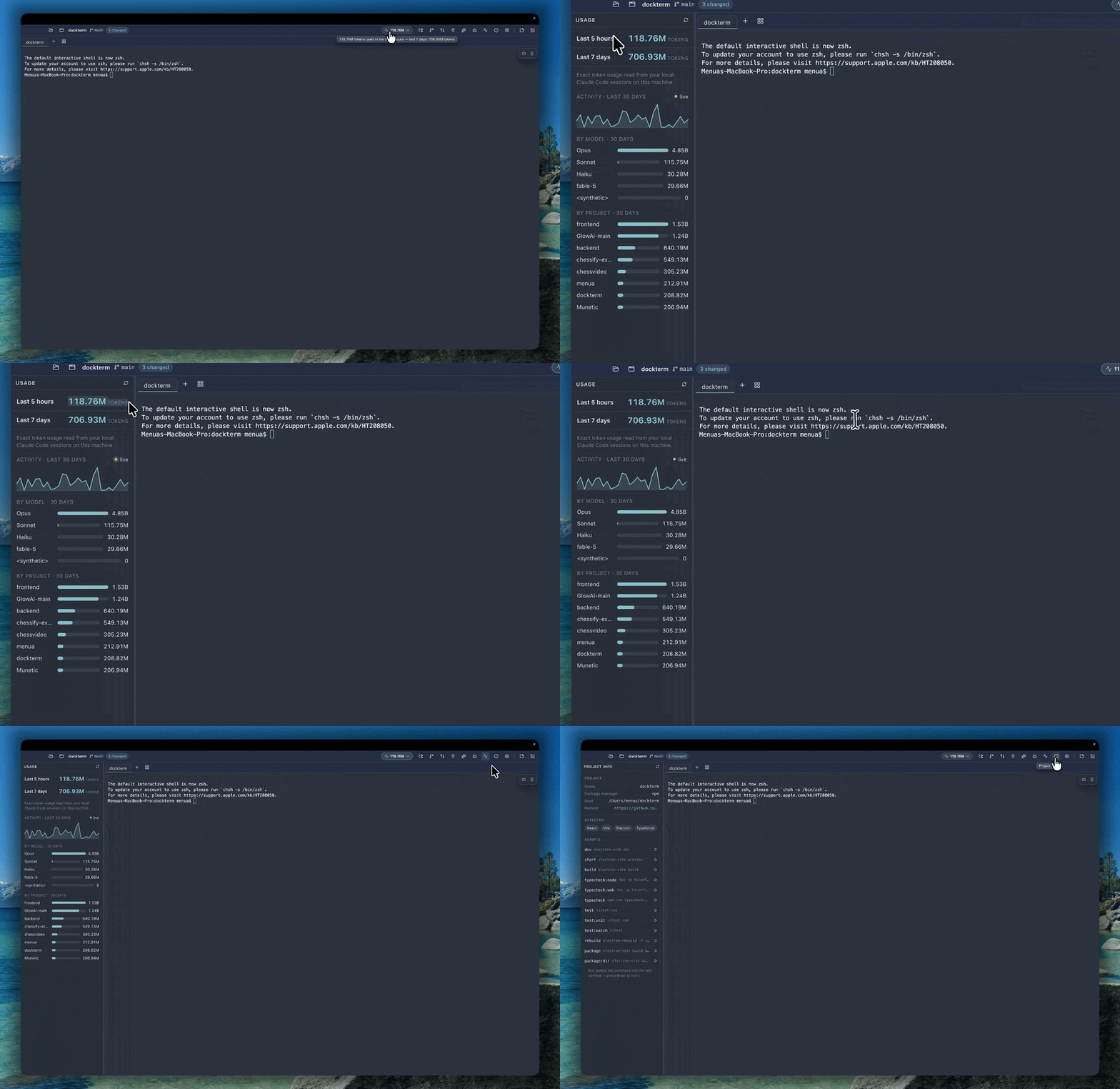
claude --resumeto continue Claude's actual conversation. - Usage limits, live — a Usage panel and a top-bar pill show how much of your rolling 5-hour and weekly windows remain and when each resets, calibrated from your own history. Read locally; tokens-only; nothing leaves your machine.
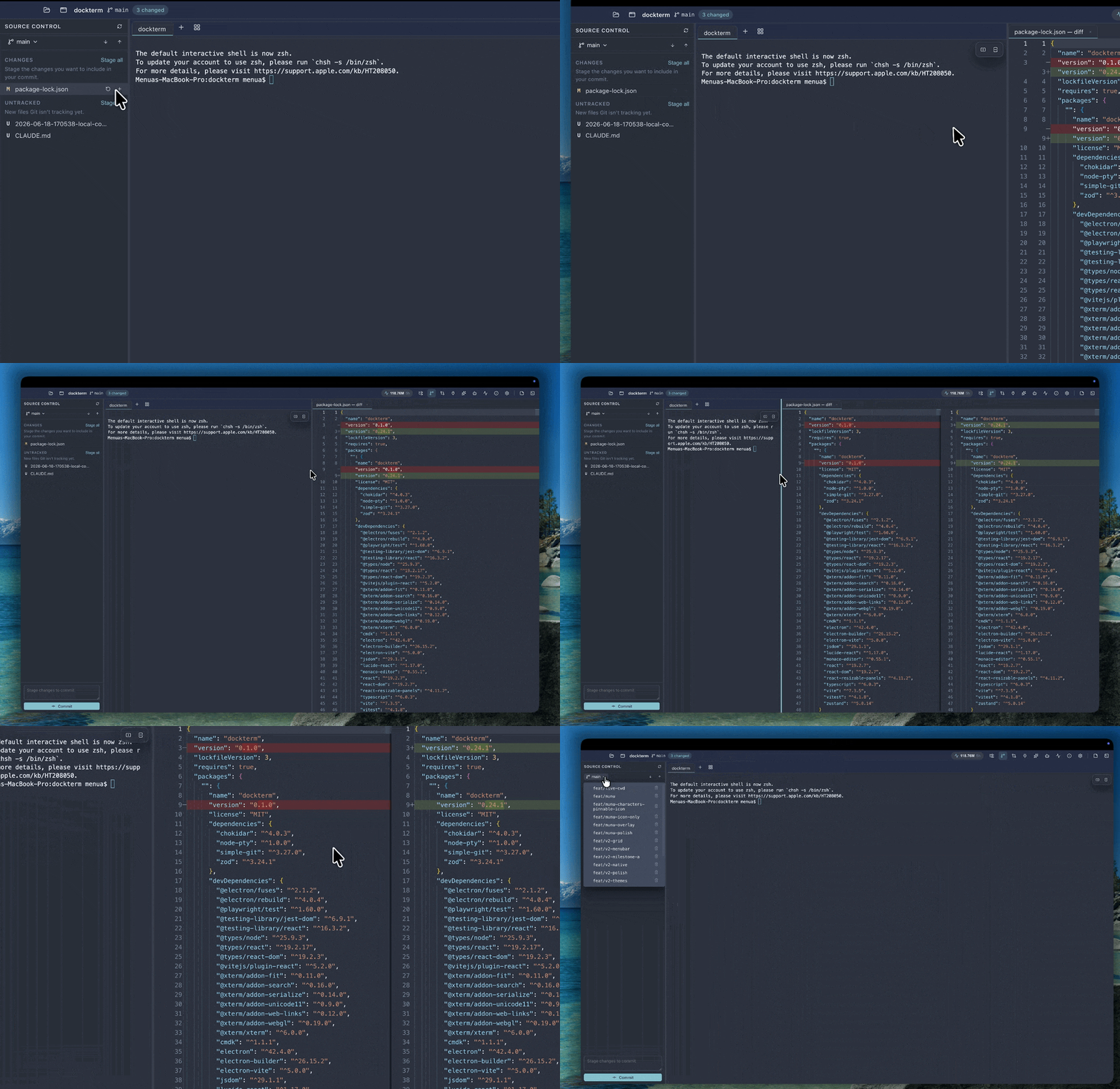
- Diff review — see exactly what changed since your last commit, this session, or a pinned checkpoint, and open a side-by-side diff for any file before you trust it.
- Beginner-safe Git — grouped status, stage/discard, commit, push/pull, branches, with confirmations on the risky actions that show the exact command they'll run.
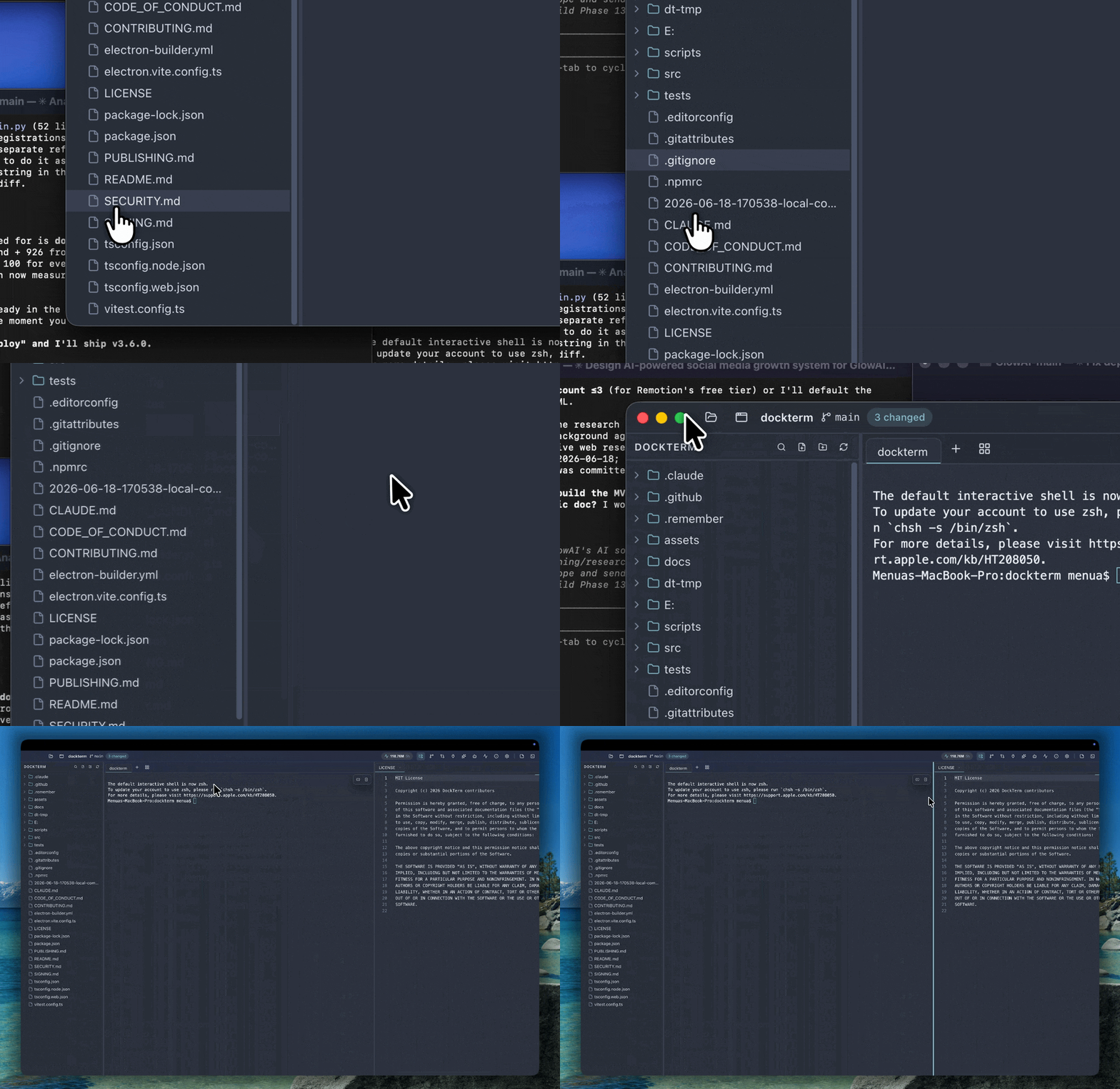
- Files, editor & previews — file tree, Monaco editor with a save-conflict guard, image and binary previews; drag a file or folder into a terminal to insert its path, multi-select with
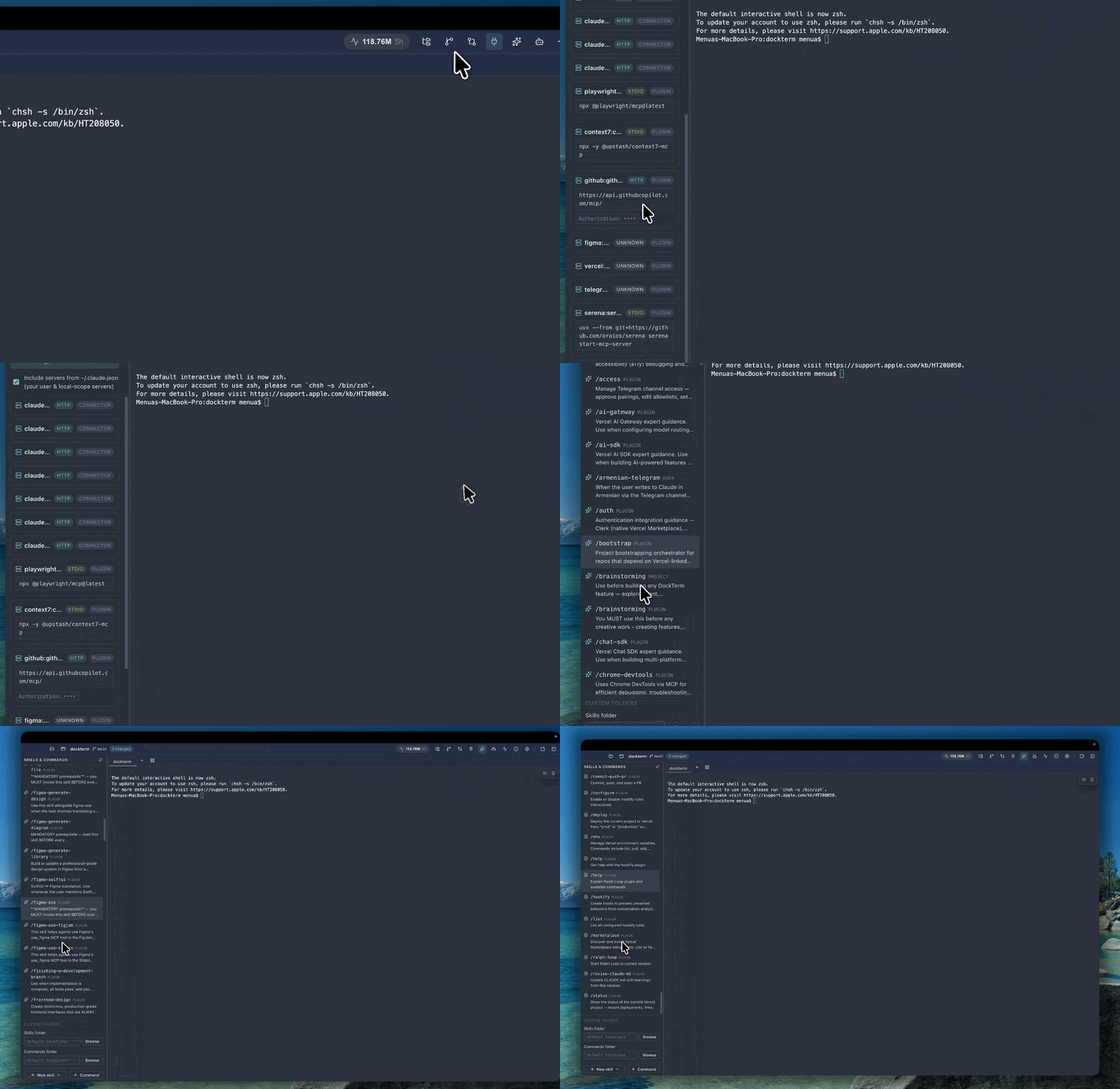
⌘/Ctrl, and drag the actual files into other apps. - MCP, skills & agents — read-only views of your MCP servers (project, user, claude.ai connectors, and plugin-provided) with secrets masked, plus your skills, slash-commands and subagents; browse and scaffold skills.
- A project per pane — a grid where each pane is a different repo; focus a pane and the side panels follow it, including a live
cd. - Command palette —
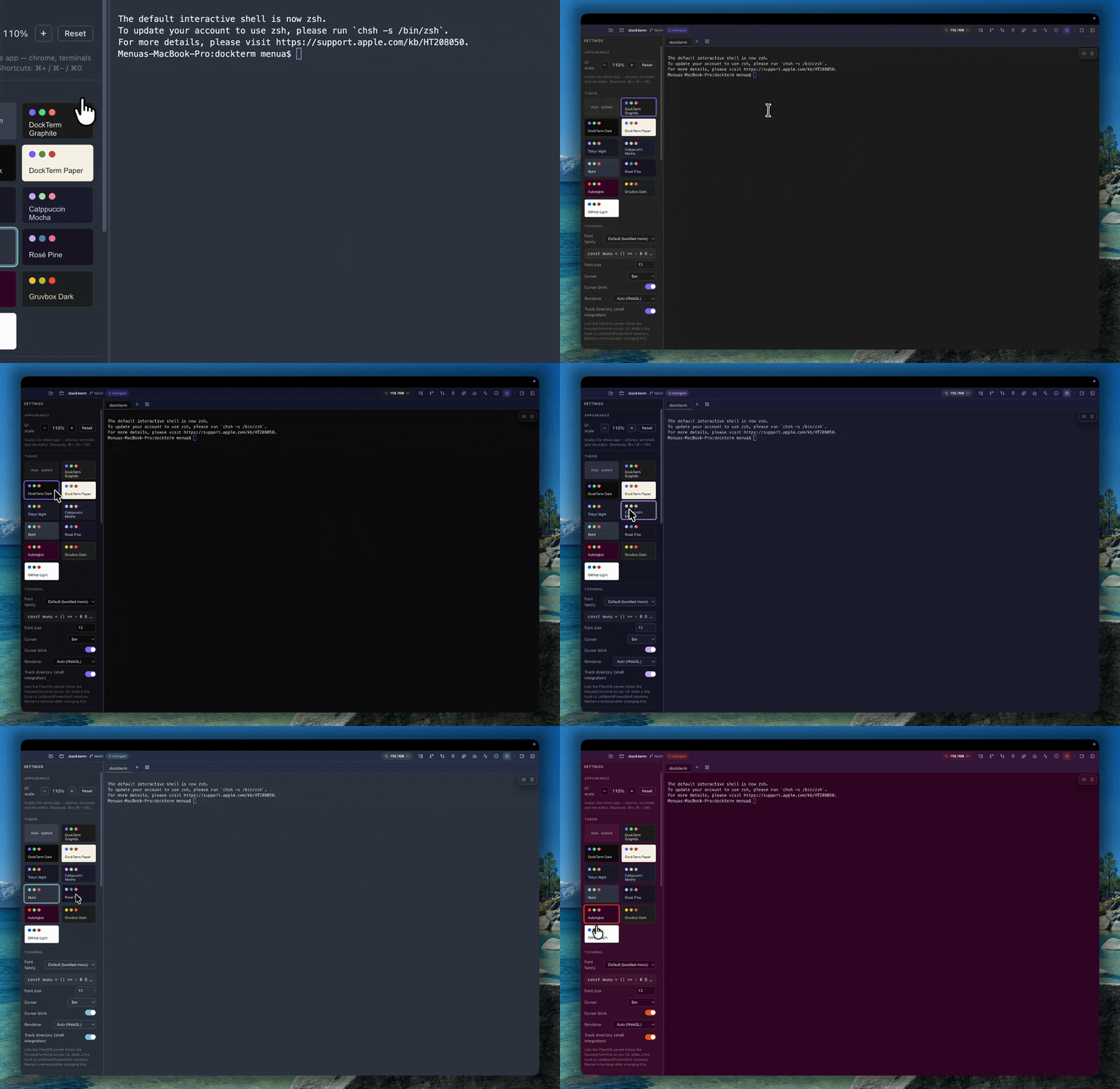
⌘K/Ctrl Shift Pto jump anywhere. - Themes & zoom — ten themes (incl. Tokyo Night, Catppuccin, Nord, Rosé Pine, an Ubuntu-style Aubergine, and Gruvbox) plus follow-system, and
⌘/Ctrl+ / − / 0to scale the whole UI. - In-app updates — DockTerm checks for new releases and can download and install the latest for your platform in one click.
Split into a grid — a project per pane
Open any project — Claude in a real terminal
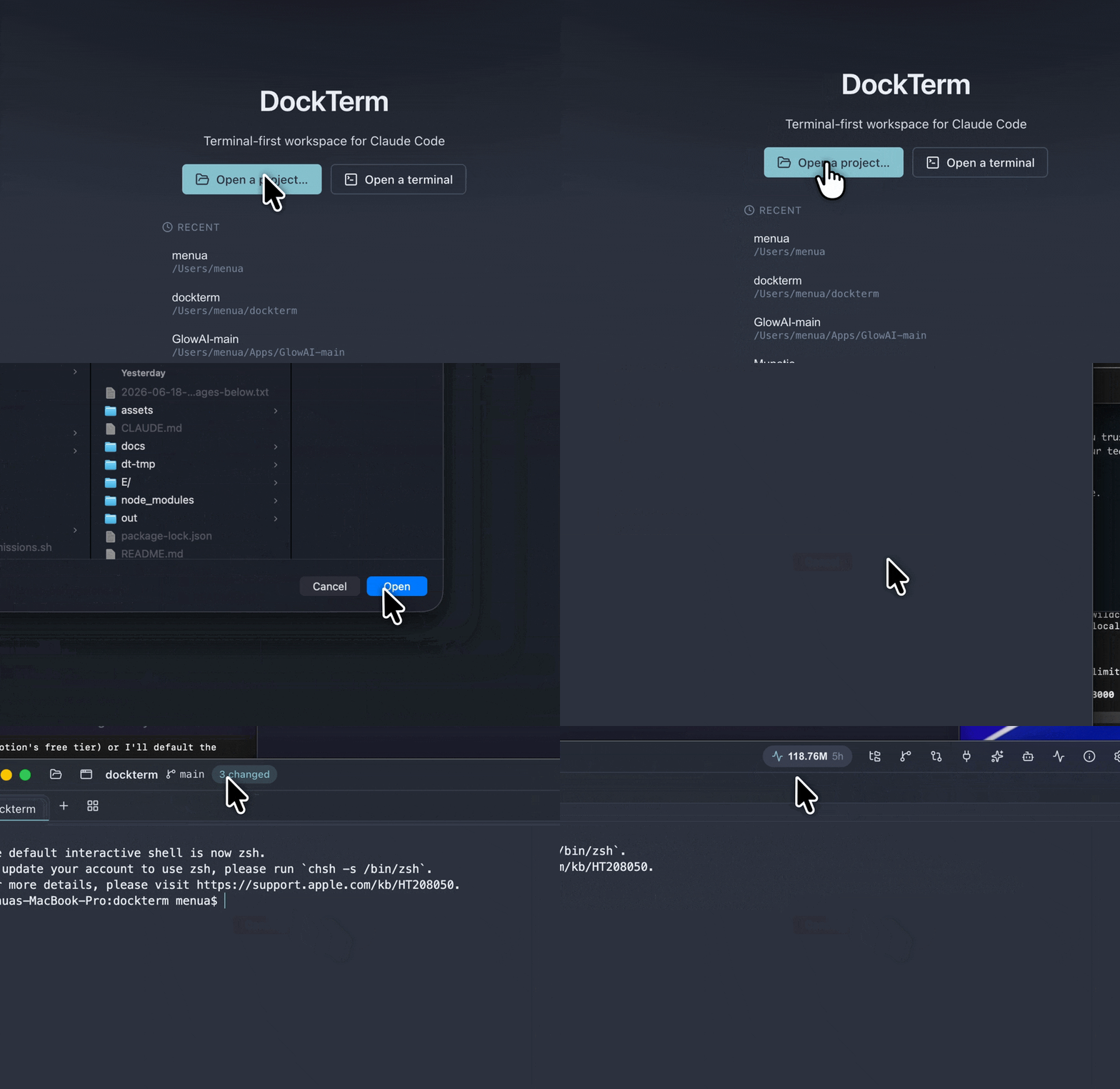
Your files, editor and image previews
Review what Claude changed, then commit when you're ready
MCP, skills & agents — read-only, secrets masked
Checkpoints, selections and live agents — built around your real Claude terminal
DockTerm does not replace Claude Code with a chat clone. It watches the real terminal and local Claude transcripts, then adds small workflow surfaces around them:
- Checkpoints rail follows the focused terminal's active Claude session. It lists your prompts, filters out system/tool noise, jumps back to the selected checkpoint, and opens Claude's own
/rewindwhen you choose to restore. - Send to Claude appears when you select terminal text. In a normal shell it uses the terminal selection; inside Claude Code it can use Claude's copied selection, so the same button still works.
- Agent Activity shows live subagents globally, grouped by project, with elapsed timers and result previews. munu can briefly reveal a small swarm when agent count changes.
See how much of your limits are left
Ten themes, light and dark
munu, pinned anywhere — reacting as Claude works
Keyboard shortcuts
DockTerm uses the shortcuts you already know from each platform's default terminal, and never steals keys the shell needs (plain Ctrl C/Ctrl W always go to the shell).
| Action | macOS | Windows / Linux |
|---|---|---|
| New tab | ⌘T | Ctrl Shift T |
| New window | ⌘N | Ctrl Shift N |
| Close tab | ⌘W | Ctrl Shift W |
| Command palette | ⌘K | Ctrl Shift P |
| Open project | ⌘O | Ctrl Shift O |
| Files / Git / Review panel | ⌘B / ⌘G / ⌘E | Ctrl Shift B / G / E |
| Chat mode for the focused pane | ⌘R | Ctrl Shift R |
| Zen mode | ⌘. | Ctrl Shift . |
| Compose a long prompt | ⌘⇧⏎ | Ctrl Shift Enter |
| Split right | ⌘D | Ctrl Shift D |
| MCP panel | ⌘⇧M | Ctrl Shift M |
| Mini terminal | ⌘J | Ctrl Shift J |
| Settings | ⌘, | Ctrl Shift , |
| Zoom in / out / reset | ⌘ + / − / 0 | Ctrl Shift + / − / 0 |
| Scroll to top / bottom | ⌘↑ / ⌘↓ | Shift PageUp / PageDown |
| Summon / hide DockTerm (global) | `⌘⇧`` | `Ctrl Shift `` |
Install
macOS, with Homebrew:
brew install --cask munvard/dockterm/dockterm
Or download from Releases:
| System | File |
|---|---|
| macOS (Apple Silicon) | DockTerm-<version>-macOS-Apple-Silicon.dmg |
| macOS (Intel) | DockTerm-<version>-macOS-Intel.dmg |
| Windows 10/11 | DockTerm-<version>-Windows.exe |
| Linux (x86-64) | DockTerm-<version>-Linux.AppImage |
macOS builds are signed and notarized, so they open normally. Windows builds are unsigned for now — if SmartScreen appears, choose More info → Run anyway. Installs per-user, no admin. After that, DockTerm can keep itself up to date from inside the app.
Privacy & security
DockTerm is built to be trusted with your code:
- No telemetry, no accounts, no AI of its own. It only ever runs your
claude. - Usage stats are read from your local
~/.claudetranscripts, read-only — token counts only, never message content, and nothing is uploaded. contextIsolationandsandboxare on; production loads over a custom protocol with a strict CSP and no remote content.- Every IPC channel is an explicit, schema-validated verb with a sender check.
- Filesystem access is jailed to the open project (symlink-safe). Reading
~/.claudeis a separate opt-in. - Checkpoints and Agent Activity read local Claude transcript files under
~/.clauderead-only; they do not modify, upload, or execute them. - Every
gitcall runs withcore.hooksPath=, so a malicious repo's hooks can't execute. - MCP and skill config is read-only and never executed; secrets are shown as key names only.
More in docs/SECURITY_MODEL.md.
FAQ
Does my code or any data leave my machine?
No. DockTerm has no telemetry and never calls an AI of its own. Usage stats come from your local ~/.claude transcripts, read-only.
Do I keep using my normal claude?
Yes — DockTerm wraps your real Claude Code session in a real shell. Nothing to relearn, and it stays compatible as Claude Code evolves.
Are the usage percentages exact to my plan? Anthropic doesn't expose your exact quota locally, so DockTerm calibrates the percentage from your own history — it tracks your real limits closely (especially once you've hit one), and the reset times are exact.
Windows says "unknown publisher." The Windows build is unsigned for now: choose More info → Run anyway. macOS is signed and notarized.
Does munu ever answer Claude for me? Never. It only surfaces the prompt; you click. It infers state from the terminal and never calls an API.
Build from source
git clone https://github.com/munvard/dockterm && cd dockterm
npm install
npm run dev        # run with hot reload
npm test           # unit tests (vitest)
npm run build      # production bundles
Requires Node 22+. Architecture notes are in CONTRIBUTING.md.
Status
Early but actively developed, used daily, and built and maintained with Claude Code itself. It's an Electron app, so the download is fairly large. macOS builds are notarized; Windows is unsigned for now. Bugs and rough edges are expected — issues and PRs are welcome.
License
MIT. Built with Electron, xterm.js, Monaco, and simple-git.
Similar repos


Languages
TypeScript
90.4%
CSS
7.6%
JavaScript
1.8%
The calm, terminal-first workspace for Claude Code — run claude, with files, Git, diffs & MCP on demand, and munu, a notch mascot that watches Claude for you. Local-only, no telemetry.
See the codeSee what people are saying
README
English | 简体中文
Run Claude Code, then go do something else.
A terminal-first workspace for Claude Code — keep your real claude session, with checkpoints, live agents, diffs, Git, files, MCP & usage one keypress away.
And munu, a face in your notch — or pinned anywhere on screen — tells you the moment Claude needs you, even in a fullscreen app on another desktop.
macOS, Windows and Linux. Free, open source (MIT), no account, no telemetry.
Download · Website · Report a bug
One calm window — your real claude sessions front and center, with files, diffs, Git, MCP and usage on demand. A project per pane.
▶ Watch the 54-second tour (sound on)
- 🔔 munu — a notch mascot (or pin it anywhere) that reads Claude's state and surfaces permission prompts, even over a fullscreen app on another desktop. Pick your face: munu, nvurd, guru, or adanana.
- 🧭 Checkpoints for your Claude chat — see the prompts in the current session, jump back to them, and hand off restores to Claude's own
/rewind. - 🛰️ Live agent activity — when Claude spawns subagents, DockTerm shows the count, what they are doing, elapsed time, and finished results.
- ✂️ Send selection to Claude — select terminal text and send it into Claude as a referenced snippet, without building a separate chat UI.
- 📊 Usage at a glance — how much of your 5-hour and weekly limits is left, and exactly when they reset — live, in a panel and a top-bar pill.
- 🔍 Diff review + safe Git — see exactly what changed, then stage and commit, without leaving the terminal.
- 🗂️ Files, editor, MCP, skills & agents — they appear when you ask and vanish when you don't. Multi-select files, send paths to Claude, or drag real files into other apps.
- 🪟 A project per pane — a grid where each pane is a different repo; the side panels follow whichever you focus. Drag panes to reorder.
- 🔒 Local-only — no accounts, no telemetry; it never calls an AI of its own.
Running Claude Code means living next to a terminal — alt-tabbing to read a diff, to commit, to check whether it's stuck on a [y/n]. DockTerm keeps that terminal central and brings the rest to you, so you can let Claude work and actually step away. Claude Code does the work; DockTerm is the calm window around it.
It keeps your real claude — it doesn't replace it. Unlike Claude Code GUIs that swap your terminal for a custom chat UI (Claudia/Opcode), DockTerm wraps your actual session and builds views around it. Nothing to relearn, and it stays compatible as Claude Code evolves.
How it compares
| Raw terminal | Full IDE | Claude GUIs | DockTerm | |
|---|---|---|---|---|
Keeps your real claude session | ✅ | ✅ | ❌ replaces it | ✅ |
| Highlighted diff review of Claude's changes | ❌ | ✅ | ~ | ✅ |
Stage & commit without raw git | ❌ | ~ | ~ | ✅ |
| Tells you when Claude needs you (even fullscreen) | ❌ | ❌ | ❌ | ✅ munu |
| Shows Claude subagents while they run | ❌ | ❌ | ~ | ✅ |
| Checkpoints for the current Claude session | ❌ | ❌ | ~ | ✅ |
| Send selected terminal text back to Claude | manual | manual | ~ | ✅ |
| Usage limits & reset times at a glance | ❌ | ❌ | ❌ | ✅ |
| Stays out of the way | ✅ | ❌ heavy | ~ | ✅ |
| No telemetry, local-only | ~ | ❌ | ~ | ✅ |
A terminal alone can't show a highlighted diff of what Claude changed, or let you commit safely, or tell you Claude is waiting while you're in another window. Opening a full IDE to review three lines breaks the flow. DockTerm sits in between.
munu
DockTerm reads Claude's state from the terminal output and shows it as munu, a small face near your menu bar — in the notch, on a MacBook. At a glance you can tell whether Claude is working, finished, or waiting for a [y/n], even when DockTerm is behind another window. When Claude pauses to ask permission, munu surfaces the prompt so you can answer with one click — including multi-choice and free-text answers — and never lose your flow. It infers everything from the terminal; it never auto-answers and never calls an API.
Go watch something fullscreen — munu floats over it (even on another desktop/Space) and brings Claude's prompt to you, so you never miss it.
By default munu tucks into the notch, slides out on hover, and peeks for a few seconds when Claude's state changes. Prefer it always in view? Pin it and drag it anywhere on screen — it stays put and visible wherever you put it. On Windows and Linux it's a small auto-hiding (or pinned) pill at the top of the screen.
Choose your companion
| | | |
| munu | nvurd | guru | adanana |
…in every state
| | | | |
| resting | working | needs you | done | no project |
What you get
- Real terminal — xterm.js on a native PTY (your real shell). Tabs, splits, grids, true-color, unicode, search, and native, instant scrolling. Drag a pane to reorder the grid.
- Chat mode: press
⌘R/Ctrl Shift Ron any pane to read Claude's session as a clean conversation, with a working timer, permission prompts as buttons, and a composer for attachments, smart paste,/and@menus, history and drafts. Hold the mic to talk through Claude's own voice mode. The real terminal keeps running underneath; press the shortcut again to go back. - Reading comfort: a docked or floating Reading view of the current conversation, a warm low-glare Reading theme, line height, letter spacing and padding controls with one-tap presets, and Zen mode (
⌘./Ctrl Shift .) that dims the panes you're not using. - Claude workflow helpers — one-click
claude/claude --resume, a checkpoint rail for the current conversation, and a Send to Claude selection toolbar for turning terminal text into a referenced prompt snippet. - Live agent activity — a top-bar count pill, Activity panel, and munu swarm show Claude Code subagents as they start, run, and finish, grouped by project and read from local transcripts.
- Terminal memory after quit — DockTerm restores each terminal's visible scrollback after a full app quit, so updating the app does not leave you staring at a blank shell. Use
claude --resumeto continue Claude's actual conversation. - Usage limits, live — a Usage panel and a top-bar pill show how much of your rolling 5-hour and weekly windows remain and when each resets, calibrated from your own history. Read locally; tokens-only; nothing leaves your machine.
- Diff review — see exactly what changed since your last commit, this session, or a pinned checkpoint, and open a side-by-side diff for any file before you trust it.
- Beginner-safe Git — grouped status, stage/discard, commit, push/pull, branches, with confirmations on the risky actions that show the exact command they'll run.
- Files, editor & previews — file tree, Monaco editor with a save-conflict guard, image and binary previews; drag a file or folder into a terminal to insert its path, multi-select with
⌘/Ctrl, and drag the actual files into other apps. - MCP, skills & agents — read-only views of your MCP servers (project, user, claude.ai connectors, and plugin-provided) with secrets masked, plus your skills, slash-commands and subagents; browse and scaffold skills.
- A project per pane — a grid where each pane is a different repo; focus a pane and the side panels follow it, including a live
cd. - Command palette —
⌘K/Ctrl Shift Pto jump anywhere. - Themes & zoom — ten themes (incl. Tokyo Night, Catppuccin, Nord, Rosé Pine, an Ubuntu-style Aubergine, and Gruvbox) plus follow-system, and
⌘/Ctrl+ / − / 0to scale the whole UI. - In-app updates — DockTerm checks for new releases and can download and install the latest for your platform in one click.
Split into a grid — a project per pane
Open any project — Claude in a real terminal
Your files, editor and image previews
Review what Claude changed, then commit when you're ready
MCP, skills & agents — read-only, secrets masked
Checkpoints, selections and live agents — built around your real Claude terminal
DockTerm does not replace Claude Code with a chat clone. It watches the real terminal and local Claude transcripts, then adds small workflow surfaces around them:
- Checkpoints rail follows the focused terminal's active Claude session. It lists your prompts, filters out system/tool noise, jumps back to the selected checkpoint, and opens Claude's own
/rewindwhen you choose to restore. - Send to Claude appears when you select terminal text. In a normal shell it uses the terminal selection; inside Claude Code it can use Claude's copied selection, so the same button still works.
- Agent Activity shows live subagents globally, grouped by project, with elapsed timers and result previews. munu can briefly reveal a small swarm when agent count changes.
See how much of your limits are left
Ten themes, light and dark
munu, pinned anywhere — reacting as Claude works
Keyboard shortcuts
DockTerm uses the shortcuts you already know from each platform's default terminal, and never steals keys the shell needs (plain Ctrl C/Ctrl W always go to the shell).
| Action | macOS | Windows / Linux |
|---|---|---|
| New tab | ⌘T | Ctrl Shift T |
| New window | ⌘N | Ctrl Shift N |
| Close tab | ⌘W | Ctrl Shift W |
| Command palette | ⌘K | Ctrl Shift P |
| Open project | ⌘O | Ctrl Shift O |
| Files / Git / Review panel | ⌘B / ⌘G / ⌘E | Ctrl Shift B / G / E |
| Chat mode for the focused pane | ⌘R | Ctrl Shift R |
| Zen mode | ⌘. | Ctrl Shift . |
| Compose a long prompt | ⌘⇧⏎ | Ctrl Shift Enter |
| Split right | ⌘D | Ctrl Shift D |
| MCP panel | ⌘⇧M | Ctrl Shift M |
| Mini terminal | ⌘J | Ctrl Shift J |
| Settings | ⌘, | Ctrl Shift , |
| Zoom in / out / reset | ⌘ + / − / 0 | Ctrl Shift + / − / 0 |
| Scroll to top / bottom | ⌘↑ / ⌘↓ | Shift PageUp / PageDown |
| Summon / hide DockTerm (global) | `⌘⇧`` | `Ctrl Shift `` |
Install
macOS, with Homebrew:
brew install --cask munvard/dockterm/dockterm
Or download from Releases:
| System | File |
|---|---|
| macOS (Apple Silicon) | DockTerm-<version>-macOS-Apple-Silicon.dmg |
| macOS (Intel) | DockTerm-<version>-macOS-Intel.dmg |
| Windows 10/11 | DockTerm-<version>-Windows.exe |
| Linux (x86-64) | DockTerm-<version>-Linux.AppImage |
macOS builds are signed and notarized, so they open normally. Windows builds are unsigned for now — if SmartScreen appears, choose More info → Run anyway. Installs per-user, no admin. After that, DockTerm can keep itself up to date from inside the app.
Privacy & security
DockTerm is built to be trusted with your code:
- No telemetry, no accounts, no AI of its own. It only ever runs your
claude. - Usage stats are read from your local
~/.claudetranscripts, read-only — token counts only, never message content, and nothing is uploaded. contextIsolationandsandboxare on; production loads over a custom protocol with a strict CSP and no remote content.- Every IPC channel is an explicit, schema-validated verb with a sender check.
- Filesystem access is jailed to the open project (symlink-safe). Reading
~/.claudeis a separate opt-in. - Checkpoints and Agent Activity read local Claude transcript files under
~/.clauderead-only; they do not modify, upload, or execute them. - Every
gitcall runs withcore.hooksPath=, so a malicious repo's hooks can't execute. - MCP and skill config is read-only and never executed; secrets are shown as key names only.
More in docs/SECURITY_MODEL.md.
FAQ
Does my code or any data leave my machine?
No. DockTerm has no telemetry and never calls an AI of its own. Usage stats come from your local ~/.claude transcripts, read-only.
Do I keep using my normal claude?
Yes — DockTerm wraps your real Claude Code session in a real shell. Nothing to relearn, and it stays compatible as Claude Code evolves.
Are the usage percentages exact to my plan? Anthropic doesn't expose your exact quota locally, so DockTerm calibrates the percentage from your own history — it tracks your real limits closely (especially once you've hit one), and the reset times are exact.
Windows says "unknown publisher." The Windows build is unsigned for now: choose More info → Run anyway. macOS is signed and notarized.
Does munu ever answer Claude for me? Never. It only surfaces the prompt; you click. It infers state from the terminal and never calls an API.
Build from source
git clone https://github.com/munvard/dockterm && cd dockterm
npm install
npm run dev        # run with hot reload
npm test           # unit tests (vitest)
npm run build      # production bundles
Requires Node 22+. Architecture notes are in CONTRIBUTING.md.
Status
Early but actively developed, used daily, and built and maintained with Claude Code itself. It's an Electron app, so the download is fairly large. macOS builds are notarized; Windows is unsigned for now. Bugs and rough edges are expected — issues and PRs are welcome.
License
MIT. Built with Electron, xterm.js, Monaco, and simple-git.
Similar repos
Languages
TypeScript
90.4%
CSS
7.6%
JavaScript
1.8%