A local web studio for YuE2 with original songs, melody covers, an LLM writing room, automatic song batches, a playlist-to-training-dataset builder, experimental Style and Artist LoRA training, and detailed generation controls. Custom HTML/CSS/JavaScript UI; no Gradio or Node build. Artist training has a separate, explicitly installed runtime.
Beta preview: tested on Windows with an RTX 5090. Other hardware configurations
are still being validated. GGUF and lower-VRAM presets remain experimental.
Planned first release: v0.1.0-beta.1.
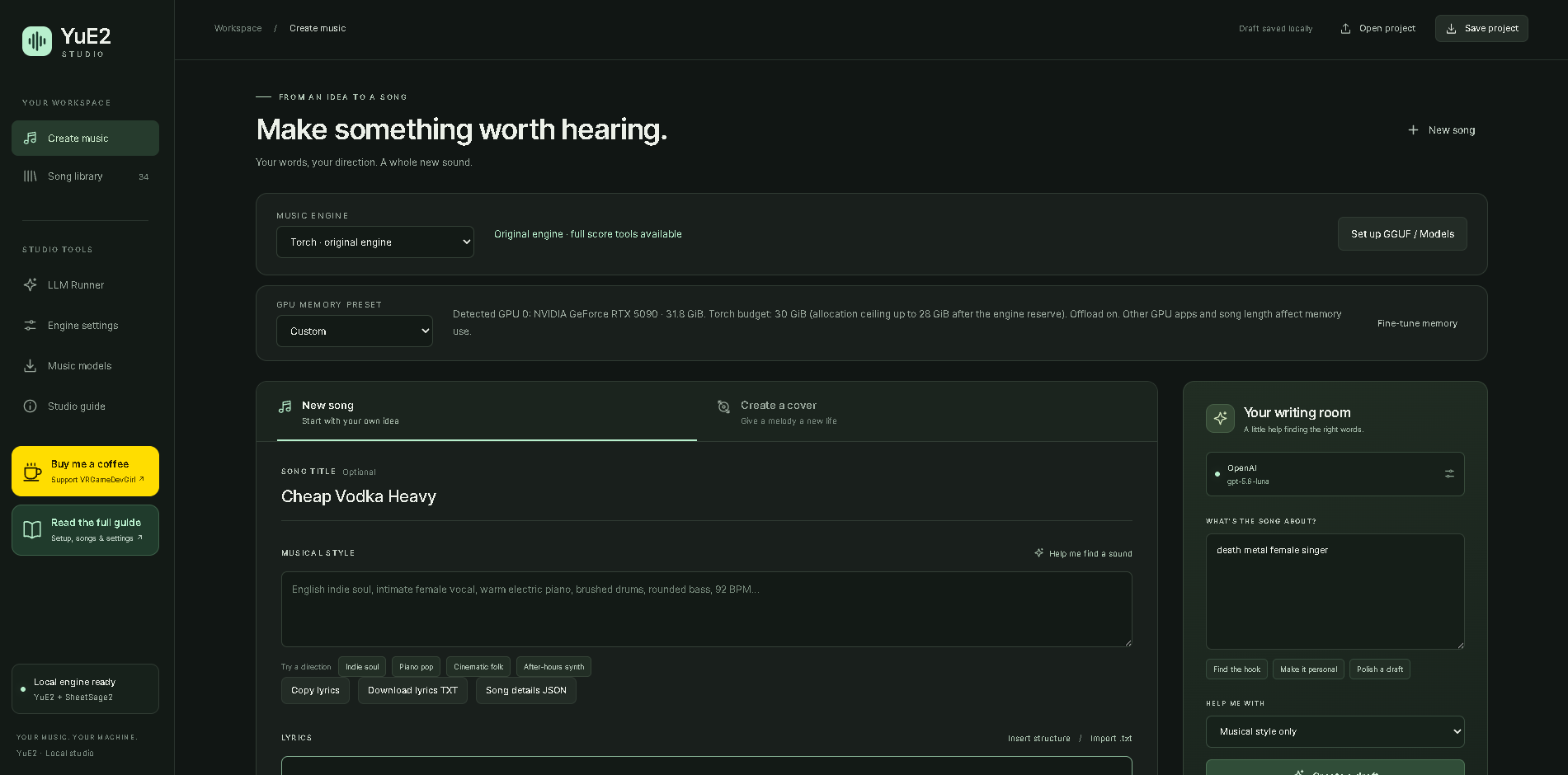
Write lyrics, shape a style, and generate music in one local workspace. See the illustrated guide for each part of the UI.
Follow the official YuE2 installation and quick start.
Make sure its example can generate a song before adding Studio. The old YuE v1 branch is
not compatible. This add-on targets yue2-infer 0.1.6; the tested upstream commit is
92a73cc7652fcc1f937855e4b765e0a0edd7ff2e.
The upstream baseline is Python 3.12 and a BF16-capable NVIDIA GPU with 24 GB VRAM. Studio's Windows torch/cuDNN compatibility path was also tested on an RTX 5090. Long songs can still exceed VRAM. See the settings and performance guide.
From the folder containing YuE2's src, .venv, and models:
git clone https://github.com/vrgamegirl19/Yue2_Studio.git
cd Yue2_Studio
.\"Start Yue2 Studio.bat"
Or double-click Start Yue2 Studio.bat inside Yue2_Studio.
The launcher installs the UI into the parent YuE2 folder, backs up replaced files,
and opens http://127.0.0.1:7862. No pip reinstall is needed for the add-on.
Your-YuE2-folder/
  .venv/
  models/
  src/yue2/
  Yue2_Studio/                 ← clone this repository here
    Start Yue2 Studio.bat
    install_studio.py
The installer also installs acoustic LoRA support in src/yue2/pipeline.py and
src/yue2/lora.py. It refuses an unfamiliar/custom pipeline instead of overwriting
it. The supported baseline is the upstream commit above; keep a separate copy of
any custom engine changes. See Style Trainer setup and
LoRA playback. These are Studio extensions, not upstream training APIs.
The experimental Artist Trainer adds full-song lyric conditioning and AR adapters with a pinned community acoustic companion. Follow Artist setup for separate dependencies, model paths and terms. Lyric timing offers the original MMS forced aligner or experimental Whisper-assisted matching; the guide explains their differences and separate runtime installation. Playback requires No score, Torch, no quantization and AR offloading off; GGUF and arbitrary adapter stacking are unsupported. The installer also accepts the known merged Style Trainer pipeline, with backups, but rejects unfamiliar Artist adapter code. Fresh isolated setup, alignment, short GPU training and playback tests passed on an RTX 5090; see the documented verification limits.
The installer modifies src/yue2/cuda_graph.py to detect builds without compiled
Flash Attention, keeping fast CUDA graphs through cuDNN/SDPA. It also installs the
Studio package, launcher, and score/transcription helper scripts. Existing files
that change are backed up in the parent .studio-backups/<timestamp>/ folder.
Review custom changes before installing. Stop servers on alternate ports manually
before updating; the installer checks the default port 7862.
Use the Python interpreter that already runs YuE2:
# From the Yue2_Studio clone:
../.venv/bin/python install_studio.py
../.venv/bin/python ../launch_studio.py
For a clone outside the YuE2 folder, use install_studio.py --target /path/to/YuE2,
then run /path/to/YuE2/launch_studio.py with its environment. Windows launchers
assume the standard nested layout. --check validates without installing.
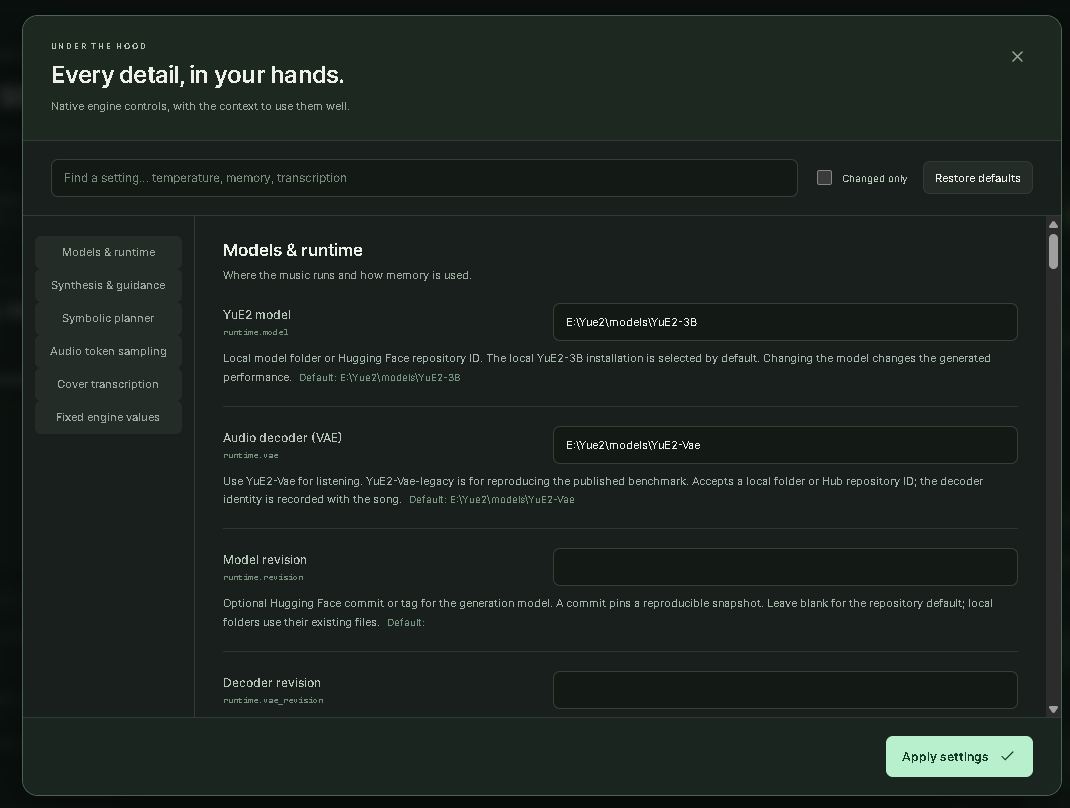
In Advanced settings, select your model and VAE paths and a GPU memory budget
appropriate to your hardware. Default folders are models/YuE2-3B and models/YuE2-Vae
under YOUR YuE2 root. If you used upstream's Hugging Face cache instead, enter the
Hub IDs m-a-p/YuE2-3B and m-a-p/YuE2-Vae; disable Offline model loading if downloads
are needed. Paths are resolved locally; this repository includes no weights.
GGUF requires a separate audio.cpp installation. Studio can download GGUF model files, but it does not install or build the audio.cpp engine. Install a Yue2-capable audio.cpp executable outside Studio, then connect it in the model panel. Downloading a model alone is not enough to generate with GGUF. Torch users do not need audio.cpp. Engine installation instructions.
Switch Torch / GGUF using Music engine above the song editor. Open Set up GGUF / Models (also in the sidebar as Music models) to download Q4, Q8, or BF16 bundles with their decoder and supporting files. The panel shows sizes, progress, cancellation, verification, and automatic engine detection. Click Use model, then create songs with your own lyrics/style or Surprise me. Engine installation instructions are included; audio.cpp itself is installed separately. Setup and download guide.
The main page also offers GPU memory presets: Auto, 8/12/16/24/32 GB, and Custom. These set Torch budgets and offloading, and show separate GGUF model suggestions. Preset values and limits.
Studio also has an audio.cpp backend for audio-cpp/Yue2-3B-GGUF.
It requires a separate Yue2-capable audio.cpp executable, a main GGUF, a VAE GGUF,
and four sidecars. Q8 + F16 VAE is the default GGUF combination; Q4 is selectable.
Select Advanced settings → Models & runtime → Inference backend → audio.cpp, then
configure the audio.cpp / GGUF group. torch stays the overall default.
Original songs, supplied-ABC covers, Surprise me and audio downloads use the same UI. Plan-only output and generated ABC export currently require torch. GGUF outputs are marked for review because the CLI does not return structured truncation flags. Q8 + F16 CUDA generation has been tested on Windows with an RTX 5090; Q4 and other devices remain unvalidated locally. See the setup, test steps, limitations and memory guide for the measured result and its limits.
torch CUDA graphs, no weight quantization, AR offloading disabled, optional model
hash verification disabled, and transcription tensor exports disabled. Baseline
sampling and 32 synthesis steps remain intact. Hash verification is a provenance
tradeoff; fewer synthesis steps and shorter token limits change the result, so they
are documented options rather than hidden speed tricks. Existing saved drafts
retain their settings; use Restore defaults in Advanced settings to adopt new defaults.
For ordinary generation memory failures, Offload autoregressive model trades
weight-transfer time for lower synthesis memory use. Keep torch enabled.
Artist LoRAs require AR offloading disabled; free competing GPU workloads and
check the supported settings instead of enabling that option for an Artist bundle.
Same seed does not guarantee the same song. No score/Torch baseline-only tests varied with identical seed, style, lyrics and settings. The exact cause is not yet established. Retain original outputs and compare multiple baseline/LoRA pairs; see comparison guidance.
Finish your jobs and run Stop Yue2 Studio.bat, then:
# Inside the Yue2_Studio clone:
git pull
.\"Start Yue2 Studio.bat"
The launcher installs changed files with backups. Closing the last browser tab
stops an idle server after about 15 seconds; active jobs and batches finish first.
Refreshing or another open tab keeps it running. Stop explicitly before updating.
Your runs stay under the parent runs/studio/; keys are entered per browser session.
Studio code is distributed under Apache-2.0. See NOTICE and third-party notices for upstream attribution and modifications. Model weights are not included and have their own model license. This is a community UI, not an official upstream release. LLM services use recipients' own accounts and provider terms.
This repository contains no songs, uploads, API keys, caches or Python environments. The server is local-only; cloning gives each user their own studio, not access to yours.
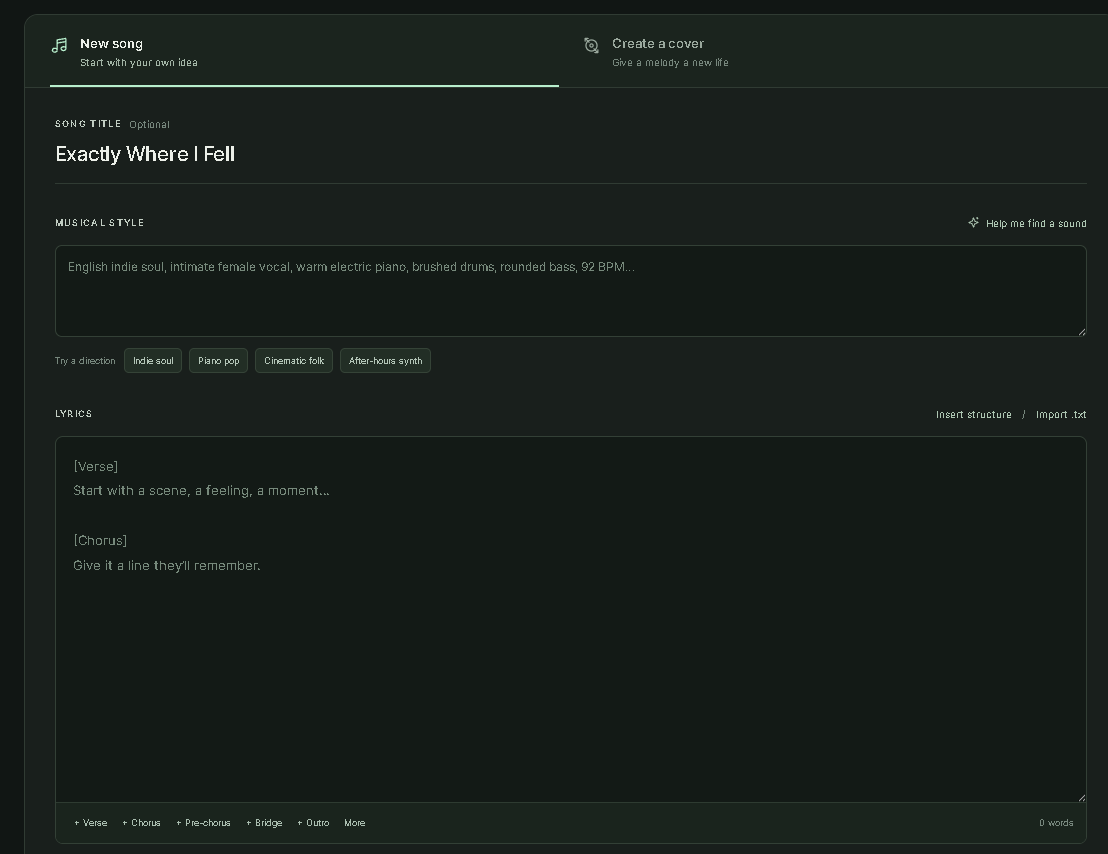
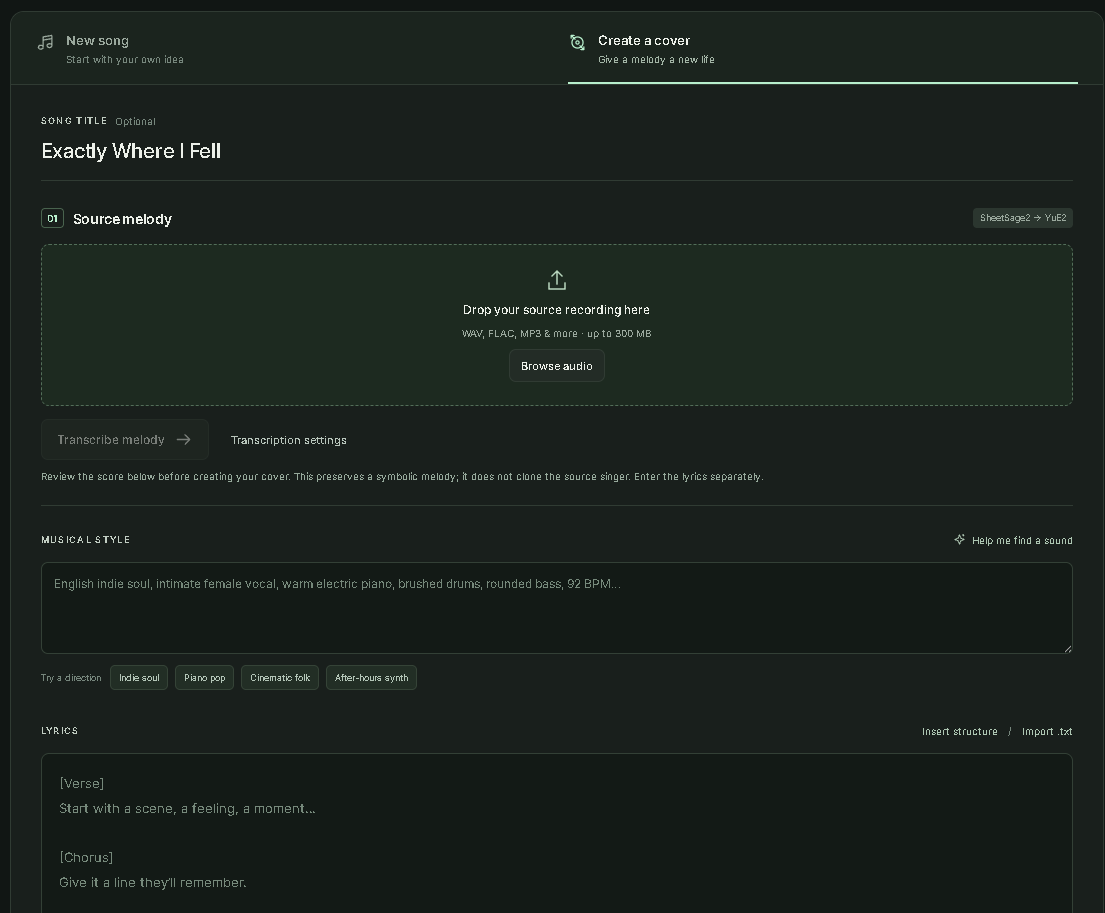
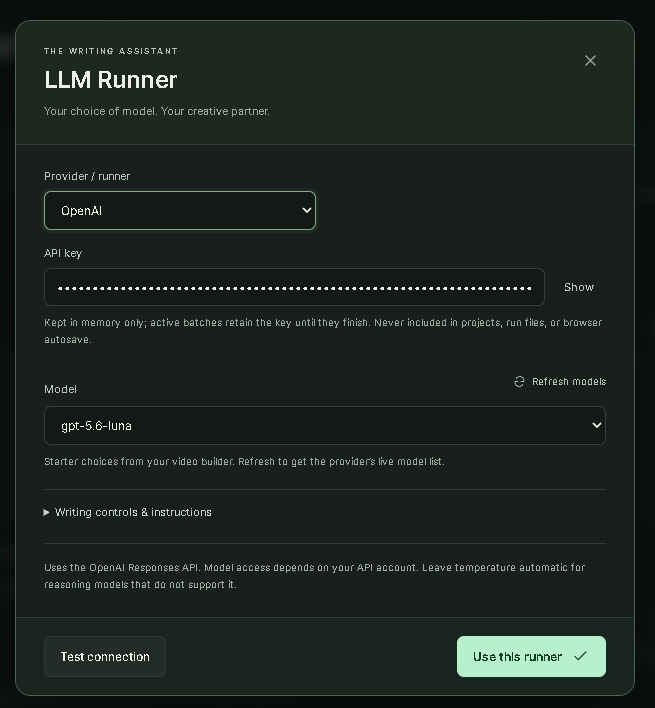
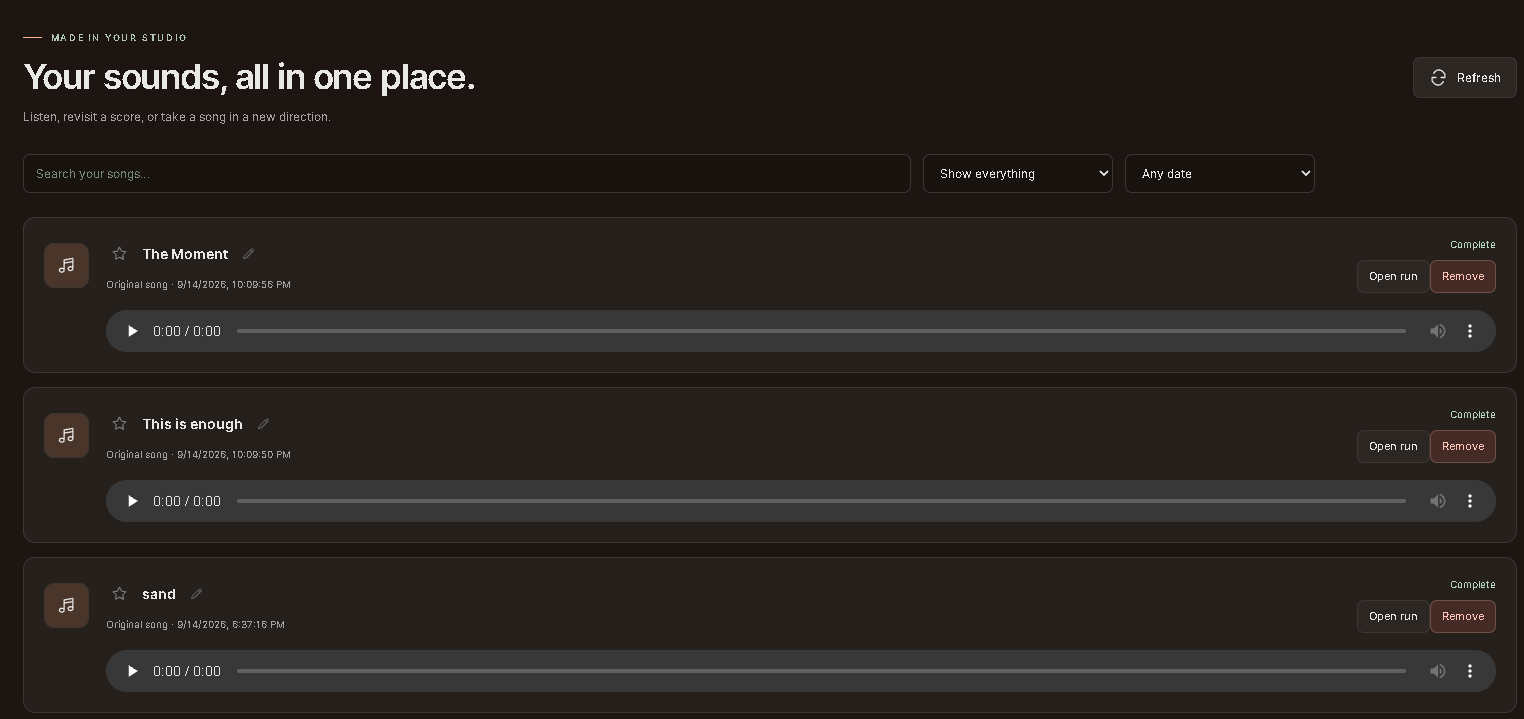
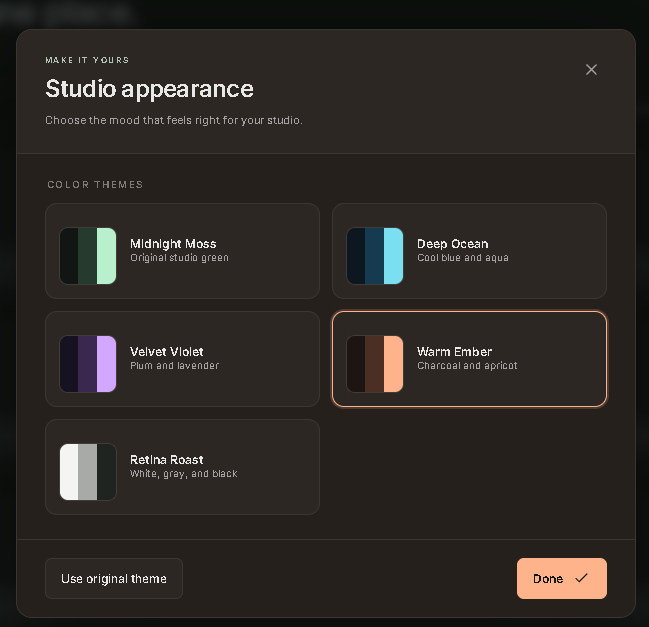
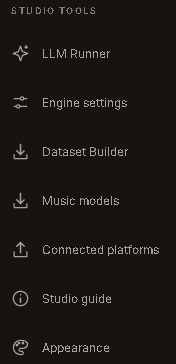
Some images show earlier layouts. The new trainer, LoRA, library and appearance captures are appended below, with captions explaining workspace-only details.
| Create a song | Create a cover |
|---|---|
 |  |
| LLM Runner | Advanced settings |
|---|---|
 |  |
| Writing room | Review your draft | Surprise me |
|---|---|---|
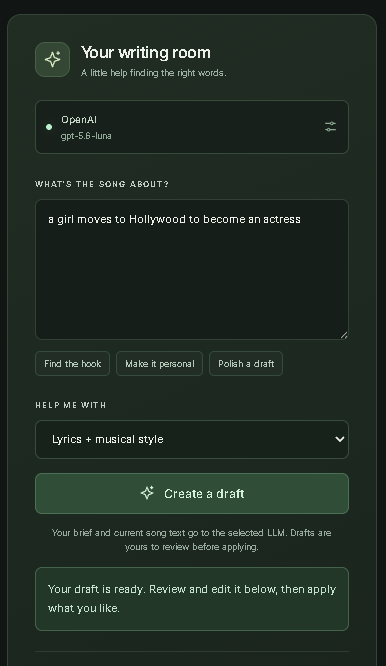 | 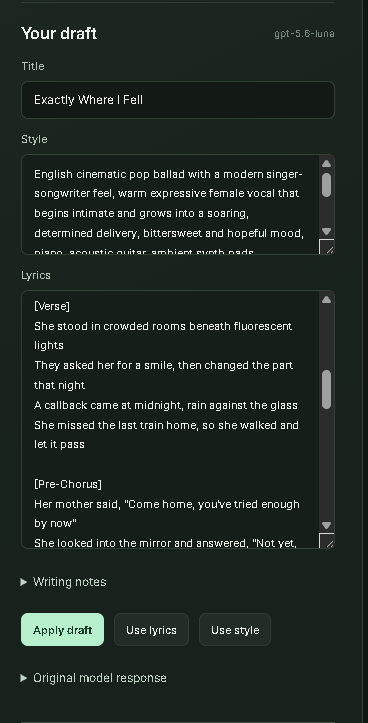 | 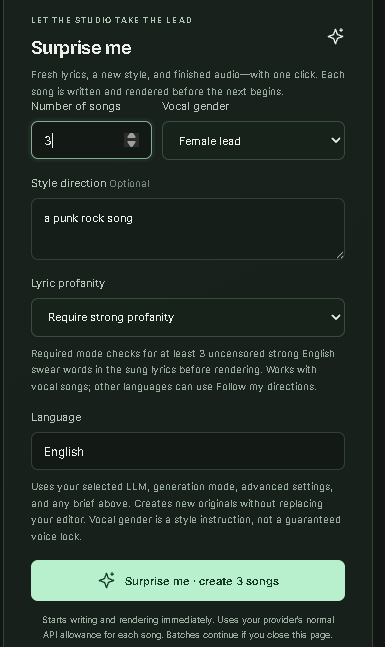 |
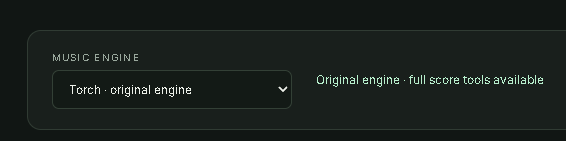

Click any screenshot to see it full size. The illustrated guide walks through each screen.
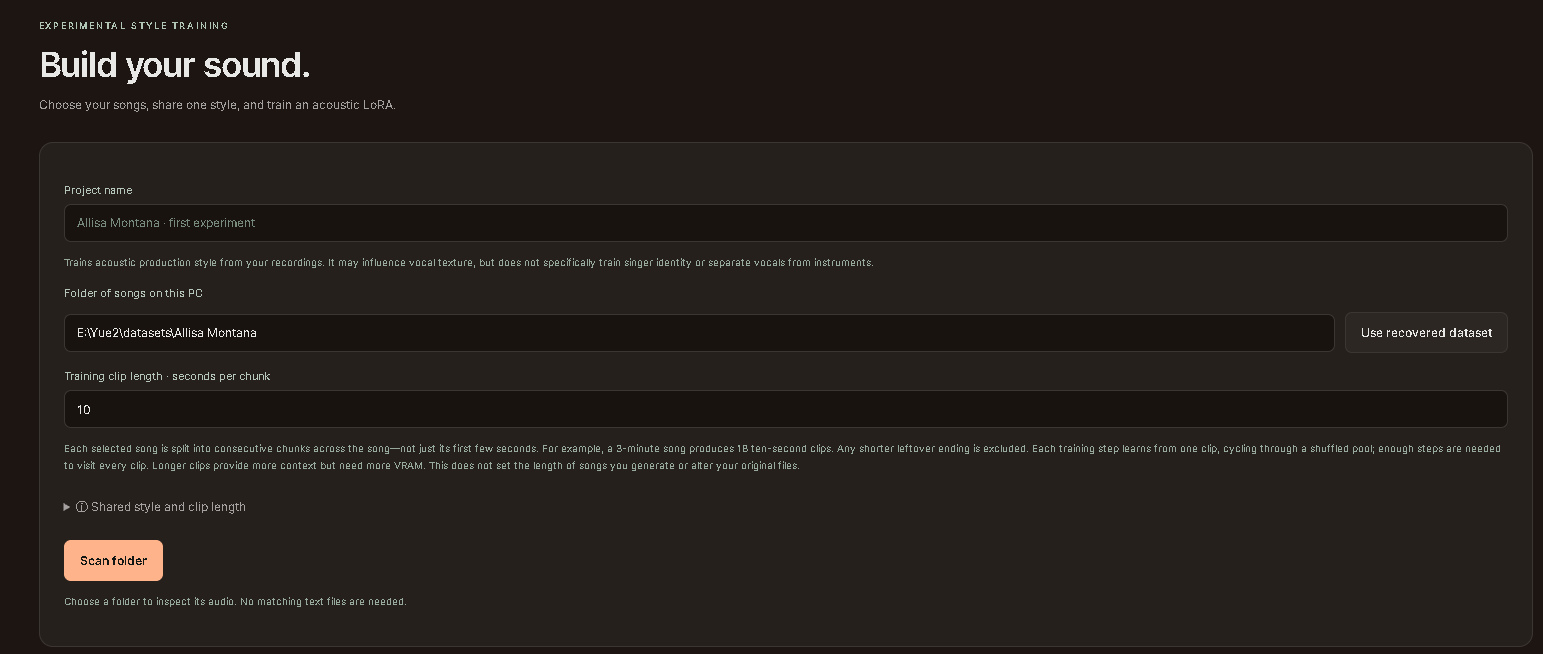
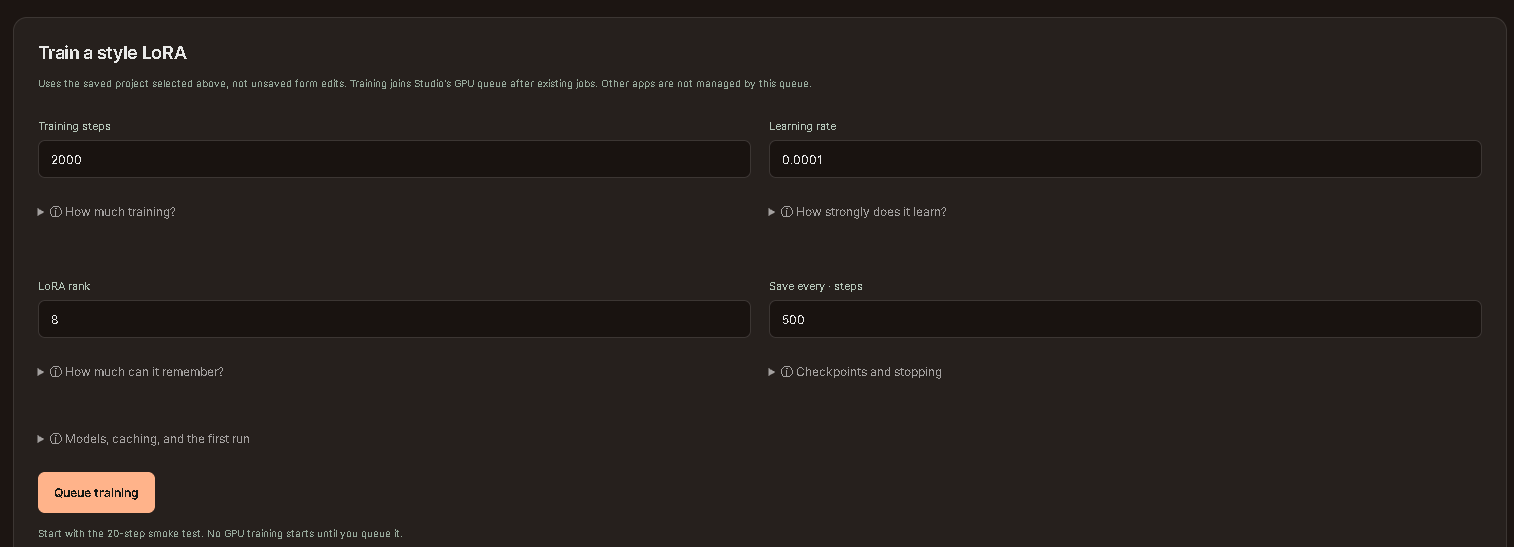
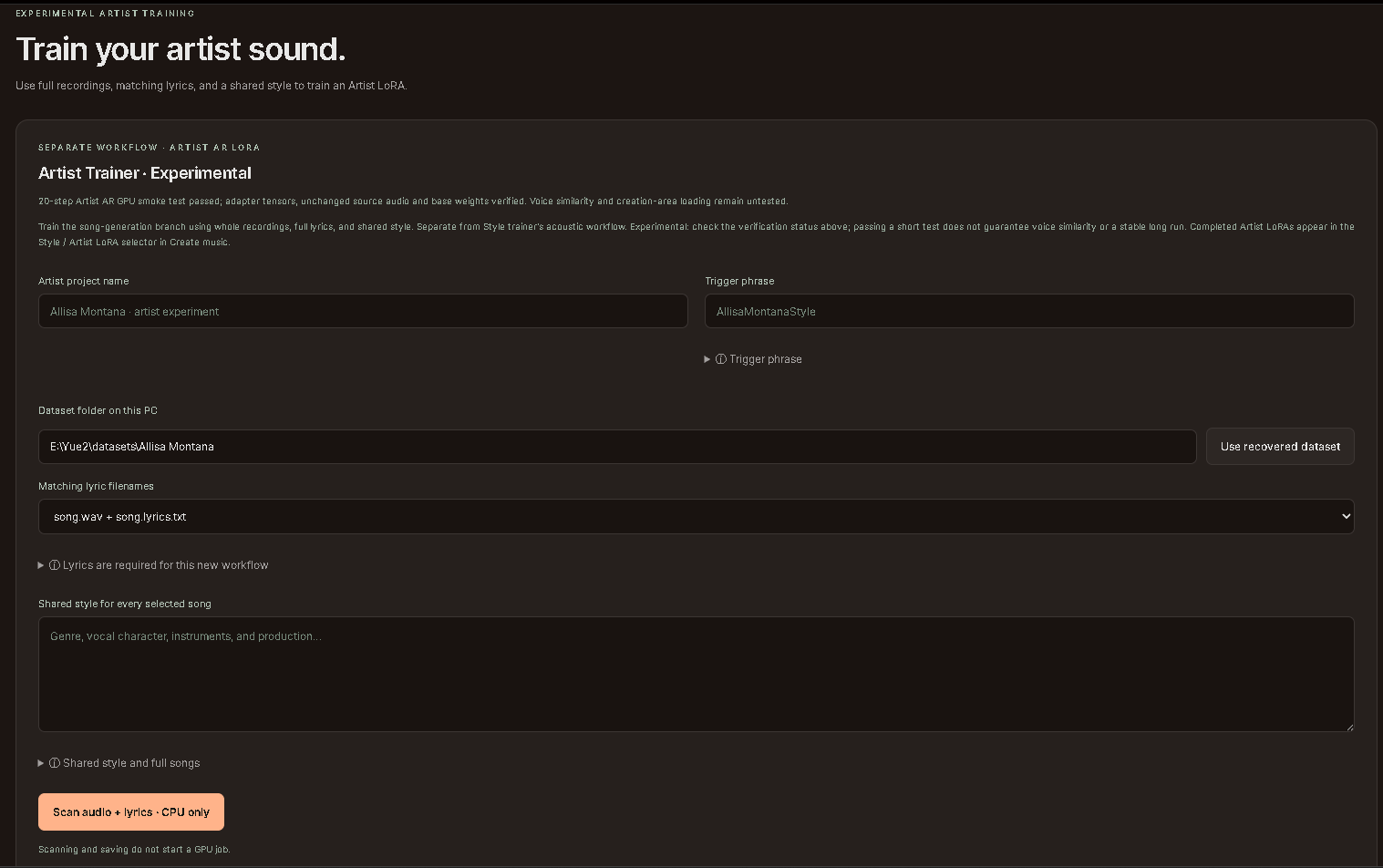
These screenshots show the author's workspace. Example paths/project names are not bundled datasets. The recovery shortcuts and historical verification banner shown in that workspace are not release controls/status. Artist defaults are now 500 steps / save every 250, not the older 800/200 shown below.
| Style dataset | Style training controls |
|---|---|
 |  |
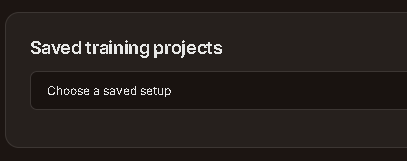
| Artist dataset and lyrics | Artist training controls |
|---|---|
 | 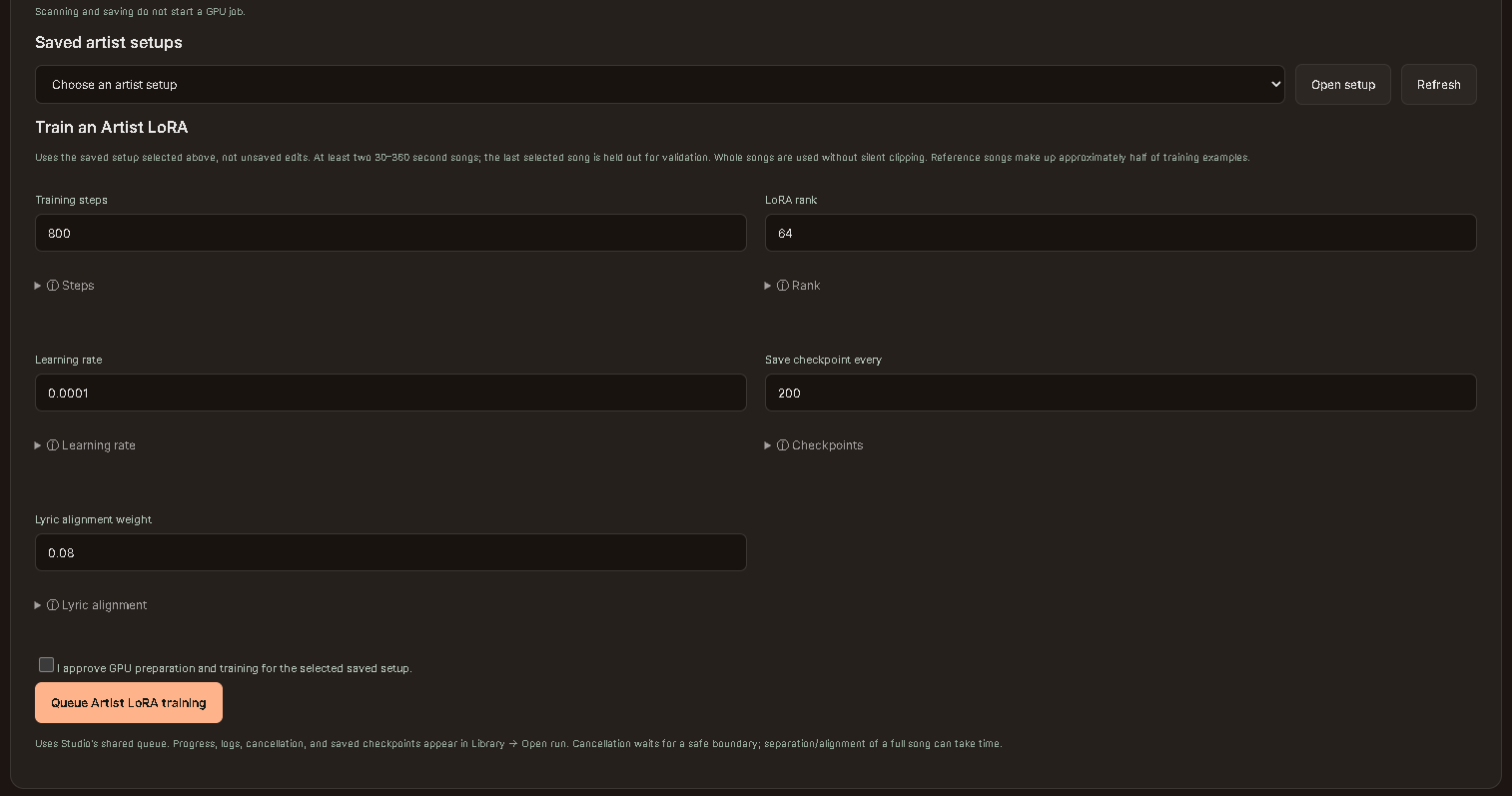 |
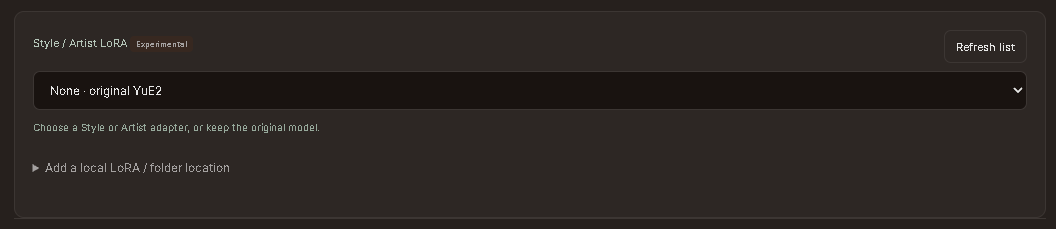
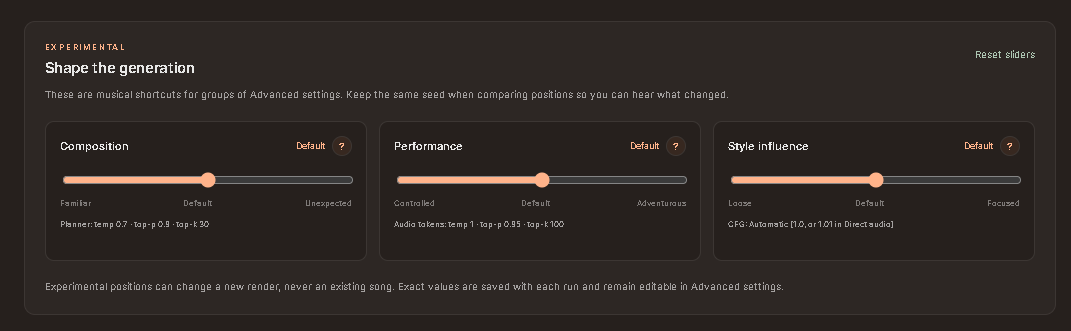
Composition, Performance and Style influence map to existing advanced settings. Click ? for explanations and cautions. The current UI corrects the screenshot's comparison hint: same seed does not guarantee identical music. Slider settings and limits.
Open Dataset Builder from Studio Tools, then move through its three tabs. These screenshots contain example local paths; no dataset or downloaded media is included in this repository.
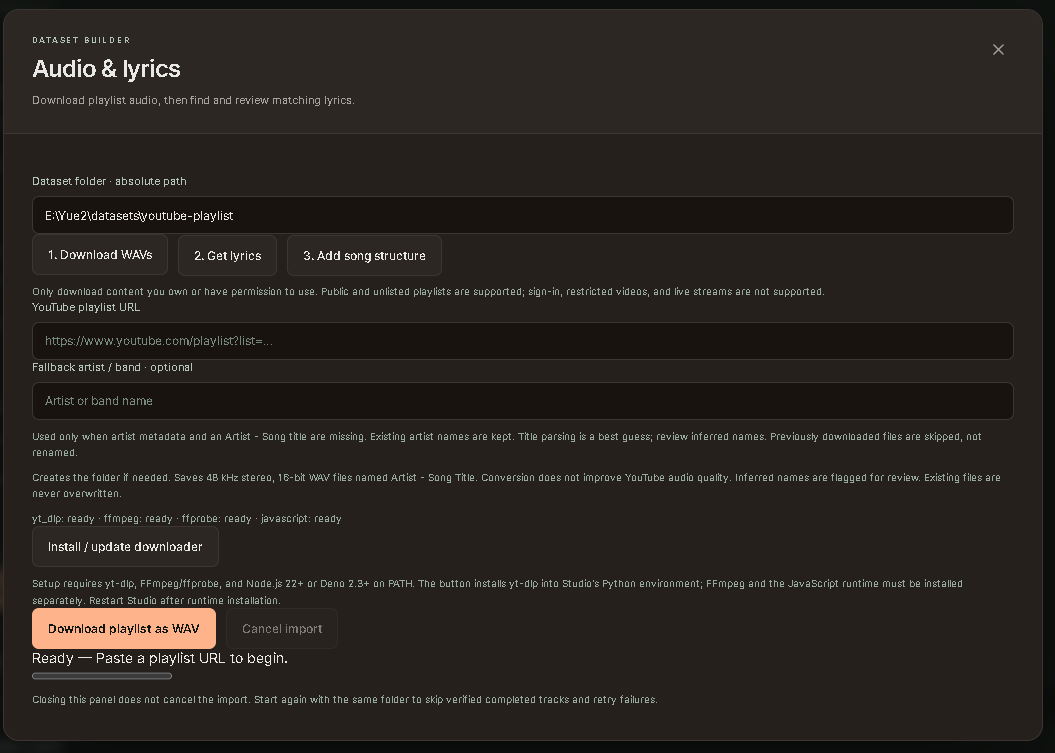
| Find and review lyrics | Suggest song structure |
|---|---|
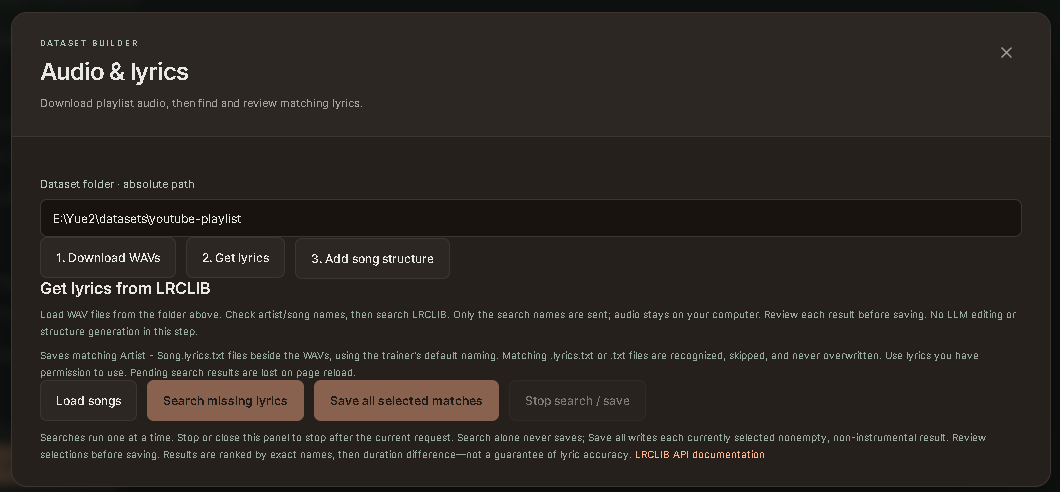 | 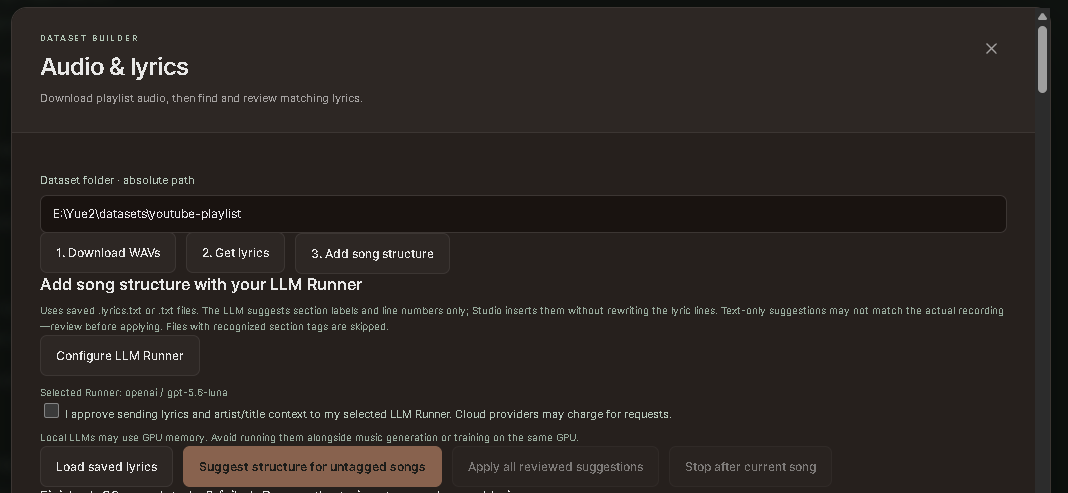 |
The structure screenshot predates Mark all suggestions reviewed, which now sits between suggestion generation and bulk apply. See the Dataset Builder guide for requirements, review steps, file naming, backups and limitations.
A local web studio for YuE2 with original songs, melody covers, an LLM writing room, automatic song batches, a playlist-to-training-dataset builder, experimental Style and Artist LoRA training, and detailed generation controls. Custom HTML/CSS/JavaScript UI; no Gradio or Node build. Artist training has a separate, explicitly installed runtime.
Beta preview: tested on Windows with an RTX 5090. Other hardware configurations
are still being validated. GGUF and lower-VRAM presets remain experimental.
Planned first release: v0.1.0-beta.1.
Write lyrics, shape a style, and generate music in one local workspace. See the illustrated guide for each part of the UI.
Follow the official YuE2 installation and quick start.
Make sure its example can generate a song before adding Studio. The old YuE v1 branch is
not compatible. This add-on targets yue2-infer 0.1.6; the tested upstream commit is
92a73cc7652fcc1f937855e4b765e0a0edd7ff2e.
The upstream baseline is Python 3.12 and a BF16-capable NVIDIA GPU with 24 GB VRAM. Studio's Windows torch/cuDNN compatibility path was also tested on an RTX 5090. Long songs can still exceed VRAM. See the settings and performance guide.
From the folder containing YuE2's src, .venv, and models:
git clone https://github.com/vrgamegirl19/Yue2_Studio.git
cd Yue2_Studio
.\"Start Yue2 Studio.bat"
Or double-click Start Yue2 Studio.bat inside Yue2_Studio.
The launcher installs the UI into the parent YuE2 folder, backs up replaced files,
and opens http://127.0.0.1:7862. No pip reinstall is needed for the add-on.
Your-YuE2-folder/
  .venv/
  models/
  src/yue2/
  Yue2_Studio/                 ← clone this repository here
    Start Yue2 Studio.bat
    install_studio.py
The installer also installs acoustic LoRA support in src/yue2/pipeline.py and
src/yue2/lora.py. It refuses an unfamiliar/custom pipeline instead of overwriting
it. The supported baseline is the upstream commit above; keep a separate copy of
any custom engine changes. See Style Trainer setup and
LoRA playback. These are Studio extensions, not upstream training APIs.
The experimental Artist Trainer adds full-song lyric conditioning and AR adapters with a pinned community acoustic companion. Follow Artist setup for separate dependencies, model paths and terms. Lyric timing offers the original MMS forced aligner or experimental Whisper-assisted matching; the guide explains their differences and separate runtime installation. Playback requires No score, Torch, no quantization and AR offloading off; GGUF and arbitrary adapter stacking are unsupported. The installer also accepts the known merged Style Trainer pipeline, with backups, but rejects unfamiliar Artist adapter code. Fresh isolated setup, alignment, short GPU training and playback tests passed on an RTX 5090; see the documented verification limits.
The installer modifies src/yue2/cuda_graph.py to detect builds without compiled
Flash Attention, keeping fast CUDA graphs through cuDNN/SDPA. It also installs the
Studio package, launcher, and score/transcription helper scripts. Existing files
that change are backed up in the parent .studio-backups/<timestamp>/ folder.
Review custom changes before installing. Stop servers on alternate ports manually
before updating; the installer checks the default port 7862.
Use the Python interpreter that already runs YuE2:
# From the Yue2_Studio clone:
../.venv/bin/python install_studio.py
../.venv/bin/python ../launch_studio.py
For a clone outside the YuE2 folder, use install_studio.py --target /path/to/YuE2,
then run /path/to/YuE2/launch_studio.py with its environment. Windows launchers
assume the standard nested layout. --check validates without installing.
In Advanced settings, select your model and VAE paths and a GPU memory budget
appropriate to your hardware. Default folders are models/YuE2-3B and models/YuE2-Vae
under YOUR YuE2 root. If you used upstream's Hugging Face cache instead, enter the
Hub IDs m-a-p/YuE2-3B and m-a-p/YuE2-Vae; disable Offline model loading if downloads
are needed. Paths are resolved locally; this repository includes no weights.
GGUF requires a separate audio.cpp installation. Studio can download GGUF model files, but it does not install or build the audio.cpp engine. Install a Yue2-capable audio.cpp executable outside Studio, then connect it in the model panel. Downloading a model alone is not enough to generate with GGUF. Torch users do not need audio.cpp. Engine installation instructions.
Switch Torch / GGUF using Music engine above the song editor. Open Set up GGUF / Models (also in the sidebar as Music models) to download Q4, Q8, or BF16 bundles with their decoder and supporting files. The panel shows sizes, progress, cancellation, verification, and automatic engine detection. Click Use model, then create songs with your own lyrics/style or Surprise me. Engine installation instructions are included; audio.cpp itself is installed separately. Setup and download guide.
The main page also offers GPU memory presets: Auto, 8/12/16/24/32 GB, and Custom. These set Torch budgets and offloading, and show separate GGUF model suggestions. Preset values and limits.
Studio also has an audio.cpp backend for audio-cpp/Yue2-3B-GGUF.
It requires a separate Yue2-capable audio.cpp executable, a main GGUF, a VAE GGUF,
and four sidecars. Q8 + F16 VAE is the default GGUF combination; Q4 is selectable.
Select Advanced settings → Models & runtime → Inference backend → audio.cpp, then
configure the audio.cpp / GGUF group. torch stays the overall default.
Original songs, supplied-ABC covers, Surprise me and audio downloads use the same UI. Plan-only output and generated ABC export currently require torch. GGUF outputs are marked for review because the CLI does not return structured truncation flags. Q8 + F16 CUDA generation has been tested on Windows with an RTX 5090; Q4 and other devices remain unvalidated locally. See the setup, test steps, limitations and memory guide for the measured result and its limits.
torch CUDA graphs, no weight quantization, AR offloading disabled, optional model
hash verification disabled, and transcription tensor exports disabled. Baseline
sampling and 32 synthesis steps remain intact. Hash verification is a provenance
tradeoff; fewer synthesis steps and shorter token limits change the result, so they
are documented options rather than hidden speed tricks. Existing saved drafts
retain their settings; use Restore defaults in Advanced settings to adopt new defaults.
For ordinary generation memory failures, Offload autoregressive model trades
weight-transfer time for lower synthesis memory use. Keep torch enabled.
Artist LoRAs require AR offloading disabled; free competing GPU workloads and
check the supported settings instead of enabling that option for an Artist bundle.
Same seed does not guarantee the same song. No score/Torch baseline-only tests varied with identical seed, style, lyrics and settings. The exact cause is not yet established. Retain original outputs and compare multiple baseline/LoRA pairs; see comparison guidance.
Finish your jobs and run Stop Yue2 Studio.bat, then:
# Inside the Yue2_Studio clone:
git pull
.\"Start Yue2 Studio.bat"
The launcher installs changed files with backups. Closing the last browser tab
stops an idle server after about 15 seconds; active jobs and batches finish first.
Refreshing or another open tab keeps it running. Stop explicitly before updating.
Your runs stay under the parent runs/studio/; keys are entered per browser session.
Studio code is distributed under Apache-2.0. See NOTICE and third-party notices for upstream attribution and modifications. Model weights are not included and have their own model license. This is a community UI, not an official upstream release. LLM services use recipients' own accounts and provider terms.
This repository contains no songs, uploads, API keys, caches or Python environments. The server is local-only; cloning gives each user their own studio, not access to yours.
Some images show earlier layouts. The new trainer, LoRA, library and appearance captures are appended below, with captions explaining workspace-only details.
| Create a song | Create a cover |
|---|---|
| |
| LLM Runner | Advanced settings |
|---|---|
| |
| Writing room | Review your draft | Surprise me |
|---|---|---|
| | |
Click any screenshot to see it full size. The illustrated guide walks through each screen.
These screenshots show the author's workspace. Example paths/project names are not bundled datasets. The recovery shortcuts and historical verification banner shown in that workspace are not release controls/status. Artist defaults are now 500 steps / save every 250, not the older 800/200 shown below.
| Style dataset | Style training controls |
|---|---|
| |
| Artist dataset and lyrics | Artist training controls |
|---|---|
| |
Composition, Performance and Style influence map to existing advanced settings. Click ? for explanations and cautions. The current UI corrects the screenshot's comparison hint: same seed does not guarantee identical music. Slider settings and limits.
Open Dataset Builder from Studio Tools, then move through its three tabs. These screenshots contain example local paths; no dataset or downloaded media is included in this repository.
| Find and review lyrics | Suggest song structure |
|---|---|
| |
The structure screenshot predates Mark all suggestions reviewed, which now sits between suggestion generation and bulk apply. See the Dataset Builder guide for requirements, review steps, file naming, backups and limitations.



