A local web console for YuE2, the open song-generation model. Write a style prompt and lyrics, watch the score get written token by token, then play the finished song.
Everything runs on your own machine: the song model, the lyric writer, and the cover art.



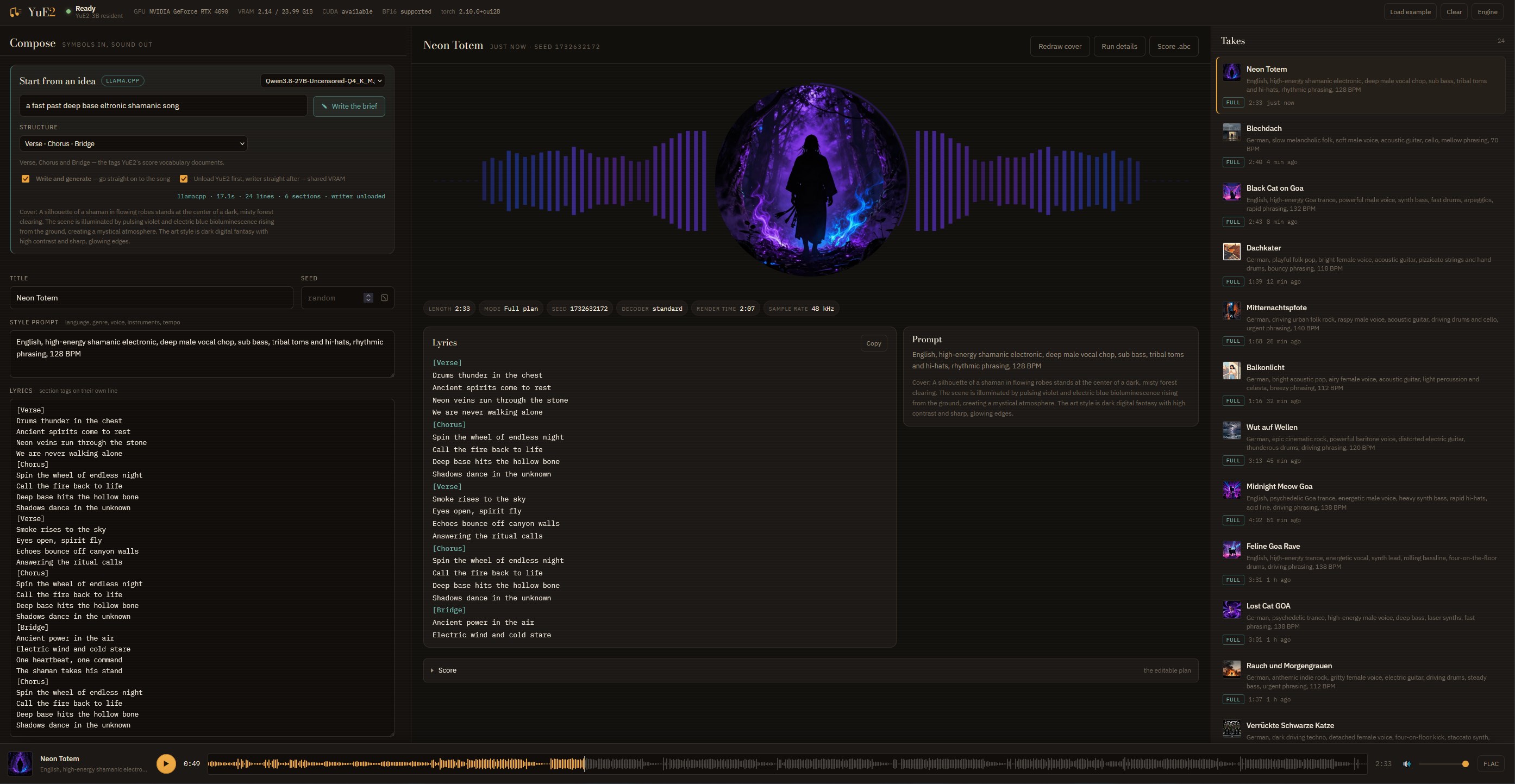
A finished take. The sleeve is a disc in the middle of its own waveform, and the spectrum takes its colours from the artwork.
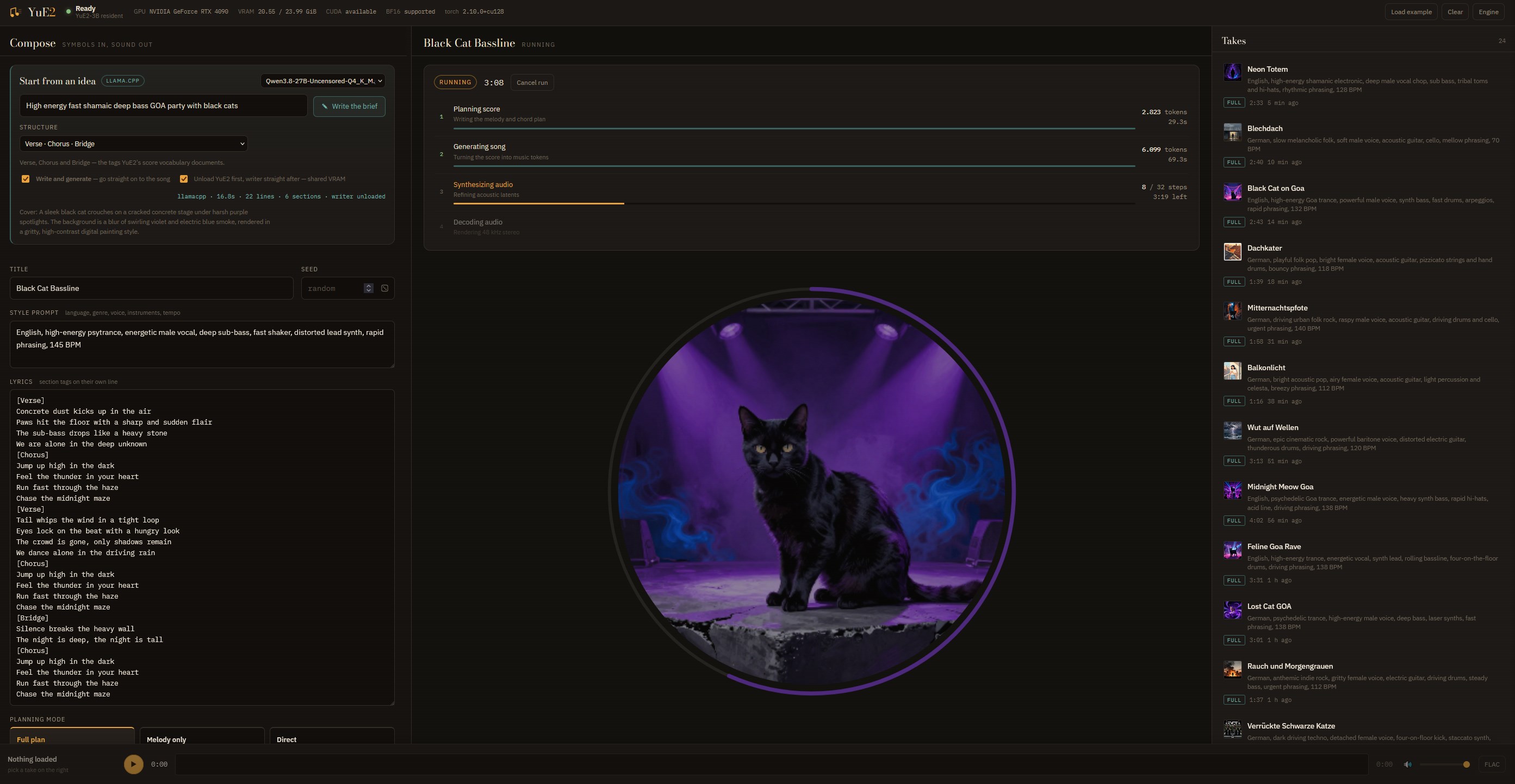
A run in progress. The cover is drawn before the song, so it is already there while the four stages work, sharpening as they go.
Download or clone this repository, then double-click install.bat.
It checks for an NVIDIA driver, installs Python 3.12 if it is missing, creates a virtual
environment, fetches the CUDA build of PyTorch, installs YuE2 and the console, and offers
to download the model weights. Afterwards, start it any time with start-console.bat,
which opens the browser once the server is actually listening.
Manual setup and the packaging script are documented in webui/README.md.
Start from an idea. Type one line and a local model writes the title, style prompt, lyrics and a cover-art description. Two backends: llama.cpp, installed into the project folder from the console with a catalogue of writer models, or Ollama if you already run it. GGUF files you already have are found in your Hugging Face cache.
Compose. Style prompt, lyrics with [Verse] / [Chorus] tags, planning mode, seed, an
optional supplied ABC score and per-stage sampling.
| Mode | cot | Use it for |
|---|---|---|
| Full plan | full | New songs — melody and chords are written first |
| Melody only | melody | Covers — melody fixed, accompaniment free |
| Direct | off | Straight from lyrics and style, no editable score |
Watch the run. Four stages with live token counts, rates and a countdown: the score appears as it is written, then the music tokens, the synthesis and the decode.
Cover or remix. Reuse a finished take's melody in a new style, or transcribe a recording with SheetSage2 and cover that. YuE2 takes no audio input, so every cover goes through a score — the console says so rather than pretending otherwise.
Cover art. stable-diffusion.cpp draws a sleeve from the writer's own visual description, using Z-Image Turbo, Krea 2 Turbo, or any SD/SDXL checkpoint you already have. The prompt is written for the selected model: full sentences for the LLM-encoder families, tag lists for CLIP ones.
Keep the takes. Every song is a complete save_artifacts folder — audio, score, latents
and everything needed to reproduce the run — plus the cover.
The song model, the writer and the art model all want the same card, so the console hands memory between them instead of hoping it fits:
The installer uses the CUDA 12.8 build of PyTorch, whose arch list covers sm_70 through
sm_120 — Ampere, Ada and Blackwell install identically, so a 4090 and a 5090 need no
different steps.
This repository contains YuE2 itself plus the console in webui/. The original
project README is kept as README-YuE2-upstream.md.
One upstream file is patched: src/yue2/cuda_graph.py decided FlashAttention was available
by checking that the operator was registered. Windows CUDA wheels register it without
compiling the kernels, so the first decode step died with
USE_FLASH_ATTENTION was not enabled for build. The probe now runs one tiny call and falls
back to cuDNN attention when it fails. This affects the plain CLI as much as the console.
First-party code is Apache 2.0, as upstream. The model weights are licensed separately under CC BY-NC 4.0 — non-commercial use only. See LICENSE and MODEL_LICENSE.
A local web console for YuE2, the open song-generation model. Write a style prompt and lyrics, watch the score get written token by token, then play the finished song.
Everything runs on your own machine: the song model, the lyric writer, and the cover art.
A finished take. The sleeve is a disc in the middle of its own waveform, and the spectrum takes its colours from the artwork.
A run in progress. The cover is drawn before the song, so it is already there while the four stages work, sharpening as they go.
Download or clone this repository, then double-click install.bat.
It checks for an NVIDIA driver, installs Python 3.12 if it is missing, creates a virtual
environment, fetches the CUDA build of PyTorch, installs YuE2 and the console, and offers
to download the model weights. Afterwards, start it any time with start-console.bat,
which opens the browser once the server is actually listening.
Manual setup and the packaging script are documented in webui/README.md.
Start from an idea. Type one line and a local model writes the title, style prompt, lyrics and a cover-art description. Two backends: llama.cpp, installed into the project folder from the console with a catalogue of writer models, or Ollama if you already run it. GGUF files you already have are found in your Hugging Face cache.
Compose. Style prompt, lyrics with [Verse] / [Chorus] tags, planning mode, seed, an
optional supplied ABC score and per-stage sampling.
| Mode | cot | Use it for |
|---|---|---|
| Full plan | full | New songs — melody and chords are written first |
| Melody only | melody | Covers — melody fixed, accompaniment free |
| Direct | off | Straight from lyrics and style, no editable score |
Watch the run. Four stages with live token counts, rates and a countdown: the score appears as it is written, then the music tokens, the synthesis and the decode.
Cover or remix. Reuse a finished take's melody in a new style, or transcribe a recording with SheetSage2 and cover that. YuE2 takes no audio input, so every cover goes through a score — the console says so rather than pretending otherwise.
Cover art. stable-diffusion.cpp draws a sleeve from the writer's own visual description, using Z-Image Turbo, Krea 2 Turbo, or any SD/SDXL checkpoint you already have. The prompt is written for the selected model: full sentences for the LLM-encoder families, tag lists for CLIP ones.
Keep the takes. Every song is a complete save_artifacts folder — audio, score, latents
and everything needed to reproduce the run — plus the cover.
The song model, the writer and the art model all want the same card, so the console hands memory between them instead of hoping it fits:
The installer uses the CUDA 12.8 build of PyTorch, whose arch list covers sm_70 through
sm_120 — Ampere, Ada and Blackwell install identically, so a 4090 and a 5090 need no
different steps.
This repository contains YuE2 itself plus the console in webui/. The original
project README is kept as README-YuE2-upstream.md.
One upstream file is patched: src/yue2/cuda_graph.py decided FlashAttention was available
by checking that the operator was registered. Windows CUDA wheels register it without
compiling the kernels, so the first decode step died with
USE_FLASH_ATTENTION was not enabled for build. The probe now runs one tiny call and falls
back to cuDNN attention when it fails. This affects the plain CLI as much as the console.
First-party code is Apache 2.0, as upstream. The model weights are licensed separately under CC BY-NC 4.0 — non-commercial use only. See LICENSE and MODEL_LICENSE.





