A native macOS menu bar app for managing audio device priorities
Swift
841
32 commits
updated Dec 29, 2025
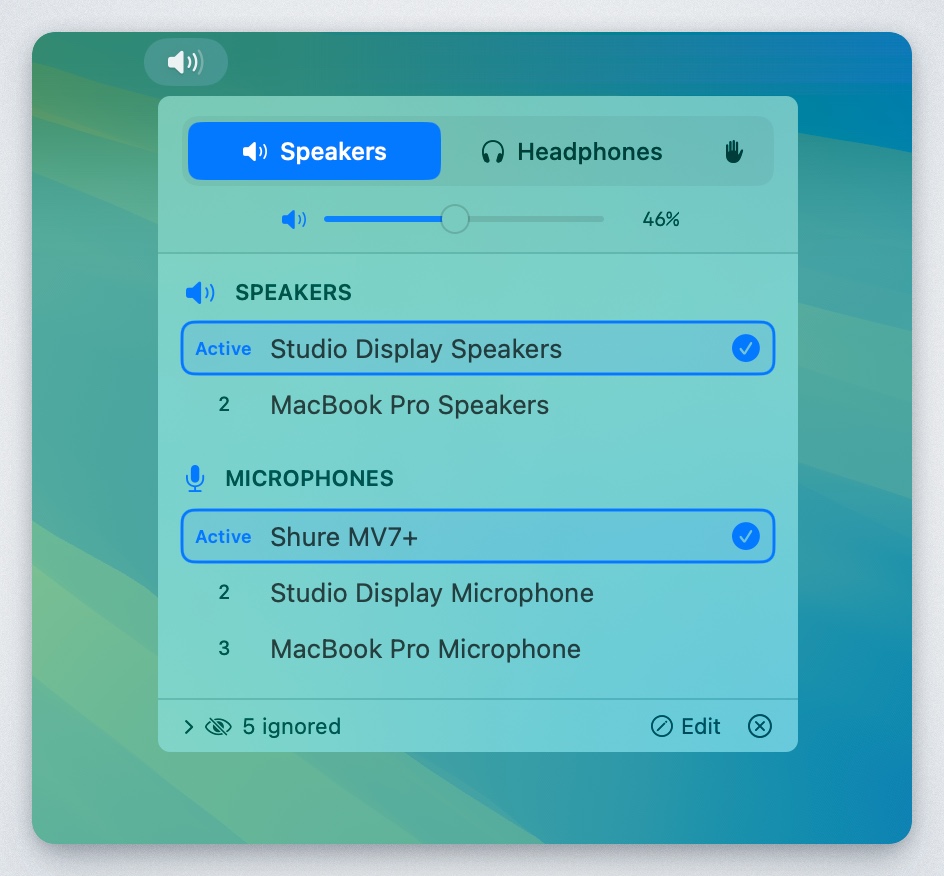
A native macOS menu bar app that automatically manages audio device priorities. Set your preferred order for speakers, headphones, and microphones - the app automatically switches to the highest-priority connected device.


Clone the repository:
git clone https://github.com/tobi/AudioPriorityBar.git
cd AudioPriorityBar
Build using the build script:
./build.sh
The app will be at dist/AudioPriorityBar.app
Or open AudioPriorityBar.xcodeproj in Xcode and build with ⌘R.
Check the Releases page for pre-built binaries.
| Mode | Icon | Behavior |
|---|---|---|
| Speakers | 🔊 | Shows speaker devices, auto-switches to highest priority |
| Headphones | 🎧 | Shows headphone devices, auto-switches to highest priority |
| Custom | ✋ | Shows all devices, no auto-switching |
Click "Edit" in the footer to:
AudioPriorityBar/
├── AudioPriorityBarApp.swift    # App entry, MenuBarExtra, AudioManager
├── Models/
│   └── AudioDevice.swift        # Device model, OutputCategory enum
├── Services/
│   ├── AudioDeviceService.swift # CoreAudio wrapper
│   └── PriorityManager.swift    # Priority persistence
└── Views/
    ├── MenuBarView.swift        # Main popover UI
    └── DeviceListView.swift     # Device list and row components
Contributions are welcome! Please feel free to submit a Pull Request.
MIT License - see LICENSE for details.
Built with SwiftUI and CoreAudio for macOS.
(top 24 of 36)
53,338 followers · starred Dec 2025
35,710 followers · starred Dec 2025
1,125 followers · starred Dec 2025
2,106 followers · starred Dec 2025
A native macOS menu bar app for managing audio device priorities
Swift
841
32 commits
updated Dec 29, 2025
A native macOS menu bar app that automatically manages audio device priorities. Set your preferred order for speakers, headphones, and microphones - the app automatically switches to the highest-priority connected device.
Clone the repository:
git clone https://github.com/tobi/AudioPriorityBar.git
cd AudioPriorityBar
Build using the build script:
./build.sh
The app will be at dist/AudioPriorityBar.app
Or open AudioPriorityBar.xcodeproj in Xcode and build with ⌘R.
Check the Releases page for pre-built binaries.
| Mode | Icon | Behavior |
|---|---|---|
| Speakers | 🔊 | Shows speaker devices, auto-switches to highest priority |
| Headphones | 🎧 | Shows headphone devices, auto-switches to highest priority |
| Custom | ✋ | Shows all devices, no auto-switching |
Click "Edit" in the footer to:
AudioPriorityBar/
├── AudioPriorityBarApp.swift    # App entry, MenuBarExtra, AudioManager
├── Models/
│   └── AudioDevice.swift        # Device model, OutputCategory enum
├── Services/
│   ├── AudioDeviceService.swift # CoreAudio wrapper
│   └── PriorityManager.swift    # Priority persistence
└── Views/
    ├── MenuBarView.swift        # Main popover UI
    └── DeviceListView.swift     # Device list and row components
Contributions are welcome! Please feel free to submit a Pull Request.
MIT License - see LICENSE for details.
Built with SwiftUI and CoreAudio for macOS.
(top 24 of 36)
53,338 followers · starred Dec 2025
35,710 followers · starred Dec 2025
1,125 followers · starred Dec 2025
2,106 followers · starred Dec 2025