A small macOS equalizer for all audio or selected apps. SwiftUI, Core Audio taps, and local processing.
See the codeA small equalizer for macOS. Shape all audio or just the apps you choose.
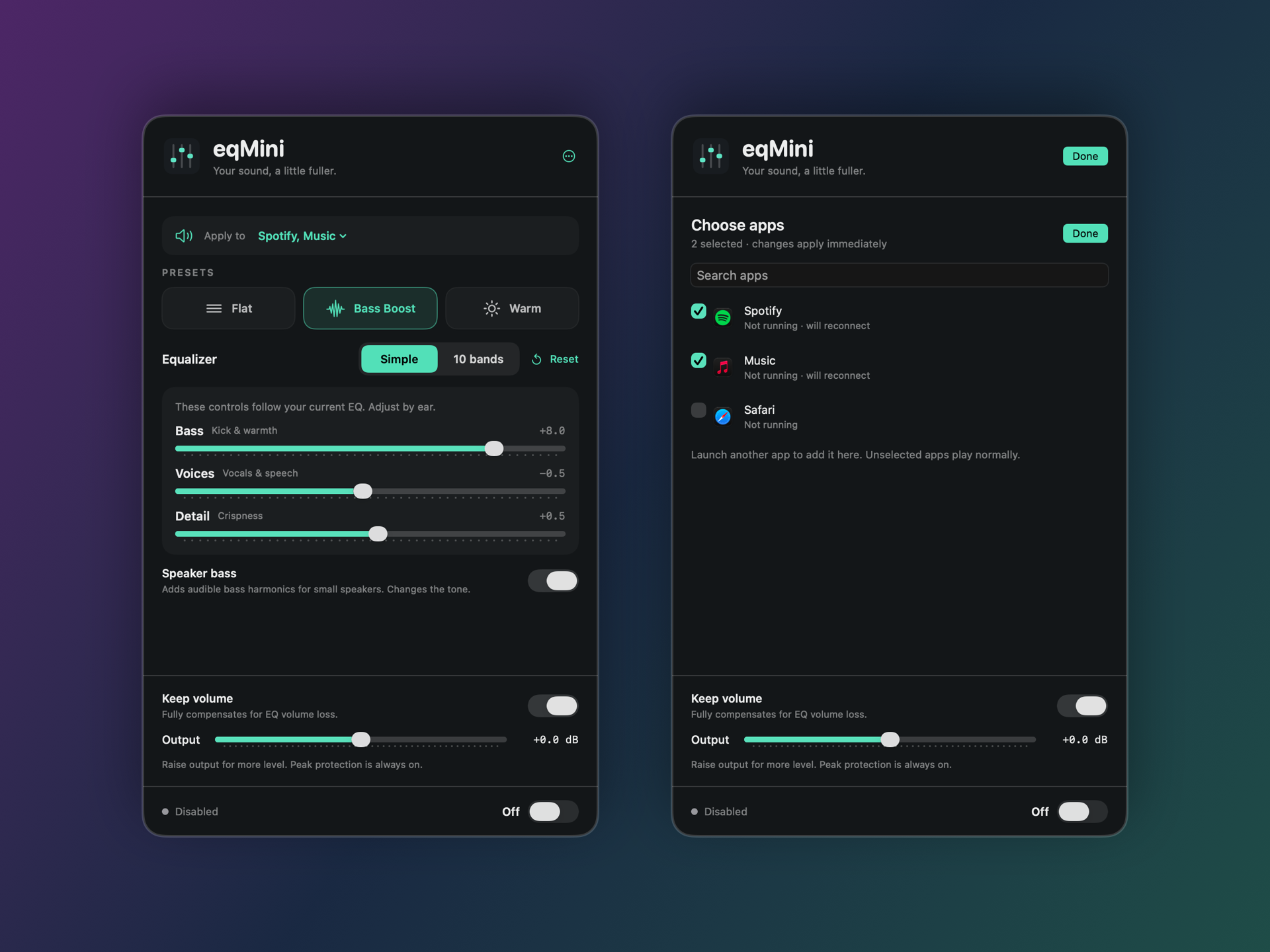
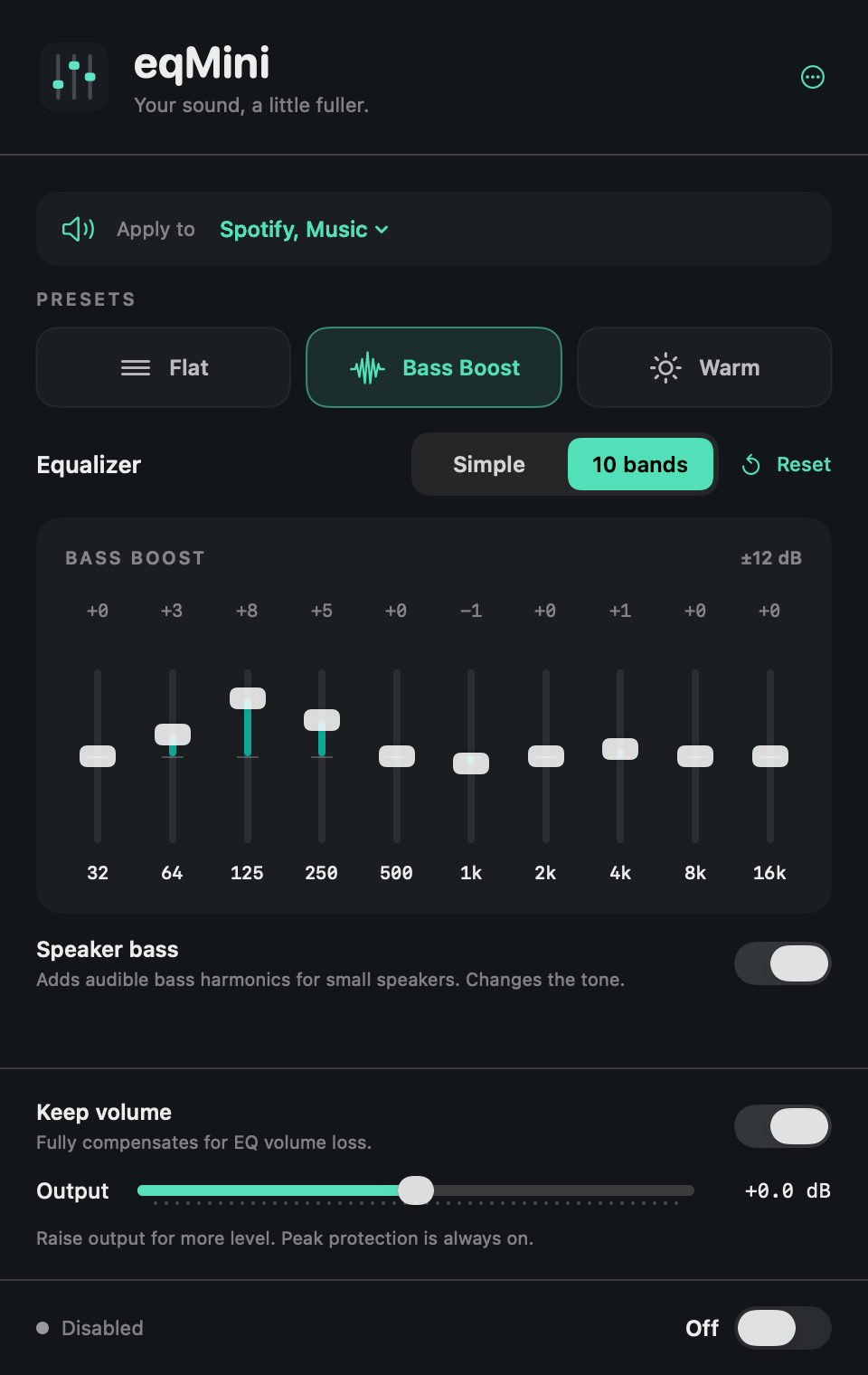
Ten-band EQ, simple tone controls, and a bass enhancer for small speakers. No virtual audio driver, account, analytics, or audio uploads. MIT licensed.
Requires macOS 14.2+ and Apple silicon.
Downloads are Developer ID signed and notarized by Apple. The app and DMG include stapled tickets and pass Gatekeeper assessment.
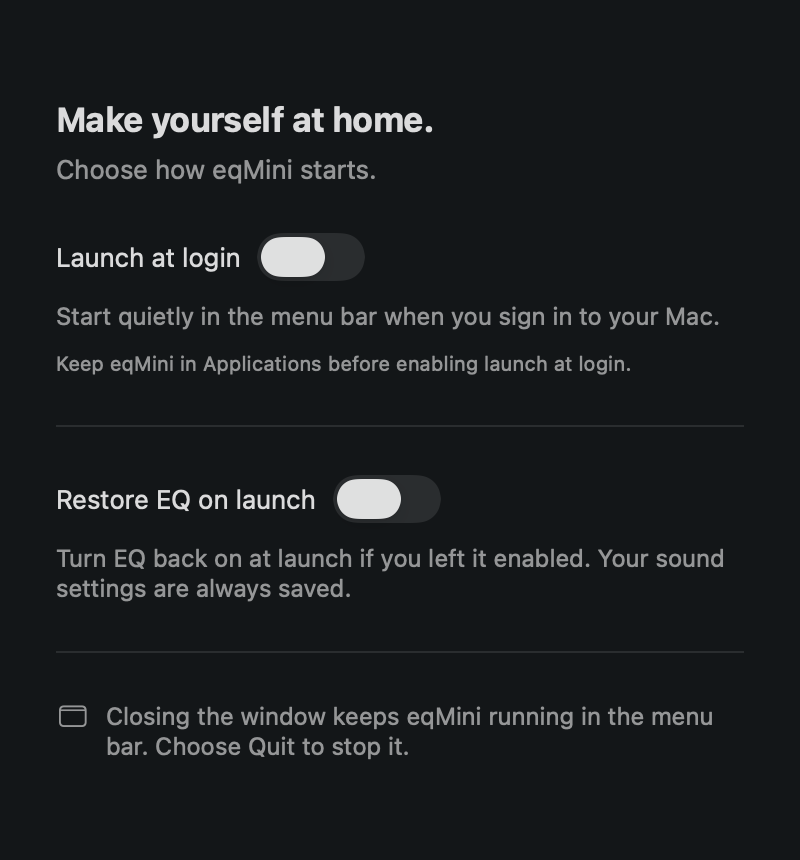
The first normal launch opens a welcome window; later startups stay in the menu bar. Use More → Open Equalizer Window for a regular window. Left-click the menu-bar icon for the panel; right-click for quick actions. Closing the window leaves eqMini in the menu bar; quitting stops processing. Settings… contains optional Launch at login and Restore EQ on launch, both off by default.
Shortcuts: ⌘O open window · ⌘1 / ⌘2 Simple / 10 bands · ⌘E enable / disable · ⌘, Settings · ⌘Q quit.
System Audio Recording permission is required to process other apps' sound. eqMini explains this before the first enable after an update, including when enabled from a menu. Its Core Audio tap captures audio only: no screen images, saved recordings, or uploads. If access was denied, allow it in System Settings → Privacy & Security, then reopen eqMini.
Preferences stay on your Mac. The app makes no network requests; website links open your browser. Privacy policy · Terms.
Requires Xcode's macOS SDK and command-line tools. No third-party runtime dependencies.
git clone https://github.com/elmsec/eqmini.git
cd eqmini
bash scripts/build.sh
open build/eqMini.app
Local builds are ad-hoc signed. Use ARCH=arm64 or ARCH=x86_64 to choose an architecture. CI builds and tests on both; downloadable releases currently target Apple silicon.
bash scripts/test.sh
SANITIZE=1 bash scripts/test.sh  # DSP with AddressSanitizer and UBSan
Tests use isolated preferences and do not request audio access or change login items.
eqMini processes the default output's first mono/stereo stream. Surround and multi-output setups are unsupported. Protected playback and shared audio services may limit per-app capture.
Small speakers cannot reproduce physical sub-bass; Speaker bass adds harmonics instead. Peak protection is a sample limiter, not a hearing or speaker protection guarantee.
Architecture · Testing · Contributing · Security · Distribution
MIT, © 2026 Can Elma. Built with Apple's public frameworks.
Optional support: GitHub Sponsors · Buy Me a Coffee. Donations do not unlock features.
A small macOS equalizer for all audio or selected apps. SwiftUI, Core Audio taps, and local processing.
See the codeA small equalizer for macOS. Shape all audio or just the apps you choose.
Ten-band EQ, simple tone controls, and a bass enhancer for small speakers. No virtual audio driver, account, analytics, or audio uploads. MIT licensed.
Requires macOS 14.2+ and Apple silicon.
Downloads are Developer ID signed and notarized by Apple. The app and DMG include stapled tickets and pass Gatekeeper assessment.
The first normal launch opens a welcome window; later startups stay in the menu bar. Use More → Open Equalizer Window for a regular window. Left-click the menu-bar icon for the panel; right-click for quick actions. Closing the window leaves eqMini in the menu bar; quitting stops processing. Settings… contains optional Launch at login and Restore EQ on launch, both off by default.
Shortcuts: ⌘O open window · ⌘1 / ⌘2 Simple / 10 bands · ⌘E enable / disable · ⌘, Settings · ⌘Q quit.
System Audio Recording permission is required to process other apps' sound. eqMini explains this before the first enable after an update, including when enabled from a menu. Its Core Audio tap captures audio only: no screen images, saved recordings, or uploads. If access was denied, allow it in System Settings → Privacy & Security, then reopen eqMini.
Preferences stay on your Mac. The app makes no network requests; website links open your browser. Privacy policy · Terms.
Requires Xcode's macOS SDK and command-line tools. No third-party runtime dependencies.
git clone https://github.com/elmsec/eqmini.git
cd eqmini
bash scripts/build.sh
open build/eqMini.app
Local builds are ad-hoc signed. Use ARCH=arm64 or ARCH=x86_64 to choose an architecture. CI builds and tests on both; downloadable releases currently target Apple silicon.
bash scripts/test.sh
SANITIZE=1 bash scripts/test.sh  # DSP with AddressSanitizer and UBSan
Tests use isolated preferences and do not request audio access or change login items.
eqMini processes the default output's first mono/stereo stream. Surround and multi-output setups are unsupported. Protected playback and shared audio services may limit per-app capture.
Small speakers cannot reproduce physical sub-bass; Speaker bass adds harmonics instead. Peak protection is a sample limiter, not a hearing or speaker protection guarantee.
Architecture · Testing · Contributing · Security · Distribution
MIT, © 2026 Can Elma. Built with Apple's public frameworks.
Optional support: GitHub Sponsors · Buy Me a Coffee. Donations do not unlock features.



