🚀 The easiest, free and open-source Tailwind CSS component library with semantic classes.
See the code
FlyonUI is the easiest, free and open-source Tailwind CSS component library with semantic classes. 🚀





Created by ThemeSelection, with a commitment to empowering the open-source community.
FlyonUI is designed to combine the best of both worlds: the aesthetic appeal of semantic classes and the powerful functionality of JS plugins.
Under the hood, it uses the strengths of:
FlyonUI's original code is licensed under the MIT License. Bundled third-party components are governed by their respective licenses as outlined in the license page and files.
Using Tailwind CSS alone may lead to cluttered HTML with numerous utility classes, which can be a nightmare to maintain.
Apart from that Tailwind CSS or daisyUI doesn’t provide any interactive headless JavaScript components like accordion, overlay, dropdowns, etc…
This is where FlyonUI shines.✨
FlyonUI Tailwind CSS Components Library brings together the beauty of semantic classes and the interactive headless JavaScript plugins, offering you a powerful toolkit to build stunning, interactive user interfaces with ease.
For comprehensive documentation, please visit flyonui.com.
| HTML | React | Nextjs | Vue | Nuxtjs |

|

|

|

|

|
| Angular | Svelte | Remix | Astro | Qwik |

|

|

|

|

|
| SolidJS | Django | Flask | Laravel | 11ty |

|

|

|

|

|
FlyonUI can be easily integrated into any existing Tailwind CSS project.
To use FlyonUI, ensure that you have Node.js and Tailwind CSS installed.
Install FlyonUI as a dependency:
npm install flyonui
Include FlyonUI as a plugin in your app.css file:
@import "tailwindcss";
@plugin "flyonui";
@import "./node_modules/flyonui/variants.css"; // Require only if you want to use FlyonUI JS components


@source "./node_modules/flyonui/dist/index.js"; // Require only if you want to use FlyonUI JS components
This ensures that FlyonUI's styling is applied correctly throughout your project.
If you want to include specific js component:
@source "./node_modules/flyonui/dist/accordion.js";
For enabling interactive components such as accordion, dropdown, modal etc... , include FlyonUI's JavaScript in your HTML file, just before the closing </body> tag:
<script src="../node_modules/flyonui/flyonui.js"></script>
For a single component, use the specific path:
<script src="../node_modules/flyonui/dist/accordion.js"></script>
FlyonUI components offer native RTL support. Simply add the dir="rtl" attribute to your HTML element to enable this feature.
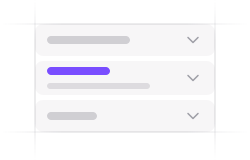
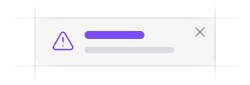
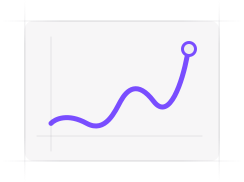
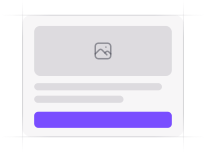
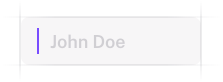
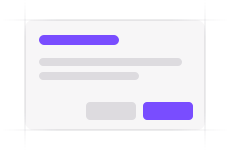
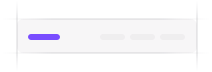
FlyonUI provides a robust library of UI components built with Tailwind CSS utility classes, enabling fast and efficient web development. Our library includes 80+ components, from basic elements like buttons and cards to more complex third-party integrations.
| Accordion | Alert | Apex Charts |
|
|
|
| Button | Card | Checkbox |
|
|

|
| Dropdown | Input | Modal |

|
|
|
| Navbar | Tabs & Pills | Tooltip |
|
|

|
Join the FlyonUI community to discuss the library, ask questions, and share your experiences:
Fix a bug, or add a new feature. You can make a pull request and see your code in the next version of FlyonUI.
Before adding a pull request, please see the contributing guidelines.
We are grateful for the contributions of the open-source community, particularly:
These projects form the backbone of FlyonUI, allowing us to build a powerful and user-friendly UI kit.
FlyonUI's original code is licensed under the MIT License.
Bundled third-party components are governed by their respective licenses as detailed below.
FlyonUI bundles and redistributes components from Preline UI and daisyUI. These bundled components are essential to FlyonUI's core JavaScript functionality and are distributed under explicit permission and their respective license terms.
For more details, please refer: License
503 followers · starred Nov 2024
600 followers · starred Nov 2024
2,631 followers · starred Apr 2025
52 followers · starred Oct 2024
🚀 The easiest, free and open-source Tailwind CSS component library with semantic classes.
See the code
FlyonUI is the easiest, free and open-source Tailwind CSS component library with semantic classes. 🚀
Created by ThemeSelection, with a commitment to empowering the open-source community.
FlyonUI is designed to combine the best of both worlds: the aesthetic appeal of semantic classes and the powerful functionality of JS plugins.
Under the hood, it uses the strengths of:
FlyonUI's original code is licensed under the MIT License. Bundled third-party components are governed by their respective licenses as outlined in the license page and files.
Using Tailwind CSS alone may lead to cluttered HTML with numerous utility classes, which can be a nightmare to maintain.
Apart from that Tailwind CSS or daisyUI doesn’t provide any interactive headless JavaScript components like accordion, overlay, dropdowns, etc…
This is where FlyonUI shines.✨
FlyonUI Tailwind CSS Components Library brings together the beauty of semantic classes and the interactive headless JavaScript plugins, offering you a powerful toolkit to build stunning, interactive user interfaces with ease.
For comprehensive documentation, please visit flyonui.com.
| HTML | React | Nextjs | Vue | Nuxtjs |
|
|
|
|
|
|
| Angular | Svelte | Remix | Astro | Qwik |
|
|
|
|
|
|
| SolidJS | Django | Flask | Laravel | 11ty |
|
|
|
|
|
|
FlyonUI can be easily integrated into any existing Tailwind CSS project.
To use FlyonUI, ensure that you have Node.js and Tailwind CSS installed.
Install FlyonUI as a dependency:
npm install flyonui
Include FlyonUI as a plugin in your app.css file:
@import "tailwindcss";
@plugin "flyonui";
@import "./node_modules/flyonui/variants.css"; // Require only if you want to use FlyonUI JS components


@source "./node_modules/flyonui/dist/index.js"; // Require only if you want to use FlyonUI JS components
This ensures that FlyonUI's styling is applied correctly throughout your project.
If you want to include specific js component:
@source "./node_modules/flyonui/dist/accordion.js";
For enabling interactive components such as accordion, dropdown, modal etc... , include FlyonUI's JavaScript in your HTML file, just before the closing </body> tag:
<script src="../node_modules/flyonui/flyonui.js"></script>
For a single component, use the specific path:
<script src="../node_modules/flyonui/dist/accordion.js"></script>
FlyonUI components offer native RTL support. Simply add the dir="rtl" attribute to your HTML element to enable this feature.
FlyonUI provides a robust library of UI components built with Tailwind CSS utility classes, enabling fast and efficient web development. Our library includes 80+ components, from basic elements like buttons and cards to more complex third-party integrations.
| Accordion | Alert | Apex Charts |
|
|
|
|
| Button | Card | Checkbox |
|
|
|
|
| Dropdown | Input | Modal |
|
|
|
|
| Navbar | Tabs & Pills | Tooltip |
|
|
|
|
Join the FlyonUI community to discuss the library, ask questions, and share your experiences:
Fix a bug, or add a new feature. You can make a pull request and see your code in the next version of FlyonUI.
Before adding a pull request, please see the contributing guidelines.
We are grateful for the contributions of the open-source community, particularly:
These projects form the backbone of FlyonUI, allowing us to build a powerful and user-friendly UI kit.
FlyonUI's original code is licensed under the MIT License.
Bundled third-party components are governed by their respective licenses as detailed below.
FlyonUI bundles and redistributes components from Preline UI and daisyUI. These bundled components are essential to FlyonUI's core JavaScript functionality and are distributed under explicit permission and their respective license terms.
For more details, please refer: License
503 followers · starred Nov 2024
600 followers · starred Nov 2024
2,631 followers · starred Apr 2025
52 followers · starred Oct 2024



