
Conveyor fruit inspection — quality grading in a fixed control zone, not full-frame tracking. Nim · ONNX Runtime · eval demo 0.10.0
0
4 commits
updated Oct 6, 2026
See what people are saying
README
Fruit Inspector
build 0.10.0 · Windows x64 · Nim · ONNX Runtime (CPU / OpenVINO / CUDA via settings.json) · line station
Fruit Inspector is conveyor inspection: the fruit moves on the belt; quality is graded only in the control zone, not anywhere in the frame.
EdgeInfer: https://github.com/olesha-ai/edgeinfer-eval
Pictures
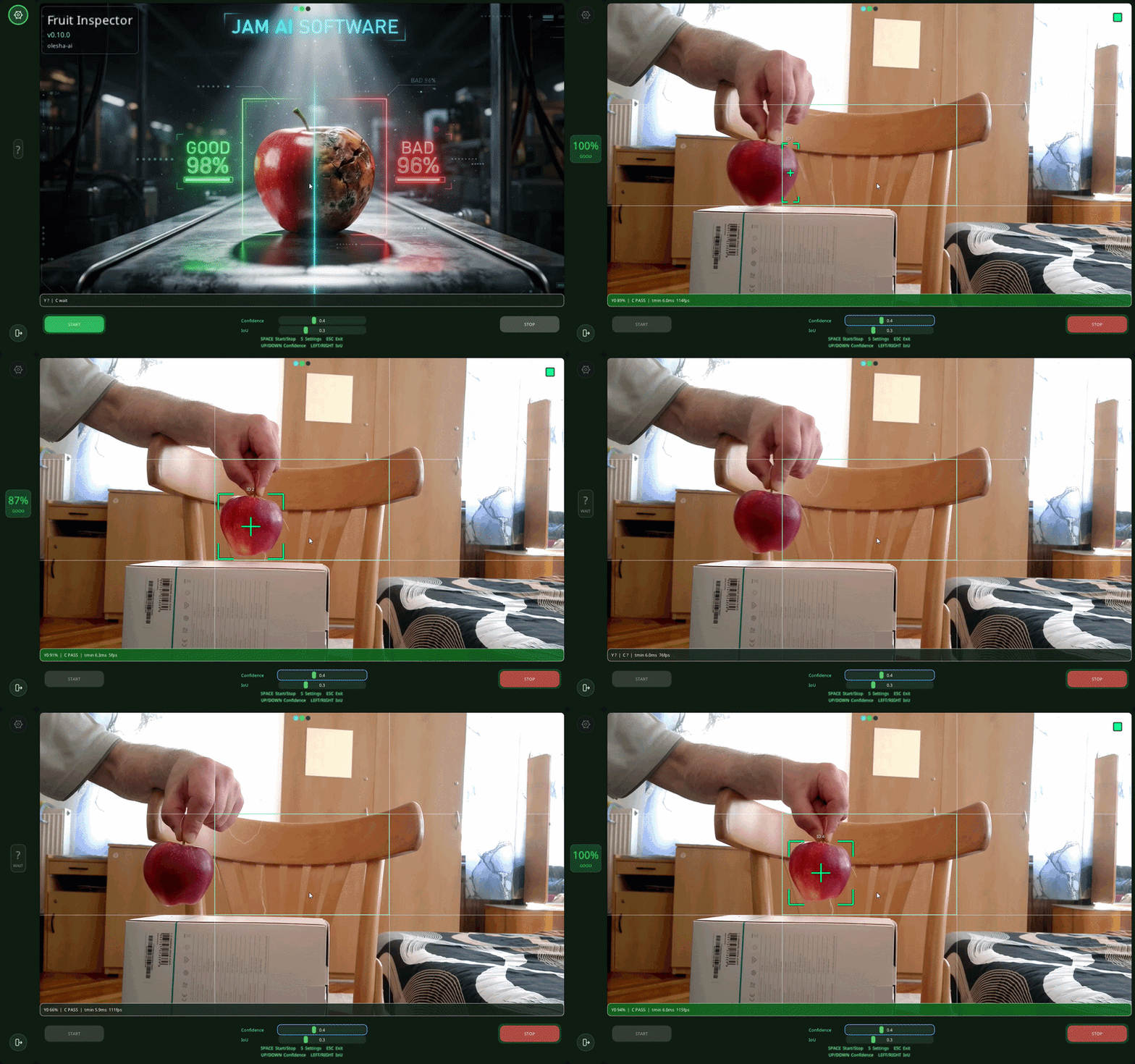
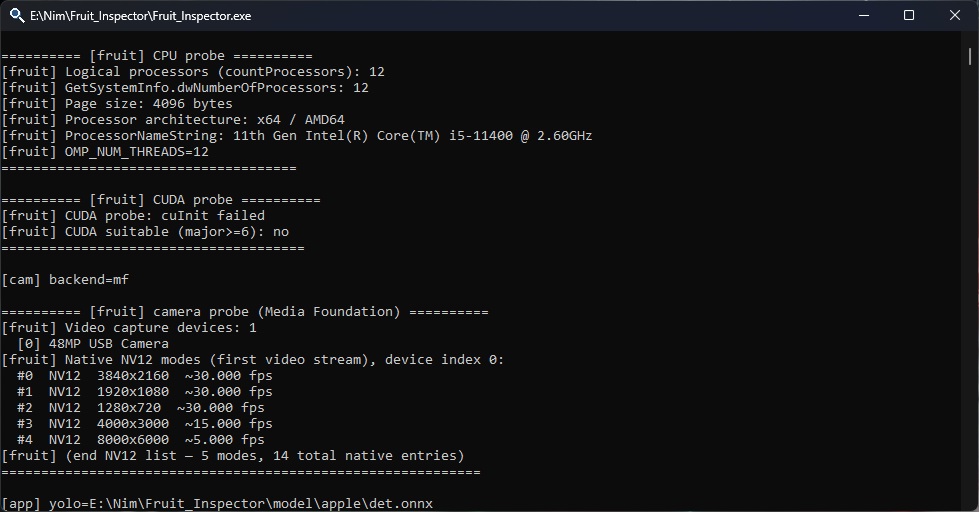
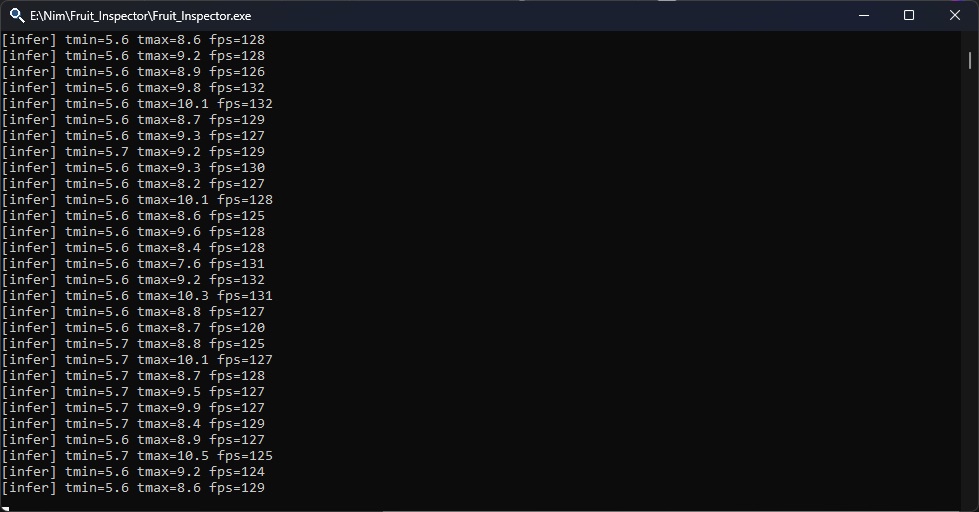
Test bench: Intel i5-11400, 32 GB RAM, no discrete GPU, USB camera 1920×1080.
ORT CPU EP: infer loop on the order of ~100–130 fps (see speed.jpg).
Camera preview ~30 fps — camera limit, not infer.
Idea
On the line you do not grade an apple “wherever it happens to be in the frame”. You grade it in the control zone — a fixed spot on the belt.
The image uses a 3×3 grid. The centre cell (C) is the control zone:
- detect, track, and stable IDs on the line (up to two apples for now);
- focus — the apple closest to cell C; after it leaves C — sticky focus on the next ID; a new detection does not steal focus;
- Cat (LightGBM) — only while the focus apple’s centre is inside C;
- pipeline: YOLOX (640) → ROI refine (256) → 44 features (
fruit_features) → Cat → GOOD / BAD on screen.
Station behaviour
- no full-frame chase along the belt — we work cell C and an ID queue;
- while the apple is moving toward C — detect and track only, Cat is not run;
- in C — feature collection and verdict;
- left C — sticky on the next ID, repeat.
trig
On the desk, Cat starts as soon as the apple enters C. On a live belt that is not the final story: the fruit can still move, roll, bounce — the frame is already in the zone, but the object is not ready to grade. On the factory floor the moment is different: stop, lying still, ready to capture.
trig is groundwork for that. Not aim-by-coordinates, but a station signal: object ready — grade it. The inspector sends the verdict over the network (GOOD / BAD and ID); trig shows the result and will become a line command over time: stop the section → signal the model → get the grade. The archive already includes trig as a LAN client; the full chain “ready → command → Cat” is the next step.
Stack
- Nim, ImGui (GLFW)
- ONNX Runtime — provider in
settings.json:cpu,openvino,cuda - YOLOX-nano + LightGBM (Cat ONNX)
fruit_features.dll+features.jsonnext to Cat- apple crop pack:
model/apple/det.onnx,cat.onnx,features.json
What’s in the zip
Fruit_Inspector.exefruit_features.dlllib/cpu/,lib/openvino/(andlib/cuda/if included)model/apple/settings.jsontrig.exe— LAN client (see trig)licenses/
settings.json
The file sits next to the exe. Values in the archive may be from my desk — use your own.
Engine: ort_provider, ort_intra_threads, ort_inter_threads, openvino_* (when using OpenVINO).
Models and camera: crop_pack, model, cat_model, camera_index, conf, iou, infer_main_tensor_size, infer_refine_tensor_size.
Output and logs: ip_addr, ip_port, memory_diag_enabled.
Edit the file by hand or use Settings → Apply.
Run
- Unpack locally.
- Keep
lib/,model/,fruit_features.dll, andsettings.jsonnext toFruit_Inspector.exe. - Set
camera_indexandort_provider. - Run from cmd if you want
[infer]fps lines on stdout. - START / STOP in the UI; Esc asks before quit.
License
Testing, teaching, research, feedback — yes.
Commercial production under this license — no.
Full text: LICENSE.md, licenses/Fruit_Inspector_LICENSE.md.
Third-party components: licenses/THIRD_PARTY.md. Do not remove the licenses/ folder from the zip.
Commercial contact: olesha-ai.
Intel, OpenVINO, Microsoft, Megvii, and other names are trademarks of their respective owners.
olesha-ai
Similar repos


Conveyor fruit inspection — quality grading in a fixed control zone, not full-frame tracking. Nim · ONNX Runtime · eval demo 0.10.0
0
4 commits
updated Oct 6, 2026
See what people are saying
README
Fruit Inspector
build 0.10.0 · Windows x64 · Nim · ONNX Runtime (CPU / OpenVINO / CUDA via settings.json) · line station
Fruit Inspector is conveyor inspection: the fruit moves on the belt; quality is graded only in the control zone, not anywhere in the frame.
EdgeInfer: https://github.com/olesha-ai/edgeinfer-eval
Pictures
Test bench: Intel i5-11400, 32 GB RAM, no discrete GPU, USB camera 1920×1080.
ORT CPU EP: infer loop on the order of ~100–130 fps (see speed.jpg).
Camera preview ~30 fps — camera limit, not infer.
Idea
On the line you do not grade an apple “wherever it happens to be in the frame”. You grade it in the control zone — a fixed spot on the belt.
The image uses a 3×3 grid. The centre cell (C) is the control zone:
- detect, track, and stable IDs on the line (up to two apples for now);
- focus — the apple closest to cell C; after it leaves C — sticky focus on the next ID; a new detection does not steal focus;
- Cat (LightGBM) — only while the focus apple’s centre is inside C;
- pipeline: YOLOX (640) → ROI refine (256) → 44 features (
fruit_features) → Cat → GOOD / BAD on screen.
Station behaviour
- no full-frame chase along the belt — we work cell C and an ID queue;
- while the apple is moving toward C — detect and track only, Cat is not run;
- in C — feature collection and verdict;
- left C — sticky on the next ID, repeat.
trig
On the desk, Cat starts as soon as the apple enters C. On a live belt that is not the final story: the fruit can still move, roll, bounce — the frame is already in the zone, but the object is not ready to grade. On the factory floor the moment is different: stop, lying still, ready to capture.
trig is groundwork for that. Not aim-by-coordinates, but a station signal: object ready — grade it. The inspector sends the verdict over the network (GOOD / BAD and ID); trig shows the result and will become a line command over time: stop the section → signal the model → get the grade. The archive already includes trig as a LAN client; the full chain “ready → command → Cat” is the next step.
Stack
- Nim, ImGui (GLFW)
- ONNX Runtime — provider in
settings.json:cpu,openvino,cuda - YOLOX-nano + LightGBM (Cat ONNX)
fruit_features.dll+features.jsonnext to Cat- apple crop pack:
model/apple/det.onnx,cat.onnx,features.json
What’s in the zip
Fruit_Inspector.exefruit_features.dlllib/cpu/,lib/openvino/(andlib/cuda/if included)model/apple/settings.jsontrig.exe— LAN client (see trig)licenses/
settings.json
The file sits next to the exe. Values in the archive may be from my desk — use your own.
Engine: ort_provider, ort_intra_threads, ort_inter_threads, openvino_* (when using OpenVINO).
Models and camera: crop_pack, model, cat_model, camera_index, conf, iou, infer_main_tensor_size, infer_refine_tensor_size.
Output and logs: ip_addr, ip_port, memory_diag_enabled.
Edit the file by hand or use Settings → Apply.
Run
- Unpack locally.
- Keep
lib/,model/,fruit_features.dll, andsettings.jsonnext toFruit_Inspector.exe. - Set
camera_indexandort_provider. - Run from cmd if you want
[infer]fps lines on stdout. - START / STOP in the UI; Esc asks before quit.
License
Testing, teaching, research, feedback — yes.
Commercial production under this license — no.
Full text: LICENSE.md, licenses/Fruit_Inspector_LICENSE.md.
Third-party components: licenses/THIRD_PARTY.md. Do not remove the licenses/ folder from the zip.
Commercial contact: olesha-ai.
Intel, OpenVINO, Microsoft, Megvii, and other names are trademarks of their respective owners.
olesha-ai