A Terminal theme that mimics the One Dark theme made by the Atom team.
1,069
28 commits
updated Aug 25, 2020
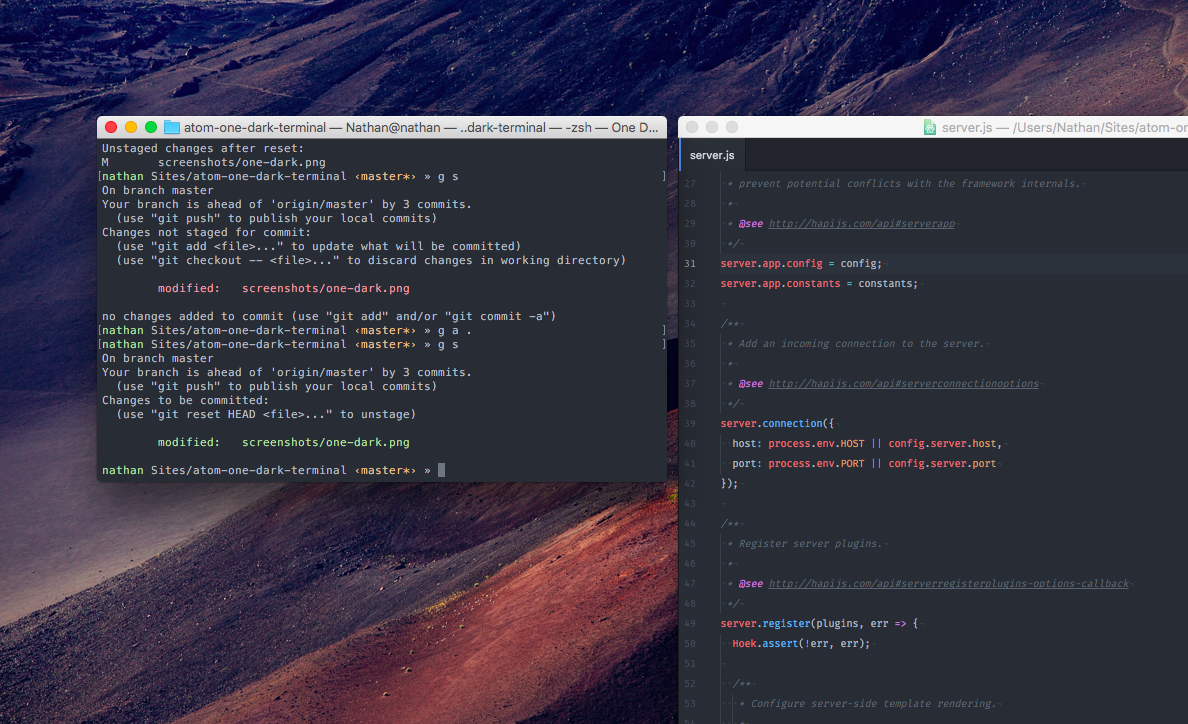
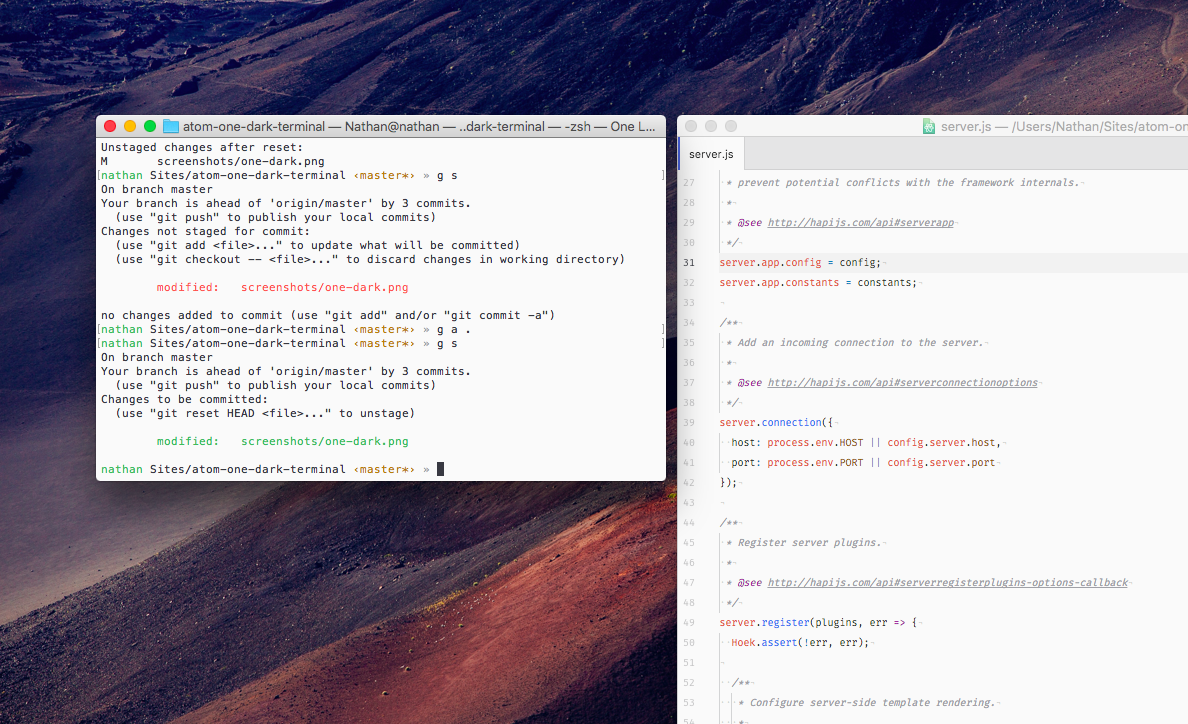
A theme for Terminal and iTerm that mimics the native One Dark Theme made by the Atom team. Also available in One Light.
Colors are not enabled by default in macOS Terminal, so you will need to enable colors in order for this theme to work. To do this, append the following to your ~/.bashrc or ~/.zshrc file, then restart Terminal
export CLICOLOR=1
export LSCOLORS=ExFxBxDxCxegedabagacad
This one line will do that for you. Copy and paste it into a Terminal window, hit return, then restart Terminal. For ~/.bashrc
echo -e '\n# Add colors to Terminal\nexport CLICOLOR=1\nexport LSCOLORS=ExFxBxDxCxegedabagacad' >> ~/.bashrc
or ~/.zshrc
echo -e '\n# Add colors to Terminal\nexport CLICOLOR=1\nexport LSCOLORS=ExFxBxDxCxegedabagacad' >> ~/.zshrc
#1E2127).One Dark
One Light
ISC
23,894 followers · starred Apr 2020
1,232 followers · starred Aug 2018
1,556 followers · starred May 2020
762 followers · starred Jul 2016
A Terminal theme that mimics the One Dark theme made by the Atom team.
1,069
28 commits
updated Aug 25, 2020
A theme for Terminal and iTerm that mimics the native One Dark Theme made by the Atom team. Also available in One Light.
Colors are not enabled by default in macOS Terminal, so you will need to enable colors in order for this theme to work. To do this, append the following to your ~/.bashrc or ~/.zshrc file, then restart Terminal
export CLICOLOR=1
export LSCOLORS=ExFxBxDxCxegedabagacad
This one line will do that for you. Copy and paste it into a Terminal window, hit return, then restart Terminal. For ~/.bashrc
echo -e '\n# Add colors to Terminal\nexport CLICOLOR=1\nexport LSCOLORS=ExFxBxDxCxegedabagacad' >> ~/.bashrc
or ~/.zshrc
echo -e '\n# Add colors to Terminal\nexport CLICOLOR=1\nexport LSCOLORS=ExFxBxDxCxegedabagacad' >> ~/.zshrc
#1E2127).One Dark
One Light
ISC
23,894 followers · starred Apr 2020
1,232 followers · starred Aug 2018
1,556 followers · starred May 2020
762 followers · starred Jul 2016