nordtheme/iterm2

An arctic, north-bluish clean and elegant iTerm2 color scheme.

JavaScript

1,023

19 commits

updated May 13, 2023

See the code

README

An arctic, north-bluish clean and elegant iTerm2 color scheme.

Designed for a fluent and clear workflow based on the Nord color palette.

Getting started

Installation

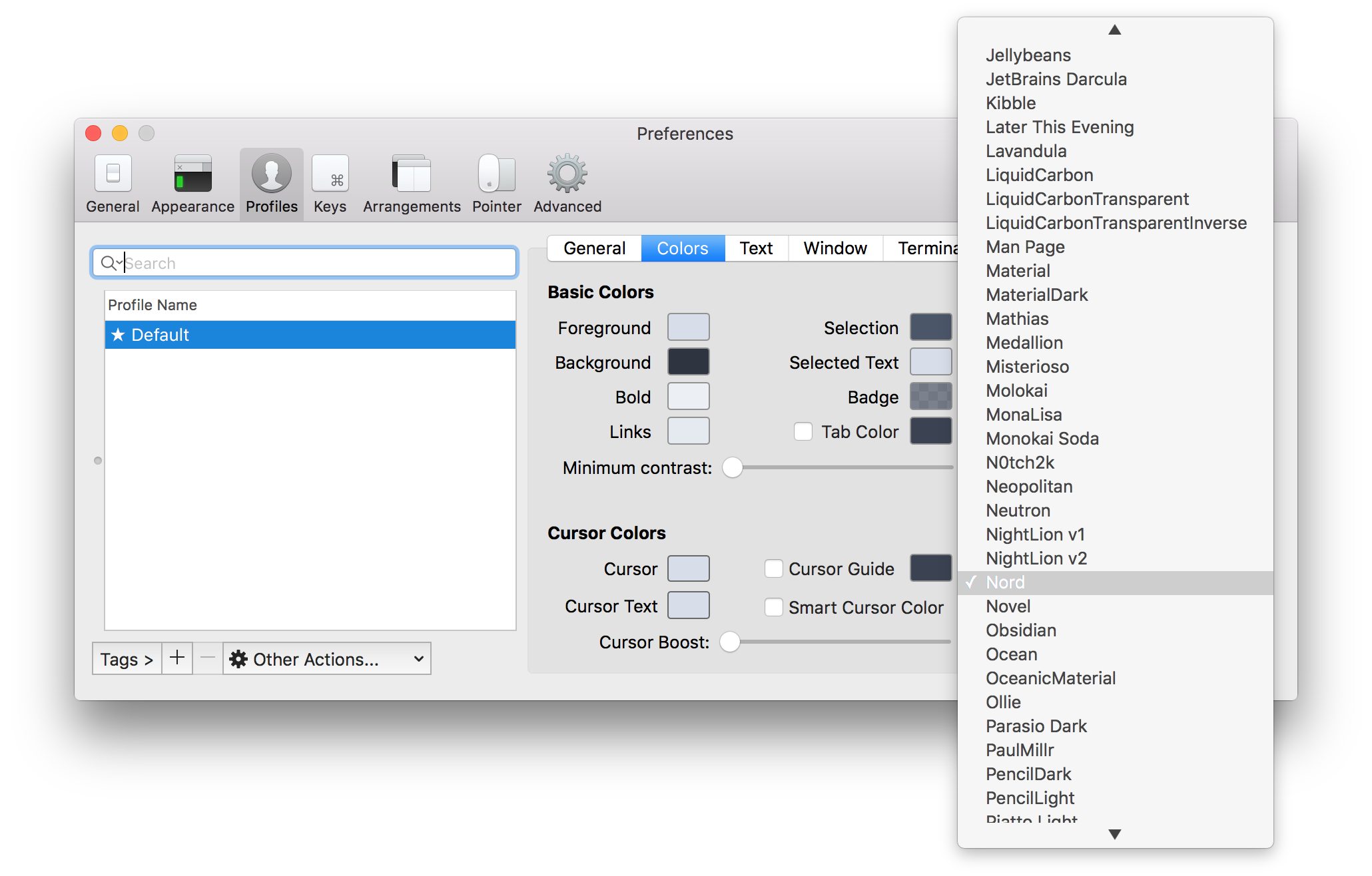
Download the latest Nord.itermcolors file from the GitHub repository and import it:

  1. Start iTerm2 and open the Preferences
  2. Switch to the Profiles tab located in the topbar
  3. Select the Colors tabs on the right side
  4. Click on the Load Presets drop-down menu and select the Import entry
  5. Import the downloaded Nord.itermcolors file and import it

Activation

  1. Start iTerm2 and open the Preferences
  2. Switch to the Profiles tab located in the topbar
  3. Select the Colors tabs on the right side
  4. Select an existing profile from the profile list window on the left or create a new profile
  5. Click on the Load Presets drop-down menu and select Nord

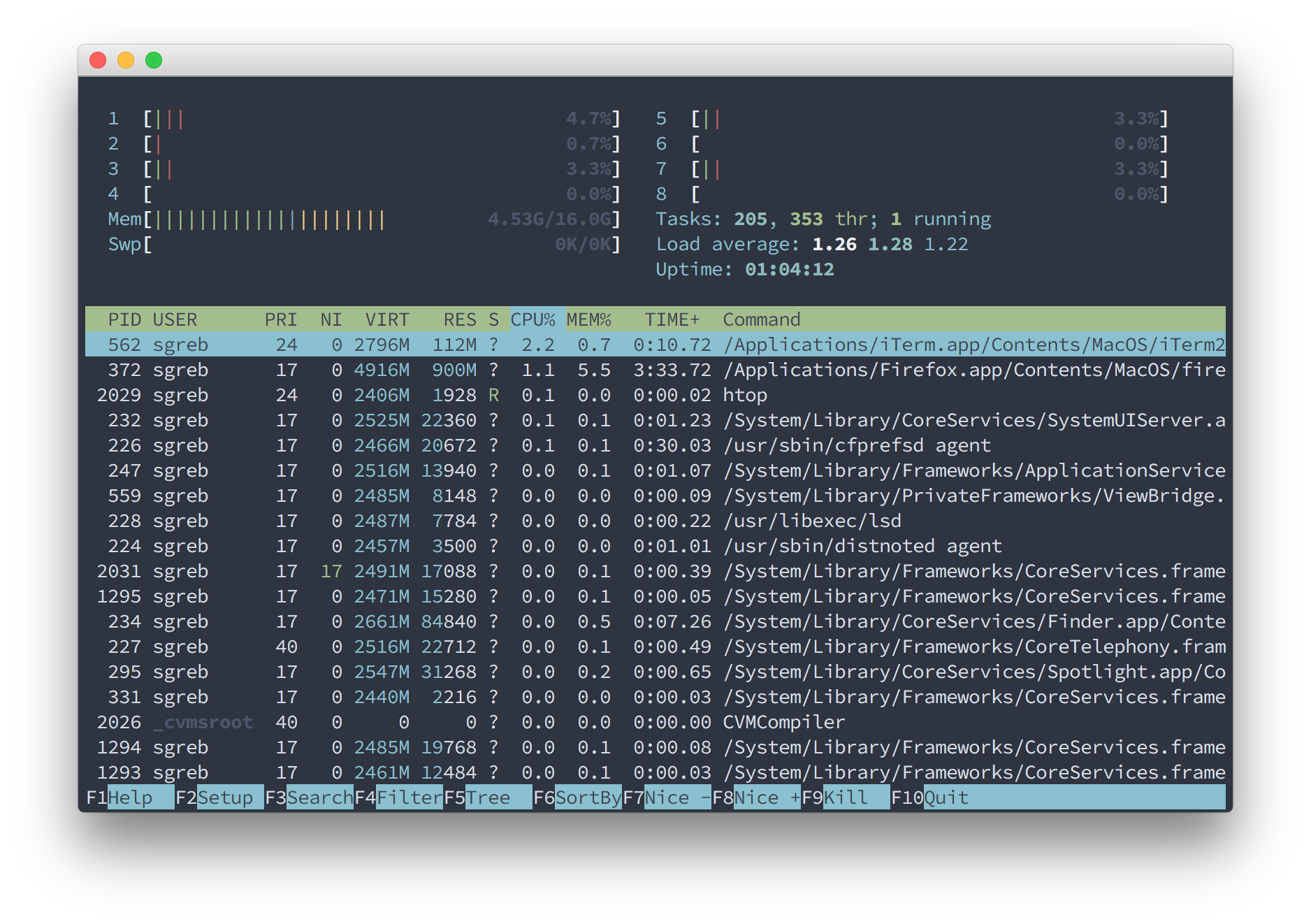
Screenshots

htop

Contribution

Please report issues/bugs, feature requests and suggestions for improvements to the issue tracker.

Copyright © 2016-present Sven Greb


bash
cli
color-scheme
colorscheme
hacktoberfest
iterm
iterm2
mac
macos
macosx
nord
osx
shell
terminal
zsh

nordtheme/iterm2

An arctic, north-bluish clean and elegant iTerm2 color scheme.

JavaScript

1,023

19 commits

updated May 13, 2023

See the code

README

An arctic, north-bluish clean and elegant iTerm2 color scheme.

Designed for a fluent and clear workflow based on the Nord color palette.

Getting started

Installation

Download the latest Nord.itermcolors file from the GitHub repository and import it:

  1. Start iTerm2 and open the Preferences
  2. Switch to the Profiles tab located in the topbar
  3. Select the Colors tabs on the right side
  4. Click on the Load Presets drop-down menu and select the Import entry
  5. Import the downloaded Nord.itermcolors file and import it

Activation

  1. Start iTerm2 and open the Preferences
  2. Switch to the Profiles tab located in the topbar
  3. Select the Colors tabs on the right side
  4. Select an existing profile from the profile list window on the left or create a new profile
  5. Click on the Load Presets drop-down menu and select Nord

Screenshots

htop

Contribution

Please report issues/bugs, feature requests and suggestions for improvements to the issue tracker.

Copyright © 2016-present Sven Greb

bash
cli
color-scheme
colorscheme
hacktoberfest
iterm
iterm2
mac
macos
macosx
nord
osx
shell
terminal
zsh

Significant stargazers

Nicolas P. Rougier

7,983 followers · starred Sep 2025

Paul Berg

2,057 followers · starred Jun 2026

Michael Kühnel

476 followers · starred Mar 2019

JINNOUCHI Yasushi

111 followers · starred Nov 2017