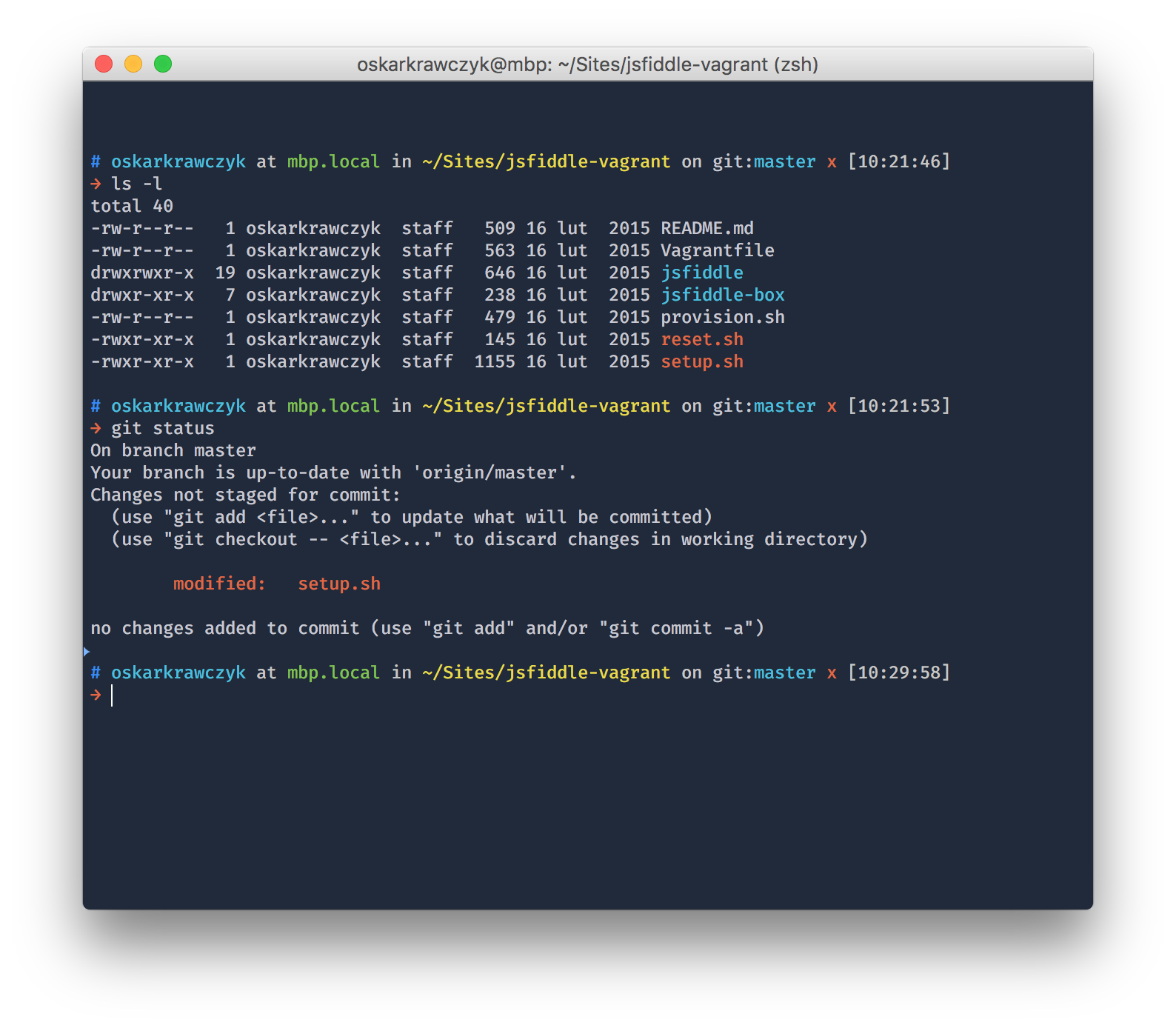
See how it looks with blur and transparency (video).
The theme is based on the wonderfully made ys theme from the official oh-my-zsh repo.
honukai.zsh-theme into the ~/.oh-my-zsh/custom/themes/ directory (simply create the themes directory if it does not exist)ZSH_THEME="honukai" in ~/.zshrcsource ~/.zshrchonukai.itermcolors (drop-down in the lower right corner)NOTE: You'll need at least iTerm2.9-nightly (aka 3.0)
There's a bunch of settings you might want to change in your profile in order to get the extra eye-candy.
Cursor
Font
Text Rendering
Window appearance
125 followers · starred Mar 2023
58 followers · starred Dec 2017
97 followers · starred Jan 2016
60 followers · starred Jun 2018
See how it looks with blur and transparency (video).
The theme is based on the wonderfully made ys theme from the official oh-my-zsh repo.
honukai.zsh-theme into the ~/.oh-my-zsh/custom/themes/ directory (simply create the themes directory if it does not exist)ZSH_THEME="honukai" in ~/.zshrcsource ~/.zshrchonukai.itermcolors (drop-down in the lower right corner)NOTE: You'll need at least iTerm2.9-nightly (aka 3.0)
There's a bunch of settings you might want to change in your profile in order to get the extra eye-candy.
Cursor
Font
Text Rendering
Window appearance
125 followers · starred Mar 2023
58 followers · starred Dec 2017
97 followers · starred Jan 2016
60 followers · starred Jun 2018



