A Liquid Glass–inspired theme for iTerm2 and Ghostty, on macOS and Linux. Real Liquid Glass in Ghostty on macOS 26+; contrast-checked, light/dark, fully reversible.
Shell
71
19 commits
updated Oct 14, 2026
A Liquid Glass theme for iTerm2 and Ghostty. Translucent, built from Apple's system colors, and contrast-checked so it stays readable. In Ghostty it uses Apple's real Liquid Glass material.


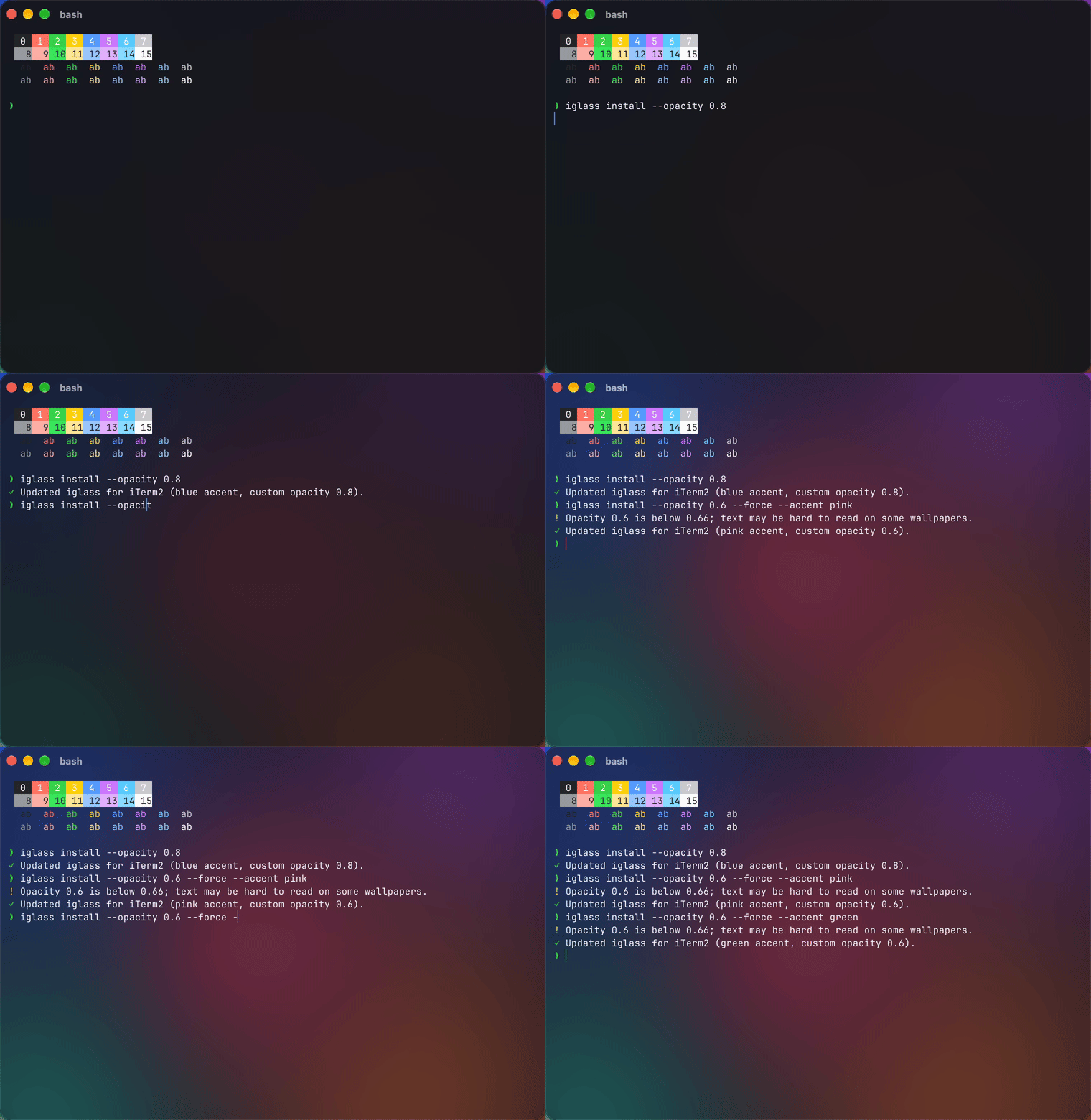
Tweaking iglass live: each iglass install updates the open window instantly.
macOS's Liquid Glass makes apps feel light and layered. iglass brings that look to your terminal, carefully:
| Dark | Light | |
|---|---|---|
| Clear | 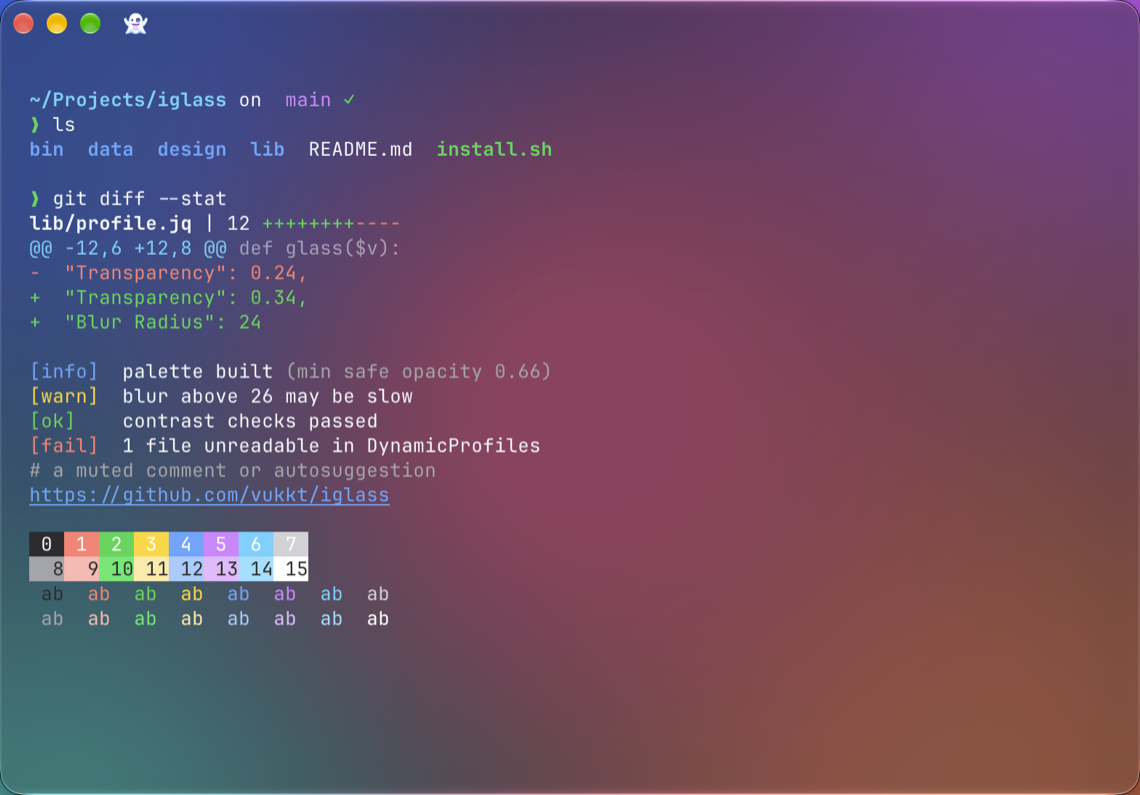 | 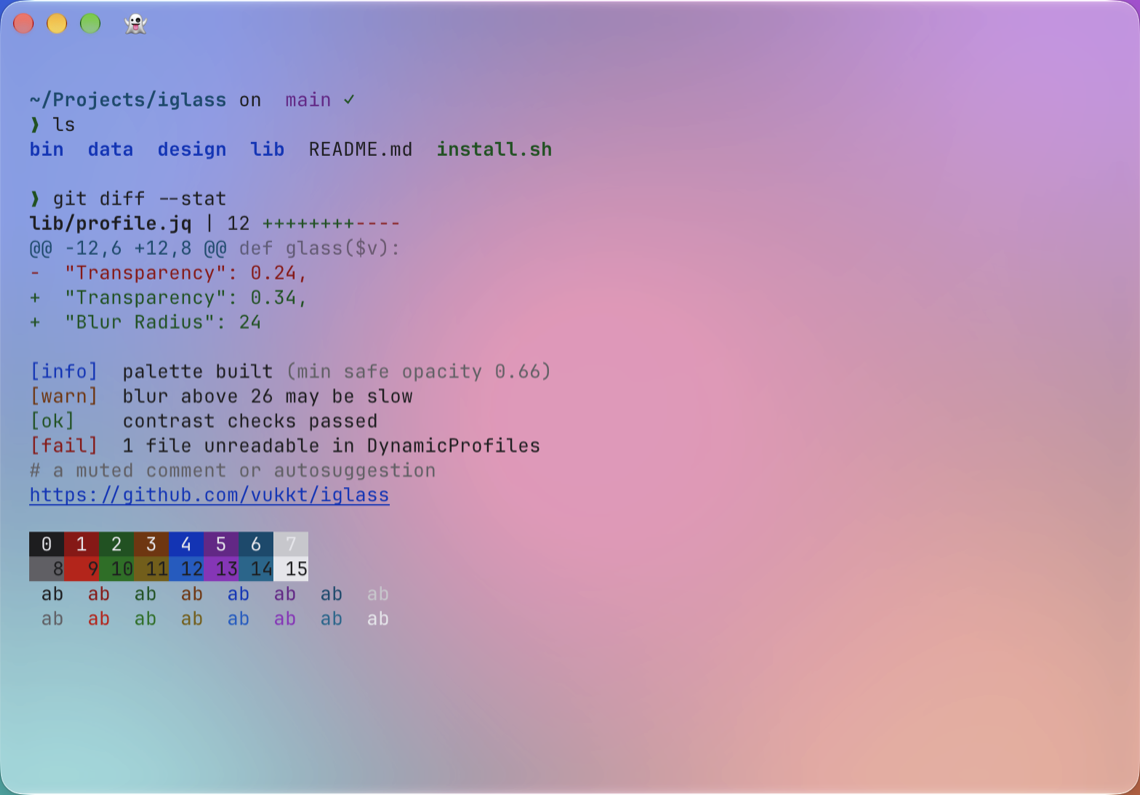 |
| Frosted | 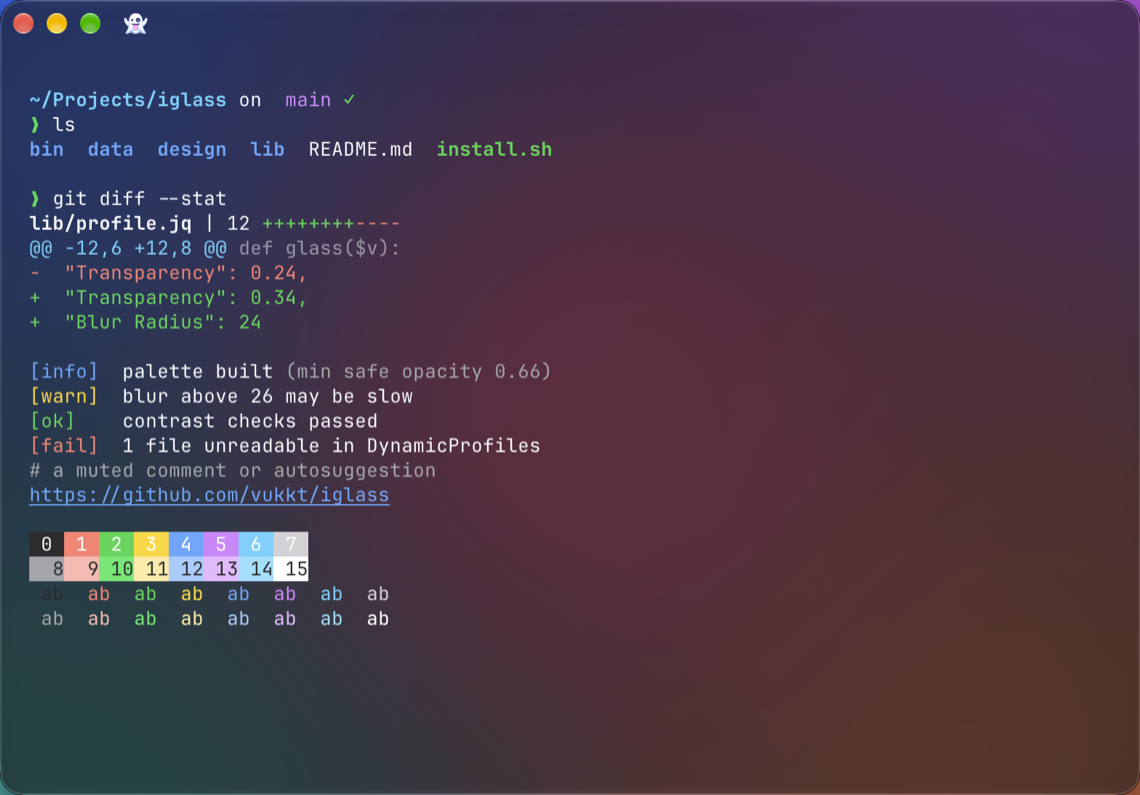 | 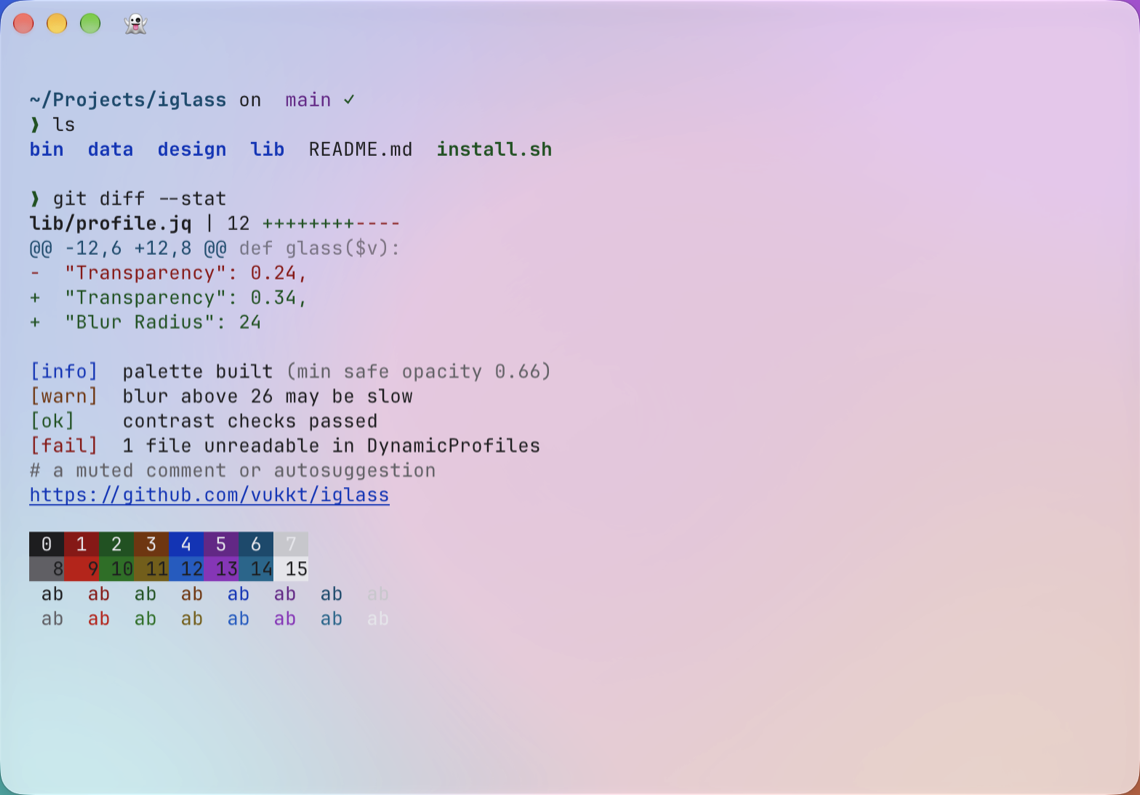 |
| Tinted | 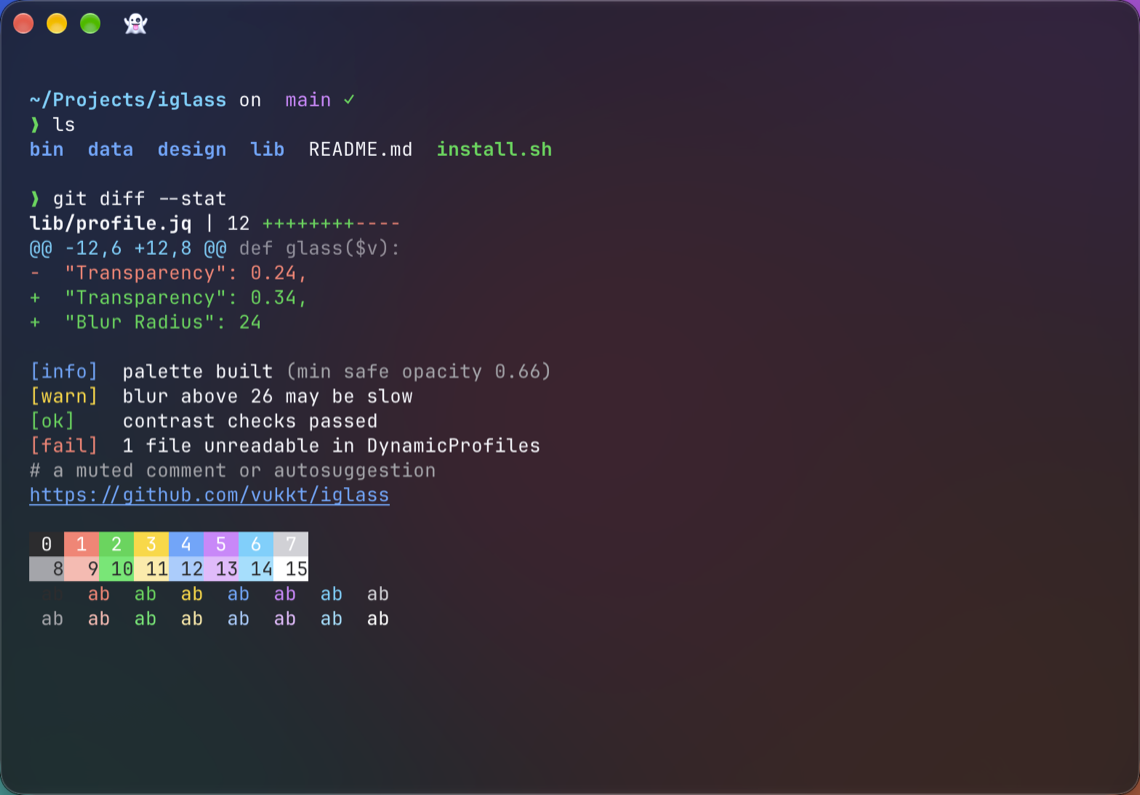 | 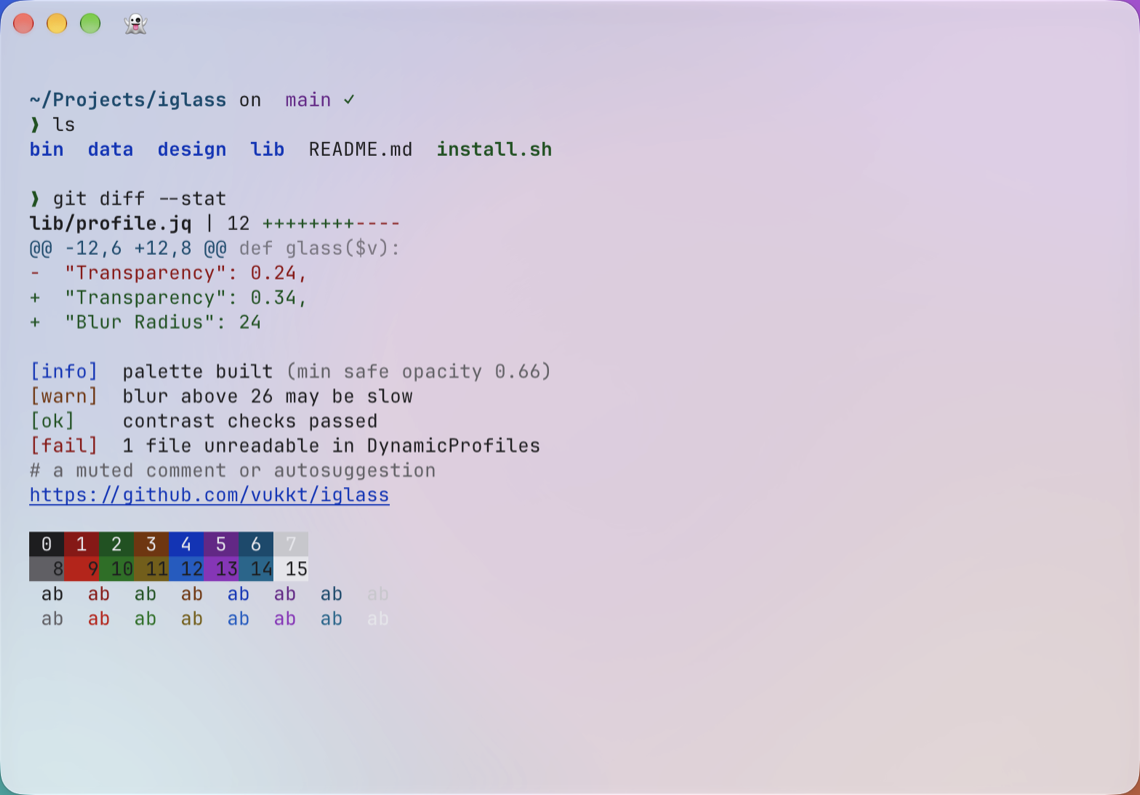 |
| Solid | 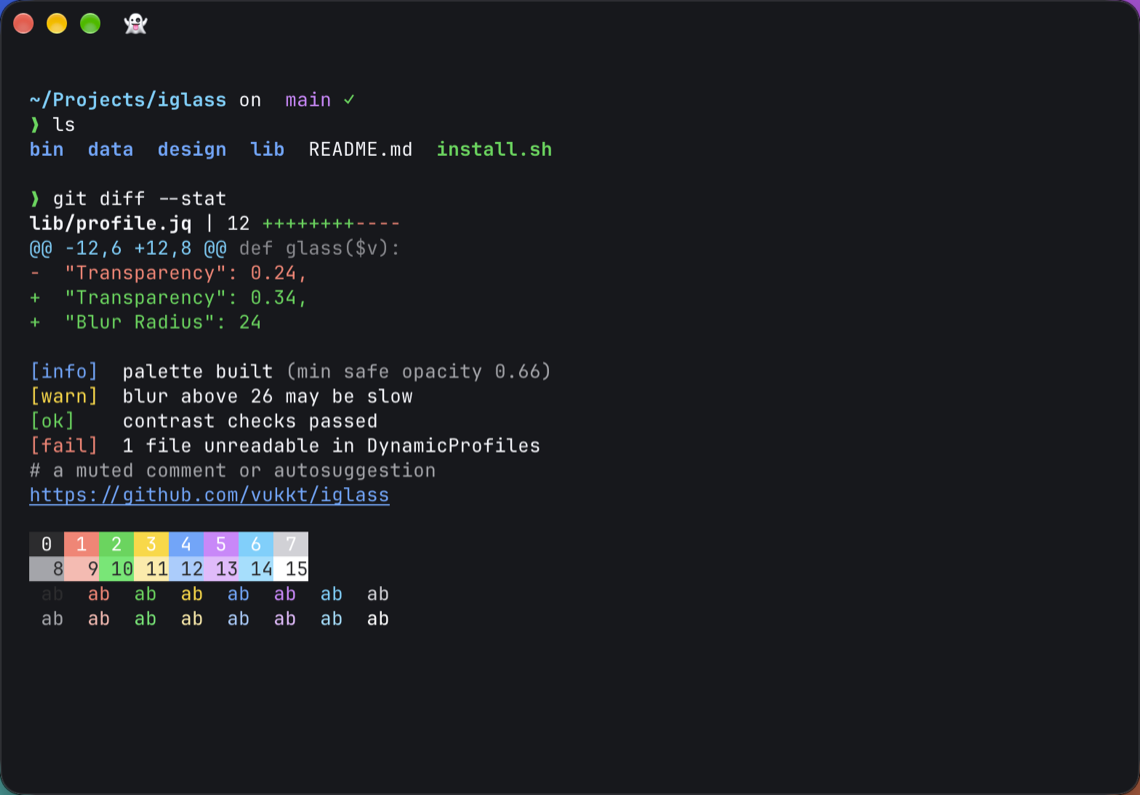 | 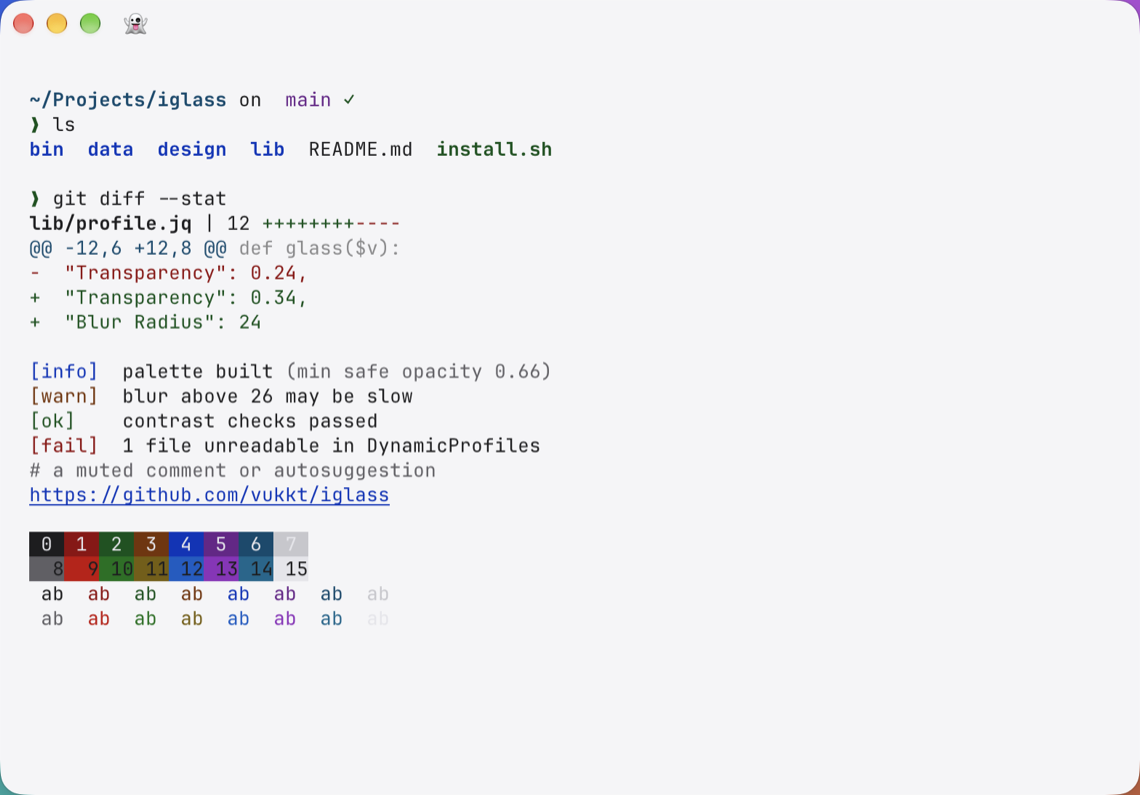 |
| Dark | Light | |
|---|---|---|
| Clear | 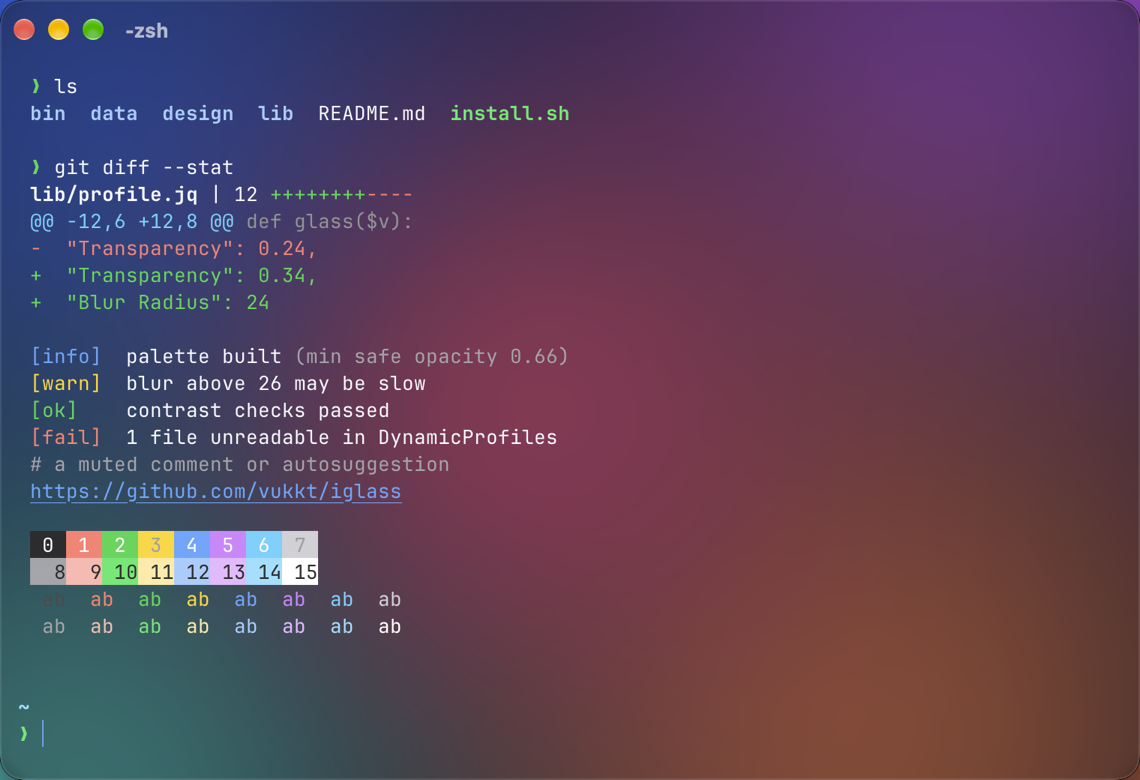 | 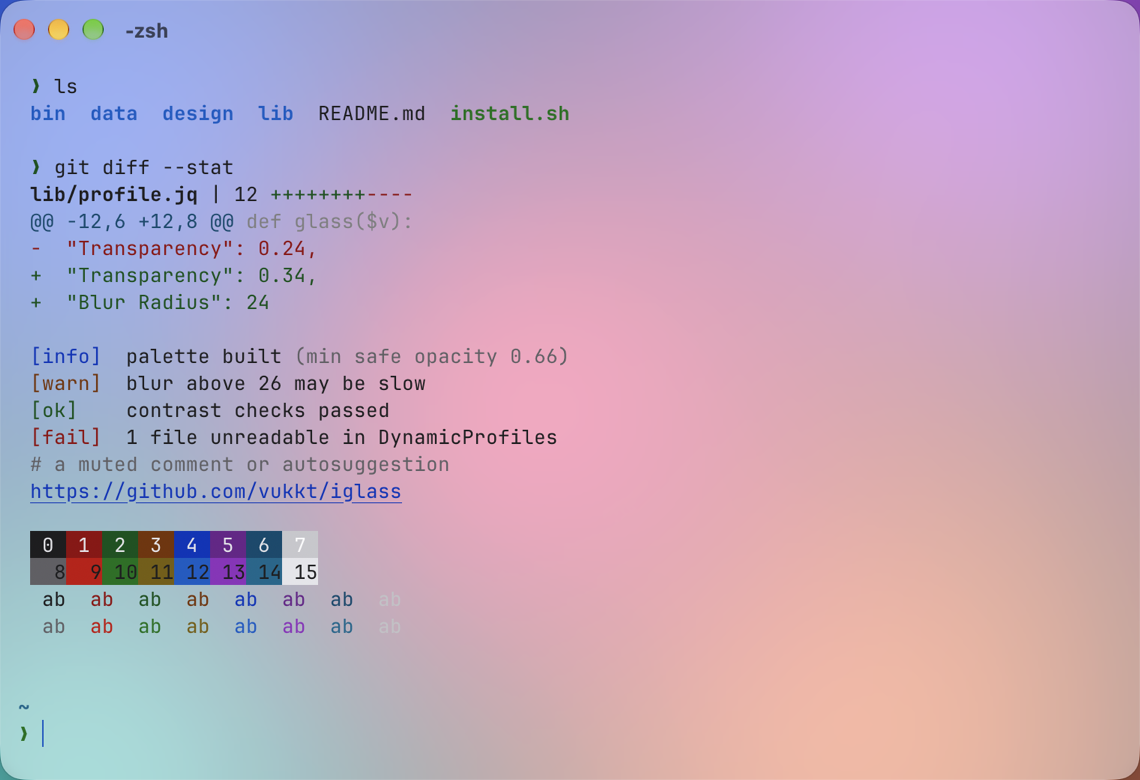 |
| Frosted | 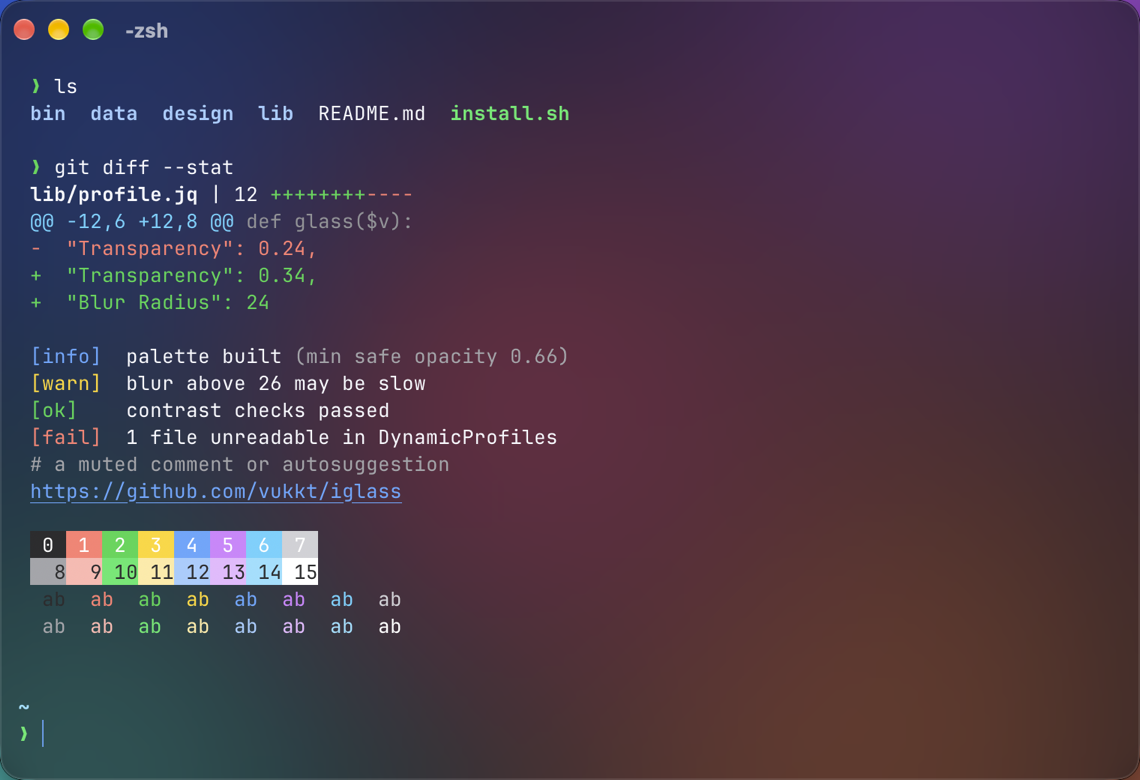 | 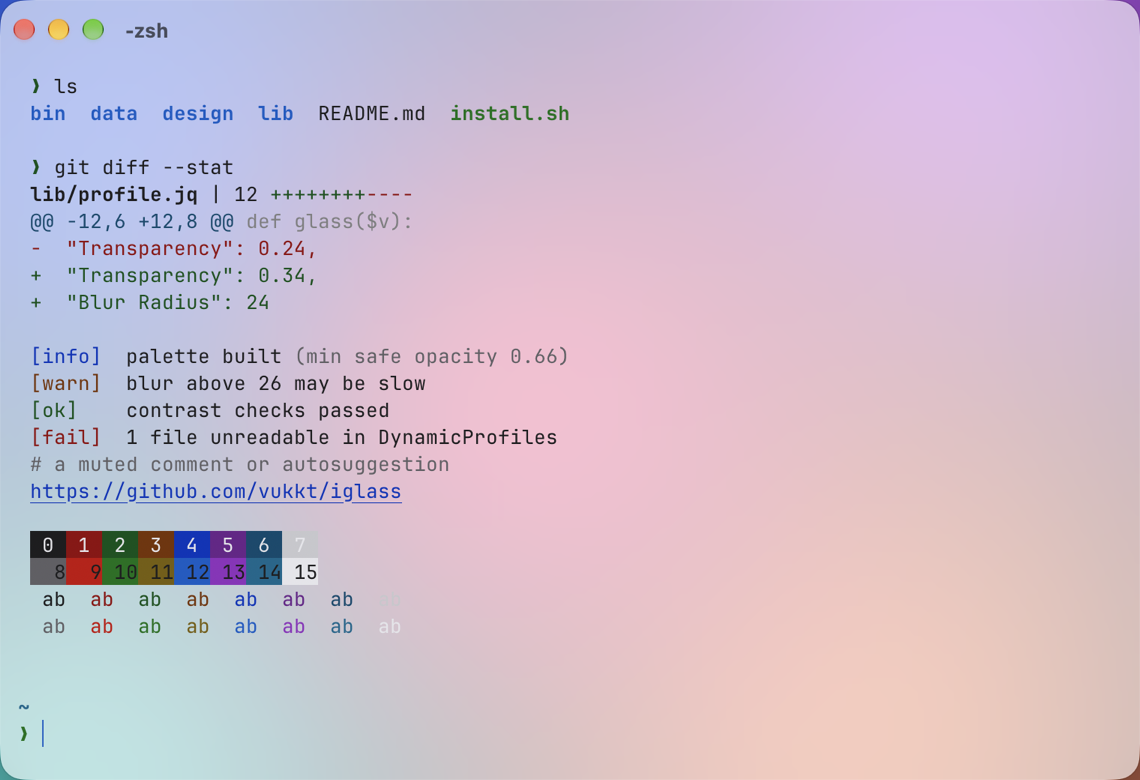 |
| Tinted | 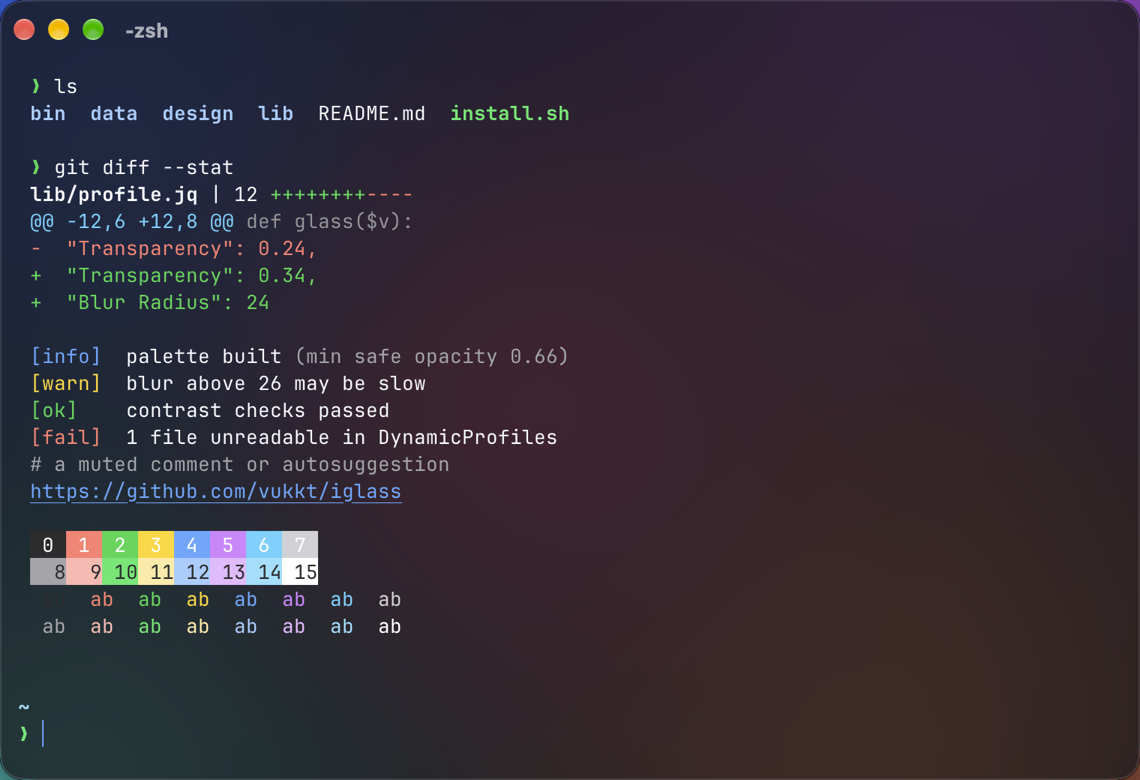 | 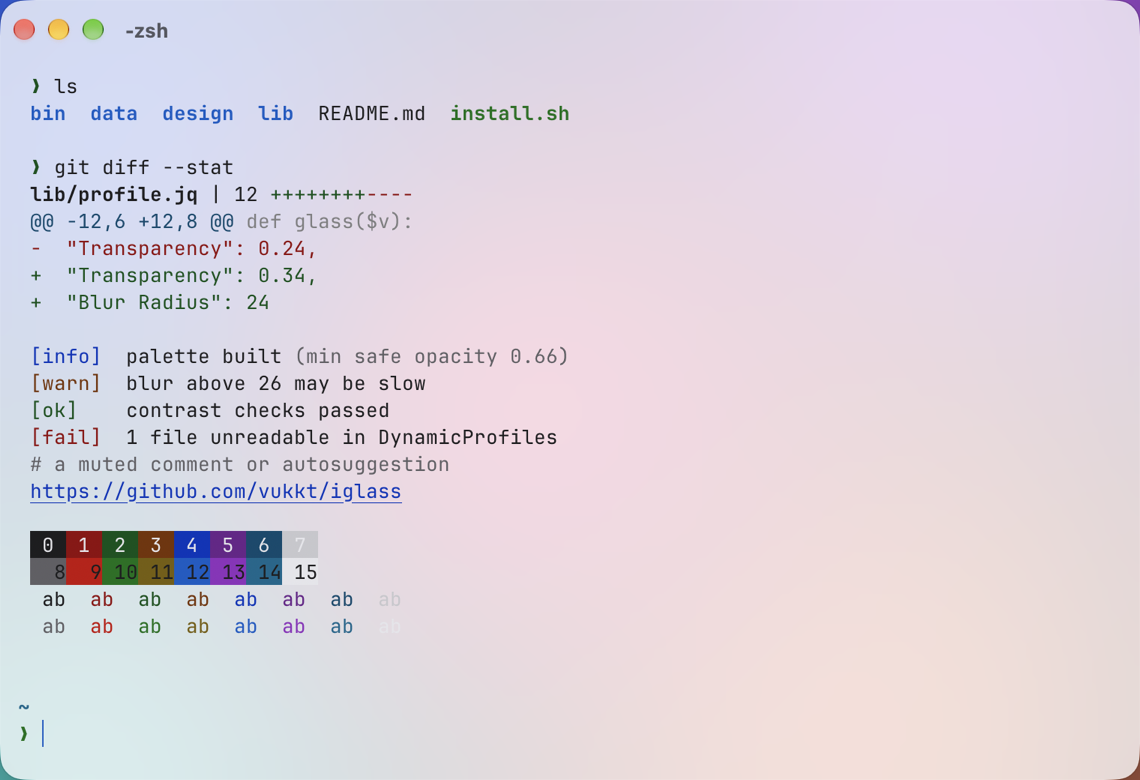 |
| Solid | 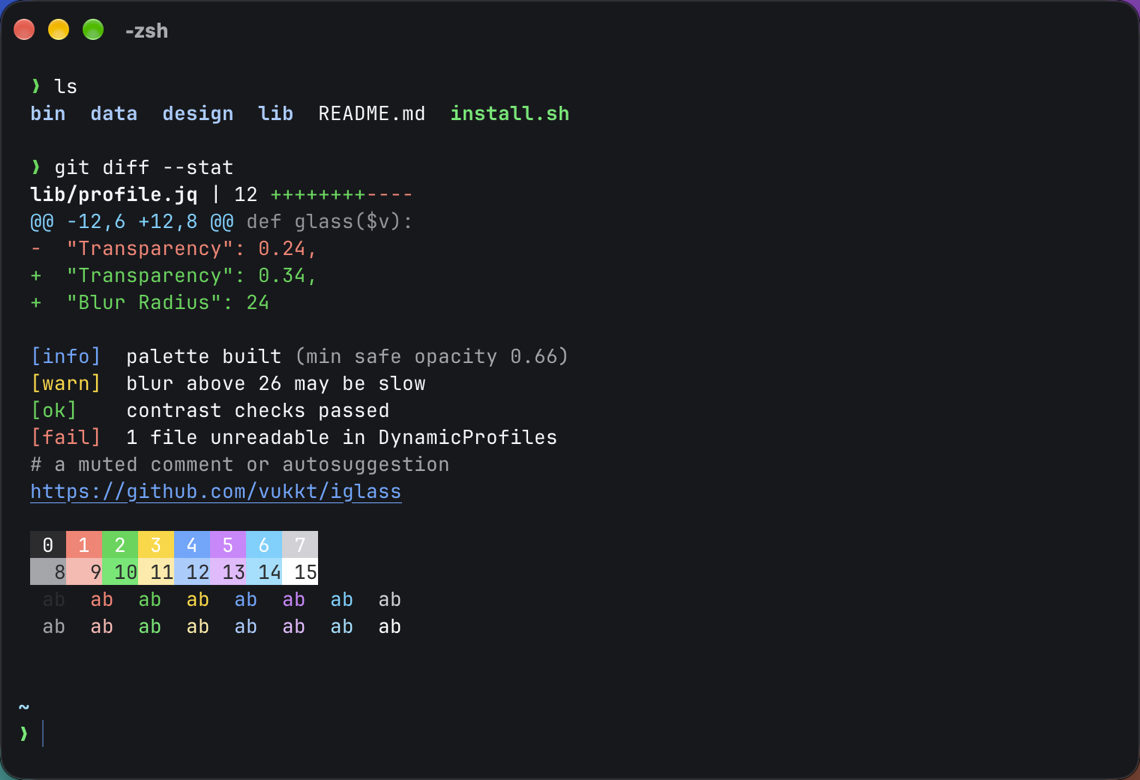 | 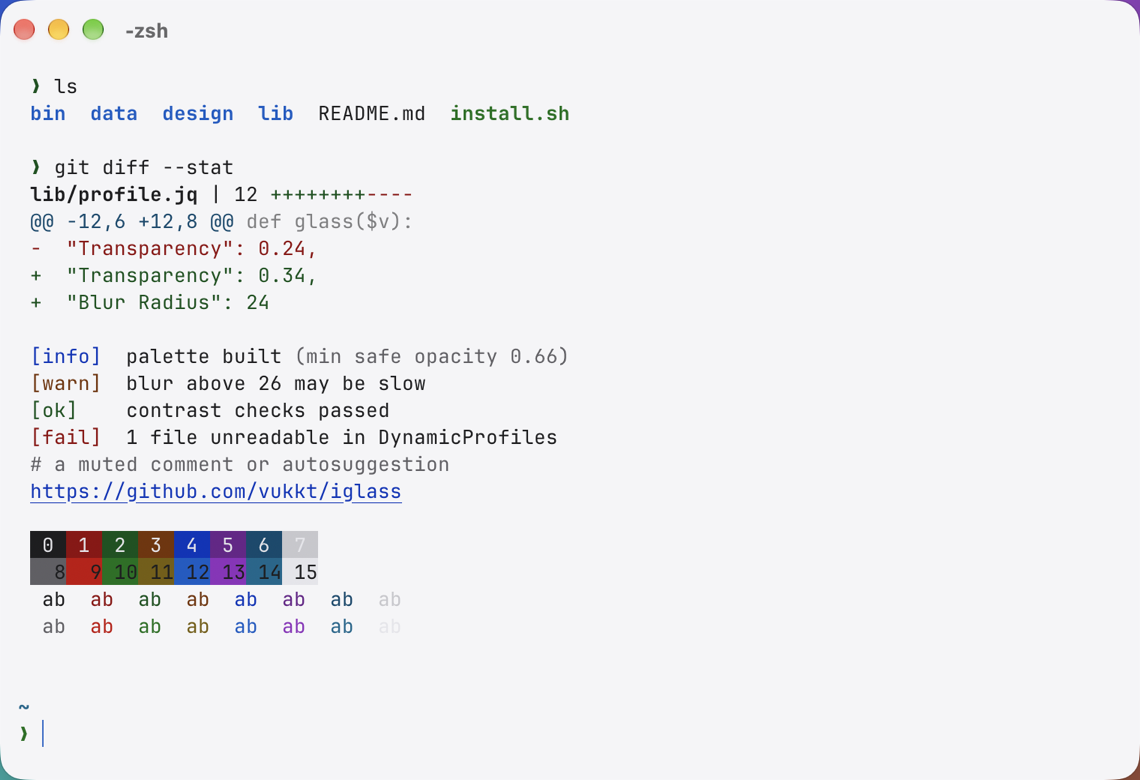 |
| Variant | Feels like | Transparency | Ghostty glass | Readable over |
|---|---|---|---|---|
| Clear | Liquid Glass Clear | 50% | macos-glass-clear | Mid-tone wallpapers (aesthetic choice) |
| Frosted · default | Liquid Glass Regular | 34% | macos-glass-regular | Typical wallpapers |
| Tinted | macOS Tinted mode | 18% | macos-glass-regular | Any wallpaper |
| Solid | Reduce Transparency | 0% | none | Any wallpaper |
Accents: blue, purple, pink, red, orange, yellow, green, graphite (the macOS accent colors).
Requirements: macOS 15 or later, and iTerm2 3.5+ or Ghostty 1.0+. Real Liquid Glass needs macOS 26+ and a recent Ghostty.
With Homebrew:
brew install vukkt/tap/iglass
iglass install
Or with the install script, which downloads the latest release (puts iglass in ~/.local/bin):
curl -fsSL https://raw.githubusercontent.com/vukkt/iglass/main/install.sh | bash
iglass install
Or from source:
git clone https://github.com/vukkt/iglass.git
cd iglass && ./install.sh --local
iglass install
iglass install sets up the terminal you run it in. Use --terminal iterm2, ghostty or
all to choose. In iTerm2, open a window with iglass preview or pick Profiles › iglass
Frosted. In Ghostty, quit and reopen it (Ghostty reads transparency only at launch).
iTerm2: copy themes/iglass.json into
~/Library/Application Support/iTerm2/DynamicProfiles/. iTerm2 picks it up immediately.
Plain color presets are in themes/ too (iTerm2 › Settings › Profiles › Colors ›
Color Presets › Import), but they carry colors only, not the glass settings.
Ghostty: copy the files in themes/ghostty/themes to
~/.config/ghostty/themes/, then add to your Ghostty config:
theme = light:iglass-frosted-light,dark:iglass-frosted-dark
iglass install                          # all four variants, blue accent
iglass install --accent purple          # pick an accent
iglass install --contrast high          # stronger colors
iglass install --terminal all           # iTerm2 and Ghostty
iglass install --app-settings           # iTerm2: native title bar + roomier padding (restarts iTerm2)
iglass install --variant tinted --default   # iTerm2: make a variant your default profile

iglass preview --variant clear          # open a window to try a variant
iglass list                             # variants and accents
iglass status                           # what's installed
iglass doctor                           # check for problems (changes nothing)
iglass uninstall                        # remove everything, restore settings
iglass install --opacity 0.8 --blur 18      # adds an "iglass Custom" profile / theme
iglass install --cursor box                  # bar (default), box, underline, keep
iglass install --window no-titlebar          # native (default), no-titlebar, keep
iglass install --font sf-mono                # keep (default), sf-mono, or "PostScriptName 14"
iglass install --glass blur                  # Ghostty: classic blur instead of real glass
iglass export --accent green > my.json       # print the iTerm2 profiles file instead
Opacity below the readable minimum (0.66) asks for --force.
~/.config/ghostty/themes/iglass-*, one per variant and appearance, with the
colors, opacity and glass.~/.config/ghostty/iglass.ghostty: which theme to use, padding and cursor.config-file include. Your config is backed up first,
symlinked dotfiles stay symlinks, and iglass uninstall restores the file exactly.Some of the native feel comes from iTerm2 settings that apply to every window, not just a
profile: iTerm2's Automatic theme, which lets macOS draw the title bar and tabs the way it
draws them for its own apps, and generous padding. Apple's Liquid Glass guidance asks apps
to let the system draw bars rather than custom ones.
--app-settings turns these on. Because iTerm2 saves its settings when it quits, iglass has
to change them while iTerm2 is closed:
iglass uninstall restores the exact previous values and removes keys that didn't exist.Backups live in ~/Library/Application Support/iglass/backups.
One contrast-checked palette drives both terminals:
design/palettes.json holds Apple's system colors, the variants and
the contrast targets.tools/build_palettes.py blends each window background over
black, white and grey desktops at each variant's transparency, checks every color against
the worst case, and nudges lightness (in OKLCH, keeping hue) only where a color falls short.data/palette.json, and every decision is listed
in the contrast report.For iTerm2, iglass installs a dynamic profile. A dynamic profile inherits everything it doesn't set from your default profile, so iglass sets every color and every setting iTerm2 keeps separately for light and dark mode (a test enforces this), and nothing about how you work. Files are validated with Apple's parser first, because one unreadable file stops iTerm2 from loading any dynamic profile.
For Ghostty, iglass writes theme files and checks them with Ghostty's own validator before
anything touches your config. It asks Ghostty whether it supports macos-glass rather than
guessing from version numbers.
The CLI is plain bash plus the jq, plutil and defaults that ship with macOS, so there is
nothing else to install. More detail, including what was verified in iTerm2's and Ghostty's
behavior: docs/research-notes.md.
In Ghostty, yes, on macOS 26 and later: iglass uses Ghostty's macos-glass-regular and
macos-glass-clear, which are Apple's own glass material.
In iTerm2, no, and no theme can change that. iTerm2 hasn't shipped Liquid Glass for terminal windows: a pull request adding it was closed because glass breaks window resizing in a terminal. iglass gets as close as iTerm2 allows with transparency, blur and a matching palette, and will use real glass if iTerm2 adds it.
Partly. Apple reserves glass for controls and navigation and keeps content clear. Terminal text is content, which is why Frosted is the default, Tinted and Solid exist, and every variant is contrast-checked. Choose the level that suits you; Tinted is the most Apple-like for long work.
Quit and reopen Ghostty: it reads transparency only at launch. If it still looks the same, run
iglass doctor; another config file loading after yours can override iglass.
iglass keeps your font unless you pass --font. If you did, reinstall without it
(iglass install) to go back to your own (e.g. a Nerd Font).
Use a lower glass level (iglass preview --variant tinted), or --contrast high.
Run iglass doctor. The most common cause is another broken file in the dynamic profiles
folder, which stops iTerm2 from loading all of them.
iglass uninstall            # removes iglass from every terminal; asks to restore iTerm2 settings
brew uninstall iglass       # or: curl -fsSL …/install.sh | bash -s -- --uninstall
make palettes          # rebuild colors after editing design/palettes.json
make themes            # rebuild the prebuilt themes/ files
make check             # shellcheck, generated-file check, palette tests, bats suite
tools/screenshots.sh   # README screenshots over a generated backdrop (needs Screen Recording)
tools/record-gif.sh    # docs/demo.gif (needs ffmpeg)
osascript -l JavaScript tools/social-card.js BACKDROP.png SHOT.png docs/social-preview.png
Tests run in a sandbox with stand-ins for iTerm2, Ghostty and system commands, so they never touch your real settings. See CONTRIBUTING.md.
iglass is an independent project, not affiliated with or endorsed by Apple Inc., iTerm2 or Ghostty. Liquid Glass, macOS and SF Mono are trademarks of Apple Inc.
A Liquid Glass–inspired theme for iTerm2 and Ghostty, on macOS and Linux. Real Liquid Glass in Ghostty on macOS 26+; contrast-checked, light/dark, fully reversible.
Shell
71
19 commits
updated Oct 14, 2026
A Liquid Glass theme for iTerm2 and Ghostty. Translucent, built from Apple's system colors, and contrast-checked so it stays readable. In Ghostty it uses Apple's real Liquid Glass material.
Tweaking iglass live: each iglass install updates the open window instantly.
macOS's Liquid Glass makes apps feel light and layered. iglass brings that look to your terminal, carefully:
| Dark | Light | |
|---|---|---|
| Clear | | |
| Frosted | | |
| Tinted | | |
| Solid | | |
| Dark | Light | |
|---|---|---|
| Clear | | |
| Frosted | | |
| Tinted | | |
| Solid | | |
| Variant | Feels like | Transparency | Ghostty glass | Readable over |
|---|---|---|---|---|
| Clear | Liquid Glass Clear | 50% | macos-glass-clear | Mid-tone wallpapers (aesthetic choice) |
| Frosted · default | Liquid Glass Regular | 34% | macos-glass-regular | Typical wallpapers |
| Tinted | macOS Tinted mode | 18% | macos-glass-regular | Any wallpaper |
| Solid | Reduce Transparency | 0% | none | Any wallpaper |
Accents: blue, purple, pink, red, orange, yellow, green, graphite (the macOS accent colors).
Requirements: macOS 15 or later, and iTerm2 3.5+ or Ghostty 1.0+. Real Liquid Glass needs macOS 26+ and a recent Ghostty.
With Homebrew:
brew install vukkt/tap/iglass
iglass install
Or with the install script, which downloads the latest release (puts iglass in ~/.local/bin):
curl -fsSL https://raw.githubusercontent.com/vukkt/iglass/main/install.sh | bash
iglass install
Or from source:
git clone https://github.com/vukkt/iglass.git
cd iglass && ./install.sh --local
iglass install
iglass install sets up the terminal you run it in. Use --terminal iterm2, ghostty or
all to choose. In iTerm2, open a window with iglass preview or pick Profiles › iglass
Frosted. In Ghostty, quit and reopen it (Ghostty reads transparency only at launch).
iTerm2: copy themes/iglass.json into
~/Library/Application Support/iTerm2/DynamicProfiles/. iTerm2 picks it up immediately.
Plain color presets are in themes/ too (iTerm2 › Settings › Profiles › Colors ›
Color Presets › Import), but they carry colors only, not the glass settings.
Ghostty: copy the files in themes/ghostty/themes to
~/.config/ghostty/themes/, then add to your Ghostty config:
theme = light:iglass-frosted-light,dark:iglass-frosted-dark
iglass install                          # all four variants, blue accent
iglass install --accent purple          # pick an accent
iglass install --contrast high          # stronger colors
iglass install --terminal all           # iTerm2 and Ghostty
iglass install --app-settings           # iTerm2: native title bar + roomier padding (restarts iTerm2)
iglass install --variant tinted --default   # iTerm2: make a variant your default profile

iglass preview --variant clear          # open a window to try a variant
iglass list                             # variants and accents
iglass status                           # what's installed
iglass doctor                           # check for problems (changes nothing)
iglass uninstall                        # remove everything, restore settings
iglass install --opacity 0.8 --blur 18      # adds an "iglass Custom" profile / theme
iglass install --cursor box                  # bar (default), box, underline, keep
iglass install --window no-titlebar          # native (default), no-titlebar, keep
iglass install --font sf-mono                # keep (default), sf-mono, or "PostScriptName 14"
iglass install --glass blur                  # Ghostty: classic blur instead of real glass
iglass export --accent green > my.json       # print the iTerm2 profiles file instead
Opacity below the readable minimum (0.66) asks for --force.
~/.config/ghostty/themes/iglass-*, one per variant and appearance, with the
colors, opacity and glass.~/.config/ghostty/iglass.ghostty: which theme to use, padding and cursor.config-file include. Your config is backed up first,
symlinked dotfiles stay symlinks, and iglass uninstall restores the file exactly.Some of the native feel comes from iTerm2 settings that apply to every window, not just a
profile: iTerm2's Automatic theme, which lets macOS draw the title bar and tabs the way it
draws them for its own apps, and generous padding. Apple's Liquid Glass guidance asks apps
to let the system draw bars rather than custom ones.
--app-settings turns these on. Because iTerm2 saves its settings when it quits, iglass has
to change them while iTerm2 is closed:
iglass uninstall restores the exact previous values and removes keys that didn't exist.Backups live in ~/Library/Application Support/iglass/backups.
One contrast-checked palette drives both terminals:
design/palettes.json holds Apple's system colors, the variants and
the contrast targets.tools/build_palettes.py blends each window background over
black, white and grey desktops at each variant's transparency, checks every color against
the worst case, and nudges lightness (in OKLCH, keeping hue) only where a color falls short.data/palette.json, and every decision is listed
in the contrast report.For iTerm2, iglass installs a dynamic profile. A dynamic profile inherits everything it doesn't set from your default profile, so iglass sets every color and every setting iTerm2 keeps separately for light and dark mode (a test enforces this), and nothing about how you work. Files are validated with Apple's parser first, because one unreadable file stops iTerm2 from loading any dynamic profile.
For Ghostty, iglass writes theme files and checks them with Ghostty's own validator before
anything touches your config. It asks Ghostty whether it supports macos-glass rather than
guessing from version numbers.
The CLI is plain bash plus the jq, plutil and defaults that ship with macOS, so there is
nothing else to install. More detail, including what was verified in iTerm2's and Ghostty's
behavior: docs/research-notes.md.
In Ghostty, yes, on macOS 26 and later: iglass uses Ghostty's macos-glass-regular and
macos-glass-clear, which are Apple's own glass material.
In iTerm2, no, and no theme can change that. iTerm2 hasn't shipped Liquid Glass for terminal windows: a pull request adding it was closed because glass breaks window resizing in a terminal. iglass gets as close as iTerm2 allows with transparency, blur and a matching palette, and will use real glass if iTerm2 adds it.
Partly. Apple reserves glass for controls and navigation and keeps content clear. Terminal text is content, which is why Frosted is the default, Tinted and Solid exist, and every variant is contrast-checked. Choose the level that suits you; Tinted is the most Apple-like for long work.
Quit and reopen Ghostty: it reads transparency only at launch. If it still looks the same, run
iglass doctor; another config file loading after yours can override iglass.
iglass keeps your font unless you pass --font. If you did, reinstall without it
(iglass install) to go back to your own (e.g. a Nerd Font).
Use a lower glass level (iglass preview --variant tinted), or --contrast high.
Run iglass doctor. The most common cause is another broken file in the dynamic profiles
folder, which stops iTerm2 from loading all of them.
iglass uninstall            # removes iglass from every terminal; asks to restore iTerm2 settings
brew uninstall iglass       # or: curl -fsSL …/install.sh | bash -s -- --uninstall
make palettes          # rebuild colors after editing design/palettes.json
make themes            # rebuild the prebuilt themes/ files
make check             # shellcheck, generated-file check, palette tests, bats suite
tools/screenshots.sh   # README screenshots over a generated backdrop (needs Screen Recording)
tools/record-gif.sh    # docs/demo.gif (needs ffmpeg)
osascript -l JavaScript tools/social-card.js BACKDROP.png SHOT.png docs/social-preview.png
Tests run in a sandbox with stand-ins for iTerm2, Ghostty and system commands, so they never touch your real settings. See CONTRIBUTING.md.
iglass is an independent project, not affiliated with or endorsed by Apple Inc., iTerm2 or Ghostty. Liquid Glass, macOS and SF Mono are trademarks of Apple Inc.





