Free, open-source Markdown editor and viewer for macOS, Windows and Linux. GitHub, Obsidian, Pandoc and Quarto flavors, math, Mermaid, PDF and Word export. Private: no network, nothing runs.
See the code
The open-source Markdown reader and writer.
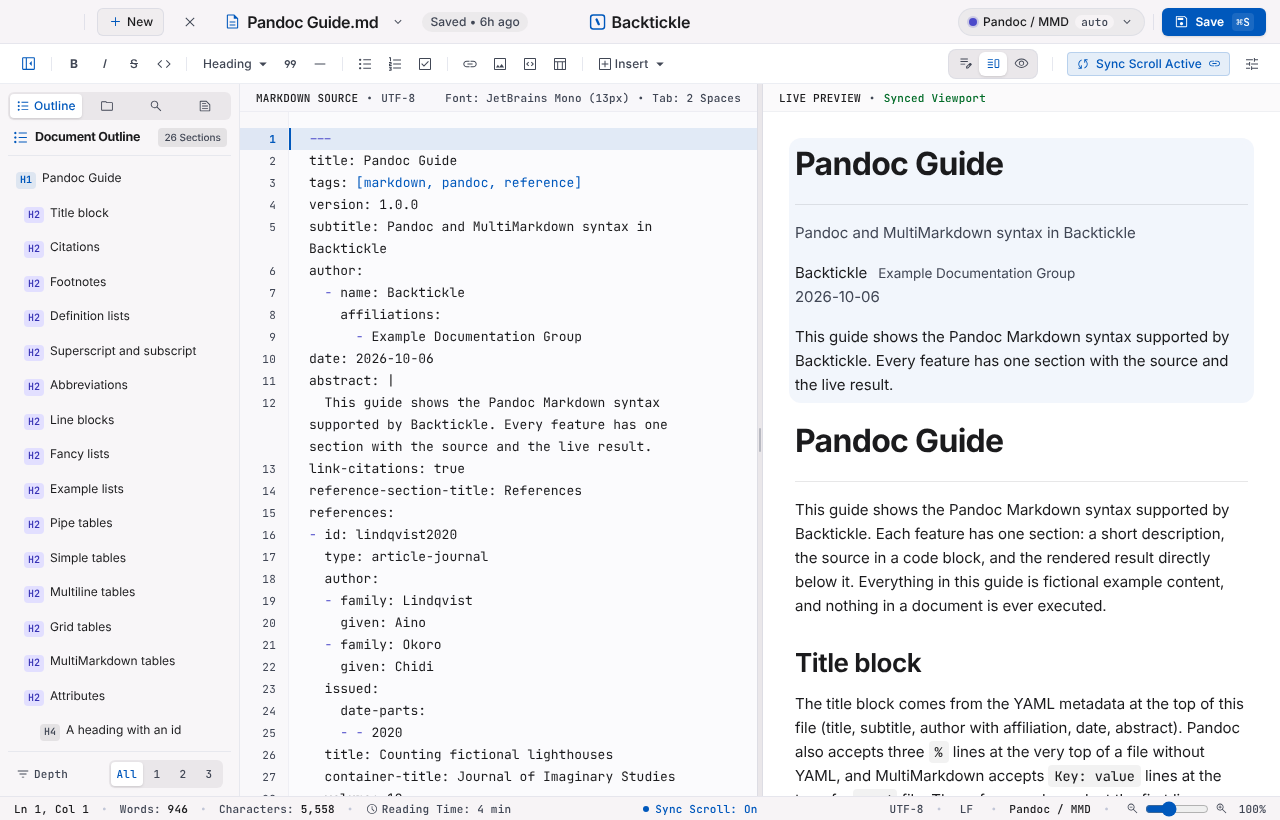
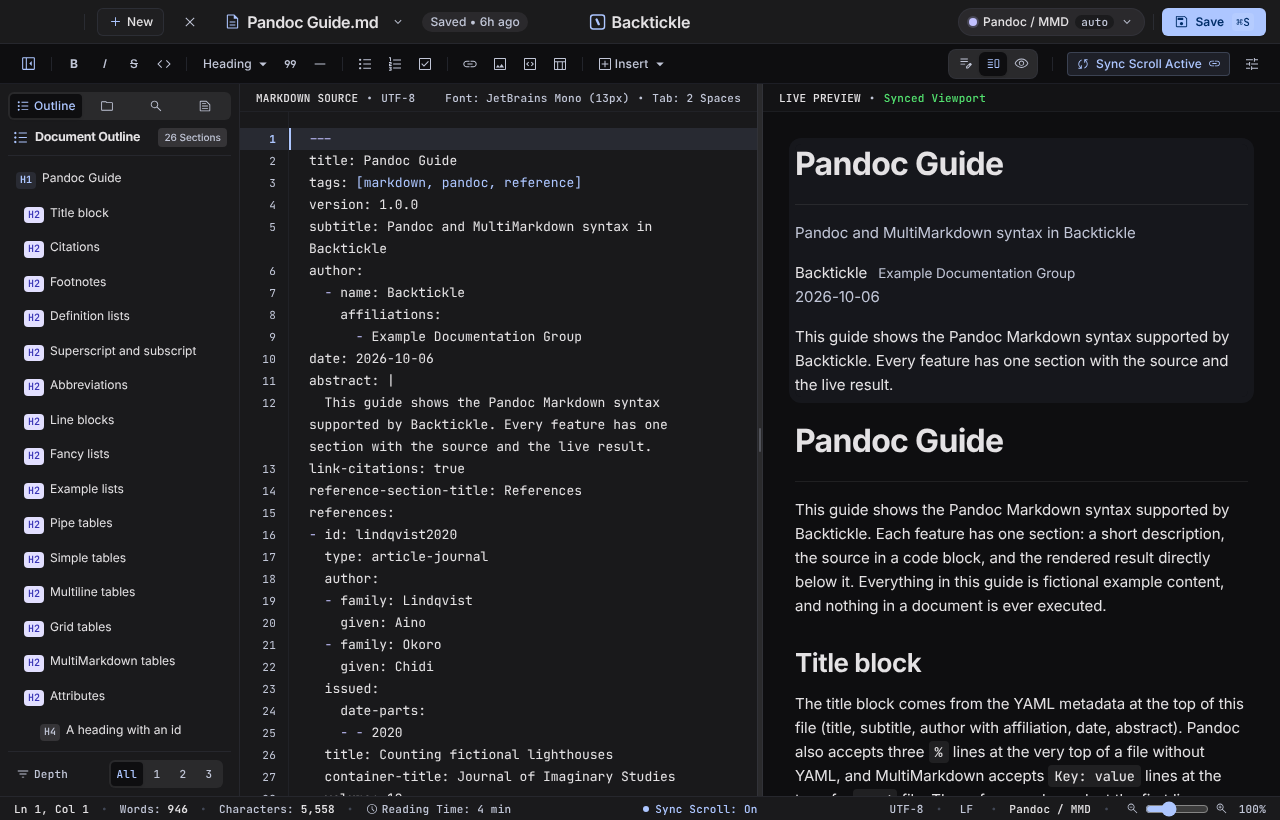
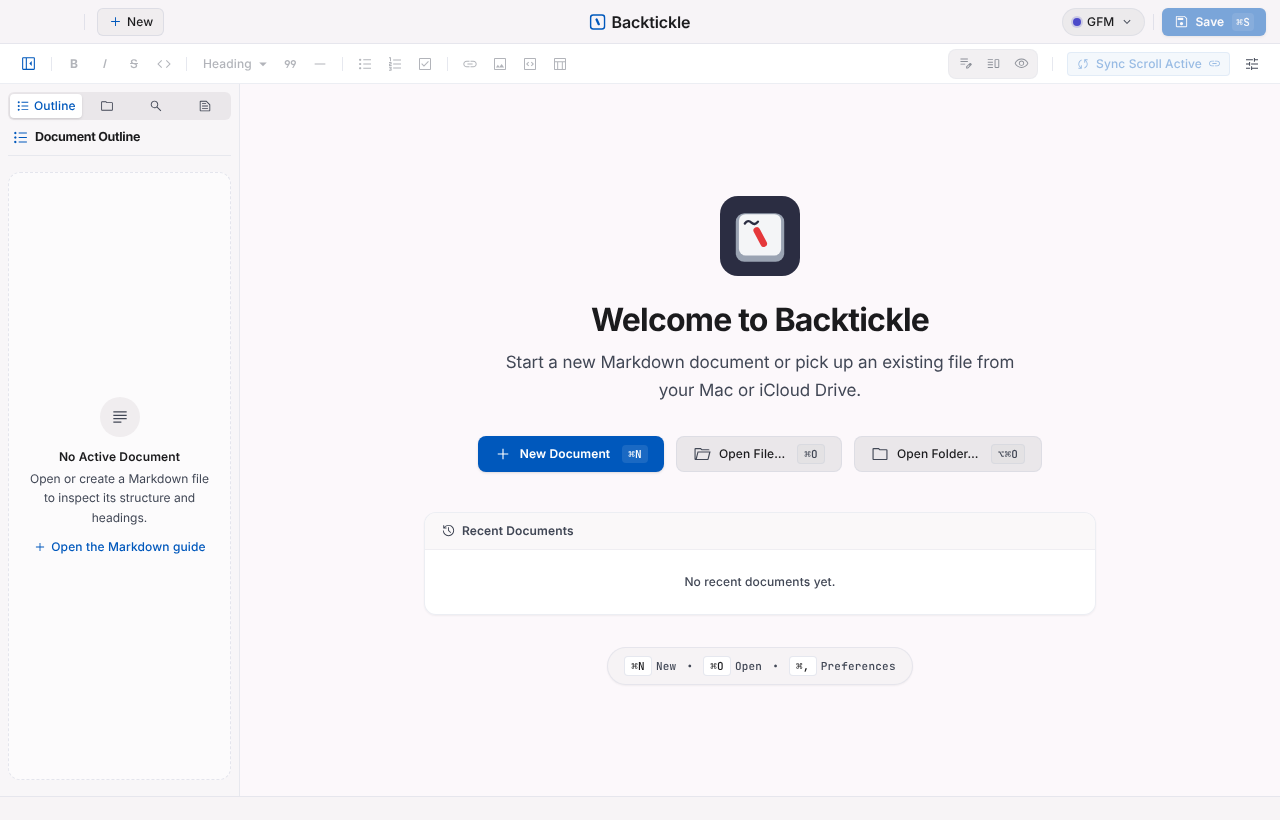
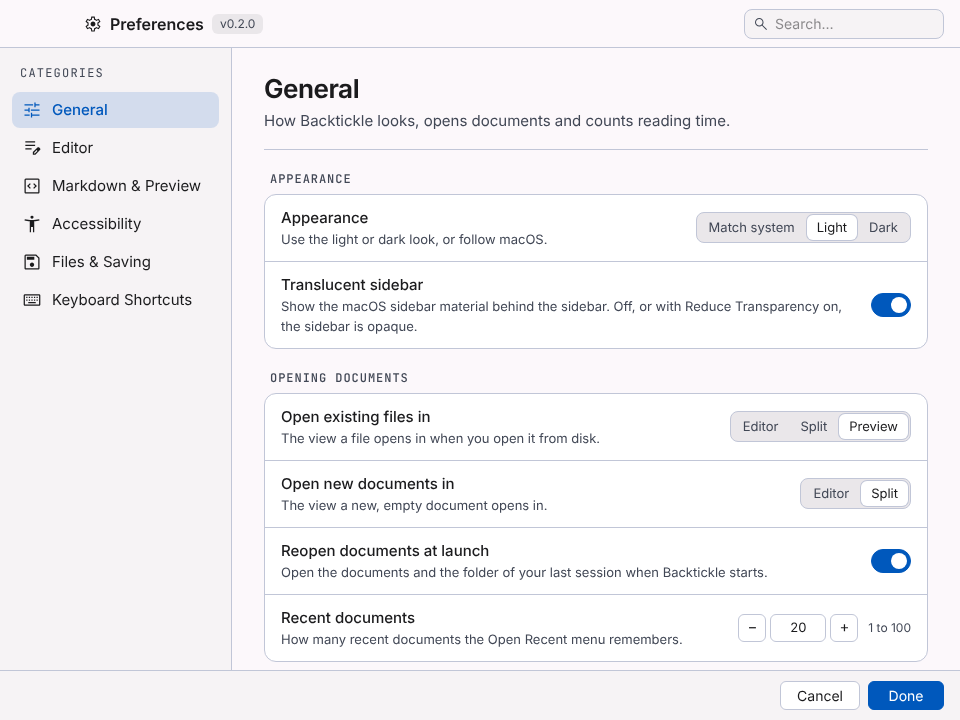
Write on the left, read on the right, on macOS, Windows and Linux. Free, private, and nothing in a document ever runs.




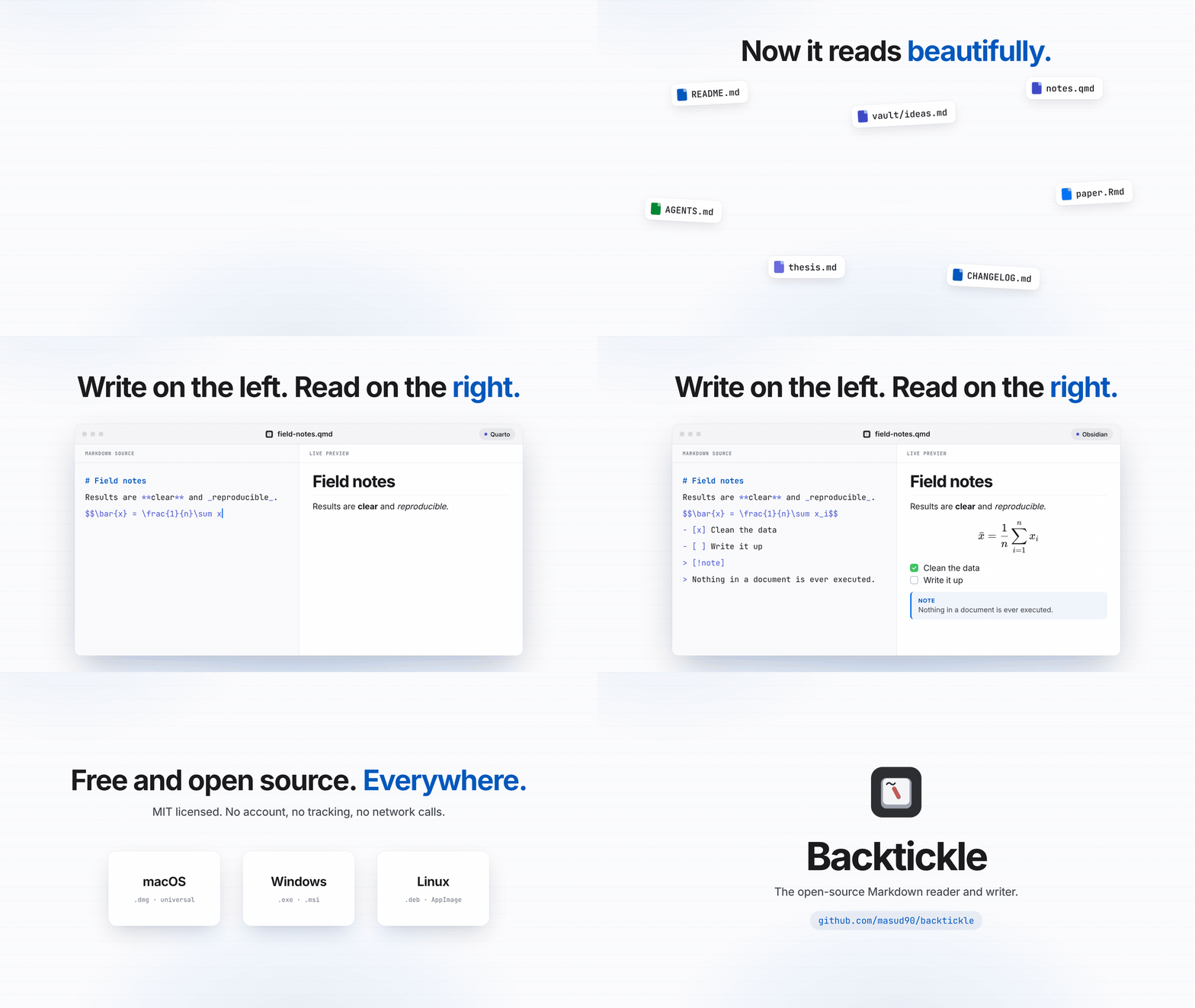
Markdown is everywhere now: READMEs, notes, papers, AI assistants' answers, and the instruction files coding agents read. Most of the time the only way to read one properly is to open a code editor. Backtickle is a calm desktop app that shows a Markdown file the way it is meant to be read, and lets you edit it beside the result.
Get the latest version from the Releases page. One release holds every platform.
| Platform | File | Install |
|---|---|---|
| macOS 14 Sonoma or later, Apple Silicon and Intel | Backtickle-<version>.dmg | Open the DMG and drag Backtickle to Applications. |
| Windows 10 or 11, 64-bit | Backtickle_<version>_x64-setup.exe (for your user) or Backtickle_<version>_x64_en-US.msi | Run the installer. |
| Linux x86-64 (Ubuntu 22.04, Debian 12, Fedora 39 or later) | Backtickle_<version>_amd64.deb or Backtickle_<version>_amd64.AppImage | sudo apt install ./Backtickle_<version>_amd64.deb, or chmod +x the AppImage and run it. |
Every file has a .sha256 next to it on the release page if you want to check your download.
Backtickle is a free personal project, and code-signing certificates cost money every year (an Apple Developer membership for macOS, a code-signing certificate for Windows). Until it has them, your system will warn you the first time you open the app. The builds are made in public by the Release workflow from the source in this repository, and you only need to allow the app once.
Backtickle opens normally from then on. (On macOS 15 Sequoia and later, Control-click > Open no longer skips this check, so use the steps above.)
If you prefer Terminal, removing the download quarantine flag does the same thing:
xattr -dr com.apple.quarantine /Applications/Backtickle.app
If your browser flags the download as uncommon, choose Keep (in Edge: the ... menu next to the download, then Keep, then Show more > Keep anyway).
Linux does not check for a publisher signature, so there is no warning to get past. The .deb adds Backtickle to the app menu and to
"Open With" for Markdown files; Preferences can then make it the default Markdown app. The AppImage only needs
to be made executable (chmod +x Backtickle_<version>_amd64.AppImage).
If you would like to help Backtickle get signed releases, see Contributing.
 |  |
 |  |
Markdown flavors
Writing
Preview
Files and search
Export
Windows and tabs
Accessibility
Safety and privacy
macOS 14 Sonoma or later, with Safari 26 installed (Software Update offers it on Sonoma and Sequoia; Backtickle draws its window with the system WebKit that Safari brings). The release DMG is universal (Apple Silicon and Intel).
Windows 10 or 11 (64-bit) with the Microsoft Edge WebView2 Runtime, which Windows 11 has built in (the installer adds it on Windows 10 if it is missing). The translucent sidebar needs Windows 11.
Linux on x86-64 with WebKitGTK 4.1 (Ubuntu 22.04, Debian 12, Fedora 39 or later; the .deb installs it). The sidebar is always opaque on Linux.
Backtickle is young, and there is room to shape it. You do not need to be a Rust or Svelte expert to help; some of the most useful contributions are not code at all. The roadmap shows what is planned next, with an issue for each item.
Four principles guide every change: nothing in a document is ever executed, the app makes no network requests of its own, memory use stays low, and dependencies use permissive licenses. CONTRIBUTING.md explains them and lists the checks to run before a pull request. Please report security problems privately, as described in SECURITY.md.
You need Node 24 and npm, the Xcode Command Line Tools, and Rust stable installed with rustup (for the universal
build also run rustup target add x86_64-apple-darwin).
npm ci
npm run build:app             # release app for this Mac, copied to outputs/Backtickle.app
npm run build:app:universal   # Apple Silicon and Intel
npm run dmg                   # packs the app into a DMG in outputs/
npm run app:dev               # the app window with hot reload
npm run dev                   # the frontend alone in a browser, on a mock platform
On Windows you need Node 24, Rust stable (MSVC) and the Visual Studio C++ Build Tools; then npm ci and
npm run build:app:windows build the installers into src-tauri/target/release/bundle/ (nsis/ and msi/).
On Linux you need Node 24, Rust stable and the WebKitGTK development packages (on Debian and Ubuntu:
sudo apt install libwebkit2gtk-4.1-dev libgtk-3-dev librsvg2-dev libayatana-appindicator3-dev patchelf); then
npm ci and npm run build:app:linux build the .deb and the AppImage into src-tauri/target/release/bundle/
(deb/ and appimage/).
npm run check          # typecheck, lint, unit tests
npm run test:rust      # Rust tests
npm run test:ui        # Playwright on WebKit (once: npx playwright install webkit)
npm run test:fidelity  # compares output with Pandoc and Quarto fixtures
npm run test:pandoc    # needs Pandoc
node scripts/gen-large-doc.mjs --size 100k   # generates the large-document fixtures
Keep the screen unlocked while the UI tests run. See CONTRIBUTING.md.
Set the new version in package.json, src-tauri/Cargo.toml and src-tauri/tauri.conf.json (the tests check
that they agree; run npm install and cargo check so the lockfiles follow), then push a matching tag (for
example v0.2.0). The Release workflow builds the universal app and DMG, the Windows installers and the Linux
packages, and attaches them, with their SHA-256, to a draft release that you publish by hand. To have the app
signed and notarized, add these repository secrets: APPLE_CERTIFICATE (base64 of the Developer ID Application
.p12), APPLE_CERTIFICATE_PASSWORD, APPLE_SIGNING_IDENTITY, APPLE_ID, APPLE_PASSWORD (an app-specific
password) and APPLE_TEAM_ID. Without them the app is built unsigned, as before.
One release holds every platform of a version. To add the Windows installers or the Linux packages to a
release that already has its DMG, run the Release workflow by hand with the tag, platforms: windows or
platforms: linux and, if the tag predates that build, source: main (the version there must match the tag).
Backtickle is released under the MIT License. It builds on Tauri, Svelte, CodeMirror, markdown-it, KaTeX, Mermaid, Graphviz (through @viz-js/viz) and many other open source packages; see THIRD_PARTY_NOTICES.md for the list and licenses. Bundled fonts (Inter, JetBrains Mono, Literata, Atkinson Hyperlegible, Lexend, OpenDyslexic) are under the SIL Open Font License 1.1.
Free, open-source Markdown editor and viewer for macOS, Windows and Linux. GitHub, Obsidian, Pandoc and Quarto flavors, math, Mermaid, PDF and Word export. Private: no network, nothing runs.
See the code
The open-source Markdown reader and writer.
Write on the left, read on the right, on macOS, Windows and Linux. Free, private, and nothing in a document ever runs.
Markdown is everywhere now: READMEs, notes, papers, AI assistants' answers, and the instruction files coding agents read. Most of the time the only way to read one properly is to open a code editor. Backtickle is a calm desktop app that shows a Markdown file the way it is meant to be read, and lets you edit it beside the result.
Get the latest version from the Releases page. One release holds every platform.
| Platform | File | Install |
|---|---|---|
| macOS 14 Sonoma or later, Apple Silicon and Intel | Backtickle-<version>.dmg | Open the DMG and drag Backtickle to Applications. |
| Windows 10 or 11, 64-bit | Backtickle_<version>_x64-setup.exe (for your user) or Backtickle_<version>_x64_en-US.msi | Run the installer. |
| Linux x86-64 (Ubuntu 22.04, Debian 12, Fedora 39 or later) | Backtickle_<version>_amd64.deb or Backtickle_<version>_amd64.AppImage | sudo apt install ./Backtickle_<version>_amd64.deb, or chmod +x the AppImage and run it. |
Every file has a .sha256 next to it on the release page if you want to check your download.
Backtickle is a free personal project, and code-signing certificates cost money every year (an Apple Developer membership for macOS, a code-signing certificate for Windows). Until it has them, your system will warn you the first time you open the app. The builds are made in public by the Release workflow from the source in this repository, and you only need to allow the app once.
Backtickle opens normally from then on. (On macOS 15 Sequoia and later, Control-click > Open no longer skips this check, so use the steps above.)
If you prefer Terminal, removing the download quarantine flag does the same thing:
xattr -dr com.apple.quarantine /Applications/Backtickle.app
If your browser flags the download as uncommon, choose Keep (in Edge: the ... menu next to the download, then Keep, then Show more > Keep anyway).
Linux does not check for a publisher signature, so there is no warning to get past. The .deb adds Backtickle to the app menu and to
"Open With" for Markdown files; Preferences can then make it the default Markdown app. The AppImage only needs
to be made executable (chmod +x Backtickle_<version>_amd64.AppImage).
If you would like to help Backtickle get signed releases, see Contributing.
| |
| |
Markdown flavors
Writing
Preview
Files and search
Export
Windows and tabs
Accessibility
Safety and privacy
macOS 14 Sonoma or later, with Safari 26 installed (Software Update offers it on Sonoma and Sequoia; Backtickle draws its window with the system WebKit that Safari brings). The release DMG is universal (Apple Silicon and Intel).
Windows 10 or 11 (64-bit) with the Microsoft Edge WebView2 Runtime, which Windows 11 has built in (the installer adds it on Windows 10 if it is missing). The translucent sidebar needs Windows 11.
Linux on x86-64 with WebKitGTK 4.1 (Ubuntu 22.04, Debian 12, Fedora 39 or later; the .deb installs it). The sidebar is always opaque on Linux.
Backtickle is young, and there is room to shape it. You do not need to be a Rust or Svelte expert to help; some of the most useful contributions are not code at all. The roadmap shows what is planned next, with an issue for each item.
Four principles guide every change: nothing in a document is ever executed, the app makes no network requests of its own, memory use stays low, and dependencies use permissive licenses. CONTRIBUTING.md explains them and lists the checks to run before a pull request. Please report security problems privately, as described in SECURITY.md.
You need Node 24 and npm, the Xcode Command Line Tools, and Rust stable installed with rustup (for the universal
build also run rustup target add x86_64-apple-darwin).
npm ci
npm run build:app             # release app for this Mac, copied to outputs/Backtickle.app
npm run build:app:universal   # Apple Silicon and Intel
npm run dmg                   # packs the app into a DMG in outputs/
npm run app:dev               # the app window with hot reload
npm run dev                   # the frontend alone in a browser, on a mock platform
On Windows you need Node 24, Rust stable (MSVC) and the Visual Studio C++ Build Tools; then npm ci and
npm run build:app:windows build the installers into src-tauri/target/release/bundle/ (nsis/ and msi/).
On Linux you need Node 24, Rust stable and the WebKitGTK development packages (on Debian and Ubuntu:
sudo apt install libwebkit2gtk-4.1-dev libgtk-3-dev librsvg2-dev libayatana-appindicator3-dev patchelf); then
npm ci and npm run build:app:linux build the .deb and the AppImage into src-tauri/target/release/bundle/
(deb/ and appimage/).
npm run check          # typecheck, lint, unit tests
npm run test:rust      # Rust tests
npm run test:ui        # Playwright on WebKit (once: npx playwright install webkit)
npm run test:fidelity  # compares output with Pandoc and Quarto fixtures
npm run test:pandoc    # needs Pandoc
node scripts/gen-large-doc.mjs --size 100k   # generates the large-document fixtures
Keep the screen unlocked while the UI tests run. See CONTRIBUTING.md.
Set the new version in package.json, src-tauri/Cargo.toml and src-tauri/tauri.conf.json (the tests check
that they agree; run npm install and cargo check so the lockfiles follow), then push a matching tag (for
example v0.2.0). The Release workflow builds the universal app and DMG, the Windows installers and the Linux
packages, and attaches them, with their SHA-256, to a draft release that you publish by hand. To have the app
signed and notarized, add these repository secrets: APPLE_CERTIFICATE (base64 of the Developer ID Application
.p12), APPLE_CERTIFICATE_PASSWORD, APPLE_SIGNING_IDENTITY, APPLE_ID, APPLE_PASSWORD (an app-specific
password) and APPLE_TEAM_ID. Without them the app is built unsigned, as before.
One release holds every platform of a version. To add the Windows installers or the Linux packages to a
release that already has its DMG, run the Release workflow by hand with the tag, platforms: windows or
platforms: linux and, if the tag predates that build, source: main (the version there must match the tag).
Backtickle is released under the MIT License. It builds on Tauri, Svelte, CodeMirror, markdown-it, KaTeX, Mermaid, Graphviz (through @viz-js/viz) and many other open source packages; see THIRD_PARTY_NOTICES.md for the list and licenses. Bundled fonts (Inter, JetBrains Mono, Literata, Atkinson Hyperlegible, Lexend, OpenDyslexic) are under the SIL Open Font License 1.1.





