A calm place to read, write and organize Markdown. Free, open source, and built for Windows and Linux.
See the code
A calm place to read, write and organize Markdown on Windows and Linux.
Open a note, give it room to breathe, and switch to editing when an idea comes. Keep your folders, tabs and projects together, with a live preview and a look that feels like yours.
Free · Open source · MIT · Works offline
Download · Build from source · Contribute · Report a bug
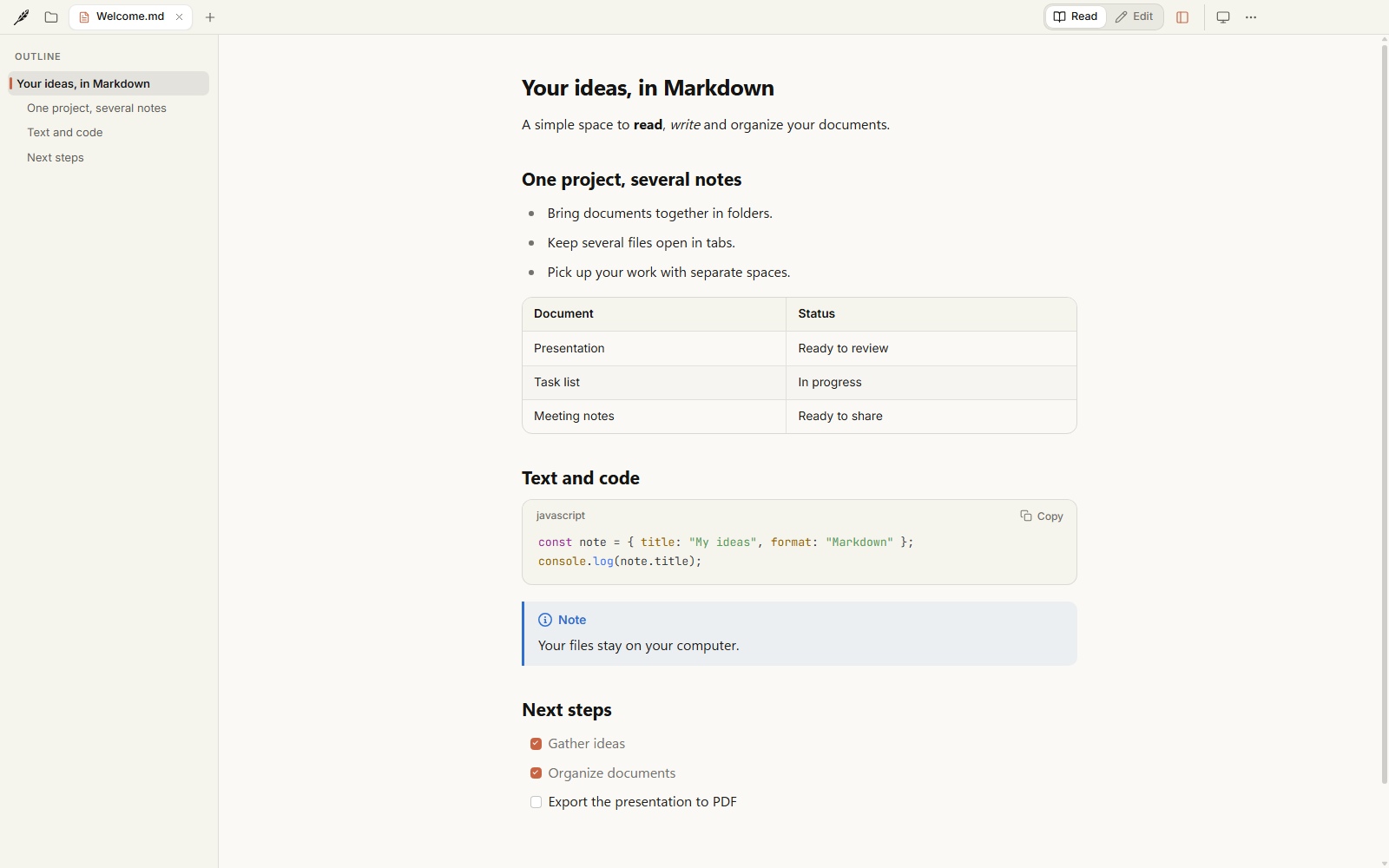
Markdown is a lovely format for notes, documentation and ideas. Folio gives those files a comfortable place to live: readable typography, a quiet interface, and the tools you need to move between reading, writing and organizing.
Your documents stay in the folders you choose. No Folio account, no subscription, no special file format. Open the same files in another editor whenever you like.
Folio is open source under the MIT License. Read the code, build it yourself, change it, or help make it better.
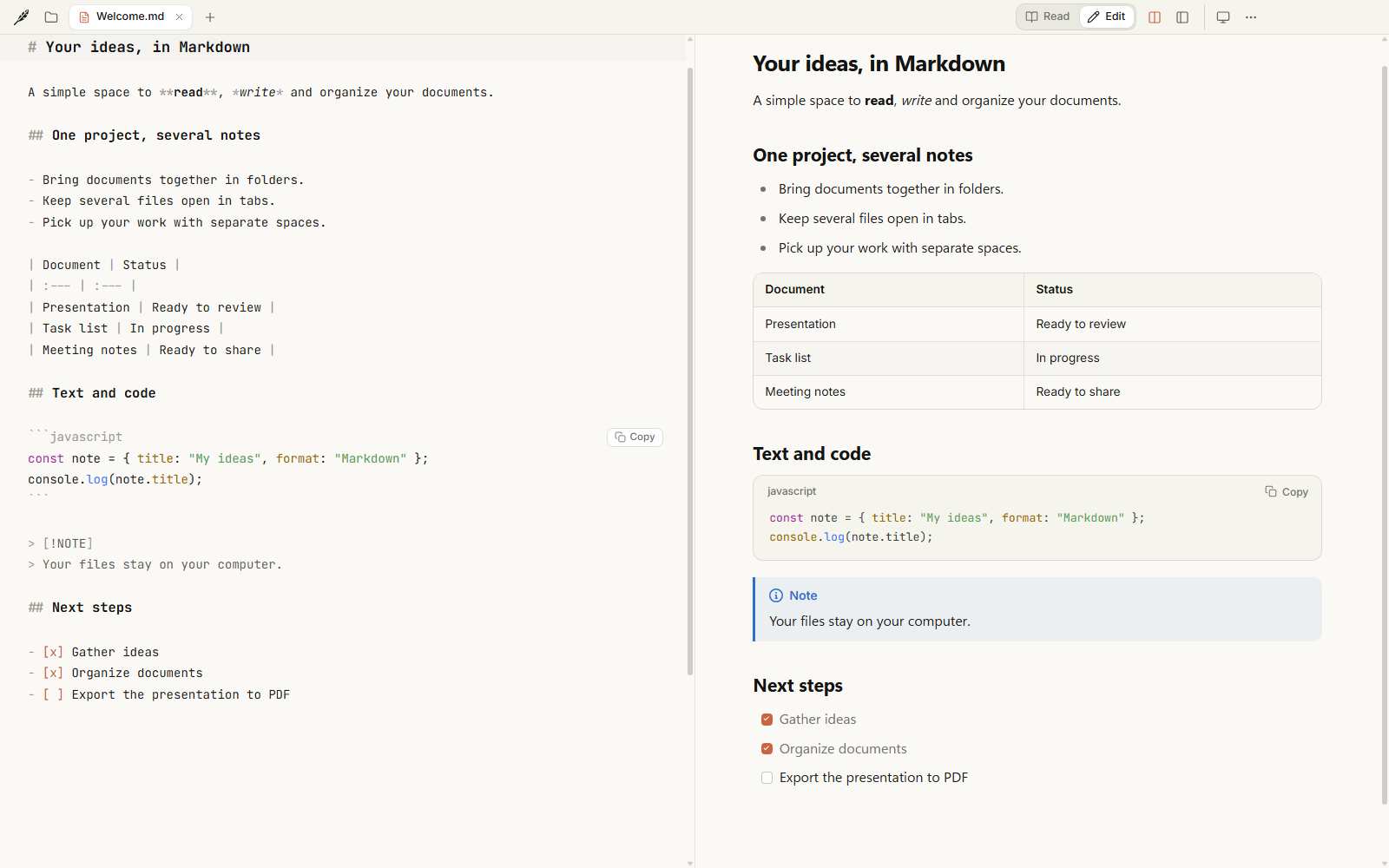
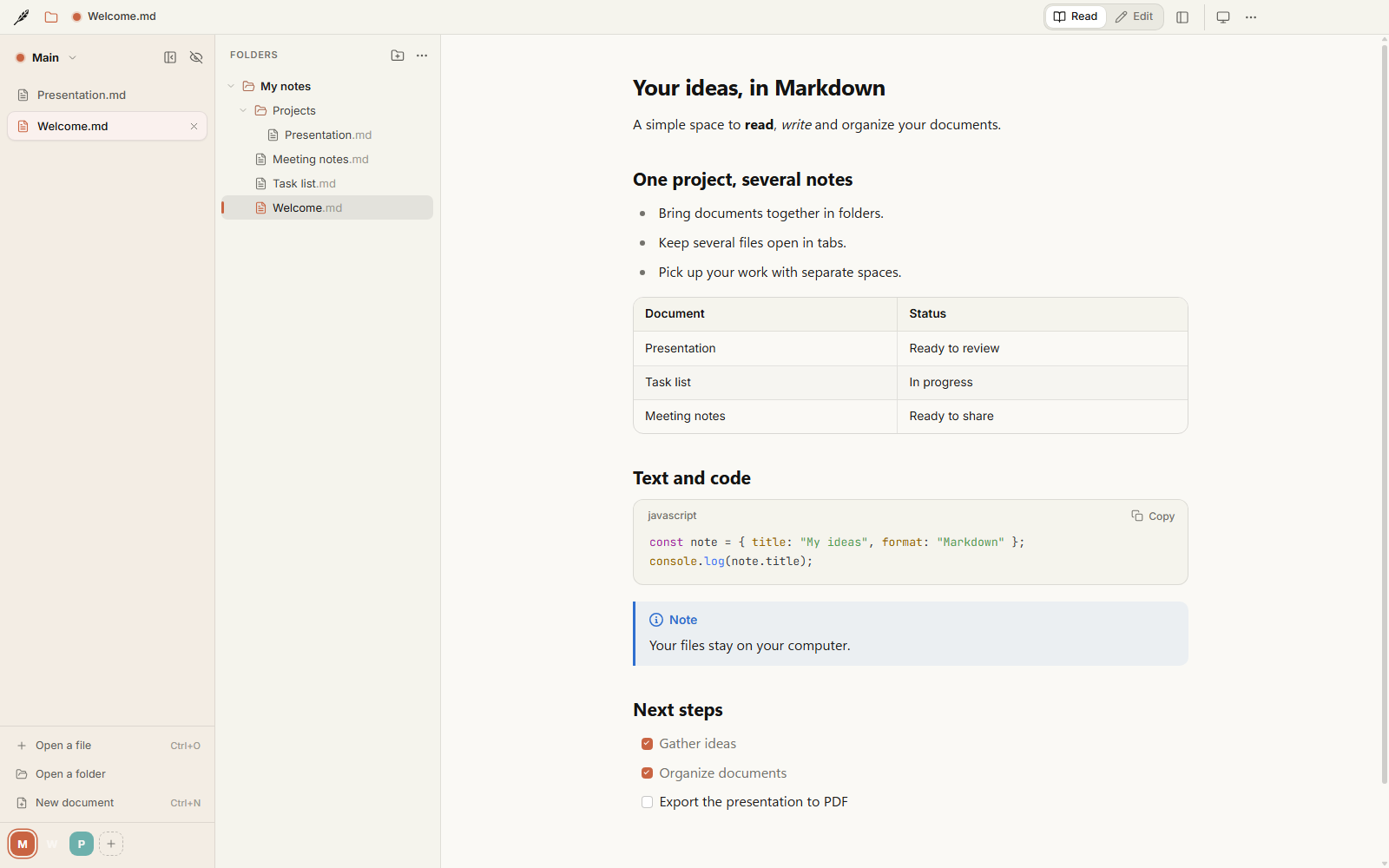
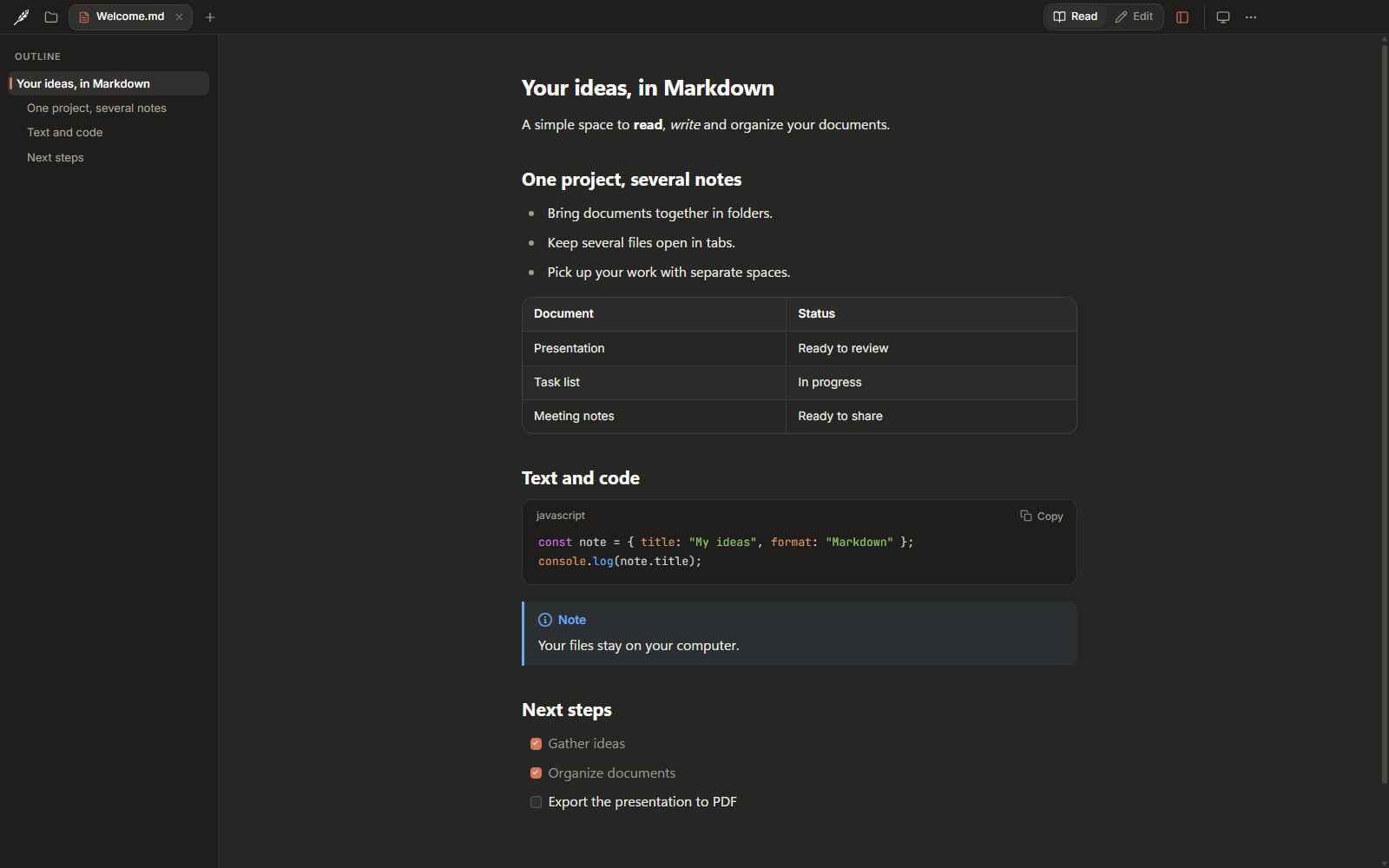
The latest downloadable release is Folio 1.3.0, published on October 6, 2026. It adds Linux packages, file-manager integration and correct handling of case-sensitive file names.
See Releases for downloads and release notes. Source changes may be newer than the published installers.
| Your system | Download |
|---|---|
| Windows 10 / 11, x64 | Folio-Setup.exe |
| Ubuntu / Debian, x64 | Folio-Linux-x64.deb |
| Linux, x64 | Folio-Linux-x64.AppImage |
The Linux packages are tested on Ubuntu 24.04. Optional SHA-256 checks are in the collapsed verification section of the release notes.
Run Folio-Setup.exe. Folio installs for your user account without administrator rights, adds shortcuts and opens.
The installer is not digitally signed. If SmartScreen shows “Windows protected your PC”, use More info → Run anyway. Windows 11 Smart App Control may block it without that option; the current GitHub installer cannot be used on those PCs.
To open Markdown files with a double click, right-click a .md file and choose Open with → Choose another app → Folio → Always.
Ubuntu / Debian:
sudo apt install ./Folio-Linux-x64.deb
AppImage:
chmod +x Folio-Linux-x64.AppImage
./Folio-Linux-x64.AppImage
If your system cannot mount the AppImage, run APPIMAGE_EXTRACT_AND_RUN=1 ./Folio-Linux-x64.AppImage. The .deb package adds Folio to your applications menu; use your file manager's Open with menu to associate .md files.
Folio's GitHub builds do not update automatically. Close the app, download the latest package and install it over the previous version, or replace your AppImage. Your documents and settings are kept. Find your version in ⋯ → About Folio.
To uninstall, use Windows Settings → Apps → Folio → Uninstall, run sudo apt remove folio-markdown for the .deb, or delete the AppImage.
Requirements: Node.js 24 LTS, npm, and a Windows or Linux desktop environment.
git clone https://github.com/myrvmsr/folio.git
cd folio
npm ci
npm start
To make an installer, run the command on its target system:
npm run dist:win      # Windows: release/Folio-Setup.exe
npm run dist:linux    # Linux: release/Folio-Linux-x64.AppImage and .deb
Linux development and tests need Electron's system libraries and sandbox setup. The build workflow lists the Ubuntu dependencies and setup; CONTRIBUTING.md covers development and checks.
| Do this | Folio does that |
|---|---|
| Drop a Markdown file onto the window | Opens it in a tab |
Press Ctrl+E | Switches between reading and editing |
Press Ctrl+Shift+P while editing | Shows or hides the live preview |
| Click a task-list checkbox | Updates the Markdown file |
Press Ctrl+Shift+D | Opens the Folders panel |
| Add a space in the vertical tabs panel | Gives a project its own name, color and tabs |
Press Ctrl+Shift+E | Exports the current document to PDF |
Press F1 | Opens the keyboard shortcut settings |
Try the example document for formulas, diagrams, code and task lists. A detailed user guide in French covers settings, folders, spaces and auto save.
Folio is an Electron desktop app written in JavaScript and CSS. The main process handles files, folder watching, system integration and PDF export. The interface renders Markdown with markdown-it, sanitizes HTML with DOMPurify, displays formulas with KaTeX and diagrams with Mermaid, and uses CodeMirror for editing.
Fonts, rendering libraries and diagram support are bundled with the app. Documents remain ordinary files on disk; settings and session information are stored locally in your user profile.
Bug reports, fixes, translations and ideas are welcome. Start with CONTRIBUTING.md, or open an issue. Please follow the code of conduct, and report security problems privately as described in the security policy.
Want to improve a translation? The language files are in src/shared/locales/. Run npm run check-locales after your changes. See TESTING.md for the logic tests and interface scenarios.
Built by myrvmsr. Folio uses open-source libraries and the Source Serif 4, Inter and JetBrains Mono fonts; see third-party credits and notices.
Folio's original code, documentation and assets are available under the MIT License. Use it, modify it and redistribute it while preserving the license and copyright notice. Third-party software and fonts retain their own licenses.
If Folio is useful to you, a star helps others find it.
A calm place to read, write and organize Markdown. Free, open source, and built for Windows and Linux.
See the code
A calm place to read, write and organize Markdown on Windows and Linux.
Open a note, give it room to breathe, and switch to editing when an idea comes. Keep your folders, tabs and projects together, with a live preview and a look that feels like yours.
Free · Open source · MIT · Works offline
Download · Build from source · Contribute · Report a bug
Markdown is a lovely format for notes, documentation and ideas. Folio gives those files a comfortable place to live: readable typography, a quiet interface, and the tools you need to move between reading, writing and organizing.
Your documents stay in the folders you choose. No Folio account, no subscription, no special file format. Open the same files in another editor whenever you like.
Folio is open source under the MIT License. Read the code, build it yourself, change it, or help make it better.
The latest downloadable release is Folio 1.3.0, published on October 6, 2026. It adds Linux packages, file-manager integration and correct handling of case-sensitive file names.
See Releases for downloads and release notes. Source changes may be newer than the published installers.
| Your system | Download |
|---|---|
| Windows 10 / 11, x64 | Folio-Setup.exe |
| Ubuntu / Debian, x64 | Folio-Linux-x64.deb |
| Linux, x64 | Folio-Linux-x64.AppImage |
The Linux packages are tested on Ubuntu 24.04. Optional SHA-256 checks are in the collapsed verification section of the release notes.
Run Folio-Setup.exe. Folio installs for your user account without administrator rights, adds shortcuts and opens.
The installer is not digitally signed. If SmartScreen shows “Windows protected your PC”, use More info → Run anyway. Windows 11 Smart App Control may block it without that option; the current GitHub installer cannot be used on those PCs.
To open Markdown files with a double click, right-click a .md file and choose Open with → Choose another app → Folio → Always.
Ubuntu / Debian:
sudo apt install ./Folio-Linux-x64.deb
AppImage:
chmod +x Folio-Linux-x64.AppImage
./Folio-Linux-x64.AppImage
If your system cannot mount the AppImage, run APPIMAGE_EXTRACT_AND_RUN=1 ./Folio-Linux-x64.AppImage. The .deb package adds Folio to your applications menu; use your file manager's Open with menu to associate .md files.
Folio's GitHub builds do not update automatically. Close the app, download the latest package and install it over the previous version, or replace your AppImage. Your documents and settings are kept. Find your version in ⋯ → About Folio.
To uninstall, use Windows Settings → Apps → Folio → Uninstall, run sudo apt remove folio-markdown for the .deb, or delete the AppImage.
Requirements: Node.js 24 LTS, npm, and a Windows or Linux desktop environment.
git clone https://github.com/myrvmsr/folio.git
cd folio
npm ci
npm start
To make an installer, run the command on its target system:
npm run dist:win      # Windows: release/Folio-Setup.exe
npm run dist:linux    # Linux: release/Folio-Linux-x64.AppImage and .deb
Linux development and tests need Electron's system libraries and sandbox setup. The build workflow lists the Ubuntu dependencies and setup; CONTRIBUTING.md covers development and checks.
| Do this | Folio does that |
|---|---|
| Drop a Markdown file onto the window | Opens it in a tab |
Press Ctrl+E | Switches between reading and editing |
Press Ctrl+Shift+P while editing | Shows or hides the live preview |
| Click a task-list checkbox | Updates the Markdown file |
Press Ctrl+Shift+D | Opens the Folders panel |
| Add a space in the vertical tabs panel | Gives a project its own name, color and tabs |
Press Ctrl+Shift+E | Exports the current document to PDF |
Press F1 | Opens the keyboard shortcut settings |
Try the example document for formulas, diagrams, code and task lists. A detailed user guide in French covers settings, folders, spaces and auto save.
Folio is an Electron desktop app written in JavaScript and CSS. The main process handles files, folder watching, system integration and PDF export. The interface renders Markdown with markdown-it, sanitizes HTML with DOMPurify, displays formulas with KaTeX and diagrams with Mermaid, and uses CodeMirror for editing.
Fonts, rendering libraries and diagram support are bundled with the app. Documents remain ordinary files on disk; settings and session information are stored locally in your user profile.
Bug reports, fixes, translations and ideas are welcome. Start with CONTRIBUTING.md, or open an issue. Please follow the code of conduct, and report security problems privately as described in the security policy.
Want to improve a translation? The language files are in src/shared/locales/. Run npm run check-locales after your changes. See TESTING.md for the logic tests and interface scenarios.
Built by myrvmsr. Folio uses open-source libraries and the Source Serif 4, Inter and JetBrains Mono fonts; see third-party credits and notices.
Folio's original code, documentation and assets are available under the MIT License. Use it, modify it and redistribute it while preserving the license and copyright notice. Third-party software and fonts retain their own licenses.
If Folio is useful to you, a star helps others find it.



