A fast, lightweight text editor for Markdown, JSON, YAML, and TOML files. Built with Rust and egui for a native, responsive experience.
Rust
1,836
337 commits
updated Oct 8, 2026
English | 简体中文



getferrite.dev — Official website with downloads, features, and documentation
A fast, lightweight text editor for Markdown, JSON, YAML, and TOML files. Built with Rust and egui for a native, responsive experience.
⚠️ Platform Note: Ferrite is developed and tested on Windows and Linux. macOS support is experimental. If you encounter issues, please report them.
Starting with v0.2.6.1, all Windows releases are digitally signed with a certificate from SignPath Foundation. This means:
Older unsigned builds may still trigger antivirus detections. This was caused by:
cmd.exe /C on Windows for shell commands, which ML-based detection can misidentifyWe've addressed this through code signing, build profile adjustments (disabled symbol stripping, speed optimization), and reporting to Microsoft's Security Intelligence portal.
If Windows Defender quarantines Ferrite:
ferrite.exe → Properties → Digital Signatures → should show "SignPath Foundation"Ferrite does NOT access passwords, browser data, or make unsolicited network connections. The only network access is the manual "Check for Updates" button (Settings → About), which contacts the GitHub Releases API when you click it. The application only accesses files you explicitly open.
GitHub Release .dmg / .tar.gz builds are packaged as Ferrite.app but are not signed with an Apple Developer ID and are not notarized (CI limitation). Gatekeeper, especially on macOS 15.x (Sequoia / 15.6+), may block or warn on first launch—see GitHub #130 and the workarounds below.
📖 Full troubleshooting: docs/install/macos.md
brew tap olaproeis/ferrite
brew install --cask ferrite
Homebrew typically avoids quarantine friction compared to raw GitHub downloads.
ferrite-macos-arm64.dmg or .tar.gzferrite-macos-x64.dmg or .tar.gzFerrite.app to Applications (or another folder you prefer).xattr -dr com.apple.quarantine /Applications/Ferrite.app — use the real path if the app is not under /Applications.Ferrite.app → Open → Open (may not work on every macOS 15.x configuration).Apple expects apps distributed outside the Mac App Store to be signed with a Developer ID certificate and notarized. Ferrite is open source—you can audit the code and build from source—but paid enrollment and CI wiring are still pending for GitHub-hosted macOS builds.
This project is 100% AI-generated code. All Rust code, documentation, and configuration was written by Claude (Anthropic) via Cursor with MCP tools.
📖 Full details: AI Development Workflow
The actual prompts and documents used to build Ferrite are public:
| Document | Purpose |
|---|---|
current-handover-prompt.md | Active session context |
ai-workflow/ | Full workflow docs, PRDs, historical handovers |
handover/ | Reusable handover templates |
This transparency is intentional — I want others to learn from (and improve upon) this approach.
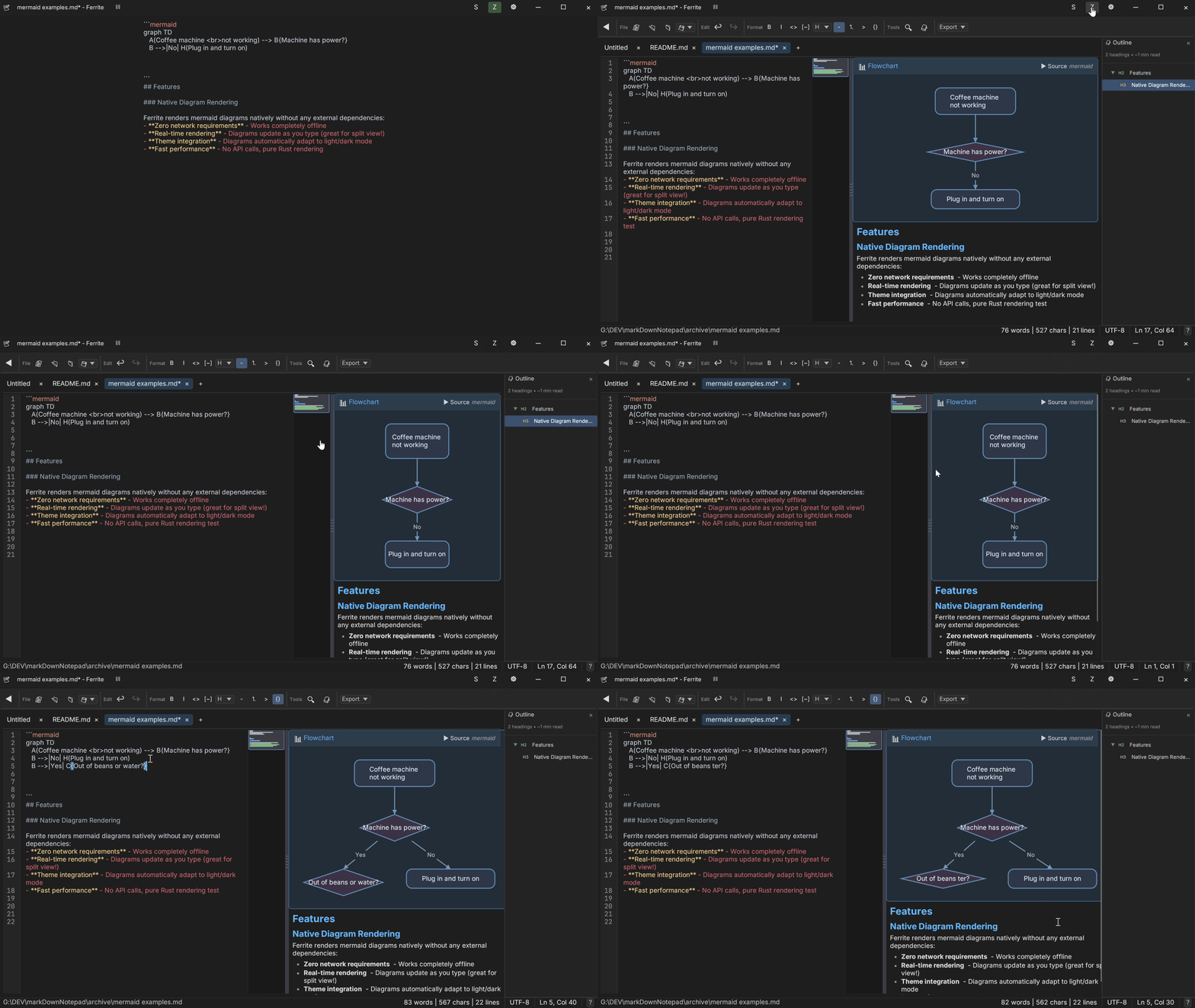
| Raw Editor | Split View | Zen Mode |
|---|---|---|
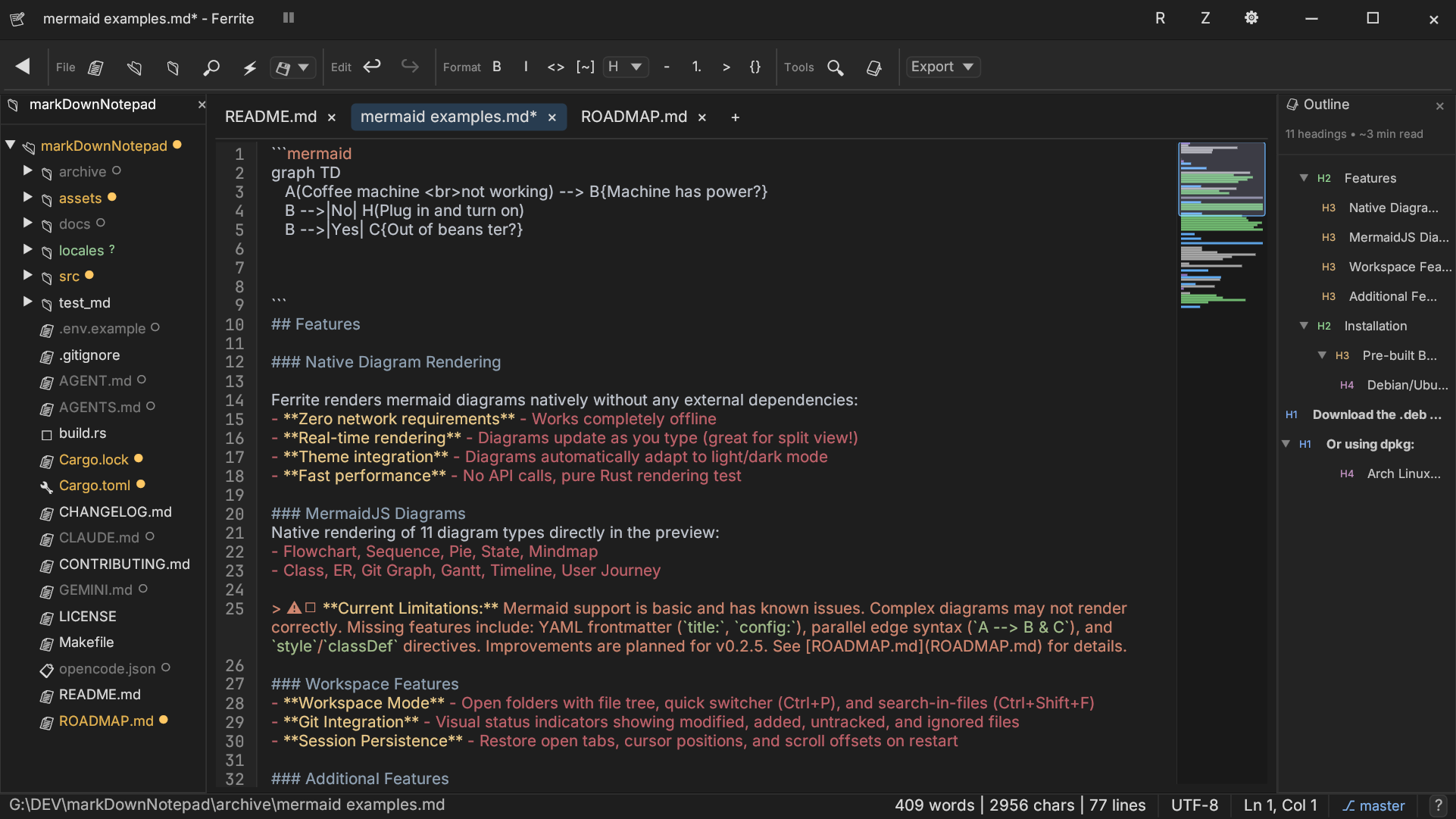 | 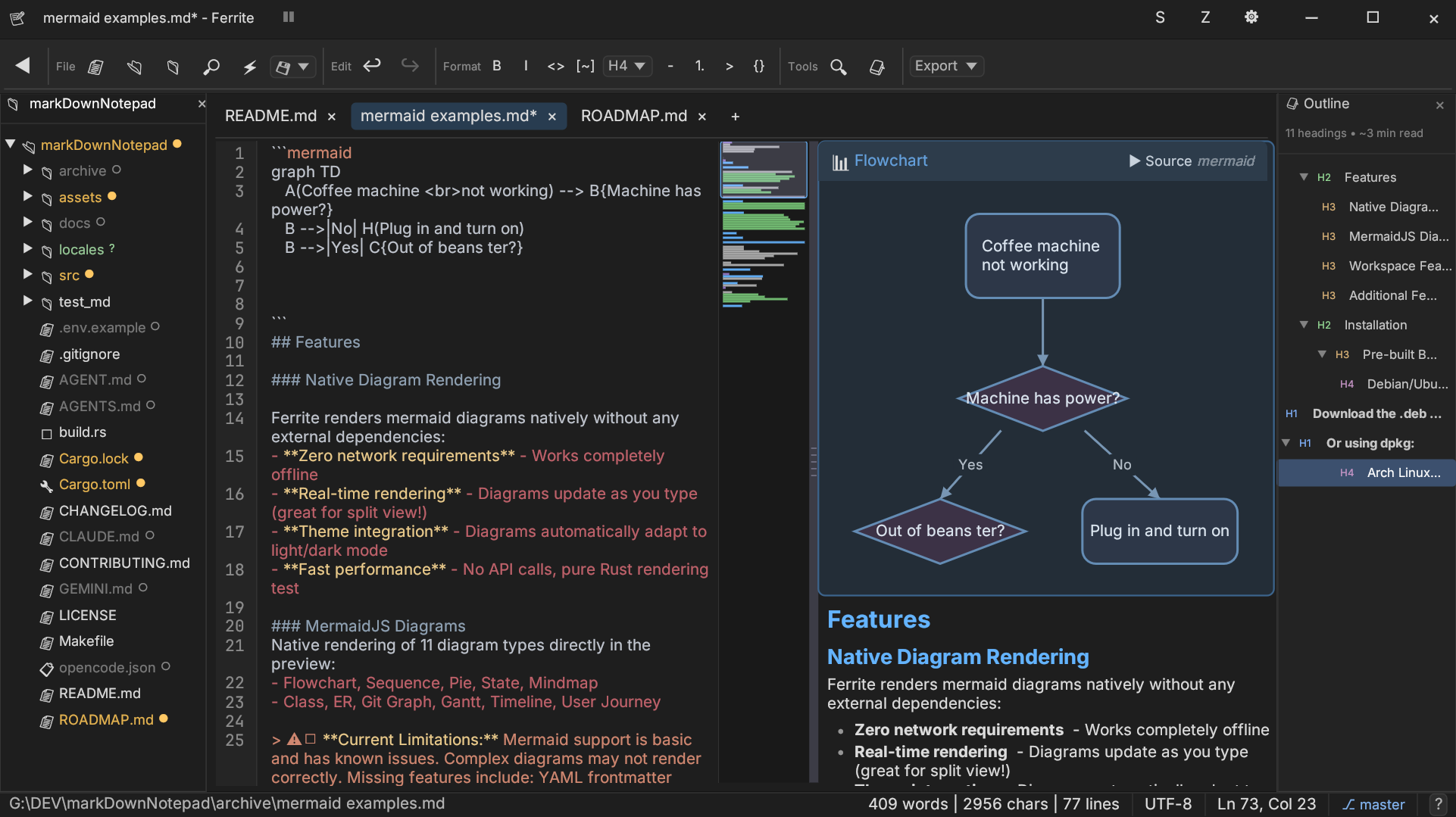 | 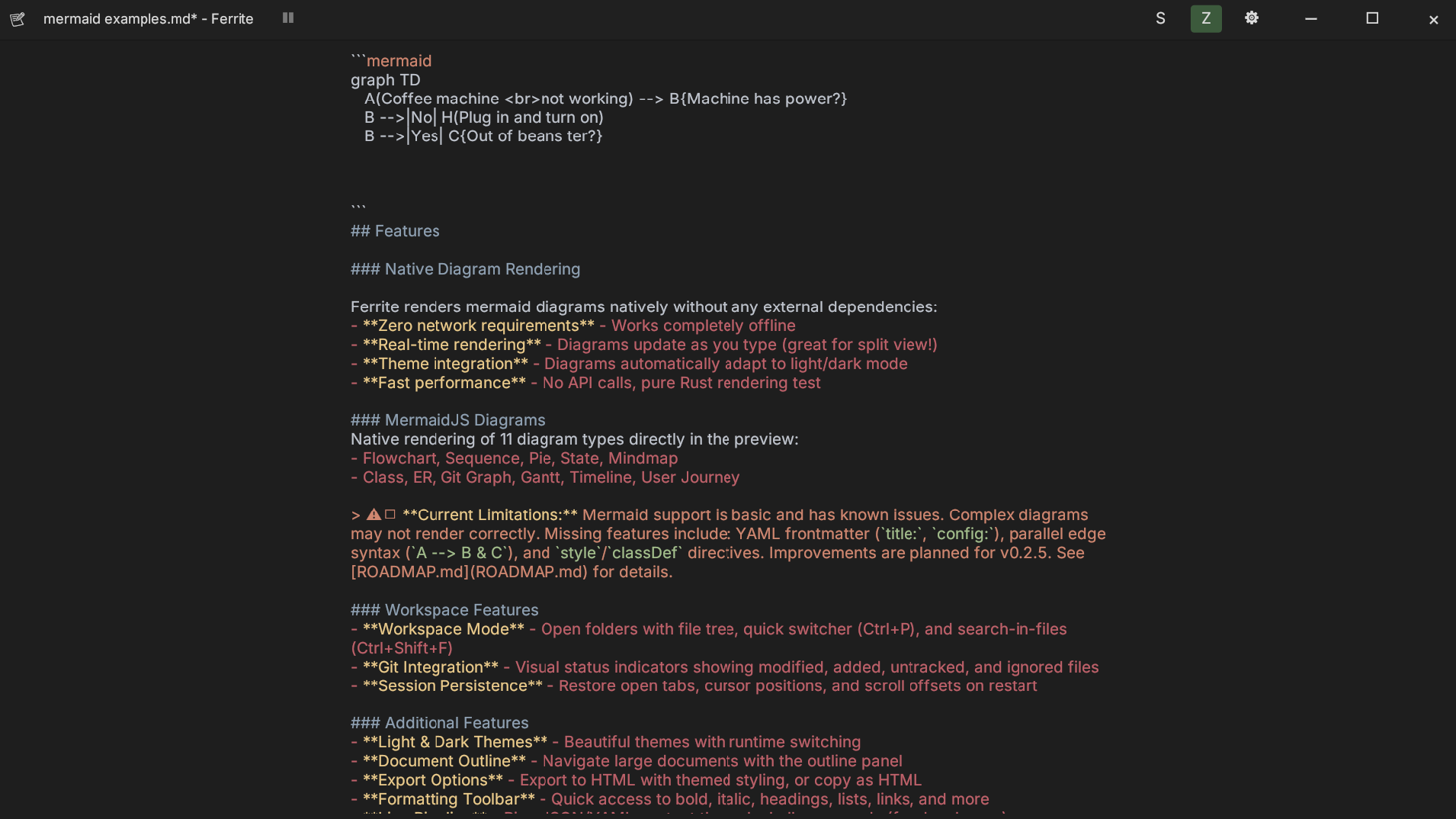 |
✨ v0.3.0 (Latest): eframe / egui 0.34.2 platform refresh. PDF + themed HTML export. Executable code blocks (
▶ Run). Rendered edit session (one-click WYSIWYG block switching). Split-view scroll sync. User accent color. Mermaid insert toolbar + validation + flowchart polish. Phosphor icons. Session recovery hardening. Quick note workflow. See CHANGELOG.md for full details.
🛠️ Coming in v0.3.1: LSP (diagnostics panel + hover/complete), YouTube embeds, Mermaid second wave, multi-window, CSV editing, and GitHub HTML parity. See ROADMAP.md and prd-v0.3.1.md.
📦 v0.2.6 Highlights: Custom Editor Engine with virtual scrolling (80MB file uses ~80MB RAM), Multi-Cursor Editing, Code Folding, IME/CJK input improvements.
▶ Run); inline ANSI output, timeout, and Stop (opt-in via Settings; first-run consent)()[]{}<> and emphasis pairs ** __(, [, {, ", or ' to get matching pair; selection wrapping supported[text](url) markdown link./assets/ and insert markdown link<!-- TOC --> block (Ctrl+Shift+U);date → current date, ;time → current time, plus custom snippetsNative rendering of 11 diagram types directly in the preview:
mermaid blocks in the raw editorstyle / classDef support; state diagrams support fork/join and history nodesv0.3.0 Mermaid update: Insert toolbar, syntax help (F1), inline validation, flowchart edge-routing and layout fixes, and state-diagram pseudostates. Complex diagrams may still differ from mermaid.js. See ROADMAP.md for planned parity work.
Download the latest release for your platform from GitHub Releases.
| Platform | Download | Notes |
|---|---|---|
| Windows | ferrite-windows-x64.msi | Recommended - full installer with Start Menu |
| Windows | ferrite-portable-windows-x64.zip | Portable - extract anywhere, run from USB |
| Linux (Debian/Ubuntu) | ferrite-editor_amd64.deb | For Debian, Ubuntu, Mint, Pop!_OS |
| Linux (Fedora/RHEL) | ferrite-editor.x86_64.rpm | For Fedora, RHEL, CentOS, Rocky |
| Linux | ferrite-linux-x64.tar.gz | Universal - works on any distro |
| macOS (Apple Silicon) | ferrite-macos-arm64.dmg | Recommended - drag to Applications (M1/M2/M3) |
| macOS (Apple Silicon) | ferrite-macos-arm64.tar.gz | Alternative - contains Ferrite.app bundle |
| macOS (Intel) | ferrite-macos-x64.dmg | Recommended - drag to Applications |
| macOS (Intel) | ferrite-macos-x64.tar.gz | Alternative - contains Ferrite.app bundle |
Download ferrite-windows-x64.msi and run it. This will:
C:\Program Files\Ferrite%APPDATA%\ferrite\Download ferrite-portable-windows-x64.zip and extract anywhere. The zip includes:
ferrite.exe - the applicationportable/ - folder for all your settingsREADME.txt - quick start guideTrue portable mode: All configuration, sessions, and data are stored in the portable folder next to the executable. Nothing is written to %APPDATA% or the Windows registry. Perfect for USB drives or trying Ferrite without installation.
# Download the .deb file, then install with:
sudo apt install ./ferrite-editor_amd64.deb

# Or using dpkg:
sudo dpkg -i ferrite-editor_amd64.deb
# Download the .rpm file, then install with:
sudo dnf install ./ferrite-editor.x86_64.rpm

# Or using rpm:
sudo rpm -i ferrite-editor.x86_64.rpm
Both .deb and .rpm packages will:
/usr/bin/ferrite.md, .json, .yaml, .toml files
Ferrite is available on the AUR:
# Release package
yay -Sy ferrite

# Binary package
yay -Sy ferrite-bin
# Run Ferrite directly from GitHub (no install)
nix run github:OlaProeis/Ferrite

# Drop into a shell that exposes ferrite in PATH
nix shell github:OlaProeis/Ferrite
From a local clone:
# Build package output
nix build .#ferrite
./result/bin/ferrite

# Enter development shell (Rust toolchain + system deps)
nix develop
tar -xzf ferrite-linux-x64.tar.gz
./ferrite
Keyboard not working on Ubuntu 24.04 LTS (GNOME/Wayland)
Keyboard input does not work when Ferrite is launched under GNOME on Wayland (Ubuntu 24.04 LTS and similar).
As a workaround, launch Ferrite with WAYLAND_DISPLAY unset to force X11 mode:
env -u WAYLAND_DISPLAY ferrite
To make this permanent for your desktop launcher, create a user-level desktop entry override:
mkdir -p ~/.local/share/applications
cp /usr/share/applications/ferrite-editor.desktop ~/.local/share/applications/ferrite-editor.desktop
Then edit ~/.local/share/applications/ferrite-editor.desktop and change the Exec line to:
Exec=env -u WAYLAND_DISPLAY ferrite %F
Download the .dmg for your Mac:
ferrite-macos-arm64.dmgferrite-macos-x64.dmgOpen the DMG and drag Ferrite.app to the Applications folder. Launch from Launchpad or Spotlight.
# Apple Silicon
tar -xzf ferrite-macos-arm64.tar.gz
cp -R Ferrite.app /Applications/

# Intel
tar -xzf ferrite-macos-x64.tar.gz
cp -R Ferrite.app /Applications/
Gatekeeper (GitHub downloads): Unsigned / non-notarized CI builds may be blocked on macOS 15.x. See docs/install/macos.md — quickest fix:
xattr -dr com.apple.quarantine /Applications/Ferrite.app(adjust path). Tracked: #130.
Nix users: you can skip manual dependency installation and use nix develop from the repository root (see flake.nix).
Windows:
Linux:
# Ubuntu/Debian
sudo apt install build-essential pkg-config libgtk-3-dev libxcb-shape0-dev libxcb-xfixes0-dev

# Fedora
sudo dnf install gcc pkg-config gtk3-devel libxcb-devel

# Arch
sudo pacman -S base-devel pkg-config gtk3 libxcb
macOS:
xcode-select --install
# Clone the repository
git clone https://github.com/OlaProeis/Ferrite.git
cd Ferrite

# Build release version (optimized)
cargo build --release

# The binary will be at:
# Windows: target/release/ferrite.exe
# Linux/macOS: target/release/ferrite

# macOS: Create .app bundle (optional)
cargo install cargo-bundle
cargo bundle --release
# Bundle will be at: target/release/bundle/osx/Ferrite.app
macOS "Open With" Limitation: The app bundle includes file type associations, so Ferrite appears in Finder's "Open With" menu. However, opening files this way (or by dragging files onto the app icon) is not yet supported due to eframe/winit limitations. Workaround: Open files via Terminal:
open -a Ferrite path/to/file.mdor use File > Open within the app.
Development Builds: Building from the
mainbranch gives you the latest features before they're officially released. These builds are untested and may contain bugs. For stable versions, download from GitHub Releases.
# Open a file
ferrite path/to/file.md

# Open a folder as workspace
ferrite path/to/folder/
# Run from source
cargo run --release

# Or run the binary directly
./target/release/ferrite

# Open multiple files as tabs
./target/release/ferrite file1.md file2.md

# Show version
./target/release/ferrite --version

# Show help
./target/release/ferrite --help
See docs/cli.md for full CLI documentation.
Ferrite supports three view modes for Markdown files:
Toggle between modes using the toolbar buttons or keyboard shortcuts.
| Shortcut | Action |
|---|---|
Ctrl+N | New file |
Ctrl+O | Open file |
Ctrl+S | Save file |
Ctrl+W | Close tab |
Ctrl+P | Quick file switcher |
Ctrl+F | Find |
Ctrl+G | Go to line |
Ctrl+, | Open settings |
| Shortcut | Action |
|---|---|
Ctrl+N | New file |
Ctrl+O | Open file |
Ctrl+S | Save file |
Ctrl+Shift+S | Save as |
Ctrl+W | Close tab |
| Shortcut | Action |
|---|---|
Ctrl+Tab | Next tab |
Ctrl+Shift+Tab | Previous tab |
Ctrl+P | Quick file switcher (workspace) |
Ctrl+Shift+F | Search in files (workspace) |
| Shortcut | Action |
|---|---|
Ctrl+Z | Undo |
Ctrl+Y / Ctrl+Shift+Z | Redo |
Ctrl+F | Find |
Ctrl+H | Find and replace |
Ctrl+G | Go to line |
Ctrl+Shift+D | Duplicate line |
Alt+↑ | Move line up |
Alt+↓ | Move line down |
Ctrl+B | Bold |
Ctrl+I | Italic |
Ctrl+K | Insert link |
| Shortcut | Action |
|---|---|
F11 | Toggle fullscreen |
Ctrl+, | Open settings |
Ctrl+Shift+[ | Fold all |
Ctrl+Shift+] | Unfold all |
Terminal shortcuts are context-aware; they work when the terminal panel is focused.
| Shortcut | Action |
|---|---|
Ctrl+Tab / Ctrl+Shift+Tab | Cycle through terminal tabs |
Ctrl+1-9 | Switch to specific terminal tab |
Ctrl+Arrow Keys | Move focus between split panes |
Ctrl+Shift+M | Toggle Maximize Pane (Zoom) |
Ctrl+L | Clear terminal screen |
Ctrl+Shift+C | Copy selection / screen |
Ctrl+Shift+V | Paste to terminal |
Ctrl+W / Ctrl+F4 | Close focused pane (auto-collapses splits) |
Double-click Tab | Rename terminal |
Access settings via Ctrl+, or the gear icon. Configure appearance, editor behavior, and file handling.
Settings are stored in platform-specific locations:
%APPDATA%\ferrite\portable\ folder next to ferrite.exe~/.config/ferrite/~/Library/Application Support/ferrite/Portable Mode (Windows): If a portable folder exists next to the executable, Ferrite automatically uses it for all configuration instead of %APPDATA%. This makes Ferrite fully self-contained - perfect for USB drives.
Workspace settings are stored in .ferrite/ within the workspace folder.
See ROADMAP.md for planned features and known issues.
Contributions are welcome! Please see CONTRIBUTING.md for guidelines.
Ferrite is being translated into multiple languages with help from the community.

Help translate Ferrite on Weblate - no coding required!
# Fork and clone
git clone https://github.com/YOUR_USERNAME/Ferrite.git
cd Ferrite

# Create a feature branch
git checkout -b feature/your-feature

# Make changes, then verify
cargo fmt
cargo clippy
cargo test
cargo build

# Optional (Nix users): validate flake outputs
nix flake check

# Commit and push
git commit -m "feat: your feature description"
git push origin feature/your-feature
Built with Rust 1.70+, egui/eframe for GUI, comrak for Markdown parsing, ropey for rope-based text editing, and syntect for syntax highlighting.
| Component | Technology |
|---|---|
| Language | Rust 1.70+ |
| GUI Framework | egui 0.28 + eframe 0.28 |
| Text Buffer | ropey 1.6 (rope data structure) |
| Markdown Parser | comrak 0.22 |
| Syntax Highlighting | syntect 5.1 + two-face 0.5 |
| Git Integration | git2 0.19 |
| Terminal PTY | portable-pty 0.8 |
| Terminal ANSI Parser | vte 0.13 |
| Encoding Detection | encoding_rs 0.8 + chardetng 0.1 |
| Internationalization | rust-i18n 3 + sys-locale 0.3 |
| CLI Parsing | clap 4 |
| File Dialogs | rfd 0.14 |
| Clipboard | arboard 3 |
| File Watching | notify 6 |
| Fuzzy Matching | fuzzy-matcher 0.3 |
| HTTP Client | ureq 2 (update checker) |
| Hashing | blake3 1.5 (Mermaid caching) |
| Date/Time | chrono 0.4 |
| CSV Parsing | csv 1.3 |
| Color Palette | palette 0.7 |
| Font Enumeration | font-kit 0.14 |
| Allocator (Windows) | mimalloc 0.1 |
| Allocator (Unix) | tikv-jemallocator 0.6 |
This project is licensed under the MIT License - see the LICENSE file for details.

| Free code signing on Windows provided by SignPath.io, certificate by SignPath Foundation |

| Hosted translations provided by Weblate on Hosted Weblate (gratis libre project plan) |
If you find Ferrite useful, consider supporting its development.
(top 24 of 25)
873 followers · starred Jan 2026
170 followers · starred Jan 2026
190 followers · starred Jan 2026
36 followers · starred Jun 2026
A fast, lightweight text editor for Markdown, JSON, YAML, and TOML files. Built with Rust and egui for a native, responsive experience.
Rust
1,836
337 commits
updated Oct 8, 2026
English | 简体中文
getferrite.dev — Official website with downloads, features, and documentation
A fast, lightweight text editor for Markdown, JSON, YAML, and TOML files. Built with Rust and egui for a native, responsive experience.
⚠️ Platform Note: Ferrite is developed and tested on Windows and Linux. macOS support is experimental. If you encounter issues, please report them.
Starting with v0.2.6.1, all Windows releases are digitally signed with a certificate from SignPath Foundation. This means:
Older unsigned builds may still trigger antivirus detections. This was caused by:
cmd.exe /C on Windows for shell commands, which ML-based detection can misidentifyWe've addressed this through code signing, build profile adjustments (disabled symbol stripping, speed optimization), and reporting to Microsoft's Security Intelligence portal.
If Windows Defender quarantines Ferrite:
ferrite.exe → Properties → Digital Signatures → should show "SignPath Foundation"Ferrite does NOT access passwords, browser data, or make unsolicited network connections. The only network access is the manual "Check for Updates" button (Settings → About), which contacts the GitHub Releases API when you click it. The application only accesses files you explicitly open.
GitHub Release .dmg / .tar.gz builds are packaged as Ferrite.app but are not signed with an Apple Developer ID and are not notarized (CI limitation). Gatekeeper, especially on macOS 15.x (Sequoia / 15.6+), may block or warn on first launch—see GitHub #130 and the workarounds below.
📖 Full troubleshooting: docs/install/macos.md
brew tap olaproeis/ferrite
brew install --cask ferrite
Homebrew typically avoids quarantine friction compared to raw GitHub downloads.
ferrite-macos-arm64.dmg or .tar.gzferrite-macos-x64.dmg or .tar.gzFerrite.app to Applications (or another folder you prefer).xattr -dr com.apple.quarantine /Applications/Ferrite.app — use the real path if the app is not under /Applications.Ferrite.app → Open → Open (may not work on every macOS 15.x configuration).Apple expects apps distributed outside the Mac App Store to be signed with a Developer ID certificate and notarized. Ferrite is open source—you can audit the code and build from source—but paid enrollment and CI wiring are still pending for GitHub-hosted macOS builds.
This project is 100% AI-generated code. All Rust code, documentation, and configuration was written by Claude (Anthropic) via Cursor with MCP tools.
📖 Full details: AI Development Workflow
The actual prompts and documents used to build Ferrite are public:
| Document | Purpose |
|---|---|
current-handover-prompt.md | Active session context |
ai-workflow/ | Full workflow docs, PRDs, historical handovers |
handover/ | Reusable handover templates |
This transparency is intentional — I want others to learn from (and improve upon) this approach.
| Raw Editor | Split View | Zen Mode |
|---|---|---|
| | |
✨ v0.3.0 (Latest): eframe / egui 0.34.2 platform refresh. PDF + themed HTML export. Executable code blocks (
▶ Run). Rendered edit session (one-click WYSIWYG block switching). Split-view scroll sync. User accent color. Mermaid insert toolbar + validation + flowchart polish. Phosphor icons. Session recovery hardening. Quick note workflow. See CHANGELOG.md for full details.
🛠️ Coming in v0.3.1: LSP (diagnostics panel + hover/complete), YouTube embeds, Mermaid second wave, multi-window, CSV editing, and GitHub HTML parity. See ROADMAP.md and prd-v0.3.1.md.
📦 v0.2.6 Highlights: Custom Editor Engine with virtual scrolling (80MB file uses ~80MB RAM), Multi-Cursor Editing, Code Folding, IME/CJK input improvements.
▶ Run); inline ANSI output, timeout, and Stop (opt-in via Settings; first-run consent)()[]{}<> and emphasis pairs ** __(, [, {, ", or ' to get matching pair; selection wrapping supported[text](url) markdown link./assets/ and insert markdown link<!-- TOC --> block (Ctrl+Shift+U);date → current date, ;time → current time, plus custom snippetsNative rendering of 11 diagram types directly in the preview:
mermaid blocks in the raw editorstyle / classDef support; state diagrams support fork/join and history nodesv0.3.0 Mermaid update: Insert toolbar, syntax help (F1), inline validation, flowchart edge-routing and layout fixes, and state-diagram pseudostates. Complex diagrams may still differ from mermaid.js. See ROADMAP.md for planned parity work.
Download the latest release for your platform from GitHub Releases.
| Platform | Download | Notes |
|---|---|---|
| Windows | ferrite-windows-x64.msi | Recommended - full installer with Start Menu |
| Windows | ferrite-portable-windows-x64.zip | Portable - extract anywhere, run from USB |
| Linux (Debian/Ubuntu) | ferrite-editor_amd64.deb | For Debian, Ubuntu, Mint, Pop!_OS |
| Linux (Fedora/RHEL) | ferrite-editor.x86_64.rpm | For Fedora, RHEL, CentOS, Rocky |
| Linux | ferrite-linux-x64.tar.gz | Universal - works on any distro |
| macOS (Apple Silicon) | ferrite-macos-arm64.dmg | Recommended - drag to Applications (M1/M2/M3) |
| macOS (Apple Silicon) | ferrite-macos-arm64.tar.gz | Alternative - contains Ferrite.app bundle |
| macOS (Intel) | ferrite-macos-x64.dmg | Recommended - drag to Applications |
| macOS (Intel) | ferrite-macos-x64.tar.gz | Alternative - contains Ferrite.app bundle |
Download ferrite-windows-x64.msi and run it. This will:
C:\Program Files\Ferrite%APPDATA%\ferrite\Download ferrite-portable-windows-x64.zip and extract anywhere. The zip includes:
ferrite.exe - the applicationportable/ - folder for all your settingsREADME.txt - quick start guideTrue portable mode: All configuration, sessions, and data are stored in the portable folder next to the executable. Nothing is written to %APPDATA% or the Windows registry. Perfect for USB drives or trying Ferrite without installation.
# Download the .deb file, then install with:
sudo apt install ./ferrite-editor_amd64.deb

# Or using dpkg:
sudo dpkg -i ferrite-editor_amd64.deb
# Download the .rpm file, then install with:
sudo dnf install ./ferrite-editor.x86_64.rpm

# Or using rpm:
sudo rpm -i ferrite-editor.x86_64.rpm
Both .deb and .rpm packages will:
/usr/bin/ferrite.md, .json, .yaml, .toml files
Ferrite is available on the AUR:
# Release package
yay -Sy ferrite

# Binary package
yay -Sy ferrite-bin
# Run Ferrite directly from GitHub (no install)
nix run github:OlaProeis/Ferrite

# Drop into a shell that exposes ferrite in PATH
nix shell github:OlaProeis/Ferrite
From a local clone:
# Build package output
nix build .#ferrite
./result/bin/ferrite

# Enter development shell (Rust toolchain + system deps)
nix develop
tar -xzf ferrite-linux-x64.tar.gz
./ferrite
Keyboard not working on Ubuntu 24.04 LTS (GNOME/Wayland)
Keyboard input does not work when Ferrite is launched under GNOME on Wayland (Ubuntu 24.04 LTS and similar).
As a workaround, launch Ferrite with WAYLAND_DISPLAY unset to force X11 mode:
env -u WAYLAND_DISPLAY ferrite
To make this permanent for your desktop launcher, create a user-level desktop entry override:
mkdir -p ~/.local/share/applications
cp /usr/share/applications/ferrite-editor.desktop ~/.local/share/applications/ferrite-editor.desktop
Then edit ~/.local/share/applications/ferrite-editor.desktop and change the Exec line to:
Exec=env -u WAYLAND_DISPLAY ferrite %F
Download the .dmg for your Mac:
ferrite-macos-arm64.dmgferrite-macos-x64.dmgOpen the DMG and drag Ferrite.app to the Applications folder. Launch from Launchpad or Spotlight.
# Apple Silicon
tar -xzf ferrite-macos-arm64.tar.gz
cp -R Ferrite.app /Applications/

# Intel
tar -xzf ferrite-macos-x64.tar.gz
cp -R Ferrite.app /Applications/
Gatekeeper (GitHub downloads): Unsigned / non-notarized CI builds may be blocked on macOS 15.x. See docs/install/macos.md — quickest fix:
xattr -dr com.apple.quarantine /Applications/Ferrite.app(adjust path). Tracked: #130.
Nix users: you can skip manual dependency installation and use nix develop from the repository root (see flake.nix).
Windows:
Linux:
# Ubuntu/Debian
sudo apt install build-essential pkg-config libgtk-3-dev libxcb-shape0-dev libxcb-xfixes0-dev

# Fedora
sudo dnf install gcc pkg-config gtk3-devel libxcb-devel

# Arch
sudo pacman -S base-devel pkg-config gtk3 libxcb
macOS:
xcode-select --install
# Clone the repository
git clone https://github.com/OlaProeis/Ferrite.git
cd Ferrite

# Build release version (optimized)
cargo build --release

# The binary will be at:
# Windows: target/release/ferrite.exe
# Linux/macOS: target/release/ferrite

# macOS: Create .app bundle (optional)
cargo install cargo-bundle
cargo bundle --release
# Bundle will be at: target/release/bundle/osx/Ferrite.app
macOS "Open With" Limitation: The app bundle includes file type associations, so Ferrite appears in Finder's "Open With" menu. However, opening files this way (or by dragging files onto the app icon) is not yet supported due to eframe/winit limitations. Workaround: Open files via Terminal:
open -a Ferrite path/to/file.mdor use File > Open within the app.
Development Builds: Building from the
mainbranch gives you the latest features before they're officially released. These builds are untested and may contain bugs. For stable versions, download from GitHub Releases.
# Open a file
ferrite path/to/file.md

# Open a folder as workspace
ferrite path/to/folder/
# Run from source
cargo run --release

# Or run the binary directly
./target/release/ferrite

# Open multiple files as tabs
./target/release/ferrite file1.md file2.md

# Show version
./target/release/ferrite --version

# Show help
./target/release/ferrite --help
See docs/cli.md for full CLI documentation.
Ferrite supports three view modes for Markdown files:
Toggle between modes using the toolbar buttons or keyboard shortcuts.
| Shortcut | Action |
|---|---|
Ctrl+N | New file |
Ctrl+O | Open file |
Ctrl+S | Save file |
Ctrl+W | Close tab |
Ctrl+P | Quick file switcher |
Ctrl+F | Find |
Ctrl+G | Go to line |
Ctrl+, | Open settings |
| Shortcut | Action |
|---|---|
Ctrl+N | New file |
Ctrl+O | Open file |
Ctrl+S | Save file |
Ctrl+Shift+S | Save as |
Ctrl+W | Close tab |
| Shortcut | Action |
|---|---|
Ctrl+Tab | Next tab |
Ctrl+Shift+Tab | Previous tab |
Ctrl+P | Quick file switcher (workspace) |
Ctrl+Shift+F | Search in files (workspace) |
| Shortcut | Action |
|---|---|
Ctrl+Z | Undo |
Ctrl+Y / Ctrl+Shift+Z | Redo |
Ctrl+F | Find |
Ctrl+H | Find and replace |
Ctrl+G | Go to line |
Ctrl+Shift+D | Duplicate line |
Alt+↑ | Move line up |
Alt+↓ | Move line down |
Ctrl+B | Bold |
Ctrl+I | Italic |
Ctrl+K | Insert link |
| Shortcut | Action |
|---|---|
F11 | Toggle fullscreen |
Ctrl+, | Open settings |
Ctrl+Shift+[ | Fold all |
Ctrl+Shift+] | Unfold all |
Terminal shortcuts are context-aware; they work when the terminal panel is focused.
| Shortcut | Action |
|---|---|
Ctrl+Tab / Ctrl+Shift+Tab | Cycle through terminal tabs |
Ctrl+1-9 | Switch to specific terminal tab |
Ctrl+Arrow Keys | Move focus between split panes |
Ctrl+Shift+M | Toggle Maximize Pane (Zoom) |
Ctrl+L | Clear terminal screen |
Ctrl+Shift+C | Copy selection / screen |
Ctrl+Shift+V | Paste to terminal |
Ctrl+W / Ctrl+F4 | Close focused pane (auto-collapses splits) |
Double-click Tab | Rename terminal |
Access settings via Ctrl+, or the gear icon. Configure appearance, editor behavior, and file handling.
Settings are stored in platform-specific locations:
%APPDATA%\ferrite\portable\ folder next to ferrite.exe~/.config/ferrite/~/Library/Application Support/ferrite/Portable Mode (Windows): If a portable folder exists next to the executable, Ferrite automatically uses it for all configuration instead of %APPDATA%. This makes Ferrite fully self-contained - perfect for USB drives.
Workspace settings are stored in .ferrite/ within the workspace folder.
See ROADMAP.md for planned features and known issues.
Contributions are welcome! Please see CONTRIBUTING.md for guidelines.
Ferrite is being translated into multiple languages with help from the community.
Help translate Ferrite on Weblate - no coding required!
# Fork and clone
git clone https://github.com/YOUR_USERNAME/Ferrite.git
cd Ferrite

# Create a feature branch
git checkout -b feature/your-feature

# Make changes, then verify
cargo fmt
cargo clippy
cargo test
cargo build

# Optional (Nix users): validate flake outputs
nix flake check

# Commit and push
git commit -m "feat: your feature description"
git push origin feature/your-feature
Built with Rust 1.70+, egui/eframe for GUI, comrak for Markdown parsing, ropey for rope-based text editing, and syntect for syntax highlighting.
| Component | Technology |
|---|---|
| Language | Rust 1.70+ |
| GUI Framework | egui 0.28 + eframe 0.28 |
| Text Buffer | ropey 1.6 (rope data structure) |
| Markdown Parser | comrak 0.22 |
| Syntax Highlighting | syntect 5.1 + two-face 0.5 |
| Git Integration | git2 0.19 |
| Terminal PTY | portable-pty 0.8 |
| Terminal ANSI Parser | vte 0.13 |
| Encoding Detection | encoding_rs 0.8 + chardetng 0.1 |
| Internationalization | rust-i18n 3 + sys-locale 0.3 |
| CLI Parsing | clap 4 |
| File Dialogs | rfd 0.14 |
| Clipboard | arboard 3 |
| File Watching | notify 6 |
| Fuzzy Matching | fuzzy-matcher 0.3 |
| HTTP Client | ureq 2 (update checker) |
| Hashing | blake3 1.5 (Mermaid caching) |
| Date/Time | chrono 0.4 |
| CSV Parsing | csv 1.3 |
| Color Palette | palette 0.7 |
| Font Enumeration | font-kit 0.14 |
| Allocator (Windows) | mimalloc 0.1 |
| Allocator (Unix) | tikv-jemallocator 0.6 |
This project is licensed under the MIT License - see the LICENSE file for details.
|
| Free code signing on Windows provided by SignPath.io, certificate by SignPath Foundation |
|
| Hosted translations provided by Weblate on Hosted Weblate (gratis libre project plan) |
If you find Ferrite useful, consider supporting its development.
(top 24 of 25)
873 followers · starred Jan 2026
170 followers · starred Jan 2026
190 followers · starred Jan 2026
36 followers · starred Jun 2026