Pinepods is a complete podcast management system that allows you to play, download, and keep track of podcasts you enjoy. All self hosted and enjoyed on your own server!
See the code

A forest of podcasts, rooted in the spirit of self-hosting.









PinePods is a complete, self-hosted podcast management system written in Rust.
You run one server, your whole household connects to it, and your subscriptions, history, queue, downloads, and settings follow you from device to device — because everything lives in your own database. Listen in the browser, on the desktop, on your phone, in the car, or even from the terminal.
👉 Want the full story, deep configuration, and tutorials? Head to the documentation site.
| 🎧 Listen | Audio and video podcasts, variable speed, chapters, transcripts, downloads, a persistent queue panel, serial auto-play, and per-podcast auto-download. |
| 🗂️ Organize | Subscriptions, smart playlists, manual playlists, saved episodes, favorites & favorite categories, full history, and local file-system podcasts. |
| 🔍 Discover | Search across Podcast Index, iTunes, and YouTube, search inside your own library for episodes, follow podcast hosts via PodPeople DB, and generate shareable episode links. |
| 🔀 Sync & apps | Built-in gpodder server (AntennaPod, etc.), OIDC / SSO, MFA / TOTP, web + desktop + mobile clients with CarPlay and Android Auto, plus the Firewood CLI. |
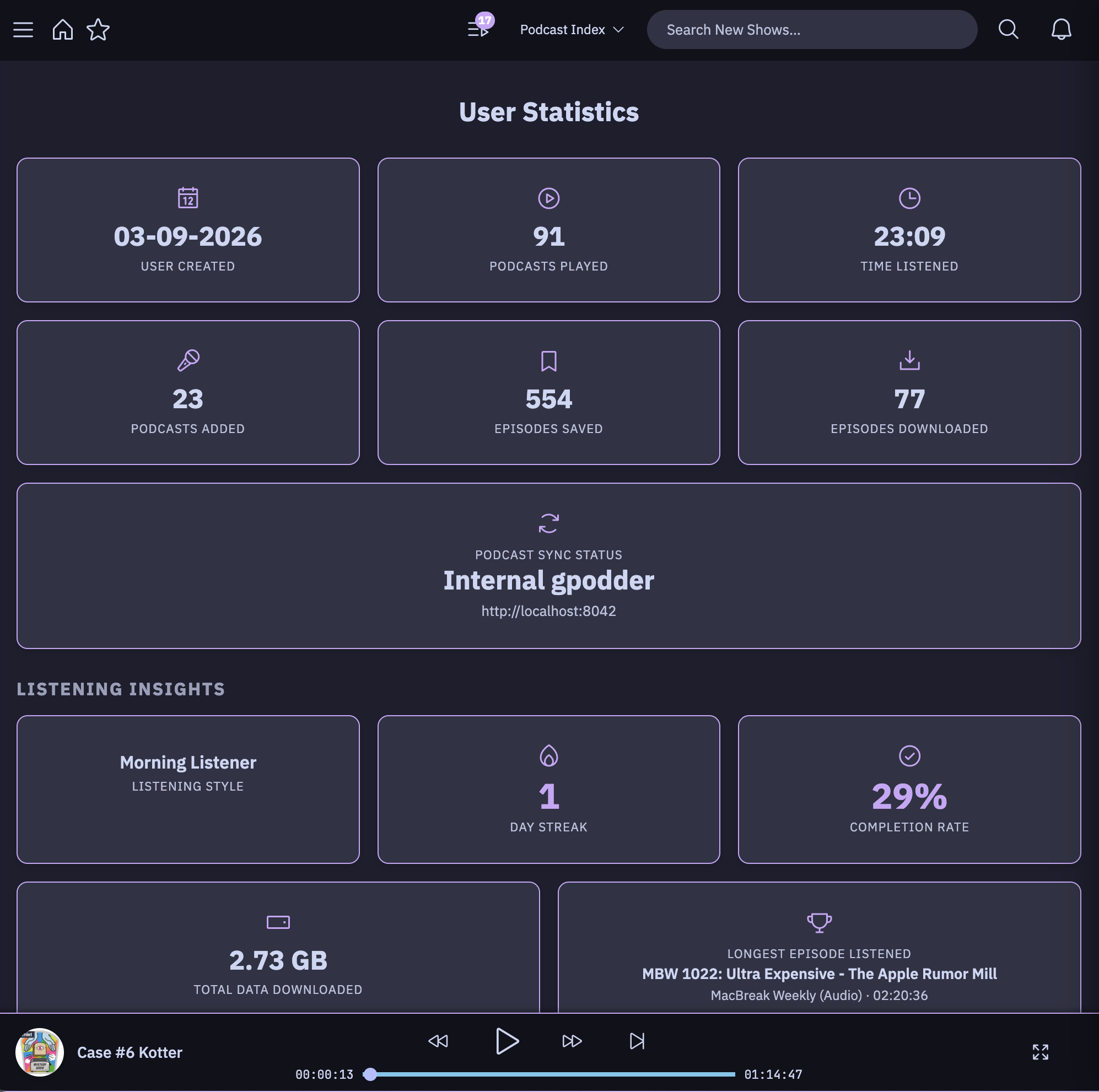
| 🎨 Make it yours | Multiple built-in themes plus a custom theme creator, detailed listening stats, OPML import/export, push notifications (ntfy / webhook), and 36 languages. |
See the full feature catalog in the docs.
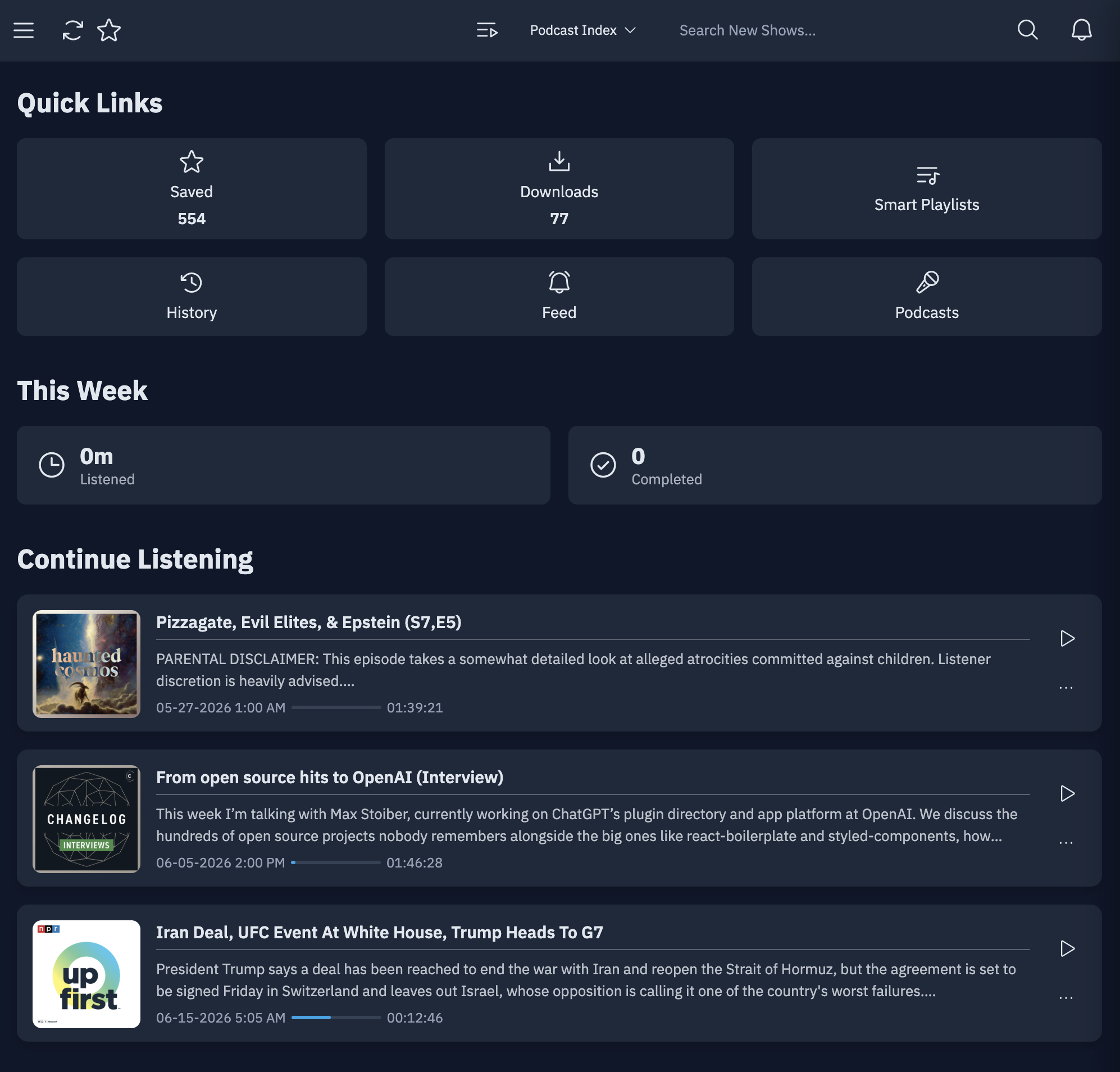
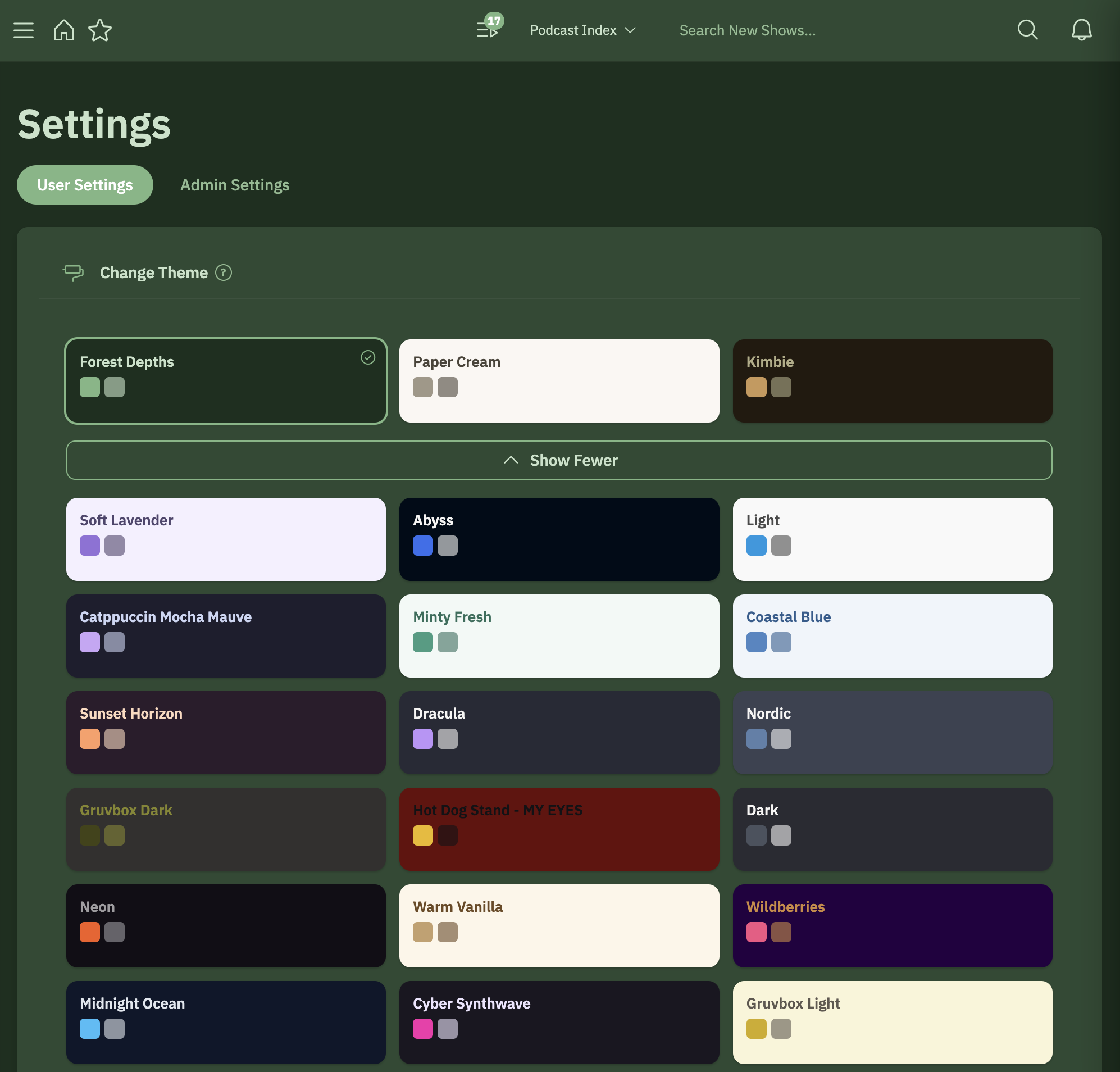
A home dashboard that picks up where you left off — with dozens of built-in themes plus a custom theme creator
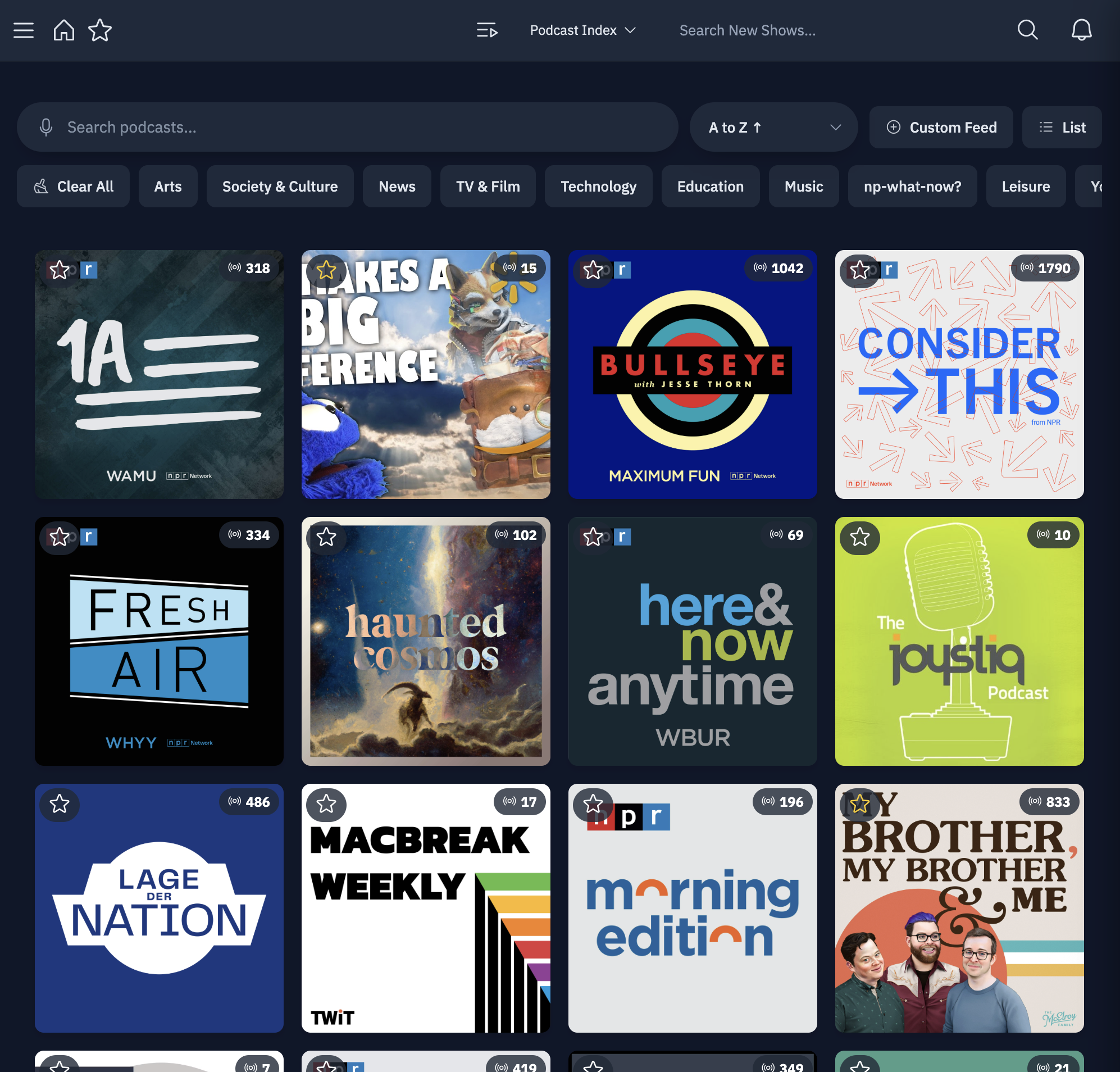
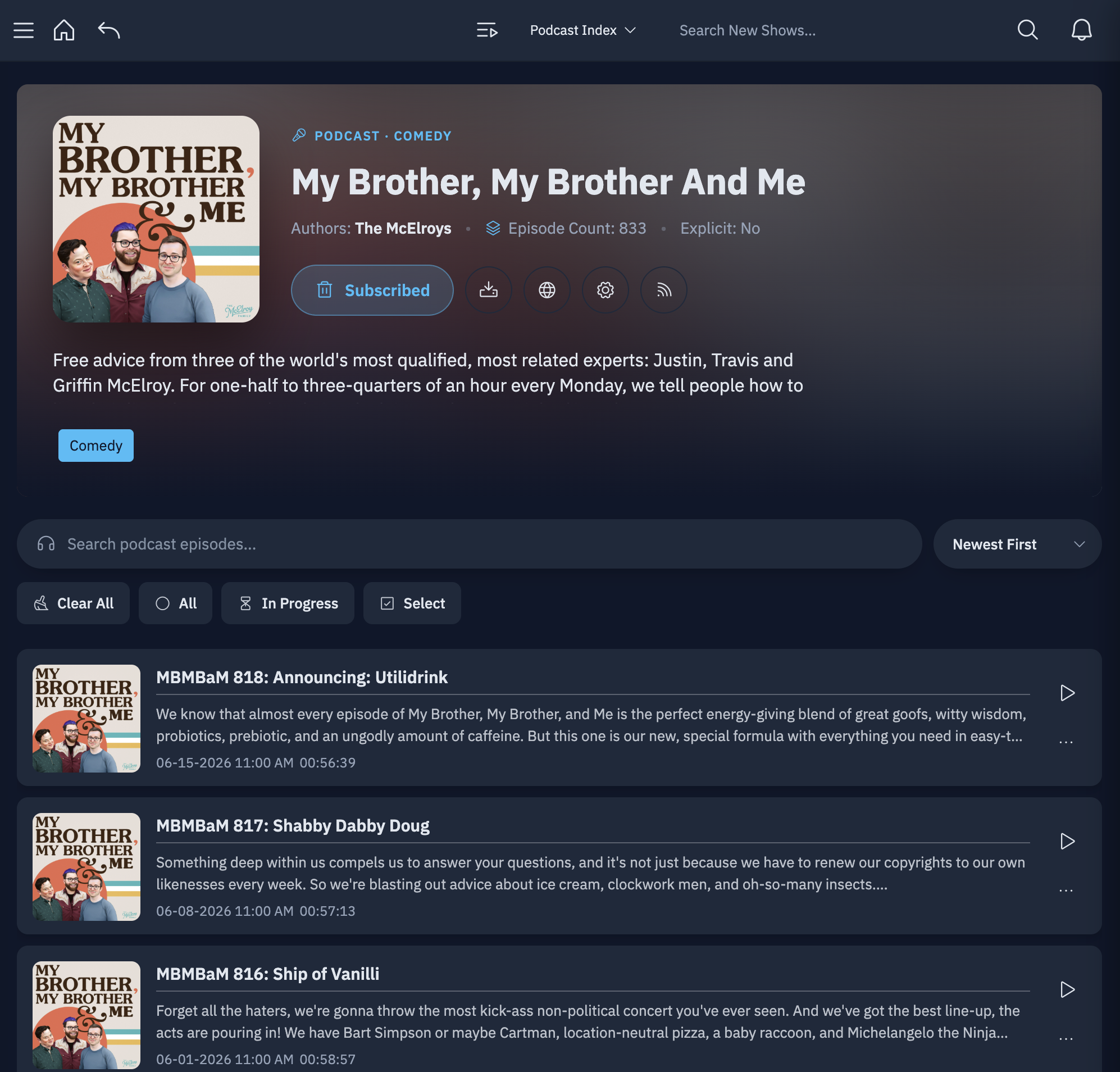
Browse your whole library and dig into any show
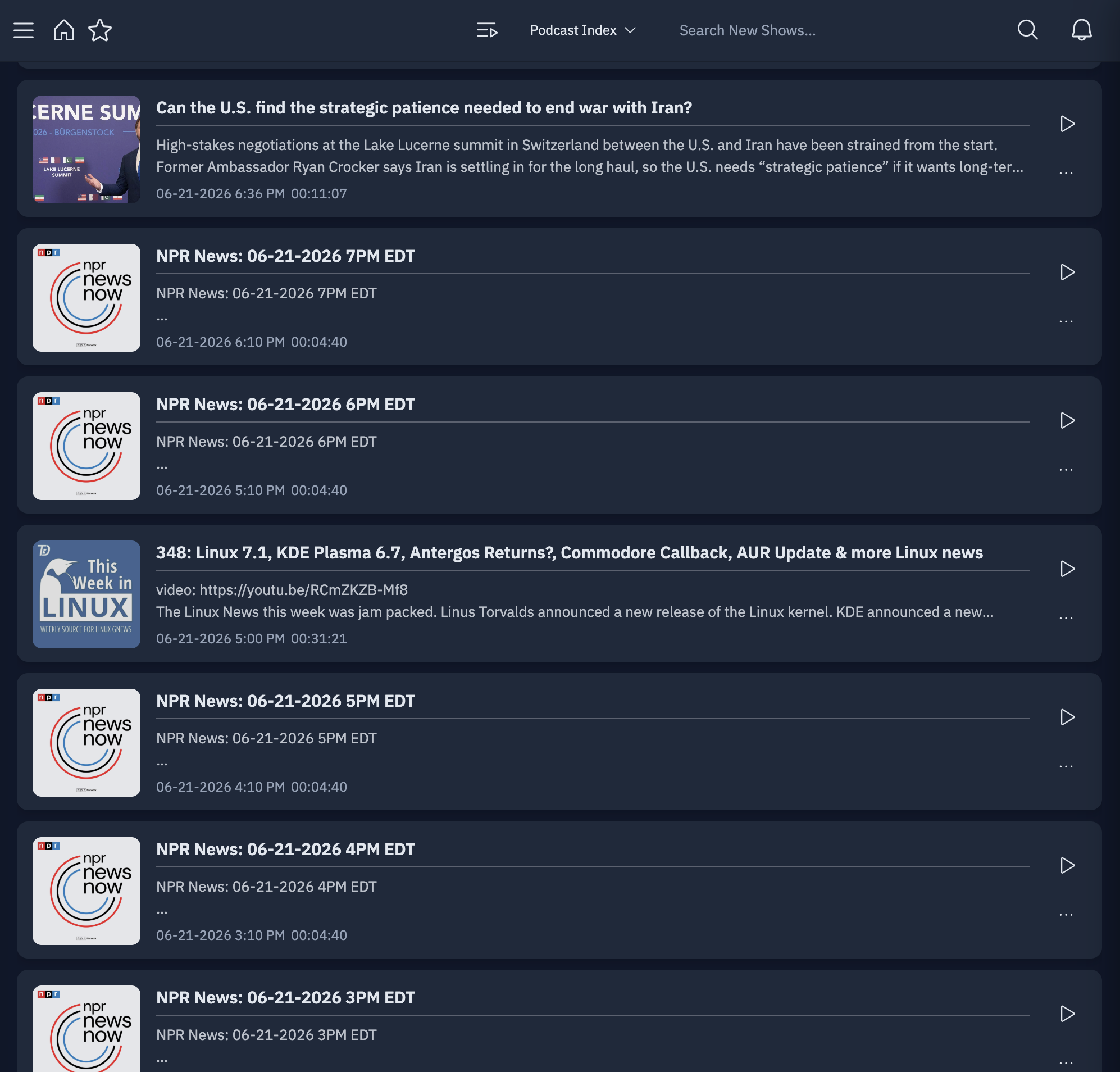
One unified feed of every new episode across your subscriptions
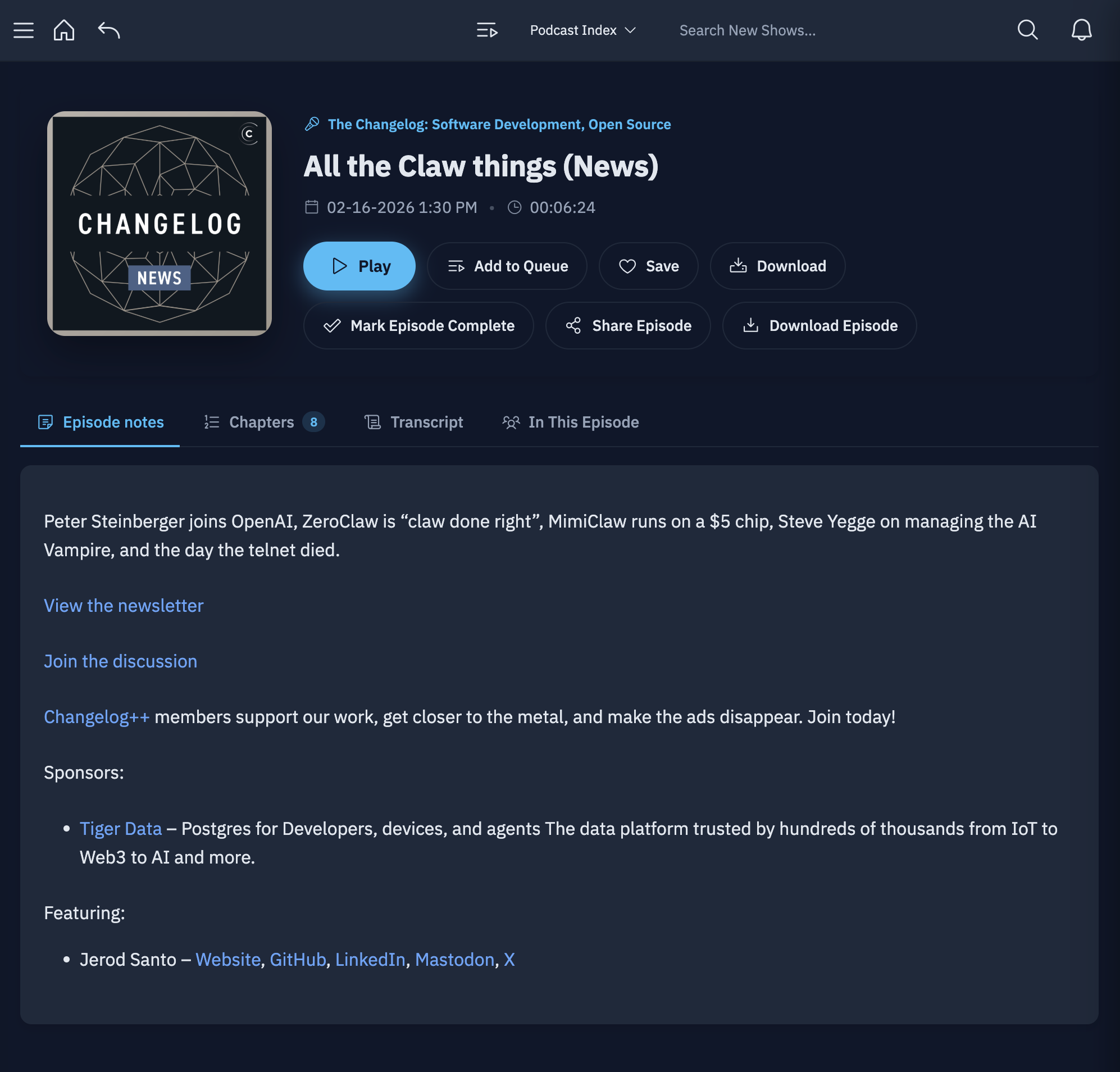
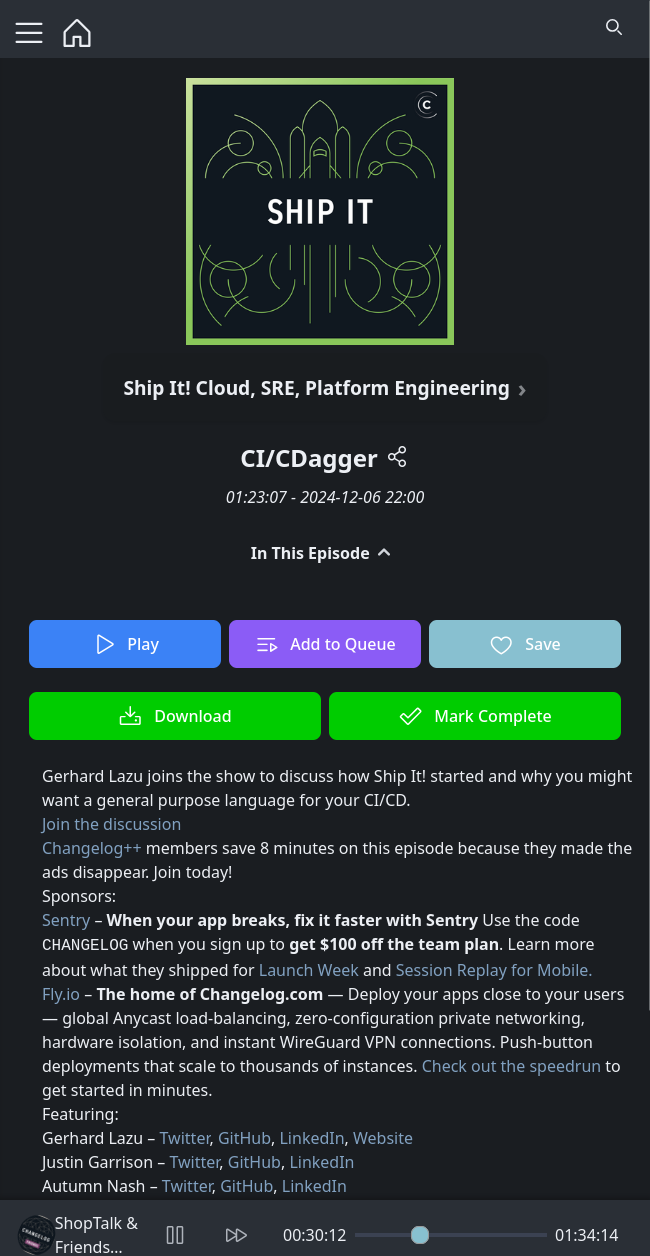
Rich episode pages with show notes, chapters, and transcripts
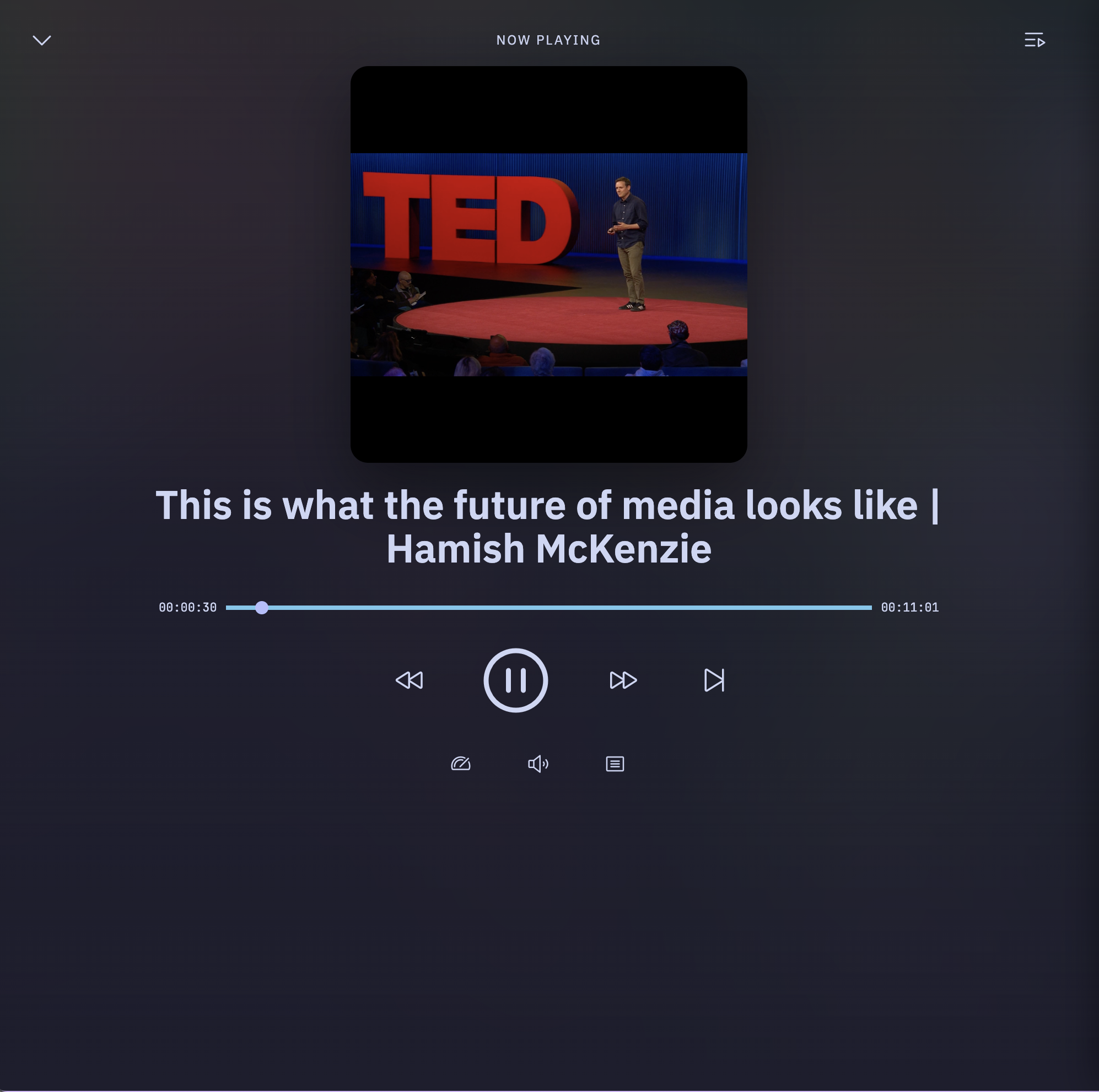
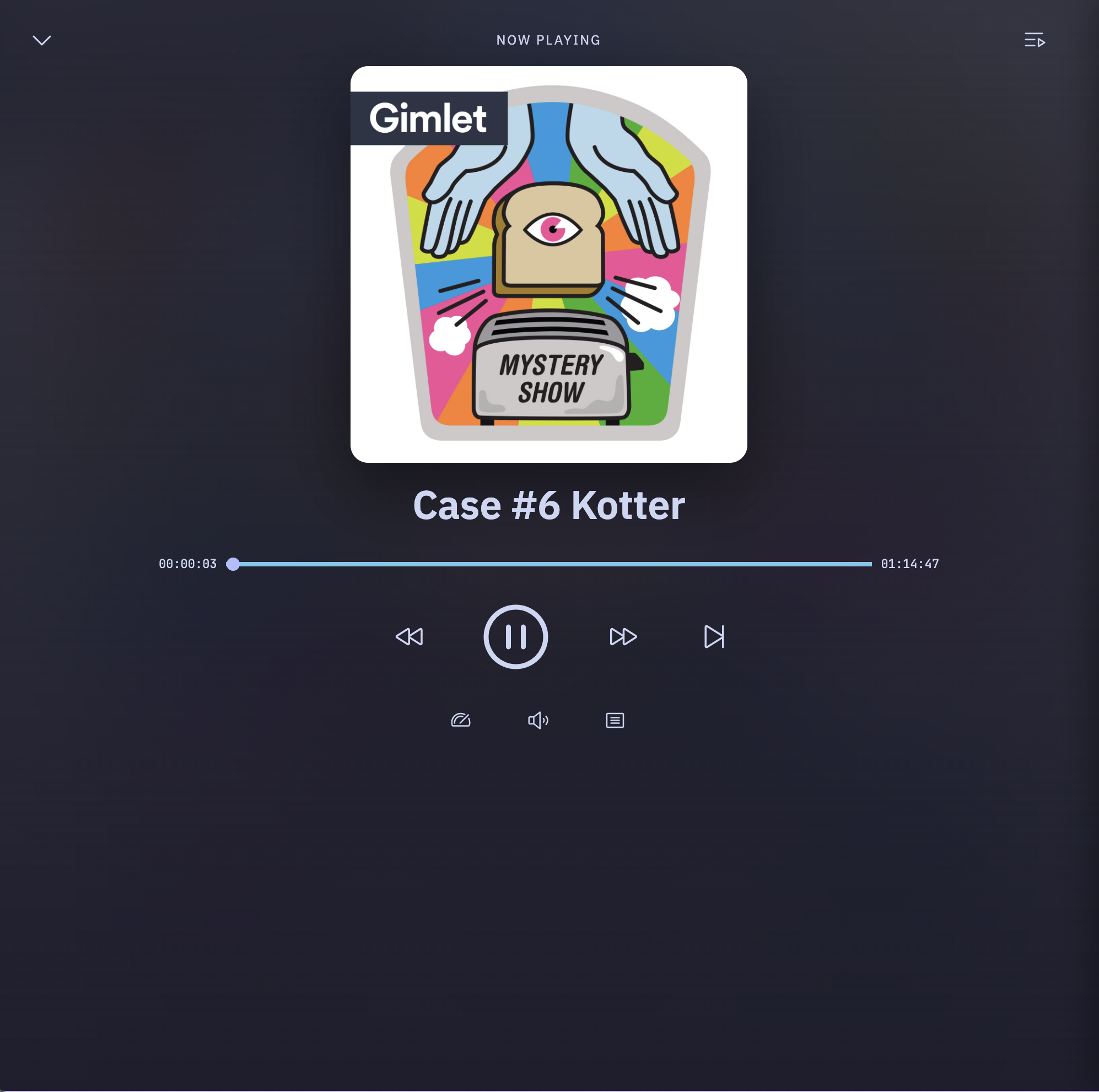
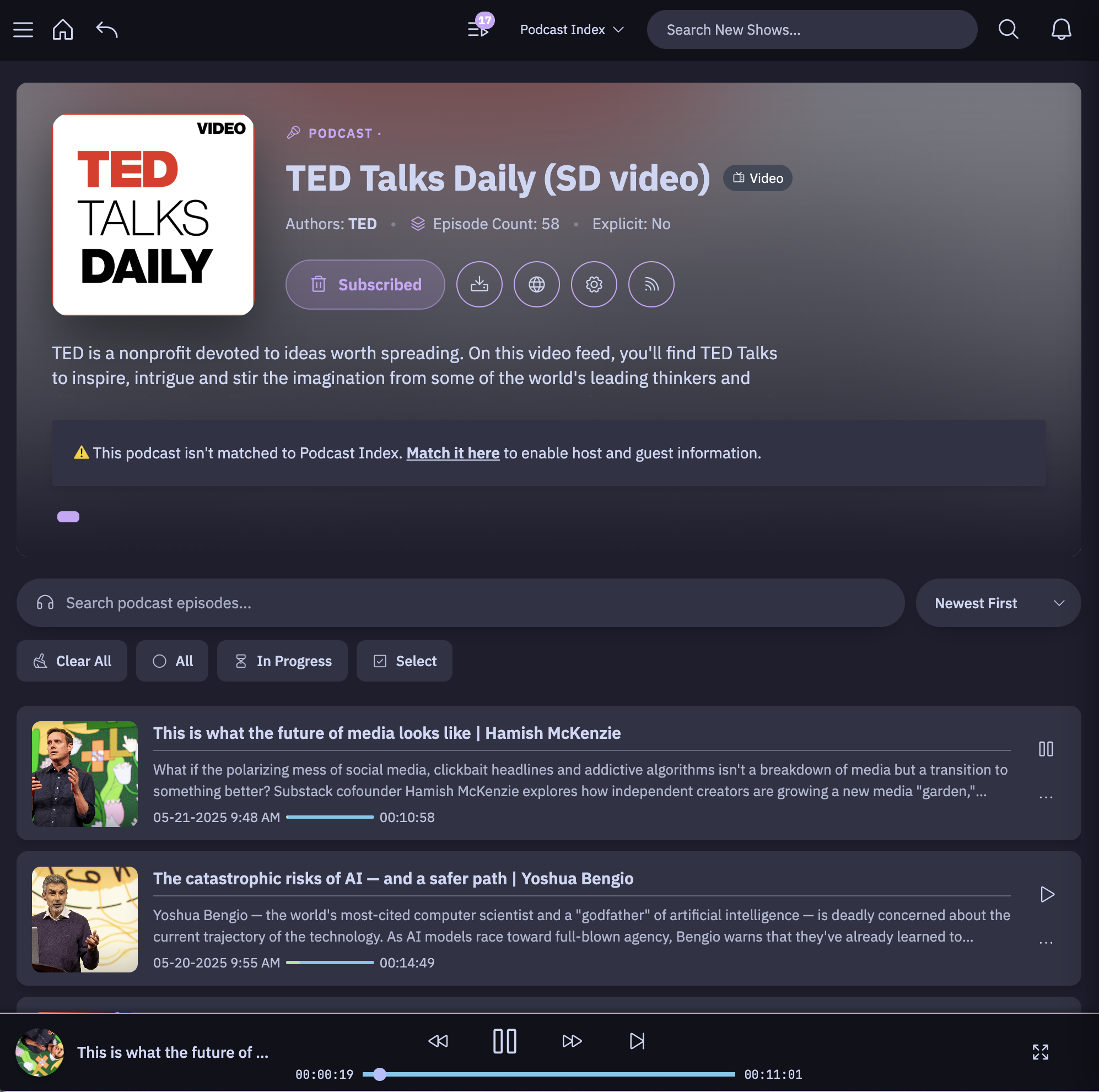
Listen your way — full-screen audio and native video playback
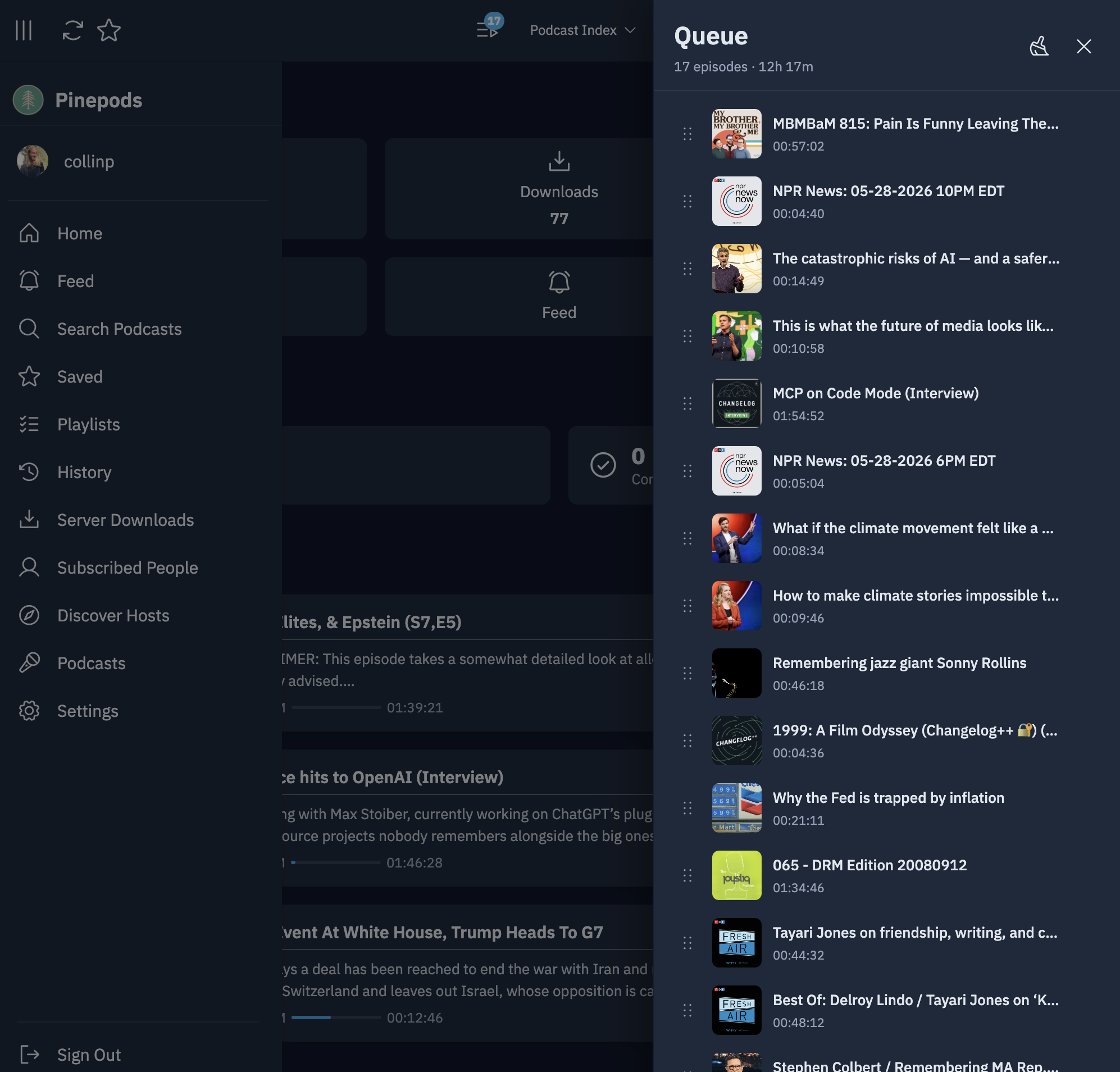
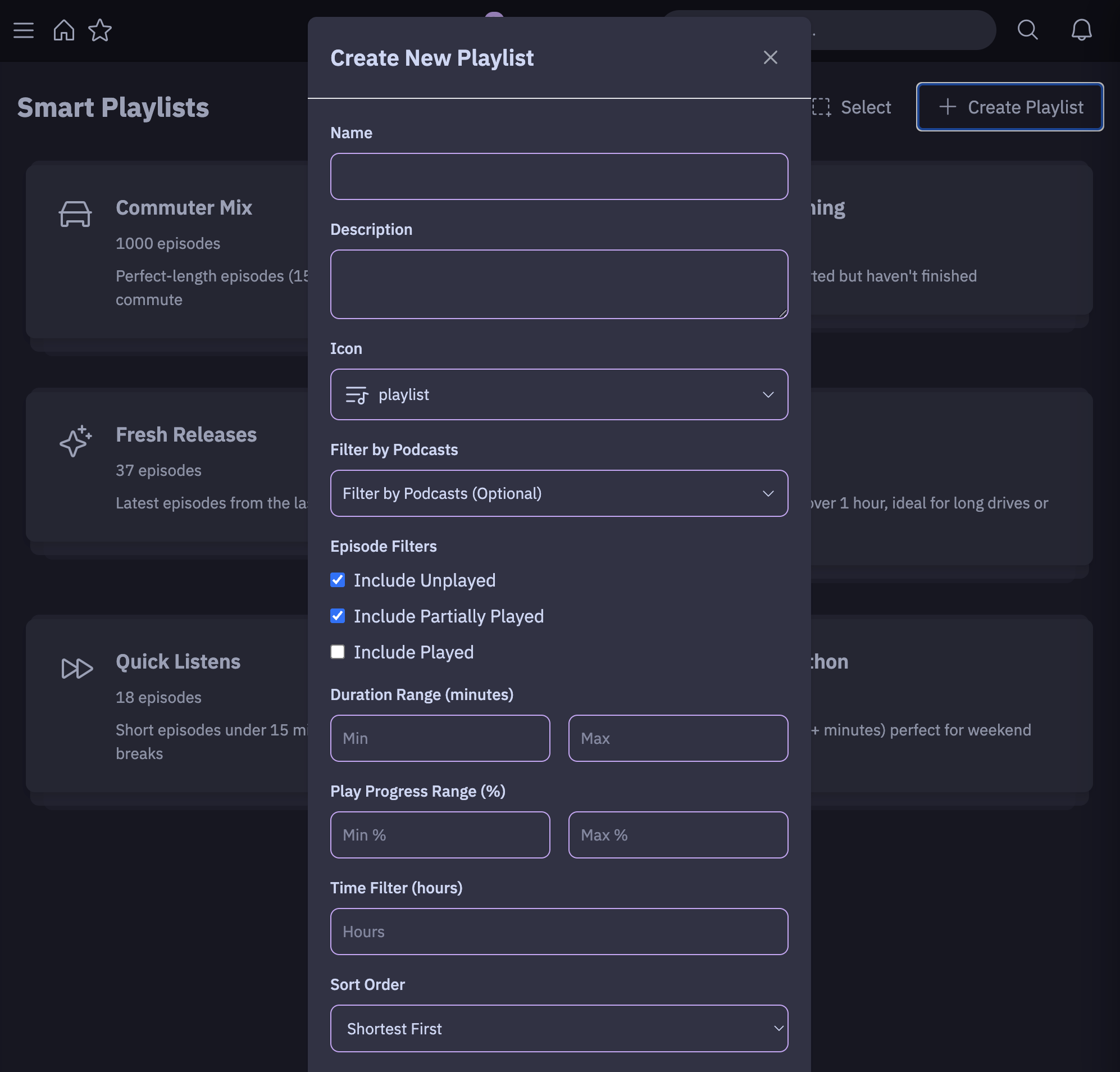
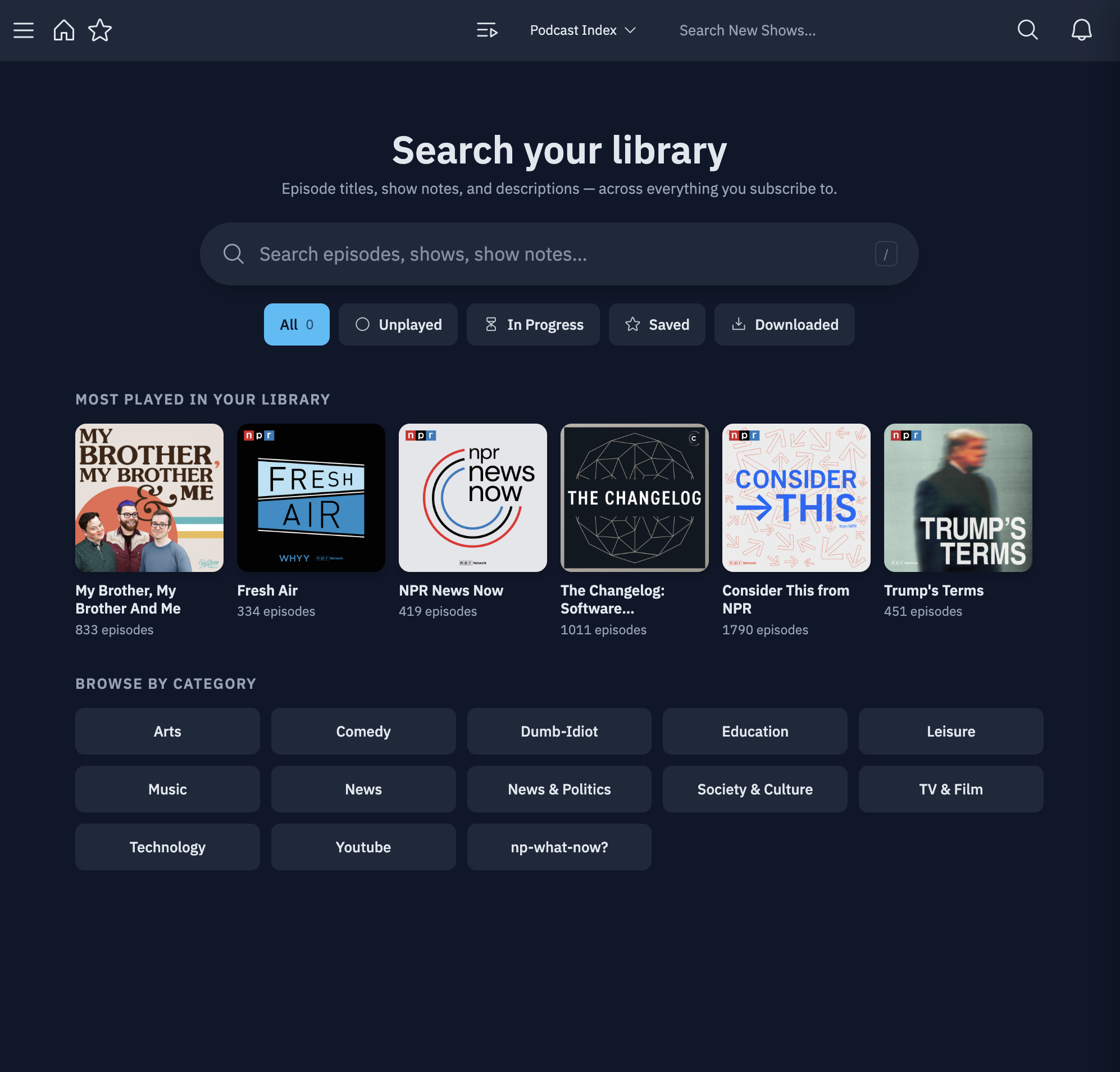
A persistent queue, smart playlists, library search, and detailed stats
Mobile apps for iOS & Android, with CarPlay and Android Auto

A public demo instance lives at try.pinepods.online — make an account and take a look before you self-host. It's for evaluation only; accounts there are wiped periodically, so run your own server for real use.
PinePods requires a database (PostgreSQL or MySQL/MariaDB) and a reachable Valkey
or Redis server. The API connects to Valkey/Redis before it starts listening.
Keep the valkey service below unless you configure an external server.
The fastest way to run PinePods is Docker Compose with PostgreSQL. Create a
docker-compose.yml:
services:
  db:
    container_name: db
    image: postgres:18
    environment:
      POSTGRES_DB: pinepods_database
      POSTGRES_USER: postgres
      POSTGRES_PASSWORD: myS3curepass
      PGDATA: /var/lib/pgdata/pgdata
    volumes:
      - /home/user/pinepods/pgdata:/var/lib/pgdata
    restart: always

  valkey:
    image: valkey/valkey:8-alpine
    restart: always

  pinepods:
    image: madeofpendletonwool/pinepods:latest
    ports:
      - "8040:8040"
    environment:
      # Basic server info
      SEARCH_API_URL: 'https://search.pinepods.online/api/search'
      PEOPLE_API_URL: 'https://people.pinepods.online'
      HOSTNAME: 'http://localhost:8040'
      # Database
      DB_TYPE: postgresql
      DB_HOST: db
      DB_PORT: 5432
      DB_USER: postgres
      DB_PASSWORD: myS3curepass
      DB_NAME: pinepods_database
      # Valkey cache
      VALKEY_HOST: valkey
      VALKEY_PORT: 6379
      DEBUG_MODE: false
      # Run as your host user so downloads stay accessible (optional)
      PUID: ${UID:-911}
      PGID: ${GID:-911}
      # Local timezone (optional, used for logs)
      TZ: "America/New_York"
    volumes:
      - /home/user/pinepods/downloads:/opt/pinepods/downloads
      - /home/user/pinepods/backups:/opt/pinepods/backups
    restart: always
    depends_on:
      - db
      - valkey
For an external Valkey/Redis server, set VALKEY_HOST and VALKEY_PORT on the
pinepods service to an address it can reach. Set VALKEY_PASSWORD if the server
requires password authentication, and VALKEY_USERNAME if it uses a named user.
Remove the local valkey service and its depends_on entry when using an
external server.
If Valkey/Redis is unavailable at startup, the API cannot start. Nginx can return
502 for API requests, including /api/health, while the web page still loads. Check
the Valkey/Redis service and its connection settings if you encounter this.
Then start it:
sudo docker compose up -d
Open http://localhost:8040 and you'll be prompted to create your first admin
account. That's it — you're up.
ℹ️ On PostgreSQL 18 / upgrading from 17. New installs default to
postgres:18and need no special steps. Two things to know when moving an existing install to 18:
- Data isn't auto-migrated across major versions.
postgres:18won't start against a data directory created by 17 (FATAL: database files are incompatible with server). Your data is safe — rundeployment/docker/upgrade-postgres.sh(takes a backup, then upgrades in place) or follow the Upgrading PostgreSQL guide. Back up first — the upgrade is one-way.- The
postgres:18image moved its data dir andVOLUME. Bind-mounting to the old/var/lib/postgresql/datacan fail on some Linux/overlay2 hosts withchange mount propagation through procfd ... no such file or directory. The compose above avoids this by mounting at/var/lib/pgdata, outside the image'sVOLUME; use that same pattern when you upgrade. See docker-library/postgres#1363.
Need more? Helm/Kubernetes, MySQL/MariaDB, admin bootstrap vars, the self-hosted search API, timezone tuning, PUID/PGID, and OIDC are all covered in the docs:
helm repo add pinepods http://helm.pinepods.onlineRun the server, then connect any client by pointing it at your server URL and signing in. The web client is served by the server itself — the rest are optional native apps.
| Platform | How to get it | Notes |
|---|---|---|
| 🌐 Web | Built in — browse to your server's port | No install needed |
| 🐧 Linux | Flathub, AUR (paru -S pinepods), or AppImage / .deb / .rpm on Releases | Flatpak recommended |
| 🪟 Windows | .exe (installer) or .msi (portable) on Releases | |
| 🍎 macOS | .dmg (installer) or portable build on Releases | |
| 📱 iOS | App Store | CarPlay supported |
| 🤖 Android | Google Play, IzzyOnDroid, or Obtainium | Android Auto supported |
| 💻 Terminal | Pinepods Firewood (CLI) |
ARM devices — including 64-bit Raspberry Pis — are fully supported; the latest tag
auto-pulls the right architecture. Client setup details live in the
clients docs.
PodPeople DB — A community database that supplements podcast person tags so you can follow hosts across every show they appear on, even when a feed doesn't publish host info. Use the hosted instance at podpeopledb.com or self-host your own. Repo · Why it exists.
Pinepods Firewood — A terminal-only client for enjoying your podcasts from the comfort of the command line. Check it out.
Helm chart — Deploy on Kubernetes with helm repo add pinepods http://helm.pinepods.online. See the install docs
for values.
PinePods is an open-source podcast player developed by Gooseberry Development and licensed under the GNU General Public License v3.0 (GPL-3.0).
The mobile app includes code adapted from the excellent Anytime Podcast Player by Ben Hills.
Anytime Podcast Player — © 2020 Ben Hills and contributors, licensed under the BSD 3-Clause License. Affected files retain the original BSD license and attribution at the top; see
LICENSE.ben_hillsin themobile/directory. Huge thanks to Ben Hills for open-sourcing Anytime — it accelerated PinePods' mobile development enormously.
ARM container images are made possible by Runs-On.
919 followers · starred Dec 2024
217 followers · starred Dec 2024
23 followers · starred Aug 2026
647 followers · starred Jan 2025
Pinepods is a complete podcast management system that allows you to play, download, and keep track of podcasts you enjoy. All self hosted and enjoyed on your own server!
See the code
A forest of podcasts, rooted in the spirit of self-hosting.
PinePods is a complete, self-hosted podcast management system written in Rust.
You run one server, your whole household connects to it, and your subscriptions, history, queue, downloads, and settings follow you from device to device — because everything lives in your own database. Listen in the browser, on the desktop, on your phone, in the car, or even from the terminal.
👉 Want the full story, deep configuration, and tutorials? Head to the documentation site.
| 🎧 Listen | Audio and video podcasts, variable speed, chapters, transcripts, downloads, a persistent queue panel, serial auto-play, and per-podcast auto-download. |
| 🗂️ Organize | Subscriptions, smart playlists, manual playlists, saved episodes, favorites & favorite categories, full history, and local file-system podcasts. |
| 🔍 Discover | Search across Podcast Index, iTunes, and YouTube, search inside your own library for episodes, follow podcast hosts via PodPeople DB, and generate shareable episode links. |
| 🔀 Sync & apps | Built-in gpodder server (AntennaPod, etc.), OIDC / SSO, MFA / TOTP, web + desktop + mobile clients with CarPlay and Android Auto, plus the Firewood CLI. |
| 🎨 Make it yours | Multiple built-in themes plus a custom theme creator, detailed listening stats, OPML import/export, push notifications (ntfy / webhook), and 36 languages. |
See the full feature catalog in the docs.
A home dashboard that picks up where you left off — with dozens of built-in themes plus a custom theme creator
Browse your whole library and dig into any show
One unified feed of every new episode across your subscriptions
Rich episode pages with show notes, chapters, and transcripts
Listen your way — full-screen audio and native video playback
A persistent queue, smart playlists, library search, and detailed stats
Mobile apps for iOS & Android, with CarPlay and Android Auto
A public demo instance lives at try.pinepods.online — make an account and take a look before you self-host. It's for evaluation only; accounts there are wiped periodically, so run your own server for real use.
PinePods requires a database (PostgreSQL or MySQL/MariaDB) and a reachable Valkey
or Redis server. The API connects to Valkey/Redis before it starts listening.
Keep the valkey service below unless you configure an external server.
The fastest way to run PinePods is Docker Compose with PostgreSQL. Create a
docker-compose.yml:
services:
  db:
    container_name: db
    image: postgres:18
    environment:
      POSTGRES_DB: pinepods_database
      POSTGRES_USER: postgres
      POSTGRES_PASSWORD: myS3curepass
      PGDATA: /var/lib/pgdata/pgdata
    volumes:
      - /home/user/pinepods/pgdata:/var/lib/pgdata
    restart: always

  valkey:
    image: valkey/valkey:8-alpine
    restart: always

  pinepods:
    image: madeofpendletonwool/pinepods:latest
    ports:
      - "8040:8040"
    environment:
      # Basic server info
      SEARCH_API_URL: 'https://search.pinepods.online/api/search'
      PEOPLE_API_URL: 'https://people.pinepods.online'
      HOSTNAME: 'http://localhost:8040'
      # Database
      DB_TYPE: postgresql
      DB_HOST: db
      DB_PORT: 5432
      DB_USER: postgres
      DB_PASSWORD: myS3curepass
      DB_NAME: pinepods_database
      # Valkey cache
      VALKEY_HOST: valkey
      VALKEY_PORT: 6379
      DEBUG_MODE: false
      # Run as your host user so downloads stay accessible (optional)
      PUID: ${UID:-911}
      PGID: ${GID:-911}
      # Local timezone (optional, used for logs)
      TZ: "America/New_York"
    volumes:
      - /home/user/pinepods/downloads:/opt/pinepods/downloads
      - /home/user/pinepods/backups:/opt/pinepods/backups
    restart: always
    depends_on:
      - db
      - valkey
For an external Valkey/Redis server, set VALKEY_HOST and VALKEY_PORT on the
pinepods service to an address it can reach. Set VALKEY_PASSWORD if the server
requires password authentication, and VALKEY_USERNAME if it uses a named user.
Remove the local valkey service and its depends_on entry when using an
external server.
If Valkey/Redis is unavailable at startup, the API cannot start. Nginx can return
502 for API requests, including /api/health, while the web page still loads. Check
the Valkey/Redis service and its connection settings if you encounter this.
Then start it:
sudo docker compose up -d
Open http://localhost:8040 and you'll be prompted to create your first admin
account. That's it — you're up.
ℹ️ On PostgreSQL 18 / upgrading from 17. New installs default to
postgres:18and need no special steps. Two things to know when moving an existing install to 18:
- Data isn't auto-migrated across major versions.
postgres:18won't start against a data directory created by 17 (FATAL: database files are incompatible with server). Your data is safe — rundeployment/docker/upgrade-postgres.sh(takes a backup, then upgrades in place) or follow the Upgrading PostgreSQL guide. Back up first — the upgrade is one-way.- The
postgres:18image moved its data dir andVOLUME. Bind-mounting to the old/var/lib/postgresql/datacan fail on some Linux/overlay2 hosts withchange mount propagation through procfd ... no such file or directory. The compose above avoids this by mounting at/var/lib/pgdata, outside the image'sVOLUME; use that same pattern when you upgrade. See docker-library/postgres#1363.
Need more? Helm/Kubernetes, MySQL/MariaDB, admin bootstrap vars, the self-hosted search API, timezone tuning, PUID/PGID, and OIDC are all covered in the docs:
helm repo add pinepods http://helm.pinepods.onlineRun the server, then connect any client by pointing it at your server URL and signing in. The web client is served by the server itself — the rest are optional native apps.
| Platform | How to get it | Notes |
|---|---|---|
| 🌐 Web | Built in — browse to your server's port | No install needed |
| 🐧 Linux | Flathub, AUR (paru -S pinepods), or AppImage / .deb / .rpm on Releases | Flatpak recommended |
| 🪟 Windows | .exe (installer) or .msi (portable) on Releases | |
| 🍎 macOS | .dmg (installer) or portable build on Releases | |
| 📱 iOS | App Store | CarPlay supported |
| 🤖 Android | Google Play, IzzyOnDroid, or Obtainium | Android Auto supported |
| 💻 Terminal | Pinepods Firewood (CLI) |
ARM devices — including 64-bit Raspberry Pis — are fully supported; the latest tag
auto-pulls the right architecture. Client setup details live in the
clients docs.
PodPeople DB — A community database that supplements podcast person tags so you can follow hosts across every show they appear on, even when a feed doesn't publish host info. Use the hosted instance at podpeopledb.com or self-host your own. Repo · Why it exists.
Pinepods Firewood — A terminal-only client for enjoying your podcasts from the comfort of the command line. Check it out.
Helm chart — Deploy on Kubernetes with helm repo add pinepods http://helm.pinepods.online. See the install docs
for values.
PinePods is an open-source podcast player developed by Gooseberry Development and licensed under the GNU General Public License v3.0 (GPL-3.0).
The mobile app includes code adapted from the excellent Anytime Podcast Player by Ben Hills.
Anytime Podcast Player — © 2020 Ben Hills and contributors, licensed under the BSD 3-Clause License. Affected files retain the original BSD license and attribution at the top; see
LICENSE.ben_hillsin themobile/directory. Huge thanks to Ben Hills for open-sourcing Anytime — it accelerated PinePods' mobile development enormously.
ARM container images are made possible by Runs-On.
919 followers · starred Dec 2024
217 followers · starred Dec 2024
23 followers · starred Aug 2026
647 followers · starred Jan 2025



