
See what people are saying
README
Swaybles
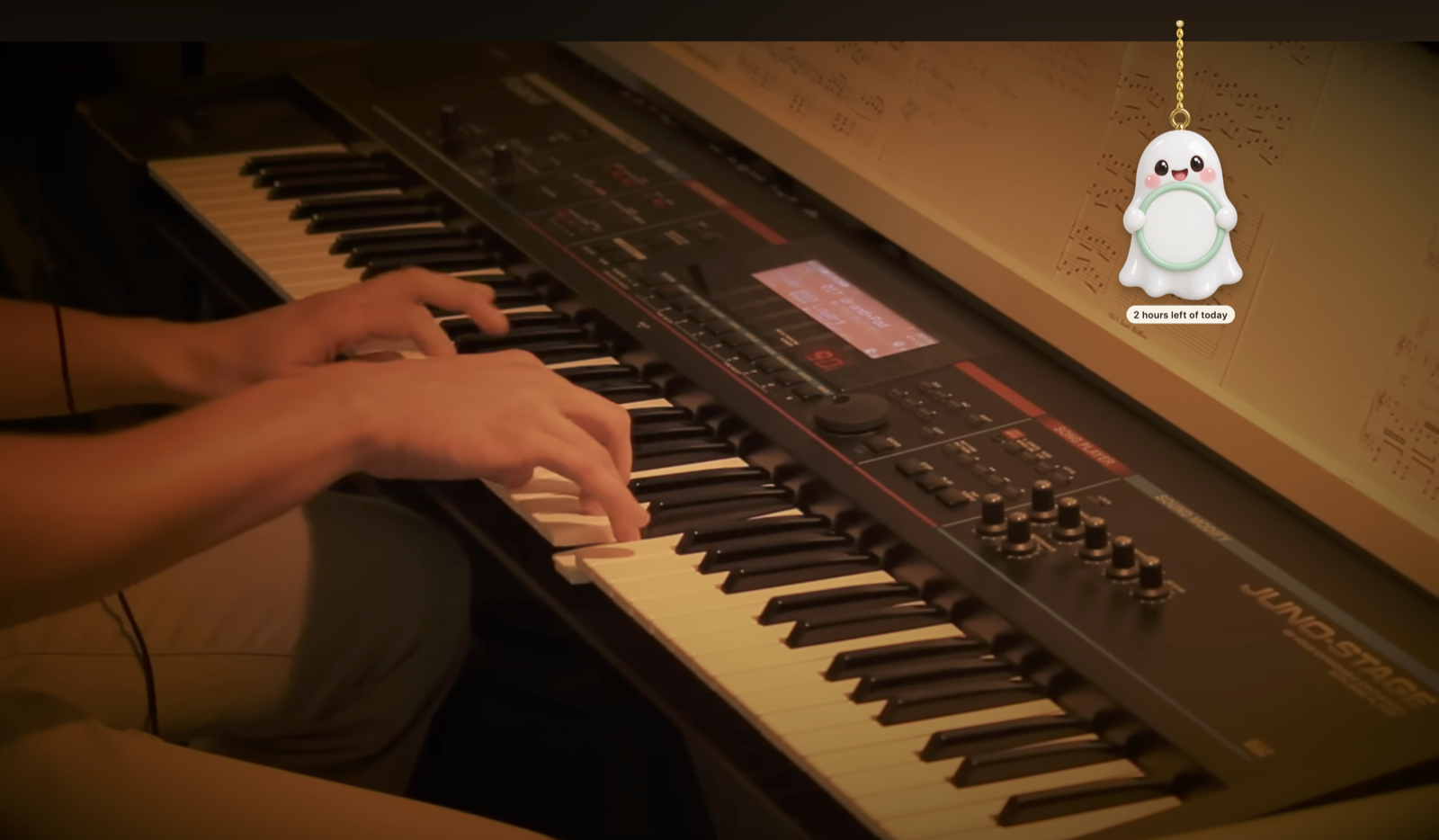
Tiny charms that hang from the top of your Mac screen, swing with real rope physics, and cheer you on. A gentle focus buddy, made for ADHD brains. Free and open source.
https://github.com/user-attachments/assets/83c76ddd-3cf0-400b-ad3a-4ef0acb147b8
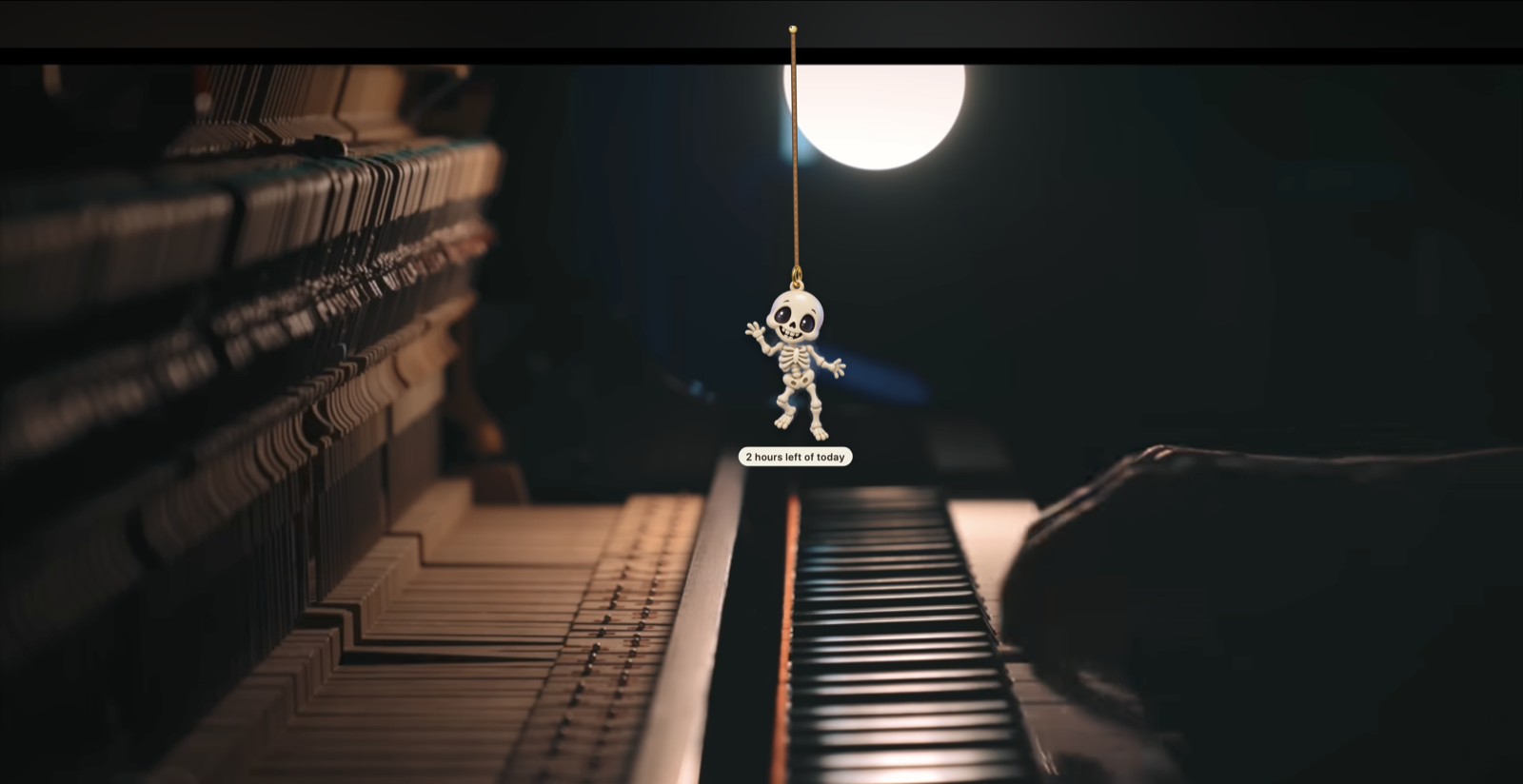
- Fidget toy: flick a charm with your cursor, drag it, let it swing.
- Focus timer: tap Timer Ghost (or use the menu bar). When you finish, every charm does a happy wiggle.
- Make the most of the next 90 days: pick one goal; Banner Bat shows "Day 12 / 90". It's a calendar, not a streak, so nothing ever resets.
- Private by design: 100% offline. No data collected, ever — see Privacy.
Install (no tech skills needed)
⬇ Download Swaybles — Mac, macOS 14 or newer.
- Double-click the downloaded Swaybles.zip.
- Drag Swaybles into your Applications folder.
- First launch only: macOS will say it "could not verify" the app (we haven't paid Apple for notarization — the code is all public, right here). Open System Settings → Privacy & Security, scroll down, click Open Anyway, and confirm.
- Look up! The charms hang from the top of your screen, and Swaybles lives in the menu bar (top-right).
Privacy
Swaybles collects no data. None.
- It never connects to the internet. There is no networking code in the app — no analytics, no crash reporting, no update checks, no "phoning home". You can block it with a firewall and nothing changes.
- No account, no sign-up, no license key. Download it and it's yours.
- It can't see what you're doing. Swaybles never reads your screen, your windows, your keystrokes or your files. The only things it knows are: the current time, the focus timer you start, and how long the mouse and keyboard have been idle (so the charms can doze while you're away).
- Your photos stay home. A photo you hang as a charm is copied into the app's own folder on your Mac and never leaves it.
- Everything is stored locally (your settings, goal and focus wins) and deleted with the app.
Don't take our word for it — this is the entire source code, right here in this repo.
Run it from source (Mac, macOS 14+)
You need Xcode (free, Mac App Store).
cd mac
swift run Swaybles      # or: open Package.swift, then ⌘R in Xcode
swift test              # or ⌘U in Xcode
Swaybles lives in the menu bar (✨). Open Swaybles Studio from there (⌘,) to pick charms, set your 90-day goal and choose a rope.
Make a download
mac/scripts/make-app.sh # → mac/dist/Swaybles-<version>.zip
Without a paid Apple Developer account the app isn't notarized, so the first launch is right-click → Open.
Adding charms
Art comes from Imagine Art using the template in docs/ART.md. Save the PNG to art/raw/<pack>/<id>.png, add the
charm to tools/packs.json, then:
npm install          # once
npm run charms <pack>
npm run charms:review <pack>
Repo map
| Folder | What |
|---|---|
mac/ | The app (Swift). See CLAUDE.md for the code map. |
docs/ | PRD, art spec, 90-day charm calendar |
tools/ | Art importer, contact sheet, promo-video recorder |
art/raw/ | Original Imagine Art images |
src/ | Old Electron version (kept for the art pipeline; being retired) |
Code: MIT. Charm images: see ART-LICENSE.
Similar repos


Languages
Swift
59.1%
JavaScript
33.8%
HTML
5.3%
Shell
1.8%
See what people are saying
README
Swaybles
Tiny charms that hang from the top of your Mac screen, swing with real rope physics, and cheer you on. A gentle focus buddy, made for ADHD brains. Free and open source.
https://github.com/user-attachments/assets/83c76ddd-3cf0-400b-ad3a-4ef0acb147b8
- Fidget toy: flick a charm with your cursor, drag it, let it swing.
- Focus timer: tap Timer Ghost (or use the menu bar). When you finish, every charm does a happy wiggle.
- Make the most of the next 90 days: pick one goal; Banner Bat shows "Day 12 / 90". It's a calendar, not a streak, so nothing ever resets.
- Private by design: 100% offline. No data collected, ever — see Privacy.
Install (no tech skills needed)
⬇ Download Swaybles — Mac, macOS 14 or newer.
- Double-click the downloaded Swaybles.zip.
- Drag Swaybles into your Applications folder.
- First launch only: macOS will say it "could not verify" the app (we haven't paid Apple for notarization — the code is all public, right here). Open System Settings → Privacy & Security, scroll down, click Open Anyway, and confirm.
- Look up! The charms hang from the top of your screen, and Swaybles lives in the menu bar (top-right).
Privacy
Swaybles collects no data. None.
- It never connects to the internet. There is no networking code in the app — no analytics, no crash reporting, no update checks, no "phoning home". You can block it with a firewall and nothing changes.
- No account, no sign-up, no license key. Download it and it's yours.
- It can't see what you're doing. Swaybles never reads your screen, your windows, your keystrokes or your files. The only things it knows are: the current time, the focus timer you start, and how long the mouse and keyboard have been idle (so the charms can doze while you're away).
- Your photos stay home. A photo you hang as a charm is copied into the app's own folder on your Mac and never leaves it.
- Everything is stored locally (your settings, goal and focus wins) and deleted with the app.
Don't take our word for it — this is the entire source code, right here in this repo.
Run it from source (Mac, macOS 14+)
You need Xcode (free, Mac App Store).
cd mac
swift run Swaybles      # or: open Package.swift, then ⌘R in Xcode
swift test              # or ⌘U in Xcode
Swaybles lives in the menu bar (✨). Open Swaybles Studio from there (⌘,) to pick charms, set your 90-day goal and choose a rope.
Make a download
mac/scripts/make-app.sh # → mac/dist/Swaybles-<version>.zip
Without a paid Apple Developer account the app isn't notarized, so the first launch is right-click → Open.
Adding charms
Art comes from Imagine Art using the template in docs/ART.md. Save the PNG to art/raw/<pack>/<id>.png, add the
charm to tools/packs.json, then:
npm install          # once
npm run charms <pack>
npm run charms:review <pack>
Repo map
| Folder | What |
|---|---|
mac/ | The app (Swift). See CLAUDE.md for the code map. |
docs/ | PRD, art spec, 90-day charm calendar |
tools/ | Art importer, contact sheet, promo-video recorder |
art/raw/ | Original Imagine Art images |
src/ | Old Electron version (kept for the art pipeline; being retired) |
Code: MIT. Charm images: see ART-LICENSE.
Similar repos
Languages
Swift
59.1%
JavaScript
33.8%
HTML
5.3%
Shell
1.8%