
A realistic hourglass ⏳ that floats on your Mac's desktop. The sand actually behaves like sand. Free, open source, with a 25-minute Pomodoro preset.
See the codeSee what people are saying
README
Sand Timer
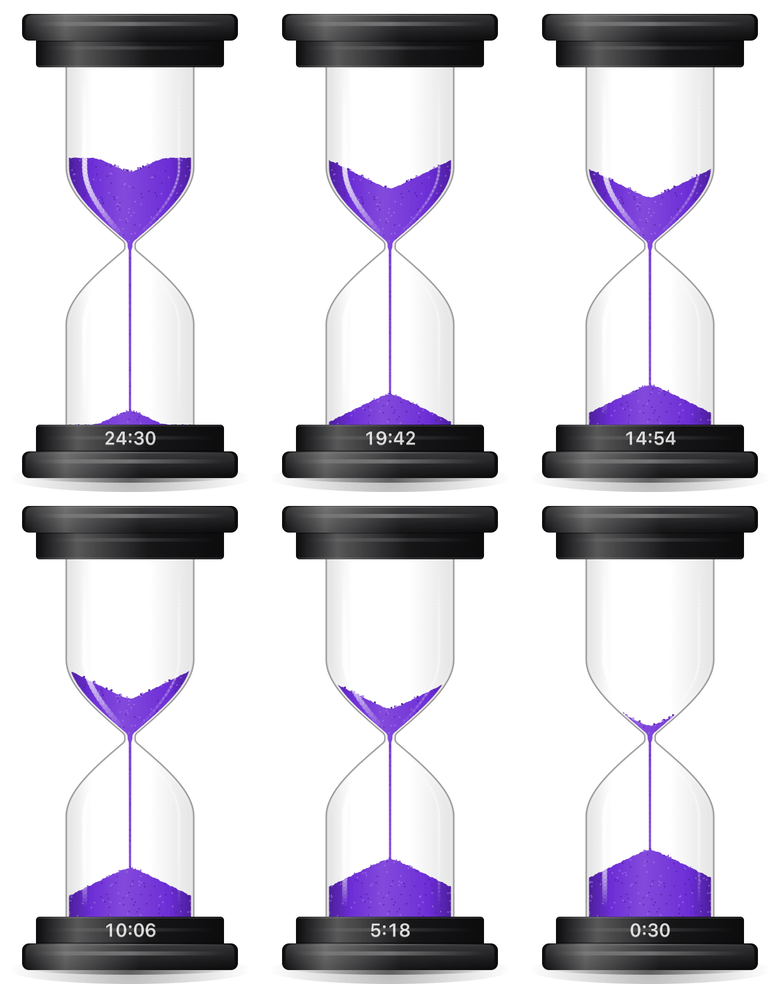
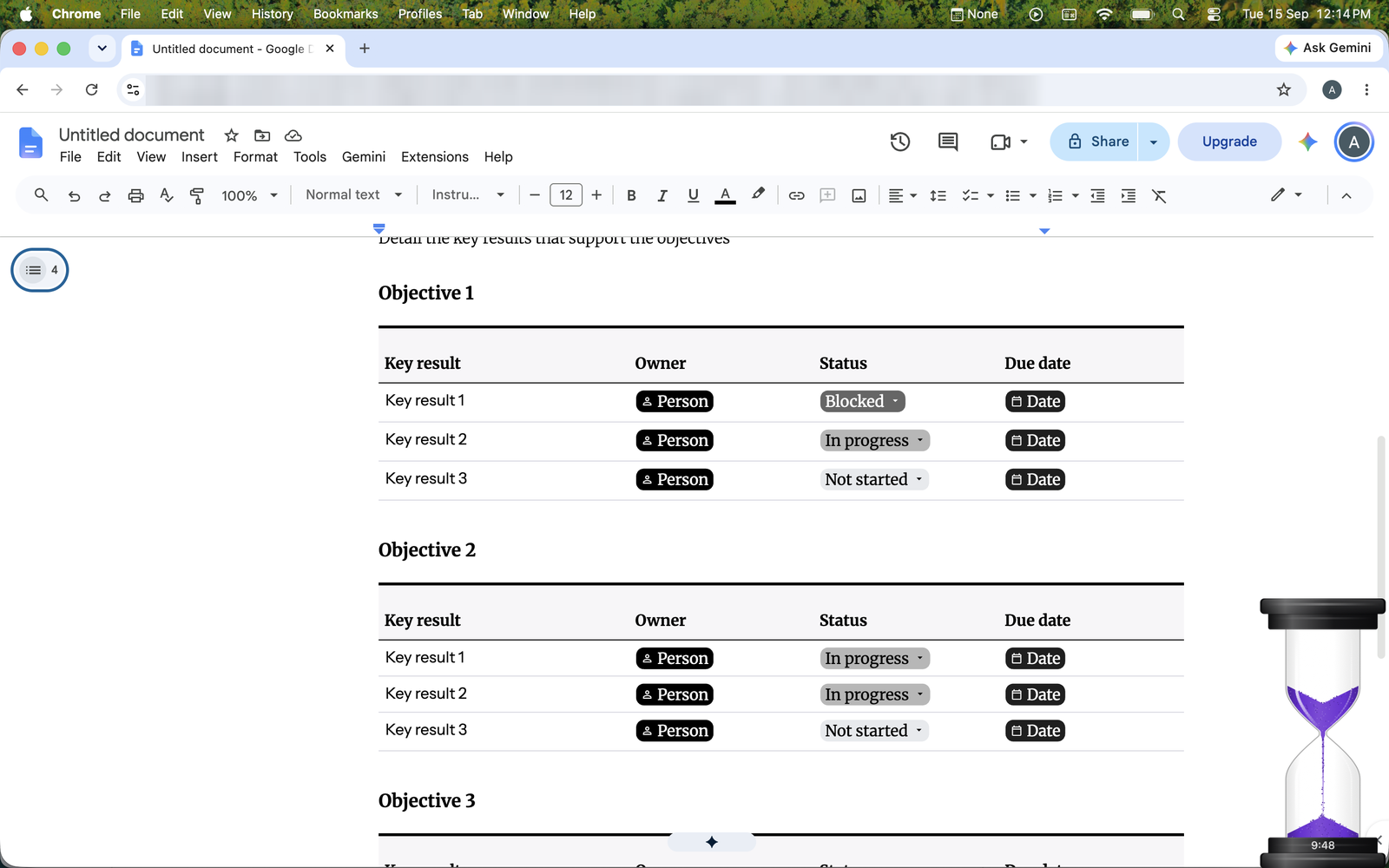
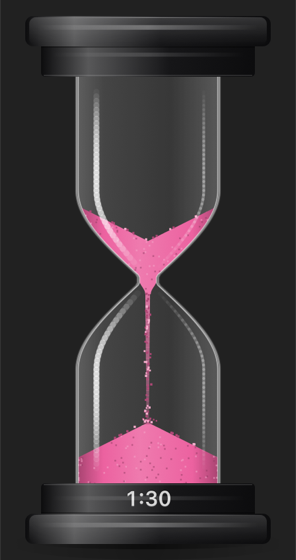
A sand timer that sits on your Mac's desktop, above your other windows. Click it to start, and watch the sand run.
Get it
- Download the .dmg from the latest release.
- Open it and drag Sand Timer into Applications.
- Open it from Applications. No security warning, no setup, no account.
Works on macOS 13 Ventura or later, on both Apple Silicon and Intel Macs.
The timer has no window of its own and no icon in the Dock — it simply appears on your desktop, sitting above whatever you are working in.
Using it
- Click it to start. Click again to pause — it tips onto its side — and once more to carry on.
- Drag it wherever you like. Let go and it drops to the bottom of the screen.
- Push the top sideways to tilt it, the way you would nudge a real one. Let go and it rocks back upright; push too far and it topples over and pauses. Lift a toppled timer back up by its top, or pull the top upward to pick it up.
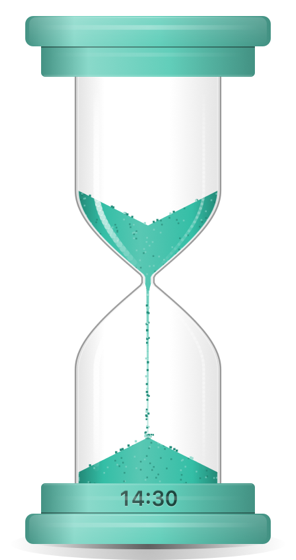
- Right-click for everything else: how long to run (1 to 60 minutes, including a 25-minute 🍅 Pomodoro and 6- and 12-minute blocks for billing time), Appearance for the colour of the sand, the style of the base and how big it is, whether it makes sounds (including an optional gentle chime each minute), whether it starts when you log in, whether it stays where you drop it or falls to the bottom of the screen, whether Claude and Shortcuts may work it, and hiding it in the menu bar.
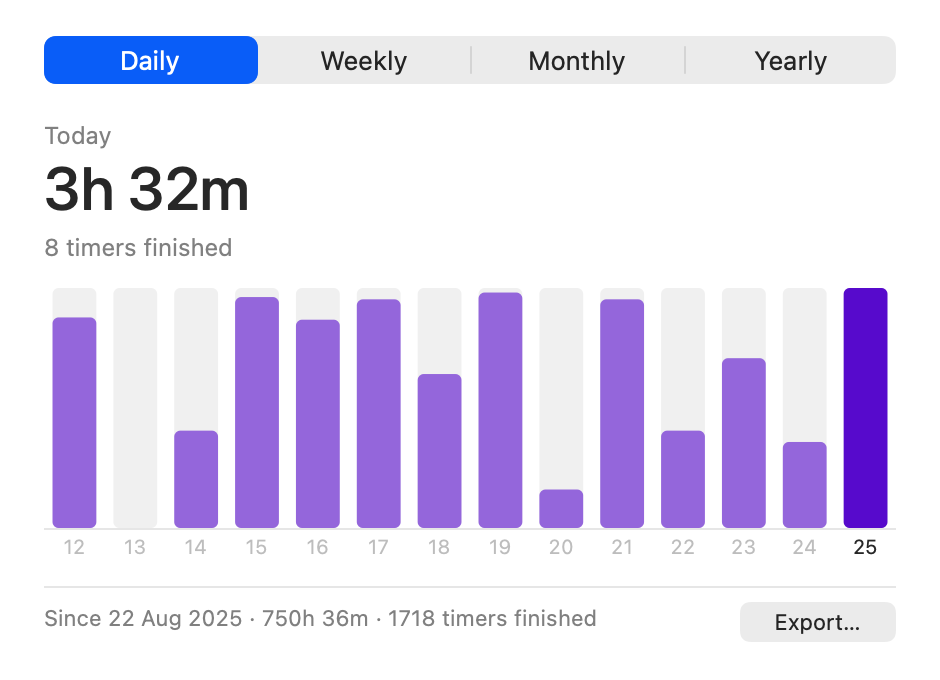
- Statistics…, in that menu, keeps a tally: how long the sand ran and how many timers you finished, day by day, week by week, month by month and year by year. Hover a bar to read that day off. It counts only time the sand was actually running, and it never leaves your Mac — unless you ask it to: Export… saves the whole record as a CSV file, grouped the way you are looking at it, for a spreadsheet or a timesheet.
The app checks once a day whether a newer version has been released, and if there is one the menu offers it — it only ever opens the release page in your browser, and downloads and installs nothing by itself. The menu's Check for Updates turns that off, and with it off the app makes no network calls at all. Both sit at the foot of the menu, beside the line that says which version you are running.
When the time is up it chimes. If you would rather keep it out of the way, hide it to the menu bar and the time left shows up there instead, where you can pause, resume and restart it and change the sounds. It carries on as it was, sounds and all: what you hear follows the menu, not whether the timer is on screen.
The sound of the falling sand is off to begin with; turn it up under Sand Sounds in the menu whenever you want to hear it.
What it does
The sand behaves like sand. A crater deepens in the top as it drains, a pile builds up underneath, and the stream loosens as it falls. A short timer gets a wide neck and a thick stream, and a long one a narrow neck and a fine trickle, so the sand always finishes when it should.
Pick it up and drop it, shake it, or knock it over, and the sand reacts the way you would expect. Flip it and the display in the base turns over with it.
The sounds were made to match what you are seeing: sand landing on glass at first, then on sand as the pile grows, a rattle while you shake it, and a chime at the end.
Ask Claude about your time
The app ships a small MCP server, so Claude can read the record and answer questions about it — "how much did I focus this week?", "which days do I actually get deep work done?", "put September's hours in my invoice". Point Claude at it once.
Claude Code, one line:
claude mcp add sand-timer -- /Applications/SandTimer.app/Contents/MacOS/sand-timer-mcp
Claude Desktop: open Settings → Developer → Edit Config, which opens
~/Library/Application Support/Claude/claude_desktop_config.json, and add the timer under
mcpServers:
{
  "mcpServers": {
    "sand-timer": {
      "command": "/Applications/SandTimer.app/Contents/MacOS/sand-timer-mcp"
    }
  }
}
If the file already has other servers, add "sand-timer" beside them rather than replacing
the block — and mind the commas, since Claude Desktop ignores the whole file if the JSON is
invalid. Quit Claude Desktop and open it again; the timer then appears in the tools menu.
It reads what the Statistics window shows — time run and timers finished, by day, week, month or year, plus the same CSV the Export button writes — and it can tell you what the timer is doing right now. It makes no network calls and nothing is uploaded. Nothing runs until Claude asks it something.
Claude can also work the timer for you — "start a 20 minute timer", "pause it" — but only
once you allow it: turn on Control from Claude & Shortcuts in the right-click menu. It
is off to begin with, and turning it off again stops the app listening. With it on, the
timer answers sandtimer:// links, so Shortcuts, a script or open sandtimer://start?minutes=25
in a terminal can start, pause, resume and restart it too.
Support it
Sand Timer is free and open source. If it brightens your desk and you'd like to say thanks, you can sponsor it on GitHub or buy me a coffee on Ko-fi. It's entirely optional, and the app will always be free.


Building from source: see BUILDING.md. Released under the MIT License.
Contributors

58 commits
Similar repos


Languages
Swift
97.2%
Shell
2.8%
A realistic hourglass ⏳ that floats on your Mac's desktop. The sand actually behaves like sand. Free, open source, with a 25-minute Pomodoro preset.
See the codeSee what people are saying
README
Sand Timer
A sand timer that sits on your Mac's desktop, above your other windows. Click it to start, and watch the sand run.
Get it
- Download the .dmg from the latest release.
- Open it and drag Sand Timer into Applications.
- Open it from Applications. No security warning, no setup, no account.
Works on macOS 13 Ventura or later, on both Apple Silicon and Intel Macs.
The timer has no window of its own and no icon in the Dock — it simply appears on your desktop, sitting above whatever you are working in.
Using it
- Click it to start. Click again to pause — it tips onto its side — and once more to carry on.
- Drag it wherever you like. Let go and it drops to the bottom of the screen.
- Push the top sideways to tilt it, the way you would nudge a real one. Let go and it rocks back upright; push too far and it topples over and pauses. Lift a toppled timer back up by its top, or pull the top upward to pick it up.
- Right-click for everything else: how long to run (1 to 60 minutes, including a 25-minute 🍅 Pomodoro and 6- and 12-minute blocks for billing time), Appearance for the colour of the sand, the style of the base and how big it is, whether it makes sounds (including an optional gentle chime each minute), whether it starts when you log in, whether it stays where you drop it or falls to the bottom of the screen, whether Claude and Shortcuts may work it, and hiding it in the menu bar.
- Statistics…, in that menu, keeps a tally: how long the sand ran and how many timers you finished, day by day, week by week, month by month and year by year. Hover a bar to read that day off. It counts only time the sand was actually running, and it never leaves your Mac — unless you ask it to: Export… saves the whole record as a CSV file, grouped the way you are looking at it, for a spreadsheet or a timesheet.
The app checks once a day whether a newer version has been released, and if there is one the menu offers it — it only ever opens the release page in your browser, and downloads and installs nothing by itself. The menu's Check for Updates turns that off, and with it off the app makes no network calls at all. Both sit at the foot of the menu, beside the line that says which version you are running.
When the time is up it chimes. If you would rather keep it out of the way, hide it to the menu bar and the time left shows up there instead, where you can pause, resume and restart it and change the sounds. It carries on as it was, sounds and all: what you hear follows the menu, not whether the timer is on screen.
The sound of the falling sand is off to begin with; turn it up under Sand Sounds in the menu whenever you want to hear it.
What it does
The sand behaves like sand. A crater deepens in the top as it drains, a pile builds up underneath, and the stream loosens as it falls. A short timer gets a wide neck and a thick stream, and a long one a narrow neck and a fine trickle, so the sand always finishes when it should.
Pick it up and drop it, shake it, or knock it over, and the sand reacts the way you would expect. Flip it and the display in the base turns over with it.
The sounds were made to match what you are seeing: sand landing on glass at first, then on sand as the pile grows, a rattle while you shake it, and a chime at the end.
Ask Claude about your time
The app ships a small MCP server, so Claude can read the record and answer questions about it — "how much did I focus this week?", "which days do I actually get deep work done?", "put September's hours in my invoice". Point Claude at it once.
Claude Code, one line:
claude mcp add sand-timer -- /Applications/SandTimer.app/Contents/MacOS/sand-timer-mcp
Claude Desktop: open Settings → Developer → Edit Config, which opens
~/Library/Application Support/Claude/claude_desktop_config.json, and add the timer under
mcpServers:
{
  "mcpServers": {
    "sand-timer": {
      "command": "/Applications/SandTimer.app/Contents/MacOS/sand-timer-mcp"
    }
  }
}
If the file already has other servers, add "sand-timer" beside them rather than replacing
the block — and mind the commas, since Claude Desktop ignores the whole file if the JSON is
invalid. Quit Claude Desktop and open it again; the timer then appears in the tools menu.
It reads what the Statistics window shows — time run and timers finished, by day, week, month or year, plus the same CSV the Export button writes — and it can tell you what the timer is doing right now. It makes no network calls and nothing is uploaded. Nothing runs until Claude asks it something.
Claude can also work the timer for you — "start a 20 minute timer", "pause it" — but only
once you allow it: turn on Control from Claude & Shortcuts in the right-click menu. It
is off to begin with, and turning it off again stops the app listening. With it on, the
timer answers sandtimer:// links, so Shortcuts, a script or open sandtimer://start?minutes=25
in a terminal can start, pause, resume and restart it too.
Support it
Sand Timer is free and open source. If it brightens your desk and you'd like to say thanks, you can sponsor it on GitHub or buy me a coffee on Ko-fi. It's entirely optional, and the app will always be free.
Building from source: see BUILDING.md. Released under the MIT License.
Similar repos
Contributors
58 commits
Languages
Swift
97.2%
Shell
2.8%