Multimodal Region-Specific Refinement for Perfect Local Details





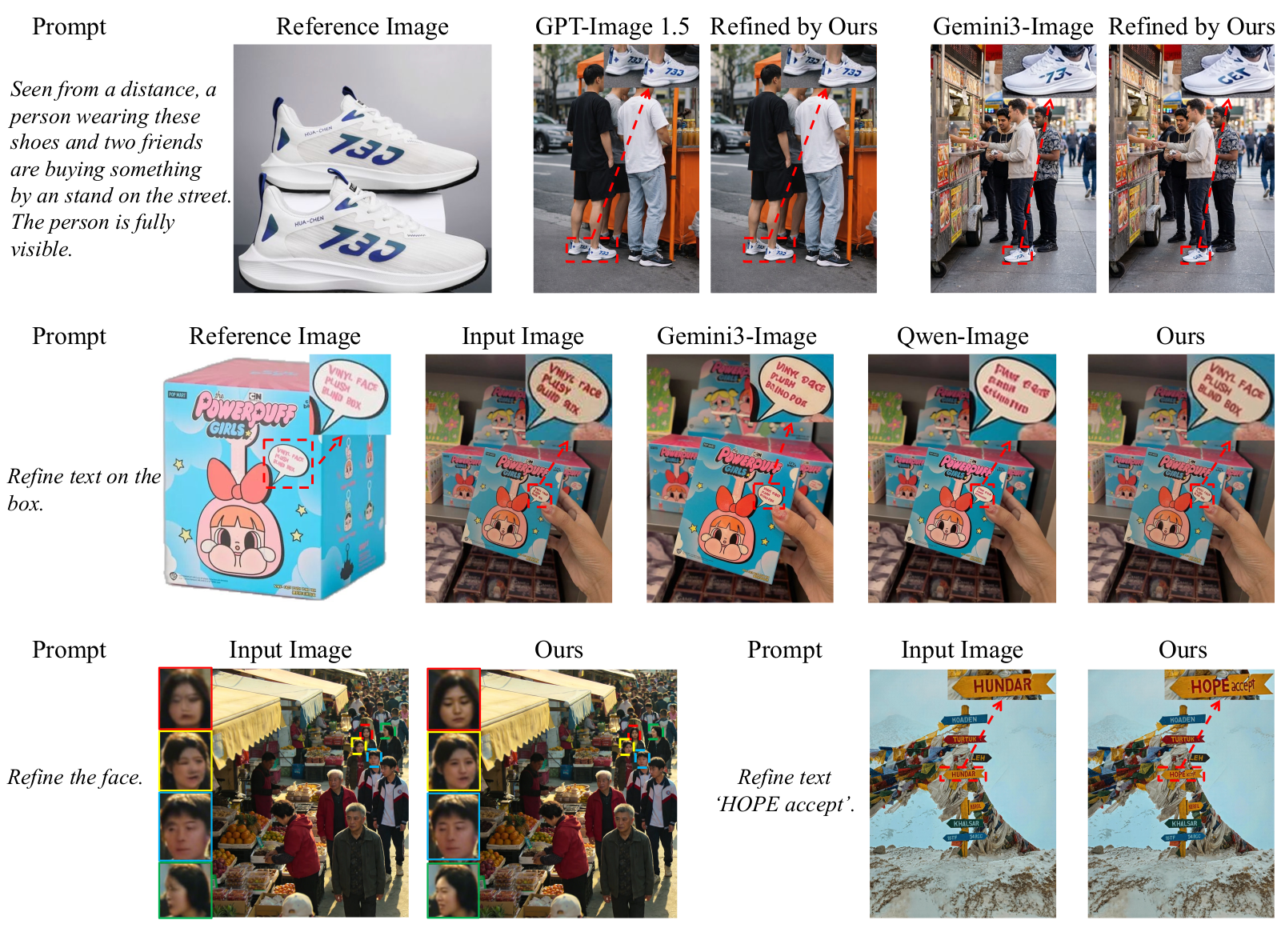
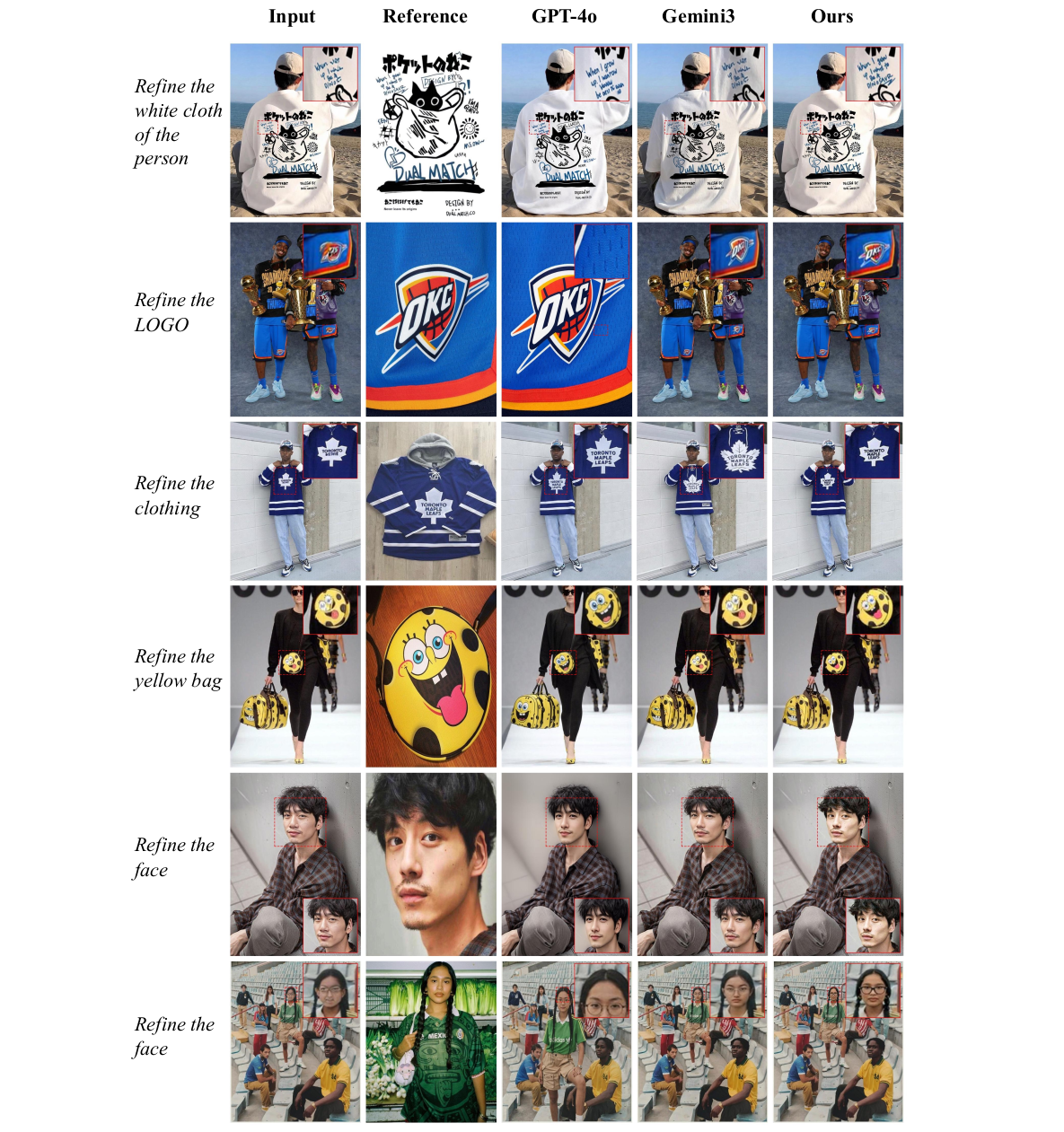
RefineAnything targets region-specific image refinement: given an input image and a user-specified region (e.g., scribble mask or bounding box), it restores fine-grained details—text, logos, thin structures—while keeping all non-edited pixels unchanged. It supports both reference-based and reference-free refinement.
requirement.txt: diffusers==0.36.0, transformers==4.55.0, safetensors==0.5.3, peft==0.17.0. See Environment Notice below for a visual comparison.app.py) is available for interactive testing.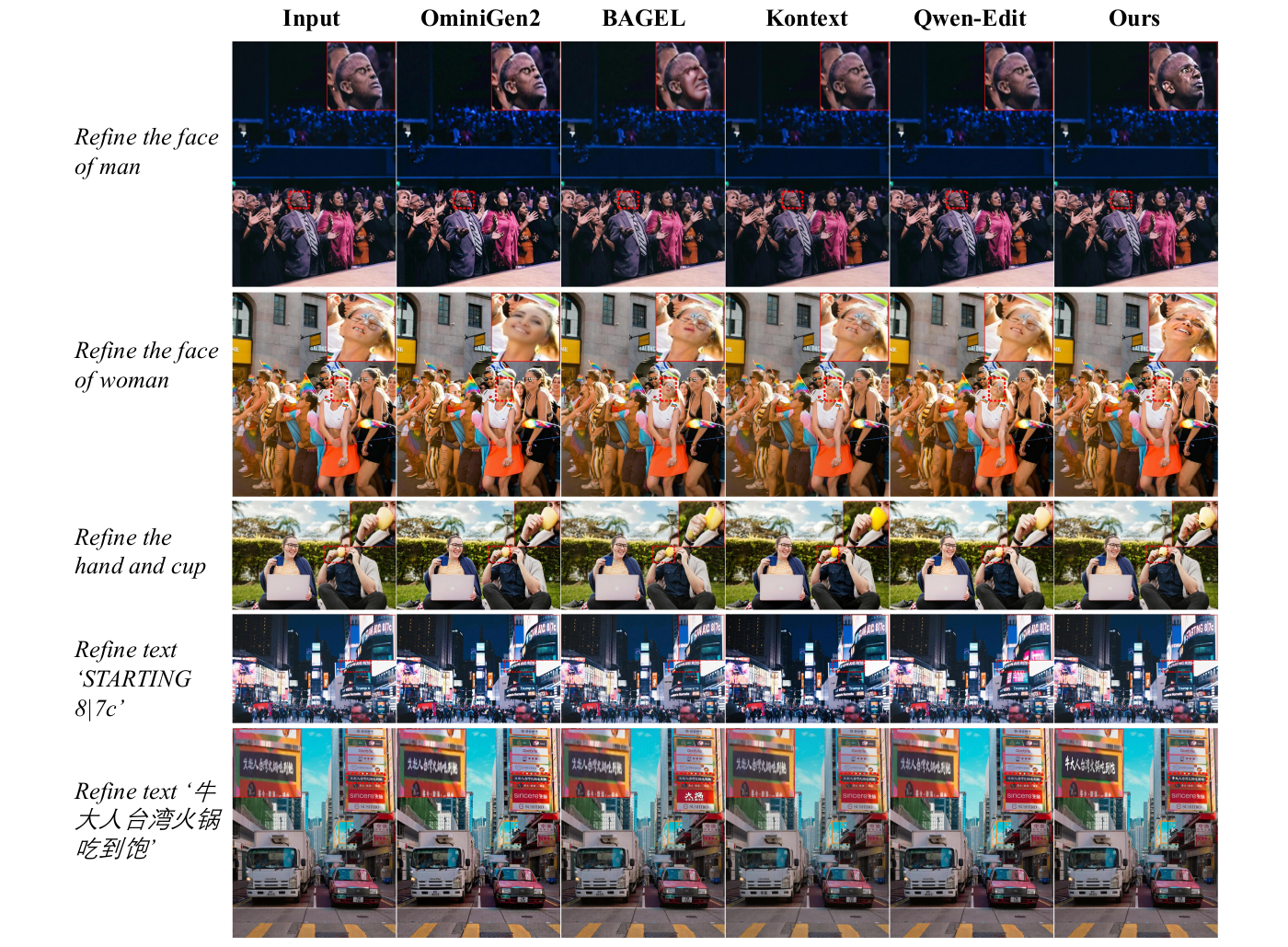
pip install -r requirement.txt
Important — pin these versions exactly. RefineAnything is sensitive to small numerical differences in the underlying libraries. Please install exactly the versions below; using newer or older releases can cause visible artifacts such as color shifts in the refined region.
diffusers==0.36.0
transformers==4.55.0
safetensors==0.5.3
peft==0.17.0
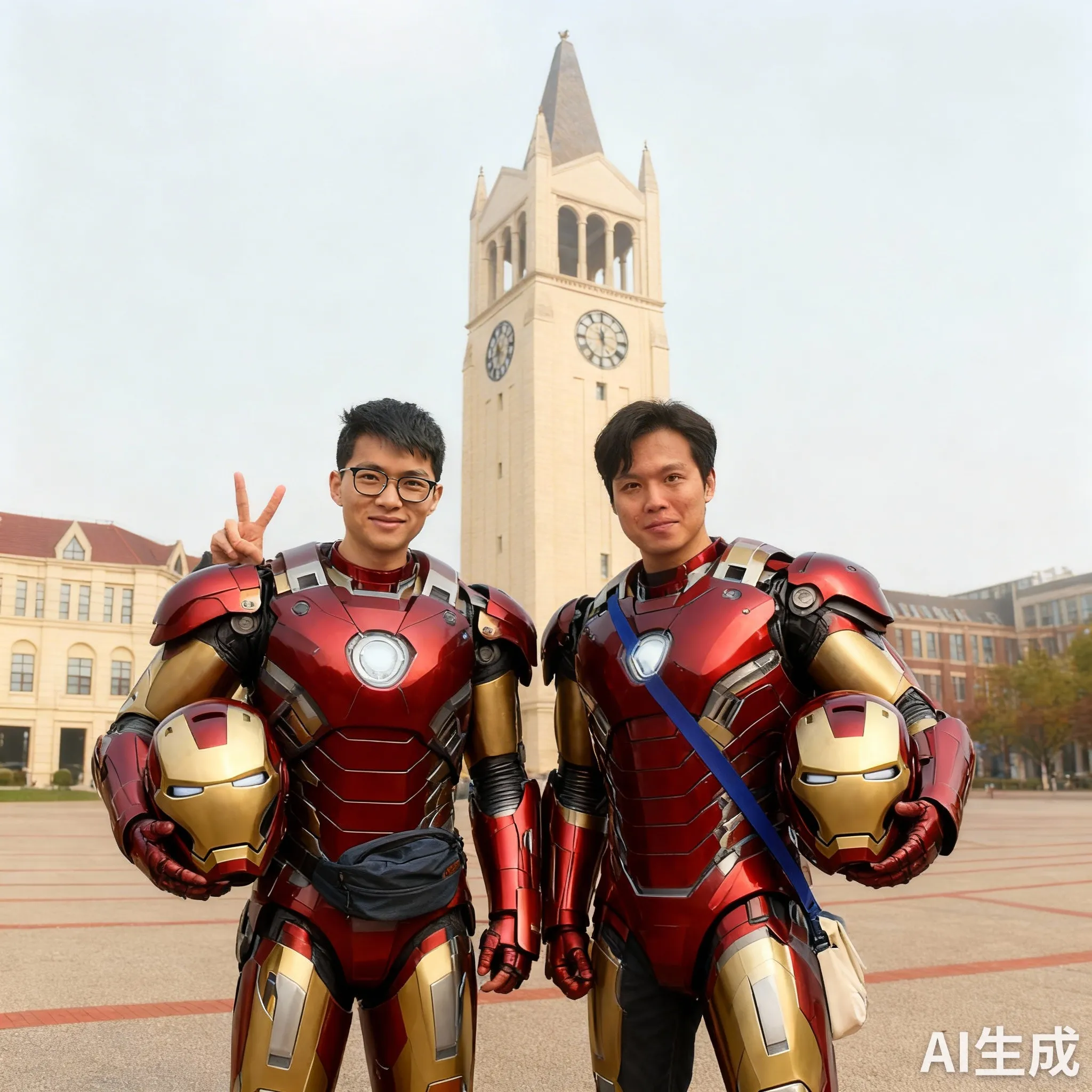
We have observed that mismatched versions of diffusers / transformers / safetensors / peft can introduce color shifts in the refined region, even when everything else is identical. The example below uses the prompt "remove the hand":
| Input (masked region = hand) | Correct environment | Wrong environment (color shift) |
 | 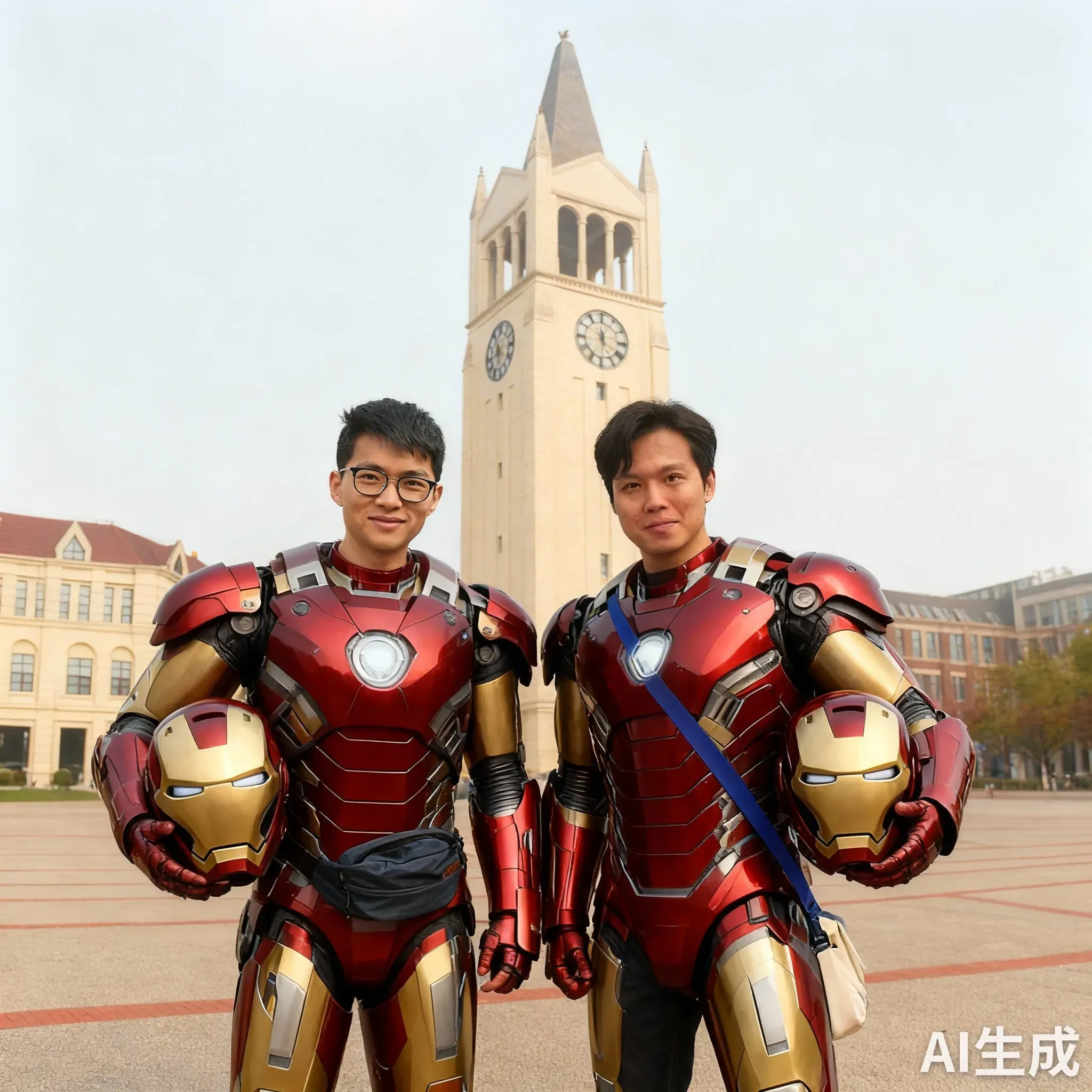 | 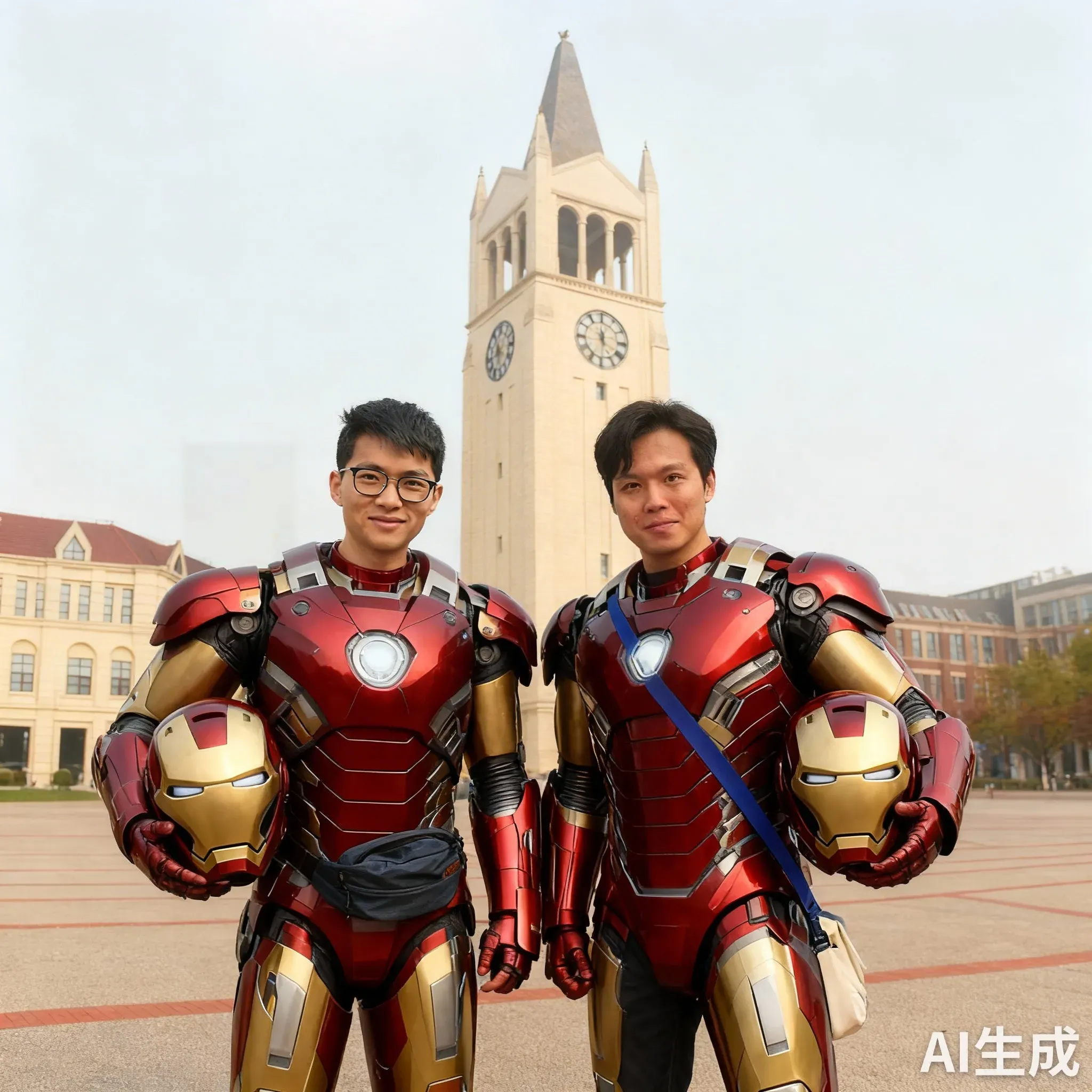 |
If your output shows a mild color/tone mismatch inside the mask while the rest of the image looks fine, the first thing to check is your package versions.
Only three things are required to run RefineAnything:
| Argument | Description |
|---|---|
--input | Source image |
--mask | Binary mask (white = region to refine) |
--prompt | What to refine |
--ref | (optional) Reference image for guided refinement |
Refine a blurry logo on a pillow using a reference image.
python scripts/fast_inference.py \
    --input  src/input1.png \
    --mask   src/mask1.png \
    --prompt "Refine the LOGO." \
    --ref    src/ref1.png \
    --output output/demo1.png
| Input | Reference | Prompt |
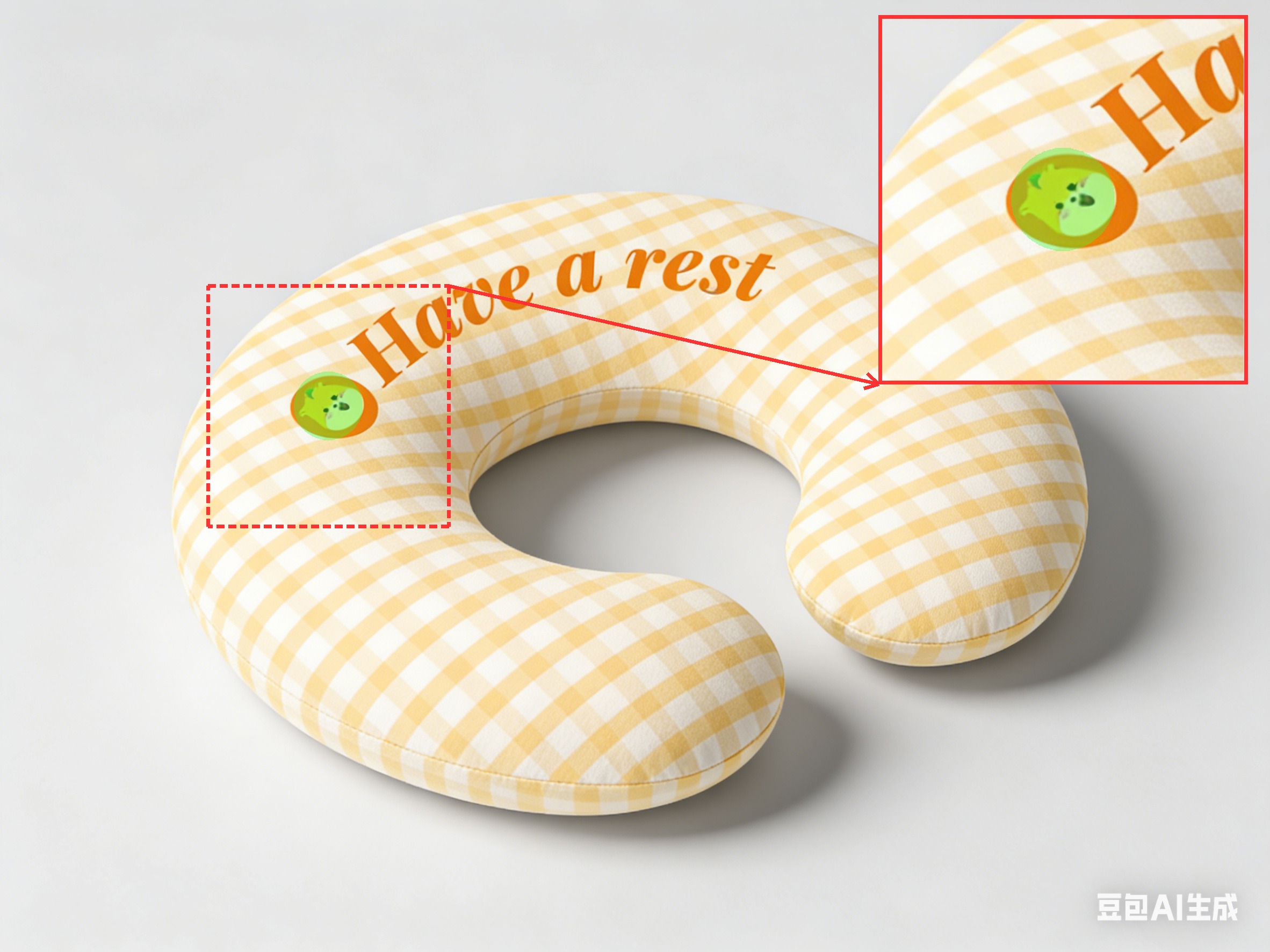 | 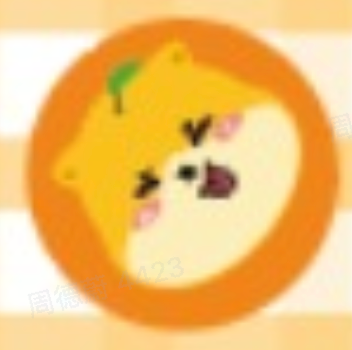 | "Refine the LOGO." |
| Output | ||
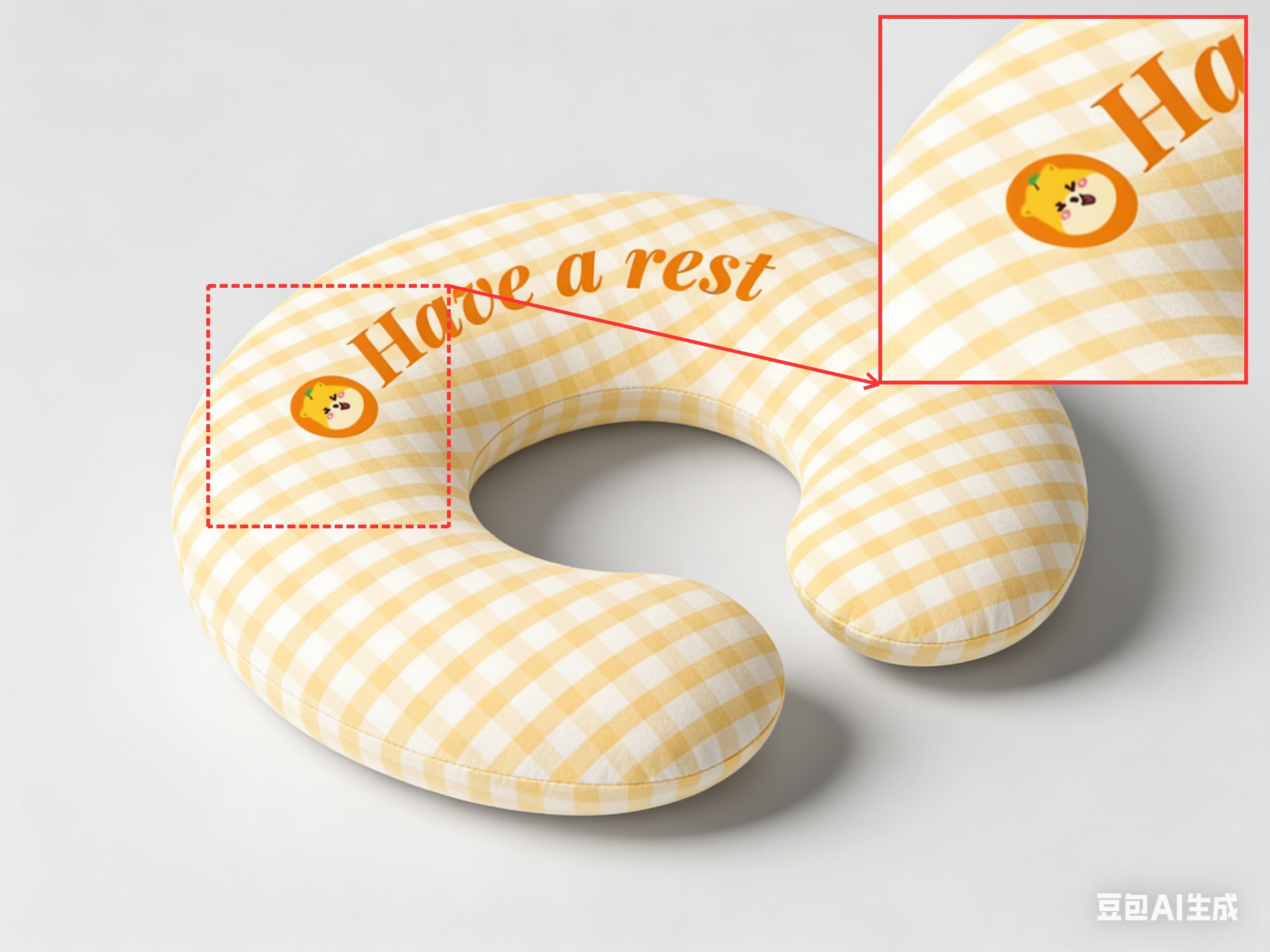 | ||
Refine blurry Chinese text on a building sign — no reference image needed.
python scripts/fast_inference.py \
    --input  src/input2.png \
    --mask   src/mask2.png \
    --prompt "refine the text '鼎好商城'" \
    --output output/demo2.png
| Input | Prompt |
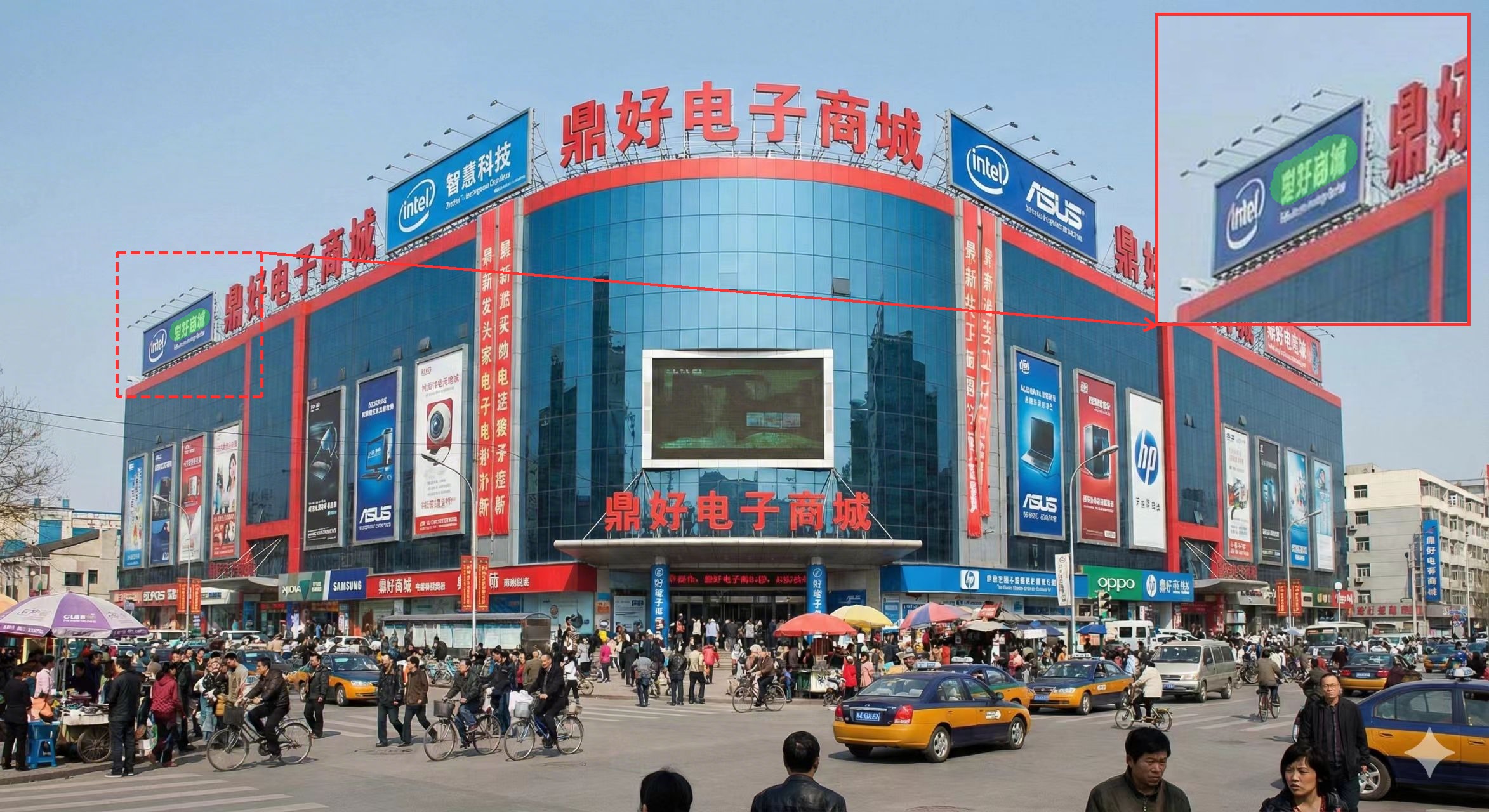 | "refine the text '鼎好商城'" |
| Output | |
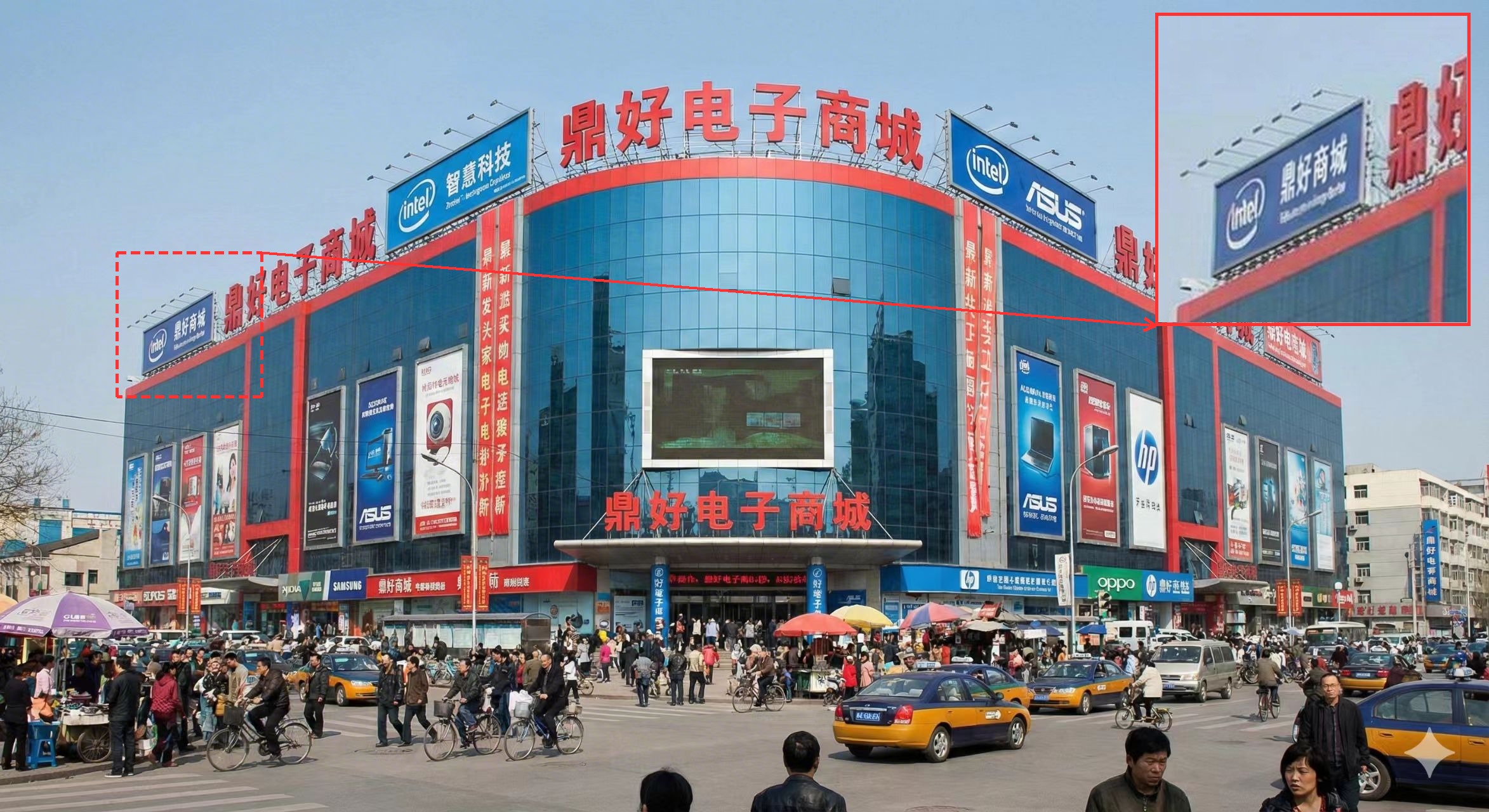 | |
We also provide a Gradio-based web UI for interactive testing. You can brush regions, upload reference images, and adjust all inference parameters in the browser.
python app.py
Then open http://localhost:7860 in your browser. The app will automatically download the base model (Qwen/Qwen-Image-Edit-2511) and the RefineAnything LoRA from Hugging Face on first launch.
You can specify a custom base model path via the MODEL_DIR environment variable:
MODEL_DIR=/path/to/local/Qwen-Image-Edit-2511 python app.py
Features of the Gradio demo:
If you use this repository, please cite:
@article{zhou2026refineanything,
  title={RefineAnything: Multimodal Region-Specific Refinement for Perfect Local Details},
  author={Zhou, Dewei and Li, You and Yang, Zongxin and Yang, Yi},
  journal={arXiv preprint arXiv:2604.06870},
  year={2026}
}
RefineAnything builds on ideas and components from the broader diffusion and multimodal ecosystem (including Qwen2.5-VL, Qwen-Image, and latent diffusion with VAE + MMDiT). Base model weights and API terms are subject to their respective licenses—verify compliance before redistributing checkpoints or derived weights.
Repository code license: TBD (e.g., Apache-2.0 or MIT)—set LICENSE when you open-source the implementation.
427 followers · starred Apr 2026
102 followers · starred Apr 2026
110 followers · starred Apr 2026
164 followers · starred Apr 2026
Multimodal Region-Specific Refinement for Perfect Local Details
RefineAnything targets region-specific image refinement: given an input image and a user-specified region (e.g., scribble mask or bounding box), it restores fine-grained details—text, logos, thin structures—while keeping all non-edited pixels unchanged. It supports both reference-based and reference-free refinement.
requirement.txt: diffusers==0.36.0, transformers==4.55.0, safetensors==0.5.3, peft==0.17.0. See Environment Notice below for a visual comparison.app.py) is available for interactive testing.
pip install -r requirement.txt
Important — pin these versions exactly. RefineAnything is sensitive to small numerical differences in the underlying libraries. Please install exactly the versions below; using newer or older releases can cause visible artifacts such as color shifts in the refined region.
diffusers==0.36.0
transformers==4.55.0
safetensors==0.5.3
peft==0.17.0
We have observed that mismatched versions of diffusers / transformers / safetensors / peft can introduce color shifts in the refined region, even when everything else is identical. The example below uses the prompt "remove the hand":
| Input (masked region = hand) | Correct environment | Wrong environment (color shift) |
| | |
If your output shows a mild color/tone mismatch inside the mask while the rest of the image looks fine, the first thing to check is your package versions.
Only three things are required to run RefineAnything:
| Argument | Description |
|---|---|
--input | Source image |
--mask | Binary mask (white = region to refine) |
--prompt | What to refine |
--ref | (optional) Reference image for guided refinement |
Refine a blurry logo on a pillow using a reference image.
python scripts/fast_inference.py \
    --input  src/input1.png \
    --mask   src/mask1.png \
    --prompt "Refine the LOGO." \
    --ref    src/ref1.png \
    --output output/demo1.png
| Input | Reference | Prompt |
| | "Refine the LOGO." |
| Output | ||
| ||
Refine blurry Chinese text on a building sign — no reference image needed.
python scripts/fast_inference.py \
    --input  src/input2.png \
    --mask   src/mask2.png \
    --prompt "refine the text '鼎好商城'" \
    --output output/demo2.png
| Input | Prompt |
| "refine the text '鼎好商城'" |
| Output | |
| |
We also provide a Gradio-based web UI for interactive testing. You can brush regions, upload reference images, and adjust all inference parameters in the browser.
python app.py
Then open http://localhost:7860 in your browser. The app will automatically download the base model (Qwen/Qwen-Image-Edit-2511) and the RefineAnything LoRA from Hugging Face on first launch.
You can specify a custom base model path via the MODEL_DIR environment variable:
MODEL_DIR=/path/to/local/Qwen-Image-Edit-2511 python app.py
Features of the Gradio demo:
If you use this repository, please cite:
@article{zhou2026refineanything,
  title={RefineAnything: Multimodal Region-Specific Refinement for Perfect Local Details},
  author={Zhou, Dewei and Li, You and Yang, Zongxin and Yang, Yi},
  journal={arXiv preprint arXiv:2604.06870},
  year={2026}
}
RefineAnything builds on ideas and components from the broader diffusion and multimodal ecosystem (including Qwen2.5-VL, Qwen-Image, and latent diffusion with VAE + MMDiT). Base model weights and API terms are subject to their respective licenses—verify compliance before redistributing checkpoints or derived weights.
Repository code license: TBD (e.g., Apache-2.0 or MIT)—set LICENSE when you open-source the implementation.
427 followers · starred Apr 2026
102 followers · starred Apr 2026
110 followers · starred Apr 2026
164 followers · starred Apr 2026





