[CVPR'25] Official Implementations for Paper - MagicQuill: An Intelligent Interactive Image Editing System
See the code

)

https://github.com/user-attachments/assets/8ee9663a-fef2-484a-a0b7-8427ab590424
There is an HD video on Youtube.
Zichen Liu*,1,2, Yue Yu*,1,2, Hao Ouyang2, Qiuyu Wang2, Ka Leong Cheng1,2, Wen Wang3,2, Zhiheng Liu4, Qifeng Chen†,1, Yujun Shen†,2
1HKUST 2Ant Group 3ZJU 4HKU *equal contribution †corresponding author
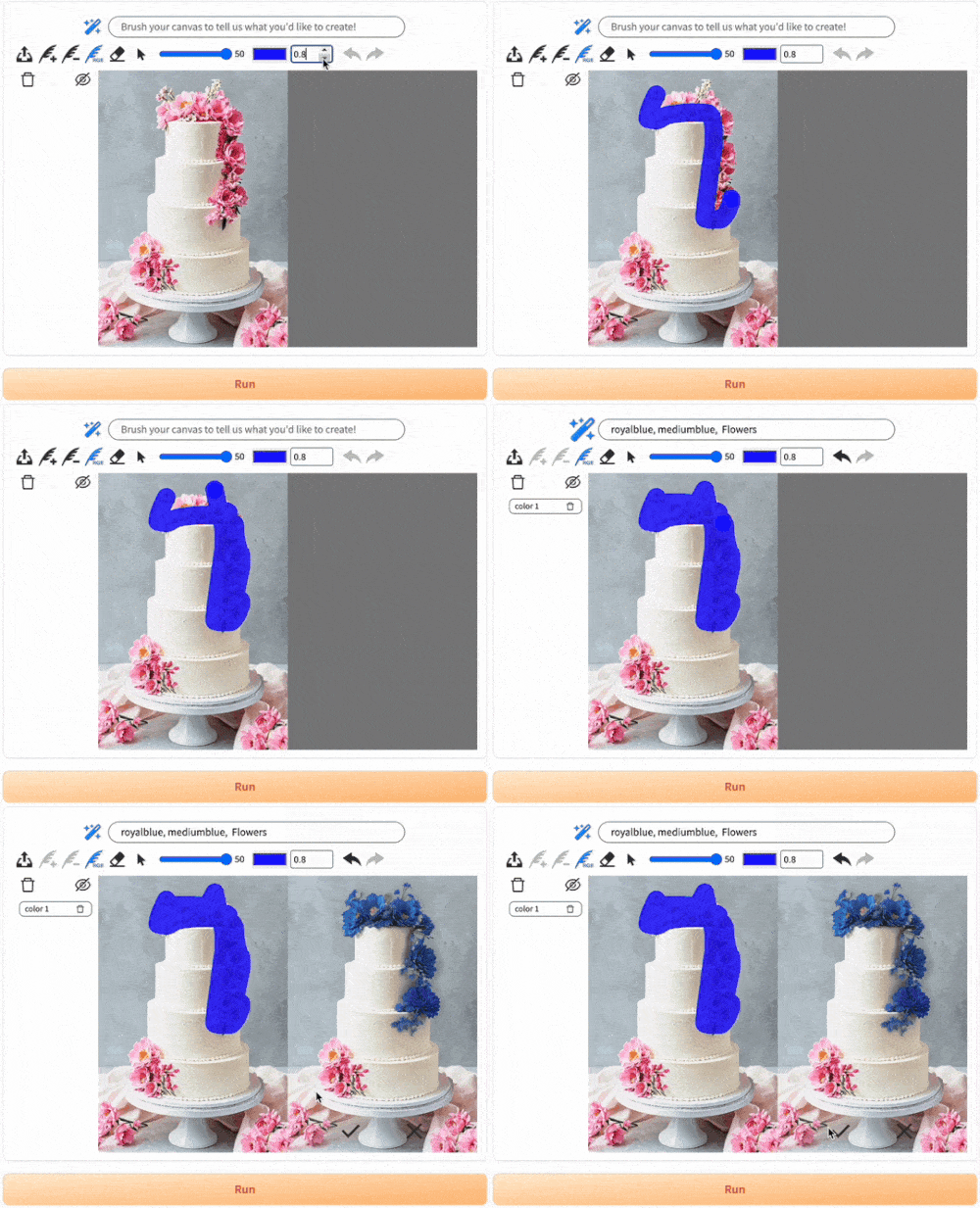
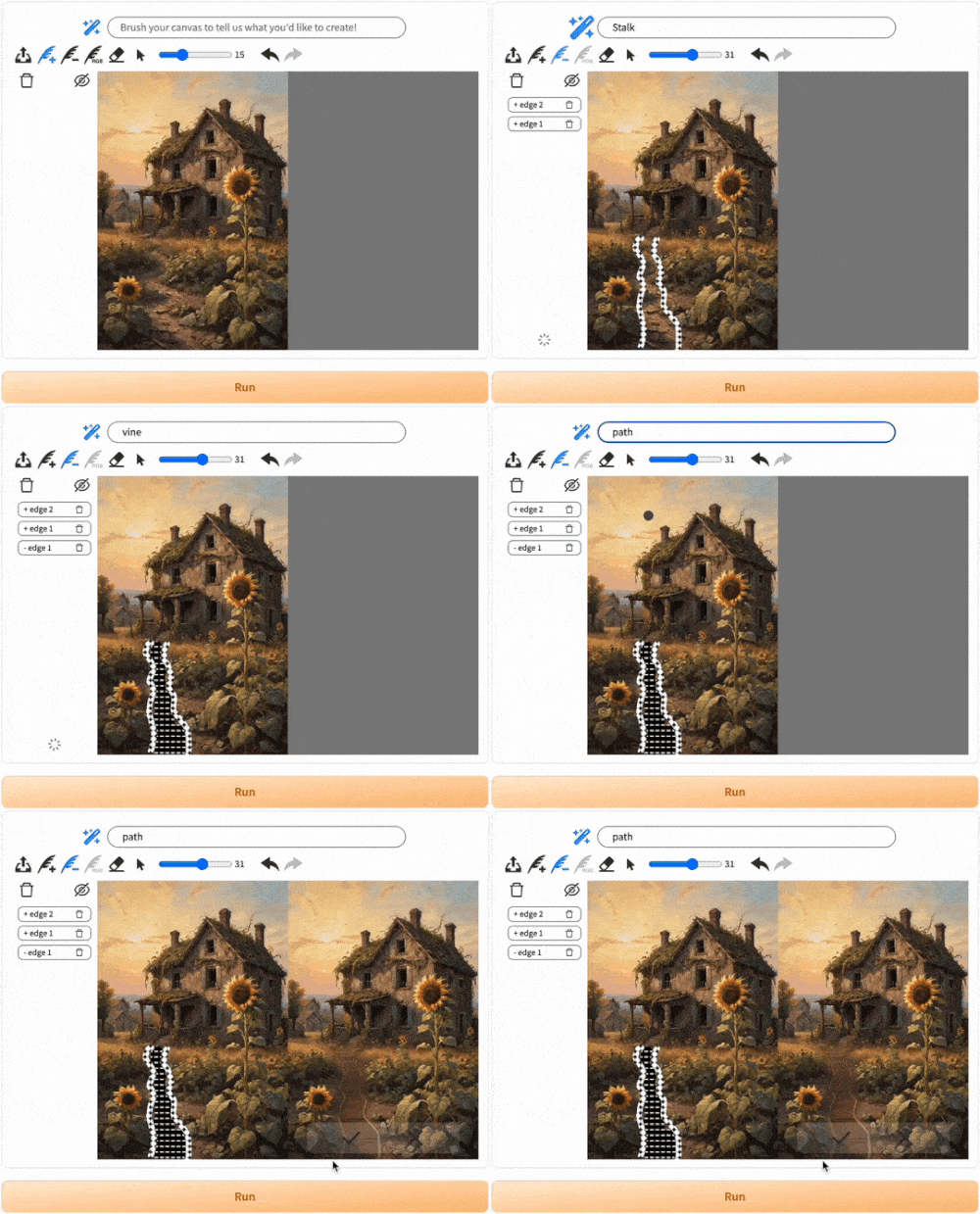
TLDR: MagicQuill is an intelligent and interactive system achieving precise image editing.
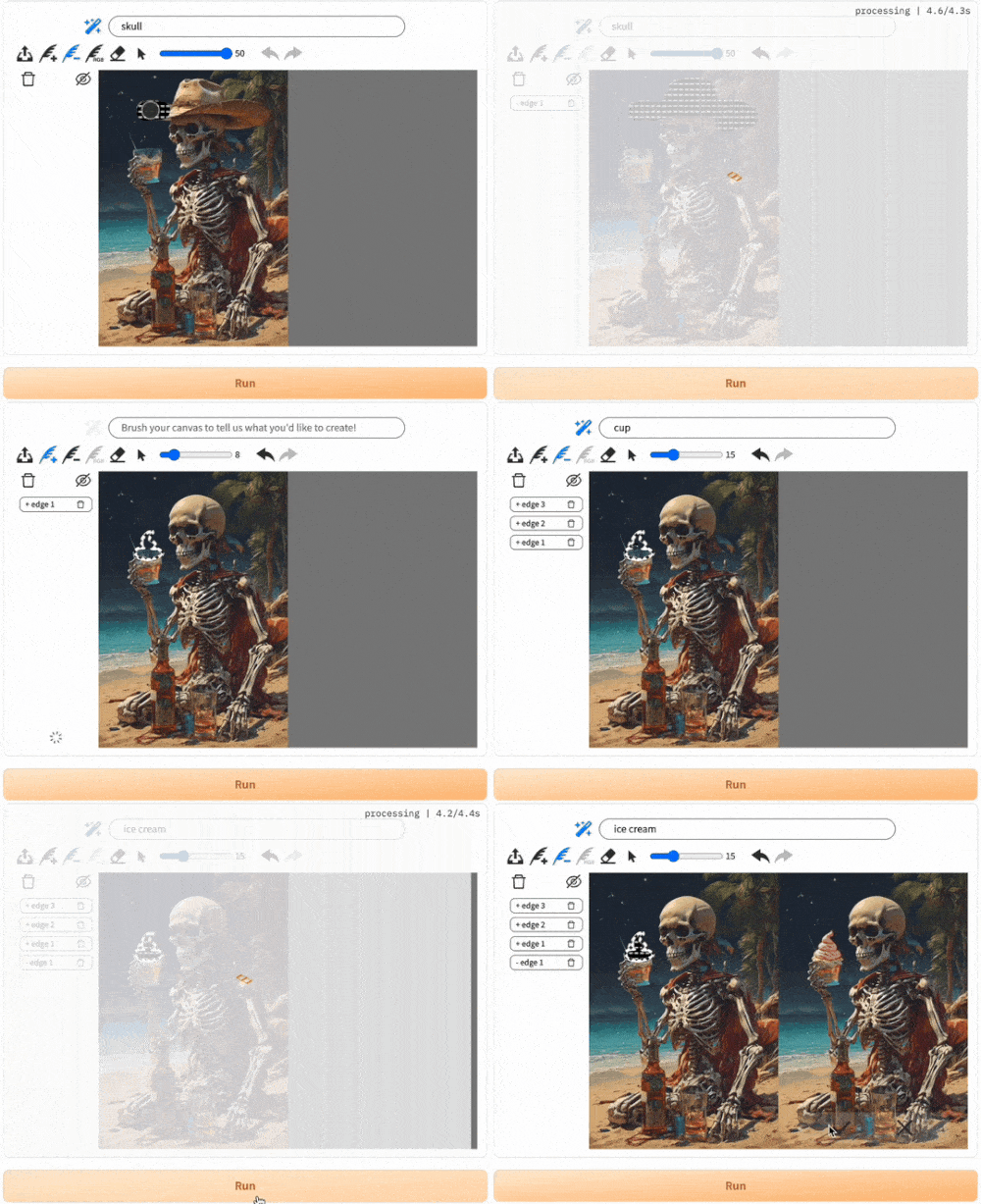
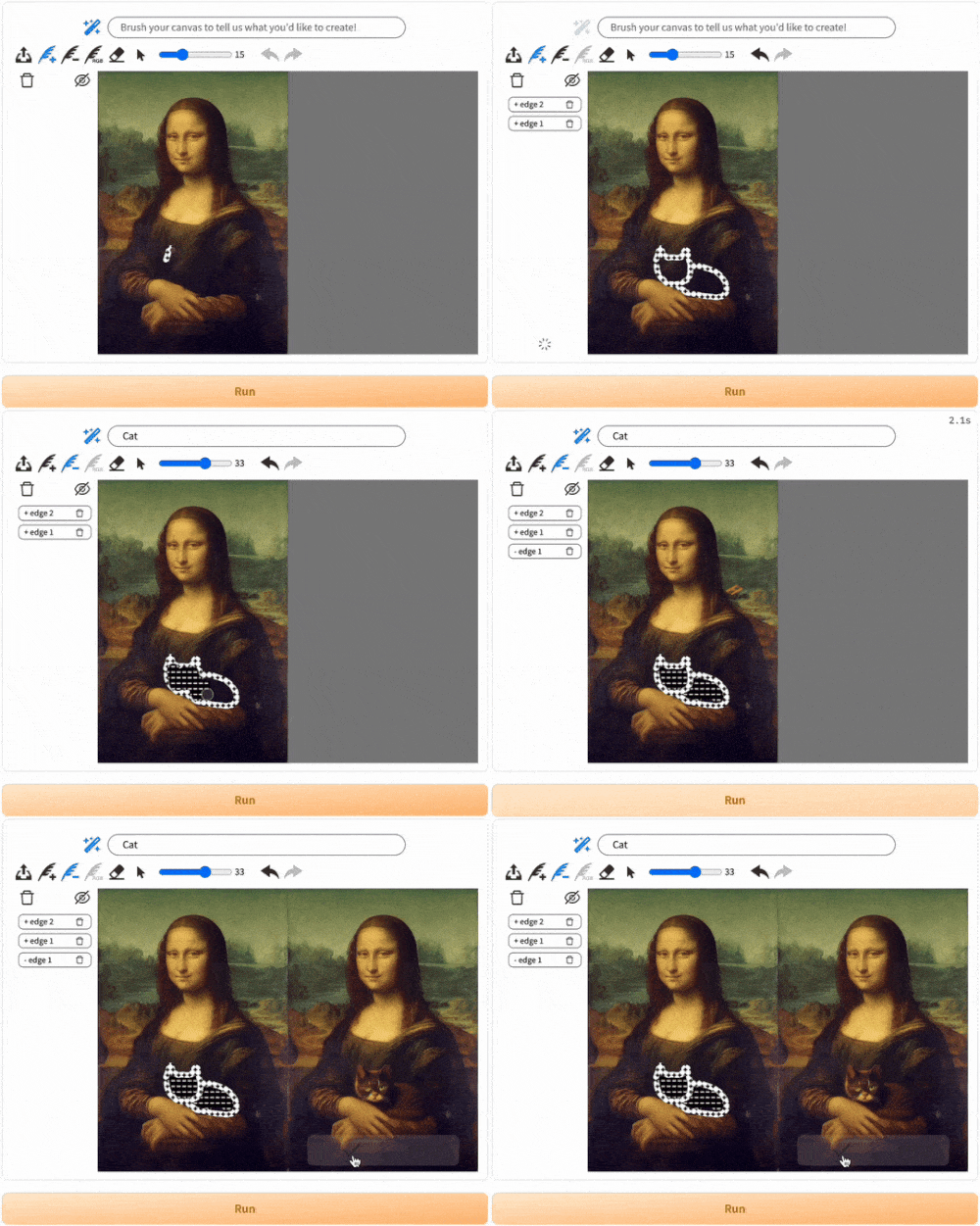
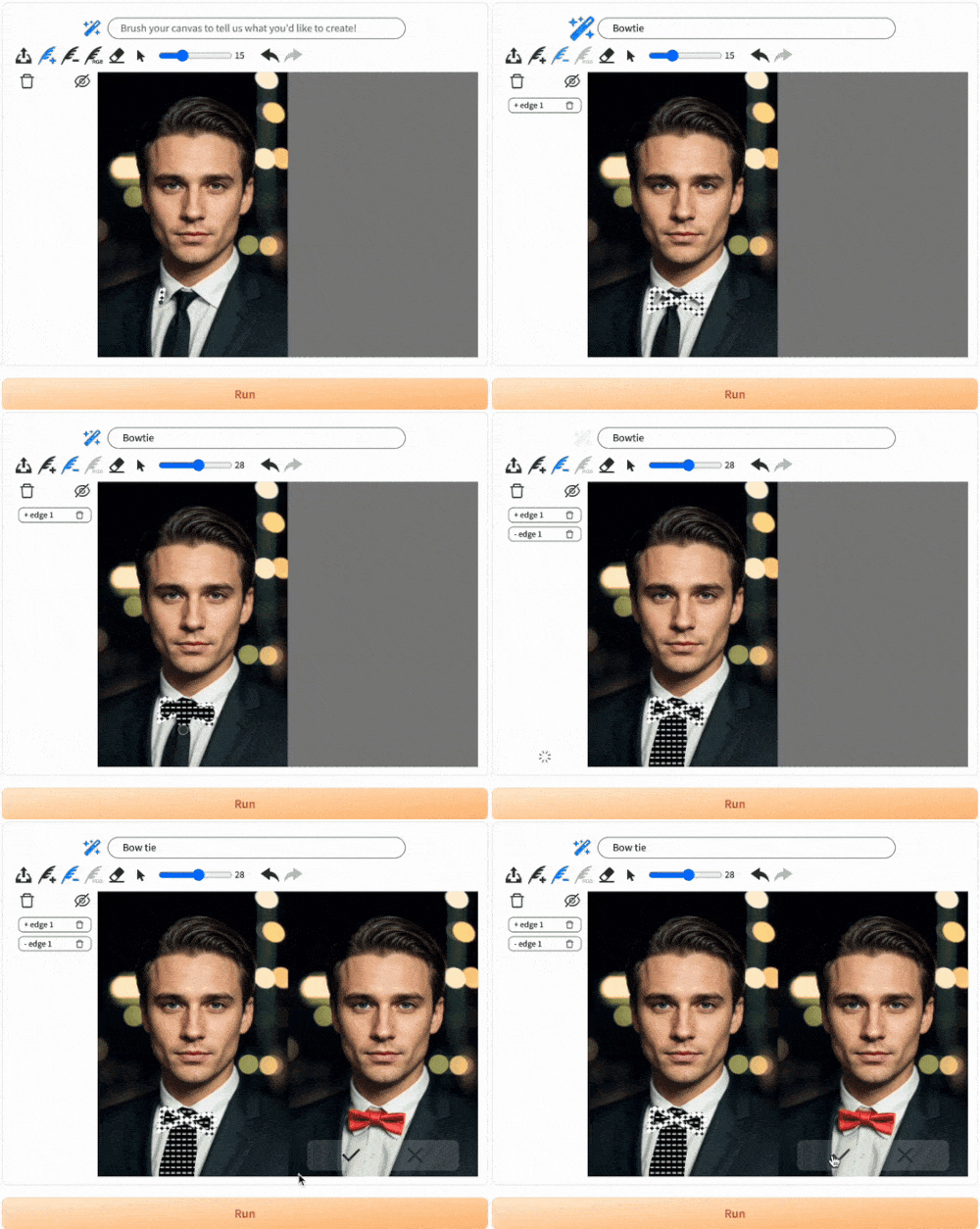
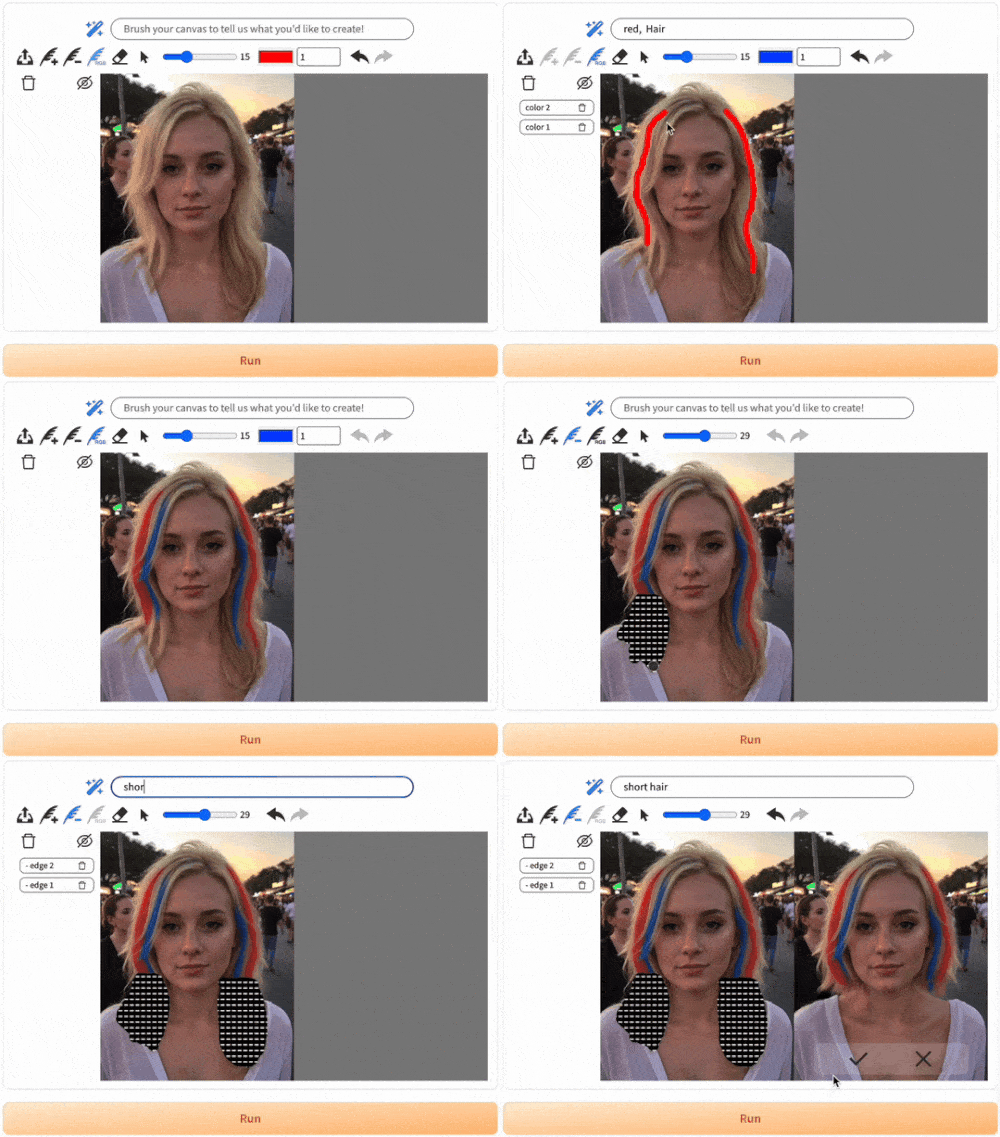
Key Features: 😎 User-friendly interface / 🤖 AI-powered suggestions / 🎨 Precise local editing
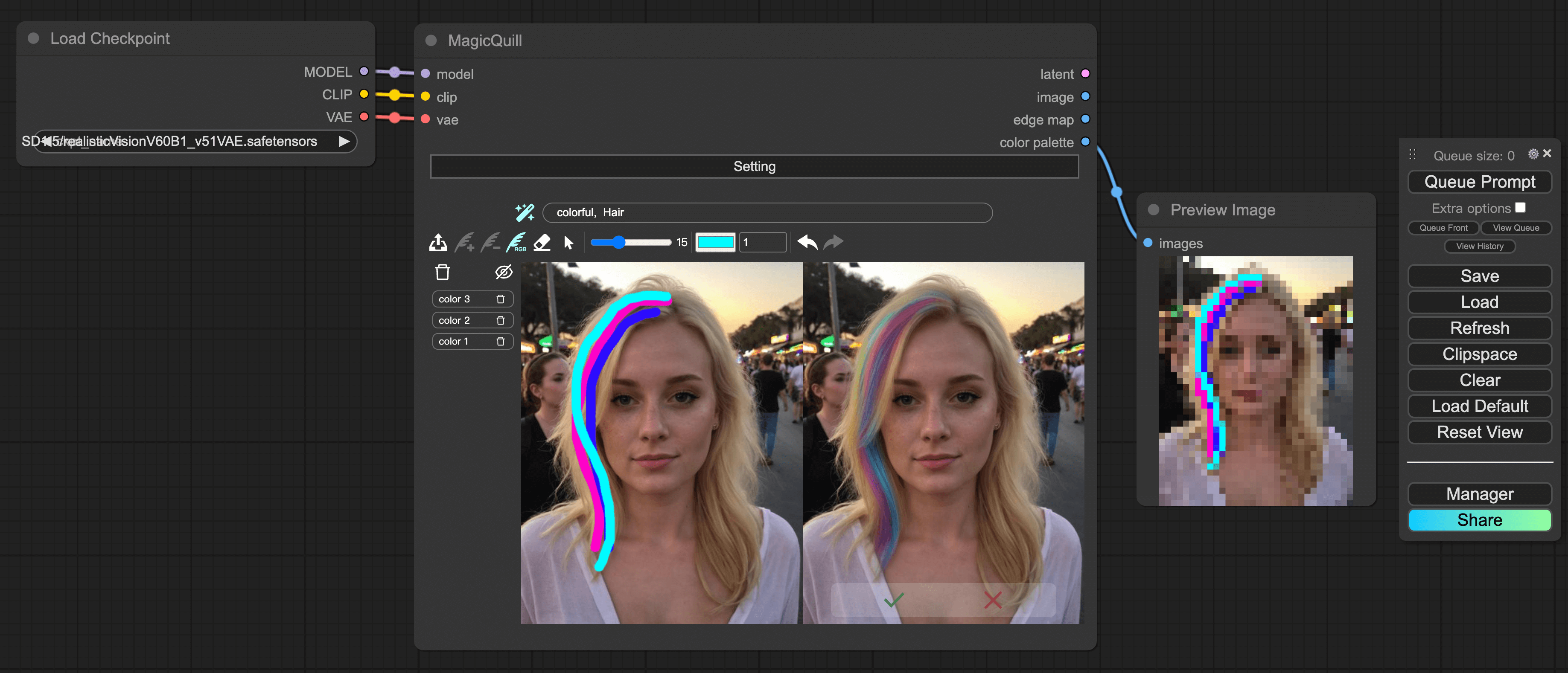
.bat and .sh files for convenient environment install on Windows and Linux. Thanks lior007 and JamesIV4.To update the latest features, pull the latest code and re-install the gradio_magicquill:
pip uninstall -y gradio_magicquill-0.0.1-py3-none-any.whl
pip install gradio_magicquill-0.0.1-py3-none-any.whl
For users with limited GPU resources, please try our Huggingface Demo and Modelscope Demo. Also, consider disabling the DrawNGuess automatic prompt filling by clicking the wand icon above if it takes too long time on your machine.
Follow the following guide to set up the environment.
--recursive flag. Otherwise, you will find LLaVA submodule missing.
git clone --recursive https://github.com/magic-quill/MagicQuill.git
cd MagicQuill
wget -O models.zip "https://hkustconnect-my.sharepoint.com/:u:/g/personal/zliucz_connect_ust_hk/EWlGF0WfawJIrJ1Hn85_-3gB0MtwImAnYeWXuleVQcukMg?e=Gcjugg&download=1"
unzip models.zip
If you are a Windows user, you may try to use windows_setup.bat to conveniently install environments, just enter windows_setup.bat in your Python shell. For Linux user, check linux_setup.sh.
Alternatively, follow the step-by-step installation guide.
create environment
conda create -n MagicQuill python=3.10 -y
conda activate MagicQuill
install torch with GPU support
pip install torch==2.1.2 torchvision==0.16.2 torchaudio==2.1.2 --index-url https://download.pytorch.org/whl/cu118
install the interface
pip install gradio_magicquill-0.0.1-py3-none-any.whl
install llava environment
(For Linux)
cp -f pyproject.toml MagicQuill/LLaVA/
pip install -e MagicQuill/LLaVA/
or
(For Windows)
copy /Y pyproject.toml MagicQuill\LLaVA\
pip install -e MagicQuill\LLaVA\
(For Windows PowerShell, the first line should be Copy-Item -Path pyproject.toml -Destination "MagicQuill\LLaVA" -Force)
install the remaining environment
pip install -r requirements.txt
run magicquill
python gradio_run.py
If you are mainland user, you may try export HF_ENDPOINT=https://hf-mirror.com to use huggingface mirror to facilitate the download of some necessary checkpoints to run our system.
You can build a docker container with MagicQuill as follows:
git clone repo. Please don't forget the --recursive flag. Otherwise, you will find LLaVA submodule missing.
git clone --recursive https://github.com/magic-quill/MagicQuill.git
cd MagicQuill
download and unzip checkpoints
wget -O models.zip "https://hkustconnect-my.sharepoint.com/:u:/g/personal/zliucz_connect_ust_hk/EWlGF0WfawJIrJ1Hn85_-3gB0MtwImAnYeWXuleVQcukMg?e=Gcjugg&download=1"
unzip models.zip
If the .zip file is not accessible, download it via browser. All checkpoints are about 25 GB in total. It may take some time to download. Alternatively, check our checkpoints at huggingface.
Note: these can be located anywhere on the host computer, but Docker Compose expects them to be in /data/magicquill/models by default. Update docker-compose.yaml if you unzip them to another location.
build the image
docker compose build
run the image
docker compose up -d
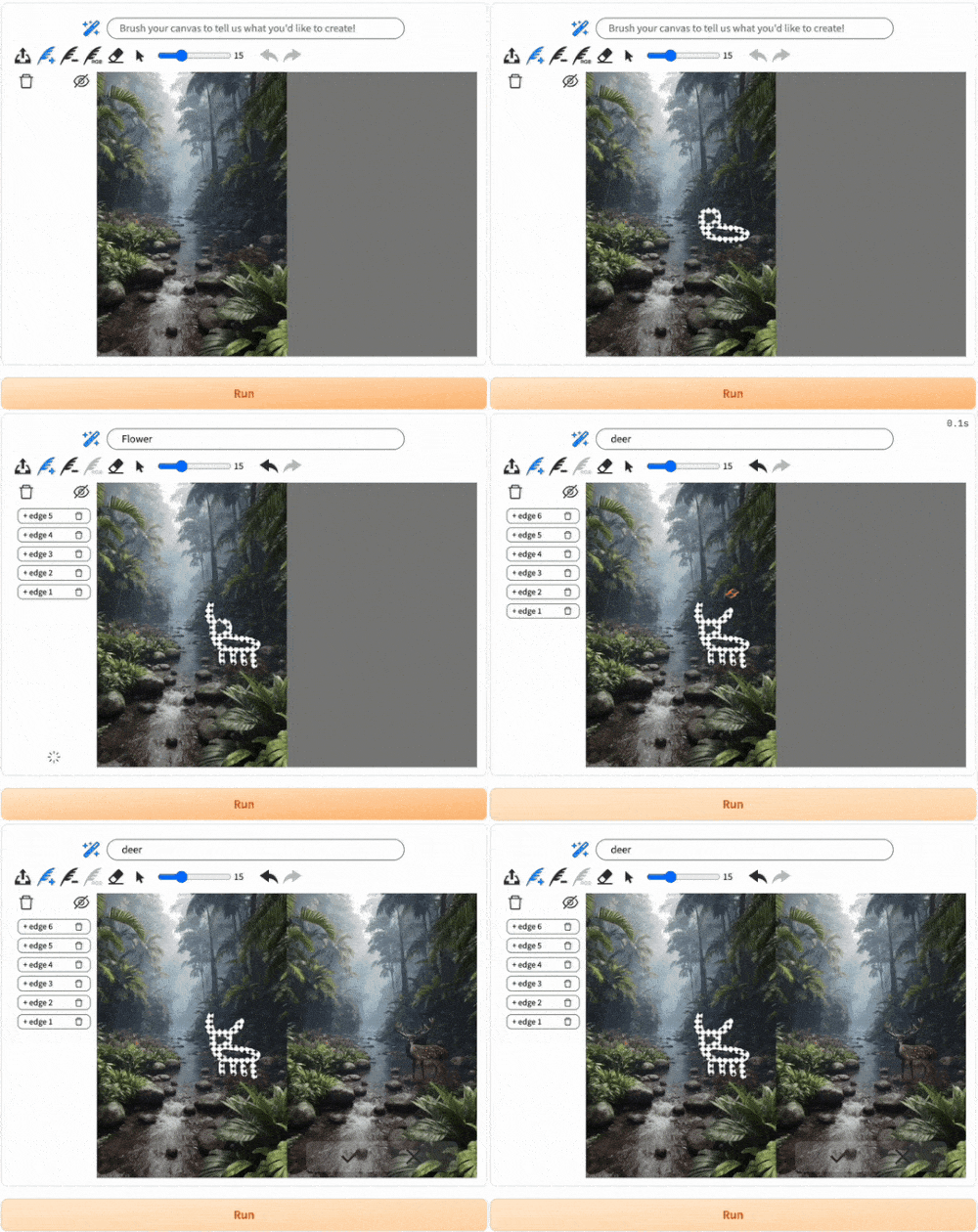
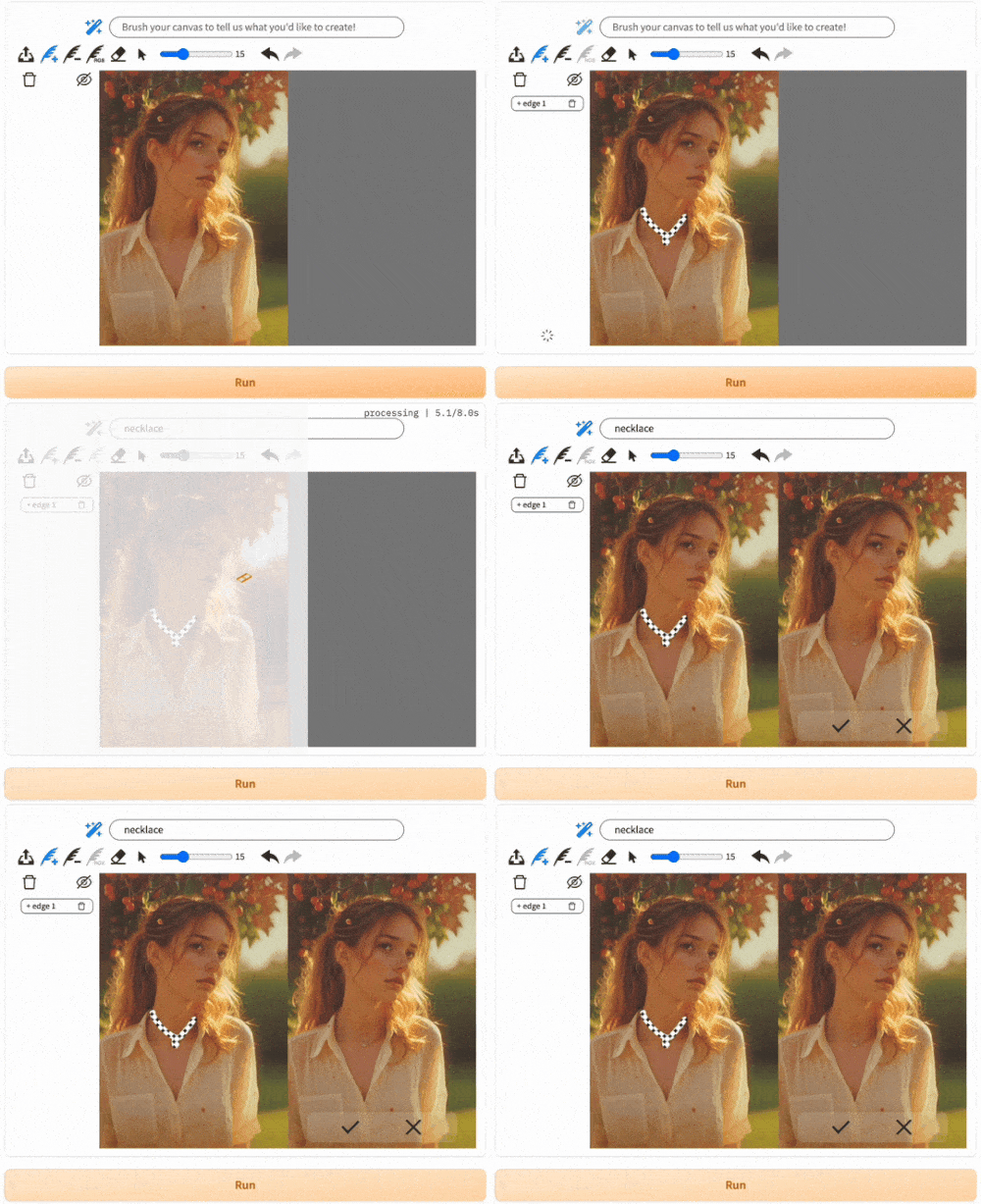
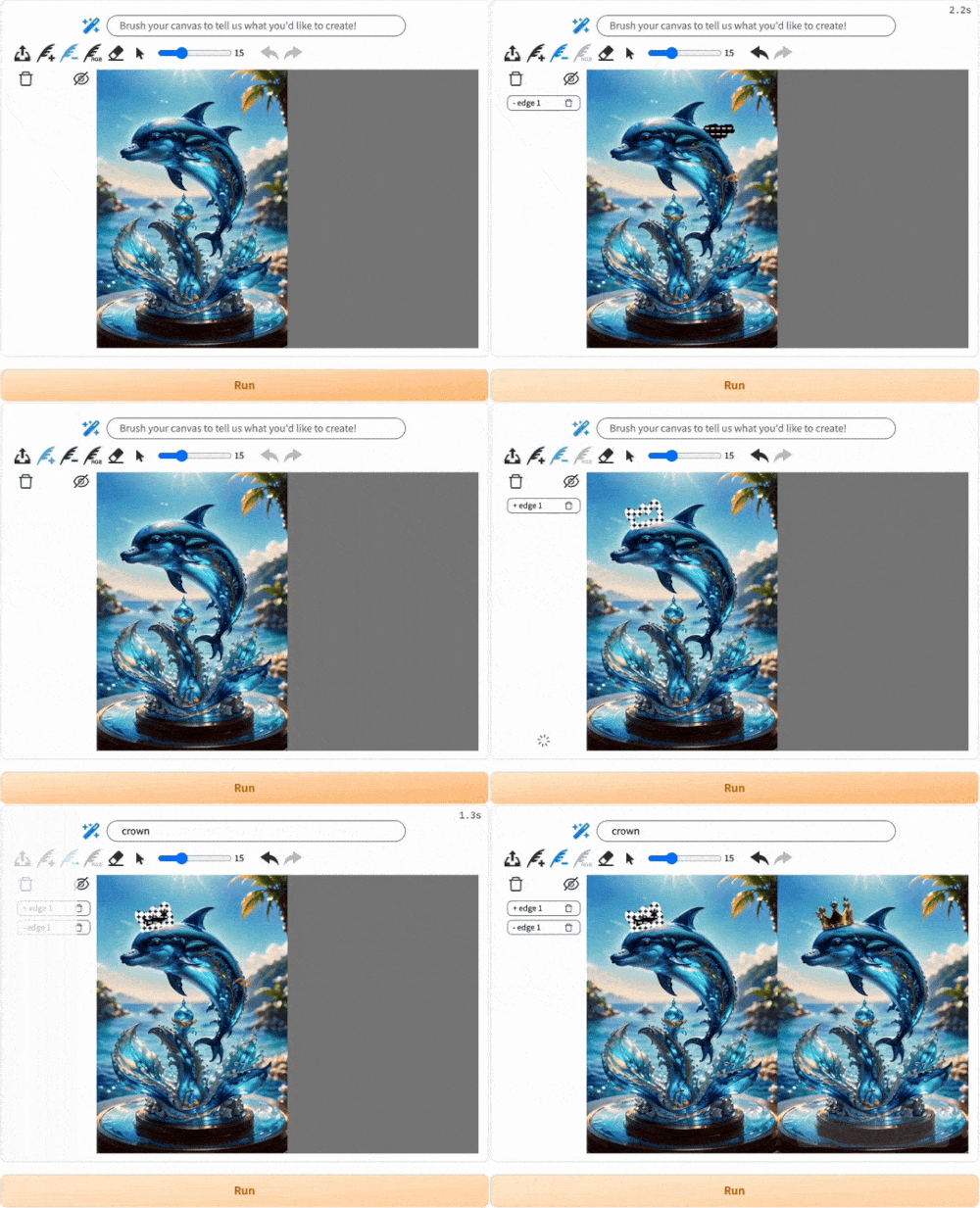
Please read before you try!


 &
&





 &
&


 &
&

Don't forget to cite this source if it proves useful in your research!
@article{liu2024magicquill,
	title={MagicQuill: An Intelligent Interactive Image Editing System},
	author={Zichen Liu and Yue Yu and Hao Ouyang and Qiuyu Wang and Ka Leong Cheng and Wen Wang and Zhiheng Liu and Qifeng Chen and Yujun Shen},
	year={2024},
	eprint={2411.09703},
	archivePrefix={arXiv},
	primaryClass={cs.CV}}
Our implementation is based on
Thanks for their remarkable contribution and released code!
Note: This repo is governed by the license of CC BY-NC 4.0 We strongly advise users not to knowingly generate or allow others to knowingly generate harmful content, including hate speech, violence, pornography, deception, etc.
(注:本仓库受CC BY-NC的许可协议限制。我们强烈建议,用户不应传播及不应允许他人传播以下内容,包括但不限于仇恨言论、暴力、色情、欺诈相关的有害信息。)
[CVPR'25] Official Implementations for Paper - MagicQuill: An Intelligent Interactive Image Editing System
See the code
https://github.com/user-attachments/assets/8ee9663a-fef2-484a-a0b7-8427ab590424
There is an HD video on Youtube.
Zichen Liu*,1,2, Yue Yu*,1,2, Hao Ouyang2, Qiuyu Wang2, Ka Leong Cheng1,2, Wen Wang3,2, Zhiheng Liu4, Qifeng Chen†,1, Yujun Shen†,2
1HKUST 2Ant Group 3ZJU 4HKU *equal contribution †corresponding author
TLDR: MagicQuill is an intelligent and interactive system achieving precise image editing.
Key Features: 😎 User-friendly interface / 🤖 AI-powered suggestions / 🎨 Precise local editing
.bat and .sh files for convenient environment install on Windows and Linux. Thanks lior007 and JamesIV4.To update the latest features, pull the latest code and re-install the gradio_magicquill:
pip uninstall -y gradio_magicquill-0.0.1-py3-none-any.whl
pip install gradio_magicquill-0.0.1-py3-none-any.whl
For users with limited GPU resources, please try our Huggingface Demo and Modelscope Demo. Also, consider disabling the DrawNGuess automatic prompt filling by clicking the wand icon above if it takes too long time on your machine.
Follow the following guide to set up the environment.
--recursive flag. Otherwise, you will find LLaVA submodule missing.
git clone --recursive https://github.com/magic-quill/MagicQuill.git
cd MagicQuill
wget -O models.zip "https://hkustconnect-my.sharepoint.com/:u:/g/personal/zliucz_connect_ust_hk/EWlGF0WfawJIrJ1Hn85_-3gB0MtwImAnYeWXuleVQcukMg?e=Gcjugg&download=1"
unzip models.zip
If you are a Windows user, you may try to use windows_setup.bat to conveniently install environments, just enter windows_setup.bat in your Python shell. For Linux user, check linux_setup.sh.
Alternatively, follow the step-by-step installation guide.
create environment
conda create -n MagicQuill python=3.10 -y
conda activate MagicQuill
install torch with GPU support
pip install torch==2.1.2 torchvision==0.16.2 torchaudio==2.1.2 --index-url https://download.pytorch.org/whl/cu118
install the interface
pip install gradio_magicquill-0.0.1-py3-none-any.whl
install llava environment
(For Linux)
cp -f pyproject.toml MagicQuill/LLaVA/
pip install -e MagicQuill/LLaVA/
or
(For Windows)
copy /Y pyproject.toml MagicQuill\LLaVA\
pip install -e MagicQuill\LLaVA\
(For Windows PowerShell, the first line should be Copy-Item -Path pyproject.toml -Destination "MagicQuill\LLaVA" -Force)
install the remaining environment
pip install -r requirements.txt
run magicquill
python gradio_run.py
If you are mainland user, you may try export HF_ENDPOINT=https://hf-mirror.com to use huggingface mirror to facilitate the download of some necessary checkpoints to run our system.
You can build a docker container with MagicQuill as follows:
git clone repo. Please don't forget the --recursive flag. Otherwise, you will find LLaVA submodule missing.
git clone --recursive https://github.com/magic-quill/MagicQuill.git
cd MagicQuill
download and unzip checkpoints
wget -O models.zip "https://hkustconnect-my.sharepoint.com/:u:/g/personal/zliucz_connect_ust_hk/EWlGF0WfawJIrJ1Hn85_-3gB0MtwImAnYeWXuleVQcukMg?e=Gcjugg&download=1"
unzip models.zip
If the .zip file is not accessible, download it via browser. All checkpoints are about 25 GB in total. It may take some time to download. Alternatively, check our checkpoints at huggingface.
Note: these can be located anywhere on the host computer, but Docker Compose expects them to be in /data/magicquill/models by default. Update docker-compose.yaml if you unzip them to another location.
build the image
docker compose build
run the image
docker compose up -d
Please read before you try!
&&&Don't forget to cite this source if it proves useful in your research!
@article{liu2024magicquill,
	title={MagicQuill: An Intelligent Interactive Image Editing System},
	author={Zichen Liu and Yue Yu and Hao Ouyang and Qiuyu Wang and Ka Leong Cheng and Wen Wang and Zhiheng Liu and Qifeng Chen and Yujun Shen},
	year={2024},
	eprint={2411.09703},
	archivePrefix={arXiv},
	primaryClass={cs.CV}}
Our implementation is based on
Thanks for their remarkable contribution and released code!
Note: This repo is governed by the license of CC BY-NC 4.0 We strongly advise users not to knowingly generate or allow others to knowingly generate harmful content, including hate speech, violence, pornography, deception, etc.
(注:本仓库受CC BY-NC的许可协议限制。我们强烈建议,用户不应传播及不应允许他人传播以下内容,包括但不限于仇恨言论、暴力、色情、欺诈相关的有害信息。)



