Web UI for Pi Coding Agent that keeps sessions alive in real workspaces.
See the code



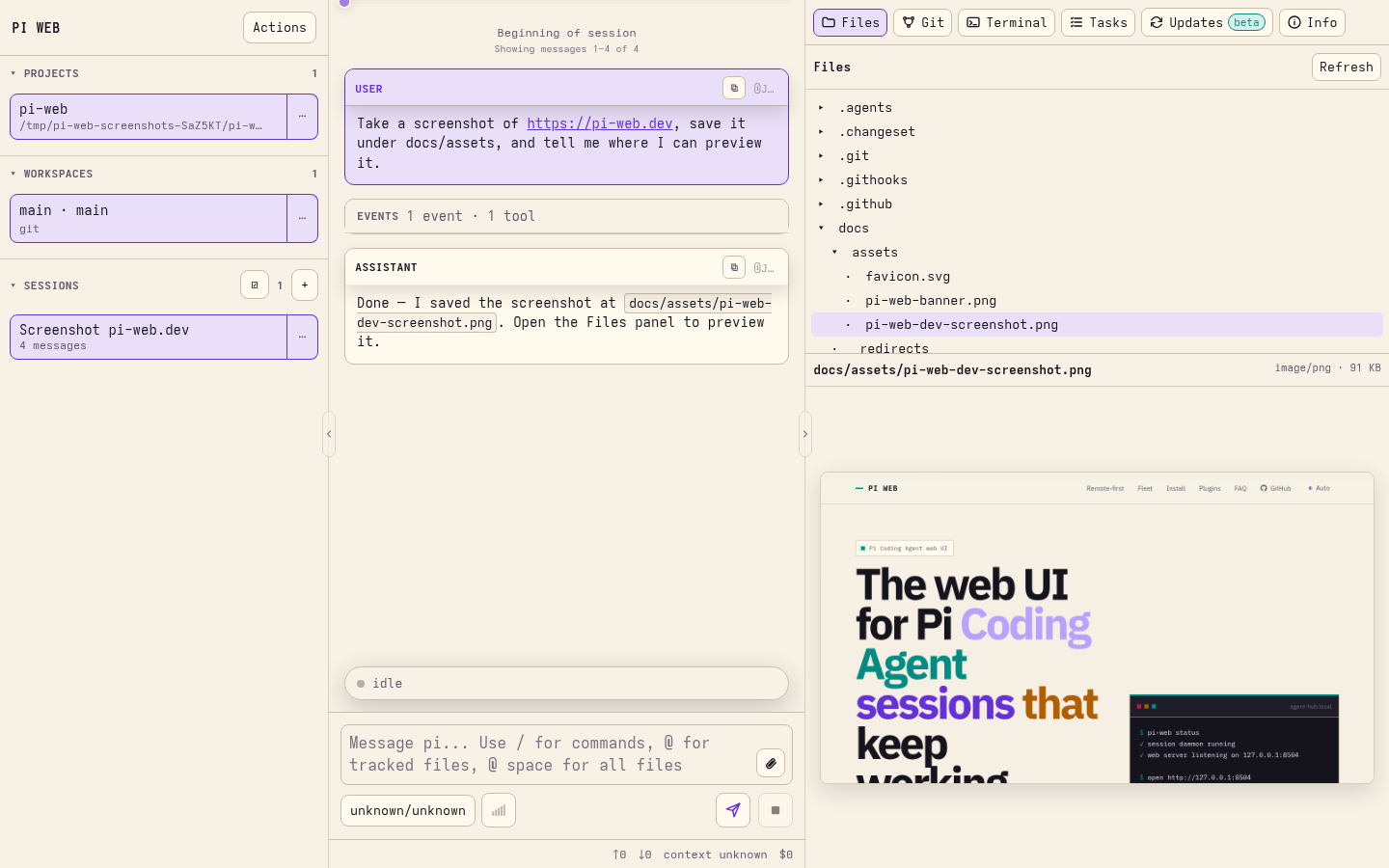
PI WEB is a web UI for Pi Coding Agent that keeps agent sessions running in real workspaces on your machine or server.
Run agents where your code, tools, credentials, and build caches live. Supervise multiple sessions from any browser, even after disconnecting.
Requires Node.js 22.19.0+, npm, Pi Coding Agent 1.x configured for your user, git, and the development tools your agents need.
npm install -g @jmfederico/pi-web --allow-scripts=node-pty
pi-web install
pi-web doctor
On npm 12, the scoped flag lets node-pty prepare its required native module.
Open http://127.0.0.1:8504. Add a project, choose a workspace or Git worktree, and start a session.
pi-web status
pi-web logs
pi-web restart
pi-web update
pi-web uninstall
For installation variants, Docker, and remote access, see the installation guide.
Use files, terminals, plugins, and agent workflows in one UI. Register remote machines to supervise work across a fleet.
PI WEB assumes trusted users, repositories, paths, and plugins. It is not a sandbox or a multi-tenant platform.
For remote access, use a trusted private network, VPN, SSH tunnel, or authenticated reverse proxy. Do not expose PI WEB directly to the public internet.
npm install
npm run dev
Open the Vite URL, usually http://localhost:8505. See development checks for verification guidance.
MIT © 2026 Federico Jaramillo Martinez. See LICENSE.
(top 24 of 27)
94 followers · starred Oct 2026
5,294 followers · starred Aug 2026
170 followers · starred Jul 2026
208 followers · starred Jul 2026
Web UI for Pi Coding Agent that keeps sessions alive in real workspaces.
See the code
PI WEB is a web UI for Pi Coding Agent that keeps agent sessions running in real workspaces on your machine or server.
Run agents where your code, tools, credentials, and build caches live. Supervise multiple sessions from any browser, even after disconnecting.
Requires Node.js 22.19.0+, npm, Pi Coding Agent 1.x configured for your user, git, and the development tools your agents need.
npm install -g @jmfederico/pi-web --allow-scripts=node-pty
pi-web install
pi-web doctor
On npm 12, the scoped flag lets node-pty prepare its required native module.
Open http://127.0.0.1:8504. Add a project, choose a workspace or Git worktree, and start a session.
pi-web status
pi-web logs
pi-web restart
pi-web update
pi-web uninstall
For installation variants, Docker, and remote access, see the installation guide.
Use files, terminals, plugins, and agent workflows in one UI. Register remote machines to supervise work across a fleet.
PI WEB assumes trusted users, repositories, paths, and plugins. It is not a sandbox or a multi-tenant platform.
For remote access, use a trusted private network, VPN, SSH tunnel, or authenticated reverse proxy. Do not expose PI WEB directly to the public internet.
npm install
npm run dev
Open the Vite URL, usually http://localhost:8505. See development checks for verification guidance.
MIT © 2026 Federico Jaramillo Martinez. See LICENSE.
(top 24 of 27)
94 followers · starred Oct 2026
5,294 followers · starred Aug 2026
170 followers · starred Jul 2026
208 followers · starred Jul 2026



