Liquid Glass effect for React
See the codeA beautiful liquid glass distortion effect component for React that creates stunning visual magnification and warping effects.
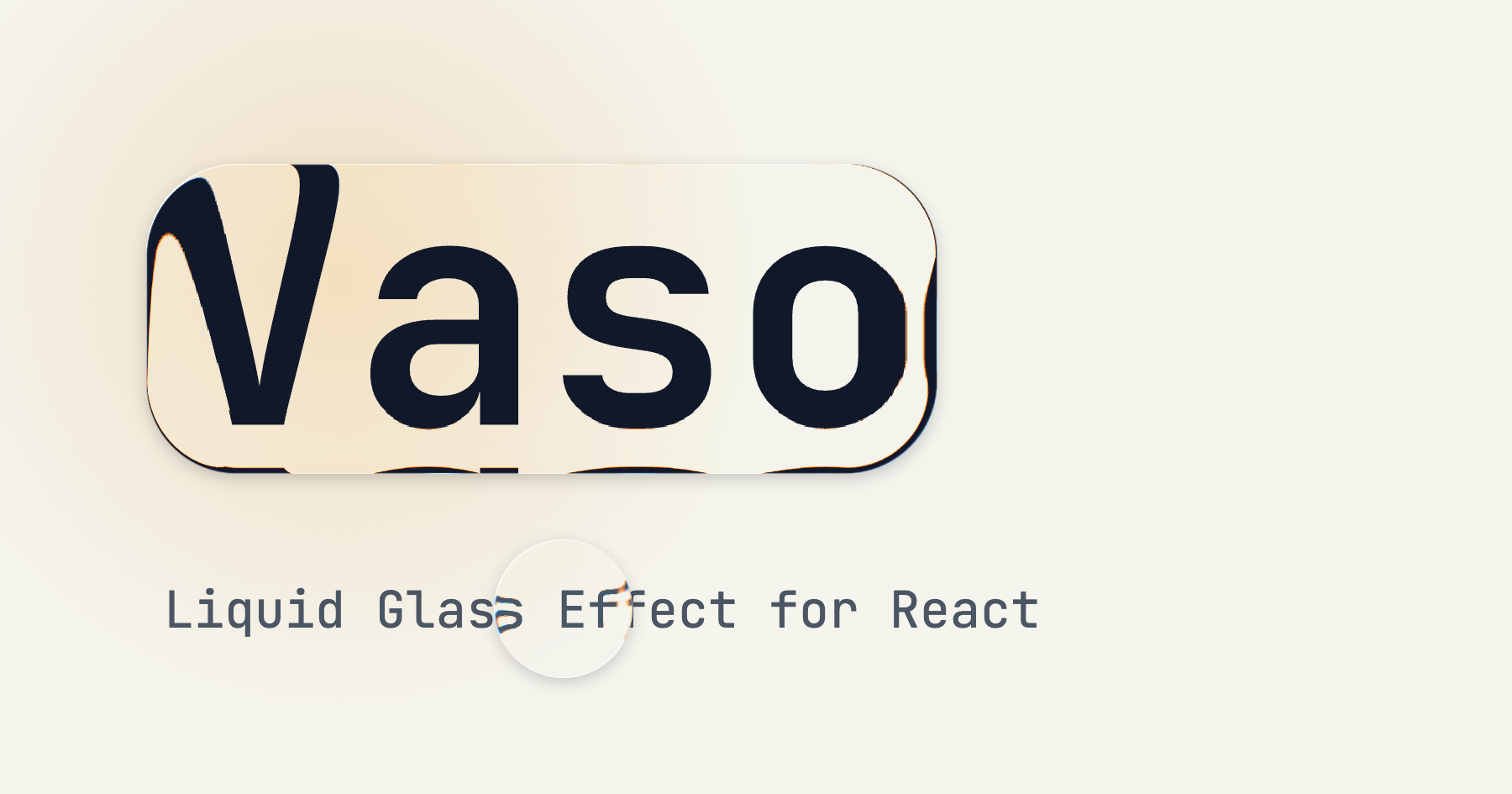
npm add vaso
import { Vaso } from 'vaso'

function App() {
  return (
    <Vaso radius={16} depth={1.2} blur={0.5} outset={12}>
      <p>This text sits under a liquid glass</p>
    </Vaso>
  )
}
| Prop | Type | Default | Range | Description |
|---|---|---|---|---|
children | React.ReactNode | - | - | Content rendered on top of the glass. Without children, set width and height to size the glass |
component | string | React.ComponentType | 'div' | - | The element or component to render as the glass root, e.g. 'span' for inline glass |
width | number | undefined | - | Explicit width of the glass element (overrides child element size) |
height | number | undefined | - | Explicit height of the glass element (overrides child element size) |
outset | number | { x, y, top, right, bottom, left } | 0 | - | Extends the glass beyond the element without affecting layout. A number applies to every side; sides take precedence over axes |
px / py | number | 0 | - | Deprecated, use outset={{ x, y }} |
radius | number | inherited | 0-∞ | Border radius of the glass. Defaults to the element's computed border-radius, so classes like rounded-full just work |
depth | number | 0 | -5.0 to 5.0 | Refraction strength at the bezel (negative values create a concave, compressing glass) |
blur | number | 0.1 | 0-10 | Backdrop blur in pixels |
dispersion | number | false | 0.5 | 0-3.0 | Spectral (rainbow) dispersion along the refracting edge, like Figma's glass. Scales with the glass size and fades out as depth approaches 0 |
specular | number | false | 0.5 | 0-1.0 | Intensity of the specular rim highlight |
The refraction is rendered with an SVG filter inside backdrop-filter, which is currently only supported by Chromium based browsers (Chrome, Edge, Arc, Opera, ...).
Safari and Firefox don't render those, so Vaso refracts a copy of what's behind the glass instead, with no extra setup:
Limits: sources larger than 400 elements aren't cloned (the glass keeps its blur and rim instead), and CSS that depends on an ancestor outside the cloned element may style the copy differently. Glass far outside the viewport pauses its copy until it scrolls back near it.
The glass sizes itself to its children. outset lets it reach past them without moving anything.
<Vaso radius={24} depth={1.2} blur={0.5} dispersion={0.6} outset={{ x: 8, y: 4 }}>
  <button>Share</button>
</Vaso>
Without children, give the glass a size and place it over whatever it should refract.
<div style={{ position: 'relative' }}>
  <img src="/photo.jpg" />
  <Vaso
    width={120}
    height={120}
    radius={60}
    depth={2.5}
    style={{ position: 'absolute', left: 40, top: 40 }}
  />
</div>
A negative depth compresses what's behind the glass instead of magnifying it.
<Vaso width={60} height={60} radius={30} depth={-4} dispersion={1.5} />
Leave out radius and the glass follows the element's own border-radius.
<Vaso className="rounded-full" depth={1.4} outset={4}>
  <span>Dark</span>
</Vaso>
A high blur with a bright rim reads as frosted glass.
<Vaso radius={20} depth={0.3} blur={6} specular={0.9}>
  <div className="p-4">Settings</div>
</Vaso>
MIT
8,346 followers · starred Jul 2025
3,502 followers · starred Jul 2025
3,534 followers · starred Jul 2025
1,007 followers · starred Jul 2025
Liquid Glass effect for React
See the codeA beautiful liquid glass distortion effect component for React that creates stunning visual magnification and warping effects.
npm add vaso
import { Vaso } from 'vaso'

function App() {
  return (
    <Vaso radius={16} depth={1.2} blur={0.5} outset={12}>
      <p>This text sits under a liquid glass</p>
    </Vaso>
  )
}
| Prop | Type | Default | Range | Description |
|---|---|---|---|---|
children | React.ReactNode | - | - | Content rendered on top of the glass. Without children, set width and height to size the glass |
component | string | React.ComponentType | 'div' | - | The element or component to render as the glass root, e.g. 'span' for inline glass |
width | number | undefined | - | Explicit width of the glass element (overrides child element size) |
height | number | undefined | - | Explicit height of the glass element (overrides child element size) |
outset | number | { x, y, top, right, bottom, left } | 0 | - | Extends the glass beyond the element without affecting layout. A number applies to every side; sides take precedence over axes |
px / py | number | 0 | - | Deprecated, use outset={{ x, y }} |
radius | number | inherited | 0-∞ | Border radius of the glass. Defaults to the element's computed border-radius, so classes like rounded-full just work |
depth | number | 0 | -5.0 to 5.0 | Refraction strength at the bezel (negative values create a concave, compressing glass) |
blur | number | 0.1 | 0-10 | Backdrop blur in pixels |
dispersion | number | false | 0.5 | 0-3.0 | Spectral (rainbow) dispersion along the refracting edge, like Figma's glass. Scales with the glass size and fades out as depth approaches 0 |
specular | number | false | 0.5 | 0-1.0 | Intensity of the specular rim highlight |
The refraction is rendered with an SVG filter inside backdrop-filter, which is currently only supported by Chromium based browsers (Chrome, Edge, Arc, Opera, ...).
Safari and Firefox don't render those, so Vaso refracts a copy of what's behind the glass instead, with no extra setup:
Limits: sources larger than 400 elements aren't cloned (the glass keeps its blur and rim instead), and CSS that depends on an ancestor outside the cloned element may style the copy differently. Glass far outside the viewport pauses its copy until it scrolls back near it.
The glass sizes itself to its children. outset lets it reach past them without moving anything.
<Vaso radius={24} depth={1.2} blur={0.5} dispersion={0.6} outset={{ x: 8, y: 4 }}>
  <button>Share</button>
</Vaso>
Without children, give the glass a size and place it over whatever it should refract.
<div style={{ position: 'relative' }}>
  <img src="/photo.jpg" />
  <Vaso
    width={120}
    height={120}
    radius={60}
    depth={2.5}
    style={{ position: 'absolute', left: 40, top: 40 }}
  />
</div>
A negative depth compresses what's behind the glass instead of magnifying it.
<Vaso width={60} height={60} radius={30} depth={-4} dispersion={1.5} />
Leave out radius and the glass follows the element's own border-radius.
<Vaso className="rounded-full" depth={1.4} outset={4}>
  <span>Dark</span>
</Vaso>
A high blur with a bright rim reads as frosted glass.
<Vaso radius={20} depth={0.3} blur={6} specular={0.9}>
  <div className="p-4">Settings</div>
</Vaso>
MIT
8,346 followers · starred Jul 2025
3,502 followers · starred Jul 2025
3,534 followers · starred Jul 2025
1,007 followers · starred Jul 2025