
Engine recreation for Ultima Underworld and Ultima Underworld 2 using the Godot Engine
C#
324
1,841 commits
updated Sep 20, 2026
README
UnderworldGodot
Overview
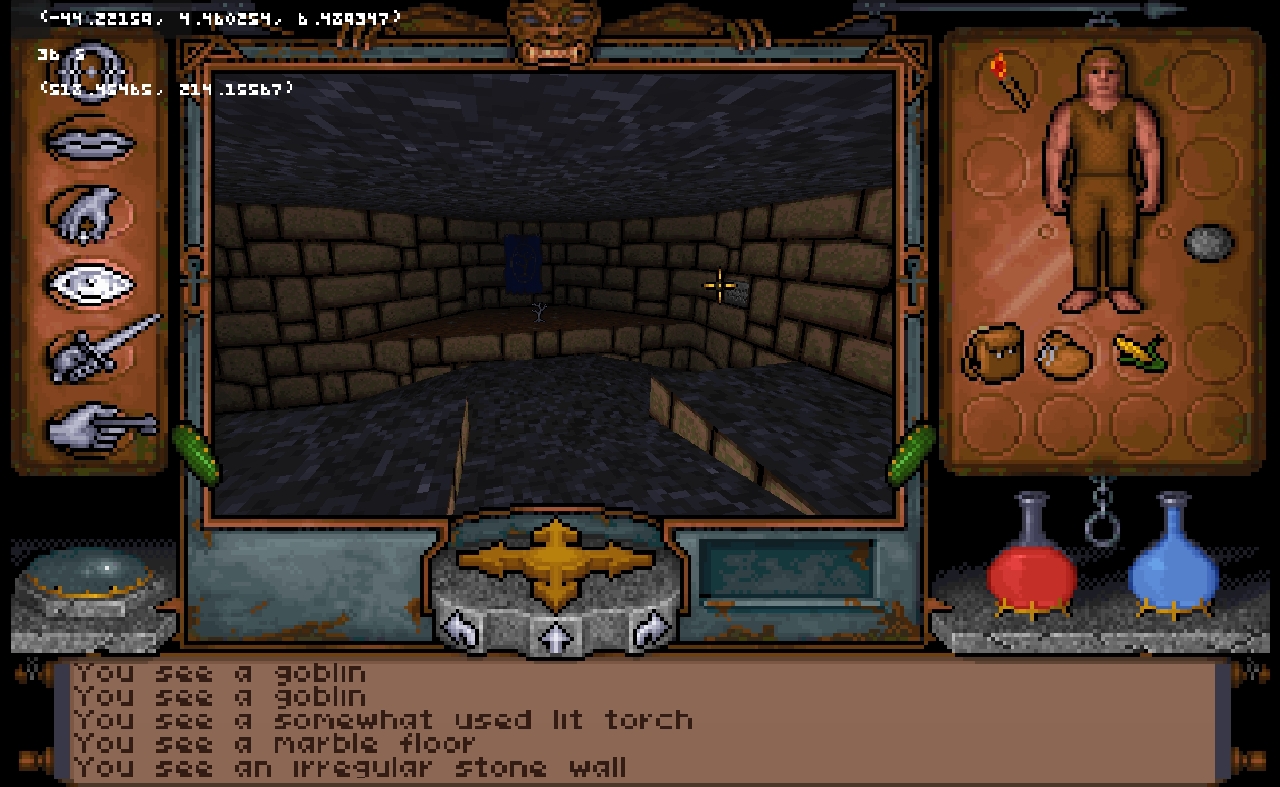
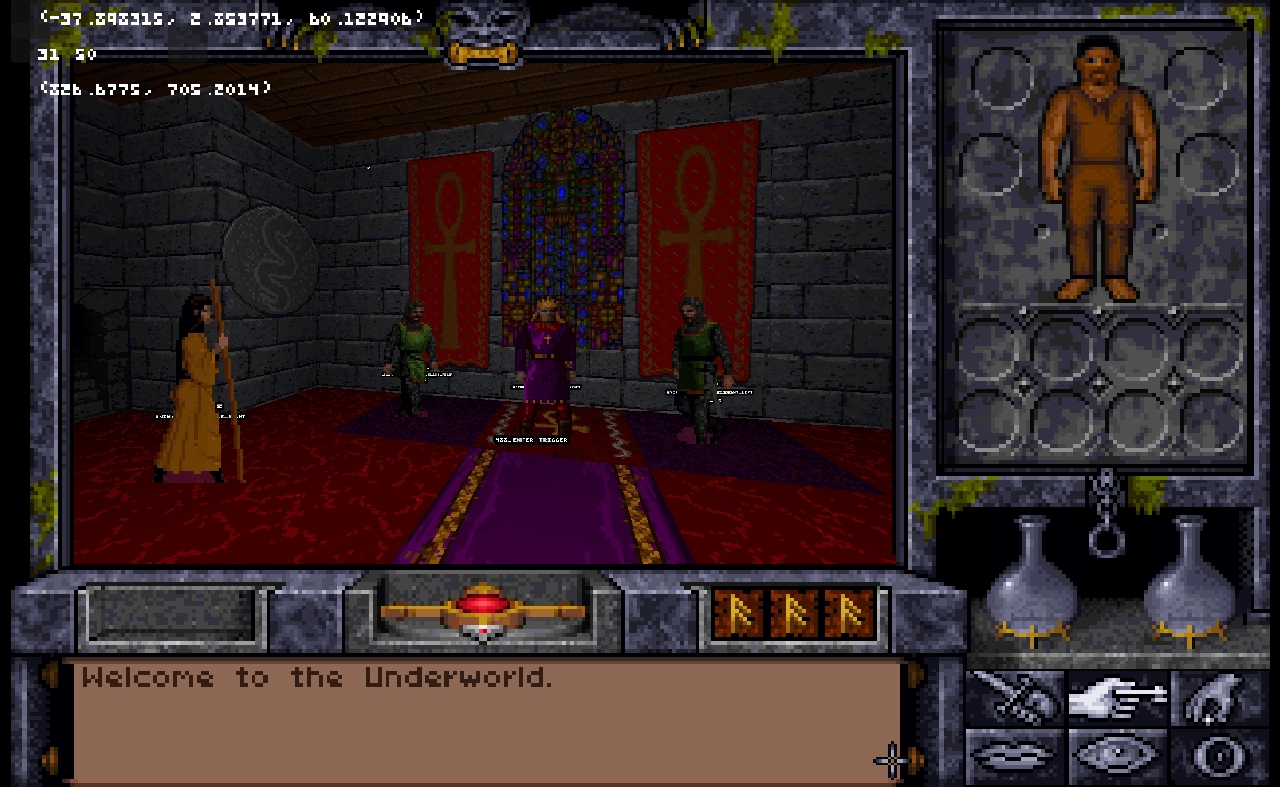
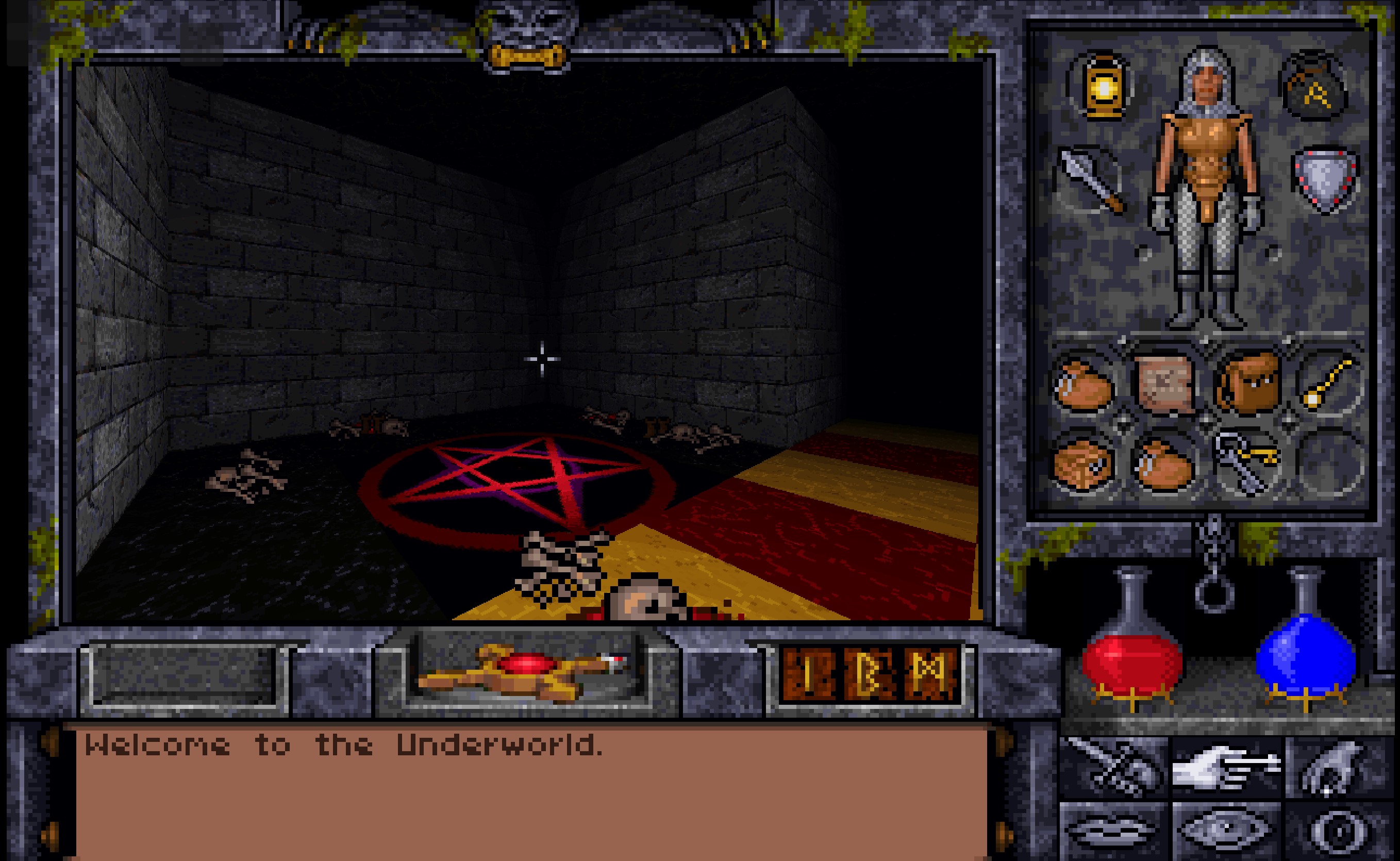
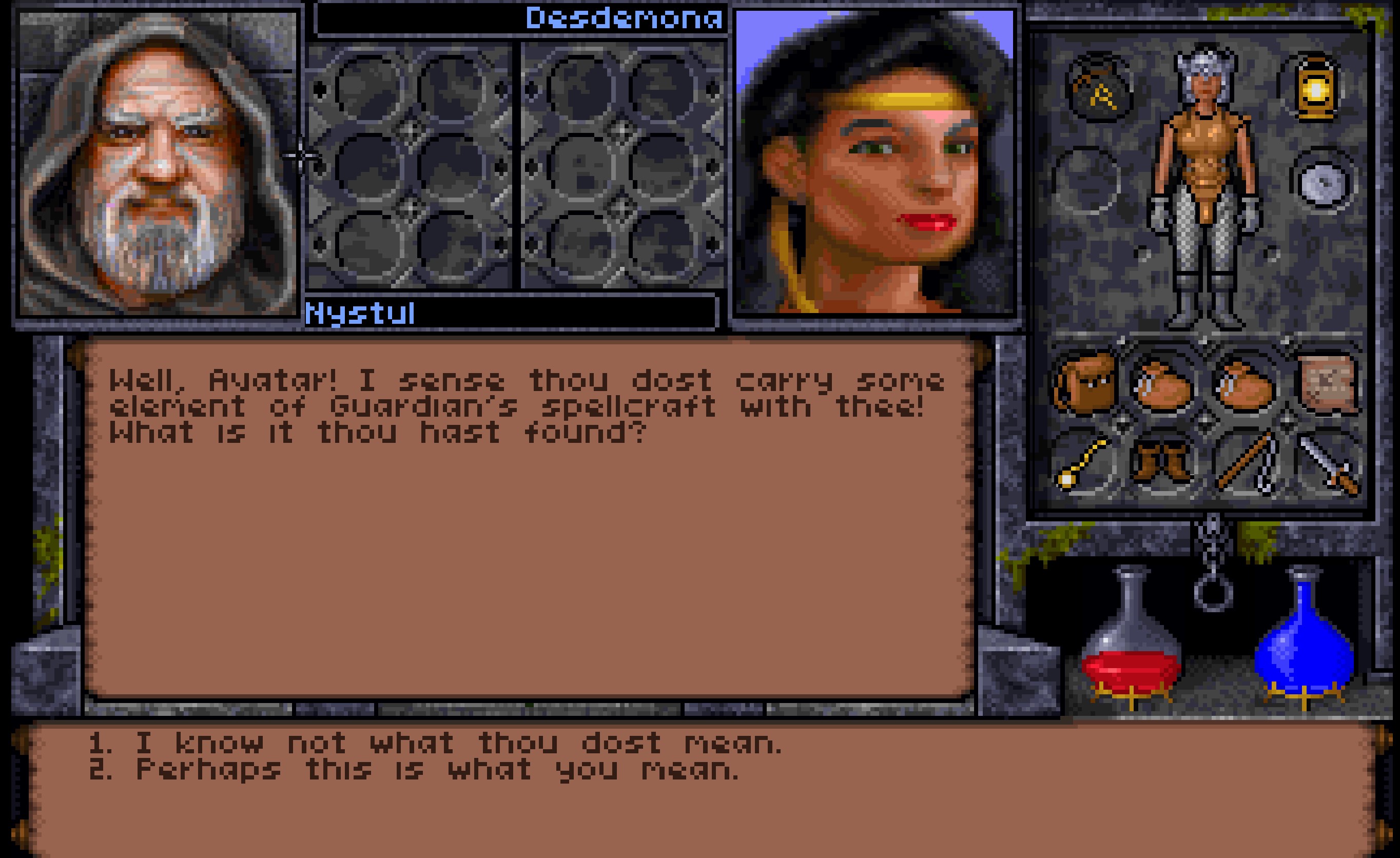
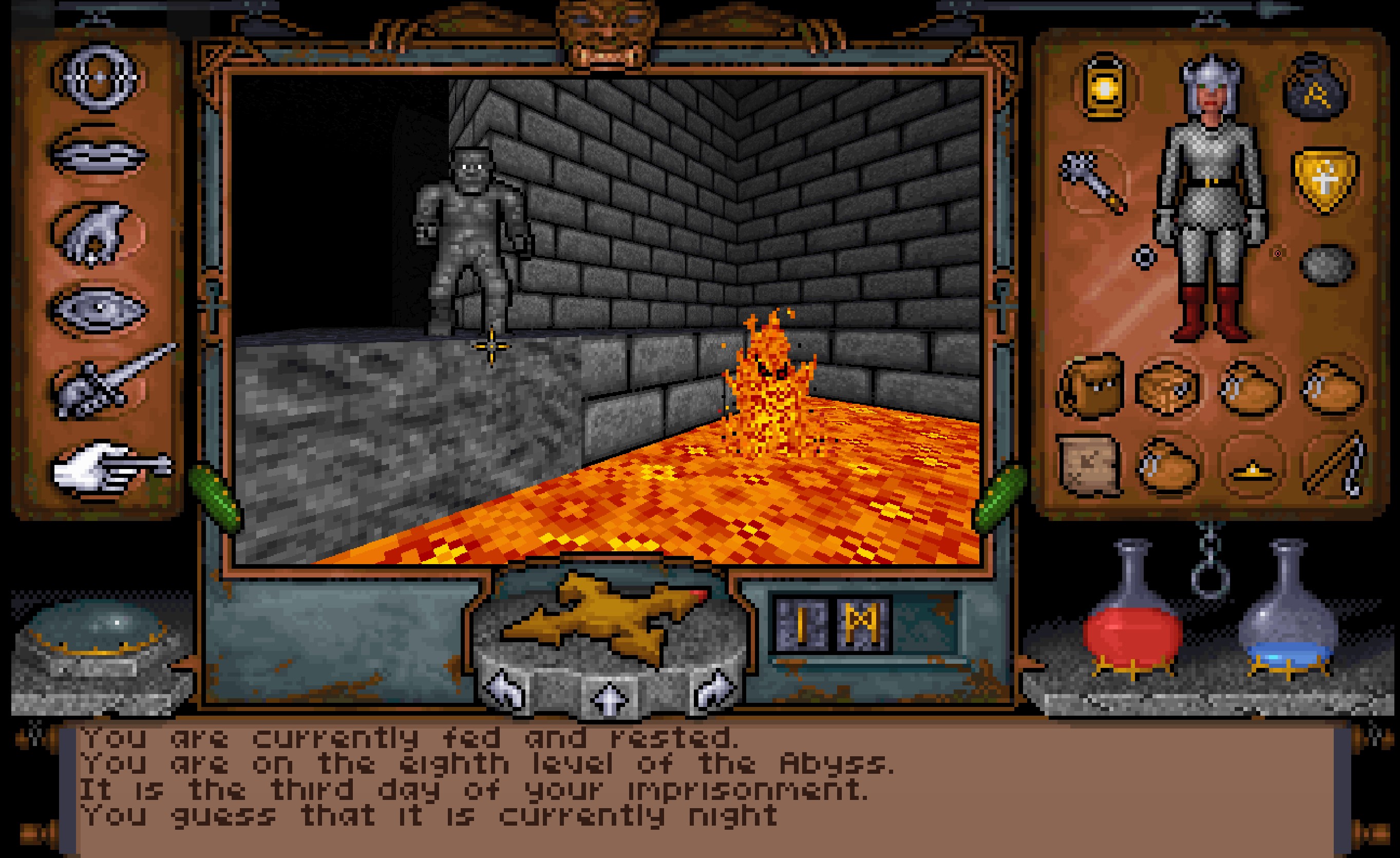
An engine recreation of Ultima Underworld and Ultima Underworld 2 in the Godot Engine.
This project supercedes the Unity-based project and reboots the code base to act more like the Underworld games originally worked.
Credits
This project is largely based on the previous reverse engineering work undertaken by various groups and individuals over the years. Without their efforts this project would not be possible please see the appendix below for the credits I have been able to attribute. If I have failed to give proper credit please let me know and I will happily correct this document.
Before you begin.
This is currently pre-alpha. No support is provided for it and usage is at your own risk. Please don't download this version and expect it to be usable in anyway. Think of it as a interactive map viewer with a lot of game logic implemented
Requires game files for either UW1 or UW2. See settings.json for where to point the game at them.
Current features
- Map loading
- Animated doors and sprites
- Looping NPC animations
- Full Conversations with NPCs
- Almost all game triggers and traps. Incl some that are not used in the original game.
- Barter logic
- Lighting effects (Palette based except for correct transparencies)
- Inventory management including runebag (excluding drag and drop)
- Picking up and dropping of items (without checking pickup rules)
- Usable switches
- Readables and all Game strings
- Palette cycling and shading effect
- Save file loading
- Player stats display
- HP and Mana Displays
- Compass status message
- 3D Models
- Food consumption
- Spell casting. Almost entirely all known spells implemented with original logic.
- Usable wands, scrolls and potions.
- Small window cutscenes (partial)
- Game variables and quest variables (partial support, not all scenarios may work)
- Level transitions and persistance.
- Options menu incl sound, music and low quality detail levels (try it out if you still use a 486!)
- Many Object interactions
- Combat attack charge buildup and combat accuracy calcuations for player
- Missile combat
- In game advancement and player status changes over time (hunger, fatigue, mana regeneration)
- Skillpoints and character advancement logic
- Automap navigation and updating
- Read-only automap notes.
- Partial Processing of SCD.ARK events (Scheduled events in UW2)
- Nearly complete cutscene support including scrolling bitmaps
- Sleeping and dream logic
- Character creation
- Mostly complete Object physics
- Most NPC AI, movement and pathfinding
- NPC Combat Actions
- Player movement and collision (with a small amount of jank)
- Swimming
- Speech from VOC files
- Real-time music synthesis from XMI via four selectable synth engines (CM-32L/MT-32 via mt32emu, SoundFont via MeltySynth, or AdLib/OPL via AdlMidi).
- Sound effects.
- In camera special effects, screenshaking and colour flashing
- Saving (partial support)
- Loading (full support)
- Endgame screens
- Animated Dragon UI Elements
- Partial Weight and encumberance mechanics
- Splash screens and game credits
- Adding and deleting automap notes
- Stealth mechanics
- Death and resurrection mechanics with cutscenes.
- Sprite transparencies (e.g. creature shadows)
Getting Started
See https://github.com/hankmorgan/UnderworldGodot/releases for latest builds.
Getting Started Development Environment
See https://godotengine.org/ for engine runtime downloads.
- Install Git LFS and run
git lfs installonce.[!IMPORTANT] Do this before cloning. Some assets are stored in LFS, and without it they arrive as small text pointer files. The symptom is the project failing to import with
Not a PNG file/Error importing 'res://resources/textcursor.png'. If you already cloned without it,git lfs pullfixes an existing checkout. - Clone the repository
- Install .Net 9.0 (https://dotnet.microsoft.com/en-us/download).
- Install the Godot engine (version 4.3.0) https://godotengine.org/ and run it. Use the .NET/mono build, not the standard one.
[!NOTE] Either make sure you have a
GODOTenvironment variable pointing to the godot executable, or manage your godot version automatically withgodotenv. Just rundotnet tool run godotenv godot install 4.3-stableanddotnet tool run godotenv godot env setupthen restart your shell and everything should be ready to go. - Save a file called
settings.jsonin the Godot user data folder. See below for the location and format of the file. - Godot project will open at
scenes/Launch.tscn.[!IMPORTANT] Make sure you run BUILD on the project before continuing.
- Run. It might work
This project is developed using VSCode using the C# Tools for Godot extensions. If you are configured to use Godot in VSCode then the project can alos just be compiled and ran from there.
macOS notes
Builds and runs on Apple Silicon; the renderer uses Vulkan through MoltenVK.
If you install .NET with Homebrew, be aware that dotnet@9 is keg-only, so it is not linked
into PATH and Godot will not find the SDK on its own:
brew install dotnet@9
export DOTNET_ROOT="$(brew --prefix dotnet@9)/libexec"
export PATH="$(brew --prefix dotnet@9)/bin:$PATH"
Put those two exports in your shell profile so the Godot editor and the godot CLI both pick
them up.
settings.json
The game reads its configuration from settings.json in the Godot user data folder. The
launcher also writes this file, so you can set the paths from the UI instead of by hand.
| OS | Location |
|---|---|
| Windows | %APPDATA%\Godot\app_userdata\Underworld\settings.json |
| macOS | ~/Library/Application Support/Godot/app_userdata/Underworld/settings.json |
| Linux | ~/.local/share/godot/app_userdata/Underworld/settings.json |
Enter optional paths for each game. Select the folder with the .exe file - that is, the one
containing the DATA, CRIT, CUTS and SOUND subfolders.
[!NOTE] If your copy keeps the game data in a disc image or archive, unpack it first and point at the folder inside. The GOG releases, for instance, ship a
game.gogfile that is really an ISO image, so a zip extractor (eg 7-Zip) or any tool that mounts ISOs will open it.
To select maps to load.
- Choose the game mode by editing the gametoload param.
- UW1 or UW2 are the valid values.
- Enter the level number. Values start at 0.
- Other values
- FOV - Camera field of view in degrees. Values below 50 are clamped to 50.
- showcolliders - Draw collision shapes, for debugging.
- shaderbandsize - Size of the palette shading bands.
- synth / synthpath - Music synth engine and its data folder. See Music.
{
    "pathuw1": "C:\\Games\\UW1",
    "pathuw2": "C:\\Games\\UW2",
    "gametoload": "UW2",
    "level": 0,
    "FOV": 75.0,
    "showcolliders": false,
    "shaderbandsize": 8,
    "synth": "soundfont",
    "synthpath": ""
}
On macOS and Linux use ordinary forward-slash paths, eg "pathuw1": "/home/you/Games/UW1".
Controls
These controls are mainly based on the original game controls.
W run forward Shift+W walk forward S walk backwards A,D strafe left and right Q, E turn left and right
J Jump Shift+J Standing Forward Jump
R,F fly up and down when a magic fly/levitate spell is active
1 Look down 2 Look straight ahead 3 Look up
P Bash attack ; Slash attack . Stab attack Holding down the mouse in the 3d window will also execute attacks
F1 Options Options Menu (UW1) F2 Talk Mode F3 Pickup Mode F4 Look F5 Attack F6 Use F7 Toggle Panel Alt+F7 Print Game Version F8 Cast Spell Alt+F8 Print Player Dungeon and Location F9 Track Skill F10 Make Camp F11 Toggles a position label Alt+F12 Screenshot
Modes
F1-F6 Change interaction modes F7 Toggle inventory panels F8 Cast Spell F9 Use Track Skill F10 Make camp and go to sleep. F11 Toggle Position label F12 Debug process SCD.ARK events
Cheats
Tilde (~) Give all runestones, 30 mana and maximise mage skills.
Music
Music is rendered in real time via one of four synth engines, selected by the synth setting in uwsettings.json:
cm32lormt32— authentic Roland CM-32L/MT-32 emulation via Munt.NET, requires user-supplied ROM filessoundfont(default) — MeltySynth with a bundled Phoenix MT-32 SoundFont (6 MB, CC BY 3.0). Works out of the box, approximates MT-32 character. For best quality, pointsynthpathat a larger MT-32 soundfont (e.g. Hedsound) or use thecm32l/mt32engines with actual ROMs.opl— AdLib/OPL FM synthesis via AdlMidi.NET
Themes are played via the XMIMusic.ChangeTheme function, which delegates to the MusicStreamPlayer node. No pre-rendering or WAV caching — audio is synthesised on demand.
ROM files (cm32l / mt32 only)
If you use cm32l or mt32, set synthpath to a directory containing the ROM files. Standard and MAME-style filenames are both recognised:
    CM32L_CONTROL.ROM   / CM32L_PCM.ROM
    cm32l_ctrl_1_02.rom / cm32l_pcm.rom
    cm32l_ctrl_1_00.rom / cm32l_pcm.rom
    MT32_CONTROL.ROM    / MT32_PCM.ROM
    mt32_ctrl_1_07.rom  / mt32_pcm.rom  (and 1.04/1.05/1.06)
If the selected engine fails to initialise (missing ROMs, bad soundfont, etc.) the system silently falls back to OPL. Changing the synth setting requires a game restart.
See docs/audio-architecture.md for a detailed walkthrough of the audio system (data flow, components, threading model, design rationale).
Design inspiration
The real-time synthesis approach was inspired by Kweepa's Unity-based Ultima Underworld port, which demonstrated that playing XMI music through a MIDI sequencer in real time (rather than pre-rendering to WAV) gives gapless looping and avoids startup conversion delay.
Code Contributions
Additional code has been directly contributed by the following. Thanks to these contributors for their efforts.
- Peter Cummuskey <https://<github.com/Tzrlk>
- Shortbeard https://github.com/ShortBeard
- Abedegno https://github.com/abedegno
- mattfojtik https://github.com/mattfojtik
Referenced code projects
AdlMidi.NET https://github.com/csinkers/AdlMidi.NET
Peaky GodotCoroutineslikeUnity https://godotengine.org/asset-library/asset/2144
AI Policy
This project is an (ocassionally) fun hobby for me and is focused on the creation of a vanilla/vanilla plus implementation of Underworld that is closely tied to the original look and feel of the games. It is not planned to support use of AI upscaled assets or other AI generated artifacts within this project.
Appendix
Guide to the Underworld and Reverse Engineering
See [https://github.com/hankmorgan/UWReverseEngineering] for my dissassemblies and notes on UW1/UW2
Sources/Previous Projects
Sources (taken from my Guide to the Underworlds)
The information in this document is gathered from a number of sources most notably the vernable uw-formats.txt. Sections of this document if not taken directly from UW-Formats.txt are heavily based on the work that has gone into that document by a number of contributors and groups over the years. Every effort is being made to list this contributions here. To avoid missing anyone I am quoting verbatim the credit section of each copy of uw-formats.txt I can referencing.
Unfortunately some information sources have been lost to me over time. If I have missed a reference or not given due credit for research or code examples then please let me know and I will happily correct the record.
Also referenced
Unknown authors Internal Formats on the Ultima Codex
Mitch Aigner FAQs for UW1 abd UW2
Credits
The following credits are taken verbatim from the files shared by named projects.
The "me" mentioned in the credits is not the author of this guide. (Not Hank Morgan)
Credits from the Abysmal Project
My thanks go out to Jim Cameron that started the original "uw-specs.txt" file and subsequently found out more unknown data structures and discussed about file formats with me. Many thanks, Jim!
Additional information came from
Alistair Brown (basic object format, via the Underworld II editor available at
http://bearcity.pwp.blueyonder.co.uk/)
Ulf Wohlers (Objects and 3D models).
Fabian Pache (about map details and 3d models, UW2 conversations
UW2 player save http://uw2rev.sourceforge.net).
Further infos about weapon animation and miscellaneous bits about uw were contributed by Telemachos from peroxide.dk.
I also like to thank Telemachos who pointed me to the TSSHP's file formats file at the start of all of this.
This file is probably: Copyright (c) 2008,2009 Julien Langer Copyright (c) 2002,2008,2009 Fabian Pache Copyright (c) 2000,2001,2002,2003 Jim Cameron Copyright (c) 2002,2003,2004 Michael Fink Copyright (c) 2004 Kasper Fauerby
Credits from the Underworld Adventures Project
My thanks go out to Jim Cameron that started the original "uw-specs.txt" file and subsequently found out more unknown data structures and discussed about file formats with me. Many thanks, Jim!
Additional information came from Alistair Brown (basic object format, via
the Underworld II editor available at
http://bearcity.pwp.blueyonder.co.uk/), Ulf Wohlers (Objects and 3D
models) and Fabian Pache (about map details and 3d models, UW2 related,
http://uw2rev.sourceforge.net).
Further infos about weapon animation and miscellaneous bits about uw were contributed by Telemachos from peroxide.dk.
I also like to thank Telemachos who pointed me to the TSSHP's file formats file at the start of all of this.
This file is probably: Copyright (c) 2000,2001,2002,2003 Jim Cameron Copyright (c) 2002,2003,2004 Michael Fink Copyright (c) 2004 Kasper Fauerby
Other contributions to this document
KarlClinckspoor on cmb.dat
Information on cutscene animation commands from khedoros at https://github.com/khedoros/uw-engine/blob/master/csparse.cpp
Contributors


Similar repos


Languages
C#
99.2%
Engine recreation for Ultima Underworld and Ultima Underworld 2 using the Godot Engine
C#
324
1,841 commits
updated Sep 20, 2026
README
UnderworldGodot
Overview
An engine recreation of Ultima Underworld and Ultima Underworld 2 in the Godot Engine.
This project supercedes the Unity-based project and reboots the code base to act more like the Underworld games originally worked.
Credits
This project is largely based on the previous reverse engineering work undertaken by various groups and individuals over the years. Without their efforts this project would not be possible please see the appendix below for the credits I have been able to attribute. If I have failed to give proper credit please let me know and I will happily correct this document.
Before you begin.
This is currently pre-alpha. No support is provided for it and usage is at your own risk. Please don't download this version and expect it to be usable in anyway. Think of it as a interactive map viewer with a lot of game logic implemented
Requires game files for either UW1 or UW2. See settings.json for where to point the game at them.
Current features
- Map loading
- Animated doors and sprites
- Looping NPC animations
- Full Conversations with NPCs
- Almost all game triggers and traps. Incl some that are not used in the original game.
- Barter logic
- Lighting effects (Palette based except for correct transparencies)
- Inventory management including runebag (excluding drag and drop)
- Picking up and dropping of items (without checking pickup rules)
- Usable switches
- Readables and all Game strings
- Palette cycling and shading effect
- Save file loading
- Player stats display
- HP and Mana Displays
- Compass status message
- 3D Models
- Food consumption
- Spell casting. Almost entirely all known spells implemented with original logic.
- Usable wands, scrolls and potions.
- Small window cutscenes (partial)
- Game variables and quest variables (partial support, not all scenarios may work)
- Level transitions and persistance.
- Options menu incl sound, music and low quality detail levels (try it out if you still use a 486!)
- Many Object interactions
- Combat attack charge buildup and combat accuracy calcuations for player
- Missile combat
- In game advancement and player status changes over time (hunger, fatigue, mana regeneration)
- Skillpoints and character advancement logic
- Automap navigation and updating
- Read-only automap notes.
- Partial Processing of SCD.ARK events (Scheduled events in UW2)
- Nearly complete cutscene support including scrolling bitmaps
- Sleeping and dream logic
- Character creation
- Mostly complete Object physics
- Most NPC AI, movement and pathfinding
- NPC Combat Actions
- Player movement and collision (with a small amount of jank)
- Swimming
- Speech from VOC files
- Real-time music synthesis from XMI via four selectable synth engines (CM-32L/MT-32 via mt32emu, SoundFont via MeltySynth, or AdLib/OPL via AdlMidi).
- Sound effects.
- In camera special effects, screenshaking and colour flashing
- Saving (partial support)
- Loading (full support)
- Endgame screens
- Animated Dragon UI Elements
- Partial Weight and encumberance mechanics
- Splash screens and game credits
- Adding and deleting automap notes
- Stealth mechanics
- Death and resurrection mechanics with cutscenes.
- Sprite transparencies (e.g. creature shadows)
Getting Started
See https://github.com/hankmorgan/UnderworldGodot/releases for latest builds.
Getting Started Development Environment
See https://godotengine.org/ for engine runtime downloads.
- Install Git LFS and run
git lfs installonce.[!IMPORTANT] Do this before cloning. Some assets are stored in LFS, and without it they arrive as small text pointer files. The symptom is the project failing to import with
Not a PNG file/Error importing 'res://resources/textcursor.png'. If you already cloned without it,git lfs pullfixes an existing checkout. - Clone the repository
- Install .Net 9.0 (https://dotnet.microsoft.com/en-us/download).
- Install the Godot engine (version 4.3.0) https://godotengine.org/ and run it. Use the .NET/mono build, not the standard one.
[!NOTE] Either make sure you have a
GODOTenvironment variable pointing to the godot executable, or manage your godot version automatically withgodotenv. Just rundotnet tool run godotenv godot install 4.3-stableanddotnet tool run godotenv godot env setupthen restart your shell and everything should be ready to go. - Save a file called
settings.jsonin the Godot user data folder. See below for the location and format of the file. - Godot project will open at
scenes/Launch.tscn.[!IMPORTANT] Make sure you run BUILD on the project before continuing.
- Run. It might work
This project is developed using VSCode using the C# Tools for Godot extensions. If you are configured to use Godot in VSCode then the project can alos just be compiled and ran from there.
macOS notes
Builds and runs on Apple Silicon; the renderer uses Vulkan through MoltenVK.
If you install .NET with Homebrew, be aware that dotnet@9 is keg-only, so it is not linked
into PATH and Godot will not find the SDK on its own:
brew install dotnet@9
export DOTNET_ROOT="$(brew --prefix dotnet@9)/libexec"
export PATH="$(brew --prefix dotnet@9)/bin:$PATH"
Put those two exports in your shell profile so the Godot editor and the godot CLI both pick
them up.
settings.json
The game reads its configuration from settings.json in the Godot user data folder. The
launcher also writes this file, so you can set the paths from the UI instead of by hand.
| OS | Location |
|---|---|
| Windows | %APPDATA%\Godot\app_userdata\Underworld\settings.json |
| macOS | ~/Library/Application Support/Godot/app_userdata/Underworld/settings.json |
| Linux | ~/.local/share/godot/app_userdata/Underworld/settings.json |
Enter optional paths for each game. Select the folder with the .exe file - that is, the one
containing the DATA, CRIT, CUTS and SOUND subfolders.
[!NOTE] If your copy keeps the game data in a disc image or archive, unpack it first and point at the folder inside. The GOG releases, for instance, ship a
game.gogfile that is really an ISO image, so a zip extractor (eg 7-Zip) or any tool that mounts ISOs will open it.
To select maps to load.
- Choose the game mode by editing the gametoload param.
- UW1 or UW2 are the valid values.
- Enter the level number. Values start at 0.
- Other values
- FOV - Camera field of view in degrees. Values below 50 are clamped to 50.
- showcolliders - Draw collision shapes, for debugging.
- shaderbandsize - Size of the palette shading bands.
- synth / synthpath - Music synth engine and its data folder. See Music.
{
    "pathuw1": "C:\\Games\\UW1",
    "pathuw2": "C:\\Games\\UW2",
    "gametoload": "UW2",
    "level": 0,
    "FOV": 75.0,
    "showcolliders": false,
    "shaderbandsize": 8,
    "synth": "soundfont",
    "synthpath": ""
}
On macOS and Linux use ordinary forward-slash paths, eg "pathuw1": "/home/you/Games/UW1".
Controls
These controls are mainly based on the original game controls.
W run forward Shift+W walk forward S walk backwards A,D strafe left and right Q, E turn left and right
J Jump Shift+J Standing Forward Jump
R,F fly up and down when a magic fly/levitate spell is active
1 Look down 2 Look straight ahead 3 Look up
P Bash attack ; Slash attack . Stab attack Holding down the mouse in the 3d window will also execute attacks
F1 Options Options Menu (UW1) F2 Talk Mode F3 Pickup Mode F4 Look F5 Attack F6 Use F7 Toggle Panel Alt+F7 Print Game Version F8 Cast Spell Alt+F8 Print Player Dungeon and Location F9 Track Skill F10 Make Camp F11 Toggles a position label Alt+F12 Screenshot
Modes
F1-F6 Change interaction modes F7 Toggle inventory panels F8 Cast Spell F9 Use Track Skill F10 Make camp and go to sleep. F11 Toggle Position label F12 Debug process SCD.ARK events
Cheats
Tilde (~) Give all runestones, 30 mana and maximise mage skills.
Music
Music is rendered in real time via one of four synth engines, selected by the synth setting in uwsettings.json:
cm32lormt32— authentic Roland CM-32L/MT-32 emulation via Munt.NET, requires user-supplied ROM filessoundfont(default) — MeltySynth with a bundled Phoenix MT-32 SoundFont (6 MB, CC BY 3.0). Works out of the box, approximates MT-32 character. For best quality, pointsynthpathat a larger MT-32 soundfont (e.g. Hedsound) or use thecm32l/mt32engines with actual ROMs.opl— AdLib/OPL FM synthesis via AdlMidi.NET
Themes are played via the XMIMusic.ChangeTheme function, which delegates to the MusicStreamPlayer node. No pre-rendering or WAV caching — audio is synthesised on demand.
ROM files (cm32l / mt32 only)
If you use cm32l or mt32, set synthpath to a directory containing the ROM files. Standard and MAME-style filenames are both recognised:
    CM32L_CONTROL.ROM   / CM32L_PCM.ROM
    cm32l_ctrl_1_02.rom / cm32l_pcm.rom
    cm32l_ctrl_1_00.rom / cm32l_pcm.rom
    MT32_CONTROL.ROM    / MT32_PCM.ROM
    mt32_ctrl_1_07.rom  / mt32_pcm.rom  (and 1.04/1.05/1.06)
If the selected engine fails to initialise (missing ROMs, bad soundfont, etc.) the system silently falls back to OPL. Changing the synth setting requires a game restart.
See docs/audio-architecture.md for a detailed walkthrough of the audio system (data flow, components, threading model, design rationale).
Design inspiration
The real-time synthesis approach was inspired by Kweepa's Unity-based Ultima Underworld port, which demonstrated that playing XMI music through a MIDI sequencer in real time (rather than pre-rendering to WAV) gives gapless looping and avoids startup conversion delay.
Code Contributions
Additional code has been directly contributed by the following. Thanks to these contributors for their efforts.
- Peter Cummuskey <https://<github.com/Tzrlk>
- Shortbeard https://github.com/ShortBeard
- Abedegno https://github.com/abedegno
- mattfojtik https://github.com/mattfojtik
Referenced code projects
AdlMidi.NET https://github.com/csinkers/AdlMidi.NET
Peaky GodotCoroutineslikeUnity https://godotengine.org/asset-library/asset/2144
AI Policy
This project is an (ocassionally) fun hobby for me and is focused on the creation of a vanilla/vanilla plus implementation of Underworld that is closely tied to the original look and feel of the games. It is not planned to support use of AI upscaled assets or other AI generated artifacts within this project.
Appendix
Guide to the Underworld and Reverse Engineering
See [https://github.com/hankmorgan/UWReverseEngineering] for my dissassemblies and notes on UW1/UW2
Sources/Previous Projects
Sources (taken from my Guide to the Underworlds)
The information in this document is gathered from a number of sources most notably the vernable uw-formats.txt. Sections of this document if not taken directly from UW-Formats.txt are heavily based on the work that has gone into that document by a number of contributors and groups over the years. Every effort is being made to list this contributions here. To avoid missing anyone I am quoting verbatim the credit section of each copy of uw-formats.txt I can referencing.
Unfortunately some information sources have been lost to me over time. If I have missed a reference or not given due credit for research or code examples then please let me know and I will happily correct the record.
Also referenced
Unknown authors Internal Formats on the Ultima Codex
Mitch Aigner FAQs for UW1 abd UW2
Credits
The following credits are taken verbatim from the files shared by named projects.
The "me" mentioned in the credits is not the author of this guide. (Not Hank Morgan)
Credits from the Abysmal Project
My thanks go out to Jim Cameron that started the original "uw-specs.txt" file and subsequently found out more unknown data structures and discussed about file formats with me. Many thanks, Jim!
Additional information came from
Alistair Brown (basic object format, via the Underworld II editor available at
http://bearcity.pwp.blueyonder.co.uk/)
Ulf Wohlers (Objects and 3D models).
Fabian Pache (about map details and 3d models, UW2 conversations
UW2 player save http://uw2rev.sourceforge.net).
Further infos about weapon animation and miscellaneous bits about uw were contributed by Telemachos from peroxide.dk.
I also like to thank Telemachos who pointed me to the TSSHP's file formats file at the start of all of this.
This file is probably: Copyright (c) 2008,2009 Julien Langer Copyright (c) 2002,2008,2009 Fabian Pache Copyright (c) 2000,2001,2002,2003 Jim Cameron Copyright (c) 2002,2003,2004 Michael Fink Copyright (c) 2004 Kasper Fauerby
Credits from the Underworld Adventures Project
My thanks go out to Jim Cameron that started the original "uw-specs.txt" file and subsequently found out more unknown data structures and discussed about file formats with me. Many thanks, Jim!
Additional information came from Alistair Brown (basic object format, via
the Underworld II editor available at
http://bearcity.pwp.blueyonder.co.uk/), Ulf Wohlers (Objects and 3D
models) and Fabian Pache (about map details and 3d models, UW2 related,
http://uw2rev.sourceforge.net).
Further infos about weapon animation and miscellaneous bits about uw were contributed by Telemachos from peroxide.dk.
I also like to thank Telemachos who pointed me to the TSSHP's file formats file at the start of all of this.
This file is probably: Copyright (c) 2000,2001,2002,2003 Jim Cameron Copyright (c) 2002,2003,2004 Michael Fink Copyright (c) 2004 Kasper Fauerby
Other contributions to this document
KarlClinckspoor on cmb.dat
Information on cutscene animation commands from khedoros at https://github.com/khedoros/uw-engine/blob/master/csparse.cpp
Similar repos
Contributors
Languages
C#
99.2%