Local-first password manager with direct device-to-device sync
See the code





A password manager that keeps your secrets on your own devices. No account, no server holding your vault, no company to get breached and leak everything. You hold the vault, you hold the password, and that's it.
Bramble runs where you do:
The same encrypted vault and the same Rust crypto core sit behind all four, and your devices can sync to each other directly, peer-to-peer, with no cloud in the middle.
Get Bramble:
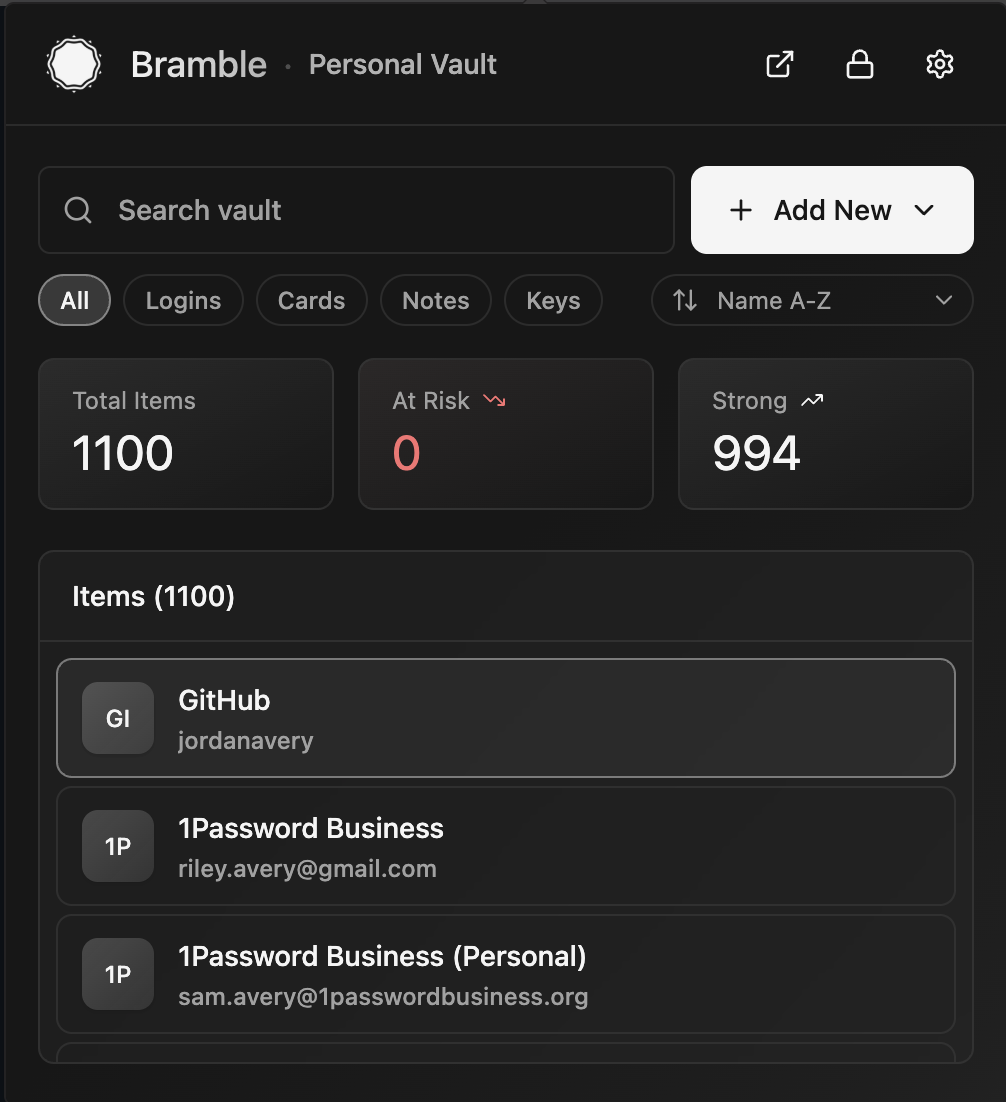 Your vault | 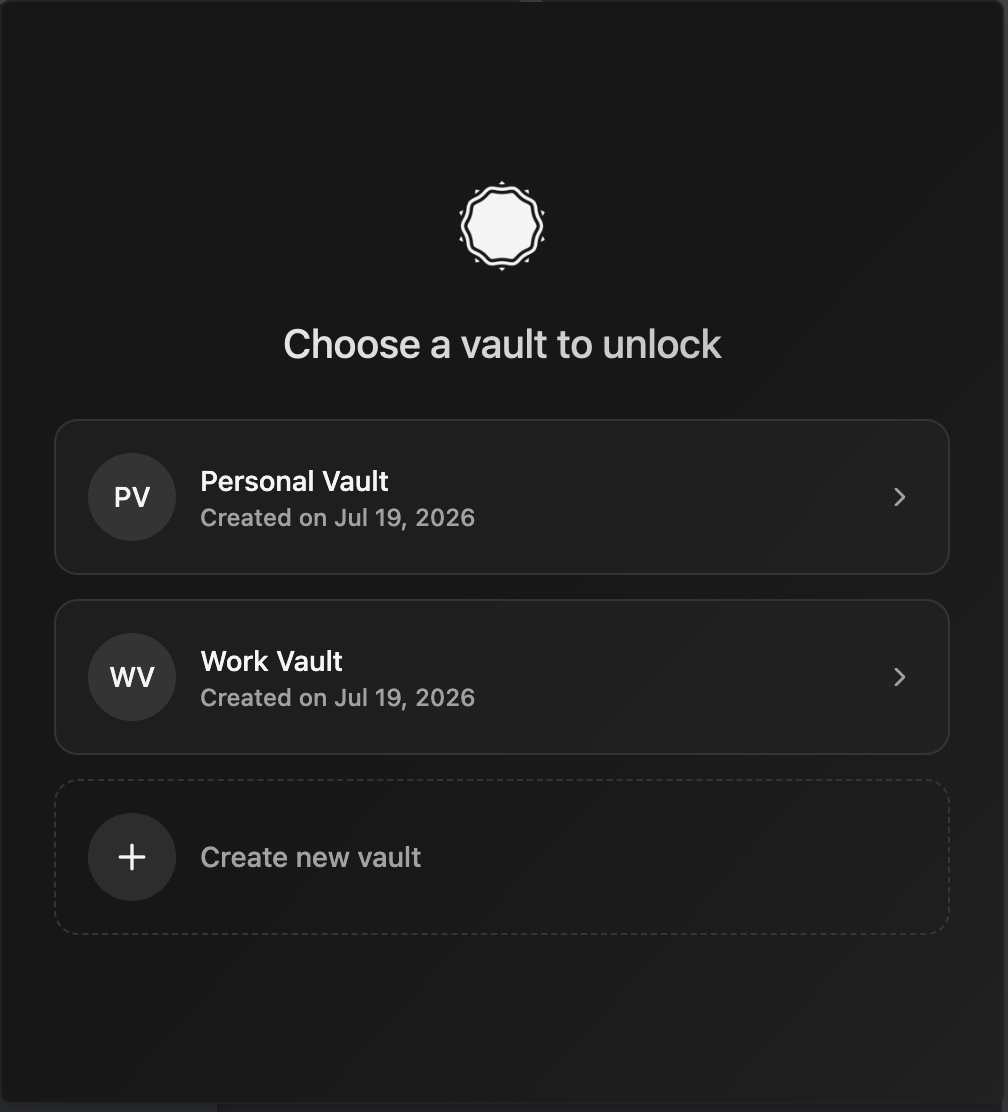 Pick a vault | 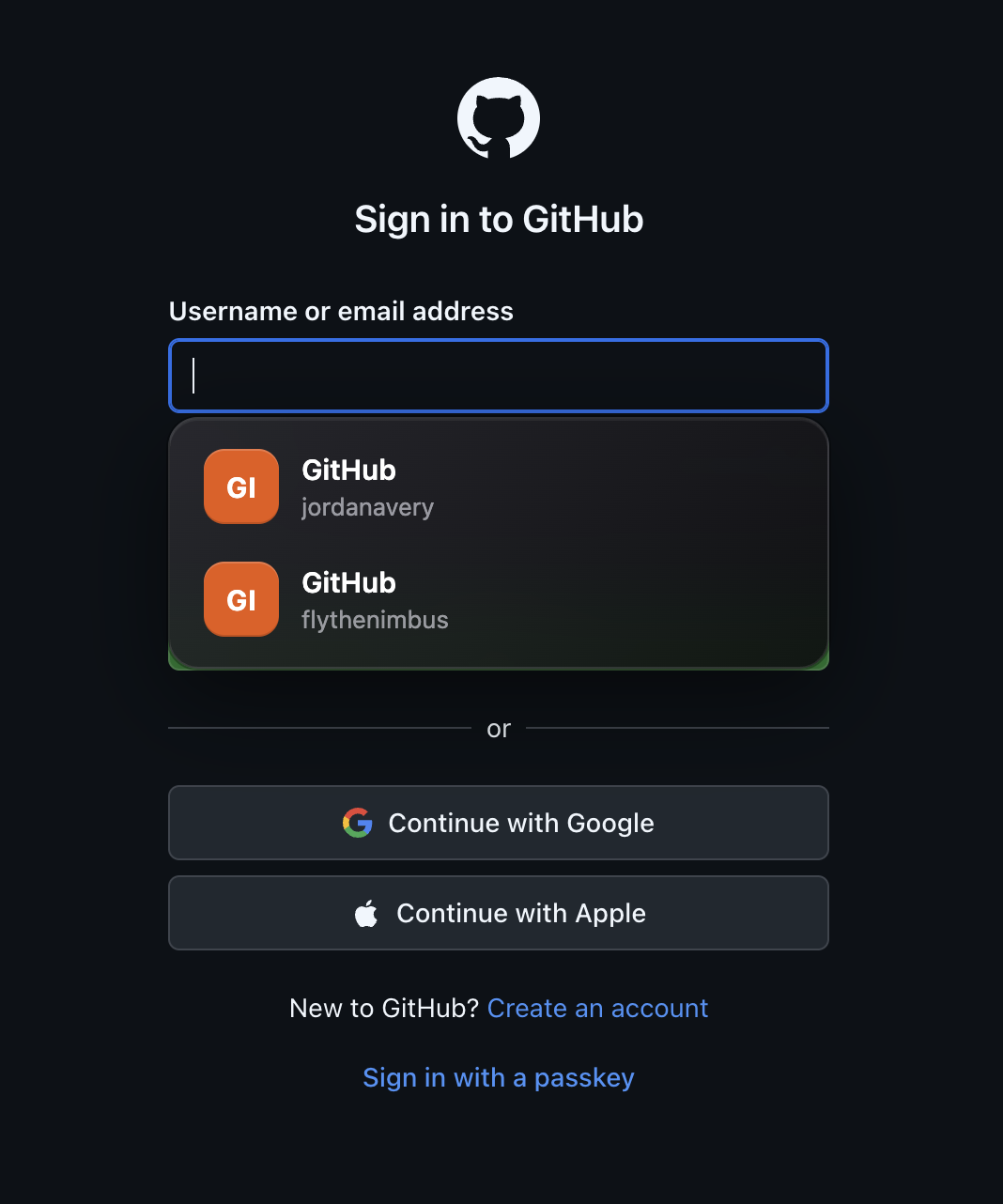 Autofill on a page |
|---|---|---|
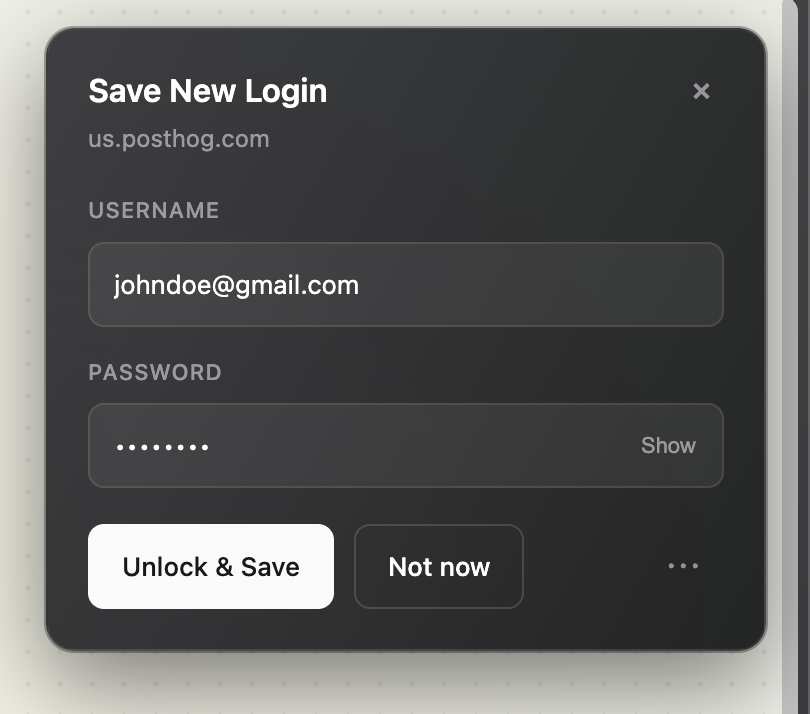 Save a new login | 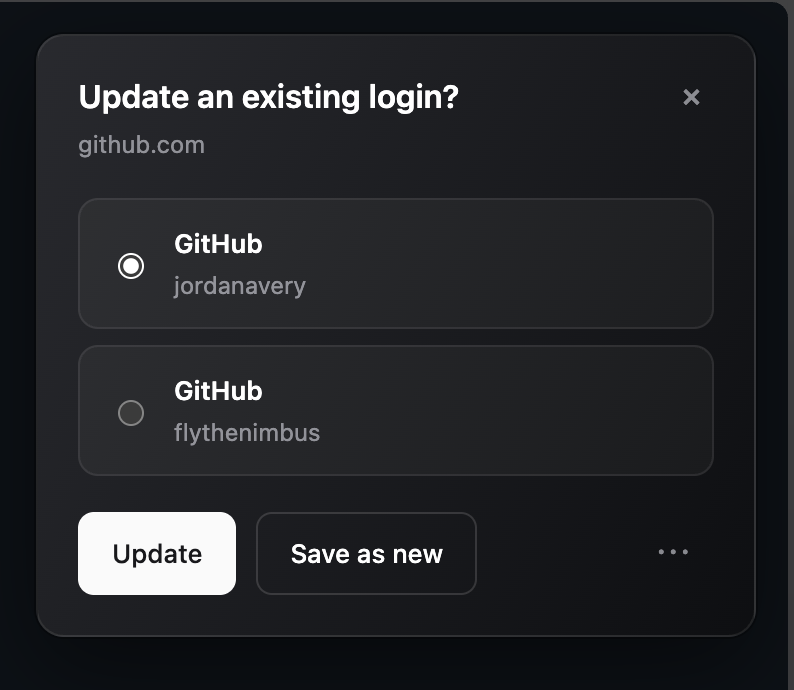 Update an existing login | 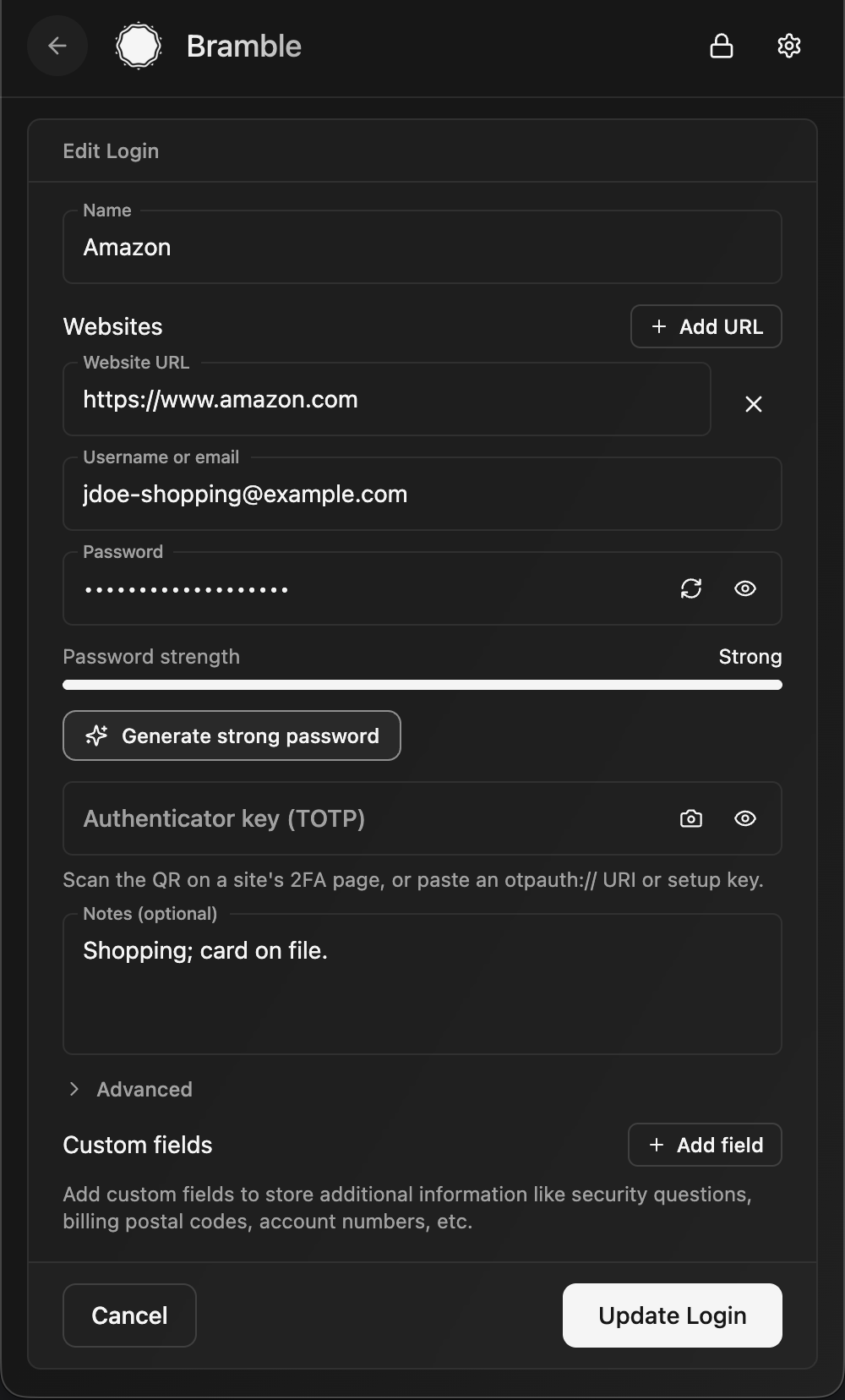 Editing an entry |
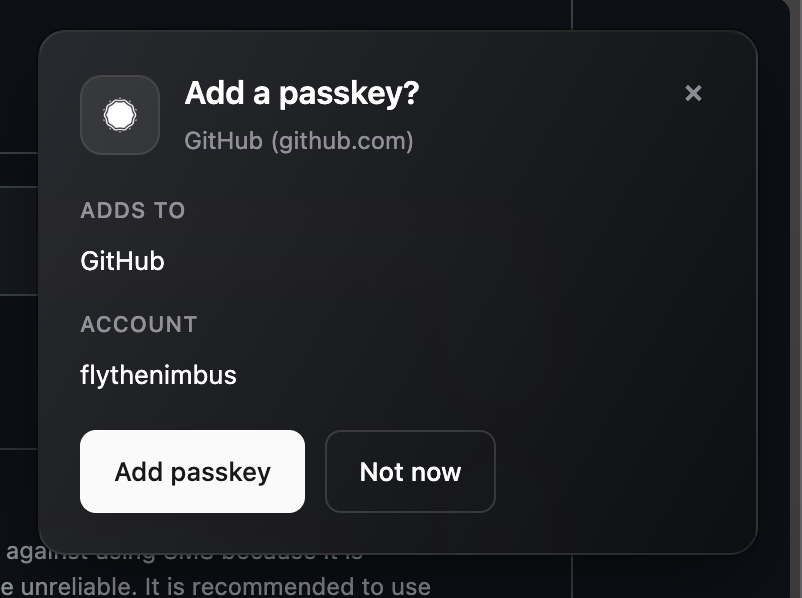 Create a passkey | 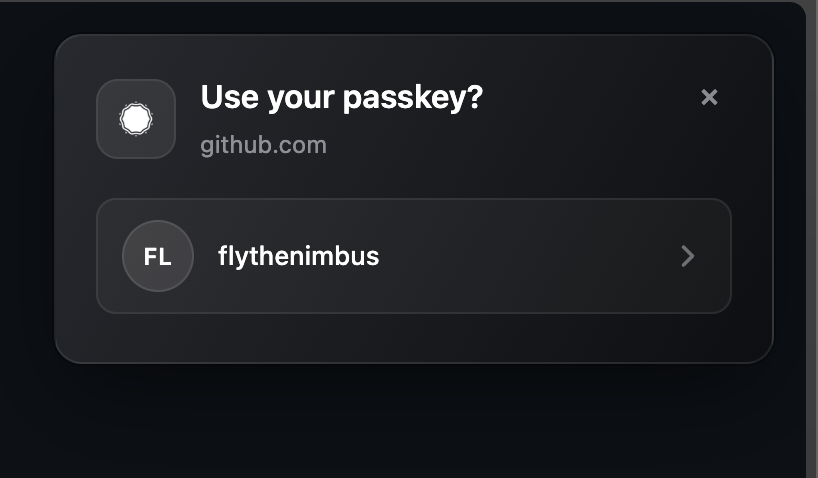 Sign in with a passkey | 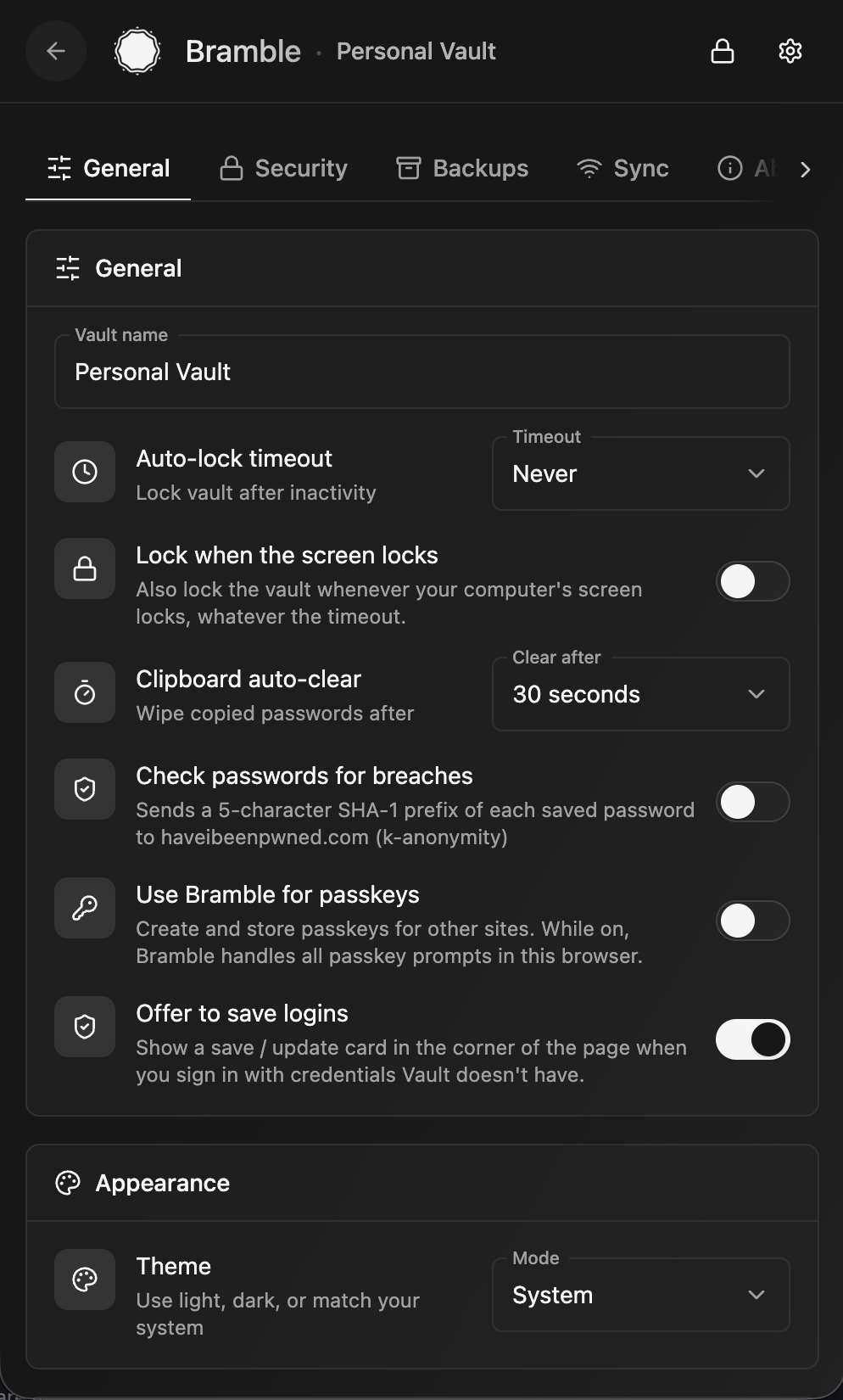 Settings |
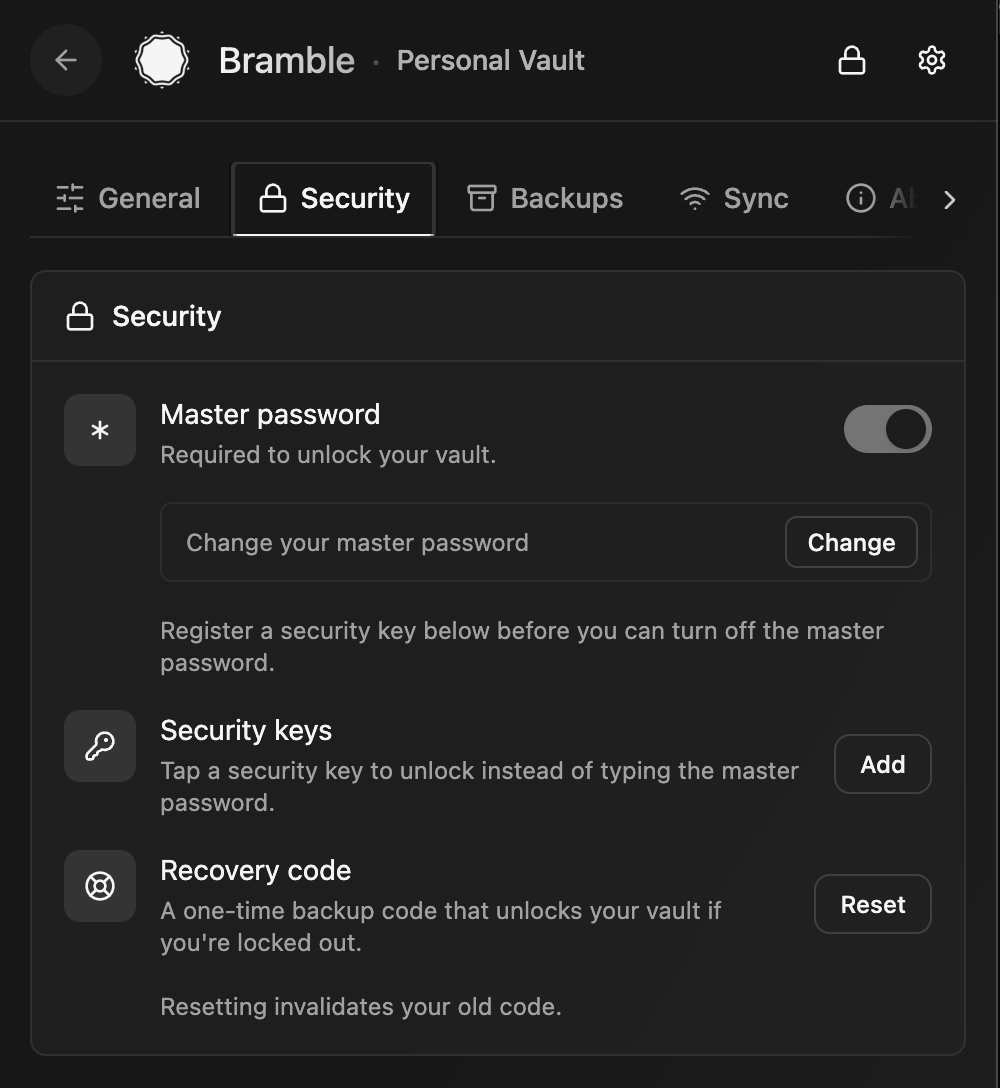 Unlock methods | 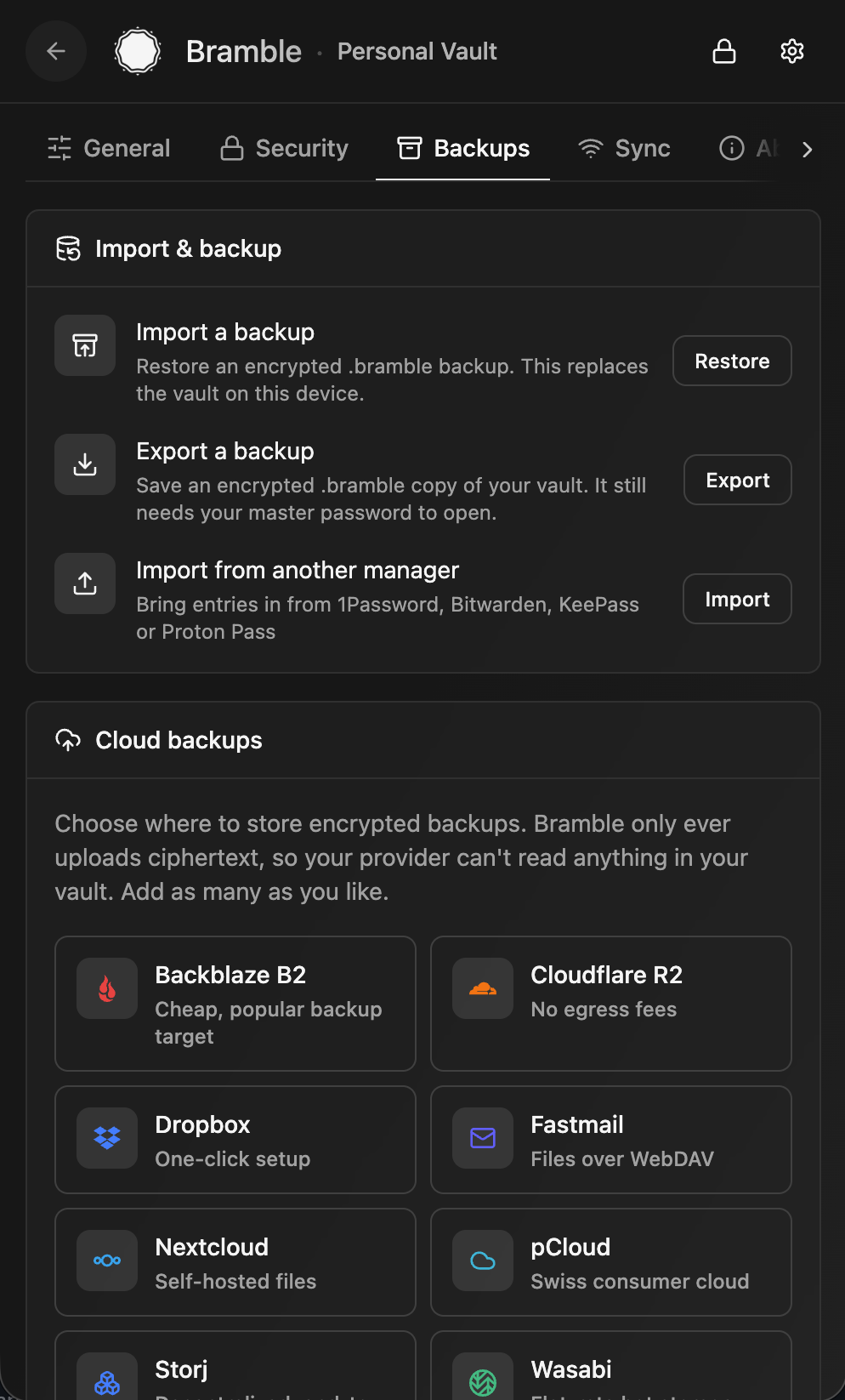 Backups and import | 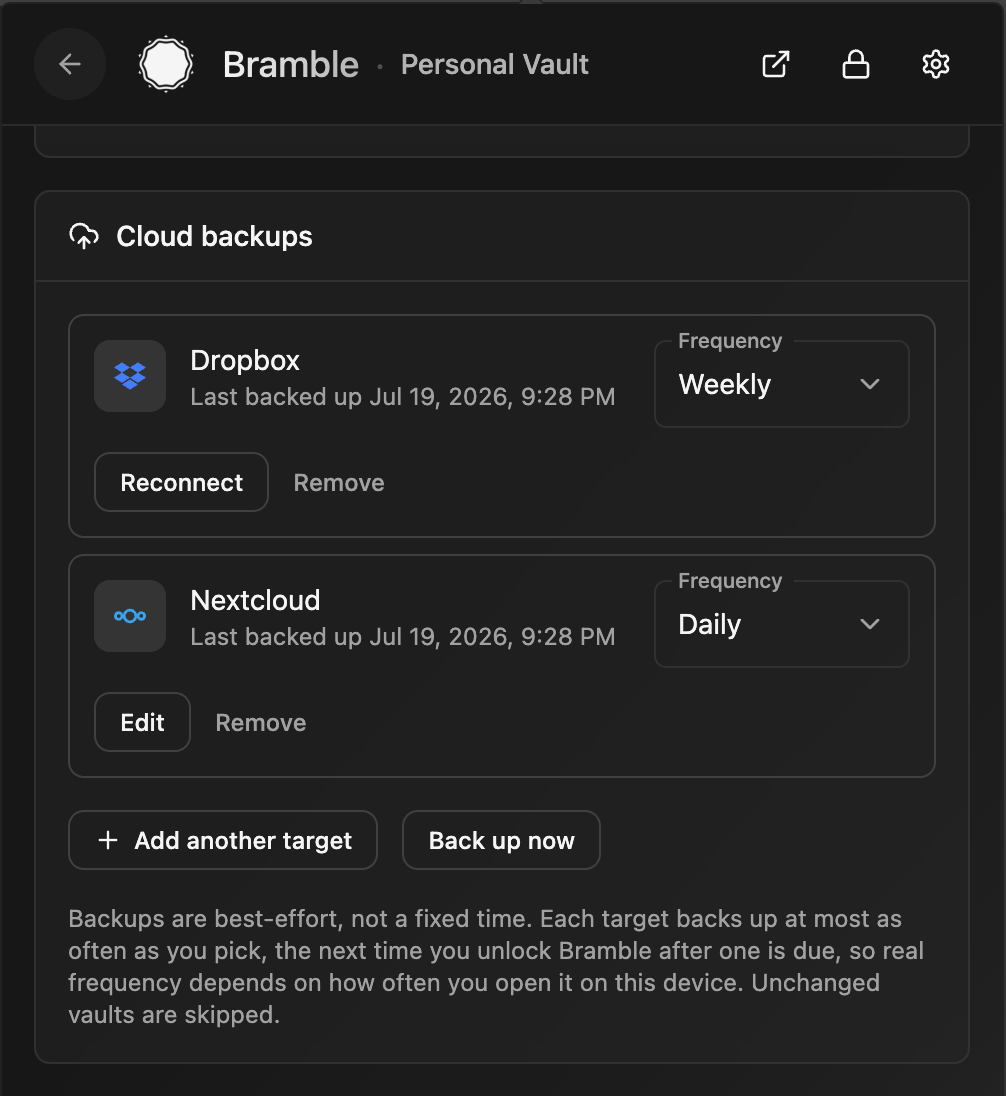 Scheduled cloud backups |
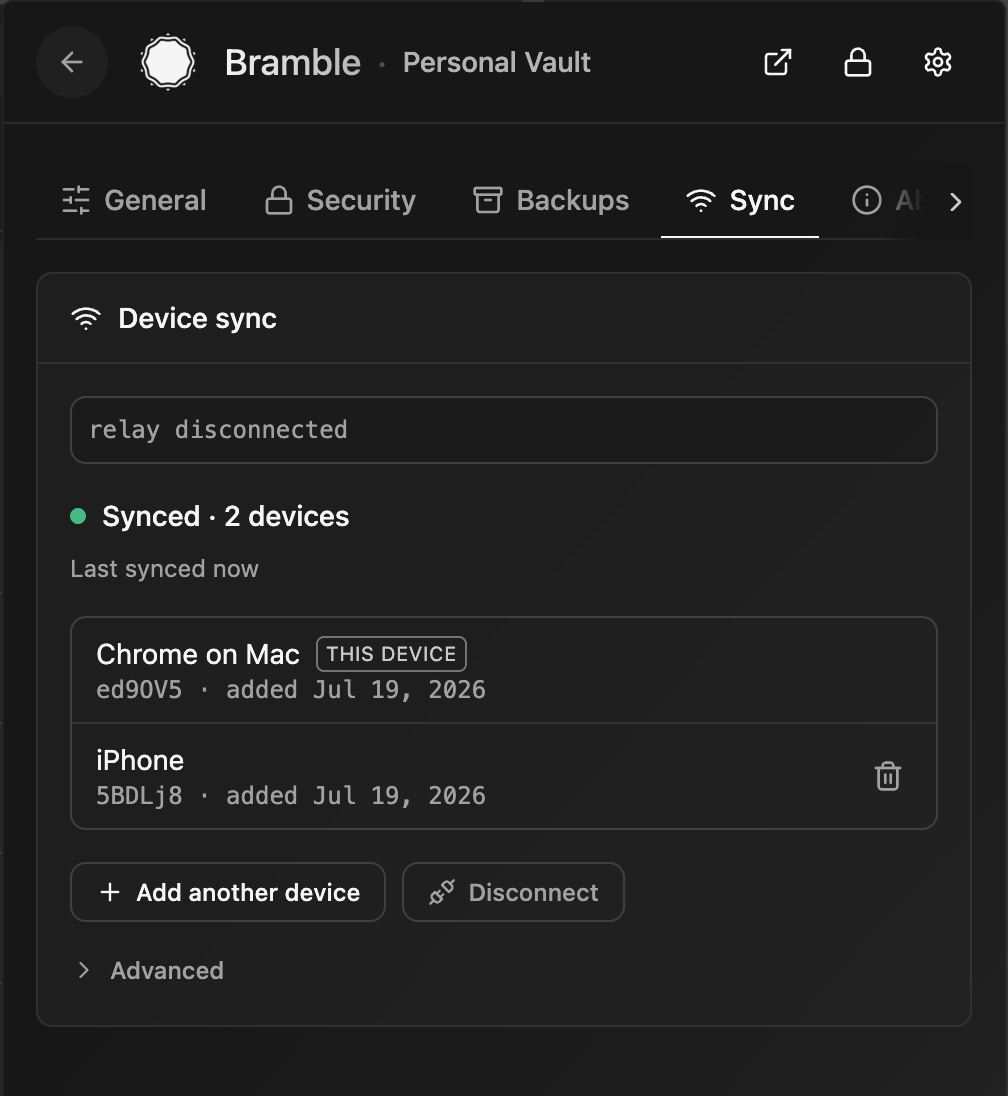 Device sync |
Your passwords are encrypted on your own device and stay there: in the browser's private extension storage, in ordinary files on your own disk in the desktop app, and in app-private encrypted storage on mobile. There's no server holding your vault and no account to sign up for. To use the same vault on more than one device, Bramble syncs it directly between your devices, peer-to-peer, end-to-end encrypted, with no cloud in the middle. Want a copy in your own hands? Export an encrypted backup file any time.
Everything cryptographic happens inside a single Rust core: compiled to WebAssembly in the browser, and to a native library on iOS and Android. Key derivation, encryption, and decryption all run in that core, and derived keys are wiped from memory after use.
Nobody else holds a copy of your vault, so keeping a backup is up to you. Bramble gives you two ways to do it:
.bramble file and stash it somewhere safe: another drive, a USB stick, wherever you like. It stays ciphertext, so opening it still needs your master password and a stolen backup is useless on its own. Do this now and then, especially before any big change.A synced second device and the occasional export together mean you are never one lost or broken device away from losing your vault.
The mobile apps reuse Bramble's Rust crypto core and vault format, with native OS autofill on top:
The iOS and Android apps are versioned and released independently of the extension.
A native app for macOS and Linux, not a browser tab in a costume. It is built with Tauri, so the UI is the same React that runs everywhere else while the vault and every cryptographic operation live in a Rust process. The Vault Key never enters the webview at all.
Install it the way you install everything else: a signed and notarized .dmg or brew install --cask bramble on macOS, and an APT repository, an AppImage, .deb and .rpm packages, or a Nix flake on Linux. The disk image and the AppImage update themselves; the package-manager routes update along with the rest of your system.
What it cannot do yet, and says so rather than failing quietly: Touch ID unlock, creating and using passkeys, exporting to KeePass, auto-type into native apps, and the SSH agent for the SSH keys the vault already stores. Importing is a different story and already works: bring in passkeys, or a whole KeePass database, and they land in the vault like anything else.
www.ikea.com, ca.accounts.ikea.com, and ikea.com all match the same login. One entry, several URLs. On the browser it's an on-page dropdown that reaches forms inside iframes and shadow DOM; on mobile it's the OS autofill bar across apps and browsers; on the desktop app it's the quick-access panel, filling the browser through the extension it is paired with..bramble file whenever you want a copy in your own hands. It still needs your master password to open..kdbx (KDBX4) under a password you choose for the file, and open it in KeePassXC or any other KeePass app. No lock-in: the door out is as easy as the door in.otpauth:// URI or bare secret and Bramble generates the six-digit codes.The cloud guys keep everyone's vaults on their servers, one giant target. When one gets popped it's not your vault that leaks, it's millions at once, and you find out from a blog post months later. Looking at you, LastPass and Dashlane 👀
Bramble flips that around:
The tradeoff is real and worth being honest about: there's no "I forgot my password" button on a server somewhere. But you're not without a safety net: every vault gets a recovery code, and you can register a hardware key as another way in. Save the recovery code, keep a second device synced, and export a backup now and then. Lose all of your ways in (password, key, and recovery code) and the vault is gone, because nobody else holds a copy.
Bramble uses LUKS-style key slots and envelope encryption. There's one random Vault Key (VEK) that actually protects your data. Each way of unlocking (master password, security key, biometrics, or recovery code) derives its own Key-Encryption Key (KEK) that unwraps a copy of that same Vault Key, so adding or revoking an unlock method never re-encrypts a single entry. The Vault Key then unwraps a fresh per-entry key for every item, and that key decrypts the entry itself. Everything is AES-256-GCM, all of it inside the same Rust core (compiled to WebAssembly in the browser, a native library on mobile).
flowchart TD
    subgraph unlock["Unlock (any one of these)"]
        PW["Master password"]
        SK["Security key<br/>(WebAuthn PRF)"]
        RC["Recovery code"]
    end

    PW -->|"Argon2id"| KEK["Key-Encryption Key (KEK)<br/>32 bytes, never stored"]
    SK -->|"HKDF-SHA256"| KEK
    RC -->|"Argon2id"| KEK

    subgraph slots["Key slots (in the vault)"]
        S["wrapped Vault Key<br/>per slot"]
    end

    KEK -->|"AES-256-GCM unwrap"| VEK["Vault Key (VEK)<br/>random, protects everything"]
    S -.->|"one slot per unlock method"| VEK

    VEK -->|"decrypt entries blob"| ENTRIES["Encrypted entries"]
    VEK -->|"AES-256-GCM unwrap"| DEK["Per-entry key (DEK)<br/>fresh & random per save"]
    DEK -->|"AES-256-GCM decrypt"| DATA["Entry data<br/>(passwords, notes, cards, keys)"]
Your master password is only ever used to derive keys inside the crypto core, and the KEK and decrypted keys are wiped from memory after use. In storage, only the vault header is readable; everything else is ciphertext.
If you love KeePass, you'll feel at home: your encrypted database, your control, no cloud middleman. Bramble even imports your KDBX4 files. Where it's different:
The KeePass philosophy with a browser-native and mobile-native coat of paint and autofill that works smoothly.
Parts of Bramble were written with AI assistance (Claude Opus), but every line was directed, reviewed, and shaped by a software engineer with over a decade of experience, the security-critical pieces especially. The AI was a fast typist, not the architect. The codebase is heavily tested, automated and manual, because for security software "it seems to work" isn't good enough.
Open source and contributions welcome. CONTRIBUTING.md has the setup steps, the coding standard, and what CI expects. A few things worth knowing up front:
PRs that add real-site autofill fixtures or import-format coverage are especially handy.
Bramble is free and open source. If it's useful to you, a tip is hugely appreciated. 💜 Scan a code with your wallet, or copy an address below.
| Monero (XMR) | Bitcoin · Lightning | Bitcoin · on-chain |
|---|---|---|
 |  |  |
Monero (XMR)
4AC3txuTwFm4fkamoYeK47c9EpnPwbreHNxJeKDYHiDNN6weD5vVA4BCH1azQhSxa6JjereuVpt21Pu2MyRDFDNNH6KGnWq
Bitcoin · Lightning
[email protected]
Bitcoin · on-chain
bc1q78sd5rnuufqdtv9plp0p56hrq72c9unj8tec8t
Free code signing provided by SignPath.io, certificate by SignPath Foundation.
The desktop app's Windows installer is built by GitHub Actions from this repository and signed through SignPath only after a manual approval, so Windows shows SignPath Foundation as its publisher. Team roles, how a signed build is made, and the privacy statement are in the full code signing policy.
Copyright (C) 2026 Webvana Inc.
Bramble is free software, released under the GNU General Public License v3.0. See the LICENSE file for the full text. In short: use it, study it, fork it, and share it. If you distribute a modified version, pass the same freedoms along and make your source available under the GPLv3 too.
264 followers · starred Jul 2026
107 followers · starred Jul 2026
134 followers · starred Jul 2026
202 followers · starred Aug 2026
Local-first password manager with direct device-to-device sync
See the code
A password manager that keeps your secrets on your own devices. No account, no server holding your vault, no company to get breached and leak everything. You hold the vault, you hold the password, and that's it.
Bramble runs where you do:
The same encrypted vault and the same Rust crypto core sit behind all four, and your devices can sync to each other directly, peer-to-peer, with no cloud in the middle.
Get Bramble:
Your vault | Pick a vault | Autofill on a page |
|---|---|---|
Save a new login | Update an existing login | Editing an entry |
Create a passkey | Sign in with a passkey | Settings |
Unlock methods | Backups and import | Scheduled cloud backups |
Device sync |
Your passwords are encrypted on your own device and stay there: in the browser's private extension storage, in ordinary files on your own disk in the desktop app, and in app-private encrypted storage on mobile. There's no server holding your vault and no account to sign up for. To use the same vault on more than one device, Bramble syncs it directly between your devices, peer-to-peer, end-to-end encrypted, with no cloud in the middle. Want a copy in your own hands? Export an encrypted backup file any time.
Everything cryptographic happens inside a single Rust core: compiled to WebAssembly in the browser, and to a native library on iOS and Android. Key derivation, encryption, and decryption all run in that core, and derived keys are wiped from memory after use.
Nobody else holds a copy of your vault, so keeping a backup is up to you. Bramble gives you two ways to do it:
.bramble file and stash it somewhere safe: another drive, a USB stick, wherever you like. It stays ciphertext, so opening it still needs your master password and a stolen backup is useless on its own. Do this now and then, especially before any big change.A synced second device and the occasional export together mean you are never one lost or broken device away from losing your vault.
The mobile apps reuse Bramble's Rust crypto core and vault format, with native OS autofill on top:
The iOS and Android apps are versioned and released independently of the extension.
A native app for macOS and Linux, not a browser tab in a costume. It is built with Tauri, so the UI is the same React that runs everywhere else while the vault and every cryptographic operation live in a Rust process. The Vault Key never enters the webview at all.
Install it the way you install everything else: a signed and notarized .dmg or brew install --cask bramble on macOS, and an APT repository, an AppImage, .deb and .rpm packages, or a Nix flake on Linux. The disk image and the AppImage update themselves; the package-manager routes update along with the rest of your system.
What it cannot do yet, and says so rather than failing quietly: Touch ID unlock, creating and using passkeys, exporting to KeePass, auto-type into native apps, and the SSH agent for the SSH keys the vault already stores. Importing is a different story and already works: bring in passkeys, or a whole KeePass database, and they land in the vault like anything else.
www.ikea.com, ca.accounts.ikea.com, and ikea.com all match the same login. One entry, several URLs. On the browser it's an on-page dropdown that reaches forms inside iframes and shadow DOM; on mobile it's the OS autofill bar across apps and browsers; on the desktop app it's the quick-access panel, filling the browser through the extension it is paired with..bramble file whenever you want a copy in your own hands. It still needs your master password to open..kdbx (KDBX4) under a password you choose for the file, and open it in KeePassXC or any other KeePass app. No lock-in: the door out is as easy as the door in.otpauth:// URI or bare secret and Bramble generates the six-digit codes.The cloud guys keep everyone's vaults on their servers, one giant target. When one gets popped it's not your vault that leaks, it's millions at once, and you find out from a blog post months later. Looking at you, LastPass and Dashlane 👀
Bramble flips that around:
The tradeoff is real and worth being honest about: there's no "I forgot my password" button on a server somewhere. But you're not without a safety net: every vault gets a recovery code, and you can register a hardware key as another way in. Save the recovery code, keep a second device synced, and export a backup now and then. Lose all of your ways in (password, key, and recovery code) and the vault is gone, because nobody else holds a copy.
Bramble uses LUKS-style key slots and envelope encryption. There's one random Vault Key (VEK) that actually protects your data. Each way of unlocking (master password, security key, biometrics, or recovery code) derives its own Key-Encryption Key (KEK) that unwraps a copy of that same Vault Key, so adding or revoking an unlock method never re-encrypts a single entry. The Vault Key then unwraps a fresh per-entry key for every item, and that key decrypts the entry itself. Everything is AES-256-GCM, all of it inside the same Rust core (compiled to WebAssembly in the browser, a native library on mobile).
flowchart TD
    subgraph unlock["Unlock (any one of these)"]
        PW["Master password"]
        SK["Security key<br/>(WebAuthn PRF)"]
        RC["Recovery code"]
    end

    PW -->|"Argon2id"| KEK["Key-Encryption Key (KEK)<br/>32 bytes, never stored"]
    SK -->|"HKDF-SHA256"| KEK
    RC -->|"Argon2id"| KEK

    subgraph slots["Key slots (in the vault)"]
        S["wrapped Vault Key<br/>per slot"]
    end

    KEK -->|"AES-256-GCM unwrap"| VEK["Vault Key (VEK)<br/>random, protects everything"]
    S -.->|"one slot per unlock method"| VEK

    VEK -->|"decrypt entries blob"| ENTRIES["Encrypted entries"]
    VEK -->|"AES-256-GCM unwrap"| DEK["Per-entry key (DEK)<br/>fresh & random per save"]
    DEK -->|"AES-256-GCM decrypt"| DATA["Entry data<br/>(passwords, notes, cards, keys)"]
Your master password is only ever used to derive keys inside the crypto core, and the KEK and decrypted keys are wiped from memory after use. In storage, only the vault header is readable; everything else is ciphertext.
If you love KeePass, you'll feel at home: your encrypted database, your control, no cloud middleman. Bramble even imports your KDBX4 files. Where it's different:
The KeePass philosophy with a browser-native and mobile-native coat of paint and autofill that works smoothly.
Parts of Bramble were written with AI assistance (Claude Opus), but every line was directed, reviewed, and shaped by a software engineer with over a decade of experience, the security-critical pieces especially. The AI was a fast typist, not the architect. The codebase is heavily tested, automated and manual, because for security software "it seems to work" isn't good enough.
Open source and contributions welcome. CONTRIBUTING.md has the setup steps, the coding standard, and what CI expects. A few things worth knowing up front:
PRs that add real-site autofill fixtures or import-format coverage are especially handy.
Bramble is free and open source. If it's useful to you, a tip is hugely appreciated. 💜 Scan a code with your wallet, or copy an address below.
| Monero (XMR) | Bitcoin · Lightning | Bitcoin · on-chain |
|---|---|---|
| | |
Monero (XMR)
4AC3txuTwFm4fkamoYeK47c9EpnPwbreHNxJeKDYHiDNN6weD5vVA4BCH1azQhSxa6JjereuVpt21Pu2MyRDFDNNH6KGnWq
Bitcoin · Lightning
[email protected]
Bitcoin · on-chain
bc1q78sd5rnuufqdtv9plp0p56hrq72c9unj8tec8t
Free code signing provided by SignPath.io, certificate by SignPath Foundation.
The desktop app's Windows installer is built by GitHub Actions from this repository and signed through SignPath only after a manual approval, so Windows shows SignPath Foundation as its publisher. Team roles, how a signed build is made, and the privacy statement are in the full code signing policy.
Copyright (C) 2026 Webvana Inc.
Bramble is free software, released under the GNU General Public License v3.0. See the LICENSE file for the full text. In short: use it, study it, fork it, and share it. If you distribute a modified version, pass the same freedoms along and make your source available under the GPLv3 too.
264 followers · starred Jul 2026
107 followers · starred Jul 2026
134 followers · starred Jul 2026
202 followers · starred Aug 2026





