Your Git workflow, refreshed. A lightweight Git client for macOS.
Rust
1
32 commits
updated Oct 11, 2026

A focused, open-source Git client for macOS. Browse your repositories, review changes, and make everyday Git work feel clear.
Download GitMint for macOS · Report a problem · Contribute




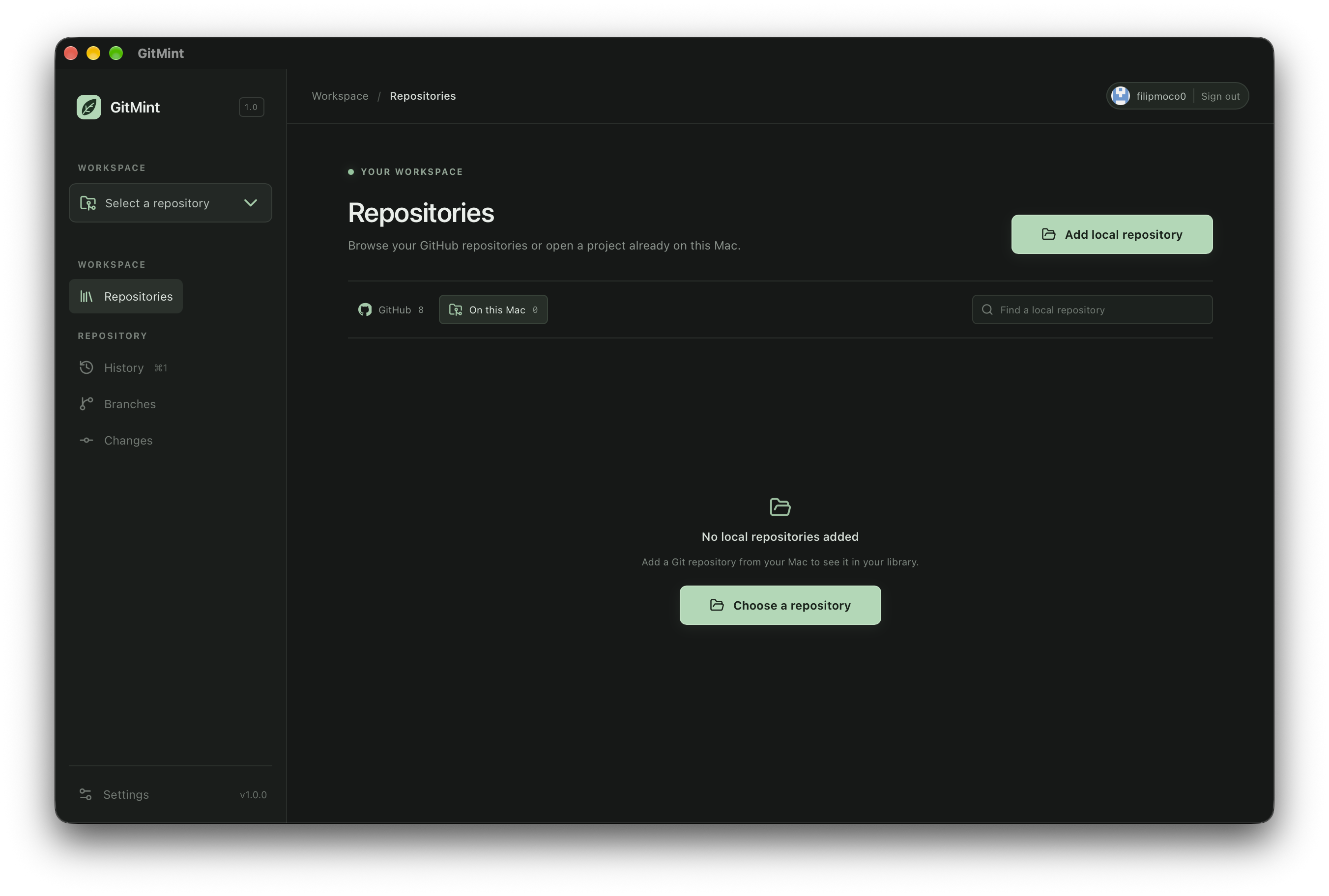
GitMint brings the everyday parts of Git into one compact desktop app:
Git operations run locally through Git. GitHub sign-in authenticates repository browsing, cloning, pushing, and pulling. Pull uses fast-forward only and stops when the working tree has changes. GitHub HTTPS remotes are supported for sync; pull requests and merge workflows are not included.
Download the latest Apple silicon build from GitHub Releases. Builds are not signed with an Apple Developer ID or notarized, so macOS may block the app until you approve it in Privacy & Security settings.
The first release targets Apple silicon. Please keep a backup of important work and report issues on GitHub.
Requirements: macOS, Git, Node.js, Rust, and Xcode Command Line Tools.
.env.example to .env.local. It includes the public GitMint OAuth client ID and HTTPS token-broker URL. For a custom OAuth app or broker, see AUTHENTICATION.md.npm install
npm run tauri:dev
npm run package:macos-dmg
The installer is written to src-tauri/target/release/bundle/dmg/. npm run tauri:build builds the .app bundle only.
GitMint stores your GitHub sign-in token in macOS Keychain. The token broker exchanges OAuth authorization codes and does not store tokens. Git operations are scoped to the selected local repository. Read AUTHENTICATION.md for details about the sign-in flow and permissions.
Your Git workflow, refreshed. A lightweight Git client for macOS.
Rust
1
32 commits
updated Oct 11, 2026
A focused, open-source Git client for macOS. Browse your repositories, review changes, and make everyday Git work feel clear.
Download GitMint for macOS · Report a problem · Contribute
GitMint brings the everyday parts of Git into one compact desktop app:
Git operations run locally through Git. GitHub sign-in authenticates repository browsing, cloning, pushing, and pulling. Pull uses fast-forward only and stops when the working tree has changes. GitHub HTTPS remotes are supported for sync; pull requests and merge workflows are not included.
Download the latest Apple silicon build from GitHub Releases. Builds are not signed with an Apple Developer ID or notarized, so macOS may block the app until you approve it in Privacy & Security settings.
The first release targets Apple silicon. Please keep a backup of important work and report issues on GitHub.
Requirements: macOS, Git, Node.js, Rust, and Xcode Command Line Tools.
.env.example to .env.local. It includes the public GitMint OAuth client ID and HTTPS token-broker URL. For a custom OAuth app or broker, see AUTHENTICATION.md.npm install
npm run tauri:dev
npm run package:macos-dmg
The installer is written to src-tauri/target/release/bundle/dmg/. npm run tauri:build builds the .app bundle only.
GitMint stores your GitHub sign-in token in macOS Keychain. The token broker exchanges OAuth authorization codes and does not store tokens. Git operations are scoped to the selected local repository. Read AUTHENTICATION.md for details about the sign-in flow and permissions.





