GitHub notification companion that lives around the macOS notch
Swift
1
14 commits
updated Oct 15, 2026

GitHub notifications that live in your MacBook's notch.
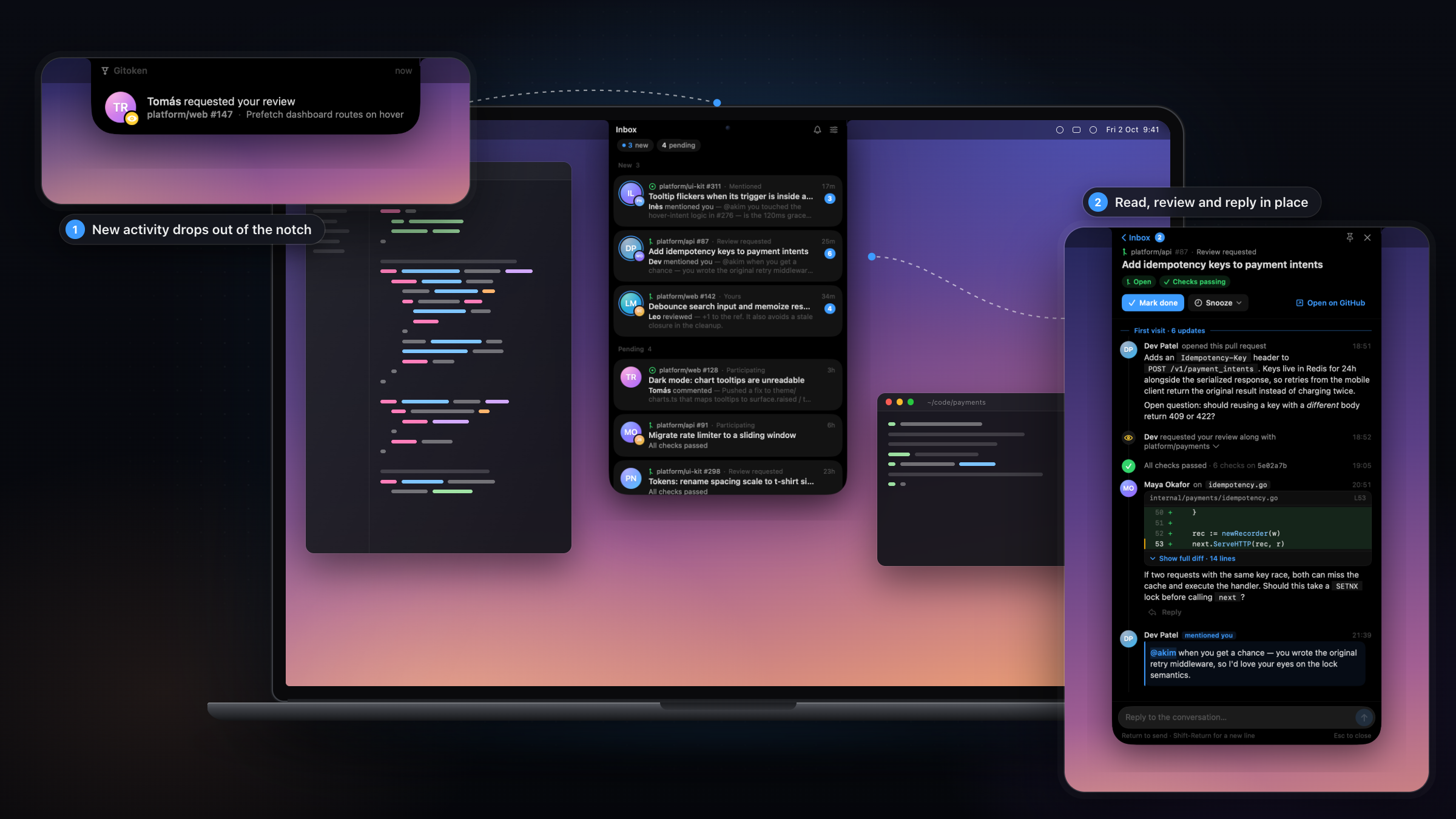
Gitoken is a native macOS menu-bar app. New GitHub activity drops out of the notch. Click it to triage your inbox, read the conversation, and review code without opening a browser.
/ using repo:, author:, reason: and is:.Everything is keyboard-driven (⌥⌘G opens the inbox). See docs/FEATURES.md for the full reference.
| Inbox | Conversation |
|---|---|
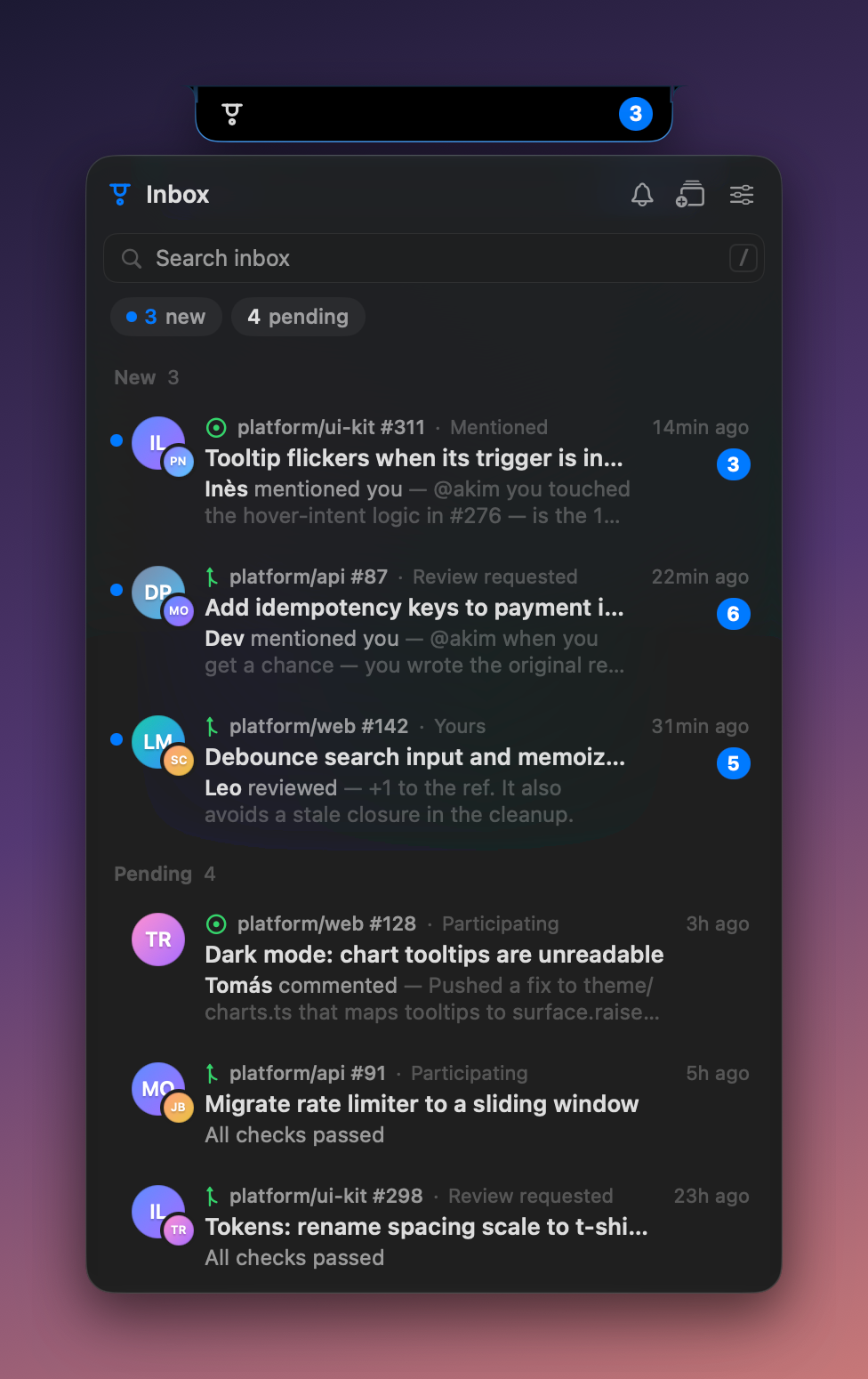 | 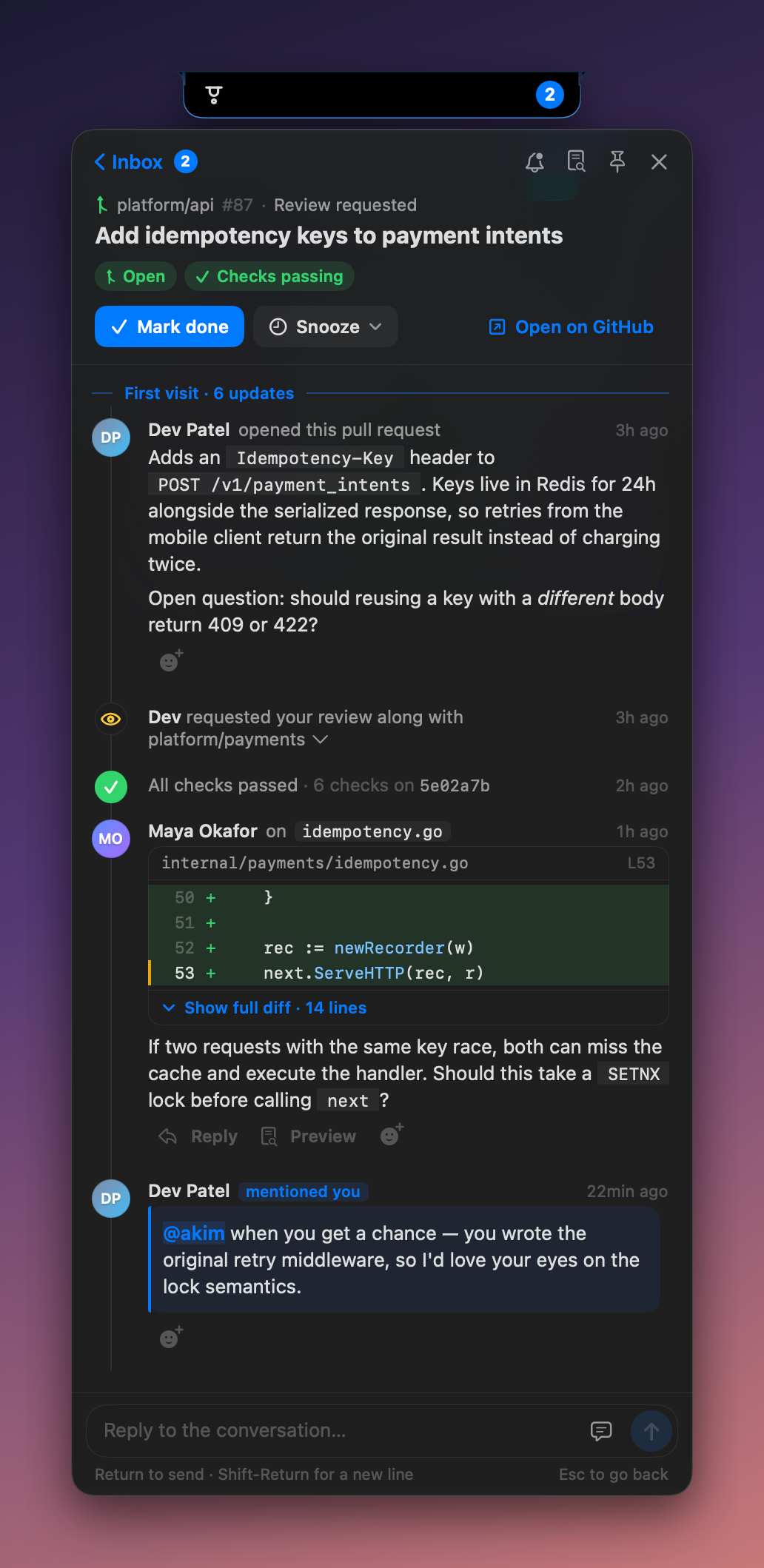 |
| File preview with inline review threads | Settings |
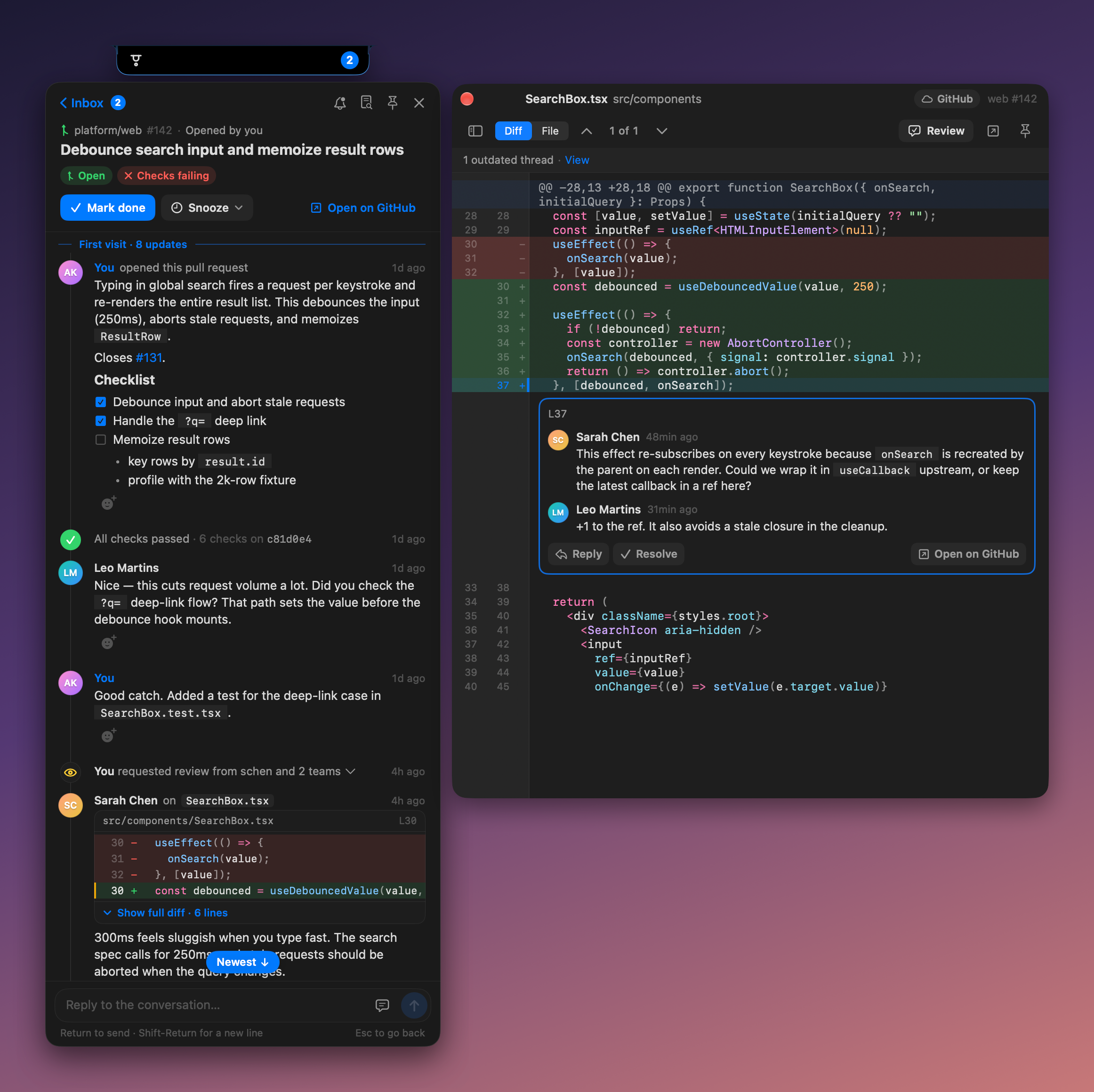 | 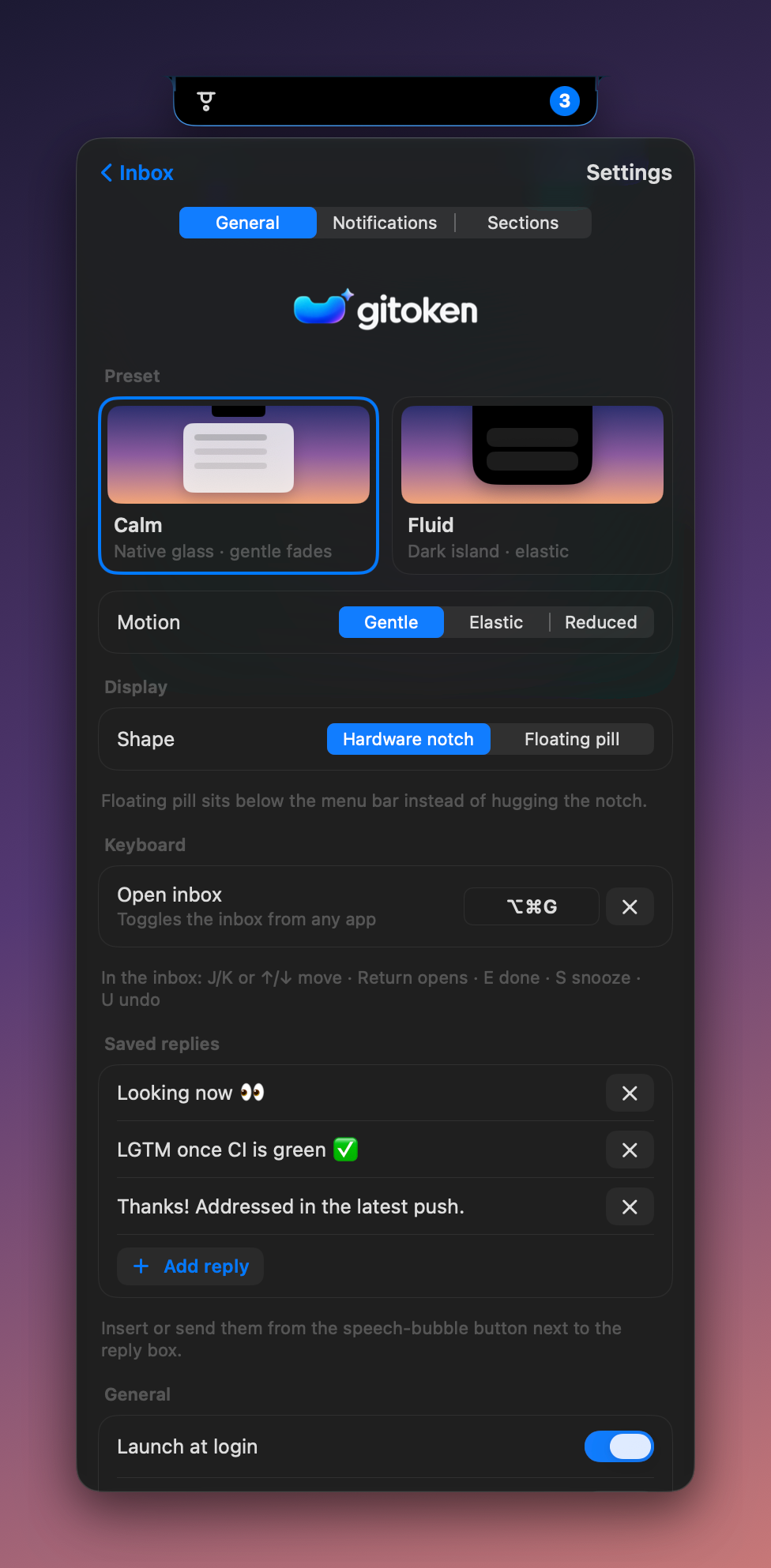 |
All screenshots use the app's built-in fictional demo data.
Requires macOS 15 or later and the GitHub CLI signed in to github.com. Gitoken reuses its token and has no login of its own.
brew install gh && gh auth login
brew install --cask benzara-tahar/tap/gitoken
Release zips are also on the Releases page.
Gitoken is ad-hoc signed, not notarized, so macOS blocks the first launch. Click Open Anyway in System Settings › Privacy & Security, or run:
xattr -dr com.apple.quarantine /Applications/Gitoken.app
Gitoken has no Dock icon. Look for it at the notch, or as a pill at the top of the screen on Macs without one.
Gitoken talks only to the GitHub API using your gh token. It has no server, analytics or telemetry. Notification state is cached locally in SQLite.
Requires Xcode 26.
xcodebuild -project Gitoken.xcodeproj -scheme Gitoken -configuration Debug \
  -derivedDataPath build/DerivedData build
open build/DerivedData/Build/Products/Debug/Gitoken.app --args --fixtures   # demo data, no GitHub login
Tests, packaging, architecture and releases are covered in BUILD.md.
MIT. Bundled tree-sitter queries are MIT licensed by their authors; see their NOTICE.
GitHub notification companion that lives around the macOS notch
Swift
1
14 commits
updated Oct 15, 2026
GitHub notifications that live in your MacBook's notch.
Gitoken is a native macOS menu-bar app. New GitHub activity drops out of the notch. Click it to triage your inbox, read the conversation, and review code without opening a browser.
/ using repo:, author:, reason: and is:.Everything is keyboard-driven (⌥⌘G opens the inbox). See docs/FEATURES.md for the full reference.
| Inbox | Conversation |
|---|---|
| |
| File preview with inline review threads | Settings |
| |
All screenshots use the app's built-in fictional demo data.
Requires macOS 15 or later and the GitHub CLI signed in to github.com. Gitoken reuses its token and has no login of its own.
brew install gh && gh auth login
brew install --cask benzara-tahar/tap/gitoken
Release zips are also on the Releases page.
Gitoken is ad-hoc signed, not notarized, so macOS blocks the first launch. Click Open Anyway in System Settings › Privacy & Security, or run:
xattr -dr com.apple.quarantine /Applications/Gitoken.app
Gitoken has no Dock icon. Look for it at the notch, or as a pill at the top of the screen on Macs without one.
Gitoken talks only to the GitHub API using your gh token. It has no server, analytics or telemetry. Notification state is cached locally in SQLite.
Requires Xcode 26.
xcodebuild -project Gitoken.xcodeproj -scheme Gitoken -configuration Debug \
  -derivedDataPath build/DerivedData build
open build/DerivedData/Build/Products/Debug/Gitoken.app --args --fixtures   # demo data, no GitHub login
Tests, packaging, architecture and releases are covered in BUILD.md.
MIT. Bundled tree-sitter queries are MIT licensed by their authors; see their NOTICE.



