
See what people are saying
README
Gitify downloads
This repository contains the packaged Gitify installers. The application source code is kept in a separate private repository.
See Gitify in action
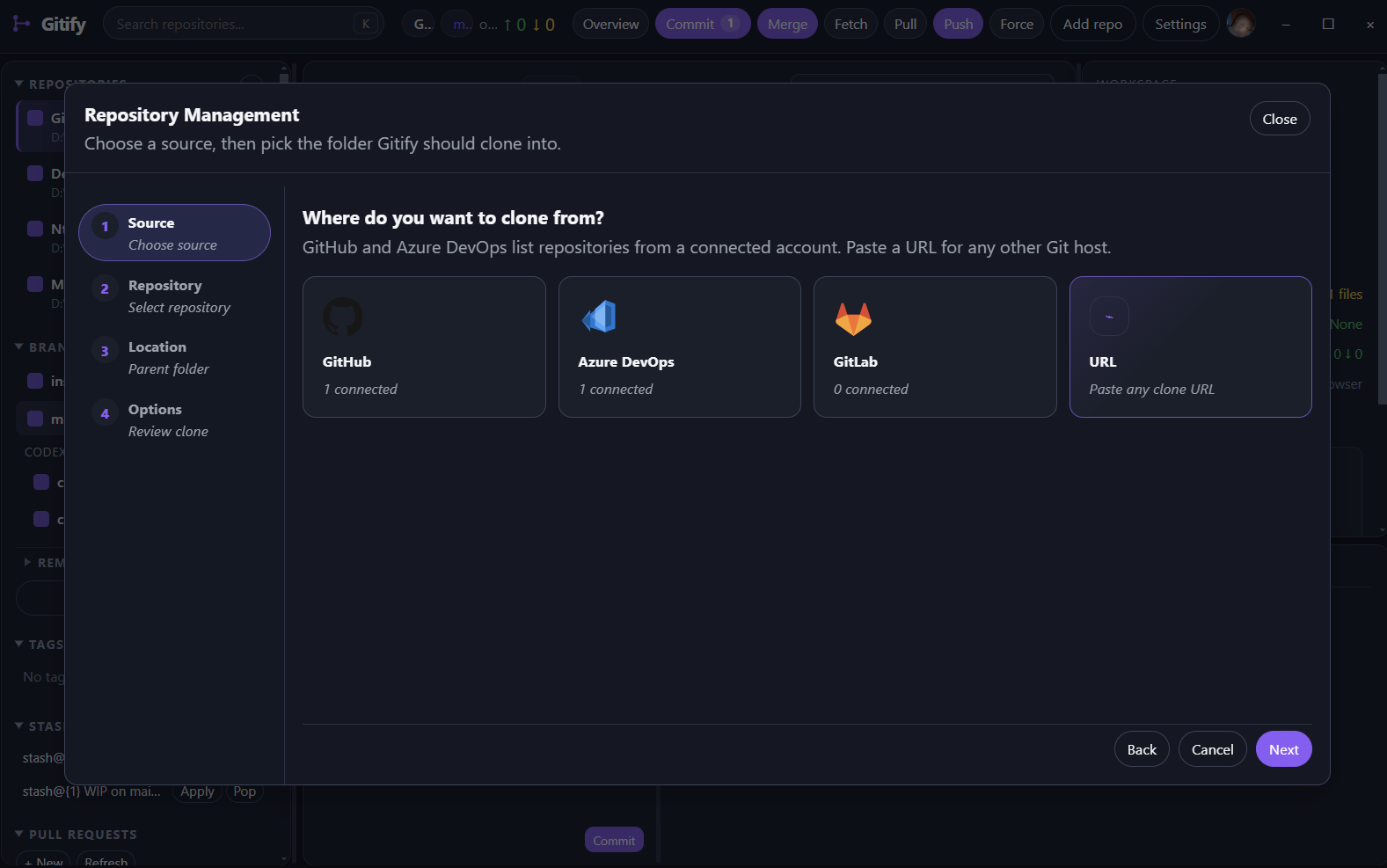
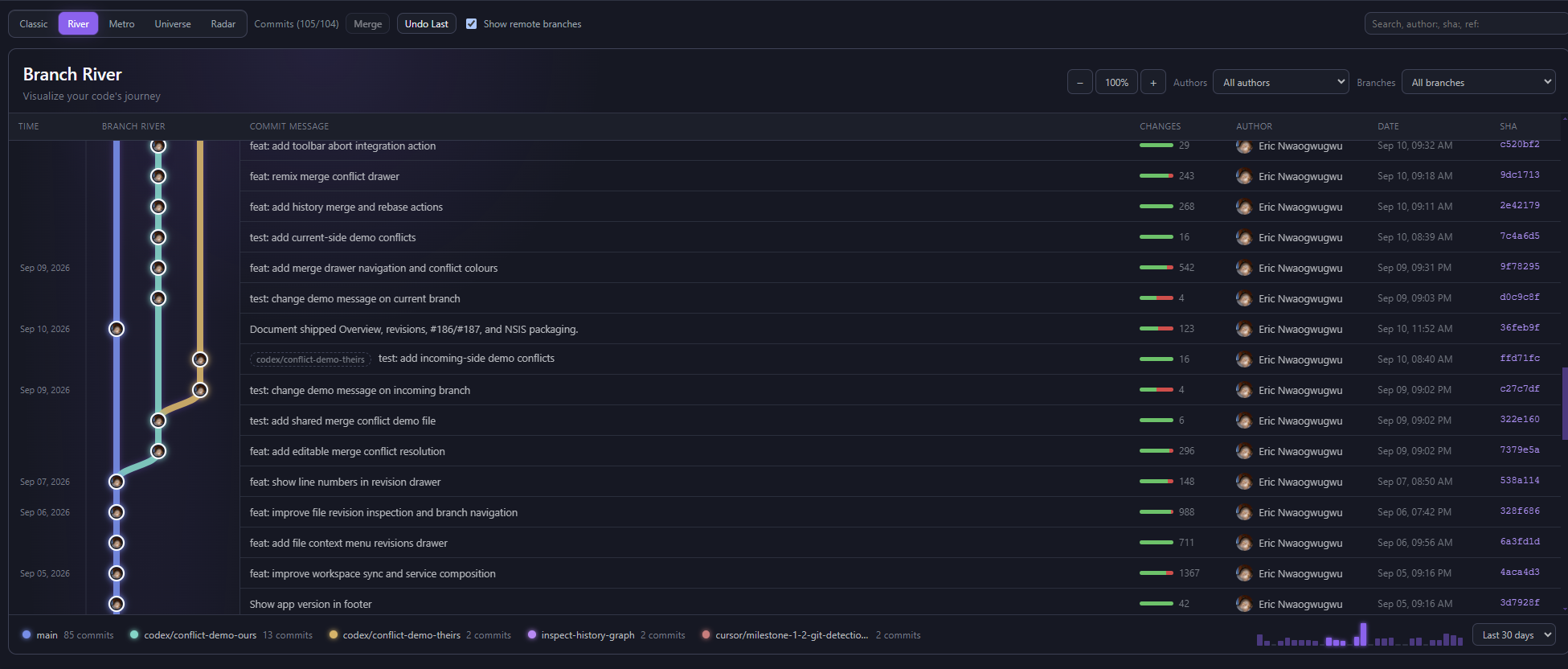
Gitify gives you a visual workspace for repositories, branches, commits, and connected hosting accounts.
History
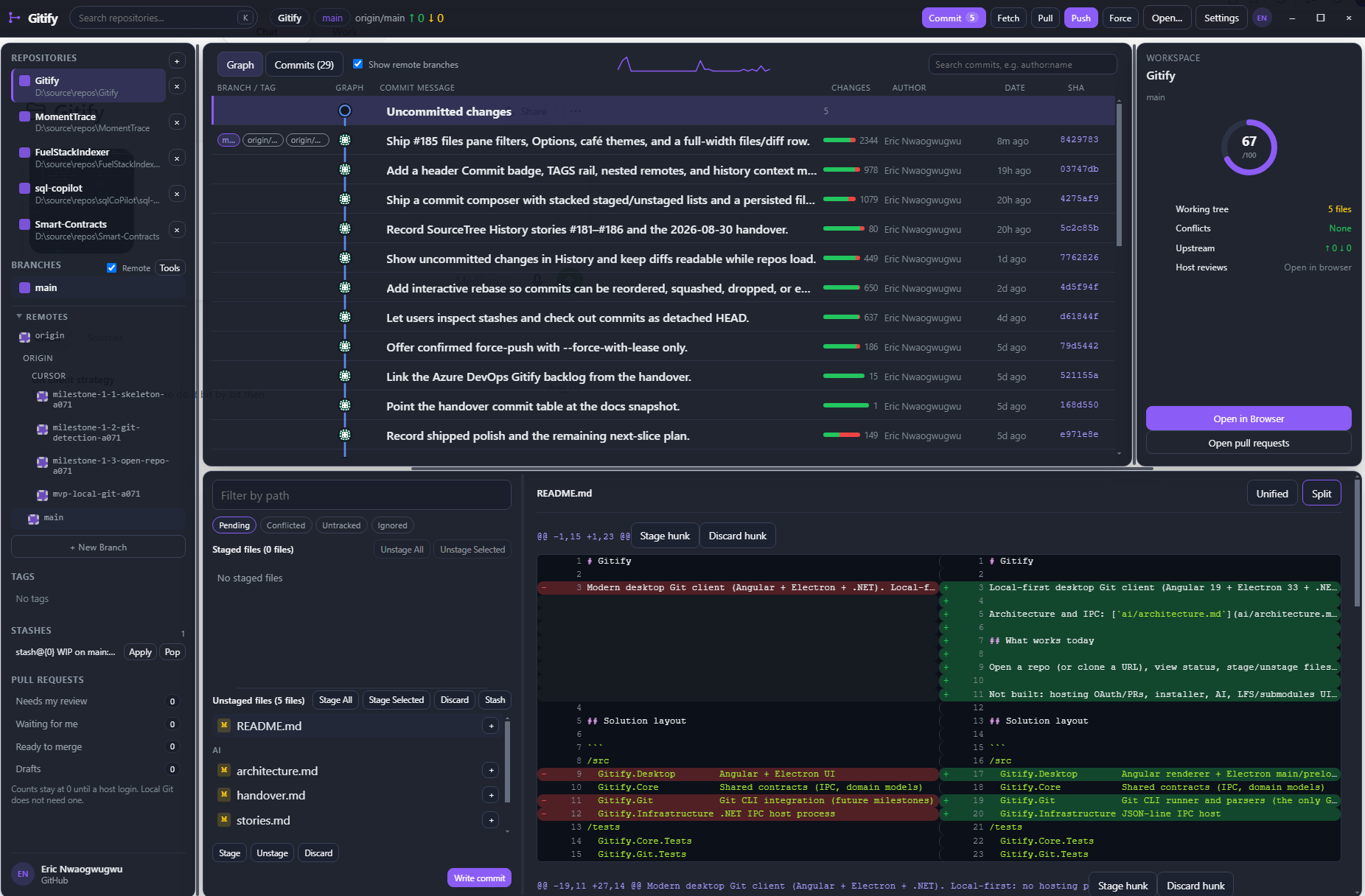
Repository management
Branch river
Download Gitify
Open the Releases page and choose the newest release. Prereleases are marked clearly; use one only if you want the latest testing build.
Windows
- Most Windows PCs: download the
x64.exeinstaller. - Portable Windows copy: download the
x64.ziparchive.
macOS
Check your Mac’s processor in Apple menu → About This Mac:
- Apple silicon (M1, M2, M3, M4, or newer): download the
arm64.dmginstaller orarm64.ziparchive. - Intel Mac: download the
x64.dmginstaller orx64.ziparchive.
The .dmg file is the normal macOS installation option. Use the .zip archive if you prefer to copy the app manually.
Linux
- Intel/AMD 64-bit Linux: download the
x86_64.AppImageoramd64.debpackage. - ARM64 Linux: download the
arm64.AppImageorarm64.debpackage.
Use the .deb package on Debian, Ubuntu, or another Debian-based distribution. Use the AppImage on distributions where you prefer a self-contained executable.
Files you can ignore
You normally do not need to download files ending in .blockmap or latest*.yml. They are used by Gitify’s automatic update system. The Source code archives are repository metadata, not application installers.
First open / Gatekeeper & SmartScreen
This public build is unsigned. macOS and Windows may warn you the first time you open Gitify. The app is not damaged; the warning is because the build has no Apple or Microsoft signature.
macOS
Gatekeeper may say Gitify is from an unidentified developer, or that it is damaged and should be moved to the Trash.
After you copy the app into the Applications folder, open Terminal and run:
xattr -cr /Applications/Gitify.app
If Gitify is not in Applications, use its actual path instead of /Applications/Gitify.app.
A lesser alternative is to right-click Gitify.app and choose Open, then confirm that you want to open it.
Windows
If SmartScreen blocks the installer, choose More info, then Run anyway.
If it still will not open
Open an issue and include:
- your operating system and CPU architecture;
- the Gitify version; and
- a screenshot or log of the warning.
Do not include access tokens, private repository URLs, or other secrets.
Help
For download or installation problems, open an issue and include:
- your operating system and CPU architecture;
- the release version;
- the filename you downloaded; and
- the error message or a screenshot, without sharing private information.
Please do not post access tokens, private repository URLs, or other secrets in an issue.
Similar repos


See what people are saying
README
Gitify downloads
This repository contains the packaged Gitify installers. The application source code is kept in a separate private repository.
See Gitify in action
Gitify gives you a visual workspace for repositories, branches, commits, and connected hosting accounts.
History
Repository management
Branch river
Download Gitify
Open the Releases page and choose the newest release. Prereleases are marked clearly; use one only if you want the latest testing build.
Windows
- Most Windows PCs: download the
x64.exeinstaller. - Portable Windows copy: download the
x64.ziparchive.
macOS
Check your Mac’s processor in Apple menu → About This Mac:
- Apple silicon (M1, M2, M3, M4, or newer): download the
arm64.dmginstaller orarm64.ziparchive. - Intel Mac: download the
x64.dmginstaller orx64.ziparchive.
The .dmg file is the normal macOS installation option. Use the .zip archive if you prefer to copy the app manually.
Linux
- Intel/AMD 64-bit Linux: download the
x86_64.AppImageoramd64.debpackage. - ARM64 Linux: download the
arm64.AppImageorarm64.debpackage.
Use the .deb package on Debian, Ubuntu, or another Debian-based distribution. Use the AppImage on distributions where you prefer a self-contained executable.
Files you can ignore
You normally do not need to download files ending in .blockmap or latest*.yml. They are used by Gitify’s automatic update system. The Source code archives are repository metadata, not application installers.
First open / Gatekeeper & SmartScreen
This public build is unsigned. macOS and Windows may warn you the first time you open Gitify. The app is not damaged; the warning is because the build has no Apple or Microsoft signature.
macOS
Gatekeeper may say Gitify is from an unidentified developer, or that it is damaged and should be moved to the Trash.
After you copy the app into the Applications folder, open Terminal and run:
xattr -cr /Applications/Gitify.app
If Gitify is not in Applications, use its actual path instead of /Applications/Gitify.app.
A lesser alternative is to right-click Gitify.app and choose Open, then confirm that you want to open it.
Windows
If SmartScreen blocks the installer, choose More info, then Run anyway.
If it still will not open
Open an issue and include:
- your operating system and CPU architecture;
- the Gitify version; and
- a screenshot or log of the warning.
Do not include access tokens, private repository URLs, or other secrets.
Help
For download or installation problems, open an issue and include:
- your operating system and CPU architecture;
- the release version;
- the filename you downloaded; and
- the error message or a screenshot, without sharing private information.
Please do not post access tokens, private repository URLs, or other secrets in an issue.