
Unity SDK for Aptabase: Open Source, Privacy-First and Simple Analytics for Mobile, Desktop and Web Apps
21
stars
54
commits
C#
primary language
Sep 4, 2026
updated
README
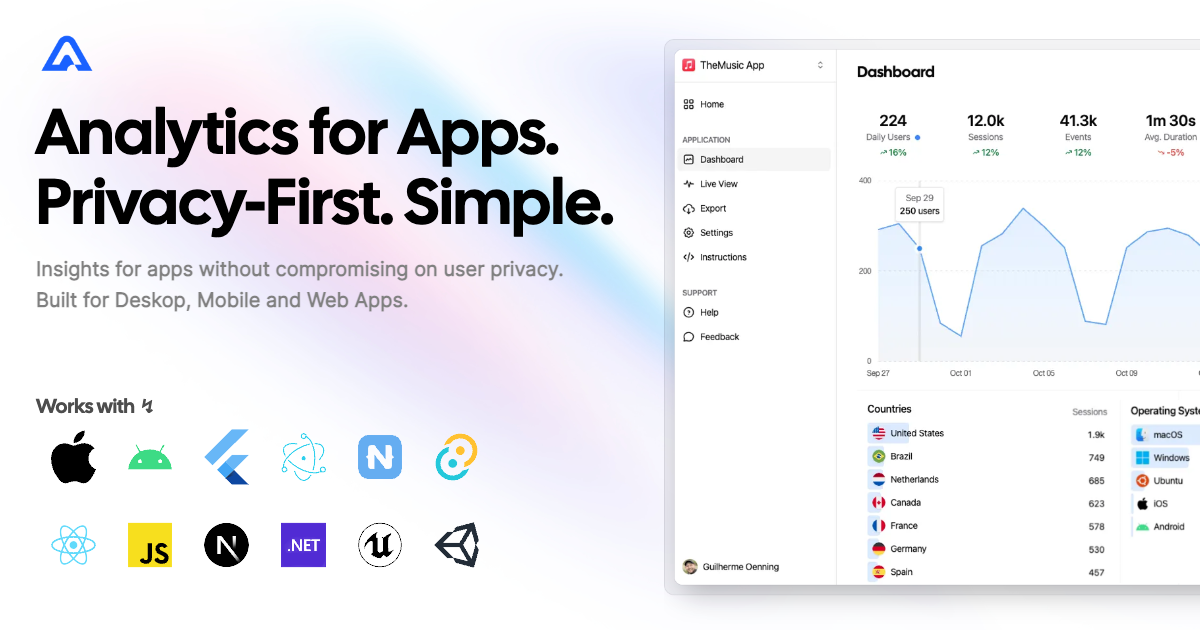
Unity Engine SDK for Aptabase
Instrument your Unity Engine project with Aptabase, an Open Source, Privacy-First and Simple Analytics for Mobile, Desktop and Web Apps.
Install
You can install the package via Unity Package Manager.
Go to Window > Package Manager > + > Add Package from git URL and enter https://github.com/aptabase/aptabase-unity.git
Project settings
First, you need to get your App Key from Aptabase, you can find it in the Instructions menu on the left side menu.
Then you have to set it inside the settings file located at Aptabase/Resources/AptabaseSettings.Asset inside your App Key field.
Based on the key, your Host will be selected. In the case of self-hosted versions a new SelfHostURL field will appear for input.
Keys in the A-DEV-* format target a local Aptabase instance at https://localhost:3000; its self-signed development certificate is trusted automatically for loopback addresses (on WebGL, trust it in the browser instead).
App Version is automatically detected, but you can override it with the AppVersion field. You may want to provide an AppBuildNumber as it may vary across different platforms. This allows you to specify a platform-specific build number to ensure accurate version tracking and compatibility.
Events are batched and sent every 60 seconds in production and 2 seconds in development by default. You can override these values with the FlushInterval field by inputting desired time in milliseconds.
Enable EnableCrashReporting to automatically report uncaught exceptions, see Error Tracking below.
Usage
The Aptabase SDK will seamlessly run in the background as soon as your app starts up. All SDK types live in the AptabaseSDK namespace, so add using AptabaseSDK; to any script that calls it.
To effortlessly log events, you can use the following code snippet. The Props parameter is optional and can be left empty if not needed.
using AptabaseSDK;

Aptabase.TrackEvent("app_started", new Dictionary<string, object>
{
    {"hello", "world"}
});
If you want to manually flush the event queue you can use:
await Aptabase.Flush();
or
Aptabase.Flush();
If you want to react to HttpStatusCodes received from the server, you can use:
Aptabase.SetResponseListener((statusCode) => UnityEngine.Debug.Log($"Aptabase response status code: {statusCode}"));
If you want to enable or disable the SDK (note: also starts/stops polling), you can use:
Aptabase.SetEnabled(enabled);
It defaults to enabled. While disabled, error reports are dropped as well.
A few important notes:
- The SDK will automatically enhance the event with some useful information, like the OS, the app version, and other things.
- You're in control of what gets sent to Aptabase. This SDK does not automatically track any events, you need to record events manually.
- Because of this, it's generally recommended to at least track an event at startup
- You do not need to await the record event calls, they will run in the background.
- Only strings and numbers values are allowed on custom properties
Error Tracking
Error reporting is in beta. Reports appear on the
Errorspage of your Aptabase dashboard.
Use TrackError to report errors you've caught and handled:
using AptabaseSDK;

try
{
    DoSomething();
}
catch (Exception ex)
{
    Aptabase.TrackError(ex); // severity: error
}
For errors your app can't recover from, mark the report as fatal:
Aptabase.TrackError(ex, fatal: true); // severity: fatal
To also report uncaught exceptions automatically, enable EnableCrashReporting in the AptabaseSettings asset. The SDK then reports:
- exceptions Unity catches and logs (thrown from
MonoBehaviourcallbacks, coroutines,Debug.LogException, ...) asunhandled - exceptions that terminate the process as
crashwith severityfatal(delivered on a best-effort basis) - unobserved
Taskexceptions astaskException
A few important notes about error reporting:
- Each report includes the exception type, message, stack trace, severity (
errororfatal) and how it was captured (handled,unhandled,crashortaskException). - Reports are sent immediately and kept in memory for retry while the network is unavailable. They are not persisted to disk, so reports still queued when the app is killed are lost.
- Unity keeps running after an exception, so only the first occurrence of each unique error is reported per session, up to 100 unique errors per session.
Debug.LogErrormessages are not reported. - Stack traces follow the
Stack Traceplayer setting for theExceptionlog type; release IL2CPP builds may not include line numbers. - Errors count against a separate monthly error quota. When the quota is exhausted, the server rejects new reports until it resets.
- Native (non-managed) crashes are not captured.
Preparing for Submission to Apple App Store
When submitting your app to the Apple App Store, you'll need to fill out the App Privacy form. You can find all the answers on our How to fill out the Apple App Privacy when using Aptabase guide.
For AI/LLM integration instructions, see llms.txt


Similar repos


Languages
C#
100.0%
Unity SDK for Aptabase: Open Source, Privacy-First and Simple Analytics for Mobile, Desktop and Web Apps
21
stars
54
commits
C#
primary language
Sep 4, 2026
updated
README
Unity Engine SDK for Aptabase
Instrument your Unity Engine project with Aptabase, an Open Source, Privacy-First and Simple Analytics for Mobile, Desktop and Web Apps.
Install
You can install the package via Unity Package Manager.
Go to Window > Package Manager > + > Add Package from git URL and enter https://github.com/aptabase/aptabase-unity.git
Project settings
First, you need to get your App Key from Aptabase, you can find it in the Instructions menu on the left side menu.
Then you have to set it inside the settings file located at Aptabase/Resources/AptabaseSettings.Asset inside your App Key field.
Based on the key, your Host will be selected. In the case of self-hosted versions a new SelfHostURL field will appear for input.
Keys in the A-DEV-* format target a local Aptabase instance at https://localhost:3000; its self-signed development certificate is trusted automatically for loopback addresses (on WebGL, trust it in the browser instead).
App Version is automatically detected, but you can override it with the AppVersion field. You may want to provide an AppBuildNumber as it may vary across different platforms. This allows you to specify a platform-specific build number to ensure accurate version tracking and compatibility.
Events are batched and sent every 60 seconds in production and 2 seconds in development by default. You can override these values with the FlushInterval field by inputting desired time in milliseconds.
Enable EnableCrashReporting to automatically report uncaught exceptions, see Error Tracking below.
Usage
The Aptabase SDK will seamlessly run in the background as soon as your app starts up. All SDK types live in the AptabaseSDK namespace, so add using AptabaseSDK; to any script that calls it.
To effortlessly log events, you can use the following code snippet. The Props parameter is optional and can be left empty if not needed.
using AptabaseSDK;

Aptabase.TrackEvent("app_started", new Dictionary<string, object>
{
    {"hello", "world"}
});
If you want to manually flush the event queue you can use:
await Aptabase.Flush();
or
Aptabase.Flush();
If you want to react to HttpStatusCodes received from the server, you can use:
Aptabase.SetResponseListener((statusCode) => UnityEngine.Debug.Log($"Aptabase response status code: {statusCode}"));
If you want to enable or disable the SDK (note: also starts/stops polling), you can use:
Aptabase.SetEnabled(enabled);
It defaults to enabled. While disabled, error reports are dropped as well.
A few important notes:
- The SDK will automatically enhance the event with some useful information, like the OS, the app version, and other things.
- You're in control of what gets sent to Aptabase. This SDK does not automatically track any events, you need to record events manually.
- Because of this, it's generally recommended to at least track an event at startup
- You do not need to await the record event calls, they will run in the background.
- Only strings and numbers values are allowed on custom properties
Error Tracking
Error reporting is in beta. Reports appear on the
Errorspage of your Aptabase dashboard.
Use TrackError to report errors you've caught and handled:
using AptabaseSDK;

try
{
    DoSomething();
}
catch (Exception ex)
{
    Aptabase.TrackError(ex); // severity: error
}
For errors your app can't recover from, mark the report as fatal:
Aptabase.TrackError(ex, fatal: true); // severity: fatal
To also report uncaught exceptions automatically, enable EnableCrashReporting in the AptabaseSettings asset. The SDK then reports:
- exceptions Unity catches and logs (thrown from
MonoBehaviourcallbacks, coroutines,Debug.LogException, ...) asunhandled - exceptions that terminate the process as
crashwith severityfatal(delivered on a best-effort basis) - unobserved
Taskexceptions astaskException
A few important notes about error reporting:
- Each report includes the exception type, message, stack trace, severity (
errororfatal) and how it was captured (handled,unhandled,crashortaskException). - Reports are sent immediately and kept in memory for retry while the network is unavailable. They are not persisted to disk, so reports still queued when the app is killed are lost.
- Unity keeps running after an exception, so only the first occurrence of each unique error is reported per session, up to 100 unique errors per session.
Debug.LogErrormessages are not reported. - Stack traces follow the
Stack Traceplayer setting for theExceptionlog type; release IL2CPP builds may not include line numbers. - Errors count against a separate monthly error quota. When the quota is exhausted, the server rejects new reports until it resets.
- Native (non-managed) crashes are not captured.
Preparing for Submission to Apple App Store
When submitting your app to the Apple App Store, you'll need to fill out the App Privacy form. You can find all the answers on our How to fill out the Apple App Privacy when using Aptabase guide.
For AI/LLM integration instructions, see llms.txt
Similar repos
Languages
C#
100.0%