
React Native SDK for Aptabase: Open Source, Privacy-First and Simple Analytics for Mobile, Desktop and Web Apps
43
stars
63
commits
TypeScript
primary language
Aug 17, 2026
updated
README
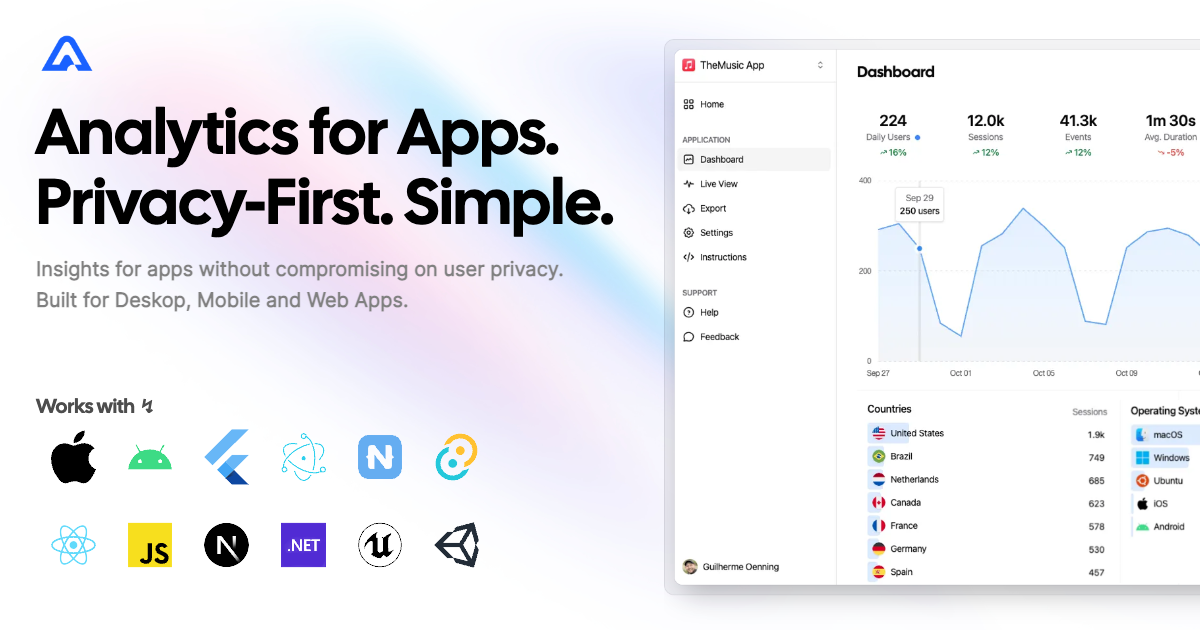
React Native SDK for Aptabase
Instrument your React Native or Expo apps with Aptabase, an Open Source, Privacy-First and Simple Analytics for Mobile, Desktop and Web Apps.
Install
Install the SDK using npm or your preferred JavaScript package manager
npm add @aptabase/react-native
Android Requirements
If you're targeting Android, you'll need to add the following permissions to your AndroidManifest.xml:
<uses-permission android:name="android.permission.INTERNET" />
Web Support
This SDK also supports React Native Web!
[!NOTE] This feature is disabled by default. To enable it, you need to pass the
enableWeboption when initializing the SDK.
Aptabase.init("<YOUR_APP_KEY>", {
  enableWeb: true,
  appVersion: "1.0.0", // required on web — no native module provides it
});
When enabled, the SDK will track events in web environments using the same behavior as the web SDKs. Which means that events will be sent immediately to the /event endpoint instead of grouped to the /events endpoint.
Usage
First, you need to get your App Key from Aptabase, you can find it in the Instructions menu on the left side menu.
Initialize the SDK by calling the init function before declaring your App component:
import Aptabase from "@aptabase/react-native";

Aptabase.init("<YOUR_APP_KEY>"); // 👈 this is where you enter your App Key

export default function App() {
  return <Counter />;
}
Afterwards, you can start tracking events with trackEvent:
import { trackEvent } from "@aptabase/react-native";
import { useState } from "react";

export function Counter() {
  const [count, setCount] = useState(0);

  const increment = () => {
    setCount(count + 1);
    trackEvent("increment", { count });
  };

  const decrement = () => {
    setCount(count - 1);
    trackEvent("decrement", { count });
  };

  return (
    <View>
      <Button onPress={increment} title="Increment" />
      <Button onPress={decrement} title="Decrement" />
      <Text>Count is {count}</Text>
    </View>
  );
}
To disable tracking events, you can call the dispose function. This will stop and deinitialize the SDK.
import Aptabase from "@aptabase/react-native";

Aptabase.dispose();
Note for Expo apps: Events sent during development while running on Expo Go will not have the App Version property because native modules are not available in Expo Go. However, when you build your app and run it on a real device, the App Version property will be available. Alternatively, you can also set the appVersion during the init call so that it's also available during development.
A few important notes:
- The SDK will automatically enhance the event with some useful information, like the OS, the app version, and other things.
- You're in control of what gets sent to Aptabase. This SDK does not automatically track any events, you need to call
trackEventmanually.- Because of this, it's generally recommended to at least track an event at startup
- You do not need to await for the
trackEventfunction, it'll run in the background. - Only strings and numbers values are allowed on custom properties
Error Reporting
Error reporting is in beta. Reports appear on the
Errorspage of your Aptabase dashboard.
Use trackError to report errors you've caught and handled:
import { trackError } from "@aptabase/react-native";

try {
  await doSomething();
} catch (error) {
  trackError(error); // severity: error
}
For errors your app can't recover from, mark the report as fatal:
trackError(error, { fatal: true }); // severity: fatal
To also report uncaught errors and crashes automatically, enable crash reporting during init:
Aptabase.init("<YOUR_APP_KEY>", {
  enableCrashReporting: true,
});
A few important notes about error reporting:
- Each report includes the error type, message, stack trace, severity (
errororfatal) and how it was captured (handled,unhandledorcrash). - On native, reports are sent immediately and kept in memory for retry when the network is unavailable. On web, reports are sent immediately and not retried (web requires the
enableWeboption). - Errors count against a separate monthly error quota. When the quota is exhausted, the server rejects new reports until it resets.
- Errors caught by React Error Boundaries never reach the global error handler — call
trackErrorfrom your boundary if you want them reported. - Native (non-JS) crashes are not captured. During development, fatal JS errors show the RedBox instead of crashing the app.
Preparing for Submission to Apple App Store
When submitting your app to the Apple App Store, you'll need to fill out the App Privacy form. You can find all the answers on our How to fill out the Apple App Privacy when using Aptabase guide.
For AI/LLM integration instructions, see llms.txt
Contributors


Similar repos


Languages
TypeScript
94.4%
Java
3.5%
React Native SDK for Aptabase: Open Source, Privacy-First and Simple Analytics for Mobile, Desktop and Web Apps
43
stars
63
commits
TypeScript
primary language
Aug 17, 2026
updated
README
React Native SDK for Aptabase
Instrument your React Native or Expo apps with Aptabase, an Open Source, Privacy-First and Simple Analytics for Mobile, Desktop and Web Apps.
Install
Install the SDK using npm or your preferred JavaScript package manager
npm add @aptabase/react-native
Android Requirements
If you're targeting Android, you'll need to add the following permissions to your AndroidManifest.xml:
<uses-permission android:name="android.permission.INTERNET" />
Web Support
This SDK also supports React Native Web!
[!NOTE] This feature is disabled by default. To enable it, you need to pass the
enableWeboption when initializing the SDK.
Aptabase.init("<YOUR_APP_KEY>", {
  enableWeb: true,
  appVersion: "1.0.0", // required on web — no native module provides it
});
When enabled, the SDK will track events in web environments using the same behavior as the web SDKs. Which means that events will be sent immediately to the /event endpoint instead of grouped to the /events endpoint.
Usage
First, you need to get your App Key from Aptabase, you can find it in the Instructions menu on the left side menu.
Initialize the SDK by calling the init function before declaring your App component:
import Aptabase from "@aptabase/react-native";

Aptabase.init("<YOUR_APP_KEY>"); // 👈 this is where you enter your App Key

export default function App() {
  return <Counter />;
}
Afterwards, you can start tracking events with trackEvent:
import { trackEvent } from "@aptabase/react-native";
import { useState } from "react";

export function Counter() {
  const [count, setCount] = useState(0);

  const increment = () => {
    setCount(count + 1);
    trackEvent("increment", { count });
  };

  const decrement = () => {
    setCount(count - 1);
    trackEvent("decrement", { count });
  };

  return (
    <View>
      <Button onPress={increment} title="Increment" />
      <Button onPress={decrement} title="Decrement" />
      <Text>Count is {count}</Text>
    </View>
  );
}
To disable tracking events, you can call the dispose function. This will stop and deinitialize the SDK.
import Aptabase from "@aptabase/react-native";

Aptabase.dispose();
Note for Expo apps: Events sent during development while running on Expo Go will not have the App Version property because native modules are not available in Expo Go. However, when you build your app and run it on a real device, the App Version property will be available. Alternatively, you can also set the appVersion during the init call so that it's also available during development.
A few important notes:
- The SDK will automatically enhance the event with some useful information, like the OS, the app version, and other things.
- You're in control of what gets sent to Aptabase. This SDK does not automatically track any events, you need to call
trackEventmanually.- Because of this, it's generally recommended to at least track an event at startup
- You do not need to await for the
trackEventfunction, it'll run in the background. - Only strings and numbers values are allowed on custom properties
Error Reporting
Error reporting is in beta. Reports appear on the
Errorspage of your Aptabase dashboard.
Use trackError to report errors you've caught and handled:
import { trackError } from "@aptabase/react-native";

try {
  await doSomething();
} catch (error) {
  trackError(error); // severity: error
}
For errors your app can't recover from, mark the report as fatal:
trackError(error, { fatal: true }); // severity: fatal
To also report uncaught errors and crashes automatically, enable crash reporting during init:
Aptabase.init("<YOUR_APP_KEY>", {
  enableCrashReporting: true,
});
A few important notes about error reporting:
- Each report includes the error type, message, stack trace, severity (
errororfatal) and how it was captured (handled,unhandledorcrash). - On native, reports are sent immediately and kept in memory for retry when the network is unavailable. On web, reports are sent immediately and not retried (web requires the
enableWeboption). - Errors count against a separate monthly error quota. When the quota is exhausted, the server rejects new reports until it resets.
- Errors caught by React Error Boundaries never reach the global error handler — call
trackErrorfrom your boundary if you want them reported. - Native (non-JS) crashes are not captured. During development, fatal JS errors show the RedBox instead of crashing the app.
Preparing for Submission to Apple App Store
When submitting your app to the Apple App Store, you'll need to fill out the App Privacy form. You can find all the answers on our How to fill out the Apple App Privacy when using Aptabase guide.
For AI/LLM integration instructions, see llms.txt
Similar repos
Contributors
Languages
TypeScript
94.4%
Java
3.5%