Collaborative C4 architecture modelling and diagramming — offline-first, real-time, self-hostable (AGPL-3.0)
See the code

Architecture clarity that moves teams forward.
Collaborative C4 modelling and diagramming — one trusted model instead of scattered drawings.
Website · Get started · Develop locally · Sponsors · Governance · License
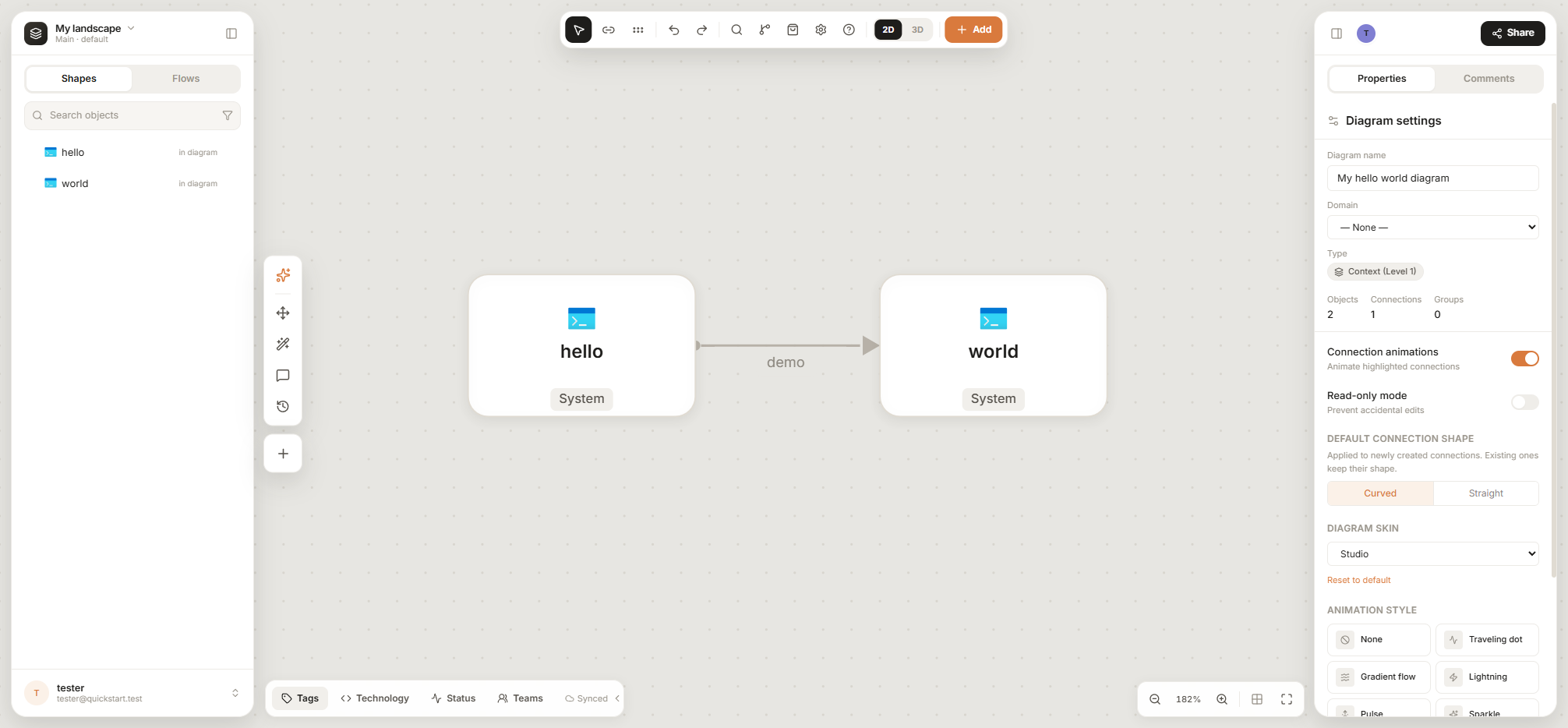
Architecture diagrams rot. They live in slides and wikis, each one a slightly different copy of the truth, and nobody knows which one is current.
MapleSpire keeps one model of your systems — people, software systems, containers, components and the relationships between them — and every diagram is a view of that model. Rename a service once and every diagram, table and export follows. Move between levels of detail with a click, see who depends on what, and keep the decisions that shaped it right next to it.
Model, not just draw
Work together
Govern and share
Extend it
Run it yourself
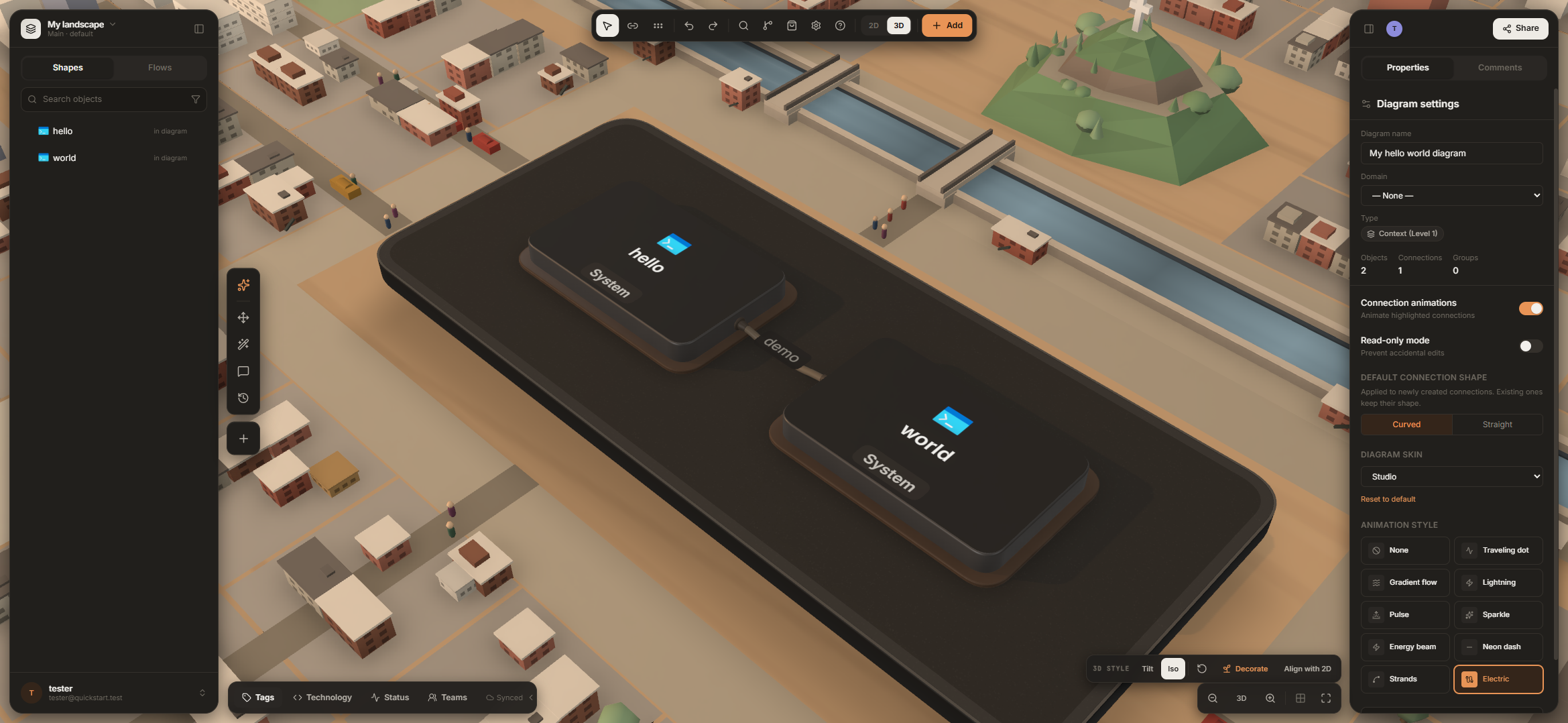 | 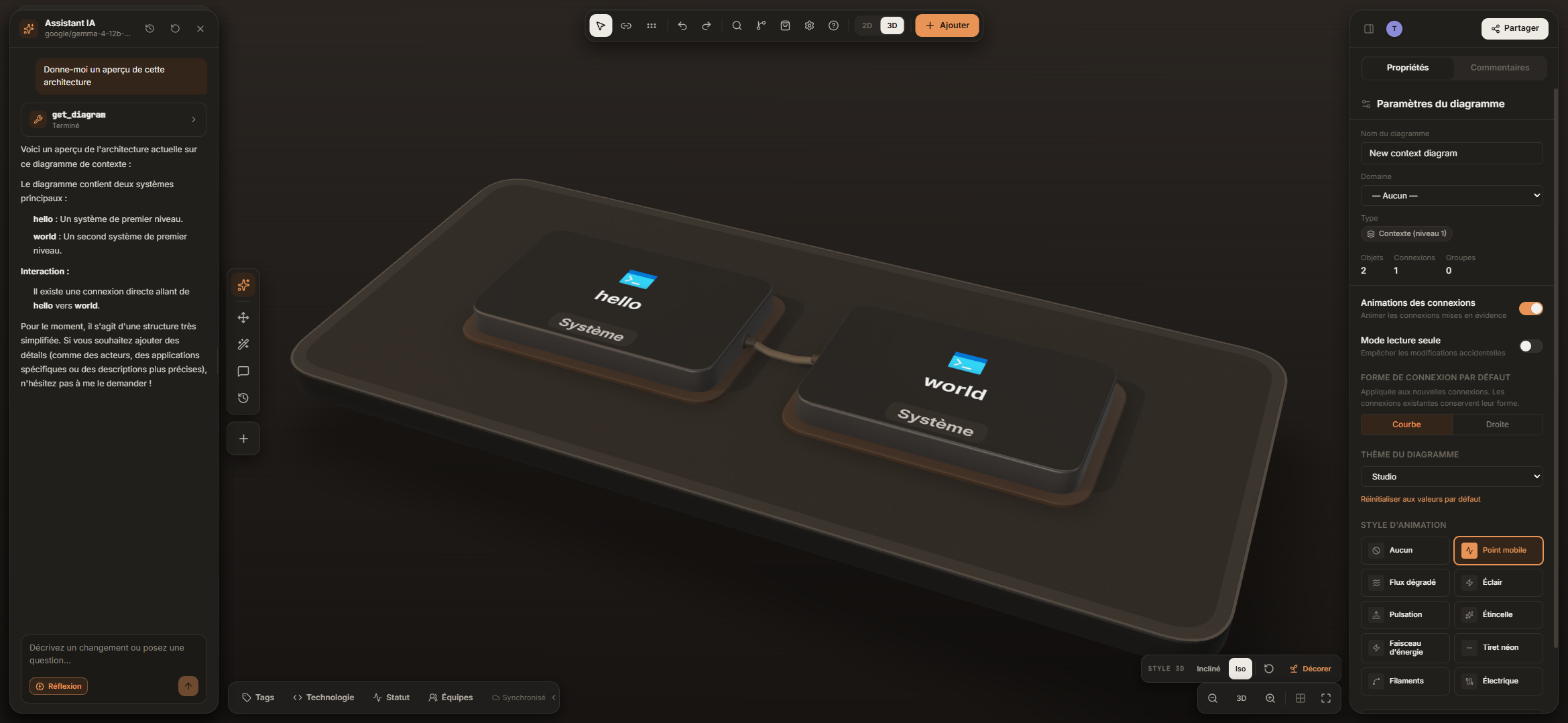 |
| 3D board — any diagram becomes an interactive 3D view, with optional scenery. | AI assistant — ask about or edit the model with your own provider, here a local model (French interface). |
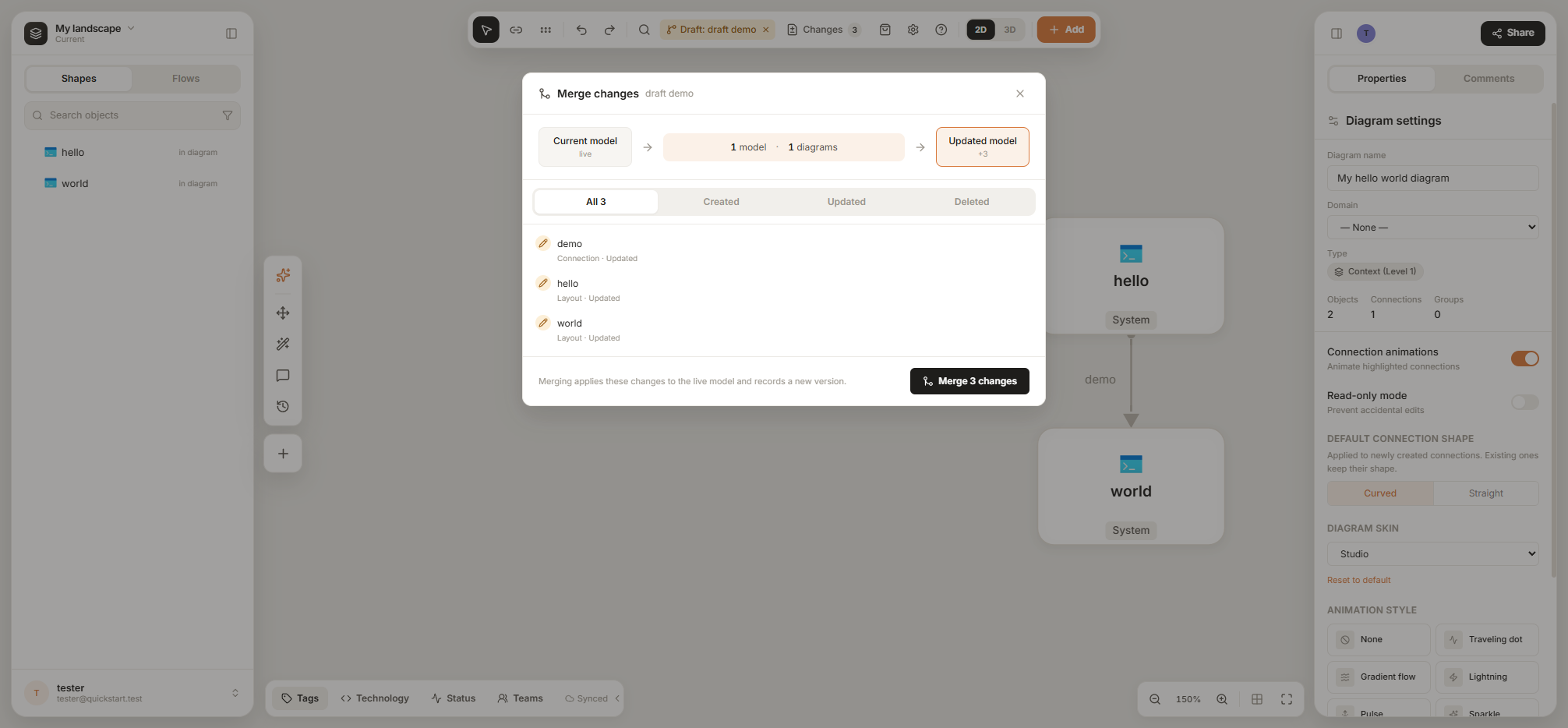 | 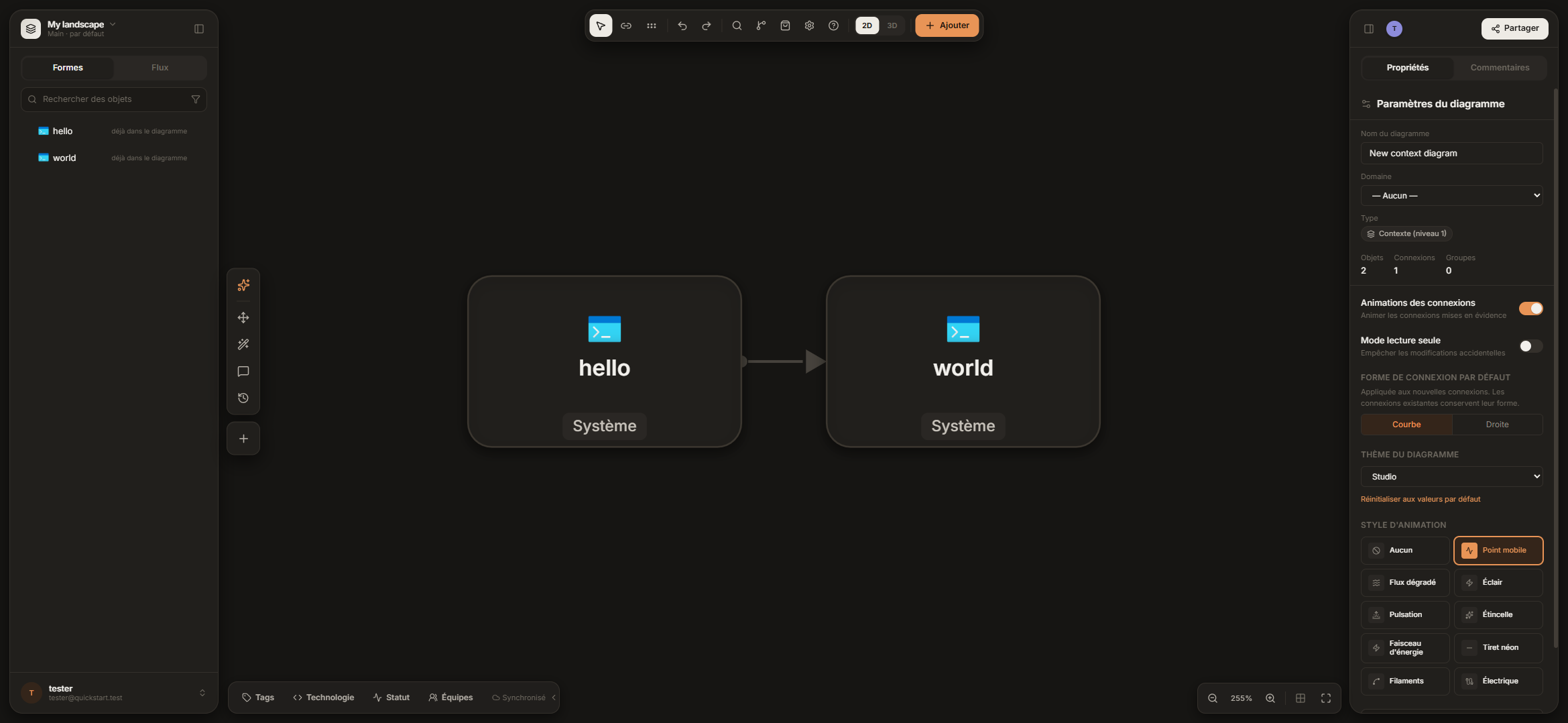 |
| Drafts — propose changes on a fork of the model, review them, then merge. | Dark mode — light, dark or system appearance, in English or French. |
git clone https://github.com/MapleSpire/maplespire.git
cd maplespire
node scripts/init-env.mjs                                # creates .env and generates secrets
docker compose -f compose.quickstart.yml up -d --build   # PostgreSQL + API + web
Open http://localhost:8088 and create your account. The step-by-step guide — first administrator, confirming your email, settings and troubleshooting — is docs/getting-started.md.
To work on the code with hot reload (no Docker needed):
npm install
cd server && npm install && cd ..
npm run dev:local        # embedded Postgres + API + Vite on http://localhost:5173
 Browser (React + canvas, IndexedDB)
     │  offline edits kept locally, synced when the server is reachable
     ▼
   nginx ── REST + Automerge WebSocket ──►  API (Node)  ──►  PostgreSQL
                                                              Automerge documents (source of truth)
                                                              + rebuildable read model
| Area | Where |
|---|---|
| Web client (Vite, React, TypeScript) | src/ — canvas in src/canvas/, layout in src/lib/layout/ |
| Server (Node, Express, Automerge Repo) | server/ |
| Docker images and nginx | docker/, server/Dockerfile |
| Monitoring and compose benches | infra/ |
| Documentation | docs/ |
Architecture and every server setting: docs/architecture-and-configuration.md.
Everything in this repository is free and open source, and the quickstart runs the complete application. When you take MapleSpire to production, you can add around it the same pieces that run the public demo:
| Add-on | What it gives you |
|---|---|
| Second sync cell + owner-aware WebSocket router + Redis leases | Failover: a standby cell takes over a workspace when its owner stops, and every WebSocket goes straight to the owning cell |
| Prometheus alert rules and Grafana dashboards | Health of the API, read model, sync cells, Redis and backups at a glance |
| Alertmanager paging | Email pages and an external heartbeat, so an outage wakes someone up |
| Backup-and-restore drill | Scheduled backups that are restored into an isolated database and booted, to prove they actually work |
| Cloudflare tunnel | Publish the stack without opening an inbound port |
The production-shaped Compose file (compose.maplespire.yml) and the
monitoring configuration (infra/monitoring/) are in this repository. The
guides to configure, run and operate them, plus the managed-cloud and
Kubernetes kits, are in the private MapleSpire sponsor kit, available by
sponsoring the project on GitHub:
compose.maplespire.yml;Sponsorship funds the development of MapleSpire.
MapleSpire is made possible by its GitHub sponsors. Thank you to everyone who supports the project — every sponsor is listed on the sponsors page.
Your company logo here — become a Business sponsor.
MapleSpire is an open-source project stewarded by the MapleSpire organisation on GitHub.
MapleSpire is released under the GNU Affero General Public License v3.0 or later (AGPL-3.0-or-later).
You may use, study, modify and redistribute it — including commercially and as a hosted service — provided that you publish your modifications under the same license and offer the corresponding source code to the users who interact with a modified version over a network.
A commercial license is also available from the copyright holder for organisations that want to embed MapleSpire in a proprietary product without the obligations of the AGPL. Contact us through maplespire.ca.
MapleSpire est un outil collaboratif de modélisation et de diagrammes d'architecture logicielle (modèle C4). Au lieu de diagrammes éparpillés, vous maintenez un seul modèle dont chaque diagramme est une vue : collaboration en temps réel, fonctionnement hors ligne, brouillons avec fusion, ADR, liens de partage, import Structurizr, exports multiples, vue 3D, assistant IA et serveur MCP, organisations, rôles et SSO. L'interface est disponible en français et en anglais.
Collaborative C4 architecture modelling and diagramming — offline-first, real-time, self-hostable (AGPL-3.0)
See the code
Architecture clarity that moves teams forward.
Collaborative C4 modelling and diagramming — one trusted model instead of scattered drawings.
Website · Get started · Develop locally · Sponsors · Governance · License
Architecture diagrams rot. They live in slides and wikis, each one a slightly different copy of the truth, and nobody knows which one is current.
MapleSpire keeps one model of your systems — people, software systems, containers, components and the relationships between them — and every diagram is a view of that model. Rename a service once and every diagram, table and export follows. Move between levels of detail with a click, see who depends on what, and keep the decisions that shaped it right next to it.
Model, not just draw
Work together
Govern and share
Extend it
Run it yourself
| |
| 3D board — any diagram becomes an interactive 3D view, with optional scenery. | AI assistant — ask about or edit the model with your own provider, here a local model (French interface). |
| |
| Drafts — propose changes on a fork of the model, review them, then merge. | Dark mode — light, dark or system appearance, in English or French. |
git clone https://github.com/MapleSpire/maplespire.git
cd maplespire
node scripts/init-env.mjs                                # creates .env and generates secrets
docker compose -f compose.quickstart.yml up -d --build   # PostgreSQL + API + web
Open http://localhost:8088 and create your account. The step-by-step guide — first administrator, confirming your email, settings and troubleshooting — is docs/getting-started.md.
To work on the code with hot reload (no Docker needed):
npm install
cd server && npm install && cd ..
npm run dev:local        # embedded Postgres + API + Vite on http://localhost:5173
 Browser (React + canvas, IndexedDB)
     │  offline edits kept locally, synced when the server is reachable
     ▼
   nginx ── REST + Automerge WebSocket ──►  API (Node)  ──►  PostgreSQL
                                                              Automerge documents (source of truth)
                                                              + rebuildable read model
| Area | Where |
|---|---|
| Web client (Vite, React, TypeScript) | src/ — canvas in src/canvas/, layout in src/lib/layout/ |
| Server (Node, Express, Automerge Repo) | server/ |
| Docker images and nginx | docker/, server/Dockerfile |
| Monitoring and compose benches | infra/ |
| Documentation | docs/ |
Architecture and every server setting: docs/architecture-and-configuration.md.
Everything in this repository is free and open source, and the quickstart runs the complete application. When you take MapleSpire to production, you can add around it the same pieces that run the public demo:
| Add-on | What it gives you |
|---|---|
| Second sync cell + owner-aware WebSocket router + Redis leases | Failover: a standby cell takes over a workspace when its owner stops, and every WebSocket goes straight to the owning cell |
| Prometheus alert rules and Grafana dashboards | Health of the API, read model, sync cells, Redis and backups at a glance |
| Alertmanager paging | Email pages and an external heartbeat, so an outage wakes someone up |
| Backup-and-restore drill | Scheduled backups that are restored into an isolated database and booted, to prove they actually work |
| Cloudflare tunnel | Publish the stack without opening an inbound port |
The production-shaped Compose file (compose.maplespire.yml) and the
monitoring configuration (infra/monitoring/) are in this repository. The
guides to configure, run and operate them, plus the managed-cloud and
Kubernetes kits, are in the private MapleSpire sponsor kit, available by
sponsoring the project on GitHub:
compose.maplespire.yml;Sponsorship funds the development of MapleSpire.
MapleSpire is made possible by its GitHub sponsors. Thank you to everyone who supports the project — every sponsor is listed on the sponsors page.
Your company logo here — become a Business sponsor.
MapleSpire is an open-source project stewarded by the MapleSpire organisation on GitHub.
MapleSpire is released under the GNU Affero General Public License v3.0 or later (AGPL-3.0-or-later).
You may use, study, modify and redistribute it — including commercially and as a hosted service — provided that you publish your modifications under the same license and offer the corresponding source code to the users who interact with a modified version over a network.
A commercial license is also available from the copyright holder for organisations that want to embed MapleSpire in a proprietary product without the obligations of the AGPL. Contact us through maplespire.ca.
MapleSpire est un outil collaboratif de modélisation et de diagrammes d'architecture logicielle (modèle C4). Au lieu de diagrammes éparpillés, vous maintenez un seul modèle dont chaque diagramme est une vue : collaboration en temps réel, fonctionnement hors ligne, brouillons avec fusion, ADR, liens de partage, import Structurizr, exports multiples, vue 3D, assistant IA et serveur MCP, organisations, rôles et SSO. L'interface est disponible en français et en anglais.



