A cozy collection of sddm-themes & quickshell lockscreen setups.
QML
2,894
190 commits
updated Sep 14, 2026


ꜱᴅᴅᴍ • ǫᴜɪᴄᴋsʜᴇʟʟ • ɴɪxᴏs • ꜰᴀǫ • ɢᴀʟʟᴇʀʏ • ᴀᴄᴋɴᴏᴡʟᴇᴅɢᴇᴍᴇɴᴛꜱ • ᴄʀᴇᴅɪᴛꜱ

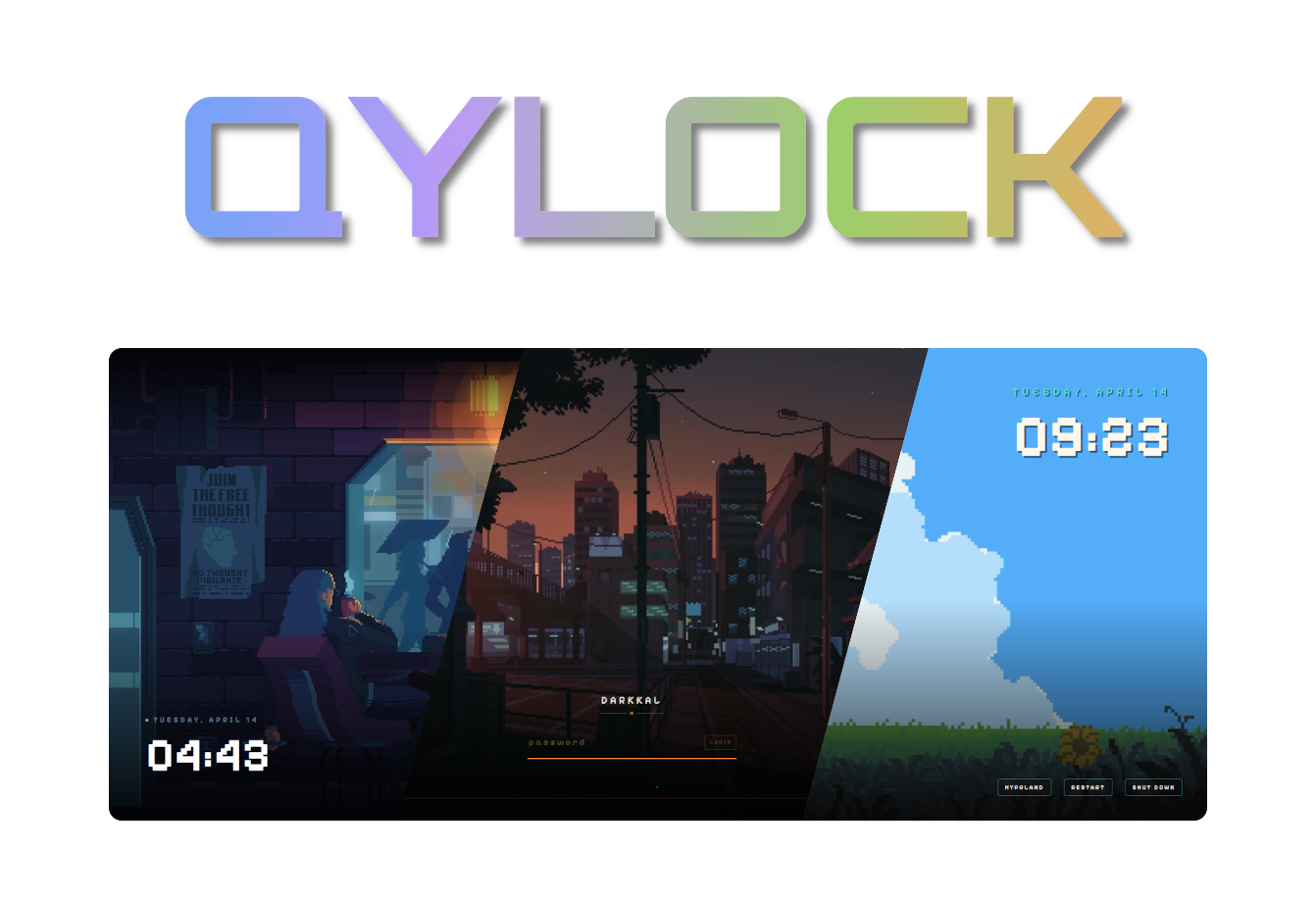
Welcome to Qylock! Pretty much a bunch of lockscreen themes I've put together for SDDM and Quickshell. Enjoyyyyyyy!!!!
Hope ya find something that fits your setup~
[!IMPORTANT] Have a problem? Please check the FAQ before opening a new issue. Most common setup errors are already documented there!
━━━━━━━ ❖ ━━━━━━━

Start by installing these dependencies using the package manager of your distro. (Note: Names might vary depending on your distribution.)
| Packages | |
|---|---|
| Core | sddm qt6-declarative qt6-5compat qt6-svg |
| Video | qt6-multimedia qt6-multimedia-ffmpeg |
| GStreamer | gst-plugins-base gst-plugins-good gst-plugins-bad gst-plugins-ugly |
| Optional | fzf |
Some themes rely on fonts that cannot be bundled here (copyright issues). Download the font and drop it into themes/<theme_name>/font/ — it loads automatically.
| Theme | Font | Filename |
|---|---|---|
| NieR: Automata | FOT-Rodin Pro DB | FOT-Rodin Pro DB.otf |
| Terraria | Andy Bold | Andy Bold.ttf |
| Genshin Impact | HYWenHei-85W | zhcn.ttf |
| Sword | The Last Shuriken | The Last Shuriken.ttf |
| Minecraft | Minecraft Regular | minecraft.ttf |
| Honkai: Star Rail | DIN Next | font.ttf |
| osu! | Torus Regular | Torus Regular.otf |
[!NOTE] These themes are made and tested only on arch linux, but the script will work in most of the distro's out there, so all you gotta do is get the dependencies right as its different for all the distros.
chmod +x sddm.sh && ./sddm.sh
━━━━━━━ ❖ ━━━━━━━

Start by installing these dependencies using the package manager of your distro. (Note: Names might vary depending on your distribution.)
| Packages | |
|---|---|
| Core | quickshell qt6-declarative qt6-5compat |
| Video | qt6-multimedia qt6-multimedia-ffmpeg |
| GStreamer | gst-plugins-base gst-plugins-good gst-plugins-bad gst-plugins-ugly |
| Optional | fzf |
chmod +x quickshell.sh && ./quickshell.sh
Point your Window Manager keybind (e.g., in Hyprland, Qtile, Sway, or i3) directly to:
~/.local/share/quickshell-lockscreen/lock.sh
━━━━━━━ ❖ ━━━━━━━

A flake is provided for NixOS users — no sddm.sh / quickshell.sh needed. Themes live in the Nix store and the active theme is chosen declaratively.
Add the input and import the module in your flake.nix:
{
  inputs.qylock.url = "github:Darkkal44/qylock";

  outputs = { self, nixpkgs, qylock, ... }: {
    nixosConfigurations.my-host = nixpkgs.lib.nixosSystem {
      system = "x86_64-linux";
      modules = [
        qylock.nixosModules.default
        ({ pkgs, ... }: {
          services.displayManager.sddm.enable = true;
          services.displayManager.sddm.wayland.enable = true;

          programs.qylock = {
            enable = true;
            theme = "nier-automata";          # any directory name under themes/
            # sddm.enable = true;             # installs theme + sets it active (default)
            # quickshell.enable = true;       # adds `qylock-lock` to PATH (default)

            # Optional per-theme tweaks (replaces the interactive prompts):
            themeOptions = {
              terraria.backgroundMode = "time";              # time | random | static
              Genshin.backgroundMode = "time";
              clockwork.orbital = { themeMode = "dark"; enableWindup = true; };
              osu.gameMode = "menu";                         # menu | game
            };
          };
        })
      ];
    };
  };
}
[!IMPORTANT] To display Quickshell-based wallpapers on NixOS, make sure the following GStreamer packages are installed system-wide. Without these, background videos will fail to render.
{ config, pkgs, ... }: {
  environment.systemPackages = with pkgs; [
    gst_all_1.gstreamer
    gst_all_1.gst-plugins-base
    gst_all_1.gst-plugins-good
    gst_all_1.gst-plugins-bad
    gst_all_1.gst-plugins-ugly
  ];
}
[!NOTE]
qt6.qtmultimediais not required here — theqylock-lockwrapper already wires the QML import path. It is only needed if you invokequickshelldirectly.
For the Quickshell lockscreen, bind your WM keybind to qylock-lock (instead of ~/.local/share/quickshell-lockscreen/lock.sh). Pass a theme name as $1 to override on the fly: qylock-lock clockwork/tape.
| Output | Purpose |
|---|---|
packages.<sys>.qylock-sddm-themes | SDDM themes under share/sddm/themes/ |
packages.<sys>.qylock-quickshell | qylock-lock wrapper with Qt6 QML deps wired in |
devShells.<sys>.default | quickshell, qt6, gstreamer, fzf — to run the bash scripts locally |
nixosModules.default | programs.qylock.* options shown above |
[!NOTE] The flake pins
nixos-unstablebecausequickshellisn't in stable nixpkgs yet. If your system tracks a stable channel, override the flake'snixpkgsinput to your unstable channel.
━━━━━━━ ◈ ━━━━━━━

[!TIP] Can't find your issue here? Feel free to open a discussion or an issue, but please double-check the sections below first!
If the virtual keyboard keeps opening on its own at startup, you can disable it in your SDDM config:
/etc/sddm.conf.d/virtualkeyboard.conf as root.[General] section, set InputMethod to empty:[General]
InputMethod=
To keep the download size small, some videos are compressed. For the full 4K/HD version:
bg.mp4.bg.mp4 inside your current theme's folder.[!NOTE] This error typically occurs because many stable distributions (like Debian or older Fedora versions) still use the Qt5-based version of SDDM. Since these themes are written in native Qt6 for modern systems, they require a specific transpilation step to work on legacy backends.
If you encounter library errors at the login screen:
./sddm.sh.| Required Packages (Qt5 Legacy Mode) | |
|---|---|
| Core | sddm qt5-declarative qt5-graphicaleffects qt5-quickcontrols2 |
| Video | qt5-multimedia gst-plugins-base gst-plugins-good gst-plugins-bad gst-plugins-ugly |
| Tools | perl |
[!NOTE] This is a known limitation of KWin. You can still use the SDDM portion of the themes for your login screen, but the Quickshell lockscreen itself is a no-go on Plasma because it lacks support for the
ext-session-lock-v1protocol.
━━━━━━━ ❖ ━━━━━━━

Pixel · Coffee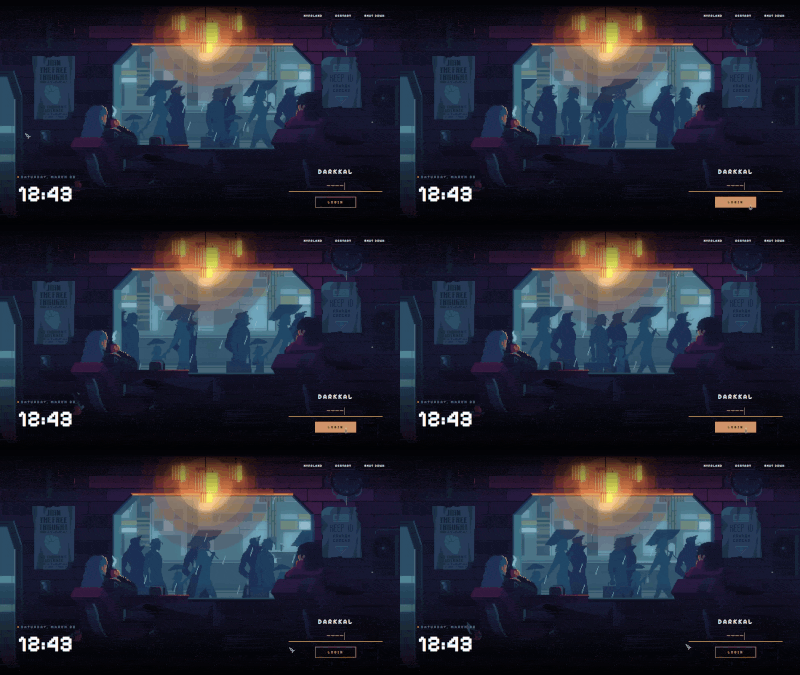
|
Pixel · Dusk City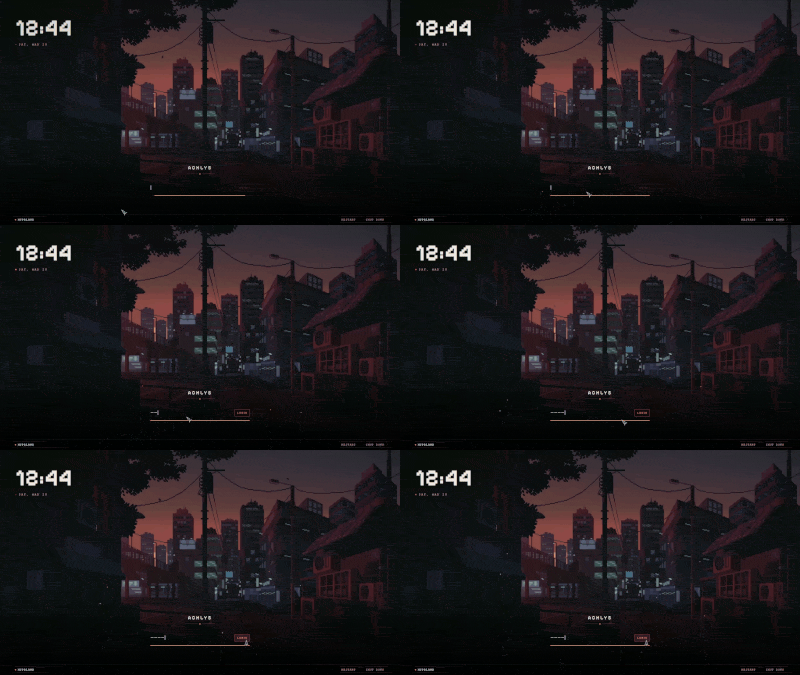
|
Pixel · Hollow Knight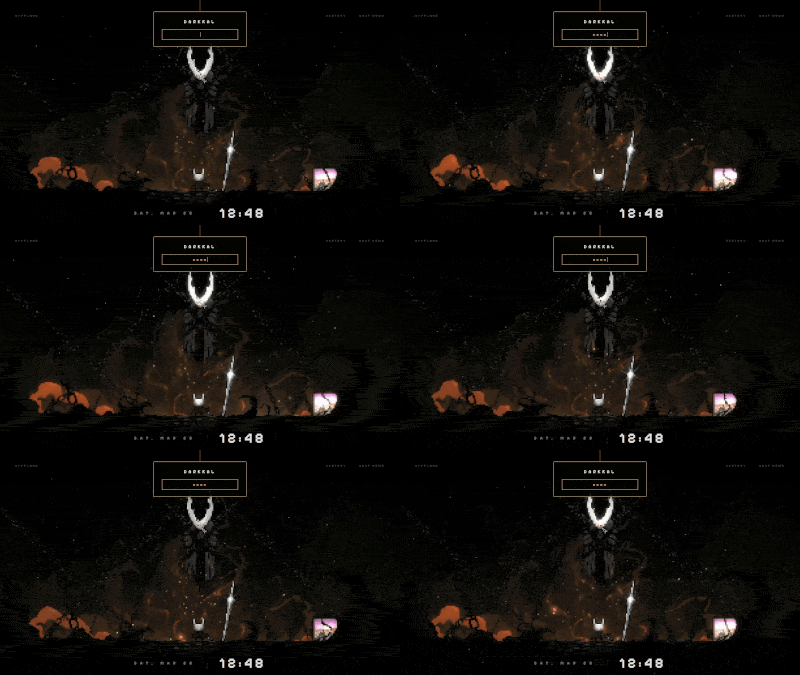
|
Pixel · Munchlax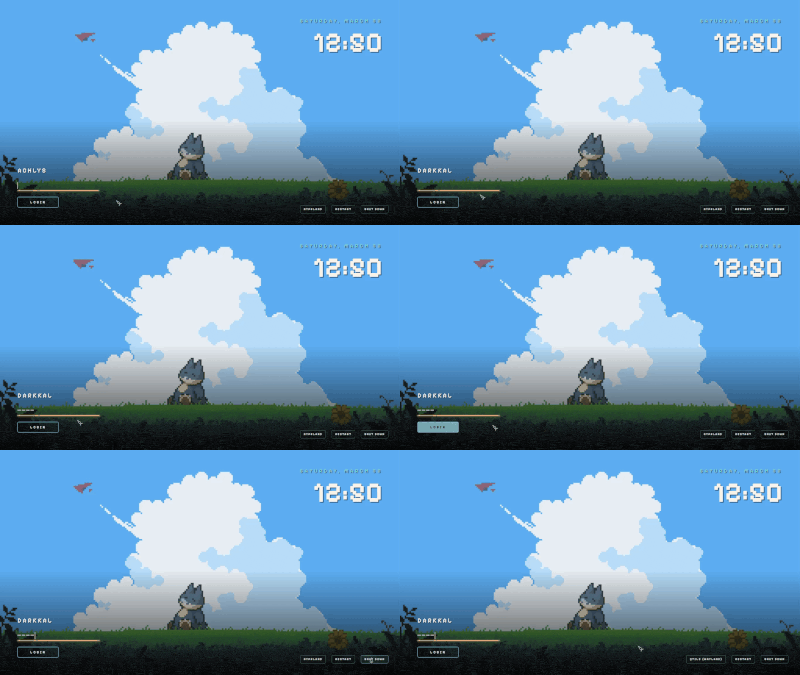
|
Pixel · Night City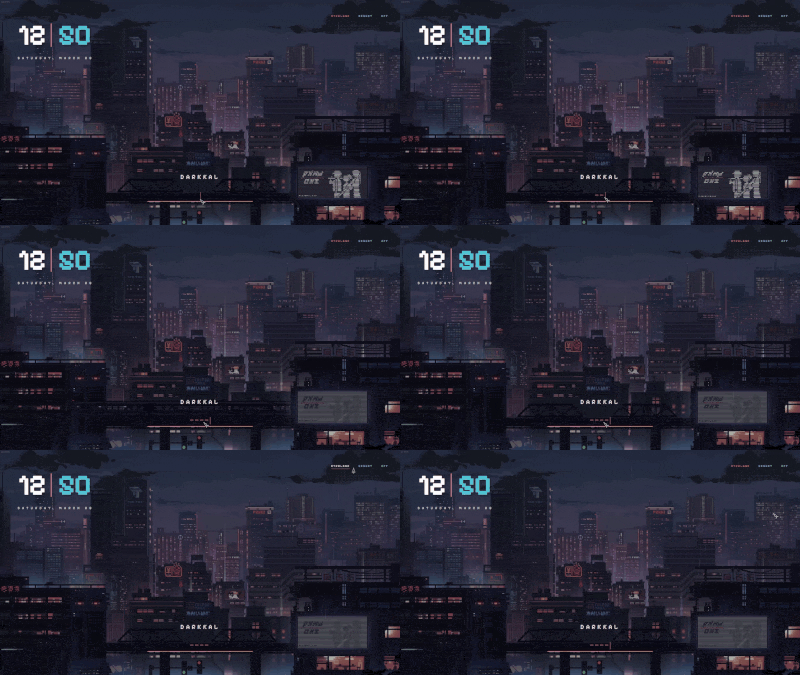
|
Pixel · Rainy Room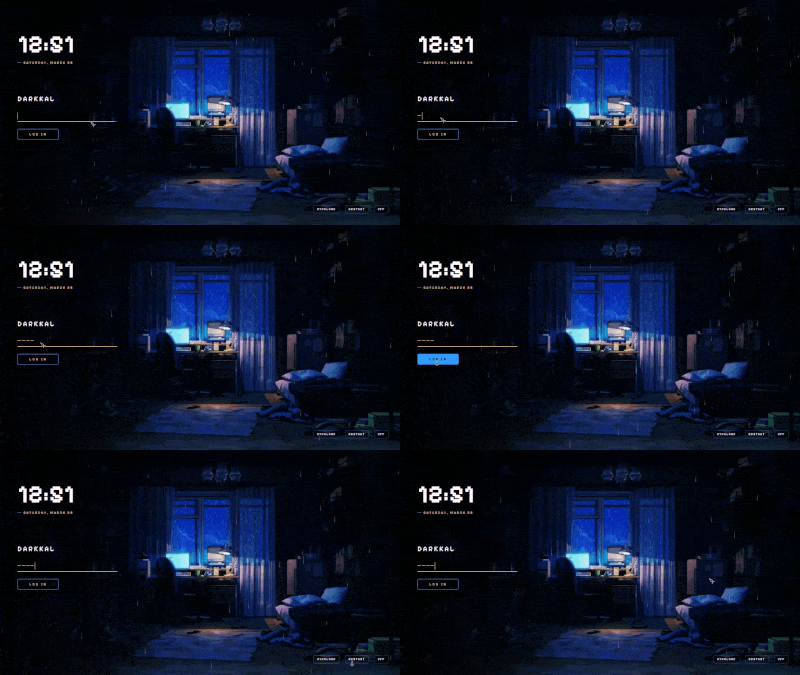
|
Pixel · Skyscrapers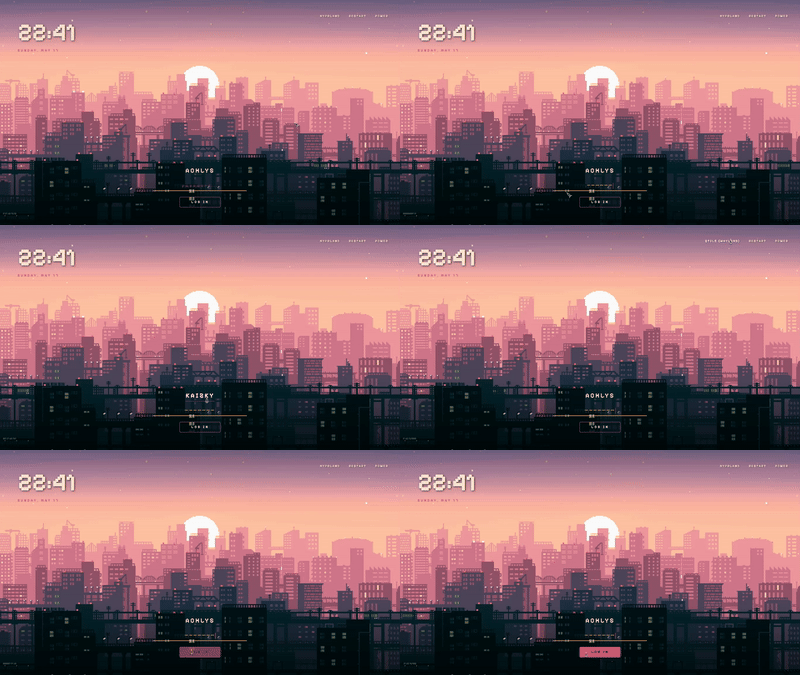
|
Pixel · Cyberpunk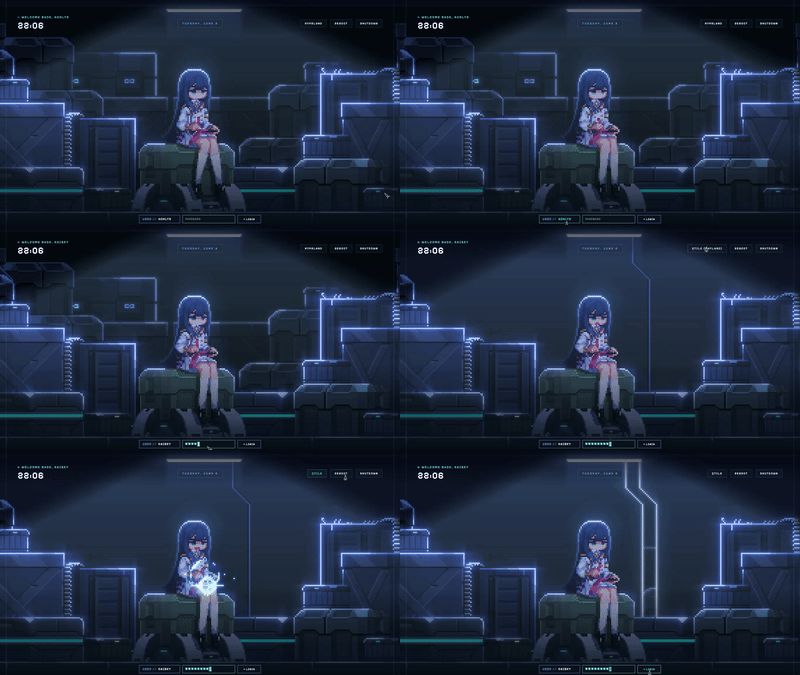
|
Pixel · Emerald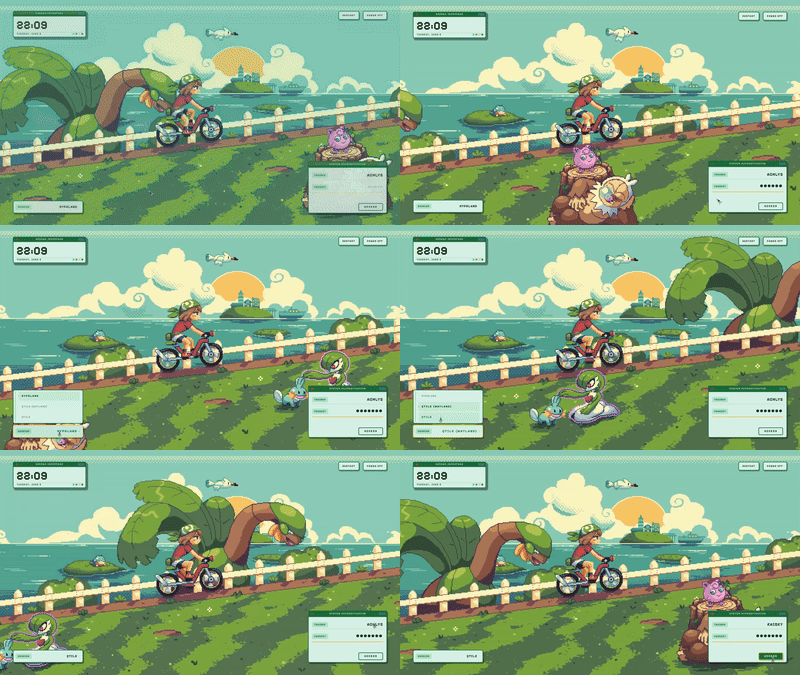
|
Pixel · Sakura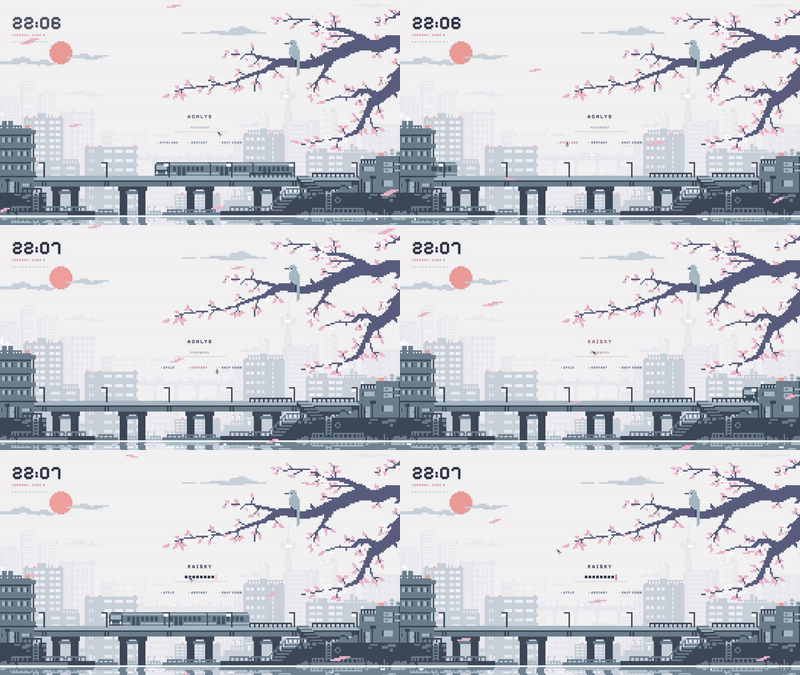
|
Pixel · Waterfall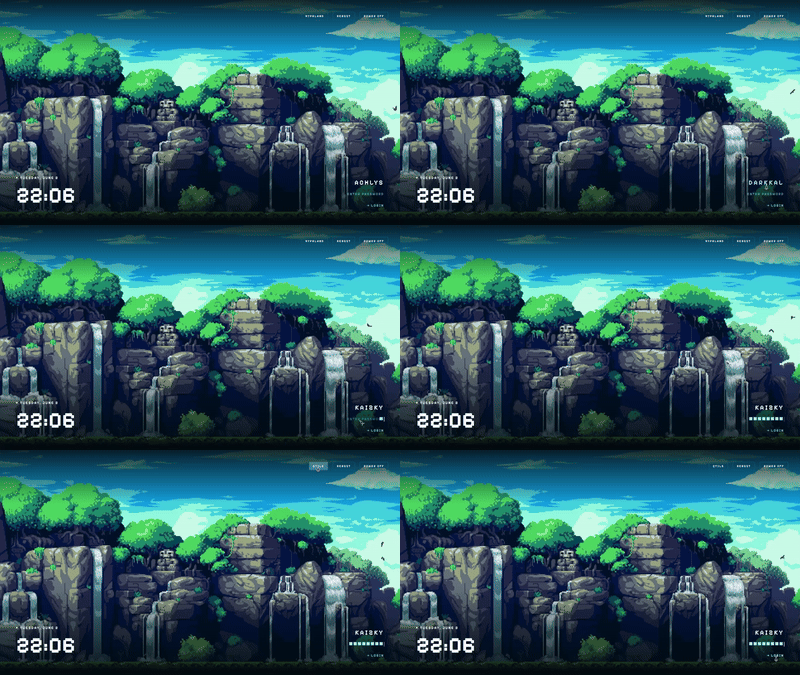
|
Enfield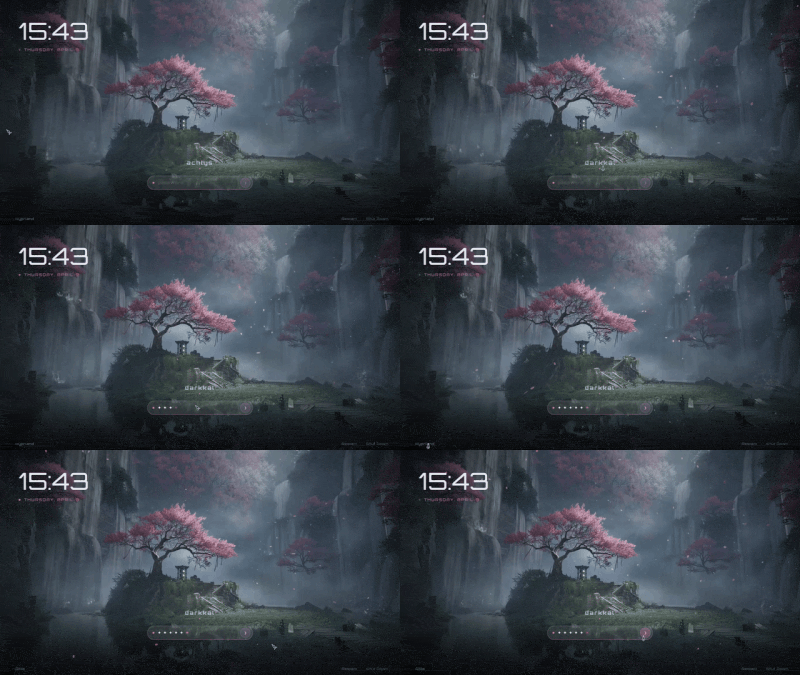
|
Sword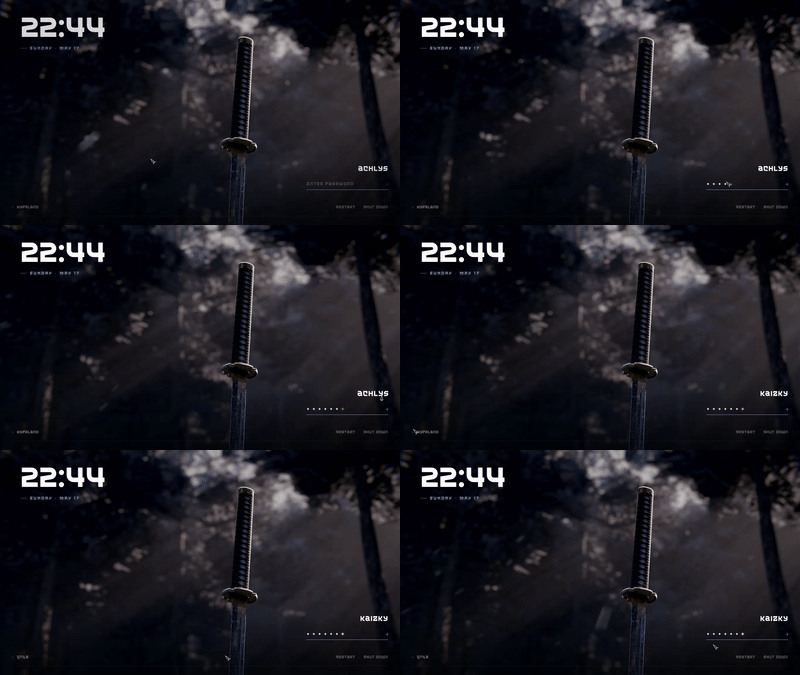
|
Forest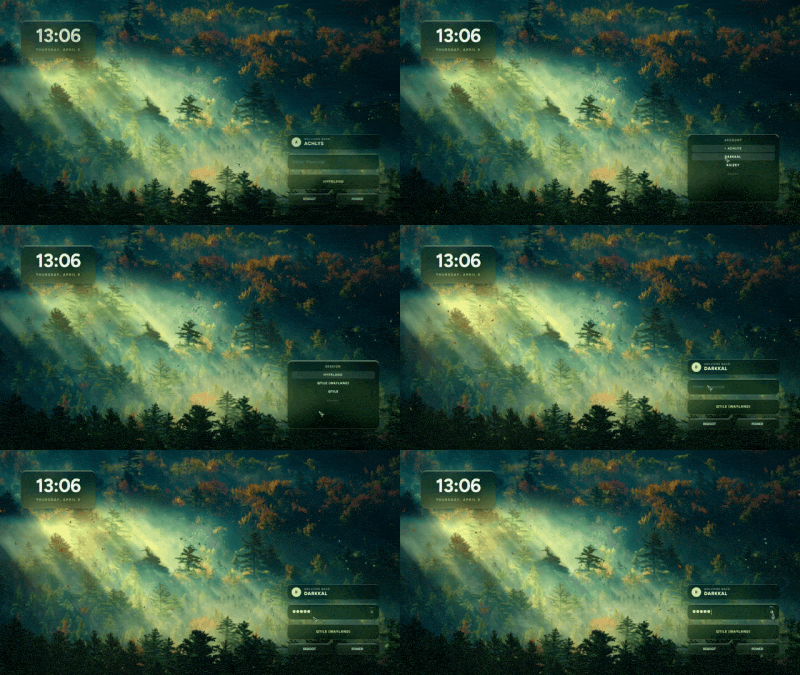
|
Winter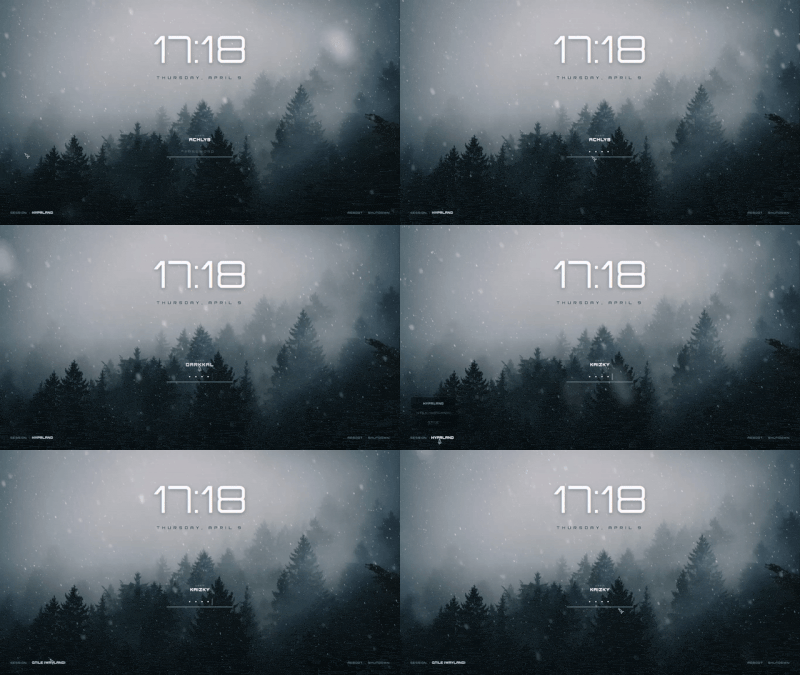
|
Dog Samurai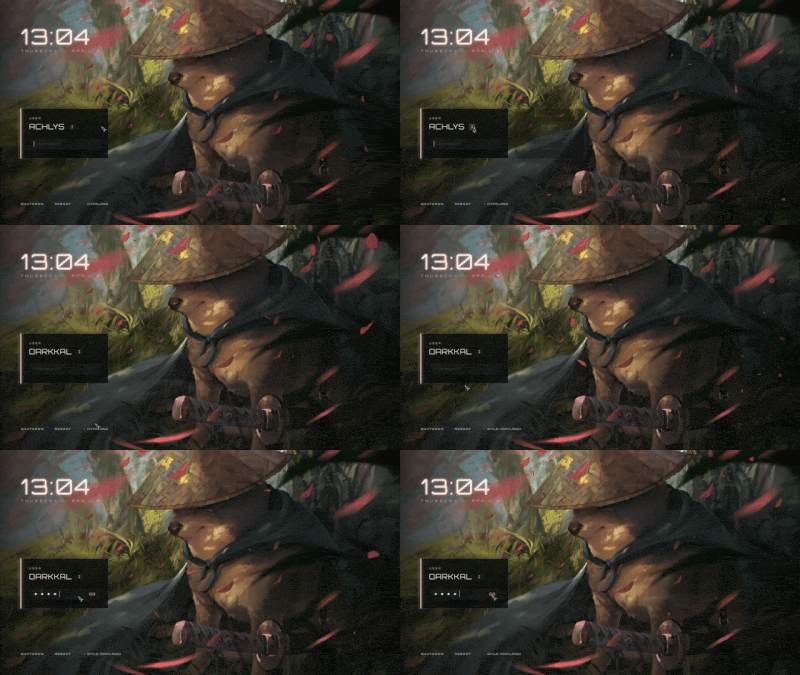
|
The Last of Us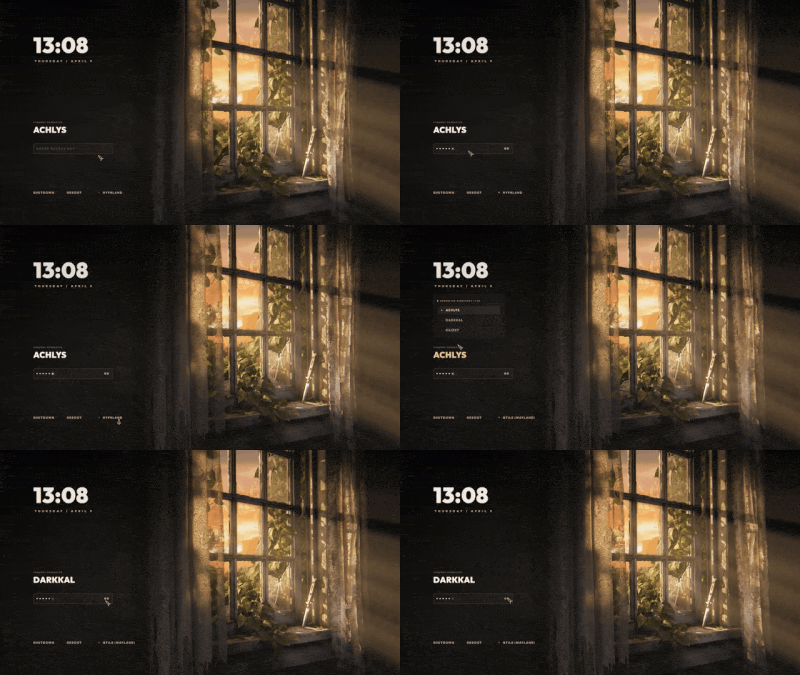
|
Field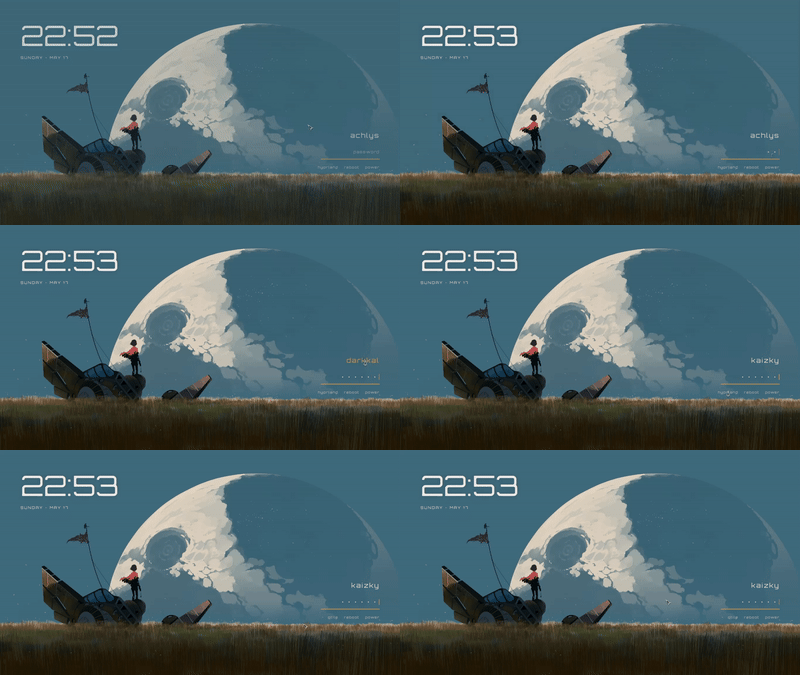
|
Girl · Coffee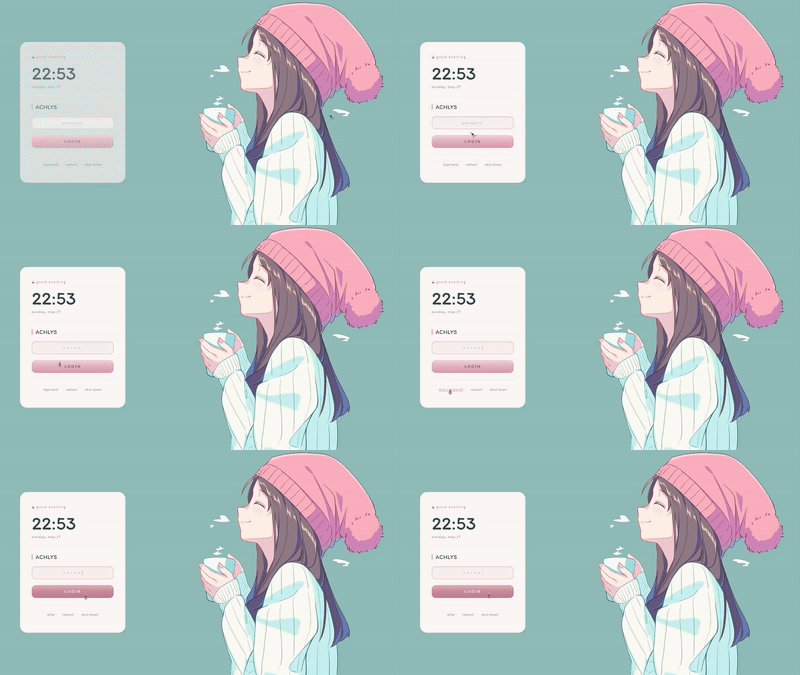
|
Girl · Pillow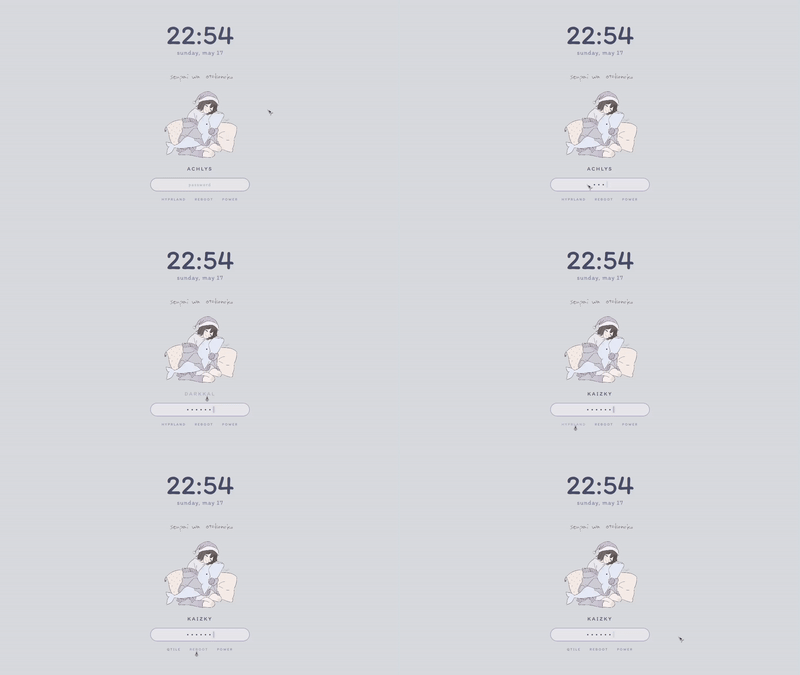
|
Man · Bicycle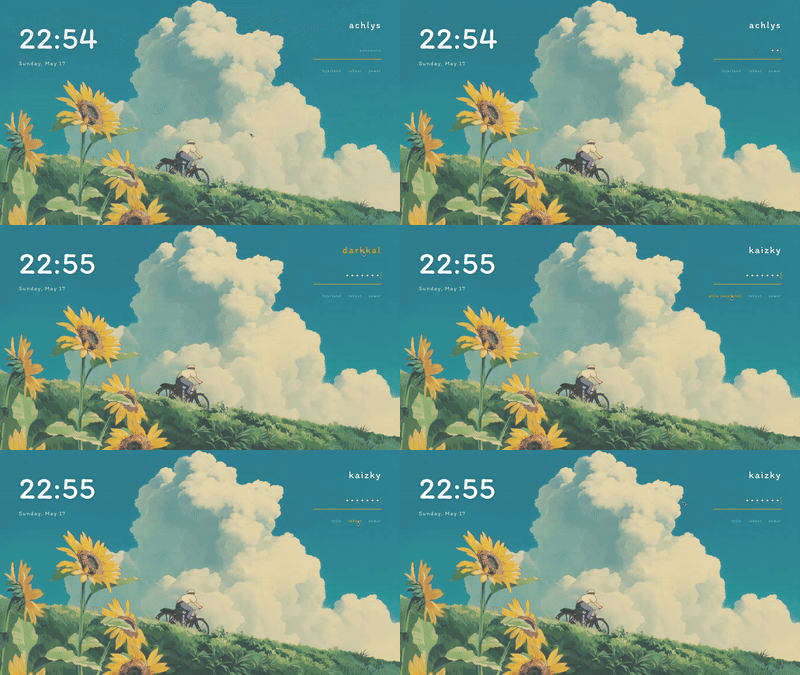
|
Women · Umbrella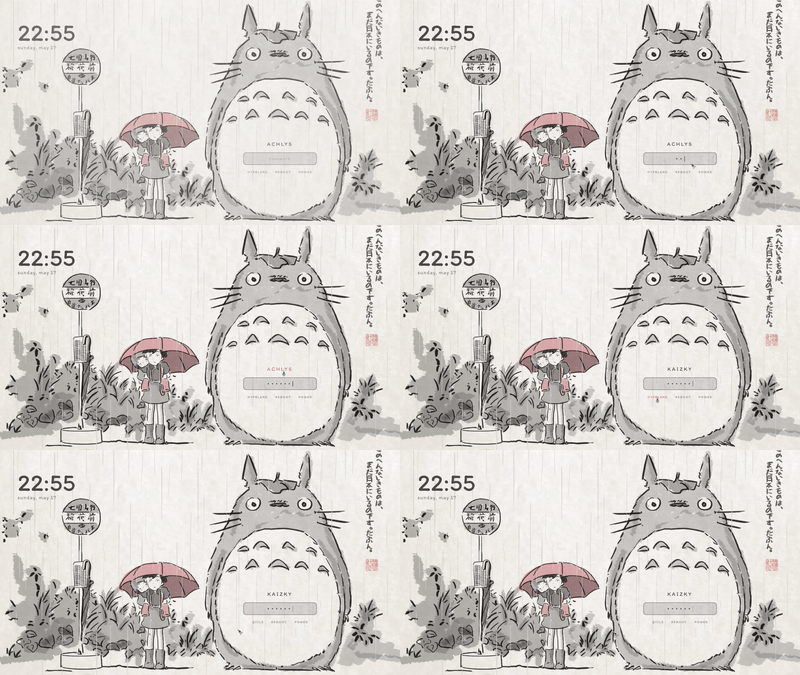
|
Nothing
|
Material You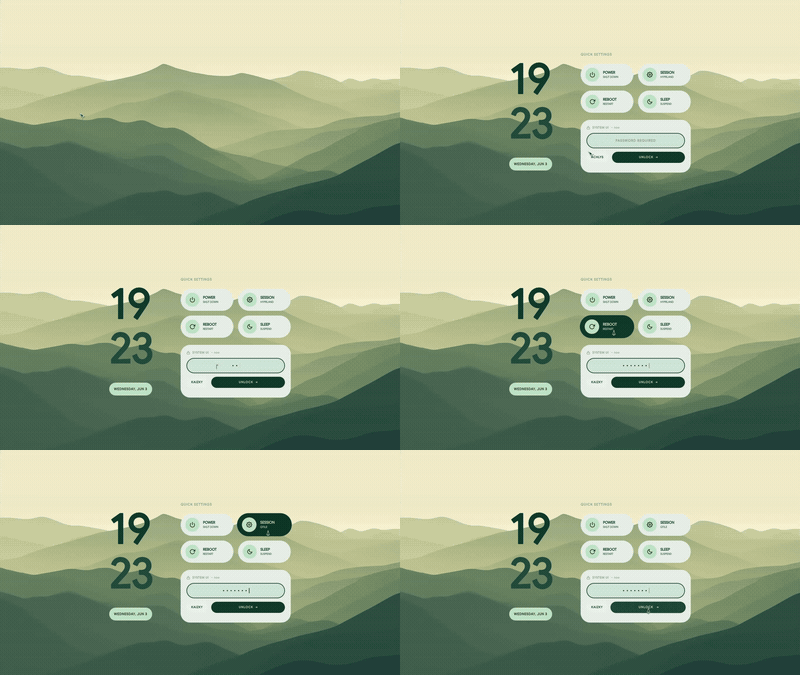
|
Honkai: Star Rail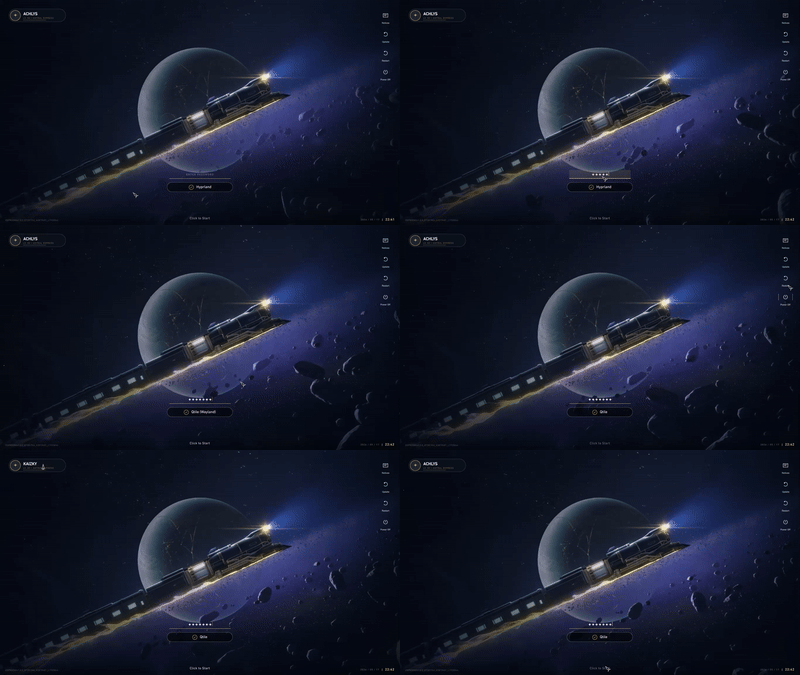
|
Genshin Impact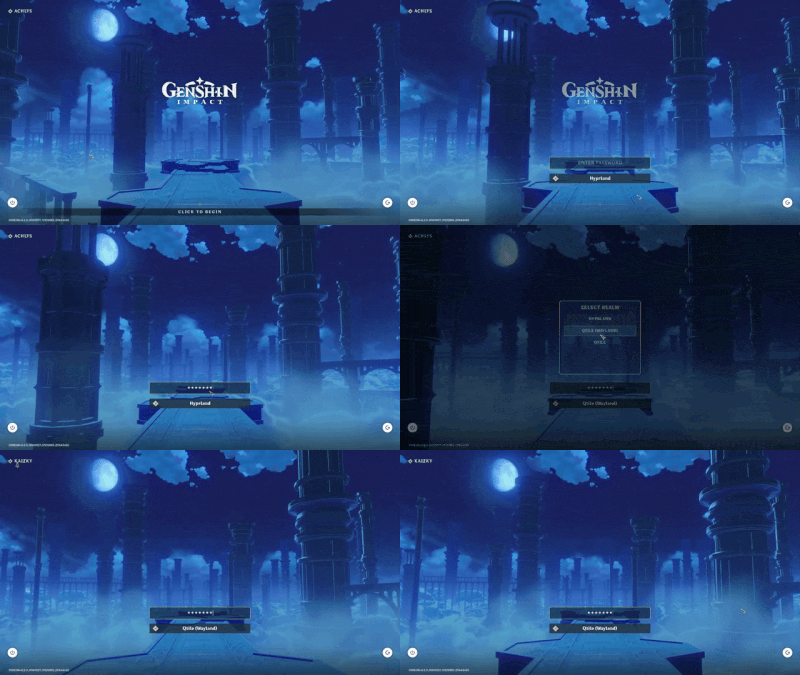
|
Wuthering Waves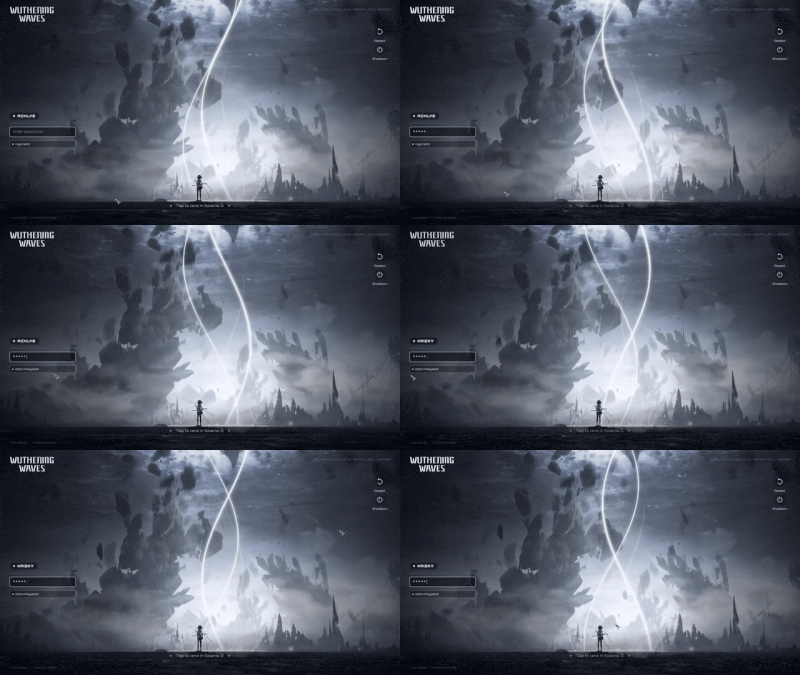
|
osu!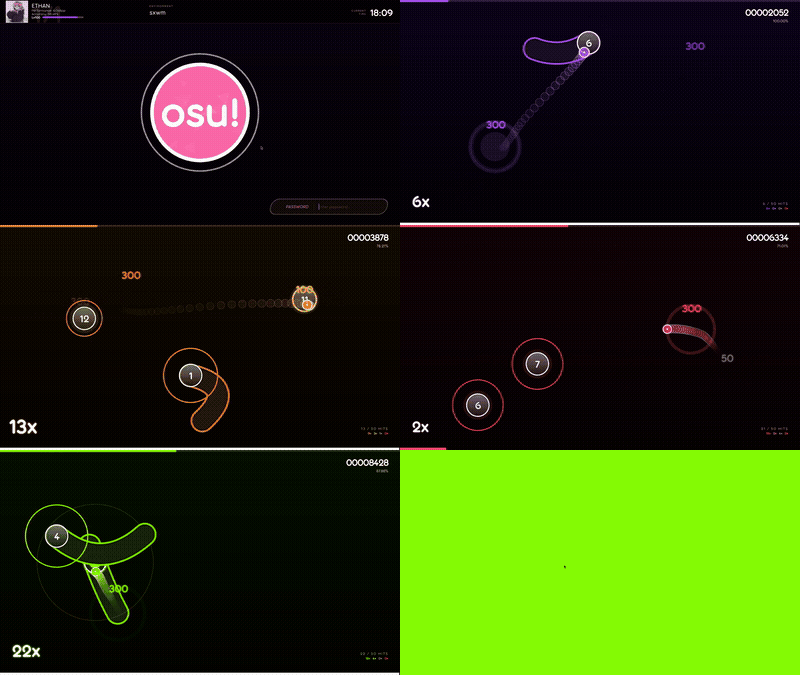
|
osu! mania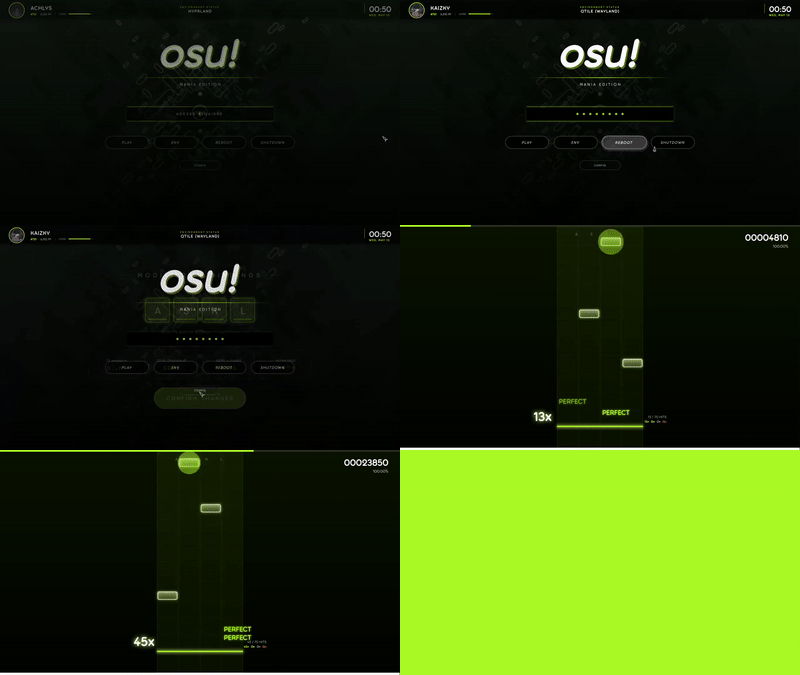
|
Minecraft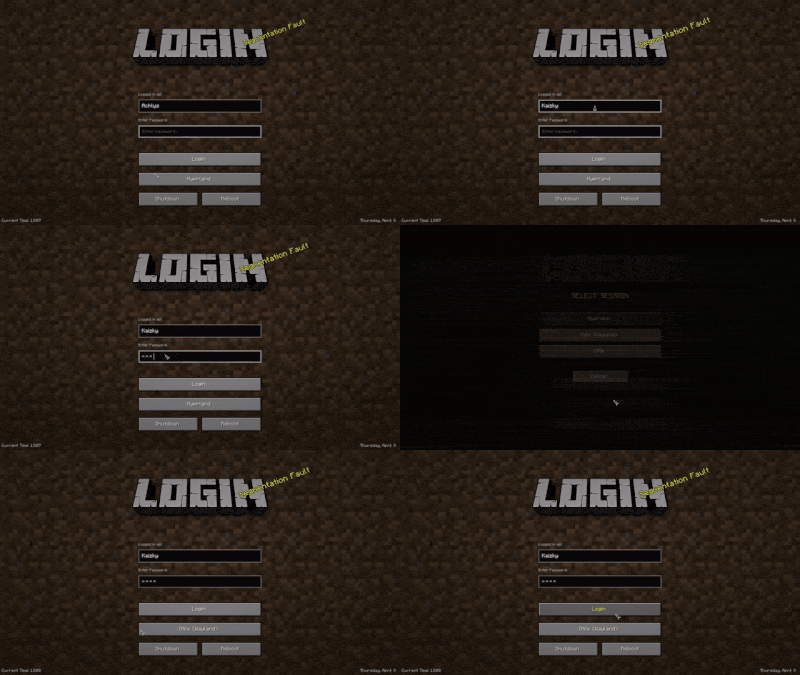
|
NieR: Automata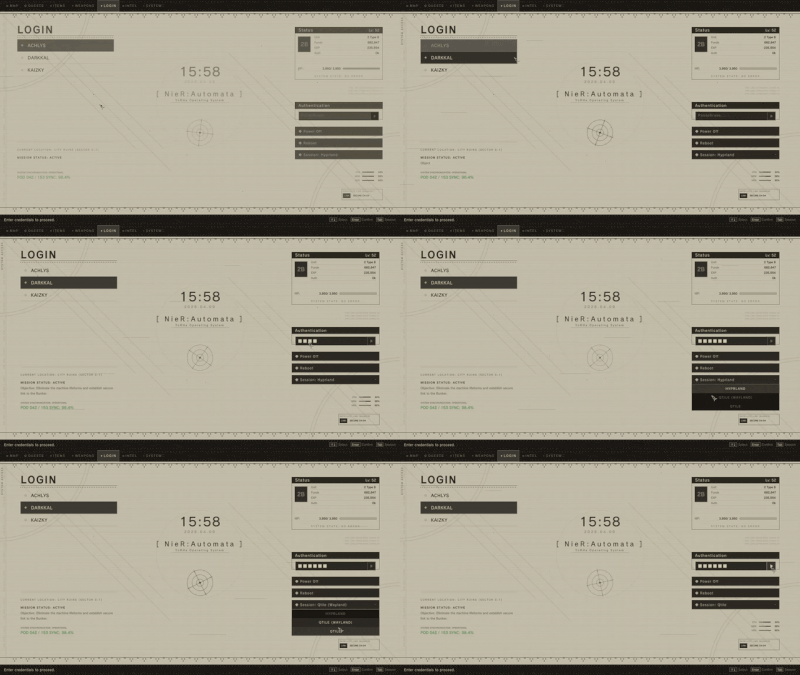
|
Reverse: 1999 - I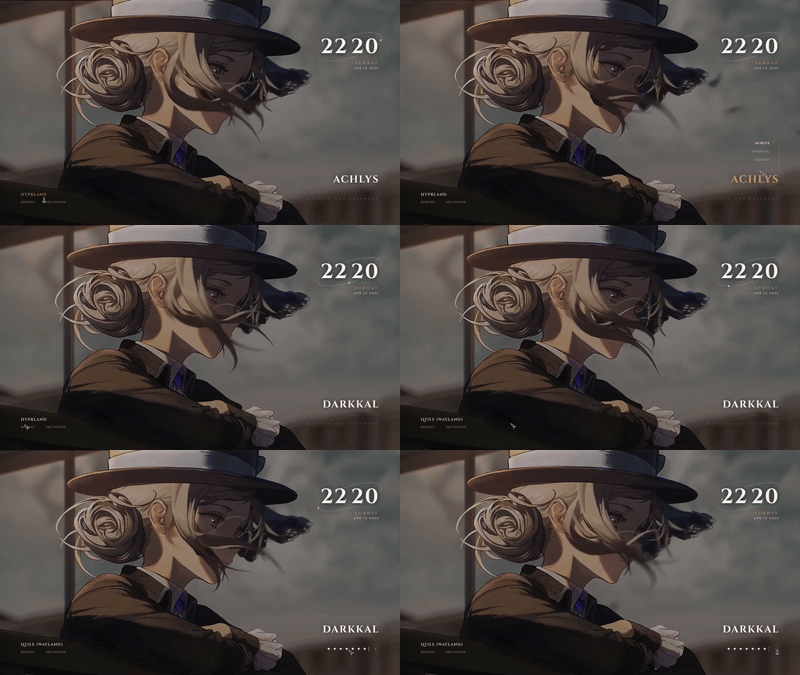
|
Reverse: 1999 - II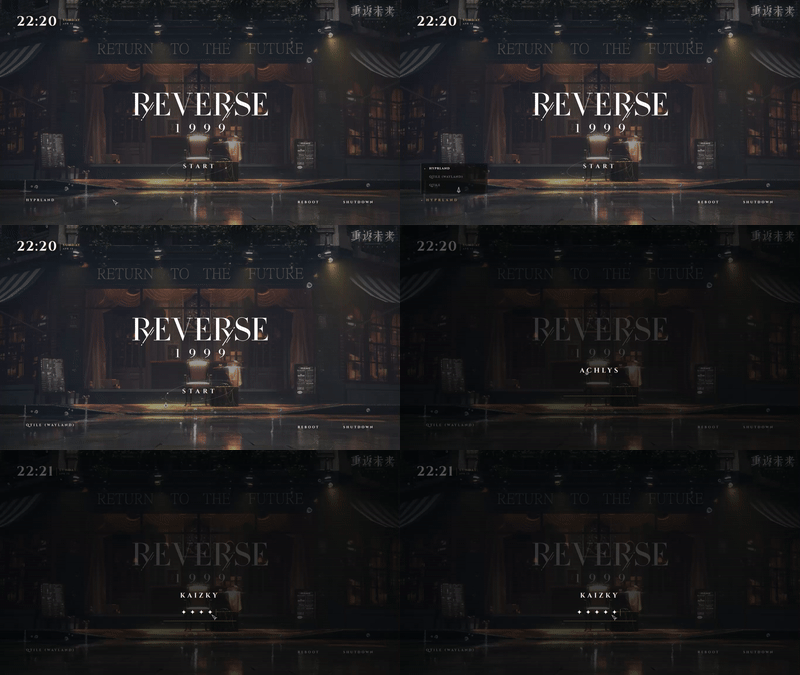
|
Clockwork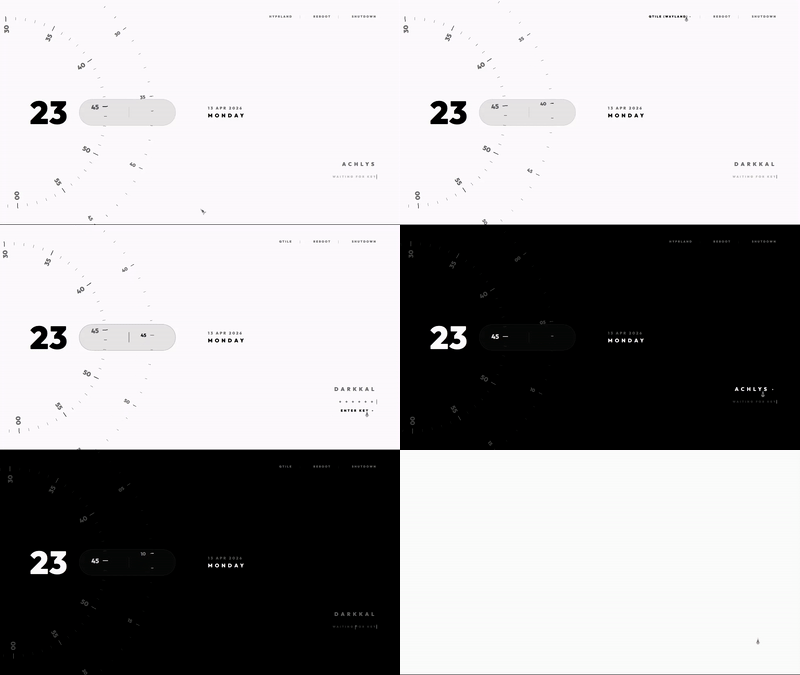
|
Terraria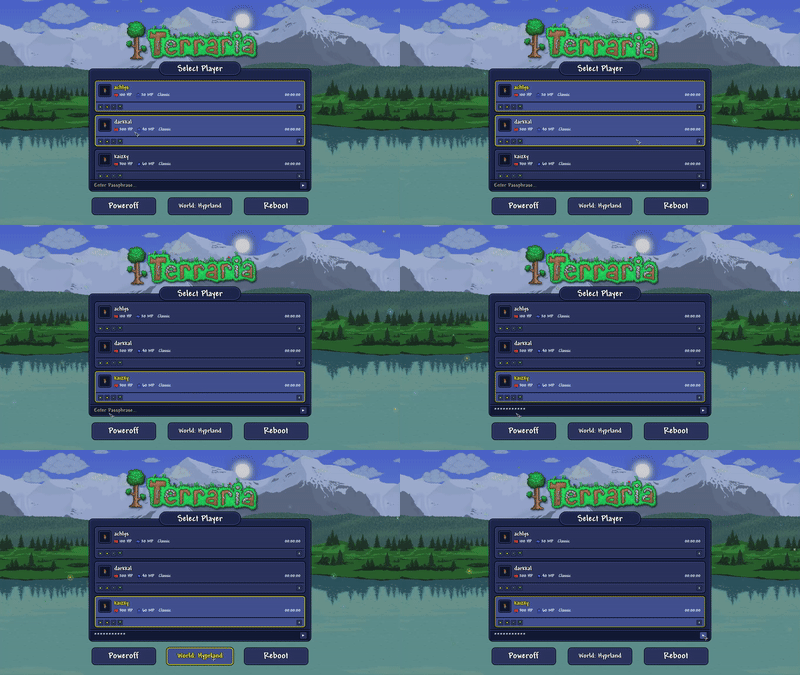
|
Ninja Gaiden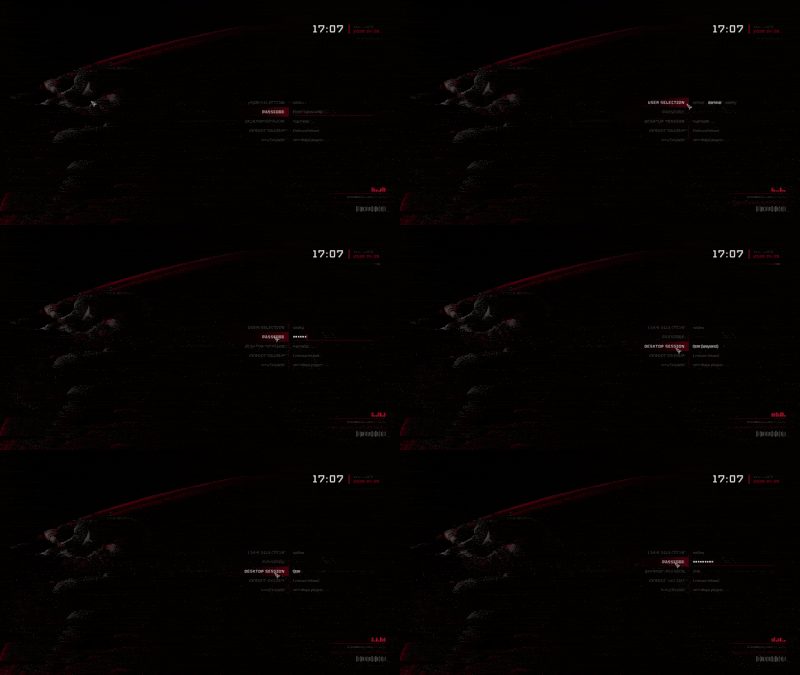
|
Windows 7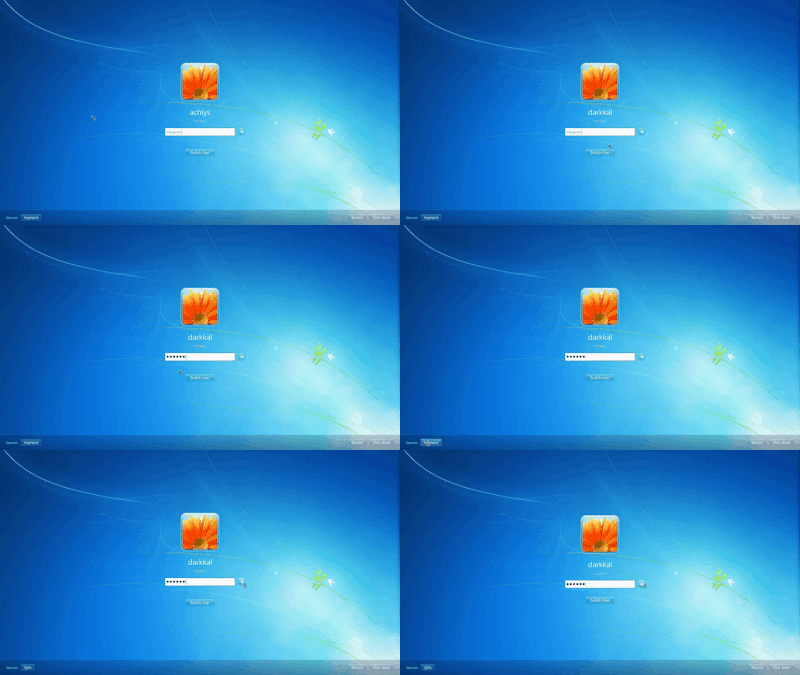
|
Material You Dark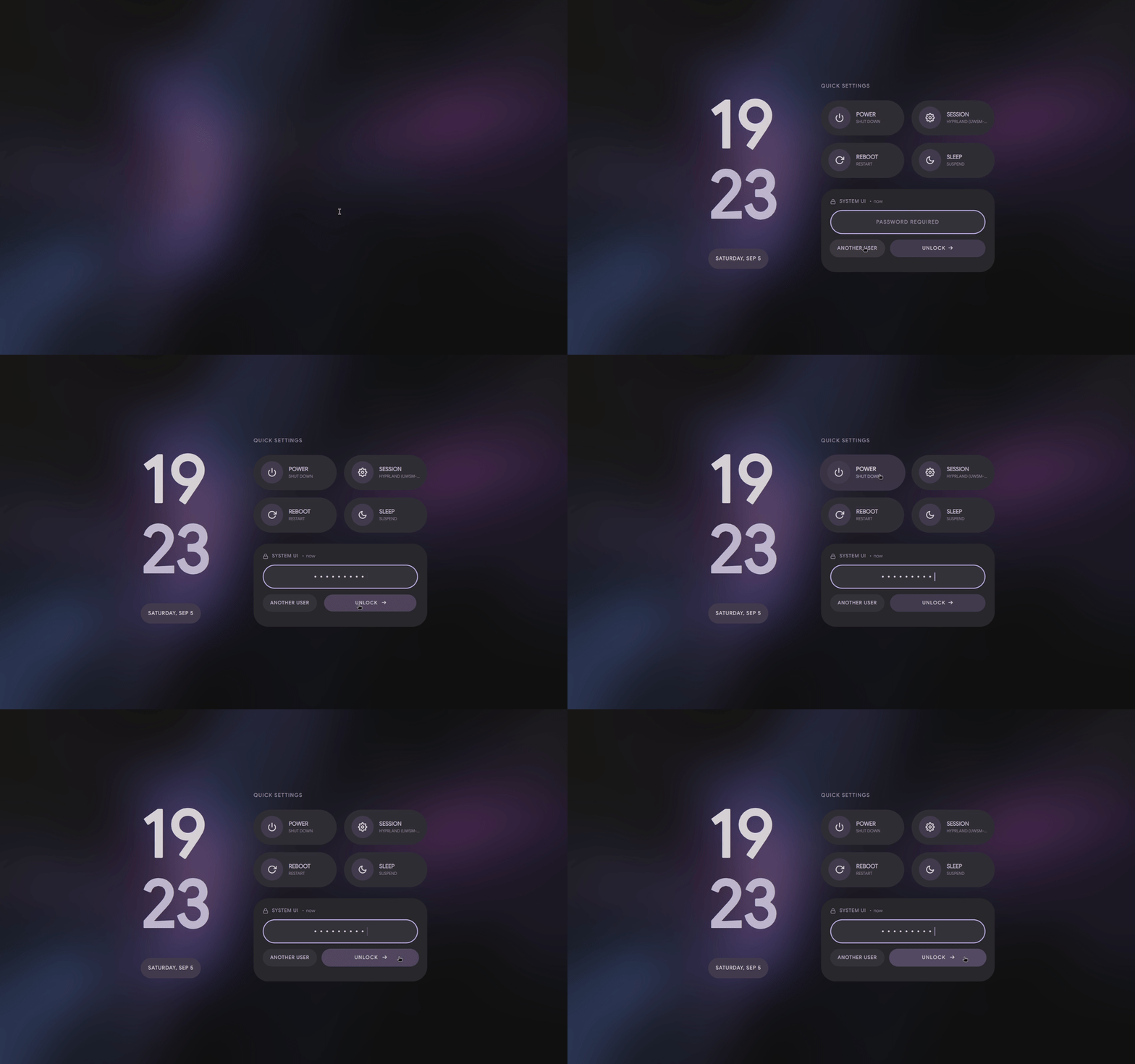
|
━━━━━━━ ❖ ━━━━━━━

Huge thanks to all the amazing artists for these wallpapers and fonts! Here's where everything comes from:
| Theme | Wallpaper | Font | Theme | Wallpaper | Font |
|---|---|---|---|---|---|
| Pixel · Coffee | MoeWalls | Pixelify Sans | Pixel · Munchlax | MoeWalls | Pixelify Sans |
| Pixel · Dusk City | WallsFlow | Pixelify Sans | Pixel · Night City | WallsFlow | Pixelify Sans |
| Pixel · Hollow Knight | MoeWalls | Pixelify Sans | Pixel · Rainy Room | MoeWalls | Pixelify Sans |
| Pixel · Skyscrapers | WallsFlow | Pixelify Sans | Pixel · Cyberpunk | Pixiv | Pixelify Sans |
| Pixel · Emerald | - | Pixelify Sans | Pixel · Sakura | - | Pixelify Sans |
| Pixel · Waterfall | - | Pixelify Sans | Enfield | WallsFlow | Orbitron |
| Sword | WallsFlow | The Last Shuriken | The Last of Us | MoeWalls | Outfit |
| Field | MoeWalls | - | Girl · Coffee | MoeWalls | - |
| Girl · Pillow | MoeWalls | Itim | Man · Bicycle | MoeWalls | Itim |
| Women · Umbrella | MoeWalls | Itim | Forest | MoeWalls | Figtree |
| Winter | MoeWalls | Orbitron | Dog Samurai | MoeWalls | Orbitron |
| Honkai: Star Rail | YouTube | DIN Next | Genshin Impact | YouTube | HYWenHei |
| Wuthering Waves | YouTube | Orbitron | osu! | Official | Torus Regular |
| osu! mania | Official | Torus Regular | Minecraft | Minecraft Wiki | Minecraft |
| NieR: Automata | FOT-Rodin Pro DB | Reverse: 1999 | Taptap | Outfit | |
| Clockwork | WallsFlow | Orbitron | Terraria | Terraria Forums | Andy Bold |
| Ninja Gaiden | Noisy Pixel | Tektur | Windows 7 | WallpaperAccess | Segoe UI |
━━━━━━━ ❖ ━━━━━━━

Max • Awkward • Chương Kính • MerhawiGhebrekal • Silenett • wawzi • franchecol • MerhawiGhebrekal • Trench Martyr
Pumphium, kaizky, DragonChicken
━━━━━━━ ༓ ━━━━━━━
Make your login your own.

1,781 followers · starred Apr 2026
30,298 followers · starred May 2026
165 followers · starred Apr 2026
236 followers · starred May 2026
A cozy collection of sddm-themes & quickshell lockscreen setups.
QML
2,894
190 commits
updated Sep 14, 2026
ꜱᴅᴅᴍ • ǫᴜɪᴄᴋsʜᴇʟʟ • ɴɪxᴏs • ꜰᴀǫ • ɢᴀʟʟᴇʀʏ • ᴀᴄᴋɴᴏᴡʟᴇᴅɢᴇᴍᴇɴᴛꜱ • ᴄʀᴇᴅɪᴛꜱ
Welcome to Qylock! Pretty much a bunch of lockscreen themes I've put together for SDDM and Quickshell. Enjoyyyyyyy!!!!
Hope ya find something that fits your setup~
[!IMPORTANT] Have a problem? Please check the FAQ before opening a new issue. Most common setup errors are already documented there!
━━━━━━━ ❖ ━━━━━━━
Start by installing these dependencies using the package manager of your distro. (Note: Names might vary depending on your distribution.)
| Packages | |
|---|---|
| Core | sddm qt6-declarative qt6-5compat qt6-svg |
| Video | qt6-multimedia qt6-multimedia-ffmpeg |
| GStreamer | gst-plugins-base gst-plugins-good gst-plugins-bad gst-plugins-ugly |
| Optional | fzf |
Some themes rely on fonts that cannot be bundled here (copyright issues). Download the font and drop it into themes/<theme_name>/font/ — it loads automatically.
| Theme | Font | Filename |
|---|---|---|
| NieR: Automata | FOT-Rodin Pro DB | FOT-Rodin Pro DB.otf |
| Terraria | Andy Bold | Andy Bold.ttf |
| Genshin Impact | HYWenHei-85W | zhcn.ttf |
| Sword | The Last Shuriken | The Last Shuriken.ttf |
| Minecraft | Minecraft Regular | minecraft.ttf |
| Honkai: Star Rail | DIN Next | font.ttf |
| osu! | Torus Regular | Torus Regular.otf |
[!NOTE] These themes are made and tested only on arch linux, but the script will work in most of the distro's out there, so all you gotta do is get the dependencies right as its different for all the distros.
chmod +x sddm.sh && ./sddm.sh
━━━━━━━ ❖ ━━━━━━━
Start by installing these dependencies using the package manager of your distro. (Note: Names might vary depending on your distribution.)
| Packages | |
|---|---|
| Core | quickshell qt6-declarative qt6-5compat |
| Video | qt6-multimedia qt6-multimedia-ffmpeg |
| GStreamer | gst-plugins-base gst-plugins-good gst-plugins-bad gst-plugins-ugly |
| Optional | fzf |
chmod +x quickshell.sh && ./quickshell.sh
Point your Window Manager keybind (e.g., in Hyprland, Qtile, Sway, or i3) directly to:
~/.local/share/quickshell-lockscreen/lock.sh
━━━━━━━ ❖ ━━━━━━━
A flake is provided for NixOS users — no sddm.sh / quickshell.sh needed. Themes live in the Nix store and the active theme is chosen declaratively.
Add the input and import the module in your flake.nix:
{
  inputs.qylock.url = "github:Darkkal44/qylock";

  outputs = { self, nixpkgs, qylock, ... }: {
    nixosConfigurations.my-host = nixpkgs.lib.nixosSystem {
      system = "x86_64-linux";
      modules = [
        qylock.nixosModules.default
        ({ pkgs, ... }: {
          services.displayManager.sddm.enable = true;
          services.displayManager.sddm.wayland.enable = true;

          programs.qylock = {
            enable = true;
            theme = "nier-automata";          # any directory name under themes/
            # sddm.enable = true;             # installs theme + sets it active (default)
            # quickshell.enable = true;       # adds `qylock-lock` to PATH (default)

            # Optional per-theme tweaks (replaces the interactive prompts):
            themeOptions = {
              terraria.backgroundMode = "time";              # time | random | static
              Genshin.backgroundMode = "time";
              clockwork.orbital = { themeMode = "dark"; enableWindup = true; };
              osu.gameMode = "menu";                         # menu | game
            };
          };
        })
      ];
    };
  };
}
[!IMPORTANT] To display Quickshell-based wallpapers on NixOS, make sure the following GStreamer packages are installed system-wide. Without these, background videos will fail to render.
{ config, pkgs, ... }: {
  environment.systemPackages = with pkgs; [
    gst_all_1.gstreamer
    gst_all_1.gst-plugins-base
    gst_all_1.gst-plugins-good
    gst_all_1.gst-plugins-bad
    gst_all_1.gst-plugins-ugly
  ];
}
[!NOTE]
qt6.qtmultimediais not required here — theqylock-lockwrapper already wires the QML import path. It is only needed if you invokequickshelldirectly.
For the Quickshell lockscreen, bind your WM keybind to qylock-lock (instead of ~/.local/share/quickshell-lockscreen/lock.sh). Pass a theme name as $1 to override on the fly: qylock-lock clockwork/tape.
| Output | Purpose |
|---|---|
packages.<sys>.qylock-sddm-themes | SDDM themes under share/sddm/themes/ |
packages.<sys>.qylock-quickshell | qylock-lock wrapper with Qt6 QML deps wired in |
devShells.<sys>.default | quickshell, qt6, gstreamer, fzf — to run the bash scripts locally |
nixosModules.default | programs.qylock.* options shown above |
[!NOTE] The flake pins
nixos-unstablebecausequickshellisn't in stable nixpkgs yet. If your system tracks a stable channel, override the flake'snixpkgsinput to your unstable channel.
━━━━━━━ ◈ ━━━━━━━
[!TIP] Can't find your issue here? Feel free to open a discussion or an issue, but please double-check the sections below first!
If the virtual keyboard keeps opening on its own at startup, you can disable it in your SDDM config:
/etc/sddm.conf.d/virtualkeyboard.conf as root.[General] section, set InputMethod to empty:[General]
InputMethod=
To keep the download size small, some videos are compressed. For the full 4K/HD version:
bg.mp4.bg.mp4 inside your current theme's folder.[!NOTE] This error typically occurs because many stable distributions (like Debian or older Fedora versions) still use the Qt5-based version of SDDM. Since these themes are written in native Qt6 for modern systems, they require a specific transpilation step to work on legacy backends.
If you encounter library errors at the login screen:
./sddm.sh.| Required Packages (Qt5 Legacy Mode) | |
|---|---|
| Core | sddm qt5-declarative qt5-graphicaleffects qt5-quickcontrols2 |
| Video | qt5-multimedia gst-plugins-base gst-plugins-good gst-plugins-bad gst-plugins-ugly |
| Tools | perl |
[!NOTE] This is a known limitation of KWin. You can still use the SDDM portion of the themes for your login screen, but the Quickshell lockscreen itself is a no-go on Plasma because it lacks support for the
ext-session-lock-v1protocol.
━━━━━━━ ❖ ━━━━━━━
|
Pixel · Coffee
|
Pixel · Dusk City
|
|
Pixel · Hollow Knight
|
Pixel · Munchlax
|
|
Pixel · Night City
|
Pixel · Rainy Room
|
|
Pixel · Skyscrapers
|
Pixel · Cyberpunk
|
|
Pixel · Emerald
|
Pixel · Sakura
|
|
Pixel · Waterfall
|
Enfield
|
|
Sword
|
Forest
|
|
Winter
|
Dog Samurai
|
|
The Last of Us
|
Field
|
|
Girl · Coffee
|
Girl · Pillow
|
|
Man · Bicycle
|
Women · Umbrella
|
|
Nothing
|
Material You
|
|
Honkai: Star Rail
|
Genshin Impact
|
|
Wuthering Waves
|
osu!
|
|
osu! mania
|
Minecraft
|
|
NieR: Automata
|
Reverse: 1999 - I
|
|
Reverse: 1999 - II
|
Clockwork
|
|
Terraria
|
Ninja Gaiden
|
|
Windows 7
|
Material You Dark
|
━━━━━━━ ❖ ━━━━━━━
Huge thanks to all the amazing artists for these wallpapers and fonts! Here's where everything comes from:
| Theme | Wallpaper | Font | Theme | Wallpaper | Font |
|---|---|---|---|---|---|
| Pixel · Coffee | MoeWalls | Pixelify Sans | Pixel · Munchlax | MoeWalls | Pixelify Sans |
| Pixel · Dusk City | WallsFlow | Pixelify Sans | Pixel · Night City | WallsFlow | Pixelify Sans |
| Pixel · Hollow Knight | MoeWalls | Pixelify Sans | Pixel · Rainy Room | MoeWalls | Pixelify Sans |
| Pixel · Skyscrapers | WallsFlow | Pixelify Sans | Pixel · Cyberpunk | Pixiv | Pixelify Sans |
| Pixel · Emerald | - | Pixelify Sans | Pixel · Sakura | - | Pixelify Sans |
| Pixel · Waterfall | - | Pixelify Sans | Enfield | WallsFlow | Orbitron |
| Sword | WallsFlow | The Last Shuriken | The Last of Us | MoeWalls | Outfit |
| Field | MoeWalls | - | Girl · Coffee | MoeWalls | - |
| Girl · Pillow | MoeWalls | Itim | Man · Bicycle | MoeWalls | Itim |
| Women · Umbrella | MoeWalls | Itim | Forest | MoeWalls | Figtree |
| Winter | MoeWalls | Orbitron | Dog Samurai | MoeWalls | Orbitron |
| Honkai: Star Rail | YouTube | DIN Next | Genshin Impact | YouTube | HYWenHei |
| Wuthering Waves | YouTube | Orbitron | osu! | Official | Torus Regular |
| osu! mania | Official | Torus Regular | Minecraft | Minecraft Wiki | Minecraft |
| NieR: Automata | FOT-Rodin Pro DB | Reverse: 1999 | Taptap | Outfit | |
| Clockwork | WallsFlow | Orbitron | Terraria | Terraria Forums | Andy Bold |
| Ninja Gaiden | Noisy Pixel | Tektur | Windows 7 | WallpaperAccess | Segoe UI |
━━━━━━━ ❖ ━━━━━━━
Max • Awkward • Chương Kính • MerhawiGhebrekal • Silenett • wawzi • franchecol • MerhawiGhebrekal • Trench Martyr
Pumphium, kaizky, DragonChicken
━━━━━━━ ༓ ━━━━━━━
Make your login your own.
1,781 followers · starred Apr 2026
30,298 followers · starred May 2026
165 followers · starred Apr 2026
236 followers · starred May 2026