Native WinUI 3 control panel for running local llama.cpp and DiffusionGemma backends with model management, Hugging Face downloads, runtime tuning, logs, and resource monitoring.
C#
0
1 commits
updated Jun 11, 2026
Llama ccp WinUI3 Control Panel is a native Windows app for running and managing local GGUF models through bundled llama.cpp-based backends. It is designed as a local model/runtime control surface rather than a full chat application: pick a model, load it into memory, tune runtime settings, expose a local OpenAI-compatible endpoint, monitor resources, and keep the backend resident until you unload it.
The app targets users who want a lightweight local LLM server with more direct control than a black-box runner. It can run standard llama.cpp-compatible GGUF text models and DiffusionGemma GGUF models through separate bundled backends.
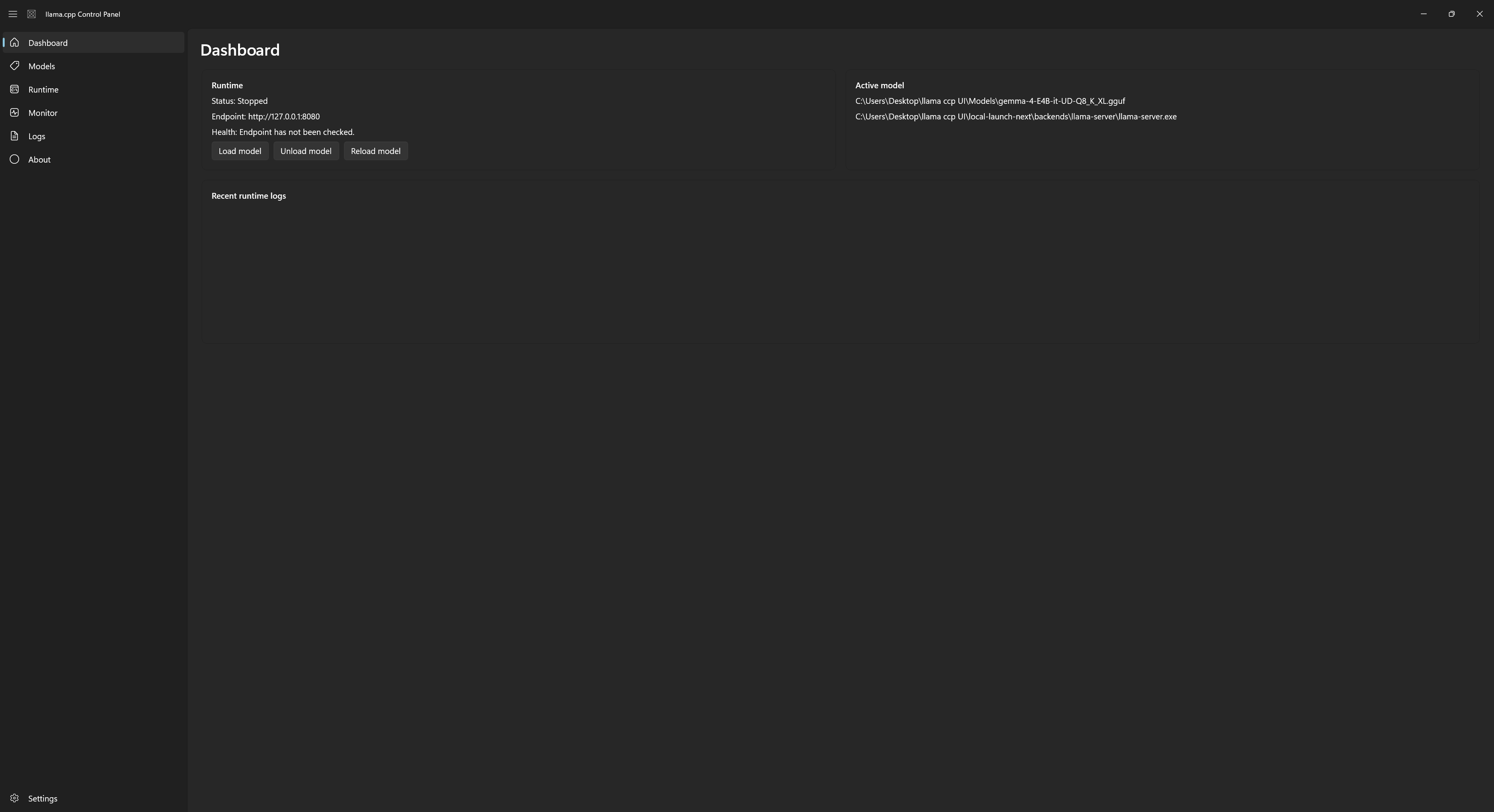
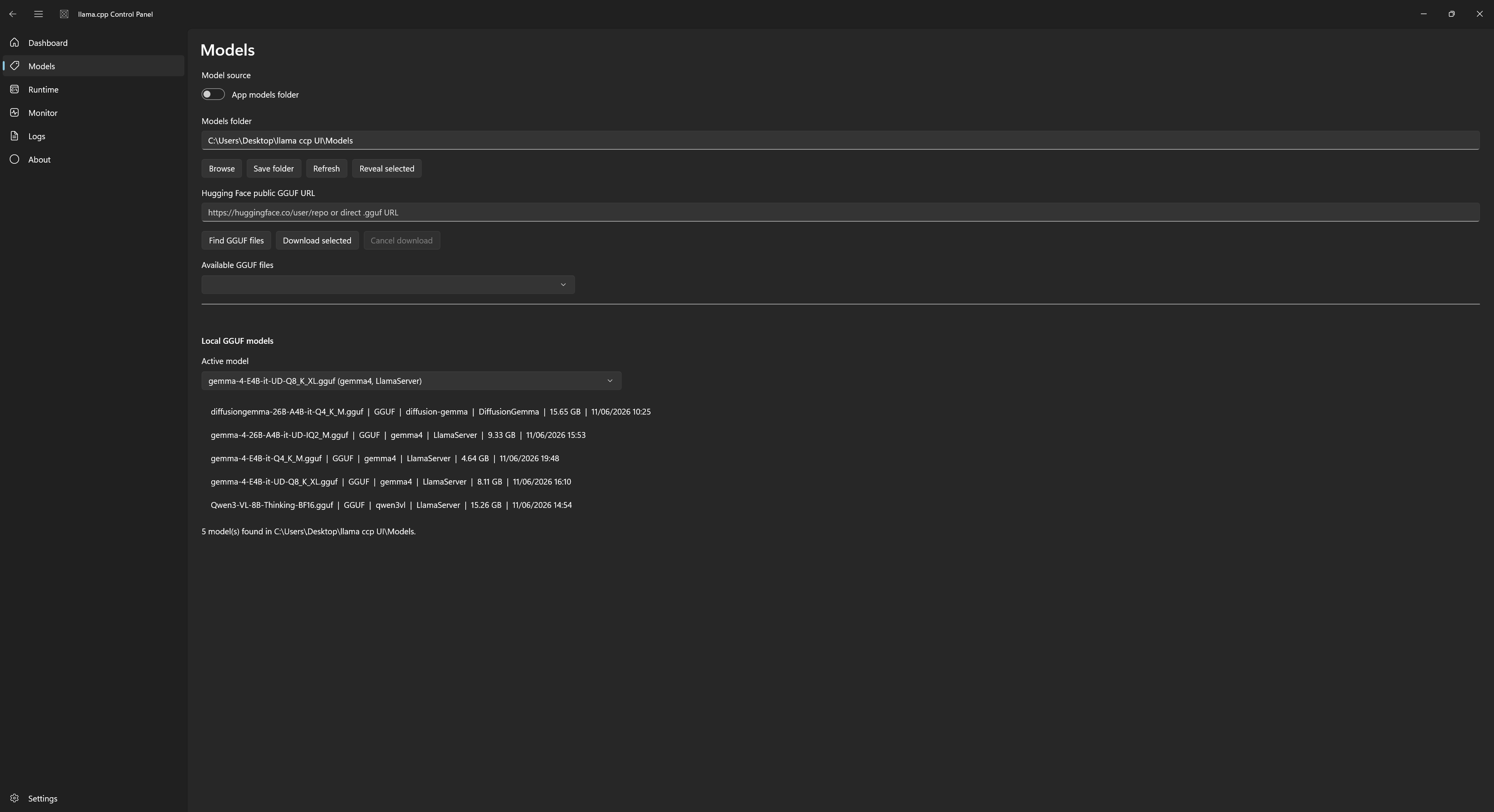
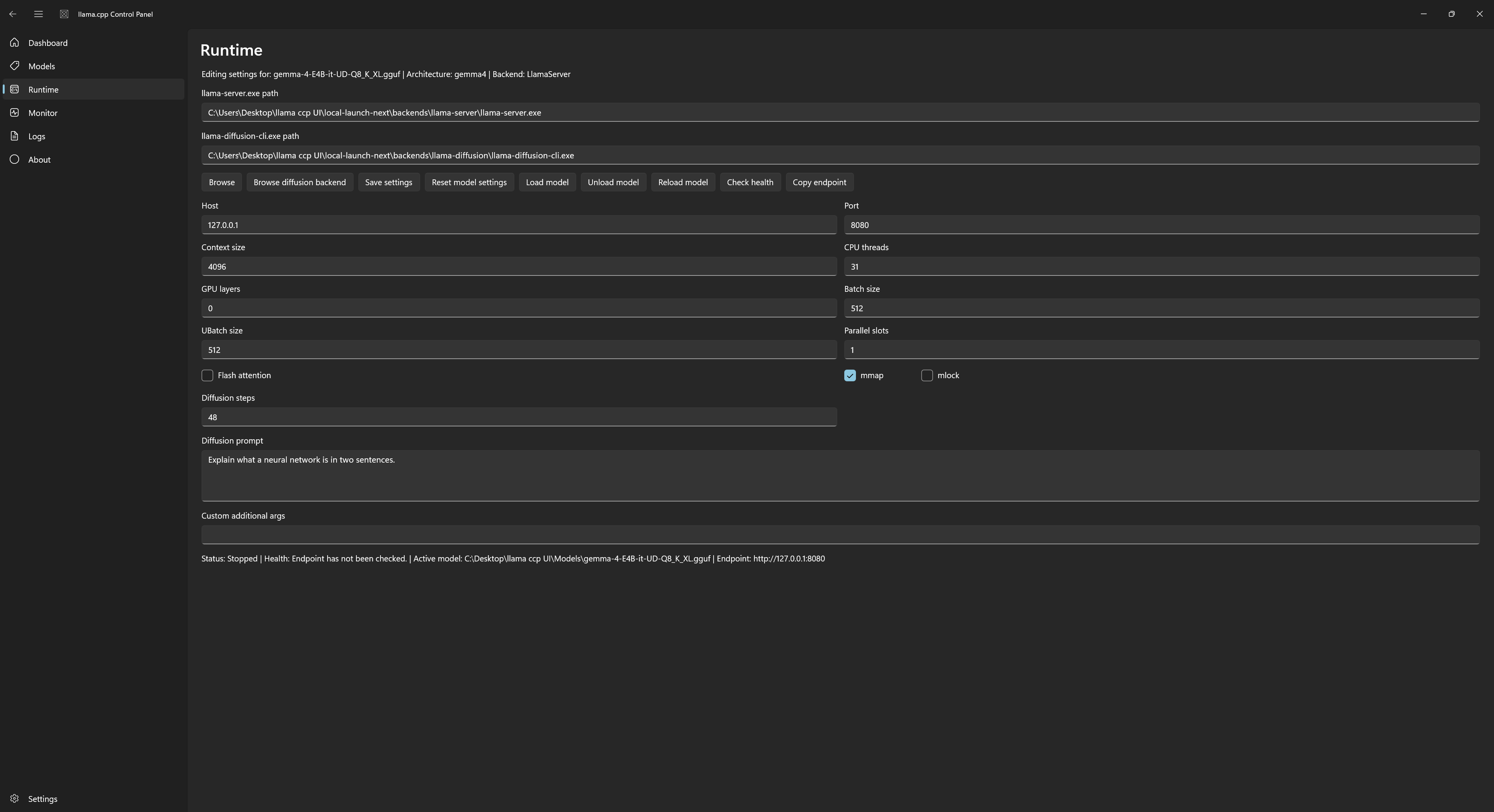
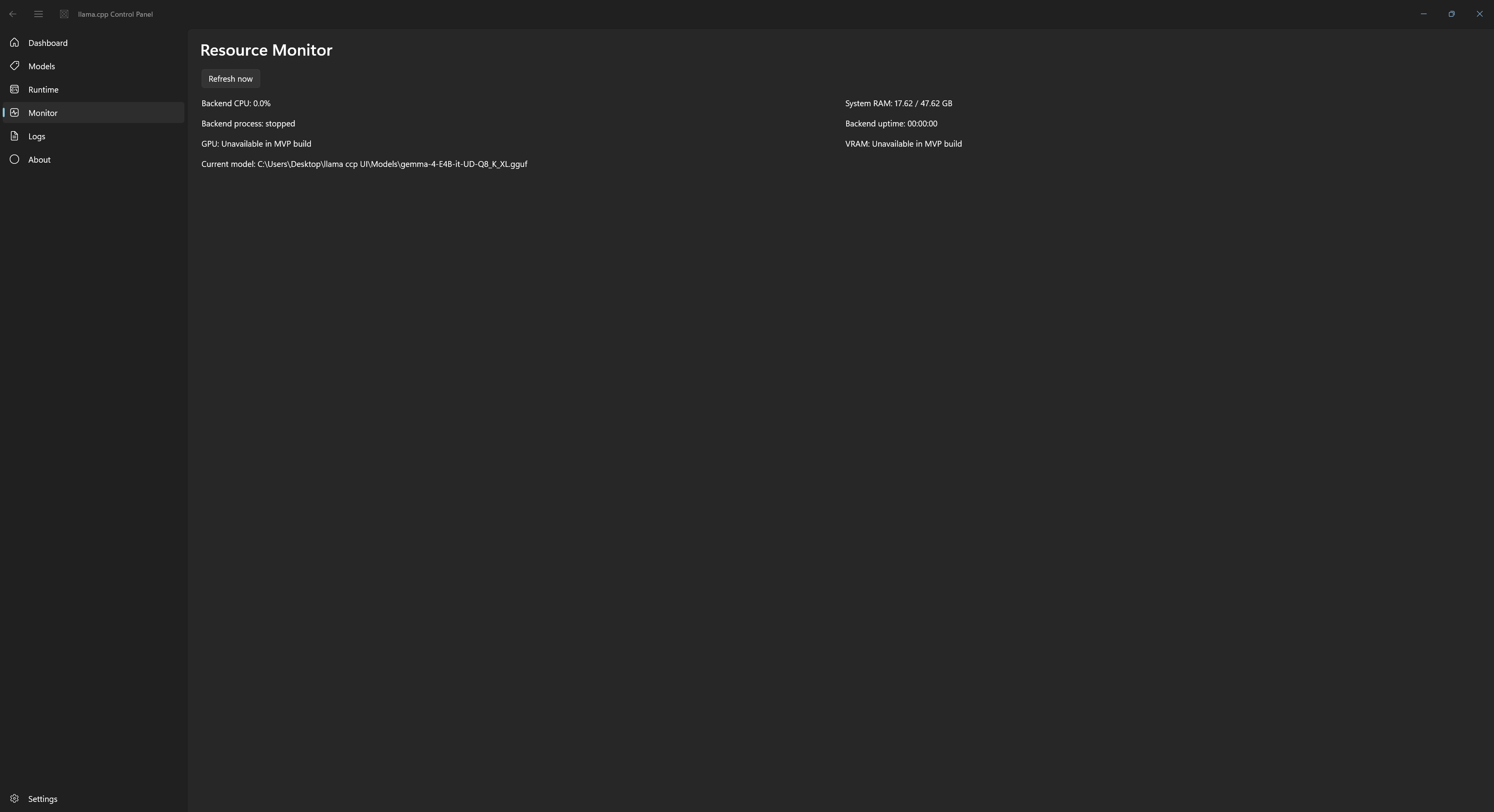
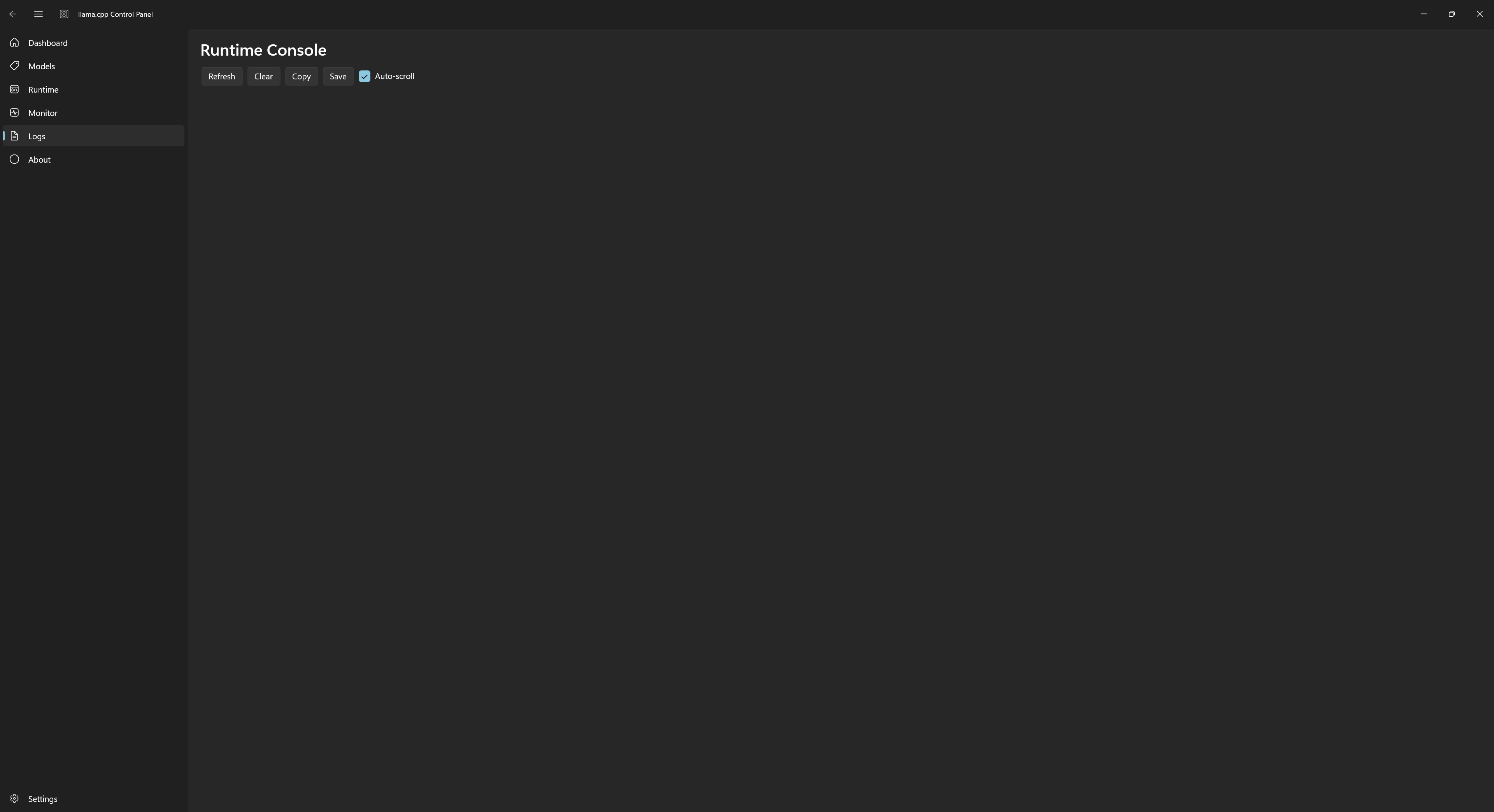
llama-server.exe..gguf files.mmproj where available.nvidia-smi when available.nvidia-smi when available.The app is not intended to be a full chat client, but it includes a basic test page so users can verify the currently loaded endpoint. It supports text prompts and image attachment attempts for compatible vision models.
Used for standard GGUF text, embedding, tool-capable, reasoning, and vision-capable models that are supported by the bundled llama.cpp build.
Used for DiffusionGemma GGUF models. The app keeps the worker process resident and wraps it with local /v1/chat/completions and /v1/completions endpoints.
When a model is loaded, the app exposes a local endpoint such as:
http://127.0.0.1:8080
Useful paths:
/health
/v1/completions
/v1/chat/completions
This allows other local tools to connect as long as they support OpenAI-style local server URLs.
This repository and release package do not include model files.
Users can:
.gguf file URL..gguf files manually in the configured models folder.Private, gated, or token-protected Hugging Face downloads are not currently supported.
For first tests, use smaller quantized GGUF files such as Q4 or Q5 variants. They load faster and are more likely to fit on consumer GPUs.
Examples of useful search terms in the HF Library:
gemma gguf
qwen3 gguf
embedding gguf
diffusiongemma
nvidia-smi.nvidia-smi.Download the release zip.
Extract it to a normal user-writable folder, for example:
C:\Tools\Llama ccp WinUI3 Control Panel
Run:
Llama ccp WinUI3 Control Panel.exe
Open Settings if you want to enable:
Open Models or HF Library to add GGUF models.
Select a model and click Load model on the Dashboard or Runtime page.
Requirements:
Build:
dotnet restore
dotnet build
The build copies a runnable unpackaged app into:
local-launch\
The public source repository does not store bundled backend binaries or model files. Official release downloads include the ready-to-run app package with the bundled backend files already included.
The release package should be created from the runnable output, not from bin, obj, downloaded models, or local settings.
The app stores user settings under the current Windows user profile in:
%LOCALAPPDATA%\Llama ccp WinUI3 Control Panel
Those settings are created on the user's device at runtime. The release package does not include local settings, personal paths, downloaded models, or machine-specific data.
Do not include:
Models/bin/obj/local-launch-next/%LOCALAPPDATA%Include:
.exeAssets/newlogo.*README.mdLICENSEThis is an MVP-level local runtime manager. It is functional, but still evolving around backend tuning, model compatibility detection, and release packaging.
Native WinUI 3 control panel for running local llama.cpp and DiffusionGemma backends with model management, Hugging Face downloads, runtime tuning, logs, and resource monitoring.
C#
0
1 commits
updated Jun 11, 2026
Llama ccp WinUI3 Control Panel is a native Windows app for running and managing local GGUF models through bundled llama.cpp-based backends. It is designed as a local model/runtime control surface rather than a full chat application: pick a model, load it into memory, tune runtime settings, expose a local OpenAI-compatible endpoint, monitor resources, and keep the backend resident until you unload it.
The app targets users who want a lightweight local LLM server with more direct control than a black-box runner. It can run standard llama.cpp-compatible GGUF text models and DiffusionGemma GGUF models through separate bundled backends.
llama-server.exe..gguf files.mmproj where available.nvidia-smi when available.nvidia-smi when available.The app is not intended to be a full chat client, but it includes a basic test page so users can verify the currently loaded endpoint. It supports text prompts and image attachment attempts for compatible vision models.
Used for standard GGUF text, embedding, tool-capable, reasoning, and vision-capable models that are supported by the bundled llama.cpp build.
Used for DiffusionGemma GGUF models. The app keeps the worker process resident and wraps it with local /v1/chat/completions and /v1/completions endpoints.
When a model is loaded, the app exposes a local endpoint such as:
http://127.0.0.1:8080
Useful paths:
/health
/v1/completions
/v1/chat/completions
This allows other local tools to connect as long as they support OpenAI-style local server URLs.
This repository and release package do not include model files.
Users can:
.gguf file URL..gguf files manually in the configured models folder.Private, gated, or token-protected Hugging Face downloads are not currently supported.
For first tests, use smaller quantized GGUF files such as Q4 or Q5 variants. They load faster and are more likely to fit on consumer GPUs.
Examples of useful search terms in the HF Library:
gemma gguf
qwen3 gguf
embedding gguf
diffusiongemma
nvidia-smi.nvidia-smi.Download the release zip.
Extract it to a normal user-writable folder, for example:
C:\Tools\Llama ccp WinUI3 Control Panel
Run:
Llama ccp WinUI3 Control Panel.exe
Open Settings if you want to enable:
Open Models or HF Library to add GGUF models.
Select a model and click Load model on the Dashboard or Runtime page.
Requirements:
Build:
dotnet restore
dotnet build
The build copies a runnable unpackaged app into:
local-launch\
The public source repository does not store bundled backend binaries or model files. Official release downloads include the ready-to-run app package with the bundled backend files already included.
The release package should be created from the runnable output, not from bin, obj, downloaded models, or local settings.
The app stores user settings under the current Windows user profile in:
%LOCALAPPDATA%\Llama ccp WinUI3 Control Panel
Those settings are created on the user's device at runtime. The release package does not include local settings, personal paths, downloaded models, or machine-specific data.
Do not include:
Models/bin/obj/local-launch-next/%LOCALAPPDATA%Include:
.exeAssets/newlogo.*README.mdLICENSEThis is an MVP-level local runtime manager. It is functional, but still evolving around backend tuning, model compatibility detection, and release packaging.



