A full-featured image/video management app with AI-powered organization and semantic search. Supports metadata from SD-webui, ComfyUI, Fooocus, NovelAI, StableSwarmUI, and more. Available as standalone app, SD-webui extension, or library.
Vue
1,358
1,273 commits
updated Oct 15, 2026
✨ New from the same author: SpindleStudio — a Threads-style parallel image generation studio. Its images carry SD WebUI–compatible metadata and are indexed by IIB out of the box.
中文文档 Change log Installation / Running
| Software | Support | Provided by |
|---|---|---|
| Stable Diffusion web UI | Supported | Built-in |
| Stable Diffusion web UI (Stealth) | Supported (default: disabled) | Built-in |
| ComfyUI | Partially supported | Built-in |
| Fooocus | Supported | Built-in |
| NovelAI | Supported | Built-in |
| StableSwarmUI | Supported | Built-in |
| Invoke.AI | Supported | Built-in |
| Pixiv | Supported | pixiv_iib_plugin |
If you would like to support more software, please refer to: parsers or pixiv_iib_plugin
--generate_video_cover and --generate_image_cache.IIB_CACHE_DIR environment variable.Send To(similar to os.walk), allowing you to browse all images without paging.AI-powered automatic file organization
Requirements: Same as Topic Search - requires
OPENAI_BASE_URL,OPENAI_API_KEY, and Python dependenciesnumpy,hnswlib📸 See Smart Organize Preview below for screenshots and video demo.
If you like this project and find it helpful, please consider giving it a ⭐️. This would be very important for me to continue developing and maintaining this project. If you have any suggestions or ideas, please feel free to raise them in the issue section, and I will respond as soon as possible. Thank you again for your support!

Extensions tab in SD-webui.Install from URL option.https://github.com/zanllp/sd-webui-infinite-image-browsing.Install button.Apply and restart UI.Refer to Can the extension function without the web UI?
If you need to view images generated by ComfyUI/Fooocus/NovelAI, please refer to https://github.com/zanllp/sd-webui-infinite-image-browsing/issues/202.
If you need a Dockerfile, you can refer to this link. https://github.com/zanllp/sd-webui-infinite-image-browsing/discussions/366
The executable version also supports ComfyUI/Fooocus/NovelAI.
Download and install the program from the releases section on the right-hand side of the repository page.
If the antivirus detects a virus, it can be ignored as a false positive. There are two versions of the compiled version for Windows, with the pyinstaller version having a lower false positive rate.
If you need to compile it yourself, please refer to https://github.com/zanllp/sd-webui-infinite-image-browsing/blob/main/.github/workflows/tauri_app_build.yml.
Use iframe to access IIB and use it as a file browser for your application. Refer to https://github.com/zanllp/sd-webui-infinite-image-browsing/blob/main/vue/usage.md
IIB can be used with AI agents like Claude Code, Cursor, and OpenClaw. See AI Agents Documentation for details.

During the first use, you need to click and wait for the index generation. For my case with 20,000 images, it took about 45 seconds (with an AMD 5600X CPU and PCIe SSD). For subsequent uses, it will check whether there are changes in the folder, and if so, it needs to regenerate the index. Usually, this process is very fast.
Image search supports translation, see https://github.com/zanllp/sd-webui-infinite-image-browsing/issues/39 for more detail. Feel free to share files for other languages to facilitate everyone's use.


In full-screen preview mode, you can also view image information and perform operations on the context menu. It supports dragging, resizing and expanding/collapsing .
If you, like me, don't need to view the generation information, you can choose to simply minimize this panel, and all contextual operations will still be available.

You can also trigger it by hovering your mouse over the icon in the top right corner.

AI-powered automatic file organization - groups similar images and creates meaningful folders.
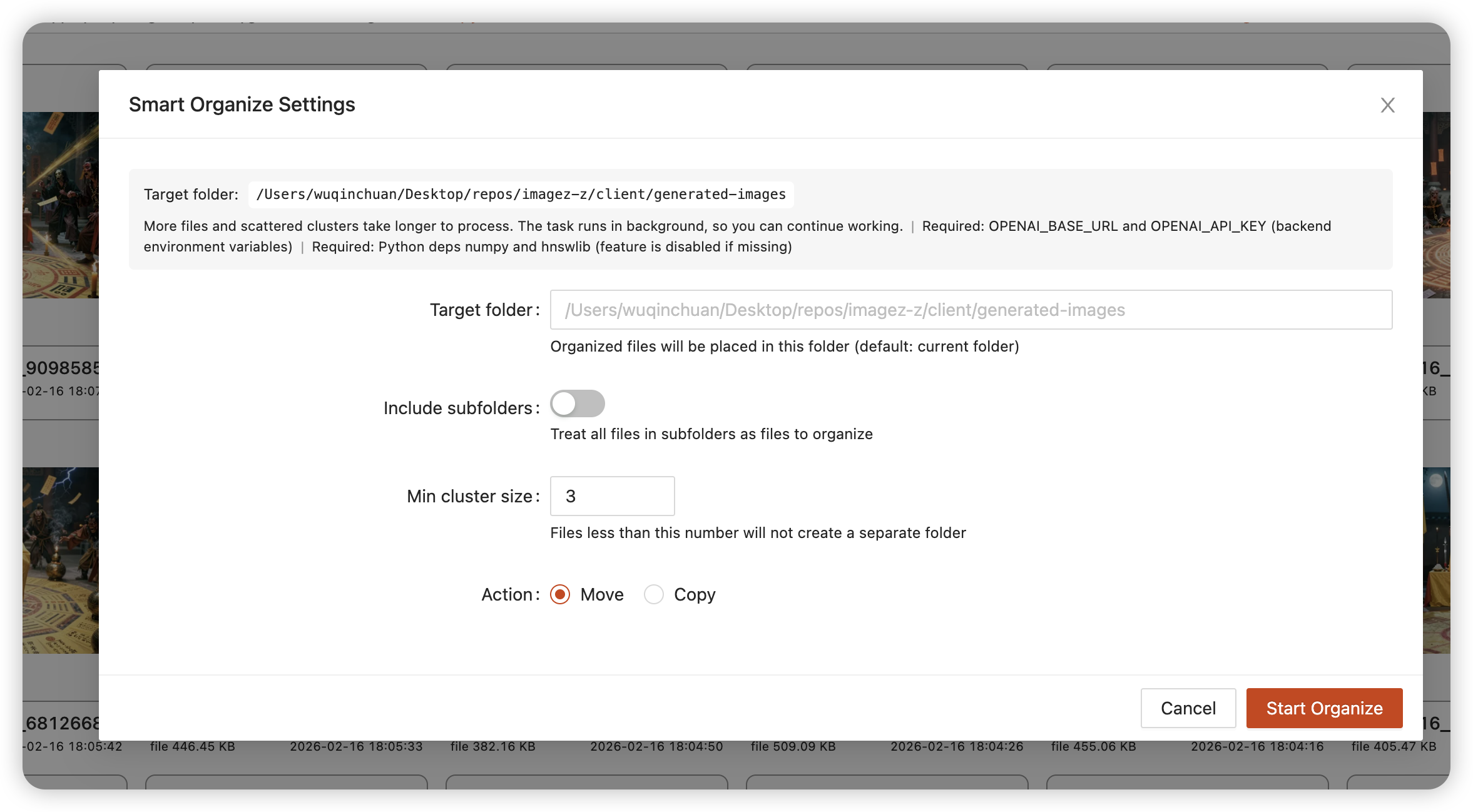
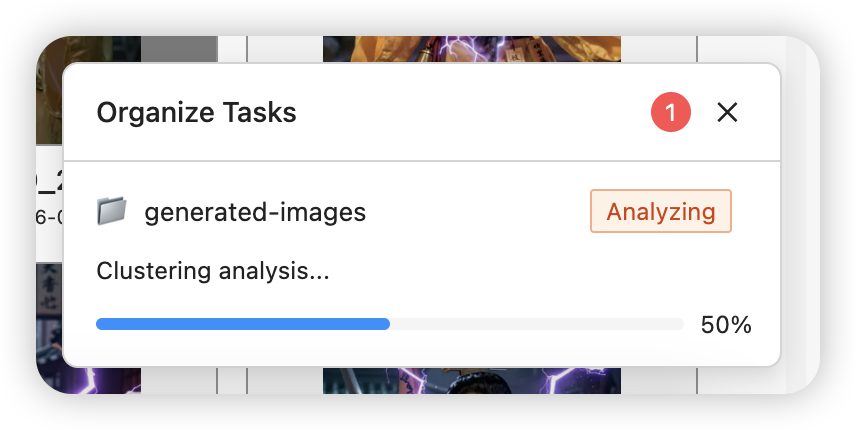
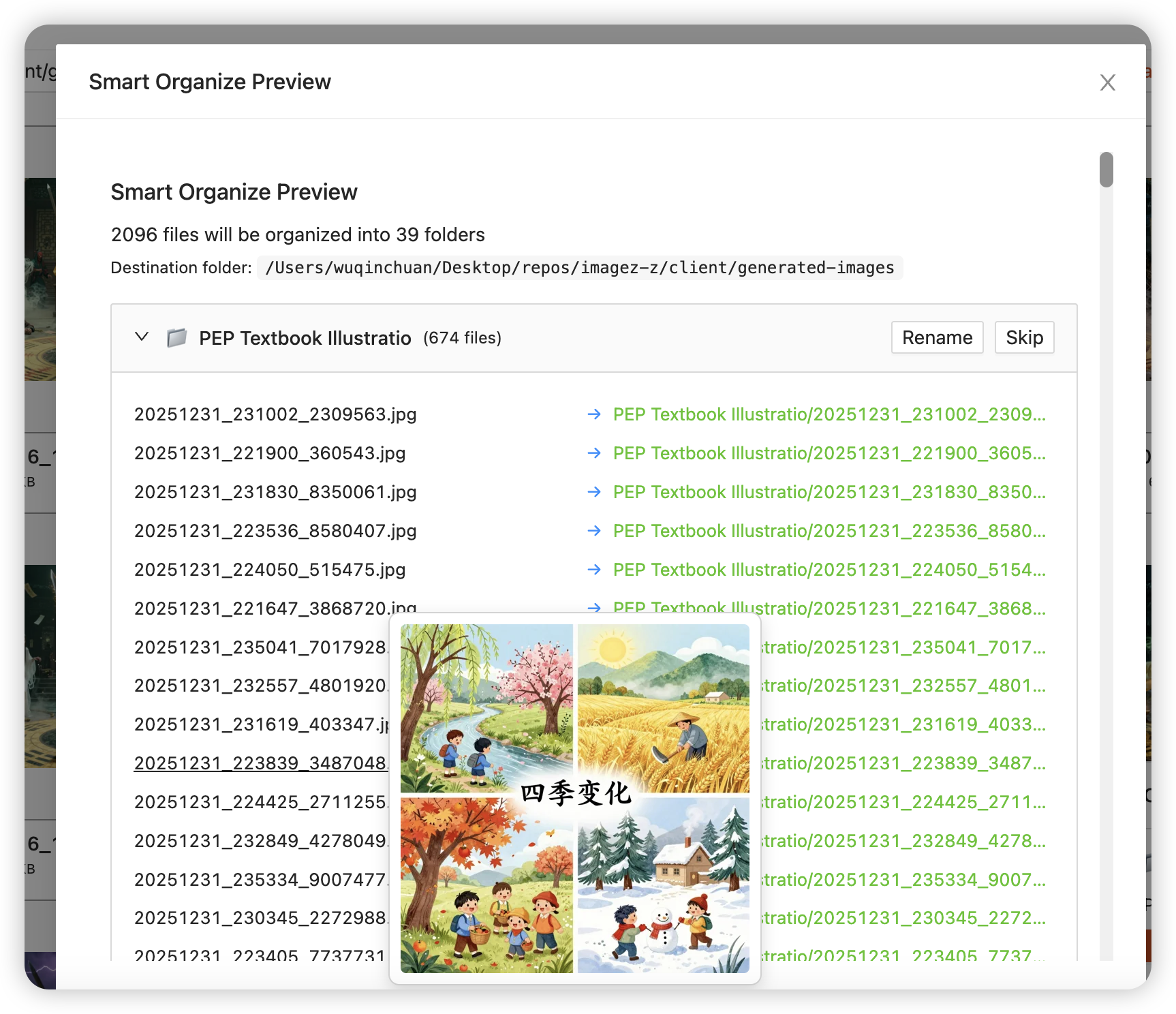
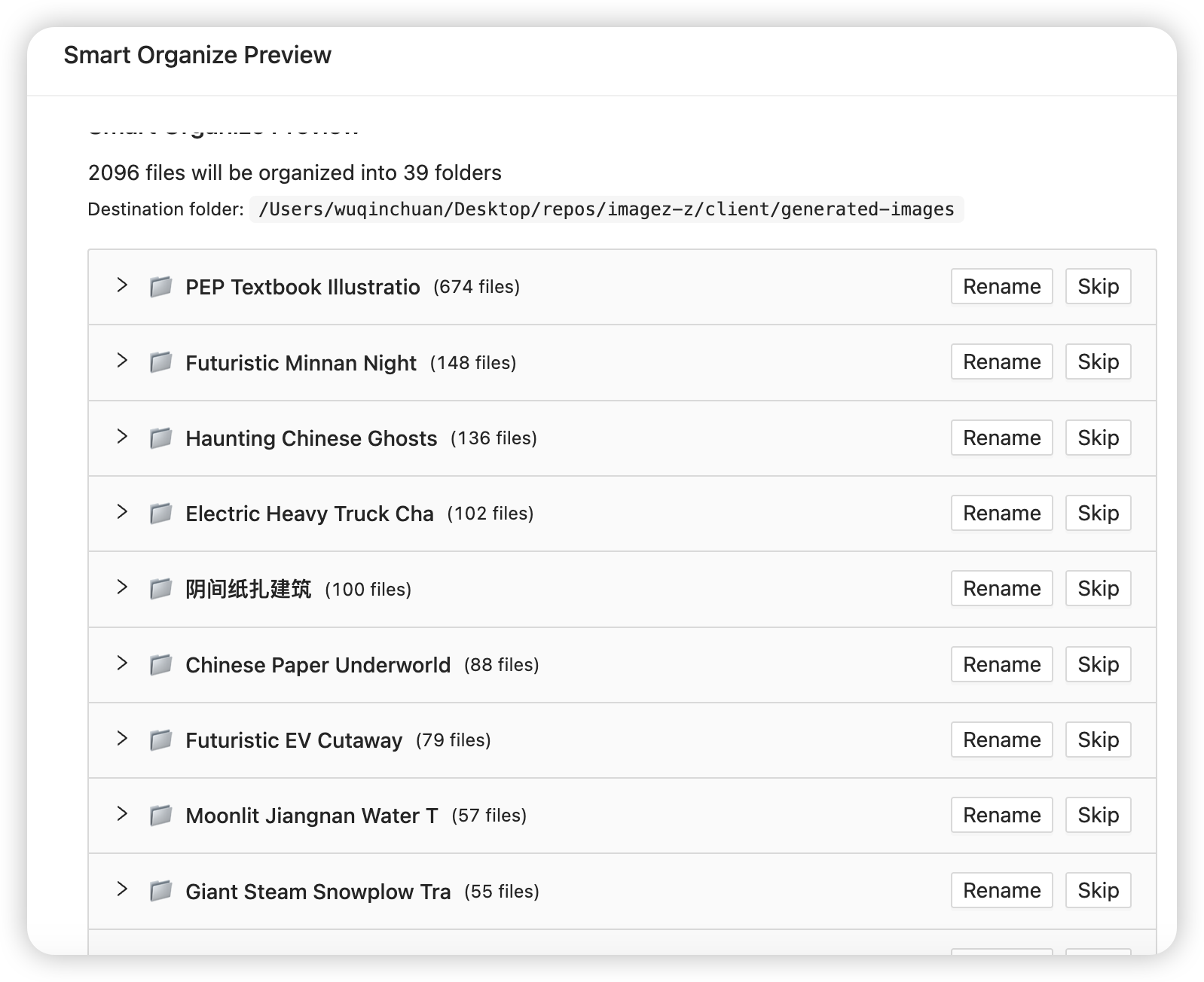
https://github.com/user-attachments/assets/c1279556-d255-4e71-b230-48523a4859bf
This feature groups images by semantic similarity of prompts and supports natural-language retrieval (similar to the retrieval stage in RAG). It’s experimental: results depend on the embedding/chat models and the quality of prompt metadata.
The selected scope is persisted in backend KV:
app_fe_setting["topic_search_scope"]. Next time it will auto-restore and auto-refresh once.
POST /infinite_image_browsing/db/build_iib_output_embeddings
folder, model, force, batch_size, max_charsPOST /infinite_image_browsing/db/cluster_iib_output_job_start then poll GET /infinite_image_browsing/db/cluster_iib_output_job_status?job_id=...
folder_paths (required, array), threshold, min_cluster_size, force_embed, title_model, force_title, use_title_cache, assign_noise_threshold, langPOST /infinite_image_browsing/db/search_iib_output_by_prompt
query, folder_paths (required, array), top_k, min_score, ensure_embed, model, max_charsimage.exif and keeps content before Negative prompt:IIB_PROMPT_NORMALIZE*)/embeddingsimage_embedding (incremental, to avoid repeated costs)/chat/completions with tool/function calling to force structured JSON outputtopic_title_cacheimage_embedding)image_embedding (keyed by image_id)modeltext_hashvec is presenttext_hash = sha256(f"{normalize_version}:{prompt_text}")
prompt_text is the extracted + (optionally) normalized text used for embeddingsnormalize_version is a code-derived fingerprint of normalization rules/mode (not user-configurable)force=true to build_iib_output_embeddings or force_embed=true to cluster_iib_output_job_starttopic_title_cache)topic_title_cache keyed by cluster_hashuse_title_cache=true and force_title=false, titles/keywords are reusedcluster_hash) includes:
model, threshold, min_cluster_sizetitle_model, output langnormalize_version) and modeforce_title=trueAll calls use an OpenAI-compatible provider:
OPENAI_BASE_URL: e.g. https://your-host/v1OPENAI_API_KEY: your API keyEMBEDDING_MODEL: embeddings model used for clustering and semantic searchAI_MODEL: default chat model (fallback)TOPIC_TITLE_MODEL: chat model used for cluster titles (falls back to AI_MODEL)IIB_PROMPT_NORMALIZE: 1/0 enable prompt normalizationIIB_PROMPT_NORMALIZE_MODE: balanced (recommended) / theme_onlyEmbeddings normally go to an OpenAI-compatible /embeddings endpoint. As an opt-in
alternative you can embed prompt text with TwelveLabs Marengo,
which embeds text/image/audio/video into one shared latent space:
EMBEDDING_MODEL=marengo3.0.TWELVELABS_API_KEY to your TwelveLabs key (falls back to OPENAI_API_KEY if
unset, for backward compatibility). OPENAI_BASE_URL is ignored for embeddings, and the
OpenAI-compatible chat path used for cluster titles is unaffected.pip install 'twelvelabs>=1.2.8'.This is fully opt-in and non-breaking — the default OpenAI-compatible path is unchanged unless you select a Marengo model. You can grab a free API key (generous free tier) at https://twelvelabs.io.
Note: There is no mock fallback for AI calls. If the provider/model fails or returns invalid output, the API will return an error directly.
76 followers · starred Jun 2023
126 followers · starred Apr 2023
61 followers · starred Mar 2025
31 followers · starred Oct 2024
A full-featured image/video management app with AI-powered organization and semantic search. Supports metadata from SD-webui, ComfyUI, Fooocus, NovelAI, StableSwarmUI, and more. Available as standalone app, SD-webui extension, or library.
Vue
1,358
1,273 commits
updated Oct 15, 2026
✨ New from the same author: SpindleStudio — a Threads-style parallel image generation studio. Its images carry SD WebUI–compatible metadata and are indexed by IIB out of the box.
中文文档 Change log Installation / Running
| Software | Support | Provided by |
|---|---|---|
| Stable Diffusion web UI | Supported | Built-in |
| Stable Diffusion web UI (Stealth) | Supported (default: disabled) | Built-in |
| ComfyUI | Partially supported | Built-in |
| Fooocus | Supported | Built-in |
| NovelAI | Supported | Built-in |
| StableSwarmUI | Supported | Built-in |
| Invoke.AI | Supported | Built-in |
| Pixiv | Supported | pixiv_iib_plugin |
If you would like to support more software, please refer to: parsers or pixiv_iib_plugin
--generate_video_cover and --generate_image_cache.IIB_CACHE_DIR environment variable.Send To(similar to os.walk), allowing you to browse all images without paging.AI-powered automatic file organization
Requirements: Same as Topic Search - requires
OPENAI_BASE_URL,OPENAI_API_KEY, and Python dependenciesnumpy,hnswlib📸 See Smart Organize Preview below for screenshots and video demo.
If you like this project and find it helpful, please consider giving it a ⭐️. This would be very important for me to continue developing and maintaining this project. If you have any suggestions or ideas, please feel free to raise them in the issue section, and I will respond as soon as possible. Thank you again for your support!
Extensions tab in SD-webui.Install from URL option.https://github.com/zanllp/sd-webui-infinite-image-browsing.Install button.Apply and restart UI.Refer to Can the extension function without the web UI?
If you need to view images generated by ComfyUI/Fooocus/NovelAI, please refer to https://github.com/zanllp/sd-webui-infinite-image-browsing/issues/202.
If you need a Dockerfile, you can refer to this link. https://github.com/zanllp/sd-webui-infinite-image-browsing/discussions/366
The executable version also supports ComfyUI/Fooocus/NovelAI.
Download and install the program from the releases section on the right-hand side of the repository page.
If the antivirus detects a virus, it can be ignored as a false positive. There are two versions of the compiled version for Windows, with the pyinstaller version having a lower false positive rate.
If you need to compile it yourself, please refer to https://github.com/zanllp/sd-webui-infinite-image-browsing/blob/main/.github/workflows/tauri_app_build.yml.
Use iframe to access IIB and use it as a file browser for your application. Refer to https://github.com/zanllp/sd-webui-infinite-image-browsing/blob/main/vue/usage.md
IIB can be used with AI agents like Claude Code, Cursor, and OpenClaw. See AI Agents Documentation for details.
During the first use, you need to click and wait for the index generation. For my case with 20,000 images, it took about 45 seconds (with an AMD 5600X CPU and PCIe SSD). For subsequent uses, it will check whether there are changes in the folder, and if so, it needs to regenerate the index. Usually, this process is very fast.
Image search supports translation, see https://github.com/zanllp/sd-webui-infinite-image-browsing/issues/39 for more detail. Feel free to share files for other languages to facilitate everyone's use.
In full-screen preview mode, you can also view image information and perform operations on the context menu. It supports dragging, resizing and expanding/collapsing .
If you, like me, don't need to view the generation information, you can choose to simply minimize this panel, and all contextual operations will still be available.
You can also trigger it by hovering your mouse over the icon in the top right corner.
AI-powered automatic file organization - groups similar images and creates meaningful folders.
https://github.com/user-attachments/assets/c1279556-d255-4e71-b230-48523a4859bf
This feature groups images by semantic similarity of prompts and supports natural-language retrieval (similar to the retrieval stage in RAG). It’s experimental: results depend on the embedding/chat models and the quality of prompt metadata.
The selected scope is persisted in backend KV:
app_fe_setting["topic_search_scope"]. Next time it will auto-restore and auto-refresh once.
POST /infinite_image_browsing/db/build_iib_output_embeddings
folder, model, force, batch_size, max_charsPOST /infinite_image_browsing/db/cluster_iib_output_job_start then poll GET /infinite_image_browsing/db/cluster_iib_output_job_status?job_id=...
folder_paths (required, array), threshold, min_cluster_size, force_embed, title_model, force_title, use_title_cache, assign_noise_threshold, langPOST /infinite_image_browsing/db/search_iib_output_by_prompt
query, folder_paths (required, array), top_k, min_score, ensure_embed, model, max_charsimage.exif and keeps content before Negative prompt:IIB_PROMPT_NORMALIZE*)/embeddingsimage_embedding (incremental, to avoid repeated costs)/chat/completions with tool/function calling to force structured JSON outputtopic_title_cacheimage_embedding)image_embedding (keyed by image_id)modeltext_hashvec is presenttext_hash = sha256(f"{normalize_version}:{prompt_text}")
prompt_text is the extracted + (optionally) normalized text used for embeddingsnormalize_version is a code-derived fingerprint of normalization rules/mode (not user-configurable)force=true to build_iib_output_embeddings or force_embed=true to cluster_iib_output_job_starttopic_title_cache)topic_title_cache keyed by cluster_hashuse_title_cache=true and force_title=false, titles/keywords are reusedcluster_hash) includes:
model, threshold, min_cluster_sizetitle_model, output langnormalize_version) and modeforce_title=trueAll calls use an OpenAI-compatible provider:
OPENAI_BASE_URL: e.g. https://your-host/v1OPENAI_API_KEY: your API keyEMBEDDING_MODEL: embeddings model used for clustering and semantic searchAI_MODEL: default chat model (fallback)TOPIC_TITLE_MODEL: chat model used for cluster titles (falls back to AI_MODEL)IIB_PROMPT_NORMALIZE: 1/0 enable prompt normalizationIIB_PROMPT_NORMALIZE_MODE: balanced (recommended) / theme_onlyEmbeddings normally go to an OpenAI-compatible /embeddings endpoint. As an opt-in
alternative you can embed prompt text with TwelveLabs Marengo,
which embeds text/image/audio/video into one shared latent space:
EMBEDDING_MODEL=marengo3.0.TWELVELABS_API_KEY to your TwelveLabs key (falls back to OPENAI_API_KEY if
unset, for backward compatibility). OPENAI_BASE_URL is ignored for embeddings, and the
OpenAI-compatible chat path used for cluster titles is unaffected.pip install 'twelvelabs>=1.2.8'.This is fully opt-in and non-breaking — the default OpenAI-compatible path is unchanged unless you select a Marengo model. You can grab a free API key (generous free tier) at https://twelvelabs.io.
Note: There is no mock fallback for AI calls. If the provider/model fails or returns invalid output, the API will return an error directly.
76 followers · starred Jun 2023
126 followers · starred Apr 2023
61 followers · starred Mar 2025
31 followers · starred Oct 2024



