A beautiful image browser built specially for viewing and organizing ComfyUI generated images.
See the codeA beautiful image browser built specially for viewing and organizing ComfyUI generated images.
SilkStack Image Browser is a local image browser and manager focused on viewing AI-generated images. It scans your folders, parses metadata from popular tools (ComfyUI, Automatic1111) and lets you search, filter and organize your images by prompt, model, and more - running entirely on your machine, with your images never leaving it.
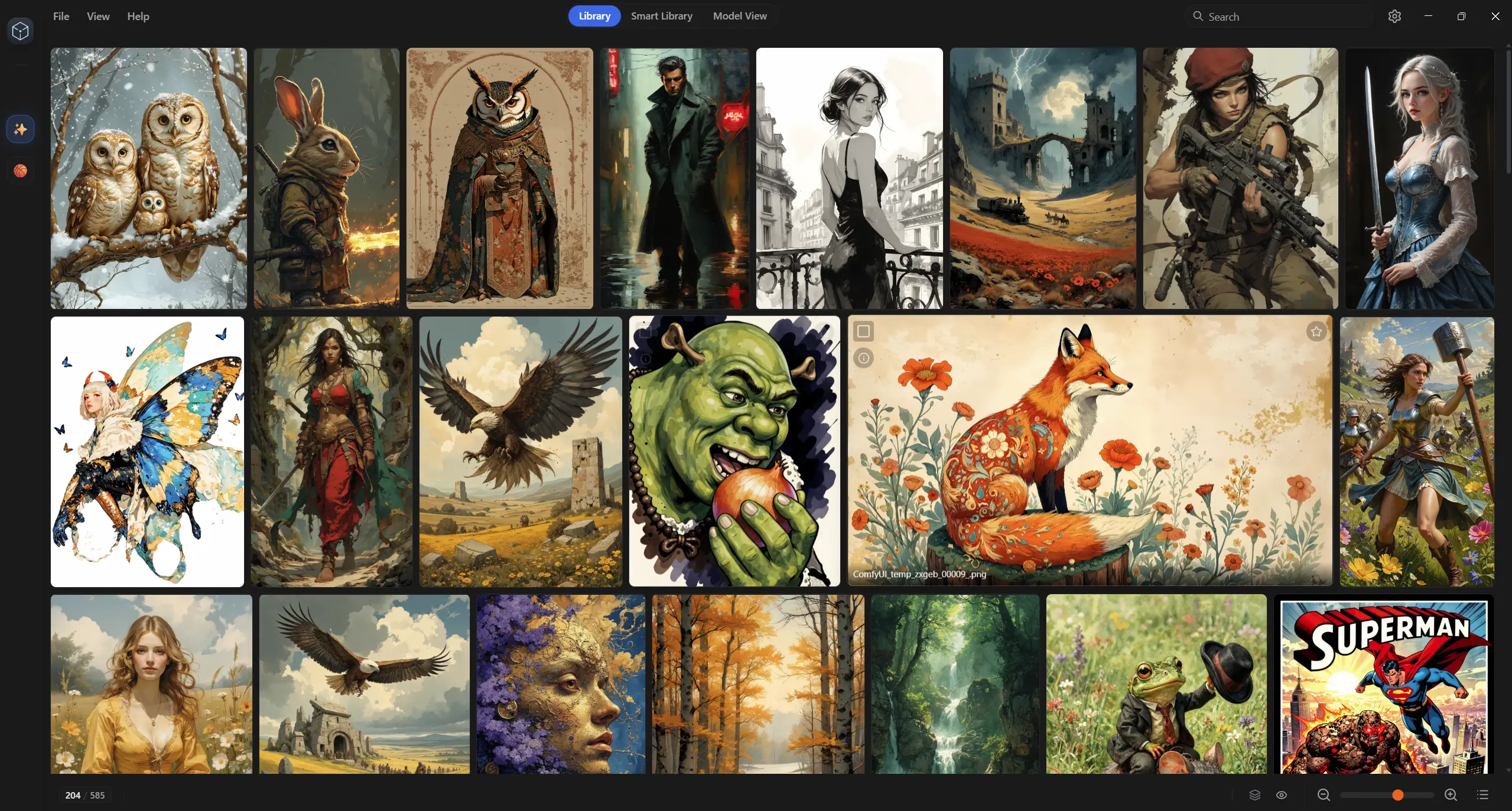
This repo is a fork of "Image MetaHub v0.13.0".
I have added a lot of new features to this project, notably:
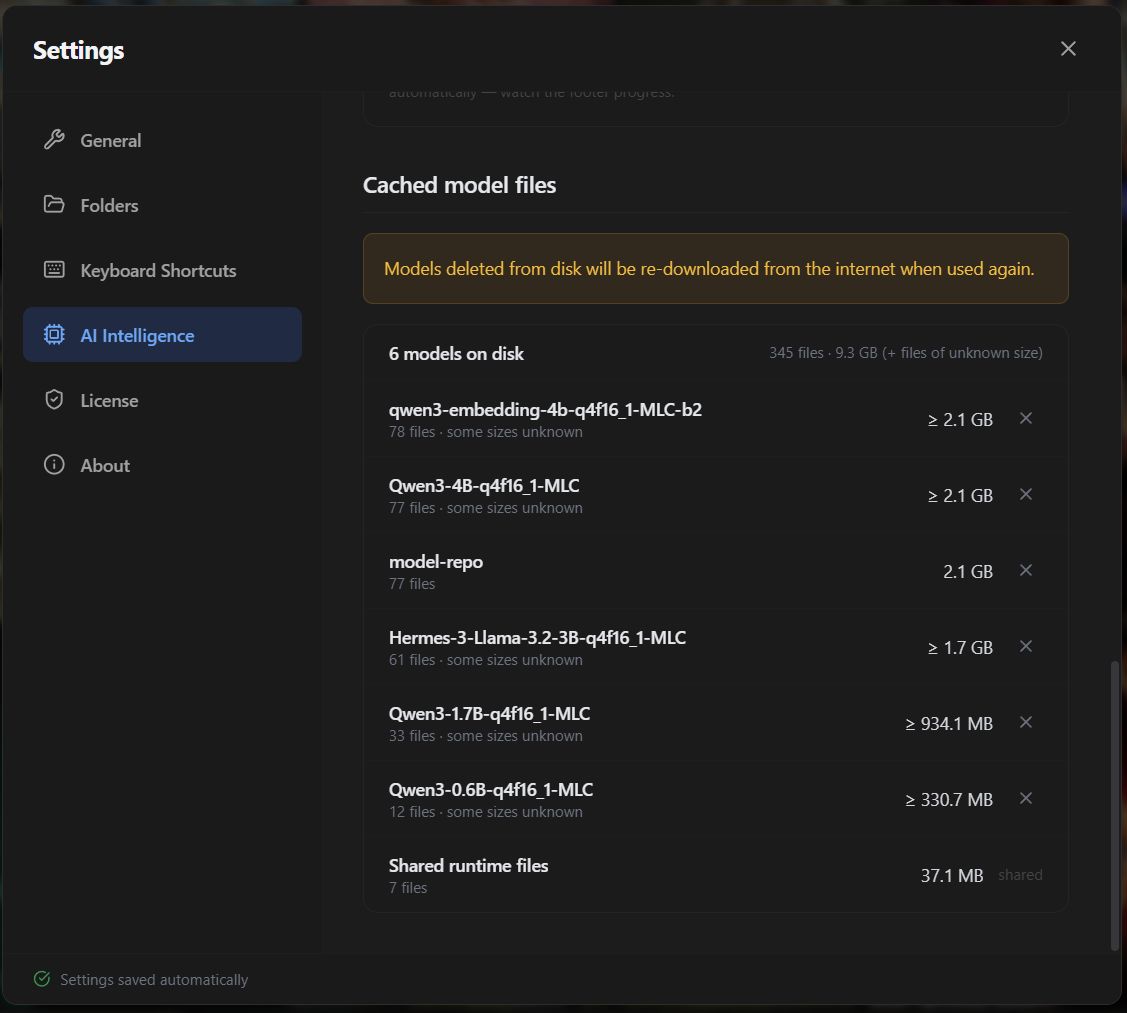
Ctrl+F to search inside the prompt of the image you are viewing.Everything under AI Intelligence runs on your own machine via WebGPU - no cloud service, no account, no API keys, and external dependencies. Your images, prompts and tags are also never uploaded anywhere.
The AI features are the premium part of SilkStack. They are unlocked with a license key in Settings → License - either a 7-day free trial that turns into a monthly subscription (cancel anytime, ends by itself if you cancel) or a one-time lifetime license. Both are sold on Gumroad and email you a key to paste in.
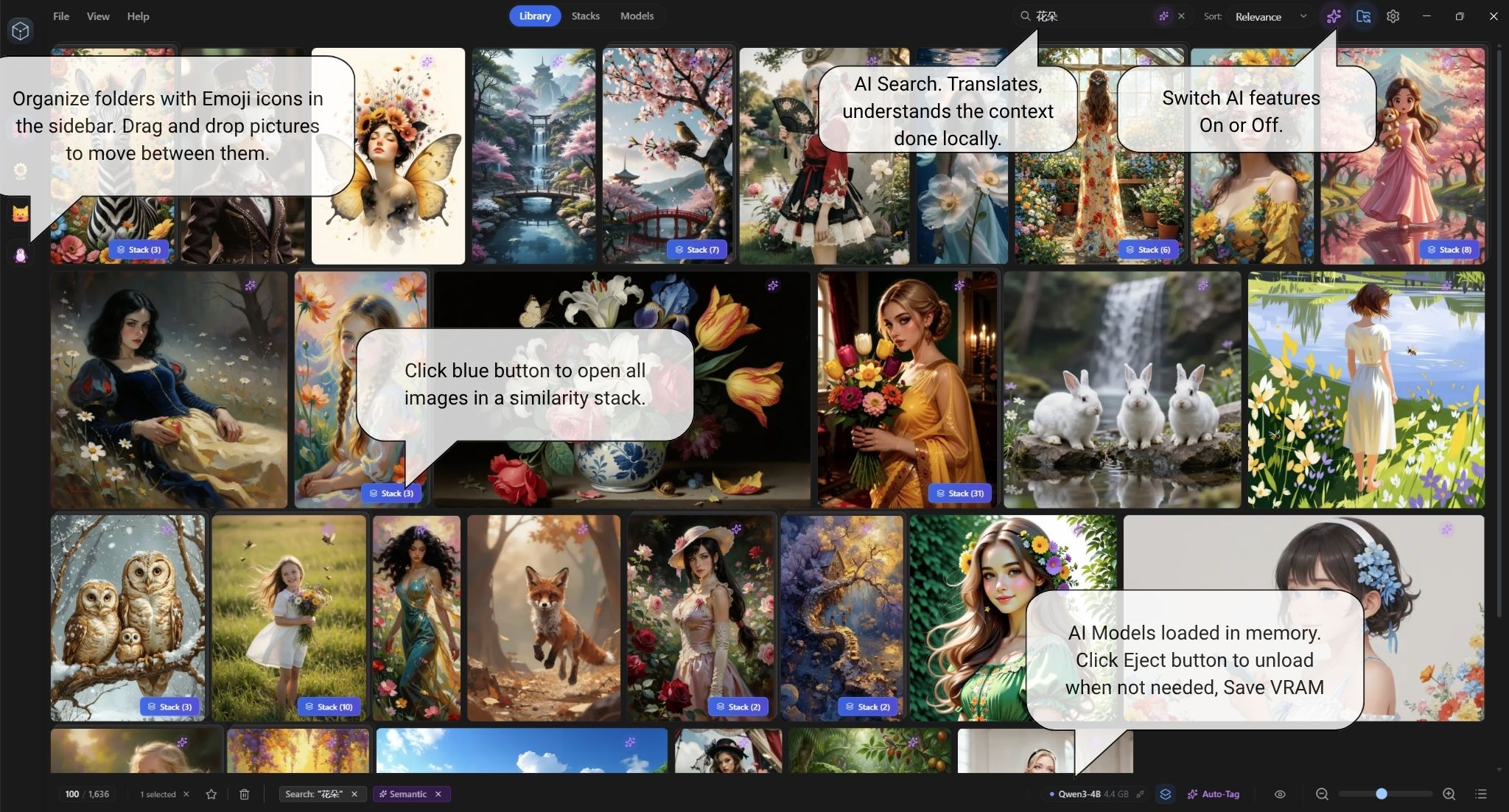
Keyword search matches words. Semantic search matches meaning, so you can describe what you remember about an image and still find it:
Near-identical generations are grouped into stacks, so a folder full of 40 variations of the same idea becomes a few tidy cards.
Vector similarity is what makes the grouping smart. Instead of comparing prompt wording alone, SilkStack embeds each prompt with the same local model that powers semantic search and groups images whose prompts mean the same thing - so reworded, translated and synonym-only variations land in the same stack. It only ever adds groupings on top of plain text matching, so stacks still work with AI features off.
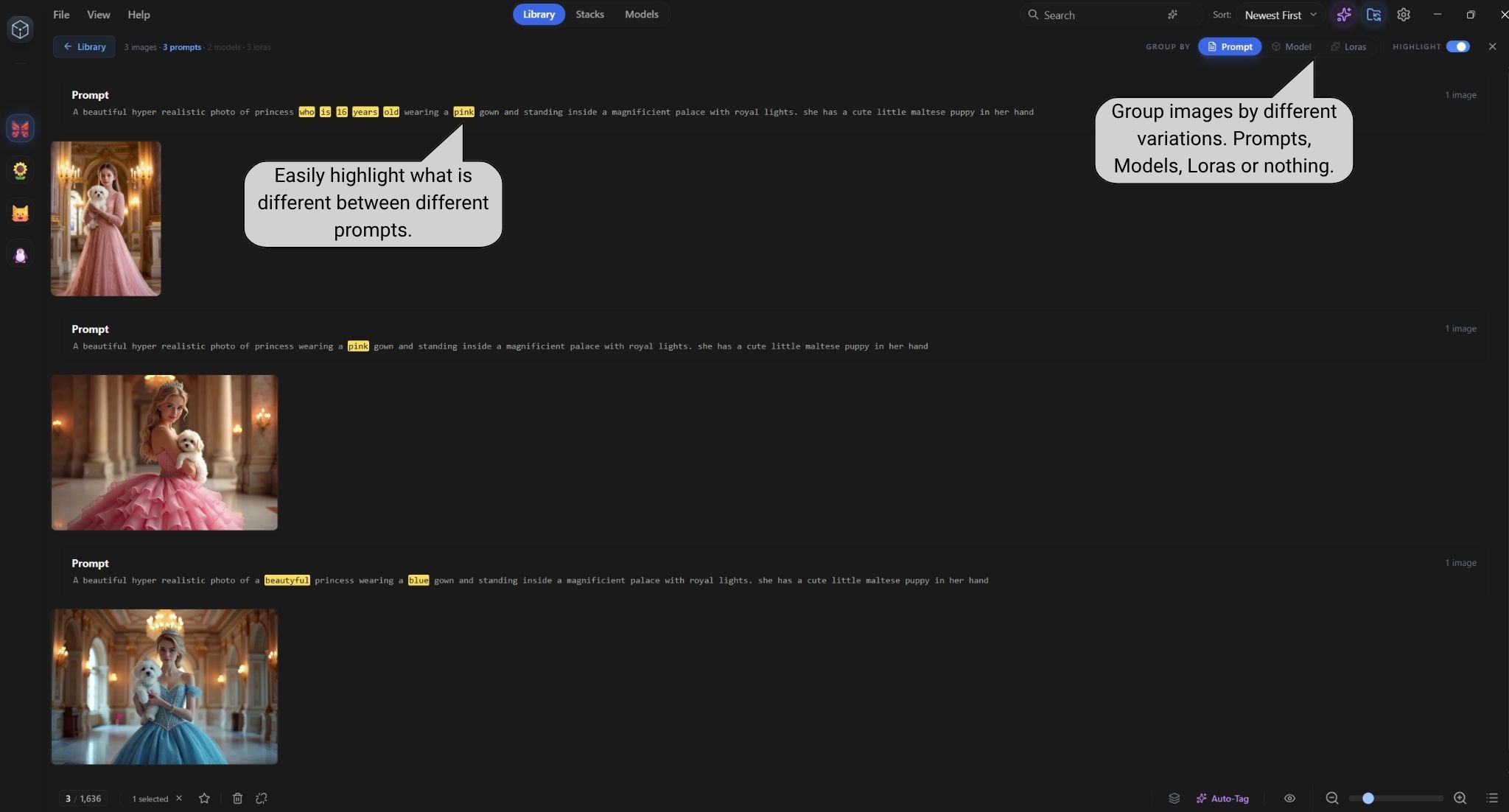
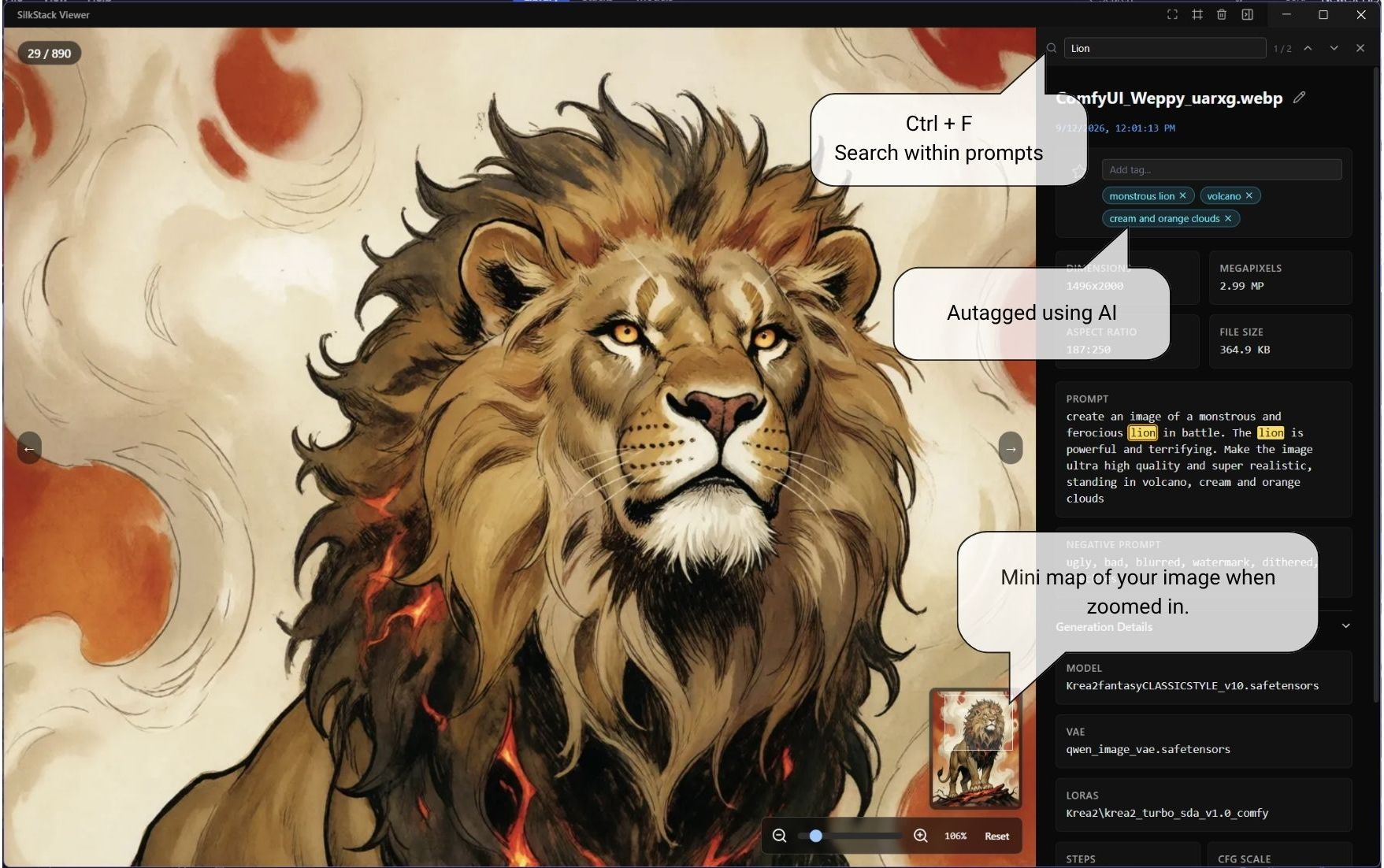
Ctrl+F in the viewer - search inside the prompt of the image on screen, however long it is. Matches are highlighted with a match counter; Enter and Shift+Enter step through them, Esc closes the search.
This repo contains the full source code for the core app.
Note: the
ai-intelligencemodule (semantic search, auto-tagging, vector similarity) is not part of this repository. When it is absent at build time the entire AI surface is compiled out and the app builds and runs as a plain local image browser - which is exactly what the open-source build does.
Basic dev commands:
# install dependencies
npm install

# run in dev mode
npm run dev:app

# build production bundle
npm run build

# build desktop app (no publish)
npm run electron-dist
If you're interested in contributing (bugfixes, parser support, UX tweaks, etc.), feel free to open an issue or PR.
SilkStack Image Browser is built by Saravana (skkut) using AI and Vibe Coding, feedback from the community is welcome.
Special thanks to the original project Image MetaHub for the base code.
A beautiful image browser built specially for viewing and organizing ComfyUI generated images.
See the codeA beautiful image browser built specially for viewing and organizing ComfyUI generated images.
SilkStack Image Browser is a local image browser and manager focused on viewing AI-generated images. It scans your folders, parses metadata from popular tools (ComfyUI, Automatic1111) and lets you search, filter and organize your images by prompt, model, and more - running entirely on your machine, with your images never leaving it.
This repo is a fork of "Image MetaHub v0.13.0".
I have added a lot of new features to this project, notably:
Ctrl+F to search inside the prompt of the image you are viewing.Everything under AI Intelligence runs on your own machine via WebGPU - no cloud service, no account, no API keys, and external dependencies. Your images, prompts and tags are also never uploaded anywhere.
The AI features are the premium part of SilkStack. They are unlocked with a license key in Settings → License - either a 7-day free trial that turns into a monthly subscription (cancel anytime, ends by itself if you cancel) or a one-time lifetime license. Both are sold on Gumroad and email you a key to paste in.
Keyword search matches words. Semantic search matches meaning, so you can describe what you remember about an image and still find it:
Near-identical generations are grouped into stacks, so a folder full of 40 variations of the same idea becomes a few tidy cards.
Vector similarity is what makes the grouping smart. Instead of comparing prompt wording alone, SilkStack embeds each prompt with the same local model that powers semantic search and groups images whose prompts mean the same thing - so reworded, translated and synonym-only variations land in the same stack. It only ever adds groupings on top of plain text matching, so stacks still work with AI features off.
Ctrl+F in the viewer - search inside the prompt of the image on screen, however long it is. Matches are highlighted with a match counter; Enter and Shift+Enter step through them, Esc closes the search.
This repo contains the full source code for the core app.
Note: the
ai-intelligencemodule (semantic search, auto-tagging, vector similarity) is not part of this repository. When it is absent at build time the entire AI surface is compiled out and the app builds and runs as a plain local image browser - which is exactly what the open-source build does.
Basic dev commands:
# install dependencies
npm install

# run in dev mode
npm run dev:app

# build production bundle
npm run build

# build desktop app (no publish)
npm run electron-dist
If you're interested in contributing (bugfixes, parser support, UX tweaks, etc.), feel free to open an issue or PR.
SilkStack Image Browser is built by Saravana (skkut) using AI and Vibe Coding, feedback from the community is welcome.
Special thanks to the original project Image MetaHub for the base code.



