
README
Manual
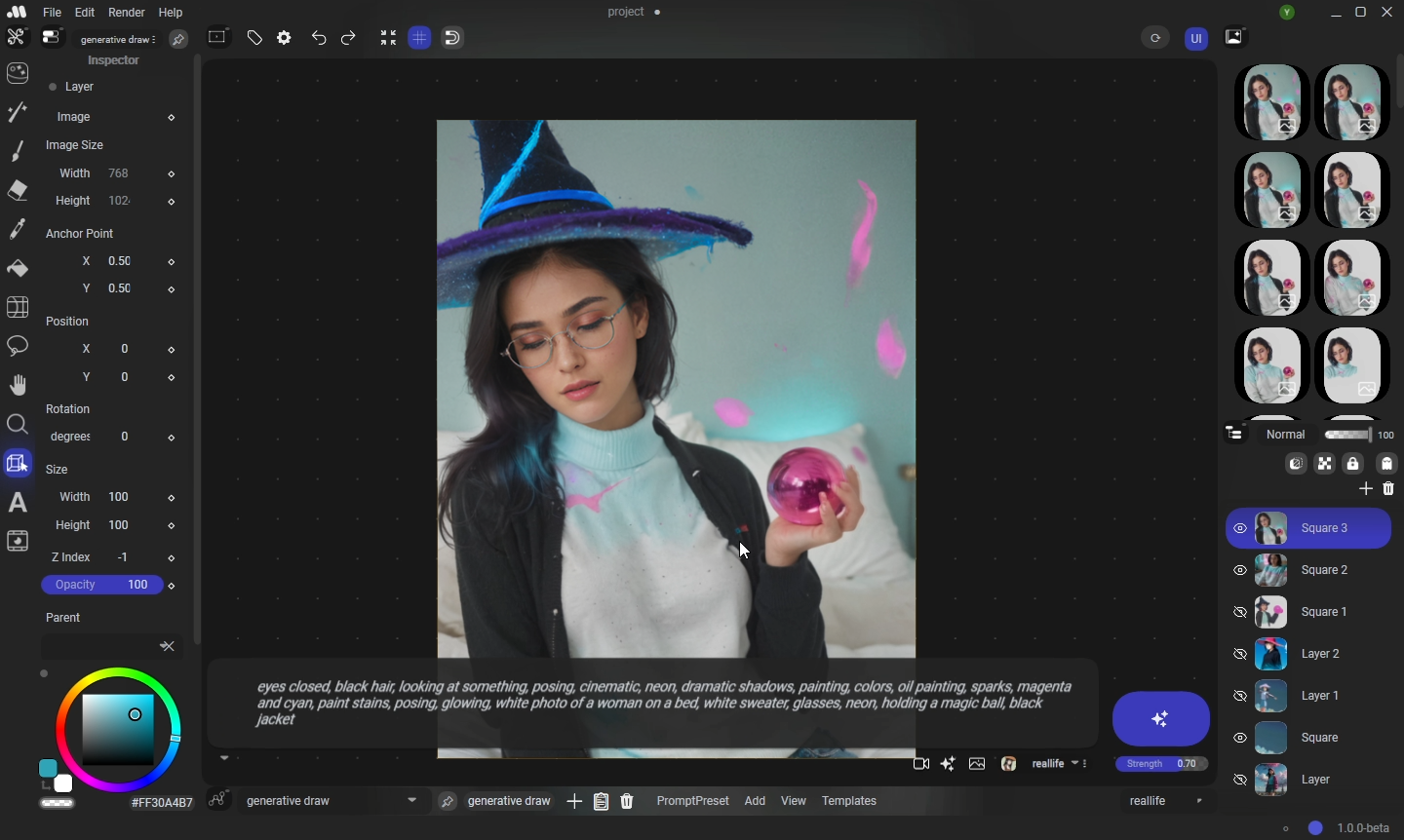
Manual is an advanced ComfyUI Frontend. I developed it from scratch to be compatible with any AI that will be created in the future (and it's still a work in progress). I've written 100,000 lines of code for this project.
🚀 Manual lite
A simplified version of Manual for generating images online: https://manualai.art/studio
🚀 Platforms
- Windows only (for now).
⚙️ Installation
- Download Manual-1.1.0-portable.zip or Manual-1.1.0-setup.zip or from Civitai: https://civitai.com/models/644188/manual
- Clone the ComfyUI-Manual custom node (
git clone) into the ComfyUI\custom_nodes folder of your ComfyUI. - Copy and paste the ComfyUI folder path into Manual by navigating to Edit -> Preferences.
- In the bottom right corner, click the circle, choose Open Local Server, and wait until the server starts (the circle will turn blue).
- In the Nodes workspace, click Refresh to load your nodes and models.
- Select the AI model you want to use.
- Write a prompt, click generate, and you're done. Enjoy all the tools!
🎨 Main Features
🖌️ User Interface
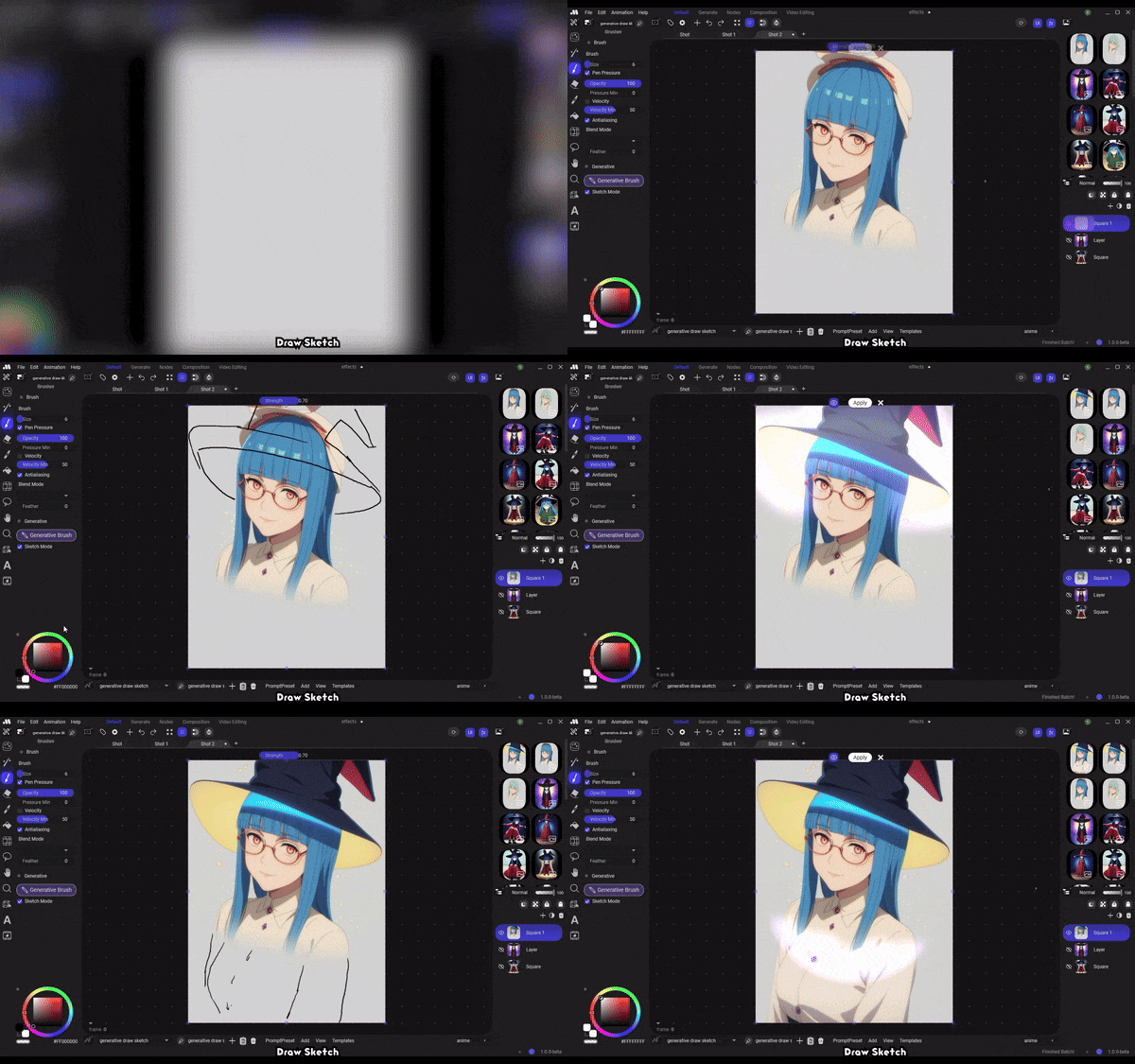
Designed to be friendly to traditional artists (now digital artists are traditionals? 🤔)
Watch the full video on YouTube
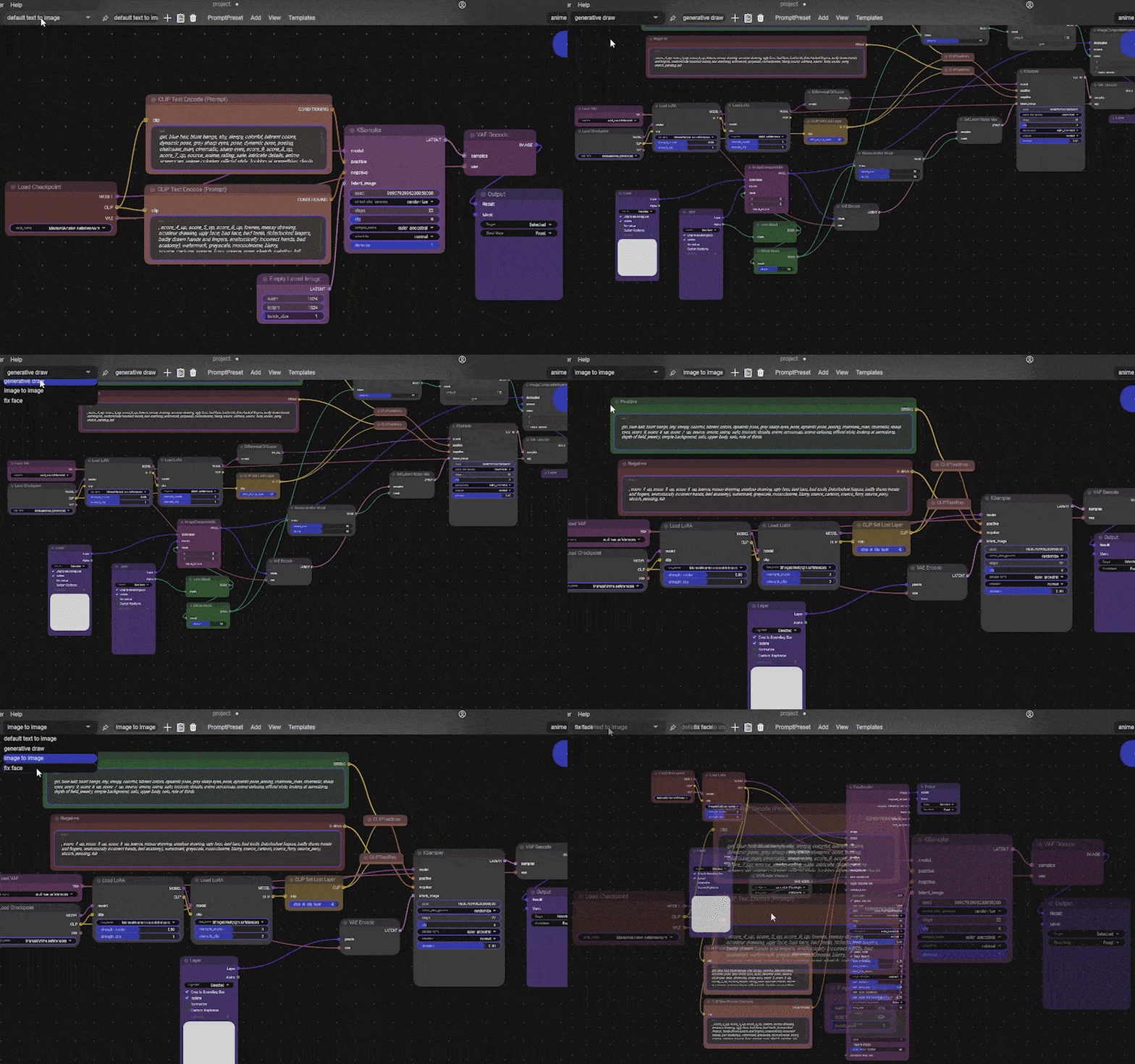
🔄 Multiple Workflows and Templates
Manual has Templates for workflow nodes and Prompt Styles.
Add, Duplicate, Save, Load
you can drop a .json file with your workflows made with ComfyUI, but for some reason you can't do it from Manual to ComfyUI, who knows
for exporting: File -> Export -> Export Prompt Preset (PromptPreset is a workflow node)
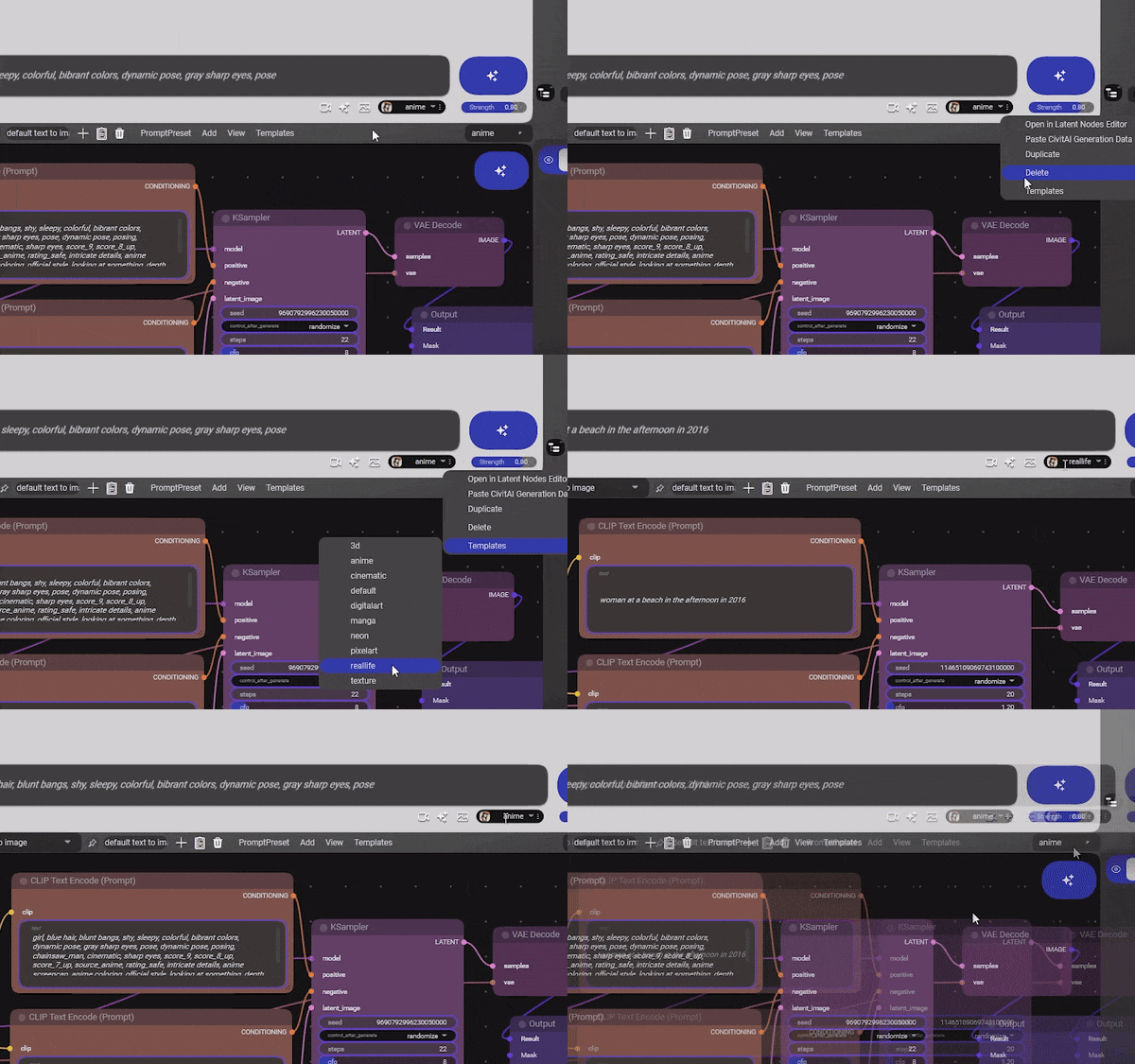
✍️ Prompt Styles
All workflow nodes are linked to a Prompt Style, even this can be deactivated in every workflow node and have their own Prompt Style. Prompt Styles are useful for testing different text prompts or making characters
🎚️ Drivers
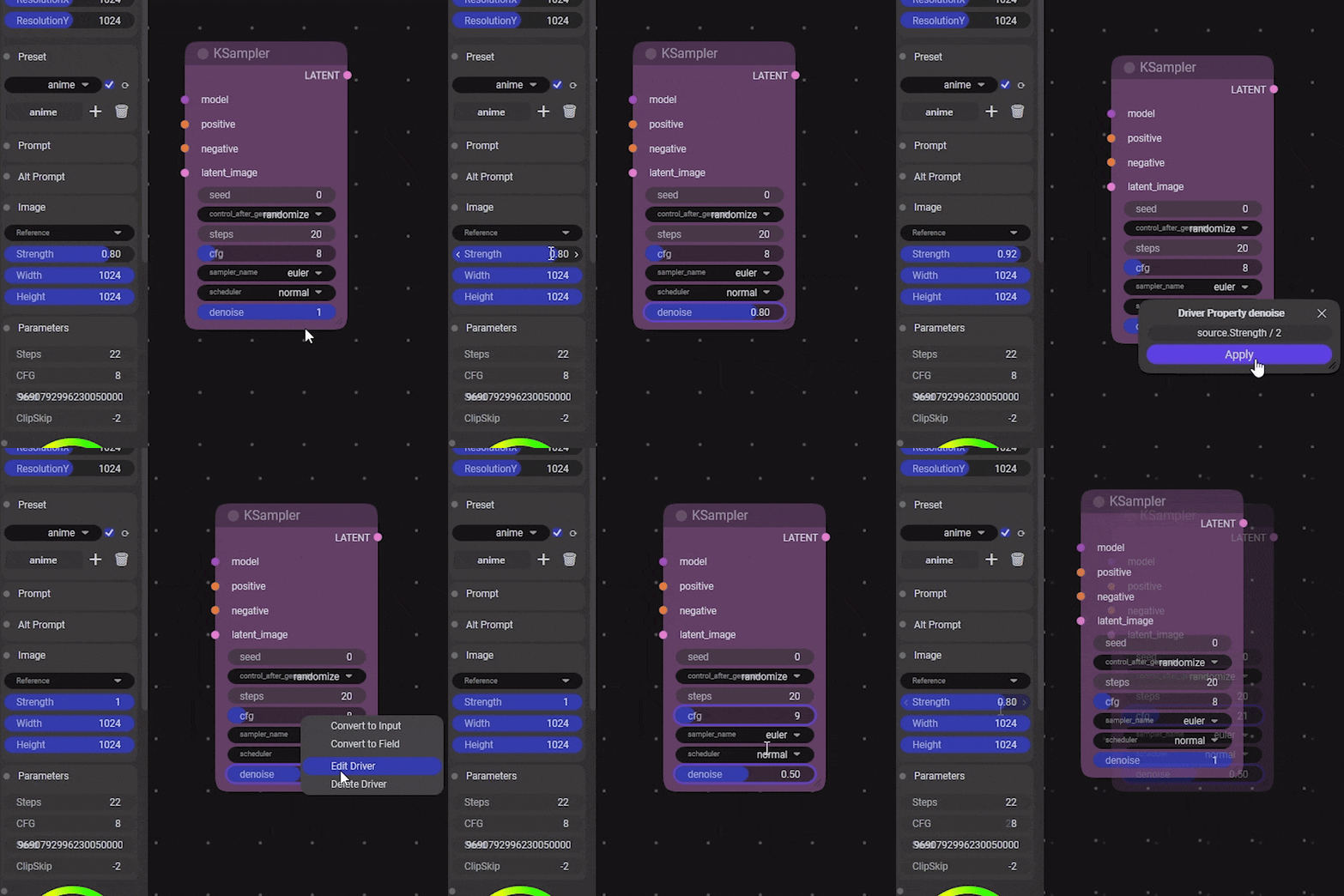
With Drivers you can link the fields to the Prompt Style or provide a lambda expression.
Attach a Prompt Style to a workflow node automatically: in the nav bar of Latent Nodes Editor -> PromptPreset -> Automatic Drivers
Custom Drivers setup: right click in a node field -> Edit Driver -> write Prompt Style property name (usually Manual recommends a name)
for an advanced driver, you can use "source." followed by the property name.
- example 1: Strength
- example 2: source.Strength / 2
- example 3: source.Strength + source.CFG
🔧 Manual Nodes
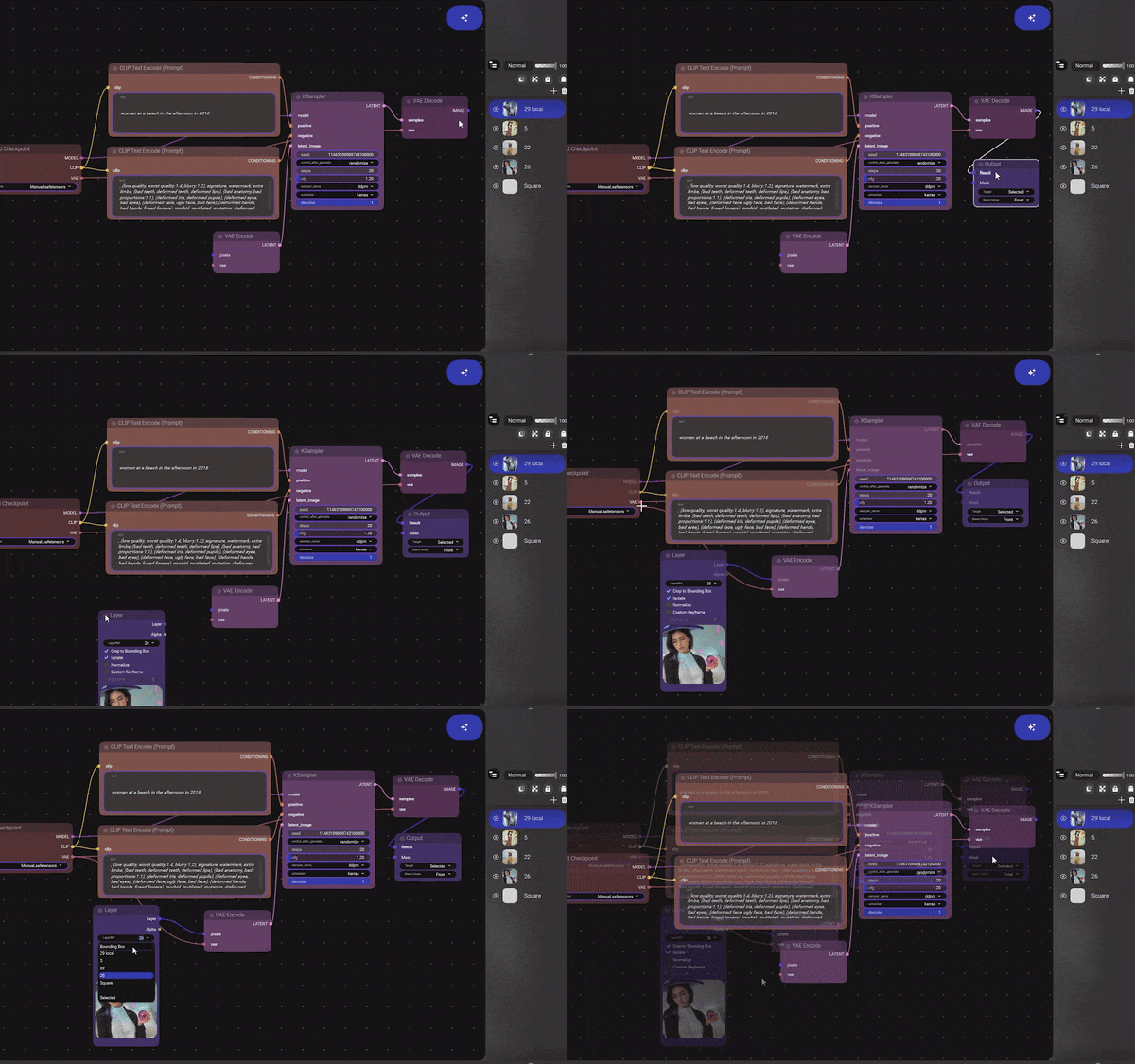
- Layer Node
- Output Node
🌟 More
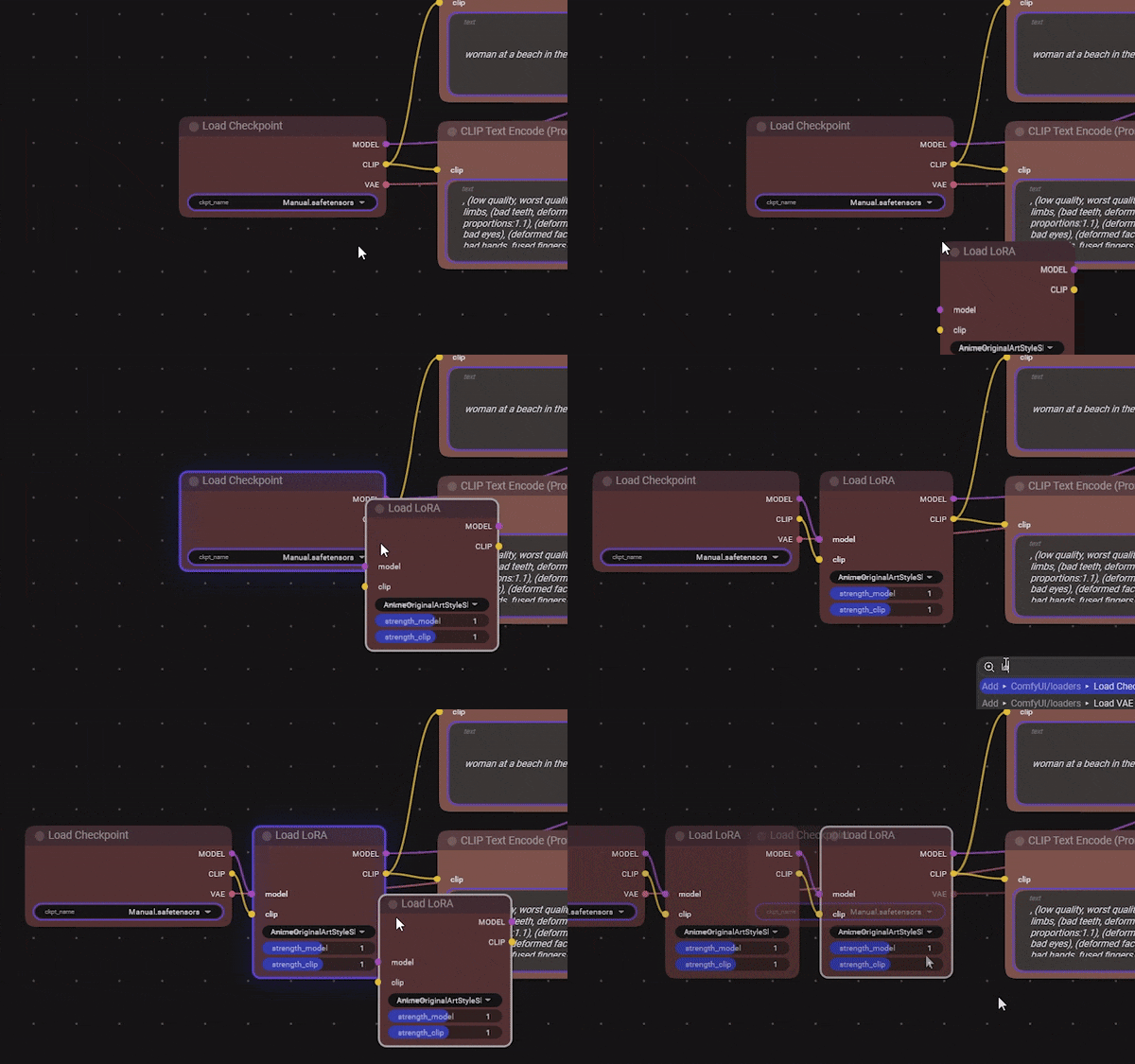
Manual might contain things I don't even remember, a lot of easter eggs lol.
Considerations
- To make all the tools work, you'll need some additional custom nodes from ComfyUI:
- To use the
generative draw sketchworkflow, you need to install ControlNet Sketch (place it inside ComfyUI\models\controlnet). - The tools in Manual by default work with Stable Diffusion 1.5; however, you can change it in Preferences -> Template Mode [SD15, SDXL, Flux] ,or modify the Templates in the folder Manual/Resources/Templates/PromptPresets
- Manual projects do not save generation history (the editor on the right); always place your images in layers.
- Be CAREFUL with Save Projects, Manual is still in beta.
📜 Licence
- Free. Commercial use allowed. Enjoy it!
- I am not responsible for what you generate with Manual.
- Period.
🔮 What's Next
- The software is in beta, so feedback is appreciated.
- For suggestions or assistance, you can reach me on Discord.
- Contributions are welcome if you're a programmer or have ideas.
🎯 Goals
- Make AI accessible for everyone.
- Establish AI as a standard tool for professional and monetizable artwork; like films, anime, etc.
:sparkles: Made with love. :sparkles:
Significant stargazers

13 followers · starred Aug 2024
Similar repos





README
Manual
Manual is an advanced ComfyUI Frontend. I developed it from scratch to be compatible with any AI that will be created in the future (and it's still a work in progress). I've written 100,000 lines of code for this project.
🚀 Manual lite
A simplified version of Manual for generating images online: https://manualai.art/studio
🚀 Platforms
- Windows only (for now).
⚙️ Installation
- Download Manual-1.1.0-portable.zip or Manual-1.1.0-setup.zip or from Civitai: https://civitai.com/models/644188/manual
- Clone the ComfyUI-Manual custom node (
git clone) into the ComfyUI\custom_nodes folder of your ComfyUI. - Copy and paste the ComfyUI folder path into Manual by navigating to Edit -> Preferences.
- In the bottom right corner, click the circle, choose Open Local Server, and wait until the server starts (the circle will turn blue).
- In the Nodes workspace, click Refresh to load your nodes and models.
- Select the AI model you want to use.
- Write a prompt, click generate, and you're done. Enjoy all the tools!
🎨 Main Features
🖌️ User Interface
Designed to be friendly to traditional artists (now digital artists are traditionals? 🤔)
Watch the full video on YouTube
🔄 Multiple Workflows and Templates
Manual has Templates for workflow nodes and Prompt Styles.
Add, Duplicate, Save, Load
you can drop a .json file with your workflows made with ComfyUI, but for some reason you can't do it from Manual to ComfyUI, who knows
for exporting: File -> Export -> Export Prompt Preset (PromptPreset is a workflow node)
✍️ Prompt Styles
All workflow nodes are linked to a Prompt Style, even this can be deactivated in every workflow node and have their own Prompt Style. Prompt Styles are useful for testing different text prompts or making characters
🎚️ Drivers
With Drivers you can link the fields to the Prompt Style or provide a lambda expression.
Attach a Prompt Style to a workflow node automatically: in the nav bar of Latent Nodes Editor -> PromptPreset -> Automatic Drivers
Custom Drivers setup: right click in a node field -> Edit Driver -> write Prompt Style property name (usually Manual recommends a name)
for an advanced driver, you can use "source." followed by the property name.
- example 1: Strength
- example 2: source.Strength / 2
- example 3: source.Strength + source.CFG
🔧 Manual Nodes
- Layer Node
- Output Node
🌟 More
Manual might contain things I don't even remember, a lot of easter eggs lol.
Considerations
- To make all the tools work, you'll need some additional custom nodes from ComfyUI:
- To use the
generative draw sketchworkflow, you need to install ControlNet Sketch (place it inside ComfyUI\models\controlnet). - The tools in Manual by default work with Stable Diffusion 1.5; however, you can change it in Preferences -> Template Mode [SD15, SDXL, Flux] ,or modify the Templates in the folder Manual/Resources/Templates/PromptPresets
- Manual projects do not save generation history (the editor on the right); always place your images in layers.
- Be CAREFUL with Save Projects, Manual is still in beta.
📜 Licence
- Free. Commercial use allowed. Enjoy it!
- I am not responsible for what you generate with Manual.
- Period.
🔮 What's Next
- The software is in beta, so feedback is appreciated.
- For suggestions or assistance, you can reach me on Discord.
- Contributions are welcome if you're a programmer or have ideas.
🎯 Goals
- Make AI accessible for everyone.
- Establish AI as a standard tool for professional and monetizable artwork; like films, anime, etc.
:sparkles: Made with love. :sparkles:
Significant stargazers
13 followers · starred Aug 2024