
ComfyUI nodes for experimenting with the capabilities of the TinyBreaker model.
Python
43
349 commits
updated Aug 29, 2025
README
ComfyUI-TinyBreaker






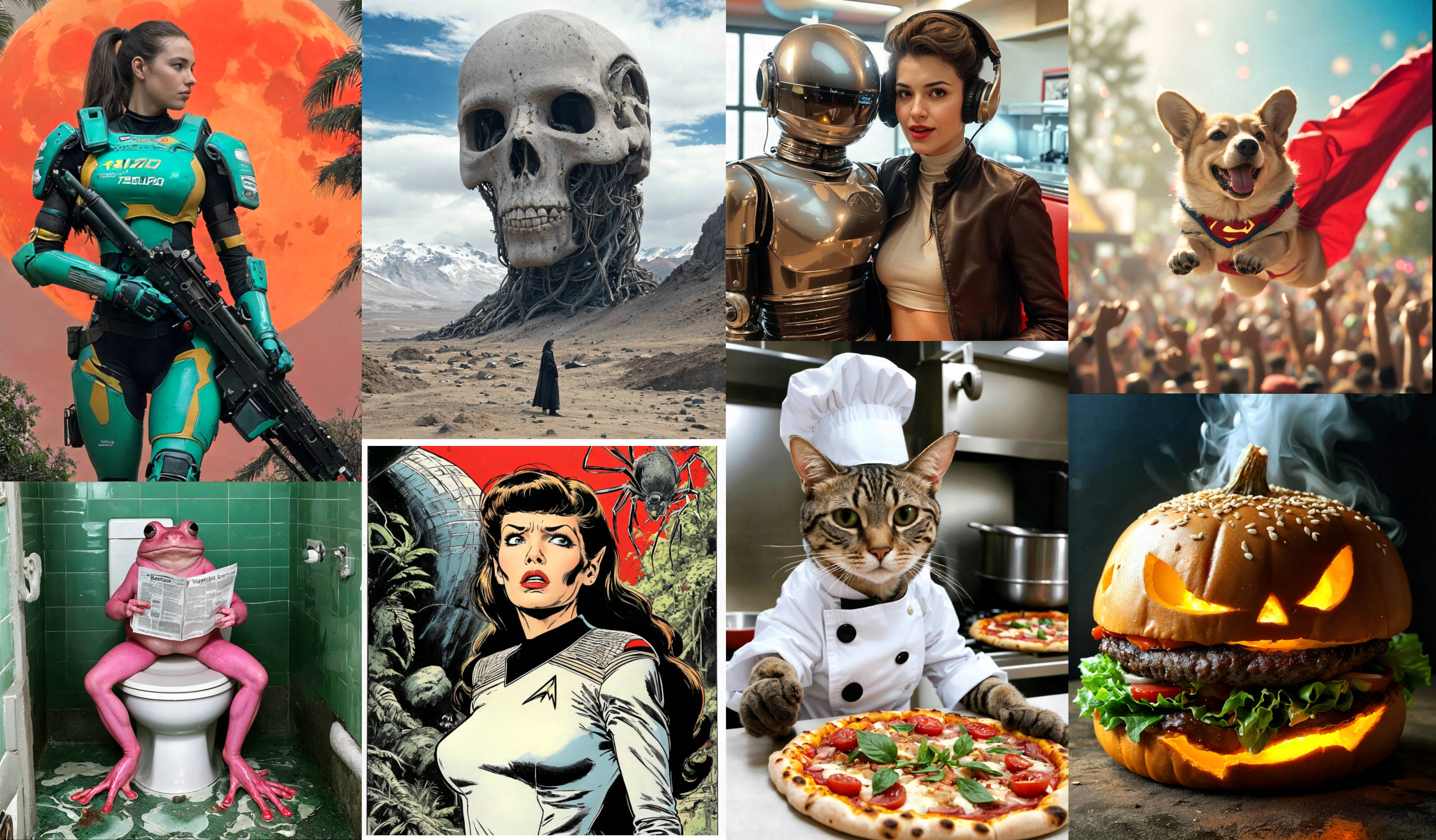
ComfyUI-TinyBreaker is a collection of custom nodes specifically designed to generate images using the TinyBreaker model. It's actively developed with ongoing improvements. Although still in progress, these nodes are functional and let you experiment with the model and squeeze out all its potential.
Table of Contents
Required Files
You need to have these two models copied into your ComfyUI application:
- tinybreaker_prototype1.safetensors (3.0 GB):
- place the file in the
'ComfyUI/models/checkpoints'folder.
- place the file in the
- t5xxl_fp8_e4m3fn.safetensors (4.9 GB):
- place the file in the
'ComfyUI/models/clip'folder (or'ComfyUI/models/text_encoders'). - this model is a versatile text encoder used by FLUX and SD3.5 as well.
- place the file in the
To utilize all features of version v0.3, including the tiny upscaler, you need the 'prototype1' version of TinyBreaker.
Node Installation
Ensure you have the latest version of ComfyUi.
Installation via ComfyUI Manager (Recommended)
The easiest way to install the nodes is through ComfyUI Manager:
- Open ComfyUI and click on the "Manager" button to launch the "ComfyUI Manager Menu".
- Within the ComfyUI Manager, locate and click on the "Custom Nodes Manager" button.
- In the search bar, type "tinybreaker".
- Select the "ComfyUI-TinyBreaker" node from the search results and click the "Install" button.
- Restart ComfyUI to ensure the changes take effect.
Manual Installation
🛠️ Manual installation instructions. (expand for details)
.- Open your preferred terminal application.
- Navigate to your ComfyUI directory:
cd <your_comfyui_directory> - Move into the custom_nodes folder and clone the repository:
cd custom_nodes
git clone https://github.com/martin-rizzo/ComfyUI-TinyBreaker
Windows Portable Installation
🛠️ Windows portable installation instructions. (expand for details)
.- Go to where you unpacked ComfyUI_windows_portable,
you'll find yourrun_nvidia_gpu.batfile here, confirming the correct location. - Press CTRL + SHIFT + RightClick in an empty space and select "Open PowerShell window here".
- Clone the repository into your custom nodes folder using:
git clone https://github.com/martin-rizzo/ComfyUI-TinyBreaker .\ComfyUI\custom_nodes\ComfyUI-TinyBreaker
Example Workflow
|
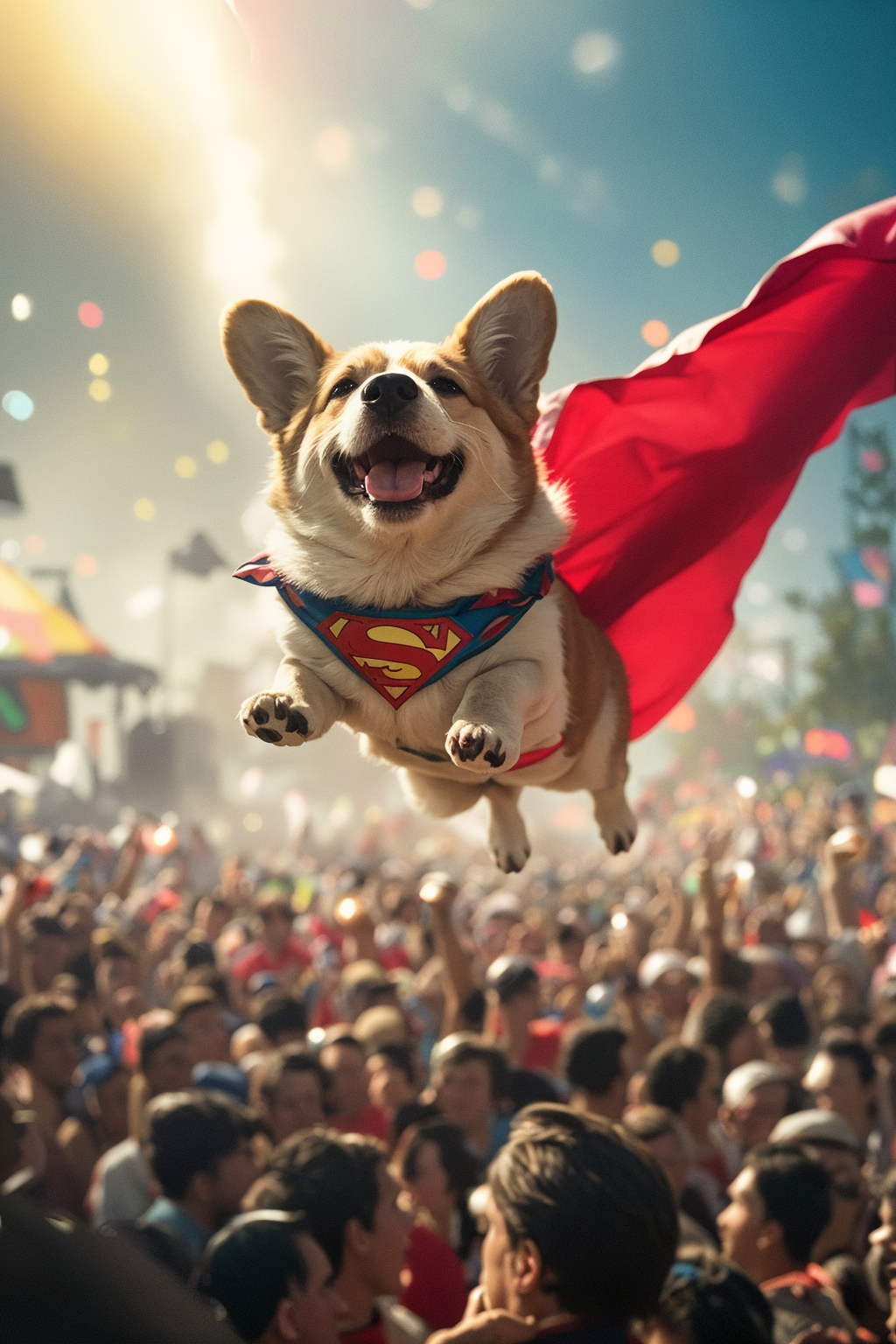
The image contains a reference workflow for using and testing the TinyBreaker model. - to load this workflow, simply drag and drop the image into ComfyUI. - other workflows are available in the workflows directory. |
Features: Unified Prompt
The "Unified Prompt" node allows you to edit both your prompt and parameters within a single text area, accelerating the process of refining the generated image. This even eliminates the need to lift your hands from the keyboard.
When using the Unified Prompt node:
- Begin by typing your desired prompt text as usual.
- Then, after the prompt, write any necessary parameters, each preceded by a double hyphen (
--). - Use the CTRL+RIGHT key to autocomplete the parameter name if you don’t remember it exactly.
- Use the CTRL+UP and CTRL+DOWN keys to modify the value of any parameter.
- Use the standard CTRL+ENTER key to launch the image generation.
Parameters Supported by the Unified Prompt
| Minor image adjustments | Description |
|---|---|
--no <text> | Specifies elements that should not appear in the image. (negative prompt) |
--refine <text> | Specifies elements that should be refined. |
--cfg-shift <number> | Modifies the value of the Classifier-Free Guidance (CFG) scale. |
--image-shift <number> | Modifies minor image details without altering the overall composition. |
--upscale [on|off] | Enables the application of the upscaling process to the final image. |
| Major image changes | Description |
|---|---|
--seed <number> | random | Defines a number for initializing the noise generator. |
--aspect <ratio> | Specifies the aspect ratio of the image (e.g., 16:9, 4:3). |
--landscape | Forces landscape orientation, (ratio 3:2 by default). |
--portrait | Forces portrait orientation, (ratio 2:3 by default). |
--medium | Generates medium-sized images instead of the default large size. |
| Advanced parameters | Description |
|---|---|
--batch-size <number> | Specifies the number of images to generate in a single batch. |
--detail-level <number> | <level> | Controls the level of detail applied during image refinement. |
--upscale-noise <number> | <level> | Adjusts the extra noise level injected during upscaling. |
<level> = none, minimal, low, normal, high, veryhigh, maximum
Examples
--no trees, clouds --refine cats ears --cfg-shift -1 --image_shift +2
--seed random --aspect 16:9 --portrait --medium
--detail-level normal --batch-size 4
For more details on these parameters, see ... [ ! documentation in preparation ! ]
Features: Special CTRL Keys
The "Unified Prompt" node includes specialized control keys to streamline parameter editing:
- CTRL+RIGHT [autocomplete]
Begin typing a parameter name with '--' followed by its initial characters (e.g. '--de'). Pressing CTRL+RIGHT automatically completes the full parameter name (e.g. '--detail-level'). - CTRL+LEFT/RIGHT [parameter cycling]
If you type '--' alone, pressing CTRL+LEFT or CTRL+RIGHT cycles through available parameters, moving backward or forward respectively. - CTRL+UP/DOWN [value adjustment]
Use these keys to increment or decrement the value of a parameter. For example, if your cursor is on '--seed 20', pressing CTRL+UP changes it to '--seed 21'. - CTRL+ENTER [generate]
This key is not part of the Unified Prompt node but serves as ComfyUI’s native shortcut to initiate image generation.
Features: Predefined Styles
The "Select Style" node allows you to choose an image style. This node injects text into the prompt and adjusts sampler parameters to influence the image generation, refinement, and upscaling process.
These styles are currently in development as I continuously refine them through experimentation with parameter combinations. As a result, they may not always function perfectly or produce results that exactly match the descriptions provided here.
| Style Name | Description |
|---|---|
| PHOTO | Fast photorealistic images with beautiful design. |
| ULTRAPHOTO | Realistic images with exceptional detail and clarity. |
| DARKFAN80 | Dark fantasy images with an 80s cinematic style. |
| LITTLE_TOY | Minimalist images inspired by small toy aesthetics. |
| PAINTING | Evocative, textured artworks in the style of classic paintings. |
| COMIC | Comic art style emphasizing bold lines and expressive figures. |
| PIXEL_ART | Pixel art images with retro, blocky details. |
| COLOR_INK | Vibrant, colorful ink-style drawings. |
| REALISTIC_WAIFU_X | Realistic images where a woman is the main subject. |
| REALISTIC_WAIFU_Y | Realistic images where a woman is the main subject (alternative1). |
| REALISTIC_WAIFU_Z | Realistic images where a woman is the main subject (alternative2). |
| CUSTOM1,... | Reserved for user-defined style. |
A reference workflow for editing and testing custom styles is available in the workflows directory.
Features: Tiny Upscaler
The "Tiny Upscaler" node enables upscaling and improving the resolution of images, allowing for the correction of minor imperfections during the process. This node performs upscaling operations quickly while minimizing resource consumption.
Tiny Upscaler utilizes bilinear scaling combined with the embedded refiner in TinyBreaker, a method similar to the "Hires Fix" technique. Additionally, the node incorporates cross-tiling to optimize VRAM usage while almost completely eliminating visible grid artifacts typically generated during the tiling process.
Currently, Tiny Upscaler is experimental and is configured with minimal creativity. It subtly modifies the image to produce a result that looks as though it were originally generated at a higher resolution, while simultaneously attempting to make minimal visual alterations.
The upscaler is available since version v0.3.0 of the nodes and due to the way VEAs are stored, it requires "prototype1" version of TinyBreaker model to function.
Features: CivitAI/A1111 Image Metadata
The "Save Image" node embeds standard ComfyUI workflow metadata into the generated image. More importantly, it also embeds prompt and parameter data in a format compatible with CivitAI and A1111 platforms.
This enables:
- CivitAI to read the prompt used to generate the image when the image is uploaded.
- A wide range of applications to access the prompt and parameters used for image generation.
- The possibility to include additional information compatible with A1111, and the opportunity to implement an extension that could regenerate the image directly from there.
Acknowledgments
I would like to express my sincere gratitude to the developers of PixArt-Σ for their outstanding model. Their contributions have been instrumental in shaping this project and pushing the boundaries of high-quality image generation with minimal resources.
Additional thanks to Ollin Boer Bohan for the Tiny AutoEncoder models. These models have proven invaluable for their efficient latent image encoding, decoding and transcoding capabilities.
License
Copyright (c) 2024-2025 Martin Rizzo
This project is licensed under the MIT license.
See the "LICENSE" file for details.
Contributors

347 commits

2 commits
Similar repos




Languages
Python
95.1%
JavaScript
4.9%
ComfyUI nodes for experimenting with the capabilities of the TinyBreaker model.
Python
43
349 commits
updated Aug 29, 2025
README
ComfyUI-TinyBreaker
ComfyUI-TinyBreaker is a collection of custom nodes specifically designed to generate images using the TinyBreaker model. It's actively developed with ongoing improvements. Although still in progress, these nodes are functional and let you experiment with the model and squeeze out all its potential.
Table of Contents
Required Files
You need to have these two models copied into your ComfyUI application:
- tinybreaker_prototype1.safetensors (3.0 GB):
- place the file in the
'ComfyUI/models/checkpoints'folder.
- place the file in the
- t5xxl_fp8_e4m3fn.safetensors (4.9 GB):
- place the file in the
'ComfyUI/models/clip'folder (or'ComfyUI/models/text_encoders'). - this model is a versatile text encoder used by FLUX and SD3.5 as well.
- place the file in the
To utilize all features of version v0.3, including the tiny upscaler, you need the 'prototype1' version of TinyBreaker.
Node Installation
Ensure you have the latest version of ComfyUi.
Installation via ComfyUI Manager (Recommended)
The easiest way to install the nodes is through ComfyUI Manager:
- Open ComfyUI and click on the "Manager" button to launch the "ComfyUI Manager Menu".
- Within the ComfyUI Manager, locate and click on the "Custom Nodes Manager" button.
- In the search bar, type "tinybreaker".
- Select the "ComfyUI-TinyBreaker" node from the search results and click the "Install" button.
- Restart ComfyUI to ensure the changes take effect.
Manual Installation
🛠️ Manual installation instructions. (expand for details)
.- Open your preferred terminal application.
- Navigate to your ComfyUI directory:
cd <your_comfyui_directory> - Move into the custom_nodes folder and clone the repository:
cd custom_nodes
git clone https://github.com/martin-rizzo/ComfyUI-TinyBreaker
Windows Portable Installation
🛠️ Windows portable installation instructions. (expand for details)
.- Go to where you unpacked ComfyUI_windows_portable,
you'll find yourrun_nvidia_gpu.batfile here, confirming the correct location. - Press CTRL + SHIFT + RightClick in an empty space and select "Open PowerShell window here".
- Clone the repository into your custom nodes folder using:
git clone https://github.com/martin-rizzo/ComfyUI-TinyBreaker .\ComfyUI\custom_nodes\ComfyUI-TinyBreaker
Example Workflow
|
|
The image contains a reference workflow for using and testing the TinyBreaker model. - to load this workflow, simply drag and drop the image into ComfyUI. - other workflows are available in the workflows directory. |
Features: Unified Prompt
The "Unified Prompt" node allows you to edit both your prompt and parameters within a single text area, accelerating the process of refining the generated image. This even eliminates the need to lift your hands from the keyboard.
When using the Unified Prompt node:
- Begin by typing your desired prompt text as usual.
- Then, after the prompt, write any necessary parameters, each preceded by a double hyphen (
--). - Use the CTRL+RIGHT key to autocomplete the parameter name if you don’t remember it exactly.
- Use the CTRL+UP and CTRL+DOWN keys to modify the value of any parameter.
- Use the standard CTRL+ENTER key to launch the image generation.
Parameters Supported by the Unified Prompt
| Minor image adjustments | Description |
|---|---|
--no <text> | Specifies elements that should not appear in the image. (negative prompt) |
--refine <text> | Specifies elements that should be refined. |
--cfg-shift <number> | Modifies the value of the Classifier-Free Guidance (CFG) scale. |
--image-shift <number> | Modifies minor image details without altering the overall composition. |
--upscale [on|off] | Enables the application of the upscaling process to the final image. |
| Major image changes | Description |
|---|---|
--seed <number> | random | Defines a number for initializing the noise generator. |
--aspect <ratio> | Specifies the aspect ratio of the image (e.g., 16:9, 4:3). |
--landscape | Forces landscape orientation, (ratio 3:2 by default). |
--portrait | Forces portrait orientation, (ratio 2:3 by default). |
--medium | Generates medium-sized images instead of the default large size. |
| Advanced parameters | Description |
|---|---|
--batch-size <number> | Specifies the number of images to generate in a single batch. |
--detail-level <number> | <level> | Controls the level of detail applied during image refinement. |
--upscale-noise <number> | <level> | Adjusts the extra noise level injected during upscaling. |
<level> = none, minimal, low, normal, high, veryhigh, maximum
Examples
--no trees, clouds --refine cats ears --cfg-shift -1 --image_shift +2
--seed random --aspect 16:9 --portrait --medium
--detail-level normal --batch-size 4
For more details on these parameters, see ... [ ! documentation in preparation ! ]
Features: Special CTRL Keys
The "Unified Prompt" node includes specialized control keys to streamline parameter editing:
- CTRL+RIGHT [autocomplete]
Begin typing a parameter name with '--' followed by its initial characters (e.g. '--de'). Pressing CTRL+RIGHT automatically completes the full parameter name (e.g. '--detail-level'). - CTRL+LEFT/RIGHT [parameter cycling]
If you type '--' alone, pressing CTRL+LEFT or CTRL+RIGHT cycles through available parameters, moving backward or forward respectively. - CTRL+UP/DOWN [value adjustment]
Use these keys to increment or decrement the value of a parameter. For example, if your cursor is on '--seed 20', pressing CTRL+UP changes it to '--seed 21'. - CTRL+ENTER [generate]
This key is not part of the Unified Prompt node but serves as ComfyUI’s native shortcut to initiate image generation.
Features: Predefined Styles
The "Select Style" node allows you to choose an image style. This node injects text into the prompt and adjusts sampler parameters to influence the image generation, refinement, and upscaling process.
These styles are currently in development as I continuously refine them through experimentation with parameter combinations. As a result, they may not always function perfectly or produce results that exactly match the descriptions provided here.
| Style Name | Description |
|---|---|
| PHOTO | Fast photorealistic images with beautiful design. |
| ULTRAPHOTO | Realistic images with exceptional detail and clarity. |
| DARKFAN80 | Dark fantasy images with an 80s cinematic style. |
| LITTLE_TOY | Minimalist images inspired by small toy aesthetics. |
| PAINTING | Evocative, textured artworks in the style of classic paintings. |
| COMIC | Comic art style emphasizing bold lines and expressive figures. |
| PIXEL_ART | Pixel art images with retro, blocky details. |
| COLOR_INK | Vibrant, colorful ink-style drawings. |
| REALISTIC_WAIFU_X | Realistic images where a woman is the main subject. |
| REALISTIC_WAIFU_Y | Realistic images where a woman is the main subject (alternative1). |
| REALISTIC_WAIFU_Z | Realistic images where a woman is the main subject (alternative2). |
| CUSTOM1,... | Reserved for user-defined style. |
A reference workflow for editing and testing custom styles is available in the workflows directory.
Features: Tiny Upscaler
The "Tiny Upscaler" node enables upscaling and improving the resolution of images, allowing for the correction of minor imperfections during the process. This node performs upscaling operations quickly while minimizing resource consumption.
Tiny Upscaler utilizes bilinear scaling combined with the embedded refiner in TinyBreaker, a method similar to the "Hires Fix" technique. Additionally, the node incorporates cross-tiling to optimize VRAM usage while almost completely eliminating visible grid artifacts typically generated during the tiling process.
Currently, Tiny Upscaler is experimental and is configured with minimal creativity. It subtly modifies the image to produce a result that looks as though it were originally generated at a higher resolution, while simultaneously attempting to make minimal visual alterations.
The upscaler is available since version v0.3.0 of the nodes and due to the way VEAs are stored, it requires "prototype1" version of TinyBreaker model to function.
Features: CivitAI/A1111 Image Metadata
The "Save Image" node embeds standard ComfyUI workflow metadata into the generated image. More importantly, it also embeds prompt and parameter data in a format compatible with CivitAI and A1111 platforms.
This enables:
- CivitAI to read the prompt used to generate the image when the image is uploaded.
- A wide range of applications to access the prompt and parameters used for image generation.
- The possibility to include additional information compatible with A1111, and the opportunity to implement an extension that could regenerate the image directly from there.
Acknowledgments
I would like to express my sincere gratitude to the developers of PixArt-Σ for their outstanding model. Their contributions have been instrumental in shaping this project and pushing the boundaries of high-quality image generation with minimal resources.
Additional thanks to Ollin Boer Bohan for the Tiny AutoEncoder models. These models have proven invaluable for their efficient latent image encoding, decoding and transcoding capabilities.
License
Copyright (c) 2024-2025 Martin Rizzo
This project is licensed under the MIT license.
See the "LICENSE" file for details.
Similar repos
Contributors
347 commits
2 commits
Languages
Python
95.1%
JavaScript
4.9%