
Interactive Graphviz Dot Preview for Visual Studio Code
TypeScript
207
276 commits
updated Jun 26, 2024
README



Graphviz Interactive Preview (Visual Studio Code Extension)
A VSCode extension that provides syntax highlighting, snippets, and an interactive, zoom-, pan- and searchable, live preview with edge tracing for graphs in Graphviz / dot format.

Language Features
- Graphviz/Dot Language Support / Syntax Highlighting and Snippets (thanks @joaompinto)
- AutoCompletion
- Rename Symbols
- Find References of node IDs
- Color selection via Color decoration
- Hover information for settings
- Shows syntax errors (only available when the preview of the document is active)


Interactivity Features
- Renders dot/Graphviz sources in an interactive live preview.
- Updates preview as you type.
- Search for nodes in the graph.
- Export the graph as
svgordot. - Interactive edge tracing. Click on a node to highlight incoming and outgoing edges (
ESCto unselect). The Direction of the highlighting can be changed (options: single, upstream, downstream, bidirectional) - Configurable render engine, render options & tracing preference: e.g.
transitionDelay,transitionDuration.


Other features
- Available on github.dev, vscode.dev
- Developers: you can pass a callback function that receives the webPanel when executing the preview command. This allows you to override functionality that is provided by the webPanel, like handlers for click/dblClick events.
How to preview
Open a Graphviz/Dot file in the active editor and use either of the following methods to render the preview:
- (a) open the command prompt (cmd+shift+p) and type
> graphviz preview - (b) click the
 button in the editor title
 - (c) from the editor window's context menu, select
Preview Graphviz / Dot (beside)


Render Examples


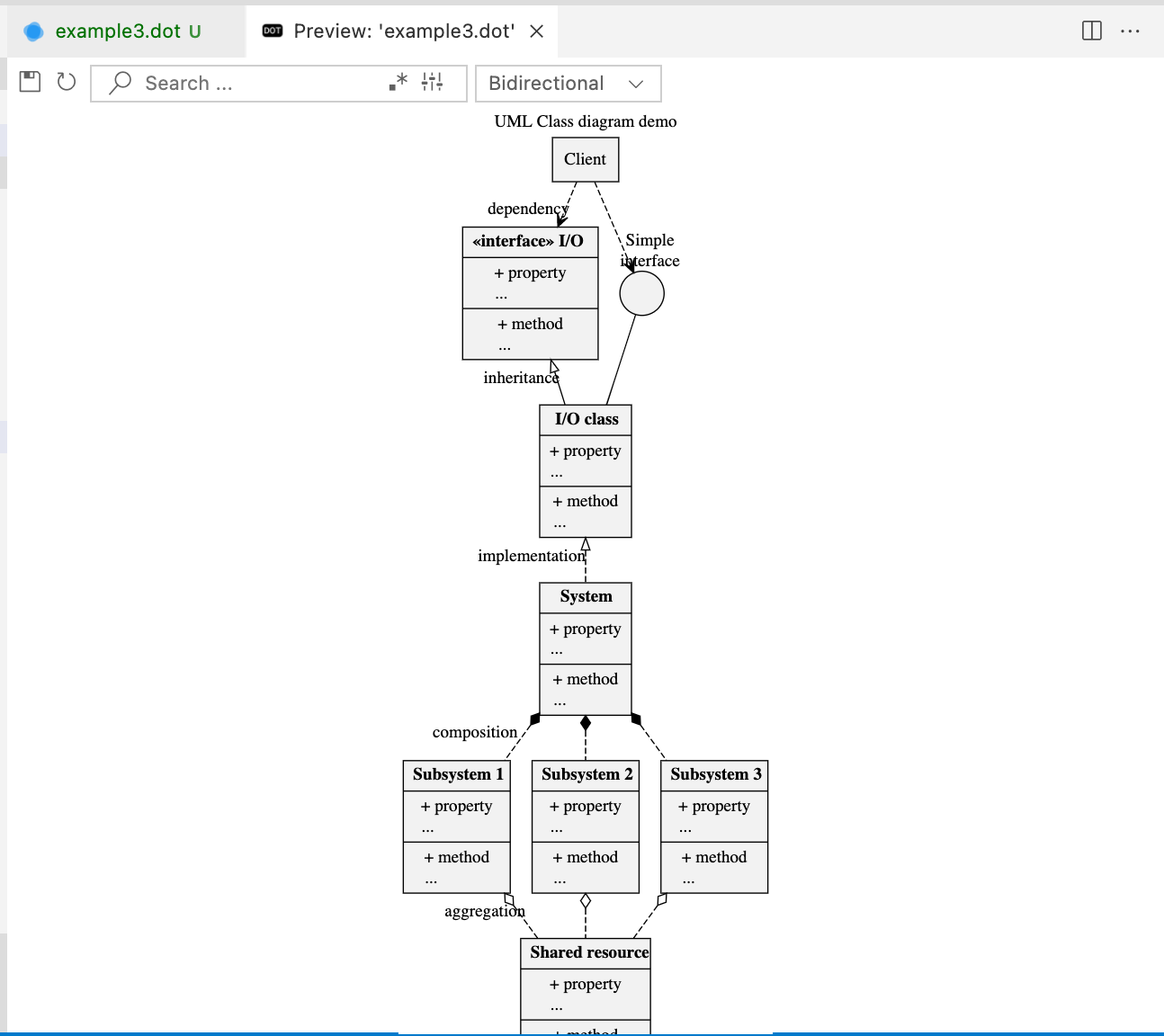

Developer Notes
Note:❗v0.0.8 introduced a breaking change: the render command was renamed from interactive-graphviz.preview.beside to graphviz-interactive-preview.preview.beside
The extension can be set run on development machines with
npm run watch
In order to test the extension as a web extension you have to start
npm run open-in-browser
Interact with this extension
- add
graphviz-interactive-previewto yourpackage.jsonextension dependencies.
{
    "name": "your-extension",
    "extensionDependencies": ["tintinweb.graphviz-interactive-preview"],
}
- Create one or multiple new panels displaying the rendered dot graph. Provide the
documentoruriobject reference of the source code you want to render. Alternatively, you can also provide adocumentorurireference of a virtual document and provide the graphviz dot source with thecontentfield. In this case the extension will render thecontentand use the virtual document to extract the path information. The callback function receives the newly created webPanel. OverloadwebPanel.handleMessage((message)from your callback function to receive message events likeonClickandonDblClickemitted from inside the dot render window.
let options = {
    document: <vscode.document>,
    uri: <vscode.uri>,
    content: <string: dotSrc>,
    callback: <function(webpanel){}>,
    allowMultiplePanels: <bool: false|[true]>,
    title: <string: RenderWindowTitle>,
    search: <optional string: Search | object: searchOptions>
}

vscode.commands.executeCommand("graphviz-interactive-preview.preview.beside", options)
Please do not hesitate to reach out if you are missing specific functionality.
Maintainers
see AUTHORS for a list contributors.
Credits
- graph engine: d3-graphviz
- edge tracking: jquery.graphviz.svg
- webview handling: vscode-graphviz
- dot language support, syntax highlighting, snippets: taken from vscode-graphviz with permission from the author @joaompinto
Copyright (c) Microsoft Corporation:
- icons: vscode-codicons
- UI: vscode-webview-ui-toolkit
Release Notes
see CHANGELOG
Contributors


Similar repos


Languages
TypeScript
54.6%
JavaScript
22.4%
HTML
15.5%
CSS
7.5%
Interactive Graphviz Dot Preview for Visual Studio Code
TypeScript
207
276 commits
updated Jun 26, 2024
README
Graphviz Interactive Preview (Visual Studio Code Extension)
A VSCode extension that provides syntax highlighting, snippets, and an interactive, zoom-, pan- and searchable, live preview with edge tracing for graphs in Graphviz / dot format.
Language Features
- Graphviz/Dot Language Support / Syntax Highlighting and Snippets (thanks @joaompinto)
- AutoCompletion
- Rename Symbols
- Find References of node IDs
- Color selection via Color decoration
- Hover information for settings
- Shows syntax errors (only available when the preview of the document is active)
Interactivity Features
- Renders dot/Graphviz sources in an interactive live preview.
- Updates preview as you type.
- Search for nodes in the graph.
- Export the graph as
svgordot. - Interactive edge tracing. Click on a node to highlight incoming and outgoing edges (
ESCto unselect). The Direction of the highlighting can be changed (options: single, upstream, downstream, bidirectional) - Configurable render engine, render options & tracing preference: e.g.
transitionDelay,transitionDuration.
Other features
- Available on github.dev, vscode.dev
- Developers: you can pass a callback function that receives the webPanel when executing the preview command. This allows you to override functionality that is provided by the webPanel, like handlers for click/dblClick events.
How to preview
Open a Graphviz/Dot file in the active editor and use either of the following methods to render the preview:
- (a) open the command prompt (cmd+shift+p) and type
> graphviz preview - (b) click the button in the editor title
- (c) from the editor window's context menu, select
Preview Graphviz / Dot (beside)
Render Examples
Developer Notes
Note:❗v0.0.8 introduced a breaking change: the render command was renamed from interactive-graphviz.preview.beside to graphviz-interactive-preview.preview.beside
The extension can be set run on development machines with
npm run watch
In order to test the extension as a web extension you have to start
npm run open-in-browser
Interact with this extension
- add
graphviz-interactive-previewto yourpackage.jsonextension dependencies.
{
    "name": "your-extension",
    "extensionDependencies": ["tintinweb.graphviz-interactive-preview"],
}
- Create one or multiple new panels displaying the rendered dot graph. Provide the
documentoruriobject reference of the source code you want to render. Alternatively, you can also provide adocumentorurireference of a virtual document and provide the graphviz dot source with thecontentfield. In this case the extension will render thecontentand use the virtual document to extract the path information. The callback function receives the newly created webPanel. OverloadwebPanel.handleMessage((message)from your callback function to receive message events likeonClickandonDblClickemitted from inside the dot render window.
let options = {
    document: <vscode.document>,
    uri: <vscode.uri>,
    content: <string: dotSrc>,
    callback: <function(webpanel){}>,
    allowMultiplePanels: <bool: false|[true]>,
    title: <string: RenderWindowTitle>,
    search: <optional string: Search | object: searchOptions>
}

vscode.commands.executeCommand("graphviz-interactive-preview.preview.beside", options)
Please do not hesitate to reach out if you are missing specific functionality.
Maintainers
see AUTHORS for a list contributors.
Credits
- graph engine: d3-graphviz
- edge tracking: jquery.graphviz.svg
- webview handling: vscode-graphviz
- dot language support, syntax highlighting, snippets: taken from vscode-graphviz with permission from the author @joaompinto
Copyright (c) Microsoft Corporation:
- icons: vscode-codicons
- UI: vscode-webview-ui-toolkit
Release Notes
see CHANGELOG
Similar repos
Contributors
Languages
TypeScript
54.6%
JavaScript
22.4%
HTML
15.5%
CSS
7.5%