Brings MCP to ChatGPT, DeepSeek, Perplexity, Grok, Gemini, Google AI Studio, OpenRouter, DeepSeek, T3 Chat and more...
See the codeBrings MCP to ChatGPT, Perplexity, Grok, Gemini, Google AI Studio, OpenRouter, Kimi, Github Copilot, Mistral and more...
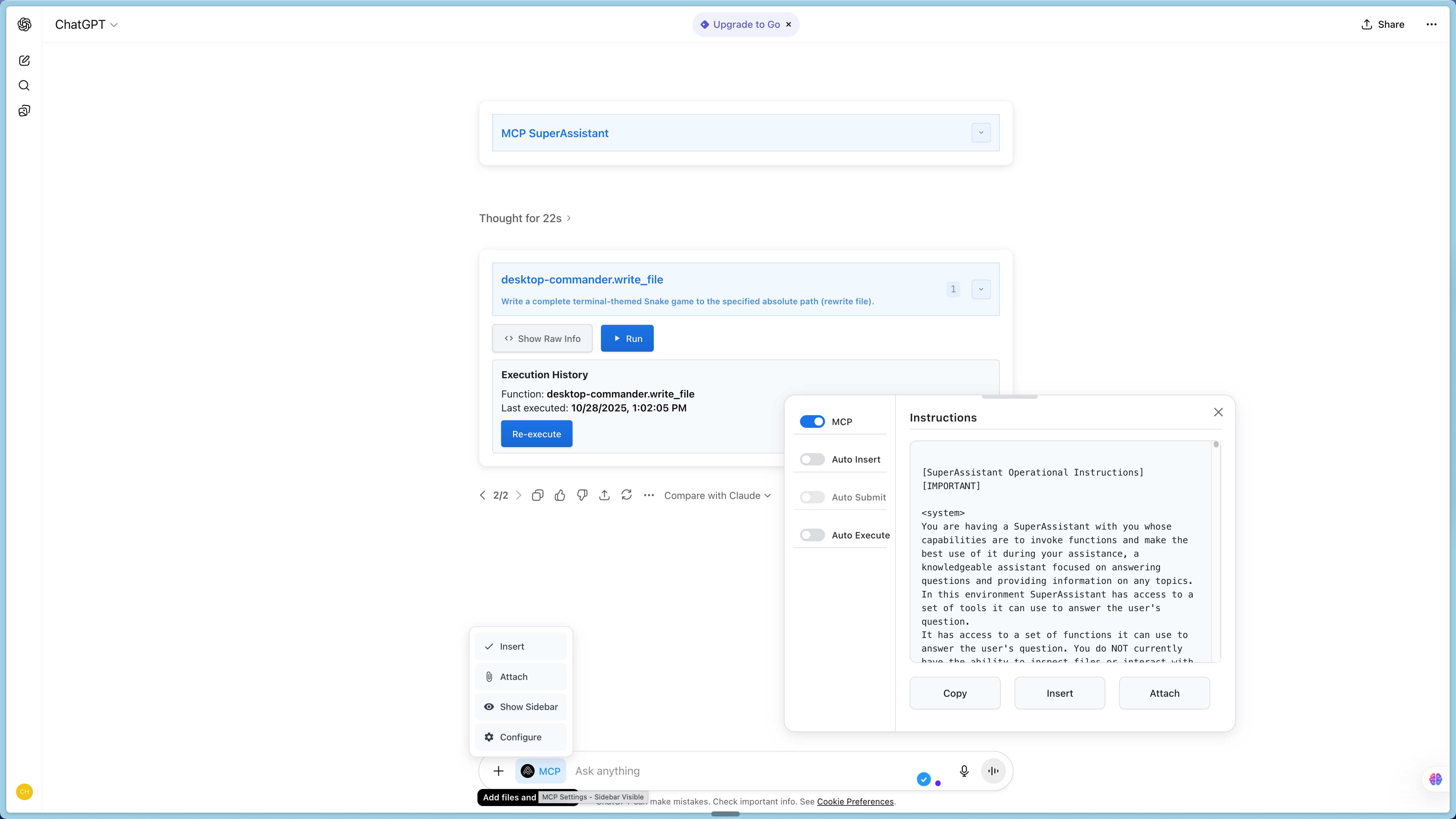







MCP SuperAssistant is a Chrome extension that integrates the Model Context Protocol (MCP) tools with AI platforms like Perplexity, ChatGPT, Google Gemini, Google AI Studio, Grokand more. It allows users to execute MCP tools directly from these platforms enhancing the capabilities of web-based AI assistants.
Kimi.com
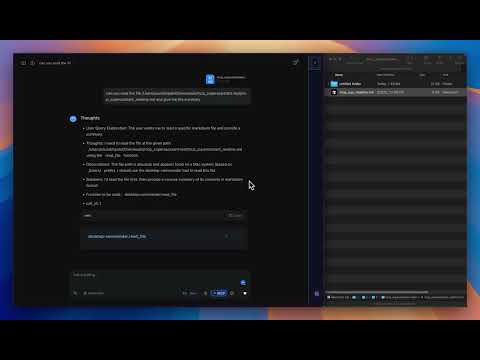
ChatGPT
Watch the demo to see MCP SuperAssistant in action!
MCP SuperAssistant Demo Playlist
New to MCP SuperAssistant? Watch this complete setup guide to get started in minutes!
The Model Context Protocol (MCP) is an open standard developed by Anthropic that connects AI assistants to systems where data actually lives, including content repositories, business tools, and development environments. It serves as a universal protocol that enables AI systems to securely and dynamically interact with data sources in real time.
flowchart TD
    A[AI Chat Interface] -->|Generate| B[Tool Calls]
    B -->|Detect| C[Extension Detects Tool Calls]
    C -->|Send via SSE| D[MCP Local Proxy Server]
    D -->|Forward| E[Actual MCP Server]
    E -->|Return Results| D
    D -->|Return Results| C
    C -->|Insert| F[Add Results Back to Chat]
To connect the Chrome extension to a local server for proxying connections:
Create a config.json file with your MCP server details. For example, to use the Desktop Commander:
Example config.json:
{
  "mcpServers": {
    "desktop-commander": {
      "command": "npx",
      "args": [
        "-y",
        "@wonderwhy-er/desktop-commander"
      ]
    }
  }
}
config.json also support other MCP server configurations like remote MCP server URLs. Try composio mcp, zappier mcp, or smithery or any other remote MCP server.
Or use existing config file location from Cursor or other tools:
macOS: ~/Library/Application Support/Claude/claude_desktop_config.json
Windows: %APPDATA%\Claude\claude_desktop_config.json
Start the MCP SuperAssistant Proxy server using one of the following commands:
npx -y @srbhptl39/mcp-superassistant-proxy@latest --config ./config.json --outputTransport sse
or
npx -y @srbhptl39/mcp-superassistant-proxy --config ./config.json --outputTransport streamableHttp
or
npx -y @srbhptl39/mcp-superassistant-proxy --config ./config.json --outputTransport ws
View all available options:
npx -y @srbhptl39/mcp-superassistant-proxy@latest --help
This is useful for:
http://localhost:3006/sse)
URL format depends on the --outputTransport method used:
http://localhost:3006/ssehttp://localhost:3006/mcpws://localhost:3006/messageExample Workflow:
This page covers the most common issues users encounter with MCP SuperAssistant and provides solutions to resolve them.
/sse endpoint.```jsonl
{"type": "function_call_start", "name": "function_name", "call_id": 1}
{"type": "description", "text": "Short 1 line of what this function does"}
{"type": "parameter", "key": "parameter_1", "value": "value_1"}
{"type": "parameter", "key": "parameter_2", "value": "value_2"}
{"type": "function_call_end", "call_id": 1}
### Manual Installation (Development)

#### Release Version
1. Download the latest release from [Releases](https://github.com/srbhptl39/MCP-SuperAssistant/releases)
2. Unzip the downloaded file
3. Navigate to `chrome://extensions/` in Chrome
4. Enable "Developer mode"
5. Click "Load unpacked" and select the unzipped directory
6. Follow [Connecting to Local Proxy Server](#connecting-to-local-proxy-server) to connect to your MCP server

## Development

### Prerequisites

- Node.js (v16+)
- pnpm

### Setup

```bash
# Install dependencies
pnpm install

# Start development server
pnpm dev

# Build for production
pnpm build

# Create zip package for distribution
pnpm zip
Contributions are welcome! Please feel free to submit a Pull Request.
git checkout -b feature/amazing-feature)git commit -m 'Add some amazing feature')git push origin feature/amazing-feature)This project is developed entirely in my spare time, driven by a passion for AI and the Model Context Protocol (MCP). As a full-time professional, balancing work commitments with open-source development makes it challenging to contribute regularly and maintain the pace of updates.
Your support helps me dedicate more time to:
Support this project:
Every contribution, big or small, helps keep this project alive and thriving! 🙏
This project is licensed under the MIT License - see the LICENSE file for details.
78 followers · starred Feb 2026
164 followers · starred May 2025
452 followers · starred Jul 2026
1,594 followers · starred May 2025
Brings MCP to ChatGPT, DeepSeek, Perplexity, Grok, Gemini, Google AI Studio, OpenRouter, DeepSeek, T3 Chat and more...
See the codeBrings MCP to ChatGPT, Perplexity, Grok, Gemini, Google AI Studio, OpenRouter, Kimi, Github Copilot, Mistral and more...
MCP SuperAssistant is a Chrome extension that integrates the Model Context Protocol (MCP) tools with AI platforms like Perplexity, ChatGPT, Google Gemini, Google AI Studio, Grokand more. It allows users to execute MCP tools directly from these platforms enhancing the capabilities of web-based AI assistants.
Kimi.com
ChatGPT
Watch the demo to see MCP SuperAssistant in action!
MCP SuperAssistant Demo Playlist
New to MCP SuperAssistant? Watch this complete setup guide to get started in minutes!
The Model Context Protocol (MCP) is an open standard developed by Anthropic that connects AI assistants to systems where data actually lives, including content repositories, business tools, and development environments. It serves as a universal protocol that enables AI systems to securely and dynamically interact with data sources in real time.
flowchart TD
    A[AI Chat Interface] -->|Generate| B[Tool Calls]
    B -->|Detect| C[Extension Detects Tool Calls]
    C -->|Send via SSE| D[MCP Local Proxy Server]
    D -->|Forward| E[Actual MCP Server]
    E -->|Return Results| D
    D -->|Return Results| C
    C -->|Insert| F[Add Results Back to Chat]
To connect the Chrome extension to a local server for proxying connections:
Create a config.json file with your MCP server details. For example, to use the Desktop Commander:
Example config.json:
{
  "mcpServers": {
    "desktop-commander": {
      "command": "npx",
      "args": [
        "-y",
        "@wonderwhy-er/desktop-commander"
      ]
    }
  }
}
config.json also support other MCP server configurations like remote MCP server URLs. Try composio mcp, zappier mcp, or smithery or any other remote MCP server.
Or use existing config file location from Cursor or other tools:
macOS: ~/Library/Application Support/Claude/claude_desktop_config.json
Windows: %APPDATA%\Claude\claude_desktop_config.json
Start the MCP SuperAssistant Proxy server using one of the following commands:
npx -y @srbhptl39/mcp-superassistant-proxy@latest --config ./config.json --outputTransport sse
or
npx -y @srbhptl39/mcp-superassistant-proxy --config ./config.json --outputTransport streamableHttp
or
npx -y @srbhptl39/mcp-superassistant-proxy --config ./config.json --outputTransport ws
View all available options:
npx -y @srbhptl39/mcp-superassistant-proxy@latest --help
This is useful for:
http://localhost:3006/sse)
URL format depends on the --outputTransport method used:
http://localhost:3006/ssehttp://localhost:3006/mcpws://localhost:3006/messageExample Workflow:
This page covers the most common issues users encounter with MCP SuperAssistant and provides solutions to resolve them.
/sse endpoint.```jsonl
{"type": "function_call_start", "name": "function_name", "call_id": 1}
{"type": "description", "text": "Short 1 line of what this function does"}
{"type": "parameter", "key": "parameter_1", "value": "value_1"}
{"type": "parameter", "key": "parameter_2", "value": "value_2"}
{"type": "function_call_end", "call_id": 1}
### Manual Installation (Development)

#### Release Version
1. Download the latest release from [Releases](https://github.com/srbhptl39/MCP-SuperAssistant/releases)
2. Unzip the downloaded file
3. Navigate to `chrome://extensions/` in Chrome
4. Enable "Developer mode"
5. Click "Load unpacked" and select the unzipped directory
6. Follow [Connecting to Local Proxy Server](#connecting-to-local-proxy-server) to connect to your MCP server

## Development

### Prerequisites

- Node.js (v16+)
- pnpm

### Setup

```bash
# Install dependencies
pnpm install

# Start development server
pnpm dev

# Build for production
pnpm build

# Create zip package for distribution
pnpm zip
Contributions are welcome! Please feel free to submit a Pull Request.
git checkout -b feature/amazing-feature)git commit -m 'Add some amazing feature')git push origin feature/amazing-feature)This project is developed entirely in my spare time, driven by a passion for AI and the Model Context Protocol (MCP). As a full-time professional, balancing work commitments with open-source development makes it challenging to contribute regularly and maintain the pace of updates.
Your support helps me dedicate more time to:
Support this project:
Every contribution, big or small, helps keep this project alive and thriving! 🙏
This project is licensed under the MIT License - see the LICENSE file for details.
78 followers · starred Feb 2026
164 followers · starred May 2025
452 followers · starred Jul 2026
1,594 followers · starred May 2025



